🛒 Best Price Today on Amazon
Prime members get fast, free shipping on everything above, plus member-only deals. New members get a 30-day free trial — cancel anytime.
- Conference Room Cameras at a Glance
- How to Choose a Conference Room Webcam
- Best Conference Room Video Bars by Tier
- Best Work Webcams, Business Webcams and Pan and Zoom Webcams
- Best Zooming Webcams and HD Webcams with Zoom
- Best Webcams for Teams and Skype
- Room Size, Framing and Certification Notes
- Pick This Camera If…
- Alternatives to Consider
- Setup and Safety Notes
- Audio, Network and Room Preparation
- Frequently Asked Questions
Updated November 2026 – For a small huddle room the Logitech MeetUp 2 is the usual pick, for medium rooms the Logitech Rally Bar Mini or Poly Studio X52, for large rooms the Logitech Rally Bar or Poly Studio E60, for wide tables the Jabra PanaCast 50, for center-table layouts the Meeting Owl 4+, and for a low-cost portable option the OBSBOT Meet 2.
The best conference webcams are not the same cameras you would put on a gaming desk. A room camera has to cover several people, pick up voices across a table and plug into the meeting platform your company uses. This guide covers the best conference webcams and video bars in 2026 by room size, explains what auto-framing and certification mean, and also touches on the pan and zoom webcams and business webcams people use for work, Zoom calls and Teams meetings. Specs are as the makers list them, and reviews are attributed to the outlets that published them; nothing here is a measured result.
Conference Room Cameras at a Glance
| Model | Type | Best for | Key stated features | Limits |
|---|---|---|---|---|
| Logitech MeetUp 2 | All-in-one video bar | Small huddle rooms | 4K camera · built-in mics and speaker · AI framing | Not for large rooms |
| Logitech Rally Bar Mini | Video bar | Medium rooms | 4K · AI Viewfinder framing · certified for major platforms | Needs a room-controller or host setup |
| Logitech Rally Bar | Video bar | Medium to large rooms | 4K · multiple mics · speaker · AI framing | Largest cost and footprint |
| Poly Studio X52 | Video bar with built-in compute | Medium rooms | 4K · DirectorAI framing · standalone platform modes | Maker support varies by platform |
| Poly Studio E60 | PTZ camera | Large rooms with a presenter | 12x optical zoom · mechanical pan and tilt | Needs separate audio |
| Jabra PanaCast 50 | Panoramic video bar | Wide, shallow rooms | 180 degree 4K view from several cameras · mics · speakers | Different layout from a single-lens bar |
| Meeting Owl 4+ | 360 degree camera | Small to mid rooms with a center table | 360 degree camera · speaker · mics | Not for a front-of-room screen layout |
| OBSBOT Meet 2 | Desktop webcam | Personal and small meetings | 4K · AI tracking · USB | Not a full room system |
Most reviews on the web, including roundups from Guideflow, Video Conferencing Supply, CipherDot and others, sort picks by room size, which is the right approach. Several of those pages are affiliate-style or vendor blogs, so treat their rankings as opinions rather than lab results. Even OBSBOT’s own blog ranks conference webcams, including its own products, which is a reminder to look at several sources.
How to Choose a Conference Room Webcam
Pick by room size and layout first, platform second and budget third. Measure the room, count the seats and note where the screen is. A front-of-room bar suits a table where everyone faces a display; a 360 degree device suits a table people sit around; a panoramic camera suits a long, narrow room; a PTZ camera suits a large room where a speaker stands apart from the audience. Then check whether the platform you use, such as Microsoft Teams, Zoom or Google Meet, is listed by the maker as certified or supported. Finally, think about the audio, because remote participants judge a meeting by how clearly they can hear it.
Best Conference Room Video Bars by Tier
Logitech MeetUp 2 – Best for Small Huddle Rooms
4K camera · built-in microphones and speaker · AI-based framing · USB connection
Logitech positions the MeetUp 2 as an all-in-one bar for small rooms, combining a wide-angle camera, microphones and a speaker in one body. OBSBOT’s roundup names it best for small huddle rooms, and Logitech lists support for the main meeting platforms. It is typically wall-mounted under a display or placed on a table. It is a mid-range to premium choice for a room that seats a few people. If your room has more than around six seats, look at the Rally Bar Mini instead.
Logitech Rally Bar Mini – Best for Medium Rooms
4K · AI Viewfinder framing · microphones and speaker · certified for Teams Rooms, Zoom Rooms and Google Meet as the maker lists
Layer3Labs names the Rally Bar Mini as the best Meeting Owl alternative for most rooms. It is a smaller sibling of the Rally Bar and is designed to be paired with a compute device or a Logitech room controller. It is a premium purchase, but it saves setting up separate cameras, microphones and speakers. It suits boardrooms with a clear front-of-room screen.

Logitech Rally Bar Mini All-in-One Video Bar for Small to Medium Rooms, Graphite
Included for 'Best Conference Room Webcams and Video Bars in 2026' as a representative home product in this roundup; selection reflects the product set returned for this topic.
View on AmazonLogitech Rally Bar – Best for Medium to Large Rooms
4K · AI framing · multiple microphones · integrated speaker · expandable with extra mic pods
One roundup calls the Rally Bar a benchmark for standard medium-to-large rooms, and Logitech lists certifications for Microsoft Teams Rooms, Zoom Rooms and Google Meet. It is among the highest-cost options here, in the premium tier. The maker’s room-size guidance and mic expansion options are the key reading before you buy, because large rooms need additional microphones to reach everyone.

Logitech Rally Bar All-in-One Video Bar for Medium and Large Rooms, Graphite
Included for 'Best Conference Room Webcams and Video Bars in 2026' as a representative home product in this roundup; selection reflects the product set returned for this topic.
View on AmazonPoly Studio X52 – Best for Medium Rooms with Standalone Modes
4K · DirectorAI framing · built-in compute for platform modes · microphones and speakers
Video Conferencing Supply recommends the Poly Studio X52 for medium rooms, and Rankedrev ranks the larger X72 best overall, citing DirectorAI framing that gives each in-room participant their own view. Poly is now part of HP, and the maker’s pages list which platforms the X-series supports as standalone or USB devices. The X32 covers small rooms, the X52 medium rooms and the X72 larger ones, according to those reviewers. It is a premium option.

Poly Studio X52 All-in-One Video Bar - US | Includes ethernet cable, monitor clamp, power adapter and HDMI cable for setup, connectivity and mounting
Included for 'Best Conference Room Webcams and Video Bars in 2026' as a representative home product in this roundup; selection reflects the product set returned for this topic.
View on AmazonPoly Studio E60 – Best for Large Rooms with Distant Presenters
Mechanical pan and tilt · 12x optical zoom · 4K
The E60 is a PTZ camera rather than a bar. A review roundup says its 12x optical zoom and mechanical movement suit large rooms where a presenter is far from the camera. Because it is only a camera, you pair it with separate audio such as ceiling microphones. It is for training rooms, lecture-style spaces and larger meeting rooms.

Poly Studio E60 - Conference Camera - PTZ - Colour - 2 x 8 MP - 3840 x 2160-4K UHD (3840 x 2160), 2160p - Audio - LAN - USB - DC 12 V/PoE Plus - TAA Compliant
Included for 'Best Conference Room Webcams and Video Bars in 2026' as a representative home product in this roundup; selection reflects the product set returned for this topic.
View on AmazonJabra PanaCast 50 – Best for Wide, Shallow Rooms
180 degree panoramic 4K from several cameras · microphones · speakers · intelligent zoom
The PanaCast 50 stitches the video of multiple lenses into a wide panoramic view, so it can show everyone at a long table at once. One reviewer’s top pick for most organizations is the PanaCast 50. Jabra lists platform certifications on its pages. It is a premium tier camera for rooms that are wide but not deep.

Jabra PanaCast 50 180° Panoramic-4K Meeting Room Webcam, 4 Kilopixel Video Resolution, Black
Included for 'Best Conference Room Webcams and Video Bars in 2026' as a representative home product in this roundup; selection reflects the product set returned for this topic.
View on AmazonMeeting Owl 4+ – Best for Center-Table Meetings
360 degree camera · built-in speaker and microphones · automatic speaker focus
The Meeting Owl 4+ sits in the middle of a table and captures everyone around it. Reviews describe it as a good choice for small to mid-sized collaborative rooms, and it is listed as Teams certified. Owl Labs has also launched newer models, and one roundup lists the Meeting Owl 5 Pro, so look at the maker’s lineup for the latest version. Front-of-room bars like the Rally Bar suit rooms where everyone faces a screen, while the Owl suits center-of-table layouts.

Meeting Owl 4+ 360-Degree, 4K Smart Video Conference Camera, Microphone, and Speaker (Automatic Focus, Zooming, Noise Equalizing, Certified for Microsoft Teams)
Included for 'Best Conference Room Webcams and Video Bars in 2026' as a representative home product in this roundup; selection reflects the product set returned for this topic.
View on AmazonOBSBOT Meet 2 – Best for Portable and Personal Use
4K · AI auto-framing · USB-C · small desktop form factor
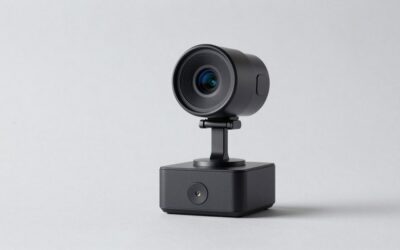
OBSBOT’s Meet line is a lower-cost way to get tracking and framing from a desktop webcam. It suits a home office, a hot-desk or a small meeting. It is not a full room system because it has no dedicated room speaker. OBSBOT’s Tiny line adds gimbal pan and tilt. Note that much of the coverage of the brand comes from its own blog.

OBSBOT Meet 2-4K Webcam for PC with 1/2" Sensor, AI Framing & Autofocus | Beauty Mode, Lightweight, Gesture Control, HDR, Dual Microphone, 60 FPS, Web Cam for Streaming, Meeting, Gaming. (Space Grey)
Included for 'Best Conference Room Webcams and Video Bars in 2026' as a representative home product in this roundup; selection reflects the product set returned for this topic.
View on AmazonBest Work Webcams, Business Webcams and Pan and Zoom Webcams
The best webcams for work are the personal-sized USB cameras that sit on a monitor. Commonly named options include the Logitech Brio 500 and MX Brio for general work, the Obsbot Tiny line and Insta360 Link models for gimbal-style pan and zoom tracking, and the Poly Studio P-series personal cameras. Business webcams often add privacy shutters, certified compatibility with Teams or Zoom, and management software for IT teams. If you are comparing consumer models, a 1080p camera with a shutter is usually sufficient, and 4K matters mainly for large displays.
Best Zooming Webcams and HD Webcams with Zoom
The best zooming webcams are those with optical or digital zoom and tracking. For Zoom meetings, the main requirement is that the camera works as a standard USB video device, which almost every model here does. Zoom Rooms certification, where the maker lists it, indicates a tested room setup, which is different from a simple USB webcam. A camera with digital zoom only crops the image, so detail drops as you zoom in. Optical zoom, as on the Poly E60, keeps detail at a distance.
Best Webcams for Teams and Skype
For Microsoft Teams, look for cameras the maker lists as certified for Teams or Teams Rooms, such as the Logitech Rally Bar family, Poly Studio X-series, Jabra PanaCast 50 and Meeting Owl 4+. Skype for consumers was retired by Microsoft in 2025, so most people searching for Skype webcams today are really looking for a camera that works with Teams or any standard video call, and standard USB webcams do. Check the platform’s own device settings after plugging in a camera to choose it as the default.
Room Size, Framing and Certification Notes
| Room type | Typical seats | Camera style | Example models |
|---|---|---|---|
| Huddle room | 2 to 4 | All-in-one bar | Logitech MeetUp 2 |
| Small meeting room | 4 to 8 | Bar or 360 degree camera | Poly Studio X32, Meeting Owl 4+ |
| Medium room | 8 to 12 | Video bar | Rally Bar Mini, Poly Studio X52 |
| Large room | 12 or more | Large bar or PTZ plus mics | Rally Bar, Poly Studio E60 |
| Long, narrow room | Varies | Panoramic camera | Jabra PanaCast 50 |
| Personal desk | 1 | USB webcam | OBSBOT Meet 2, Logitech Brio 500 |
Seat counts here are rough rules of thumb from reviewer guidance; always follow the maker’s stated room size for each model. Auto-framing uses AI to keep people in view, and the way each maker implements it differs. Certification means the maker has worked with a platform company to list the device as compatible; it is not a guarantee of any specific result in your room. Cabling, USB length and network setup also matter, so involve your IT team before buying.
Pick This Camera If…
| Pick | If… |
|---|---|
| Logitech MeetUp 2 | You have a small room and want one device |
| Rally Bar Mini | You have a medium room facing a screen |
| Rally Bar | You need coverage for a larger room |
| Poly Studio X52 | You want per-person framing and standalone platform modes |
| Poly Studio E60 | A presenter stands far from the camera |
| Jabra PanaCast 50 | The room is wide and shallow |
| Meeting Owl 4+ | People sit around a center table |
| OBSBOT Meet 2 | You need a portable or personal camera |
Alternatives to Consider
- Logitech MX Brio: A 4K desk camera for individual workers who join the room remotely.
- Logitech Brio 500: A cost-conscious 1080p desk webcam with a privacy shutter.
- Insta360 Link 2: A gimbal-style desk camera with AI tracking for presenters.
Setup and Safety Notes
Place the camera at eye level, away from windows behind the speakers, and use the maker’s mounting kit. Mount heavy bars on solid walls or on the supplied bracket, and have a qualified installer handle any ceiling mounting or powered wiring. Follow the maker’s power and cable guidance, and contact IT or the maker if a unit overheats or behaves oddly. Review firmware updates on a schedule set by your IT team.
Audio, Network and Room Preparation
Video gets the attention, but audio decides whether a meeting works. A video bar’s built-in microphones are tuned for the room size the maker lists, and larger rooms usually need extra microphone pods or ceiling microphones. Reduce echo with soft furnishings, avoid placing the bar behind a glass wall, and keep the camera clear of bright windows. Plan the connection as well: a USB-connected bar depends on the host computer, while a standalone or appliance-style system depends on the network. Ask the maker or your IT team about bandwidth, firewall settings and remote management before buying, because these affect daily use more than the spec sheet. A camera that supports the maker’s cloud or device management tool makes firmware updates and troubleshooting easier across several rooms.
It also helps to decide who will own the room. Someone should be responsible for updates, for replacing batteries in remotes or touch controllers where the maker lists them, and for a short guide on the wall that explains how to start a meeting. Rooms that are easy to use get used; rooms that need a technician for every call tend to be ignored, whatever camera sits on the wall.
Frequently Asked Questions
What are the best conference webcams for a small room?
The Logitech MeetUp 2 is commonly named for small huddle rooms, and the Poly Studio X32 is another reviewer pick. Both combine a camera with audio in one unit. Check the maker’s room-size guidance before buying.
What are the best webcams for work from home?
Desk webcams such as the Logitech Brio 500, MX Brio or OBSBOT Meet 2 suit home offices. A 1080p camera with a privacy shutter is enough for most calls. Choose 4K if you present on a large display.
Do I need a video bar or a webcam for a meeting room?
A video bar adds microphones and a speaker to the camera, which matters in a room with several people. A plain webcam is fine for one or two. Without proper room audio, remote participants may struggle to hear.
Which webcams work with Microsoft Teams?
Any standard USB webcam works, but cameras listed by the maker as certified for Teams Rooms, such as the Logitech Rally Bar and Poly Studio X-series, are tested for room use. Check the maker’s certification page for the exact model. Skype for consumers has been retired by Microsoft.
What is a pan and zoom webcam?
It is a camera that can move or crop to follow a person or frame a group. Some use a motorized gimbal, like the OBSBOT Tiny line, while others use a PTZ mechanism with optical zoom, like the Poly Studio E60. Digital zoom only crops the image.
Is a 360 degree camera better than a video bar?
It depends on the table layout. A 360 degree camera like the Meeting Owl 4+ suits people sitting around a table, while a bar suits a room with a screen at the front. Reviewers suggest matching the camera to the layout.