🛒 Best Price Today on Amazon
Prime members get fast, free shipping on everything above, plus member-only deals. New members get a 30-day free trial — cancel anytime.
- Logitech Webcams at a Glance
- Budget Logitech Webcams
- Mid-Range Logitech Webcams
- Premium Logitech Webcams
- Best Logitech Webcams for Mac
- Best Software for Logitech Webcams
- Best Laptops to Use with Logitech Webcams
- Best Microphone Quality: Logitech Compared with Microsoft Webcams
- Pick Logitech Webcam X If…
- Alternatives to Logitech Webcams
- Privacy Shutter and Safety Notes
- Frequently Asked Questions
Updated November 2026 – The best Logitech webcams for most buyers are the Brio 500 (all-round 1080p for work and gaming calls), the MX Brio (4K for professional setups), the StreamCam (1080p at 60 fps for streaming) and the C920s (the proven value pick), with the C270 as the lowest-cost way in.
If you are searching for the best Logitech webcams, the lineup looks confusing at first because the maker sells almost a dozen models across several generations. This guide sorts the range by budget tier, lists the specs Logitech itself publishes, explains which models suit Mac owners, which software each camera uses, and which laptops and desktops pair well with them. Reviewers at outlets such as Tom’s Hardware, PCMag and The Verge have covered most of these cameras; where this article leans on their views it says so, and it does not quote any measured results of its own.
Logitech Webcams at a Glance
| Model | Tier | Best for | Key stated specs | Limits |
|---|---|---|---|---|
| C270 | Budget | Basic calls, kids’ laptops | 720p · 30 fps · fixed focus · mono mic | Narrow field of view, no shutter, dated image |
| Brio 100 | Budget | Simple 1080p video calls | 1080p · 30 fps · fixed focus · privacy shutter | No autofocus, basic mic |
| Brio 300 | Budget to mid-range | Modern USB-C laptops | 1080p · 30 fps · USB-C · privacy shutter · auto light correction | Fixed focus, no 4K |
| C920s HD Pro | Mid-range | Long-running value pick | 1080p · 30 fps · autofocus · privacy shutter · stereo mics | USB-A, older design, 30 fps cap |
| Brio 500 | Mid-range | All-round work and gaming calls | 1080p · 30 fps · selectable field of view · USB-C · shutter · noise-reducing mics | No 60 fps at 1080p |
| StreamCam | Mid-range to premium | Streamers wanting smooth motion | 1080p · up to 60 fps · USB-C · vertical video mode | Older design, software-dependent features |
| C922 Pro Stream | Mid-range | Existing streaming setups | 1080p · 30 fps or 720p · 60 fps · autofocus | Older generation, overlaps with the C920s and StreamCam |
| MX Brio | Premium | 4K meetings, creators, Mac and Windows | 4K · 30 fps · 1080p · 60 fps · large sensor · USB-C · shutter | Costs more, 4K needs a good USB port and a bright room |
Treat the table as a map, not a verdict. Logitech revises its range often, and the maker’s own product pages are the final word on specs, colors and regional availability. The older Brio 4K (often just called Brio) remains widely discussed, but the MX Brio is its direct successor and the better reference point in 2026, so the older model is treated here as a previous generation.
Budget Logitech Webcams
Logitech C270 – Best for the Lowest Cost Entry
720p · 30 fps · fixed focus · mono mic · USB-A
The C270 is Logitech’s long-running entry model. The maker lists 720p video at 30 frames per second with a fixed lens, a single built-in microphone and a plug-and-play USB-A connection. It does what it says: it puts a face on a screen. It does not offer autofocus, a privacy shutter or a wide field of view, so it is best for occasional calls, a spare desktop, a child’s schoolwork machine or a shared family computer. Reviewers generally describe the picture as soft by modern standards, especially in dim rooms. If you can afford one step up, the 1080p models below are noticeably crisper on a modern monitor.

Logitech C270 720p Webcam Plug-and-Play Wide Screen Video Calling - Black | Auto-Light Correct, Noise-Reducing Mic, Zoom, Microsoft, Teams, Skype, Nintendo Switch 2 New GameChat Mode, PC Mac compatible
Included for 'Best Logitech Webcams in 2026: C920, Brio, StreamCam and MX Brio Compared' as a representative home product in this roundup; selection reflects the product set returned for this topic.
View on AmazonLogitech Brio 100 – Best for Simple 1080p Calls
1080p · 30 fps · fixed focus · integrated privacy shutter · built-in mic
The Brio 100 sits at the bottom of the newer Brio family. Logitech lists full HD resolution, auto light correction and a slide-over privacy shutter that doubles as a clear signal that the camera is off. It uses a fixed-focus lens, which means it is tuned for a person sitting at a normal desk distance rather than someone moving around. It suits students and office staff who want a cleaner image than the C270 without paying for autofocus or extra features. Buyers who need to hold up documents or products close to the lens may prefer the C920s or Brio 500.

Logitech Brio 100 Full HD 1080p Webcam for PC for Meetings, Streaming | PC camera with auto-light balance, built-in mic, shutter, works with Zoom, Microsoft Teams, Nintendo Switch 2's GameChat Mode
Included for 'Best Logitech Webcams in 2026: C920, Brio, StreamCam and MX Brio Compared' as a representative home product in this roundup; selection reflects the product set returned for this topic.
View on AmazonLogitech Brio 300 – Best for USB-C Laptops
1080p · 30 fps · USB-C · privacy shutter · auto light correction · noise-reducing mic
The Brio 300 is a small, rounded camera with a USB-C cable, which matters on thin laptops that have dropped USB-A ports. The maker lists 1080p video, a privacy shutter and microphones with noise reduction. It is a straightforward upgrade for a laptop whose built-in camera is mediocre. Like the Brio 100 it is aimed at everyday video calls, not at streaming. Colors are offered in a few finishes depending on region.
Mid-Range Logitech Webcams
Logitech C920s HD Pro – Best for Proven Value
1080p · 30 fps · autofocus · privacy shutter · stereo mics · USB-A
The C920 family has been a default recommendation for years, and the C920s adds a built-in privacy shutter to the familiar design. Logitech lists 1080p at 30 frames per second, a wide field of view around 78 degrees, autofocus and two microphones. Its strengths are compatibility and simplicity: it is a standard USB video class device that works with Windows, macOS and many Linux systems without extra drivers, according to the maker and widely reported by users. Its weaknesses are age-related. The cable is USB-A, the image processing is older than in the Brio 500, and it is capped at 30 fps. Reviewers at several outlets still suggest it for anyone who wants a dependable camera for work and a bit of gaming chat.

Logitech C920S HD Pro Webcam for PC, Full HD 1080p/30fps Video Calling | Clear Stereo Audio, Light Correction, Privacy Shutter, Works with Skype, Zoom, FaceTime, Hangouts, PC/Mac/Laptop/Tablet/Xbox
Included for 'Best Logitech Webcams in 2026: C920, Brio, StreamCam and MX Brio Compared' as a representative home product in this roundup; selection reflects the product set returned for this topic.
View on AmazonLogitech Brio 500 – Best for All-Round Work and Gaming Calls
1080p · 30 fps · selectable field of view (up to 90 degrees) · USB-C · privacy shutter · dual noise-reducing mics
The Brio 500 is the most commonly named Logitech pick in current roundups, and it is easy to see why. The maker lists 1080p video, a field of view you can set to a narrower or wider view, RightLight auto exposure, Show Mode (which tilts the image down to show a desk item or document) and a USB-C connection. It also includes a privacy shutter and noise-reducing mics, and it works with Logi Tune for adjustments. Tom’s Hardware ranks it near the top of its webcam list for the way it balances features and cost. Its limit is that 1080p stays at 30 fps, so streamers who want smoother motion should look at the StreamCam.

Logitech Brio 500 Full HD Webcam with Auto Light Correction, show Mode, Dual Noise Reduction Mics, Webcam Privacy Cover, Works with Microsoft Teams, Google Meet, Zoom, USB-C Cable, Streaming -Graphite
Included for 'Best Logitech Webcams in 2026: C920, Brio, StreamCam and MX Brio Compared' as a representative home product in this roundup; selection reflects the product set returned for this topic.
View on AmazonLogitech StreamCam – Best for 60 fps Streaming
1080p · up to 60 fps · USB-C · vertical and horizontal video · autofocus · Logi Capture support
The StreamCam was designed for creators. Logitech lists 1080p video at up to 60 frames per second, a USB-C connection, face-tracking autofocus and exposure, and a clip that can flip the camera into portrait orientation for vertical video. It works with Logi Capture for recording and streaming layouts. Some older comparisons note that its autofocus can hunt in certain scenes, which is something to read recent user reports about before buying. It is an older design, so it is best considered if the main goal is smooth motion at 1080p rather than the highest resolution.

Logitech StreamCam - Webcam for Live Streaming on YouTube and Twitch, Full HD 1080p at 60fps, USB-C Connection, Facial Tracking, Autofocus, Vertical Videos, Light Grey
Included for 'Best Logitech Webcams in 2026: C920, Brio, StreamCam and MX Brio Compared' as a representative home product in this roundup; selection reflects the product set returned for this topic.
View on AmazonLogitech C922 Pro Stream – Best for Existing Streaming Setups
1080p · 30 fps or 720p · 60 fps · autofocus · stereo mics · tripod-ready
The C922 Pro Stream is an older sibling of the C920s that added a 720p 60 fps mode and was marketed to streamers. Because the StreamCam now covers 1080p at 60 fps and the C920s is cheaper, some reviewers say the C922 sits in an awkward middle. It remains a sensible choice if you already own one or find it at a good tier. Treat it as a previous-generation option rather than a first choice for a new build.

Logitech C922 Pro Stream Webcam 1080P Camera | Free 3-month XSplit Premium license, dual microphones
Included for 'Best Logitech Webcams in 2026: C920, Brio, StreamCam and MX Brio Compared' as a representative home product in this roundup; selection reflects the product set returned for this topic.
View on AmazonPremium Logitech Webcams
Logitech MX Brio – Best for 4K Meetings and Creators
4K · 30 fps · 1080p · 60 fps · larger sensor · USB-C · privacy shutter · Show Mode
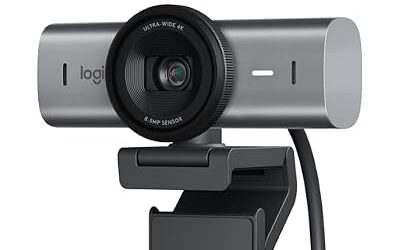
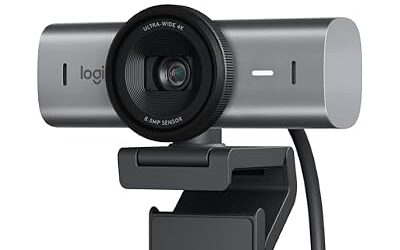
The MX Brio is Logitech’s flagship in this price tier. The maker lists an 8.5-megapixel sensor, 4K video at 30 fps (or 1080p at 60 fps), selectable fields of view, improved low-light handling through its processing and dual beamforming microphones. It is a USB-C camera that works with Logi Options+ on Windows and macOS for advanced settings. Tom’s Hardware says it suits business users more than gamers or streamers, and other outlets praise its color and detail. It needs a USB 3.0 port for the highest modes. It is overkill for casual calls but appealing for hybrid workers who present often or creators who record talking-head video.

Logitech MX Brio Ultra HD 4K Webcam for Streaming and Collaboration | Computer camera, 1080p 60 FPS, Show Mode, Works with Microsoft Teams, Zoom, Google Meet, Nintendo Switch 2, Graphite
Included for 'Best Logitech Webcams in 2026: C920, Brio, StreamCam and MX Brio Compared' as a representative home product in this roundup; selection reflects the product set returned for this topic.
View on AmazonBest Logitech Webcams for Mac
The best Logitech webcams for Mac are the MX Brio for quality, the Brio 500 for balance and the C920s for compatibility. Apple’s macOS recognizes standard USB video class cameras without a driver, and Logitech’s own pages list macOS support for most of the models above. The company’s apps, Logi Tune and Logi Options+, offer extra controls on Mac, but features can differ between Windows and macOS, so read the support page for the exact model before buying.
- MX Brio: The premium pick if your Mac is a MacBook Pro or an external display setup and you want a sharper image than the built-in camera.
- Brio 500: A good fit for a MacBook Air or a Mac mini because the USB-C cable plugs straight into the machine, and the shutter helps with privacy.
- C920s: Works on older Intel Macs that only have USB-A through an adapter or hub.
- Continuity Camera: Apple lets a recent iPhone serve as the Mac camera, which some reviewers rate above entry-level webcams.
Best Software for Logitech Webcams
The best software for Logitech webcams depends on the model. Logitech states that Logi Tune is aimed at its newer work-focused cameras, Logi Capture supports recording and streaming for creator-oriented models such as the StreamCam, Logi Options+ handles the MX Brio and other MX devices, and G HUB is the maker’s gaming-hardware app that lists some G-series products. Which app supports which camera changes over time, so open the support page for your exact model.
| Software | Typically used with | What it does |
|---|---|---|
| Logi Tune | Brio 500, newer work cameras | Field of view, brightness, Show Mode, firmware |
| Logi Options+ | MX Brio | Advanced image settings, Mac and Windows |
| Logi Capture | StreamCam, C922, older Brio | Recording, scenes, effects |
| G HUB | Logitech G products | Gaming hardware settings |
| OBS Studio | Any UVC webcam | Free streaming and recording |
Best Laptops to Use with Logitech Webcams
Almost any laptop with a working USB port can use a Logitech webcam, so the better question is which ports you have. Thin laptops, MacBooks and current ultrabooks usually rely on USB-C, so the Brio 300, Brio 500, StreamCam and MX Brio fit directly. A laptop with only USB-A suits the C270 and C920s. For 4K on the MX Brio, make sure the port supports USB 3.0 speeds or faster. Gaming laptops generally have both port types, and many have decent built-in cameras, so an external webcam is mainly an upgrade in sharpness, field of view and microphone quality.
Best Microphone Quality: Logitech Compared with Microsoft Webcams
For microphone quality, the Logitech Brio 500 and MX Brio list noise-reducing dual microphones, while Microsoft’s own webcam range is smaller and aimed at office use. Reviewers generally agree that built-in webcam microphones are fine for meetings but are not a replacement for a headset or a dedicated USB mic for streaming or podcasts. If voice clarity matters, treat the webcam mic as a backup.
Pick Logitech Webcam X If…
| Pick this | If you… |
|---|---|
| C270 | Need a basic camera for light use and want to spend the least |
| Brio 100 or Brio 300 | Want a modern 1080p camera with a shutter for everyday calls |
| C920s | Want a widely compatible, proven camera with autofocus |
| Brio 500 | Want one camera for work, school and gaming chat |
| StreamCam | Stream or record and care most about 60 fps motion |
| MX Brio | Want 4K quality for presentations or content |
Alternatives to Logitech Webcams
- Elgato Facecam MK.2: A 1080p, 60 fps camera for streamers that has no microphone.
- Insta360 Link 2: A 4K camera with an AI gimbal that tracks movement.
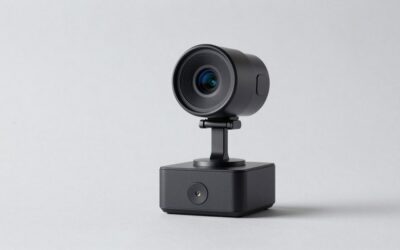
- Obsbot Tiny 2: A gimbal-tracking 4K camera with auto framing.
Choose an alternative if you need tracking, a mirrorless-style image or a camera built specifically for streaming.
Privacy Shutter and Safety Notes
Most current Logitech models include a built-in privacy shutter or a dedicated LED that lights when the camera is active. The shutter is a physical cover, so it works even if software is compromised. Keep firmware current through Logi Tune or the maker’s updater, use a unique password on your Logitech account, and unplug a webcam you rarely use. If a camera behaves strangely or overheats, stop using it and contact the maker.
Frequently Asked Questions
What are the best Logitech webcams in 2026?
The Brio 500 is the most commonly named all-round pick, the MX Brio is the premium 4K option and the C920s is the value choice. The StreamCam suits streamers who want 60 fps. Reviewers’ rankings vary, so match the camera to your use.
What are the best Logitech webcams for Mac?
The MX Brio and Brio 500 are the usual picks for Mac users because they use USB-C and work with Logitech’s Mac apps. The C920s also works because macOS supports standard USB video cameras. Confirm Mac support for your exact model on the maker’s page.
What is the best software for Logitech webcams?
Logi Tune and Logi Options+ handle settings for newer cameras, and Logi Capture supports recording on creator-focused models. OBS Studio is a free alternative that works with any standard webcam. Which app supports your camera depends on the model.
Is the Logitech C920 still worth buying?
Yes, for buyers who want a simple, compatible 1080p camera, and the C920s adds a privacy shutter. It is capped at 30 fps and uses USB-A, so it is older than the Brio 500. Many reviewers still call it a safe value choice.
Do Logitech webcams have good microphones?
Newer models such as the Brio 500 and MX Brio list dual noise-reducing microphones that are fine for meetings. Reviewers generally say a headset or USB microphone sounds better for streaming. Entry-level cameras like the C270 use a single basic microphone.
Which Logitech webcam is best for streaming?
The StreamCam is Logitech’s creator-focused model with 1080p at up to 60 fps and a vertical video mode. The MX Brio offers 4K at 30 fps or 1080p at 60 fps if you want more detail. Elgato and Insta360 cameras are common alternatives.