- Top Pick: Anker Power Strip with 2100J Surge Protector, Outlet Extender, 20W, 12 AC
- Best Value: SUPERDANNY Power Strip Surge Protector, 22 AC 6 USB, 2100J, 6.5Ft,1875W/15A
- Premium Choice: Belkin 12-Outlet Surge Protector Power Strip w/ 12 AC Outlets & 8ft Flat Plug, UL-Listed Heavy-Duty Extension Cord for Home, Office, Travel, Computer, Laptop, Charger – 3,780 Joules of Protection
A single power surge can wipe out a gaming PC’s motherboard, GPU, or PSU in an instant, and most stock power strips offer little more than convenient outlets with no real protection. Between spiking utility grids, thunderstorms, and the power-hungry demands of modern rigs, monitors, and peripherals, relying on a bare wall outlet or a cheap extension cord is a gamble most builders can’t afford to take.
- Watch: Best Surge Protector For Gaming PC — Video Review
- How to Choose a Surge Protector For Gaming PC (2026)
- The Best Surge Protector For Gaming PC (2026)s Reviewed
- Reading the Label: UL 1449, VPR, and Joules
- Which Surge Protector Should You Buy?
- Common Mistakes When Buying a Surge Protector
- Setting Up a Protected Gaming Desk
- Related Guides
- Frequently Asked Questions
- Final Thoughts
- Related Articles
This guide breaks down six of the top-rated surge protectors suited for gaming setups, comparing joule ratings, outlet layouts, and build quality so you can protect your investment without cluttering your desk. Below, we cover what separates a genuinely protective strip from a glorified splitter, review the standout options, and answer the most common questions gamers have before buying.

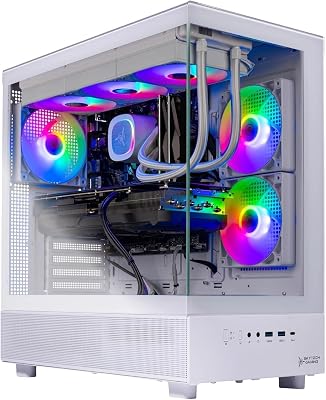


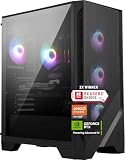
Skytech Gaming O11 Vision Gaming PC, AMD Ryzen 7 7800X3D 4.2GHz, NVIDIA RTX 5060 Ti 16GB, 1TB Gen4 NVMe SSD, 32GB DDR5 RAM 5600, 650W Gold PSU, 360 ARGB AIO, Wi-Fi, Win 11, Desktop
View on Amazon
As an Amazon Associate we earn from qualifying purchases at no extra cost to you.


🎮 Get More From Your Setup — Free
Prime Gaming gives you free PC games every month, in-game loot, and a free Twitch channel sub — plus fast free shipping on all the gear above. New members get a 30-day free trial.
Watch: Best Surge Protector For Gaming PC — Video Review
How to Choose a Surge Protector For Gaming PC (2026)
- Joule Rating: Look for at least 2000 joules for a gaming PC and monitor; 3000+ is better if you’re also protecting a receiver, NAS, or multiple displays.
- Outlet Count and Spacing: Bulky GPU power bricks and chargers need wide-spaced or rotating outlets so they don’t block adjacent slots.
- UL Listing: Only buy strips that are UL-listed; this certifies the internal components meet real safety and surge-suppression standards.
- Cord Length and Plug Type: A flat plug and 6-8ft cord make it easier to route behind desks or mount strips without straining outlets.
- USB Ports: Built-in USB-A/USB-C charging ports free up outlets for peripherals, controllers, and headsets without extra adapters.
The Best Surge Protector For Gaming PC (2026)s Reviewed
Anker 12-Outlet Power Strip (2100J)
Anker’s strip balances a generous 12-outlet layout with a solid 2100J rating, making it a dependable everyday choice for a gaming tower plus monitor and accessories. Its compact footprint and sturdy build make it easy to tuck under or behind a desk.
SUPERDANNY 22-Outlet Surge Protector
With 22 AC outlets and 6 USB ports, this is the strip to pick if you’re powering an entire battlestation, not just a PC. The 2100J rating and 1875W capacity handle high-draw gaming rigs comfortably, though the sheer outlet count means careful spacing is needed for larger power bricks.
Belkin 12-Outlet Surge Protector (3,780J)
Belkin steps up the protection significantly here, with 3,780 joules putting it well ahead of most competitors for safeguarding expensive GPUs and multi-monitor setups. The 8ft flat-plug cord and UL-listed heavy-duty build make it a strong pick for home offices doubling as gaming stations.
Belkin 12-Outlet Rotating Surge Protector (4320J)
This Belkin model swaps in 8 rotating outlets alongside 4 standard ones, solving the classic problem of bulky adapters blocking neighboring plugs. At 4320 joules, it’s one of the highest-rated protectors in this roundup, ideal for gamers running multiple high-wattage devices simultaneously.
NANOLAKE 18-Outlet Surge Protector (4800J)
NANOLAKE leads the pack with a massive 4800J rating, 18 AC outlets, and both USB-A and 20W USB-C PD charging, making it the most future-proof option for power-dense gaming desks. The mountable, flat-plug design and 10ft cord add flexibility for under-desk or wall installation.
Reading the Label: UL 1449, VPR, and Joules
Why the UL 1449 Listing Comes First
A genuine surge protector should be listed to UL 1449, the safety standard for surge protective devices. The listing matters because a power strip with a plain on/off switch and no protection circuit can look identical on a shelf. Look for the certification mark on the product itself, not just a claim in the description.
Voltage Protection Rating
The Voltage Protection Rating, also called let-through voltage, shows how much voltage reaches the equipment during a standardized surge. UL assigns the tiers 330 V, 400 V, and 500 V, and lower is better. Guidance from manufacturers such as Tripp Lite suggests looking for 400 V or lower on all three protection modes, though many budget strips list only one figure or none at all.
What Joules Actually Tell You
The joule number describes how much surge energy the protector can absorb over its life. Tripp Lite suggests at least 1,000 joules for computers and other sensitive electronics. There is no standardized test behind the joule figure, so treat it as a rough indicator of durability rather than a guarantee. The strips named in this guide range from 2100J on the Anker unit to 4320J on the rotating Belkin.
Wear and Replacement
The internal components that absorb surges degrade as they work. After a major electrical event, or after several years of service, the protection can be gone even though the outlets still deliver power. A working protection indicator light helps, and replacing the strip after a serious surge is the safer habit.
Which Surge Protector Should You Buy?
| If you… | Choose… |
|---|---|
| Want the highest joule figure among the strips named here | Belkin 12-Outlet Rotating Surge Protector (4320J) |
| Want a high joule figure with a standard strip layout | Belkin 12-Outlet Surge Protector (3,780J) |
| Need the most outlets for a crowded desk | SUPERDANNY 22-Outlet Surge Protector |
| Need a smaller outlet count with solid energy absorption | Anker 12-Outlet Power Strip (2100J) |
| Have bulky power bricks that block neighboring outlets | The rotating Belkin model, since its outlets turn to make room |
Confirm the VPR and certification details on each listing, since the product names above only state the outlet count and joule figure.
Common Mistakes When Buying a Surge Protector
- Buying on outlet count alone. A strip with many outlets and no listed certification may protect nothing.
- Chaining strips together. Plugging one power strip into another can overload the wall circuit and is discouraged by safety guidance.
- Ignoring the circuit limit. A standard 15 A, 120 V outlet tops out at 1,800 W, and continuous loads are normally kept to about 80 percent of that.
- Plugging in space heaters or similar high-draw appliances. These can overheat a strip designed for electronics.
- Overlooking data lines. A modem, router, or coaxial connection can carry a surge into the PC even when the power outlet is protected.
- Keeping a strip after a major surge. Replace it when the indicator light goes out.
Setting Up a Protected Gaming Desk
- Plug the surge protector directly into a wall outlet, never into another strip or an extension cord.
- Connect the PC, monitors, and console to protected outlets, and leave heavy appliances on a separate circuit.
- Route the modem and router through the protector as well, using its coaxial or network ports if the unit includes them.
- Keep the strip off thick carpet and away from heat sources so the housing can shed warmth.
- Note the purchase date on the strip and check the indicator light regularly.
Thunderstorms are a common trigger for damage, but a nearby lightning strike can overwhelm any consumer strip. During a severe storm, unplugging expensive equipment is the only complete safeguard.
Related Guides
- Best Xbox Wired Controller in 2026: Complete Buyer's Guide
- Laptop Docking Station Dual Screen (2026)
- Best Backpack Gaming Laptop 2026
- Best Newest Handheld Gaming Console 2026
Frequently Asked Questions
Is a surge protector really necessary for a gaming PC?
Yes. A single voltage spike, even a minor one, can degrade or destroy a PSU, motherboard, or GPU over time, and modern gaming PCs represent a significant investment worth protecting with dedicated surge suppression.
What joule rating do I actually need?
For a gaming PC and monitor alone, 2000J is a reasonable minimum. If you’re also protecting speakers, a NAS, multiple monitors, or networking gear, aim for 3000-4800J for added headroom.
Can I use a surge protector with a UPS?
Yes, and many enthusiasts do. The surge protector handles everyday outlet expansion and spike suppression, while a UPS adds battery backup for outages; just avoid daisy-chaining a UPS through a second surge strip.
Do USB ports on surge protectors affect performance?
No, built-in USB ports draw power independently from the surge circuitry and won’t impact the protection level of the AC outlets, though higher-wattage USB-C PD ports are worth checking if you’re charging laptops or handhelds.
Final Thoughts
For most gaming setups, the Belkin 12-Outlet Rotating Surge Protector (4320J) offers the best mix of protection and flexible outlet spacing, while the NANOLAKE 18-Outlet strip is the top pick for power users who need maximum joules and modern USB-C charging. If budget and outlet count matter most, the Anker 12-Outlet Power Strip remains a reliable, no-fuss option.
Top picks from this guide
 Green Box Innovations4000J Gaming Surge Protector Power Strip with USB Ports |…
 Skytech GamingSkytech Gaming Azure 3 Gaming PC, Ryzen 7 9800X3D, RTX…
 CyberpowerPCCyberPowerPC Gaming PC, Intel Core i5-14400F, GeForce RTX 5060 8GB…
 CyberPowerCyberPower CP1500PFCLCD PFC Sinewave UPS Battery Backup and Surge Protector…