🛒 Best Price Today on Amazon
Prime members get fast, free shipping on everything above, plus member-only deals. New members get a 30-day free trial — cancel anytime.
- Best LGA 1700 CPU Coolers at a Glance
- Why LGA 1700 Needs Extra Mounting Attention
- Budget and Mid-Range LGA 1700 CPU Coolers
- Premium LGA 1700 CPU Coolers
- Best CPU Coolers for i5-12600K
- Best CPU Coolers for i7-12700K
- Best CPU Coolers for i9-12900K
- What About the i7-11700K?
- LGA 1700 vs 1851 Mounting
- Pick X If You Are Buying Today
- Best CPU Coolers for LGA 1700: Air or AIO?
- Fit and Compatibility Notes
- Alternatives Worth Considering
- Frequently Asked Questions
Updated November 2026 – The best CPU coolers for LGA 1700 are the Noctua NH-D15 G2 for flagship air, the Arctic Liquid Freezer III Pro for an AIO with a contact frame, the Thermalright Phantom Spirit 120 SE and Peerless Assassin 120 SE for value air, the DeepCool AK620 for a mid-range tower, and a 360mm AIO such as the DeepCool LT720 or Corsair iCUE H150i for Core i9 chips.
If you want the best LGA 1700 CPU coolers for Intel 12th, 13th and 14th Gen chips, the main decision is how much heat your processor makes. A Core i5-12400 or 12600K is easy to cool with a good single tower, while a Core i7-13700K, i9-12900K, i9-13900K or i9-14900K can draw far more power and benefits from a dual tower or 360mm radiator. LGA 1700 is now a previous-generation Intel socket, since Intel moved to LGA 1851 for Core Ultra 200S, but it remains a very large installed base. This guide covers products, mounting quirks and which cooler suits which CPU.
Best LGA 1700 CPU Coolers at a Glance
| Cooler | Type | Best for | Key stated spec | Limit |
|---|---|---|---|---|
| Noctua NH-D15 G2 | Dual-tower air | Flagship air for i7 and i9 | Two 140mm fans, LGA 1700 and 1851 listed | Very large, check RAM and case clearance |
| Noctua NH-U12A | Single-tower air | Compact high-performance air | Two 120mm fans in a single tower | Less headroom than the D15 G2 |
| Thermalright Phantom Spirit 120 SE | Dual-tower air | High-headroom value air | Seven heatpipes, 250W rating per reviews | Fans can be loud when pushed |
| Thermalright Peerless Assassin 120 SE | Dual-tower air | Budget-friendly dual tower | Two 120mm fans, six heatpipes | Tall, check clearance |
| DeepCool AK620 | Dual-tower air | Mid-range i5 and i7 | 260W rating per reviews | Availability varies by region |
| DeepCool LT720 | 360mm AIO | i7 and i9 on a budget-friendly AIO | 360mm radiator | Needs top or front radiator mount |
| Arctic Liquid Freezer III Pro | AIO, 240 to 420mm | Intel with a contact frame | Integrated contact frame for LGA 1851 and 1700 per reviewers | Follow Arctic’s socket-specific instructions |
| Corsair iCUE H150i | 360mm AIO | Software control and lighting | 360mm radiator | Premium tier, needs space |
| NZXT Kraken | AIO with LCD | Looks-first builds | 240, 280 or 360mm options | Premium tier for the display models |
Why LGA 1700 Needs Extra Mounting Attention
LGA 1700 CPUs are longer and thinner than earlier Intel chips, and the socket’s stock retention arm can press the processor unevenly. Reviewers and enthusiasts have reported a slight bending of the CPU and socket, and that cooler contact can be less even in the corners. As a result, some makers sell a contact frame, also called an alignment or bracket frame, that replaces the stock retention arm and spreads pressure across the chip. Intel’s own guidance and the board maker’s warranty terms vary, so read the manual and understand that fitting a third-party frame is done at the owner’s risk. LGA 1851 uses the same mounting hole spacing as LGA 1700 according to the makers, which is why most LGA 1700 coolers advertise 1851 support through the same hardware; confirm the exact model on the maker’s page.
The simplest conservative approach is to follow the cooler’s included instructions, tighten screws evenly in a cross pattern and avoid overtightening. If you are unsure, ask a technician rather than forcing parts together.
Budget and Mid-Range LGA 1700 CPU Coolers
For Core i3 and i5 chips at stock settings, a good single tower or a mid-range dual tower covers the need. Buyers pairing a locked chip such as the i5-12400 with a boxed cooler will find a modest tower cooler quieter, and even a K-series i5 is well served here.
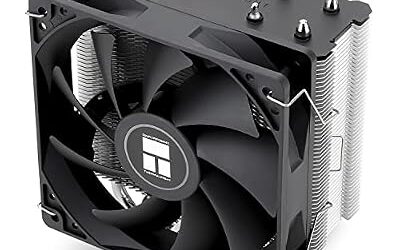
Thermalright Peerless Assassin 120 SE – Best for Value Dual-Tower Air
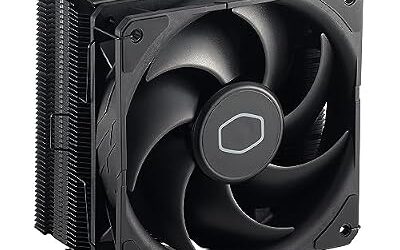
Dual tower · two 120mm PWM fans · six heatpipes · LGA 1700 and 1851, AM4 and AM5 as the maker lists
Tom’s Hardware and other outlets rank the Peerless Assassin 120 SE among the best-performing air coolers per cost. PC Masters reports that its fans are loud at full PWM speed, so a custom fan curve is common advice. For an i5-12600K or i7-12700K it gives headroom, though heavy Core i9 loads call for a bigger solution.

Thermalright Peerless Assassin 120 SE CPU Cooler, 6 Heat Pipes AGHP Technology, Dual 120mm PWM Fans, 1550RPM Speed, for AMD:AM4 AM5/Intel LGA 1700/1150/1151/1200/1851,PC Cooler
Included for 'Best CPU Coolers for LGA 1700 (Intel 12th, 13th and 14th Gen) in 2026' as a representative home product in this roundup; selection reflects the product set returned for this topic.
View on AmazonDeepCool AK620 – Best for Mid-Range Core i5 and i7
Dual tower · two 120mm fans · six heatpipes · 260W TDP rating as reviews report the maker’s figure · up to 43mm RAM clearance per reviewers
Reviewers describe the AK620 as a solid mid-range dual tower, with one reporting that it pulls ahead at higher sustained loads, such as an i7-14700K at stock settings. DeepCool lists LGA 1700 support in the box. Availability varies by region, so look at what is stocked locally.
DeepCool AK400 – Best for Locked Core i5 Builds
Single tower · 120mm fan · LGA 1700 and AM5 as the maker lists
The AK400 is a compact budget cooler that suits the i5-12400, 13400 and 14400. It is not meant for unlocked i7 or i9 chips running without power limits.
Premium LGA 1700 CPU Coolers
Unlocked Core i7 and i9 chips on LGA 1700 can reach very high power under all-core load, so premium coolers matter here. Look at the maker’s TDP rating and your motherboard’s power limit settings; many boards ship with generous limits that raise heat.
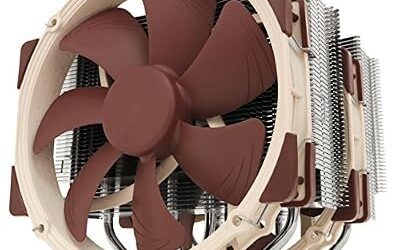
Noctua NH-D15 G2 – Best for Flagship Air Cooling
Dual tower · two 140mm fans · LGA 1700, LGA 1851, AM4 and AM5 as the maker lists · six-year warranty reported by roundups
Club386 names the NH-D15 G2 the best air cooler overall, and GamersNexus gave it a noise-normalised thermal award. One roundup says the G2’s updated mounting hardware provides more consistent contact pressure on LGA 1700 and AM5. It is a big cooler, so plan for the tower height and RAM clearance. It suits the i7-13700K and i9-12900K well when the owner wants quiet operation.
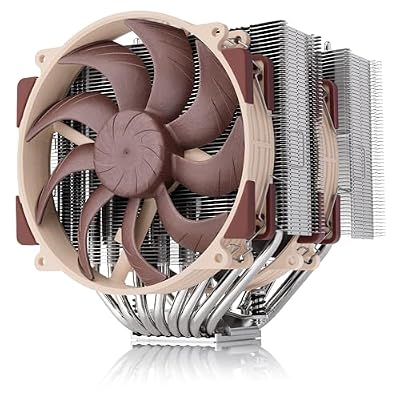
Noctua NH-D15 G2, Quiet High-Performance Dual Tower CPU Cooler | 168mm Height, Ultimate Low-Noise Cooling, 8 Heatpipes, For Intel & AMD, Dual Enthusiast-Grade 140mm Fans, Rich Accessory Kit
Included for 'Best CPU Coolers for LGA 1700 (Intel 12th, 13th and 14th Gen) in 2026' because the listing adds cooling or gel-infused layers, which is the attribute this article compares.
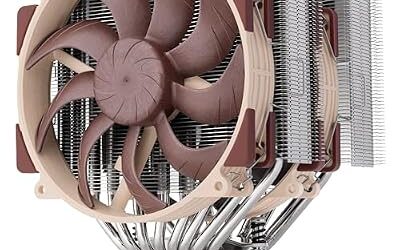
View on AmazonNoctua NH-U12A – Best for Compact High-Performance Air
Single tower · two 120mm fans · LGA 1700 supported with the maker’s mounting kit · multi-year warranty as the maker states
The NH-U12A is a high-performance single tower for cases where the NH-D15 G2 will not fit. Older boxes may need Noctua’s LGA 1700 mounting kit, so consult the maker’s compatibility page for the revision you buy.

Noctua NH-U12A, Quiet High-Performance Single Tower CPU Cooler | 158mm Height, High-End Low-Noise Cooling, For Intel & AMD, Dual 120mm Fans, 100% RAM Compatibility, Rich Accessory Kit
Included for 'Best CPU Coolers for LGA 1700 (Intel 12th, 13th and 14th Gen) in 2026' because the listing adds cooling or gel-infused layers, which is the attribute this article compares.
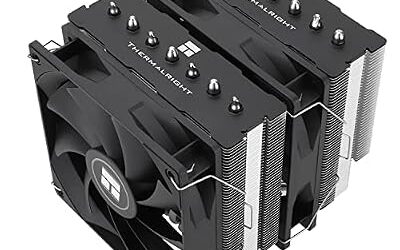
View on AmazonThermalright Phantom Spirit 120 SE – Best for High-Headroom Air
Dual tower · seven heatpipes · 250W rating as reviews report · LGA 1700 and 1200 and older Intel sockets plus AM4 and AM5 as the maker lists
The Phantom Spirit 120 SE is a shorter dual tower than the Dark Rock Pro 5 (about 154mm in reviewer listings) and is a favorite value pick for i7 and i9. Reviewers say it can be noisy if run at full speed.

Thermalright Phantom Spirit 120SE CPU Air Cooler, 7 Heat Pipes CPU Cooler | Dual 120mm TL-C12B V2 PWM Fans, AGHP 4.0 Technology,S-FDB Bearing, for AM4/AM5/Intel lga1851/1700/1150/1151/1200, PC Cooling
Included for 'Best CPU Coolers for LGA 1700 (Intel 12th, 13th and 14th Gen) in 2026' because the listing adds cooling or gel-infused layers, which is the attribute this article compares.
View on AmazonArctic Liquid Freezer III Pro – Best for an Intel AIO With a Contact Frame
AIO · 240, 280, 360 and 420mm radiators · integrated contact frame for LGA 1851 and 1700 as reviewers describe it · six-year warranty reported by roundups
TechEyeShot ranks it first for LGA 1700 because the contact frame addresses socket bending, and Asumetech scores it above the NH-D15 G2. PropelRC calls it the top AIO for Intel because of the contact frame and the VRM fan. Arctic advises following the platform-specific instructions rather than reusing an older Arctic bracket. These sources are affiliate-style roundups, so treat the rankings with some caution.
DeepCool LT720 – Best for a Budget-Friendly 360mm AIO
AIO · 360mm radiator · LGA 1700 supported as the maker lists
The LT720 is DeepCool’s 360mm AIO and suits i7 and i9 buyers who want liquid cooling without premium branding. Check that your case supports a 360mm radiator at the top or front, and consult DeepCool’s compatibility list.
Corsair iCUE H150i – Best for Software Control and Lighting
AIO · 360mm radiator · LGA 1700 supported as the maker lists · iCUE software control
The iCUE H150i family appeals to buyers who already use Corsair’s ecosystem and want fan and pump control in software. Several revisions exist, so confirm the exact model includes the LGA 1700 hardware.
NZXT Kraken – Best for Looks-First Builds
AIO · 240, 280 or 360mm options · LGA 1700 supported as the maker lists · LCD display on some models
The Kraken line is designed around the pump-head display, and reviewers generally treat it as a style choice as much as a cooling one. Check the exact model for LGA 1700 hardware.
Best CPU Coolers for i5-12600K
The best cooler for an i5-12600K is a good single tower or a mid-range dual tower. The Thermalright Peerless Assassin 120 SE, DeepCool AK620 and Noctua NH-U12A all fit the job, and an AIO is optional. The i5-12600K is a ten-core chip with hybrid cores, and many boards let it run above its base power, so a cooler with a generous TDP rating gives quiet headroom.
Best CPU Coolers for i7-12700K
The best cooler for an i7-12700K is a dual tower or a 240 to 280mm AIO. The Phantom Spirit 120 SE, NH-D15 G2 and Arctic Liquid Freezer III Pro are the usual picks, since the chip draws more power than an i5. Reviewers suggest checking your board’s power limit setting, because removing limits increases heat noticeably.
Best CPU Coolers for i9-12900K
The best cooler for an i9-12900K is a premium dual tower or a 360mm AIO. The NH-D15 G2, Arctic Liquid Freezer III Pro, DeepCool LT720 and Corsair iCUE H150i are the common choices. The 13th and 14th Gen i9 chips are similar or hotter, so the same advice applies. BIOS power settings can void warranties or cause instability, and conservative values are safer.
What About the i7-11700K?
The Core i7-11700K is not an LGA 1700 chip: it uses LGA 1200. Coolers that list both sockets, such as the Thermalright Phantom Spirit 120 SE, can serve either platform, but a cooler that lists LGA 1700 only may not include LGA 1200 hardware. Consult the maker’s list before buying.
LGA 1700 vs 1851 Mounting
LGA 1700 and LGA 1851 share the same cooler mounting hole spacing according to the makers, so most LGA 1700 coolers that advertise 1851 support need no new bracket. Some makers revised the hardware for the new socket to improve contact, as with Noctua’s newer kits and the Arctic contact frame, so a cooler that predates 1851 may need a free or paid kit. Read the maker’s page for the specific model and revision.
Pick X If You Are Buying Today
| Pick this | If you |
|---|---|
| DeepCool AK400 or Peerless Assassin 120 SE | Have a Core i3 or locked i5 and want quiet value |
| DeepCool AK620 | Have an i5-12600K or i7 and want a mid-range tower |
| Phantom Spirit 120 SE | Have an i7-12700K or 13700K and want headroom on air |
| Noctua NH-D15 G2 | Want quiet flagship air for an i7 or i9 |
| Arctic Liquid Freezer III Pro | Want an AIO with a contact frame for LGA 1700 |
| DeepCool LT720 | Want a 360mm AIO without premium branding |
| Corsair iCUE H150i or NZXT Kraken | Want software control, lighting or a display |
Best CPU Coolers for LGA 1700: Air or AIO?
Air is the better choice for most LGA 1700 builders who value simplicity, and an AIO is the better choice when the case layout or appearance matters. A tower cooler has a fan as its only moving part, no pump to fail and no coolant to age, which is why many reviewers prefer a flagship tower for long-lived systems. An AIO moves the heat to a radiator on the case, which can free space around the socket and help with tall memory modules, and larger 360mm radiators give the most thermal headroom for Core i9 chips.
Tiers in words: a budget build pairs a single tower with an i3 or locked i5; a mid-range build pairs a dual tower such as the AK620 or Peerless Assassin 120 SE with an i5-12600K or i7; a premium build pairs the NH-D15 G2 or a 360mm AIO with an unlocked i7 or i9. Whatever the tier, compare the maker’s stated TDP rating with the processor’s rated power, and remember that motherboards often allow higher sustained power than Intel’s base figure. If a system is unstable or shuts down from heat, stop, power off and consult the cooler and motherboard manuals or a qualified technician.
Fit and Compatibility Notes
- Case height: compare the cooler’s stated height with the case’s CPU cooler limit.
- RAM clearance: dual towers can overhang the first memory slot; reviewers say raising the front fan often solves it.
- Radiator space: a 360mm AIO needs a compatible top or front mount, and tubing should be routed carefully.
- Thermal paste: follow the manual; most coolers include paste, some pre-applied.
- Power limits: unlocked K-series chips run hotter with unlimited power settings. Changing BIOS limits can void warranties and cause instability.
- Safety: power off and unplug before opening the case or touching the socket.
Alternatives Worth Considering
- be quiet! Dark Rock Pro 5: a quiet dual tower with a 270W rating and 168mm height as reviews report.
- Cooler Master Hyper 212: a basic budget tower, useful for locked i5 chips if the revision lists LGA 1700.
- Arctic Liquid Freezer III (non-Pro): a lower-tier AIO; confirm the LGA 1700 hardware in the box.
Frequently Asked Questions
What is the best CPU cooler for LGA 1700 overall?
Reviewers most often name the Noctua NH-D15 G2 for air and the Arctic Liquid Freezer III Pro for liquid. The better choice depends on case size, noise and preference. Value buyers often choose the Thermalright Peerless Assassin 120 SE.
Do I need a contact frame for LGA 1700?
No, it is optional. Some reviewers report more even contact with a frame, and Arctic’s Pro AIO includes one. If you add a third-party frame, read the manual and understand it is at the owner’s risk.
Will an LGA 1700 cooler fit LGA 1851?
Often yes, since the makers state the mounting spacing is the same. Some older coolers may need an updated kit. Confirm the model on the maker’s compatibility page.
Which cooler suits an i9-14900K?
A premium dual tower such as the Noctua NH-D15 G2 or a 360mm AIO such as the Arctic Liquid Freezer III Pro. This chip can draw a lot of power, so check the cooler’s stated TDP rating and consider conservative BIOS power limits.
Is an AIO needed for an i5-12600K?
No. A good single or dual tower is enough for most users. An AIO is mainly a choice for looks or case layout.
Can I use an AM5 cooler on LGA 1700?
Only if the maker lists LGA 1700 support and supplies the Intel brackets. Many cross-platform coolers do, but an AM5-only cooler will not fit. Always read the compatibility list.