🛒 Best Price Today on Amazon
Prime members get fast, free shipping on everything above, plus member-only deals. New members get a 30-day free trial — cancel anytime.
- LGA 1151 Platform Notes: Skylake to Coffee Lake
- Best LGA 1151 CPU Coolers at a Glance
- Best Air Coolers for LGA 1151
- Best AIO Liquid Coolers for LGA 1151
- Best CPU Coolers for the i7-7700K
- Best CPU Coolers for the i7-8700K
- Best CPU Coolers for the i7-9700K
- Best Skylake CPU Coolers
- Which New Coolers Still Ship LGA 1151 Brackets?
- Best CPU Air Coolers for a 7700K or 8700K on a Budget
- Should You Upgrade the Platform Instead?
- Pick X If… Decision Table
- Alternatives
- Frequently Asked Questions
Updated November 2026 – The best LGA 1151 CPU coolers are the Noctua NH-D15 for top air cooling, the Noctua NH-U12S or Arctic Freezer 34 eSports DUO for mid-range builds, the be quiet! Dark Rock Pro 4 for a quiet black tower, the DeepCool AK620 as a current dual tower, and the Corsair H100i or H115i for older AIO setups.
If you are shopping for the best LGA 1151 CPU coolers, the first thing to know is that LGA 1151 is a previous-generation platform. It covers Skylake (Core i7-6700K), Kaby Lake (i7-7700K) and Coffee Lake (i7-8700K, i7-9700K) processors, and because many newer coolers focus on LGA 1700, 1851 and AM5, you need to confirm the maker still lists LGA 115X mounting for the exact cooler version you buy. This guide covers the coolers that do, how they fit the 6700K, 7700K, 8700K and 9700K, and which choices make sense in 2026.
LGA 1151 Platform Notes: Skylake to Coffee Lake
LGA 1151 has two versions. The first covers Skylake and Kaby Lake CPUs on 100-series and 200-series boards, and the second covers Coffee Lake and Coffee Lake Refresh CPUs on 300-series boards. The CPUs are not interchangeable across the two versions, but the cooler mounting holes are the same 75 mm spacing used by LGA 1150, 1155 and 1156, according to the cooler makers’ compatibility lists, and LGA 1200 uses the same spacing too. That is why many coolers list LGA 115X and LGA 1200 together.
The K-series processors in this family, including the i7-6700K, i7-7700K, i7-8700K and i7-9700K, shipped without a boxed cooler, so every one of these builds needed a separate cooler. Intel lists the 6700K and 7700K at 91 W TDP and the 8700K and 9700K at 95 W, which is the figure to use when matching a cooler.
Best LGA 1151 CPU Coolers at a Glance
| Cooler | Type | Best for | Key stated traits | Limits |
|---|---|---|---|---|
| Noctua NH-D15 | Dual-tower air | Overclocked 8700K or 9700K | Two 140 mm class fans, LGA 115X support | Large, check RAM clearance |
| Noctua NH-U12S | Single-tower air | Quiet mid-range builds | 120 mm fan, LGA 115X support on older revisions | Confirm the revision’s bracket list |
| be quiet! Dark Rock Pro 4 | Dual-tower air | Quiet, high-end air cooling | Quiet-focused design, LGA 115X support | Previous generation, large and heavy |
| DeepCool AK620 | Dual-tower air | Current cooler that keeps older brackets | Two fans, maker lists LGA 115X | Tall |
| Arctic Freezer 34 eSports DUO | Dual-fan tower | Budget cooling | Two fans, wide socket list | Less headroom than top towers |
| Cooler Master Hyper 212 family | Single-tower air | Low-cost upgrade | Long-running budget design | Socket kit varies by revision |
| Corsair H100i / H115i | AIO liquid | Older cases with radiator room | 240 or 280 mm radiators | Older generation, confirm LGA 115X kit |
Best Air Coolers for LGA 1151
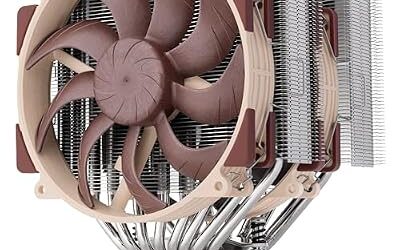
Noctua NH-D15 – Best for Overclocked i7-8700K and i7-9700K
Dual-tower air cooler · Two NF-A15 PWM fans · LGA 115X and AM4 support · Previous generation to the NH-D15 G2
Silent PC Review ranks the NH-D15 first for the i7-8700K, and it is the usual answer when someone wants the strongest air cooling on this platform. TechPowerUp’s review of the newer NH-D15 G2 lists LGA 115X support too, so Noctua has kept older Intel sockets covered across its flagships. The NH-D15 is large, so check your case’s cooler height limit and your memory height. If you want the quieter, more efficient flagship and can afford it, the NH-D15 G2 is the newer choice, but the older NH-D15 remains a strong match for an LGA 1151 build.

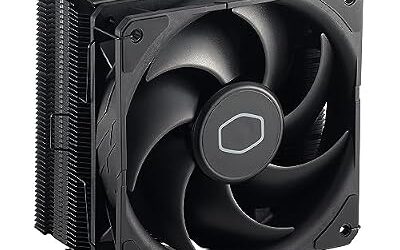
Noctua NH-D15, Quiet High-Performance Dual Tower CPU Cooler | 168mm Height, Enthusiast-Grade Low-Noise Cooling, 6 Heatpipes, For Intel & AMD, Dual 140mm Fans, Rich Accessory Kit
Included for 'Best CPU Coolers for LGA 1151 (Skylake to Coffee Lake: 6700K, 8700K, 9700K)' because the listing adds cooling or gel-infused layers, which is the attribute this article compares.
View on AmazonNoctua NH-U12S – Best for Quiet Mid-Range Builds
Single-tower air cooler · 120 mm PWM fan · LGA 115X supported on classic revisions · Moderate size
The NH-U12S is a single tower and is much easier to fit around RAM and in mid-size cases. A Tom’s Hardware forum answer called it enough for overclocking a 7700K, though the same thread suggested the larger NH-D15S for heavier loads. Noctua now sells a Redux version, and the maker’s bracket lists for newer revisions emphasize AM5, LGA 1700 and 1851, so confirm LGA 115X coverage for the exact box you buy. Buyers of used or old stock will usually get a cooler with the older bracket included.
be quiet! Dark Rock Pro 4 – Best for a Quiet Black Tower
Dual-tower air cooler · Quiet-focused fans · LGA 115X support · Previous generation, succeeded by the Dark Rock Pro 5
PC Guide picks the Dark Rock Pro 4 for a whisper-quiet LGA 1151 setup. Roundups note that it trails the NH-D15 slightly in some comparisons and that it is large and heavy, with room for RAM thanks to its design. Because it is the previous generation, you may find it as old stock, and the successor Dark Rock Pro 5 targets current sockets, so confirm that the model you buy includes the Intel 115X mounting hardware.
DeepCool AK620 – Best Current Dual Tower That Keeps LGA 115X
Dual-tower air cooler · Two 120 mm fans · Intel LGA 1700, 1200 and 115X listed by the maker · AM4 and AM5 as well
The AK620 is one of the few current mainstream dual towers whose maker still lists LGA 115X, which makes it a strong pick when you want a new cooler for a 6700K, 7700K, 8700K or 9700K that you can carry to a future AM5 or LGA 1700 build. DeepCool lists a high capacity for it, which leaves plenty of headroom over a 95 W chip. It is tall, so measure the case first.
Arctic Freezer 34 eSports DUO – Best for Budget Cooling
Dual-fan tower air cooler · Two 120 mm fans · Intel and AMD sockets · Budget tier
One roundup lists quiet operation, good cooling and easy installation as the strengths of this Arctic tower, and it is compatible with Intel and AMD sockets. It is a good pick for an i5 or i7 that is not heavily overclocked, and a sensible upgrade over a bare-bones cooler on a budget.
Cooler Master Hyper 212 – Best Low-Cost Classic
Single-tower air cooler · 120 mm fan · Long-running budget design · Socket support varies by revision
The Hyper 212 name has been used across many revisions. Older versions such as the Hyper 212 Evo included LGA 115X mounting, while newer revisions focus on current sockets and may need a bracket kit or may not support LGA 115X at all. If you find one, compare the box against Cooler Master’s compatibility list.
Best AIO Liquid Coolers for LGA 1151
Corsair H100i and H115i – Best for Older AIO Setups
All-in-one liquid cooler · 240 mm (H100i) or 280 mm (H115i) radiators · Hydro Series generation with LGA 115X support as the maker listed · Previous generation
Corsair’s H100i and H115i families appear in LGA 1151 discussions because they were popular during the Skylake to Coffee Lake years. Several generations exist, such as the Pro and Platinum versions, and the maker’s older products include LGA 115X brackets while newer iCUE LINK models focus on current sockets. If you buy one used, check that the mounting kit and any software requirements still match your system. AIO pumps and fittings age, so inspect used units for leaks and follow the manufacturer’s guidance.
Arctic’s Liquid Freezer II is an older AIO that appears in forum recommendations for this platform, but the newer Liquid Freezer III focuses on current sockets, so treat the choice as a used or old-stock purchase and check the maker’s list.
Best CPU Coolers for the i7-7700K
The i7-7700K is a Kaby Lake chip rated by Intel at 91 W, and it ran hot at higher clocks for many owners. A single tower such as the Noctua NH-U12S is enough for stock operation, while a dual tower such as the NH-D15, Dark Rock Pro 4 or DeepCool AK620 gives headroom for overclocking. Among the best CPU air coolers for the 7700K, the dual towers are the usual picks because they keep fan speeds low. The 7700K shipped without a cooler, so every build needed an aftermarket one.
Best CPU Coolers for the i7-8700K
The i7-8700K is a six-core Coffee Lake chip rated at 95 W. Silent PC Review names the NH-D15 first for it, and PC Guide lists several options including the Cryorig H5 as a value pick. For a stock or lightly tuned 8700K, a good single tower works. For a tuned or overclocked chip, a large dual tower or a 240 to 280 mm AIO such as the Corsair H115i is the typical choice. Like the 7700K, the 8700K was sold without a cooler.
Best CPU Coolers for the i7-9700K
The i7-9700K is an eight-core chip without hyper-threading, rated at 95 W by Intel. The picks are the same as for the 8700K: the NH-D15, Dark Rock Pro 4 and AK620 for high-end air, and the NH-U12S or Arctic Freezer 34 eSports DUO for moderate use. Because it is the last LGA 1151 flagship, it is also the chip most likely to be paired with a cooler you plan to keep for a future upgrade, which favours the AK620 and other coolers that carry both old and new brackets.
Best Skylake CPU Coolers
For Skylake chips such as the i7-6700K, the same LGA 115X coolers apply. The 6700K is listed by Intel at 91 W, and any cooler on this page that includes the 115X bracket suits it. Intel’s boxed coolers for non-K Skylake chips are basic, so the upgrade is worth it for a quieter PC, and those older boxed coolers are not suitable for overclocking.
Which New Coolers Still Ship LGA 1151 Brackets?
| Cooler | LGA 115X status | Note |
|---|---|---|
| DeepCool AK400 and AK620 | Listed by the maker | Also support LGA 1200, 1700 and AMD sockets |
| Thermalright Peerless Assassin 120 SE | Listed by the maker | Dual tower, popular value pick |
| Noctua NH-D15 and NH-D15 G2 | Listed in the maker’s and reviewers’ documentation | Both cover LGA 115X |
| Noctua NH-U12S (classic) | Supported | Redux and newer revisions need a list check |
| Arctic Freezer 34 eSports DUO | Supported | Budget tower |
| Arctic Liquid Freezer III | Focused on current sockets | Confirm with the maker before buying for 115X |
| Newer AIOs generally | Varies | Many dropped older brackets |
The pattern is that air towers from makers who built for many years tend to keep LGA 115X support, while newer liquid coolers and revisions drop it. When a listing is unclear, the maker’s compatibility page is the final word, and a message to the maker’s support can settle it.
Best CPU Air Coolers for a 7700K or 8700K on a Budget
For budget builds, the Arctic Freezer 34 eSports DUO, DeepCool AK400 and the Thermalright Peerless Assassin 120 SE class are the typical lists. They carry the LGA 115X bracket and give far more cooling than a boxed Intel cooler. Reviewers describe the Peerless Assassin as a strong value pick overall, and the AK400 as a simple single tower that suits chips at or below the 95 W class.
Should You Upgrade the Platform Instead?
If you are buying a cooler as part of a larger refresh, note that LGA 1151 is old and that an entire platform upgrade to a current AMD or Intel system changes the cooler requirement. A cooler that supports both LGA 115X and current sockets, such as the AK620, can move with you. If you are keeping the system, a good tower can make a 6700K, 7700K, 8700K or 9700K quieter and cooler without other changes. Memory, storage and graphics upgrades may deliver more than a new cooler, so think about the whole build.
Pick X If… Decision Table
| Pick this | If you |
|---|---|
| Noctua NH-D15 | Overclock an 8700K or 9700K and want strong, quiet air cooling |
| Noctua NH-U12S | Want a quiet single tower for a stock or lightly tuned CPU |
| be quiet! Dark Rock Pro 4 | Want a quiet black tower and can find stock with LGA 115X hardware |
| DeepCool AK620 | Want a current cooler you can reuse on a newer platform |
| Arctic Freezer 34 eSports DUO | Need budget cooling for an i5 or i7 |
| Corsair H100i or H115i | Already have radiator space and want an AIO look |
Alternatives
Thermalright Peerless Assassin 120 SE – Best Value Dual Tower
Dual-tower air cooler · Two 120 mm fans · LGA 115X listed by the maker · Widely praised by reviewers for value
Tom’s Hardware calls it the best air cooler for most people, and it carries older Intel brackets, so it is a sensible alternative to the DeepCool and Noctua options.

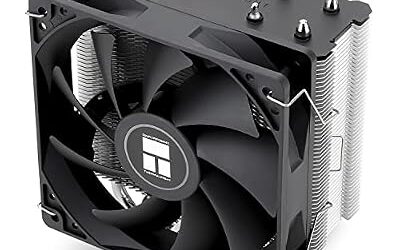
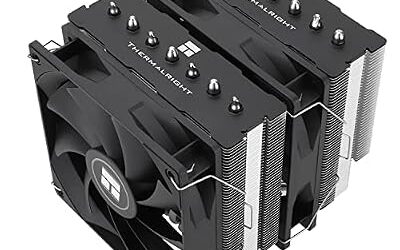
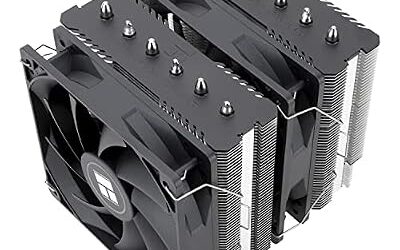
Thermalright Peerless Assassin 120 SE CPU Cooler, 6 Heat Pipes AGHP Technology, Dual 120mm PWM Fans, 1550RPM Speed, for AMD:AM4 AM5/Intel LGA 1700/1150/1151/1200/1851,PC Cooler
Included for 'Best CPU Coolers for LGA 1151 (Skylake to Coffee Lake: 6700K, 8700K, 9700K)' as a representative home product in this roundup; selection reflects the product set returned for this topic.
View on AmazonCryorig H5 – Best Value Pick Named by PC Guide
Single-tower air cooler · 120 mm class · Older design, previous generation
PC Guide names the H5 as a value pick for the 8700K. It is a previous-generation design and may only be found as old stock.
Noctua NH-D15 G2 – Best Newer Flagship
Dual-tower air cooler · LGA 115X, 1200, 1700, 1851 and AM4, AM5 listed in TechPowerUp’s review
If you want one cooler to carry across platforms, the NH-D15 G2 covers old and new sockets, at a premium tier.
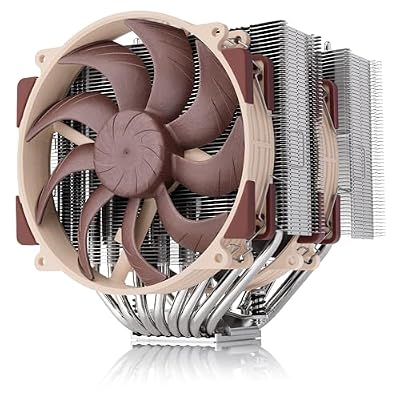
Noctua NH-D15 G2, Quiet High-Performance Dual Tower CPU Cooler | 168mm Height, Ultimate Low-Noise Cooling, 8 Heatpipes, For Intel & AMD, Dual Enthusiast-Grade 140mm Fans, Rich Accessory Kit
Included for 'Best CPU Coolers for LGA 1151 (Skylake to Coffee Lake: 6700K, 8700K, 9700K)' because the listing adds cooling or gel-infused layers, which is the attribute this article compares.
View on AmazonFrequently Asked Questions
What is the best cooler for an LGA 1151 CPU?
The Noctua NH-D15 is the most common top pick for air cooling on LGA 1151. The DeepCool AK620 is a current alternative that still lists LGA 115X support. Both are suited to the i7-8700K and i7-9700K.
Do new CPU coolers still support LGA 1151?
Some do. DeepCool’s AK400 and AK620, Thermalright’s Peerless Assassin 120 SE and Noctua’s NH-D15 family list LGA 115X support. Many newer liquid coolers and revisions have dropped it, so compare the model with the maker’s compatibility page.
Can an LGA 1200 or LGA 1150 cooler fit LGA 1151?
Often yes, because the mounting hole spacing is the same across LGA 115X and LGA 1200. The cooler must still include the right bracket and clearance for your board. LGA 1700 coolers use a different layout and are not a safe assumption.
Do the 7700K, 8700K and 9700K come with a cooler?
No, Intel’s K-series chips shipped without a boxed cooler. You need to buy a separate one. Intel lists the 7700K at 91 W and the 8700K and 9700K at 95 W.
Is a 240 mm AIO better than an air cooler for an 8700K?
Not necessarily. A large dual-tower air cooler such as the NH-D15 is often the preferred choice for the 8700K, and it avoids pump and leak concerns on older systems. An AIO suits builders who want a particular look or have radiator space.
Is it worth buying a high-end cooler for a 6700K or 7700K?
It depends on your goals. A mid-range tower improves noise and temperatures over a boxed cooler, while a flagship adds headroom for overclocking. Because the platform is previous generation, a cooler that can move to a newer system, such as the AK620 or NH-D15 G2, is a safer investment.