🛒 Best Price Today on Amazon
Prime members get fast, free shipping on everything above, plus member-only deals. New members get a 30-day free trial — cancel anytime.

TP-Link Tri-Band BE11000 Wi-Fi 7 Gaming Router (Archer GE650) | 6-Stream, 11 Gbps, 320MHz, 2×5G + 3×2.5G Ports, USB 3.0, Game Acceleration, Gaming Port & Panel, RGB Lighting, HomeShield
Included for 'Best Gaming Router for Fiber Internet: 5 Top Picks Compared' because the listing specifies 6-Stream and 11 Gbps, details this guide uses to compare options.
View on Amazon
ASUS ROG Strix GS-BE12000 WiFi 7 Gaming Router - Tri-Band, 12Gbps, Mesh | Coverage up to 3,300 Sq. Ft., 2.5G Port x8. Game Boost for Low Latency Gaming & Streaming. VPN support
Included for 'Best Gaming Router for Fiber Internet: 5 Top Picks Compared' because the listing specifies Tri-Band and 12Gbps, details this guide uses to compare options.
View on AmazonChoosing the best gaming router for fiber internet requires more than checking the advertised Wi-Fi speed. Multi-gig WAN ports, fast wired LAN, traffic prioritization, Wi-Fi generation, coverage, and client compatibility determine whether a router can actually take advantage of a 1 Gbps, 2.5 Gbps, 5 Gbps, or faster fiber plan.
Best Gaming Routers for Fiber Internet Compared
Fiber connections remove many traditional bandwidth limitations, but the router can still become the bottleneck. A 2.5 Gbps internet plan connected through a 1 Gbps WAN port cannot deliver its full speed. For gaming PCs, multi-gig Ethernet is equally useful because a wired link avoids many sources of wireless interference.
| Gaming Router | Best For | Wi-Fi | Fastest WAN | Multi-Gig LAN | Bands |
|---|---|---|---|---|---|
| ASUS ROG Rapture GT-BE98 Pro | Extreme multi-gig fiber | Wi-Fi 7 | 10 Gbps | 10G + 2.5G | Quad-band |
| TP-Link Archer GE800 | 10G fiber gaming | Wi-Fi 7 | 10 Gbps | 10G + 2.5G | Tri-band |
| ASUS ROG Rapture GT-BE19000 | Premium gaming features | Wi-Fi 7 | 10 Gbps | 10G + 2.5G | Tri-band |
| TP-Link Archer GE550 | Midrange multi-gig fiber | Wi-Fi 7 | 5 Gbps | 5G + 2.5G | Tri-band |
| ASUS TUF Gaming BE6500 | 2.5G fiber value | Wi-Fi 7 | 2.5 Gbps | 3 x 2.5G | Dual-band |
ASUS ROG Rapture GT-BE98 Pro
Best For: Extreme multi-gig fiber gaming
The ROG Rapture GT-BE98 Pro is built for networks where both fiber speed and local traffic can exceed ordinary Gigabit Ethernet. It is a quad-band Wi-Fi 7 router with 2.4 GHz, 5 GHz, and two 6 GHz bands, giving compatible devices more wireless capacity while keeping demanding clients separated across different radios.
Its wired configuration is particularly relevant to high-speed fiber. The router includes a 10 Gbps WAN/LAN port, another dedicated 10 Gbps LAN connection, a 2.5 Gbps WAN/LAN port, and several additional 2.5 Gbps LAN ports. That allows a multi-gig fiber connection and a high-speed gaming PC or switch to operate together.
A 2.6 GHz quad-core processor and 2 GB of RAM provide substantial hardware resources for a home router. That matters when several devices are generating traffic, security functions are enabled, and gaming prioritization is running simultaneously. The hardware is designed for complex networks rather than a simple one-PC apartment setup.
Gaming tools include Game Boost, ROG First, OpenNAT, a designated Gaming Port, and other traffic-management options. These features cannot make a remote game server physically closer, but they can help prevent other local devices from competing unnecessarily with gaming traffic when the fiber connection is busy.
What makes the GT-BE98 Pro different is its combination of quad-band Wi-Fi 7 and multiple multi-gig wired interfaces. The trade-off is scale: a household using 1 Gbps fiber and ordinary Gigabit clients will leave much of this hardware unused, making a less complex router easier to justify.
Key Features:
- Quad-band Wi-Fi 7
- Two 6 GHz bands
- 10 Gbps WAN/LAN port
- Dedicated 10 Gbps LAN
- Multiple 2.5 Gbps ports
- 2.6 GHz quad-core processor
- 2 GB RAM
- Gaming traffic features
- AiMesh support
Pros:
- Excellent multi-gig wired connectivity
- Separate 6 GHz bands
- Strong gaming feature set
- Suitable for very fast fiber plans
Cons:
- Excessive for basic Gigabit fiber
- Large physical footprint
Use Case: Multi-gig fiber homes with gaming PCs, NAS storage, high-speed switches, and several Wi-Fi 7 devices.
Who It’s For: Enthusiasts building a network around 5 Gbps, 10 Gbps, or heavy multi-gig local traffic.
TP-Link Archer GE800
Best For: High-speed 10G fiber gaming
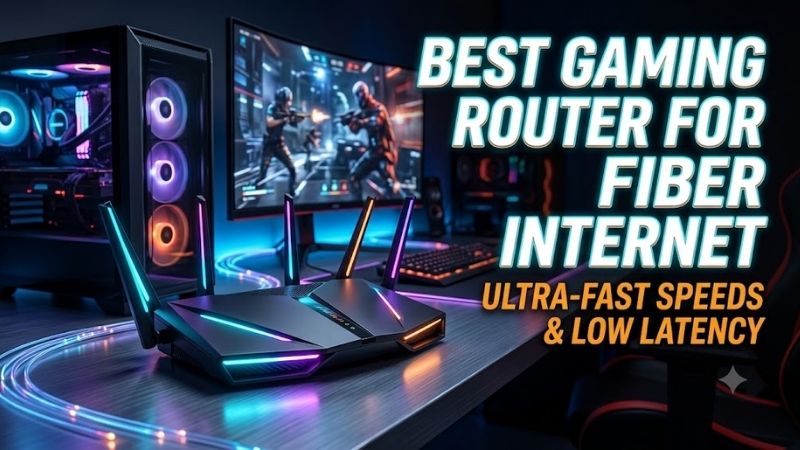
The TP-Link Archer GE800 is a tri-band Wi-Fi 7 gaming router built around a BE19000 wireless configuration. It uses 2.4 GHz, 5 GHz, and 6 GHz bands while supporting newer Wi-Fi 7 technologies such as 320 MHz channels and Multi-Link Operation. This makes it suitable for recent laptops, phones, and gaming PCs with Wi-Fi 7 adapters.
Wired connectivity is one of its strongest advantages for fiber users. The GE800 provides two 10 Gbps WAN/LAN interfaces alongside four 2.5 Gbps LAN ports. A fast fiber connection can therefore enter through 10G while gaming PCs, switches, access points, or storage devices connect through separate multi-gig interfaces.
TP-Link also includes a dedicated gaming port and its Game Center functions. Traffic prioritization can give a selected gaming device or application higher priority when several people are simultaneously downloading, streaming, backing up files, or transferring data. This is more useful under congestion than when the network is mostly idle.
The 6 GHz band is especially valuable at short to medium range with compatible devices because it provides additional spectrum separate from crowded legacy Wi-Fi networks. However, 6 GHz signals generally become less useful through multiple walls, so Ethernet or a properly designed multi-access-point network remains preferable for distant gaming rooms.
What makes the GE800 attractive is its combination of 10G connectivity and a large number of 2.5G LAN ports. It provides enough wired capacity for an advanced home network without requiring every device to use 10 Gigabit Ethernet. The main limitation is that older clients cannot use its newest Wi-Fi 7 features.
Key Features:
- Tri-band Wi-Fi 7
- BE19000 wireless class
- 2.4 GHz, 5 GHz, and 6 GHz bands
- Two 10 Gbps WAN/LAN ports
- Four 2.5 Gbps LAN ports
- Dedicated gaming port
- Gaming traffic prioritization
- 320 MHz channel support
- Multi-Link Operation
Pros:
- Excellent wired port selection
- Strong fit for multi-gig fiber
- Multiple 2.5G gaming connections
- Wi-Fi 7 and 6 GHz support
Cons:
- High-end hardware is unnecessary for slower plans
- Best wireless features require Wi-Fi 7 clients
Use Case: Fiber households using 2.5G, 5G, or 10G networking with several wired gaming and high-bandwidth devices.
Who It’s For: Gamers who want premium fiber connectivity without moving to a quad-band router.
ASUS ROG Rapture GT-BE19000
Best For: Premium gaming network controls
The ASUS ROG Rapture GT-BE19000 is a tri-band Wi-Fi 7 router rated for 2.4 GHz, 5 GHz, and 6 GHz operation. Its 6 GHz radio supports channels up to 320 MHz, while the platform also supports 4096-QAM and Wi-Fi 7 features intended to increase capacity when compatible clients are connected at appropriate distances.
Its physical networking closely matches what high-speed fiber users should look for. ASUS provides one 10 Gbps WAN/LAN interface, a separate 10 Gbps LAN port, one 2.5 Gbps WAN/LAN connection, and three more 2.5 Gbps LAN ports. This avoids the one-Gigabit bottleneck that limits many mainstream routers.
The router uses a 2.6 GHz quad-core processor and 2 GB of RAM, giving it substantial resources for traffic handling and additional router services. ASUS also includes Game Boost, Game Radar, ROG First, Gear Accelerator, OpenNAT, a Gaming Port, and Gaming Network features for users who want more control over gaming traffic.
For fiber gaming, the most useful feature is not the enormous combined wireless number printed on the box. It is the ability to connect the ONT, gaming PC, and other multi-gig devices without forcing all traffic through Gigabit Ethernet. This becomes increasingly important as fiber plans move beyond 1 Gbps.
What makes the GT-BE19000 different from more general Wi-Fi 7 routers is its gaming-oriented software package. The trade-off is complexity. Users who only need stable wired Ethernet and basic Wi-Fi may not use many of the advanced features, while enthusiasts can spend considerably more time tuning the network.
Key Features:
- Tri-band Wi-Fi 7
- BE19000 wireless class
- 10 Gbps WAN/LAN
- Dedicated 10 Gbps LAN
- Multiple 2.5 Gbps ports
- 2.6 GHz quad-core processor
- 2 GB RAM
- Gaming Network
- Game Boost and OpenNAT
- AiMesh support
Pros:
- Strong multi-gig fiber support
- Extensive gaming controls
- 10G LAN for high-speed clients
- Good upgrade path for Wi-Fi 7
Cons:
- Feature set may be excessive for simple networks
- Large router chassis
Use Case: Premium fiber gaming networks where both advanced traffic controls and multi-gig wired ports are priorities.
Who It’s For: PC enthusiasts who want deep gaming features without requiring the extra 6 GHz radio of the GT-BE98 Pro.
TP-Link Archer GE550
Best For: Midrange multi-gig fiber plans
The Archer GE550 brings Wi-Fi 7 gaming features into a configuration that is easier to justify for many fiber households. It is a tri-band BE9300 router using 2.4 GHz, 5 GHz, and 6 GHz, providing access to newer technologies such as Multi-Link Operation while avoiding the extreme hardware specifications of flagship 10G models.
Its port configuration is particularly well matched to internet plans above one Gigabit but below 10 Gigabit. The router provides one 5 Gbps WAN connection, one 5 Gbps LAN port, and three additional 2.5 Gbps LAN ports. This gives several gaming systems access to wired speeds beyond standard Gigabit Ethernet.
The 5G WAN port makes the GE550 an interesting middle ground. A 2 Gbps or 2.5 Gbps fiber plan does not require a 10G WAN connection, yet a conventional Gigabit router would restrict the service. The GE550 leaves additional headroom while keeping several 2.5G ports available for gaming PCs and other local equipment.
TP-Link’s gaming functions include application and device prioritization, a gaming-oriented dashboard, and a dedicated gaming port. These tools are most relevant when multiple users share the same connection. If somebody starts a large upload or cloud backup, appropriate traffic management can prevent that activity from dominating the local link.
What makes the GE550 different is balance. It delivers Wi-Fi 7, 6 GHz access, 5G Ethernet, and several 2.5G interfaces without jumping directly into a flagship 10G configuration. The limitation is obvious for users already planning a full 10G network, where the 5G interfaces may eventually become the next bottleneck.
Key Features:
- Tri-band Wi-Fi 7
- BE9300 wireless class
- 5 Gbps WAN
- 5 Gbps LAN
- Three 2.5 Gbps LAN ports
- Dedicated gaming functions
- 6 GHz band
- Multi-Link Operation
- USB 3.0
Pros:
- Strong match for 2.5G fiber
- Several multi-gig LAN ports
- Wi-Fi 7 support
- Less excessive than 10G flagships
Cons:
- No 10G Ethernet
- Wi-Fi 7 benefits require compatible clients
Use Case: Fiber plans between 1 and 5 Gbps with gaming PCs using 2.5 Gigabit Ethernet.
Who It’s For: Gamers who want meaningful multi-gig connectivity without building an expensive 10G home network.
ASUS TUF Gaming BE6500
Best For: 2.5G fiber value
The ASUS TUF Gaming BE6500 takes a simpler approach than the flagship ROG models. It is a dual-band Wi-Fi 7 router operating on 2.4 GHz and 5 GHz rather than adding a 6 GHz radio. That makes it less appropriate for users specifically seeking 6 GHz, but still relevant for wired gaming and modern fiber connections.
ASUS equips the router with one 2.5GbE WAN port and three 2.5GbE LAN ports. This configuration is particularly useful with 2 Gbps or 2.5 Gbps fiber because both the internet connection and several wired devices can run above Gigabit speed without requiring separate multi-gig switching hardware.
The router uses a 1.5 GHz quad-core processor with 1 GB of RAM. Gaming tools include Gear Accelerator, OpenNAT, a designated Gaming Port, and traffic-control features such as Adaptive QoS. AiMesh support also allows the router to participate in a wider ASUS network when one access point cannot cover the entire home.
Losing 6 GHz is the main compromise compared with the GE550 and premium ROG models. However, gaming PCs connected through Ethernet do not depend on 6 GHz Wi-Fi. For players who intend to wire the primary gaming machine and use wireless mainly for phones, TVs, or general household devices, that compromise can be reasonable.
What makes the TUF Gaming BE6500 useful is its focus on 2.5 Gigabit Ethernet rather than extreme 10G hardware. It gives a gaming PC, NAS, or another device access to multi-gig networking while keeping the platform simpler. Users planning faster fiber should choose additional WAN headroom from the beginning.
Key Features:
- Dual-band Wi-Fi 7
- 2.4 GHz and 5 GHz operation
- One 2.5GbE WAN port
- Three 2.5GbE LAN ports
- 1.5 GHz quad-core processor
- 1 GB RAM
- Adaptive QoS
- Gaming Port
- OpenNAT
- AiMesh support
Pros:
- Multiple 2.5G LAN ports
- Suitable for 2.5G fiber
- Gaming traffic features
- Wi-Fi 7 support
Cons:
- No 6 GHz band
- No 5G or 10G Ethernet
Use Case: Wired gaming systems connected to fiber services up to 2.5 Gbps, with Wi-Fi serving secondary devices.
Who It’s For: Gamers who prioritize 2.5G Ethernet and practical gaming features over premium 6 GHz and 10G hardware.
Which Gaming Router Fits Your Fiber Speed?
For standard 1 Gbps fiber, any router in this roundup provides enough WAN capacity. Spending heavily on 10G ports will not reduce game-server latency by itself. A stable wired connection, proper traffic management, good router placement, and enough processing capacity are more useful than buying bandwidth your internet plan cannot deliver.
With 2 Gbps or 2.5 Gbps fiber, the TUF Gaming BE6500 and Archer GE550 become especially relevant. Both avoid the Gigabit WAN limitation, while the GE550 adds additional WAN headroom and a 6 GHz band. The correct choice depends on whether you primarily game through Ethernet or also have modern Wi-Fi 7 devices.
For 5 Gbps fiber, the Archer GE550 can match the incoming connection through its 5G WAN port, while the GE800 and premium ROG models provide 10G headroom. Users expecting an upgrade beyond 5 Gbps should consider 10G from the start rather than replacing the router again when faster service becomes available.
A 10 Gbps fiber plan requires more planning because every link matters. The router, ONT, Ethernet cables, switches, and PC network adapter all need appropriate interfaces to approach multi-gig speeds. The GT-BE98 Pro, GE800, and GT-BE19000 provide 10G connectivity, making them more suitable for this network class.
How to Choose the Best Gaming Router for Fiber Internet
Match the WAN Port to Your Fiber Plan
The WAN port sets a hard physical ceiling for internet throughput. A router with a 1 Gbps WAN interface cannot pass a 2.5 Gbps fiber connection at full speed. Choose at least 2.5GbE for multi-gig fiber, while 5G or 10G WAN makes more sense when your current service or upgrade plan exceeds 2.5 Gbps.
Check LAN Speed for Your Gaming PC
A fast WAN port alone is not enough if the gaming PC connects through a slower LAN interface. For a 2.5 Gbps desktop adapter, look for a matching 2.5GbE LAN port. High-end workstations, NAS devices, and multi-gig switches can make better use of 5G or 10G interfaces when moving large files locally.
Use Ethernet for Competitive Gaming
Wi-Fi 7 offers enormous bandwidth potential, but Ethernet remains attractive for competitive gaming because the connection does not share radio airtime with neighboring devices. A 1 Gbps wired link is already far faster than the bandwidth most games require, while 2.5G mainly benefits downloads, transfers, and multi-gig internet service.
Understand What Gaming QoS Can Do
Gaming QoS cannot reduce the physical distance between your home and a game server. Its purpose is to manage traffic inside your network. Prioritization becomes useful when another device is saturating the connection with downloads, uploads, backups, or video. On an idle fiber line, the difference may be much smaller.
Decide Whether You Need Wi-Fi 7
Wi-Fi 7 introduces features such as Multi-Link Operation, 320 MHz channels on 6 GHz equipment, and 4K-QAM. These require compatible clients to deliver their full benefit. If your gaming PC uses Ethernet and your wireless devices are Wi-Fi 6, buying Wi-Fi 7 is primarily an investment in future client upgrades.
Consider the 6 GHz Band
The 6 GHz band provides additional spectrum with less legacy congestion, making it valuable for nearby compatible devices. Its higher frequency also means walls and distance can reduce effectiveness more quickly. For a gaming room far from the router, proper placement, Ethernet, or additional access points may matter more than peak 6 GHz speed.
Check Your Fiber ONT
Some fiber providers supply a separate ONT, while others use an integrated gateway. Before buying a new router, confirm how the provider handles bridge mode, PPPoE, VLAN settings, authentication, and multi-gig Ethernet. A 10G gaming router provides little benefit if the provider’s equipment exposes only a 1 Gigabit Ethernet connection.
FAQ
Does a Gaming Router Lower Ping on Fiber Internet?
A gaming router cannot change the geographic route to a remote server, but it can reduce local congestion through traffic prioritization. This is most useful when other devices are heavily using the connection. On an uncongested fiber network, switching routers may have little effect on the base latency to the game server.
Is 2.5GbE Worth It for Gaming?
Games themselves rarely need multi-gig bandwidth, but 2.5GbE is useful for fast downloads, updates, local transfers, and fiber plans above 1 Gbps. It also prevents the Ethernet connection from becoming a bottleneck. For a modern gaming PC and multi-gig fiber plan, 2.5GbE is a practical networking upgrade.
Is Wi-Fi 7 Better for Gaming Than Wi-Fi 6E?
Wi-Fi 7 adds technologies that can improve capacity and wireless efficiency when both the router and client support them. However, signal quality, interference, router placement, and network congestion remain important. A strong Wi-Fi 6E connection can still outperform a poorly positioned Wi-Fi 7 router in actual gaming conditions.
Do I Need a 10G Router for 2.5 Gbps Fiber?
No. A router with a 2.5 Gbps or faster WAN port can handle a 2.5 Gbps service without requiring 10G Ethernet. A 10G router becomes attractive if you expect a faster future plan, run a 10G local network, use high-speed NAS storage, or want additional headroom between several multi-gig network devices.
Should I Connect My Gaming PC to the Router or Wi-Fi?
Use Ethernet when practical, especially for competitive multiplayer games. A wired connection avoids wireless interference and provides predictable connectivity. Wi-Fi remains useful when running a cable is difficult, and Wi-Fi 6E or Wi-Fi 7 can deliver excellent results when the client is close to the router with a strong signal.
Does Faster Fiber Improve Gaming Latency?
Increasing bandwidth does not automatically reduce ping. A 2.5 Gbps plan can download games faster than a 1 Gbps plan, but latency depends on routing, server location, network congestion, and ISP infrastructure. Fiber generally provides a strong connection foundation, while router configuration helps manage traffic within the home.
Conclusion
The best gaming router for fiber internet should match your actual WAN speed and wired hardware. ASUS GT-BE98 Pro and TP-Link GE800 suit extreme multi-gig networks, GT-BE19000 adds deep gaming controls, GE550 balances 5G and 2.5G connectivity, while TUF BE6500 provides a practical path for 2.5G fiber gaming.