For fighting-game fans, a proper fight stick transforms how combos, motions, and blocks feel under your hands. In 2026 the best PS5-compatible fight sticks blend arcade-authentic parts, low-latency wireless or wired connections, and swappable components that let you tune everything. This guide covers the top fight stick options and how to choose the one that suits your play.
- How We Ranked the Best PS5 Fight Stick Options
- The Best PS5 Fight Stick Picks for 2026
- What to Look For in a Fight Stick
- Setting Up a Fight Stick on PS5
- Which Fight Stick Should You Buy?
- Lever Versus Leverless Habits
- A Simple Two-Week Practice Plan
- Troubleshooting Common Problems
- Common Mistakes When Buying a Fight Stick
- Anatomy of a Fight Stick
- Frequently Asked Questions
- Related Articles
Whether you are grinding ranked in the latest fighter or reliving arcade classics, a quality fight stick pays off in precision and immersion. Here is how the leading picks stack up on parts, build, and value.
As an Amazon Associate we earn from qualifying purchases at no extra cost to you.





As an Amazon Associate I earn from qualifying purchases.
🛒 Best Price Today on Amazon
Prime members get fast, free shipping on everything above, plus member-only deals. New members get a 30-day free trial — cancel anytime.
How We Ranked the Best PS5 Fight Stick Options
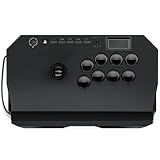
A great fight stick has to deliver responsive arcade parts, a stable and comfortable chassis, and confirmed PS5 compatibility with low input lag. We also valued modularity, since swappable buttons and levers let players tune feel and repair wear over time. The table below summarizes our top fight stick picks before the detailed reviews.
| Product | Best For | Standout Feature | Rating |
|---|---|---|---|
| Qanba Obsidian 2 | All-around fight stick play | Premium arcade parts | |
| Hori Fighting Stick Alpha | Reliable tournament use | Tool-free parts access | |
| Victrix Pro FS-12 | Competitive esports | Aircraft-grade aluminum frame | |
| Razer Kitsune Leverless | Leverless button play | Low-profile optical switches | |
| 8BitDo Arcade Stick | Value and versatility | Wireless multi-platform |
New to arcade controls? Our beginner guide to learning to play on a fight stick smooths the transition from pad.
The Best PS5 Fight Stick Picks for 2026
Qanba Obsidian 2 — Best Overall Fight Stick
The Obsidian 2 combines premium arcade parts, a spacious and stable chassis, and confirmed PS5 support into a fight stick that satisfies from casual play to serious competition. The lever and buttons feel crisp and responsive, and the roomy top panel keeps your hands comfortable. It is large and heavy, which is great at home but cumbersome to travel with, and it sits at a premium price, but the quality justifies it. Pair it with our tips on mastering motion inputs on a stick.
Hori Fighting Stick Alpha — Best Fight Stick for Reliability
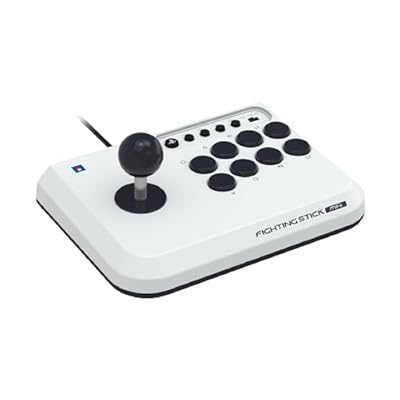
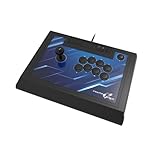
The Fighting Stick Alpha earns its reputation with dependable performance and tool-free access to swap parts, making maintenance and customization simple. The stock lever and buttons are excellent out of the box, and the layout is tournament-friendly. It is a big unit and lacks wireless, but for players who want a proven, repairable fight stick that just works, it is a top choice. See it in our roundup of the most durable fighting-game gear.
Victrix Pro FS-12 — Best Fight Stick for Competitive Esports
Built for the tournament circuit, the Pro FS-12 wraps premium arcade parts in an aircraft-grade aluminum frame with a modular, serviceable interior. It feels rock solid, and the removable lever and travel-friendly features suit players on the go. It is expensive and heavier than budget sticks, but the build quality and competitive pedigree are outstanding. Read our comparison in choosing gear for tournament play.
Razer Kitsune Leverless — Best Leverless Fight Stick
The Kitsune embraces the leverless movement, replacing the joystick with a flat button layout and low-profile optical switches for lightning-fast directional inputs. Its slim, lightweight design travels easily and appeals to players chasing precise, rapid motions. The leverless layout has a real learning curve for stick veterans, and it is a premium product, but for modern competitive play it is a standout evolution of the fight stick. Learn the basics in leverless controllers explained for beginners.
8BitDo Arcade Stick — Best Value Fight Stick
The 8BitDo Arcade Stick delivers wireless convenience, solid arcade parts, and multi-platform support at a price that undercuts premium rivals. It is a fantastic entry point, and the modular design lets you upgrade parts as you improve. PS5 support may require specific setup or an adapter depending on your configuration, and the parts are good rather than elite, but for value and flexibility it is our budget champion among fight sticks.
Mayflash F500 Elite — Best Budget Modular Fight Stick
The F500 Elite ships with quality arcade parts and an open, easy-to-mod interior at an accessible price, making it a favorite for tinkerers who plan to upgrade over time. It connects to multiple platforms and offers great bang for the buck. The stock chassis is more utilitarian than premium sticks, and PS5 use may need an adapter, but as an affordable, upgradeable fight stick foundation it is excellent.
What to Look For in a Fight Stick
Parts quality is everything. The lever and buttons determine how a fight stick feels, so look for reputable arcade components and, ideally, a modular design that lets you swap or repair parts as they wear. Whether you prefer a traditional lever or the newer leverless button layout is a personal choice, and both have thriving competitive scenes, so try to test the feel before committing.
Compatibility and connection come next. Confirm the stick supports PS5, since some third-party units need an adapter or specific authentication, and decide between wired reliability and wireless convenience. Finally, weigh size and portability against your needs: a large, heavy stick is stable and comfortable at home, while a slimmer unit travels better to tournaments and friends’ houses. Our guide to setting up your fight stick for your main game covers configuration details.
Setting Up a Fight Stick on PS5
- Plug the stick into a USB port on the console and wait for it to be recognized.
- If the stick has a console mode switch, set it to the PS5 or PS4 position matching what you want to play.
- Open the game’s controller settings and check the button layout.
- Map attack buttons to the layout you prefer, since many players use six face buttons for light, medium, and heavy attacks.
- Update the stick firmware if the maker offers it.
Compatibility differs between PlayStation 4 mode and native PS5 mode, so confirm on each listing that the stick is rated for the console and games you want.
Which Fight Stick Should You Buy?
| If you… | Choose… |
|---|---|
| Want the strongest all-around pick | Qanba Obsidian 2 |
| Value a reputation for reliability | Hori Fighting Stick Alpha |
| Plan to compete in tournaments | Victrix Pro FS-12 |
| Want to try a leverless layout | Razer Kitsune Leverless |
| Want good value without leaving the major brands | 8BitDo Arcade Stick |
| Like to modify parts on a modular body | Mayflash F500 Elite |
Lever Versus Leverless Habits
A lever uses a gate to define the directions, which suits players who are used to arcade cabinets. A leverless stick replaces the lever with directional buttons, so motions become finger taps. Many players adjust within a few weeks, but switching styles takes practice, so pick one and stay with it while learning.
A Simple Two-Week Practice Plan
- Spend the first few days on quarter-circle and dragon-punch motions in training mode.
- Add one simple combo per character and repeat it ten times in a row.
- Review replays to see where inputs drop.
- Play ranked or casual matches only after the motions feel automatic.
Troubleshooting Common Problems
- Stick not recognized: try another USB port, reconnect the cable, and check the mode switch.
- Dropped inputs: look at the cable and USB connection first, then the firmware.
- Buttons feeling inconsistent: check the button wiring and any modded parts.
Common Mistakes When Buying a Fight Stick
- Buying without checking PS5 support.
- Choosing a layout without knowing which hand position feels natural.
- Ignoring the weight and size of the case on a desk.
- Skipping the cable length and routing.
Anatomy of a Fight Stick
The Lever and Gate
Arcade-style sticks use a lever with a restrictor gate that limits movement to four directions, eight directions, or a circle. Square gates are popular for precise diagonals, and the lever’s spring tension changes how quickly it returns to neutral. Common parts from brands such as Sanwa and Seimitsu are widely sold for swapping on modular cases.
Buttons and Switches
Buttons come in different diameters and click styles. Some players prefer quiet switches, while others like a firm click that confirms each press. Optical or mechanical switches can improve response, but the difference is subtle for most players, so comfort is a better guide.
Case Weight and Cable
A heavier case stays put on a desk or lap during fast motions, and a rubber base reduces slipping. A detachable USB cable is easier to replace if it frays, and a stick with cable storage is easier to carry to events.
Wired or Wireless
Wired sticks remove any question of battery life or interference, which is why tournaments often favor them. Wireless models trade that certainty for desk freedom, so confirm the connection type on each listing.
Frequently Asked Questions
Do all fight sticks work on PS5?
No, compatibility varies. Some fight sticks are officially licensed for PS5 and connect directly, while others target PS4 or PC and may need an adapter or have authentication limits on PS5. Always confirm the product explicitly lists PS5 support before buying, especially for the specific fighting games you plan to play, to avoid connection issues.
Should a beginner start with a fight stick or a regular controller?
Either can work, but there is a learning curve to a fight stick that takes time to overcome. Many players start on a pad and switch to a stick as they get more serious, while others learn on a stick from day one. The best choice is whichever you will practice with consistently, since muscle memory matters more than the input device itself.
What is a leverless fight stick and is it better?
A leverless controller replaces the joystick with a flat row of directional buttons, allowing very fast and precise inputs favored by many competitive players. It is not objectively better, just different, and it carries its own learning curve. Traditional lever sticks remain hugely popular, so the right choice comes down to which control scheme feels more natural to you.
Can I replace the buttons and lever on a fight stick?
On modular fight sticks, yes, and it is one of their biggest advantages. Many quality sticks offer tool-free or straightforward access to swap arcade parts, letting you change button feel, replace worn components, or customize colors. Before buying, check whether the model supports standard arcade parts, since that ensures wide availability of replacements and upgrades.