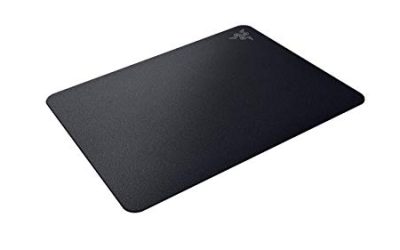
Our Short List of 3

- Best for: Low-sensitivity players who want keyboard and mouse on one wide, level mat.
- Surface: Cloth, performance-tuned texture for consistent sensor imaging
- Size: 900 x 400 mm (XL)
- Thickness: 3 mm
- Base: Stable rubber base, non-slip

- Best for: Players on smaller desks who want a proven control cloth in a single-mouse size.
- Surface: Legendary micro-woven cloth
- Size: 450 x 400 mm (Large)
- Thickness: 2 mm
- Base: Non-slip silicone rubber base
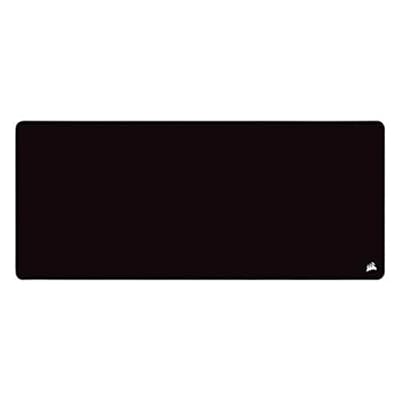
- Best for: Players who keep drinks on the desk and want a wipe-clean, full-desk cloth mat.
- Surface: Spill-proof micro-weave textile, glide-enhanced
- Size: 930 x 400 mm (Extended XL)
- Thickness: 4 mm
- Base: Plush rubber, textured non-slip
All 4 Picks at a Glance
| Product | Specs | Action |
|---|---|---|
| Logitech G840 XL |
| Check price on Amazon |
| SteelSeries QcK Large |
| Check price on Amazon |
| Corsair MM350 PRO Extended XL |
| Check price on Amazon |
 HyperX Pulsefire Mat RGB XL |
| Check price on Amazon |
🛒 Best Price Today on Amazon
Prime members get fast, free shipping on everything above, plus member-only deals. New members get a 30-day free trial — cancel anytime.
Valorant punishes sloppy aim more than most shooters. One-tap headshots, tight angles, and long holds mean every flick has to stop exactly where you meant it to, and the surface under your mouse decides how repeatable that stop feels. A pad that is too slick sends the crosshair sailing past the target, while one with too much drag makes small corrections feel sticky. Since many Valorant players run low sensitivity, the pad also has to give the whole arm room to travel without running out of surface mid-sweep.
Arm aimers on low sensitivity need the widest mats, while wrist players on higher sensitivity can manage with a compact pad. Desk-mat fans want the keyboard and mouse sitting on one level surface, and players building a lit setup may prefer lighting built into the edge. The five pads below were picked from the names and specifications shown on their Amazon product pages, with attention to consistent glide, usable size, and a base that holds still through long sessions.
Quick Picks
As an Amazon Associate we earn from qualifying purchases
| Product | Best for | Key spec from title |
|---|---|---|
| Logitech G840 XL | Low-sensitivity arm aimers who want keyboard and mouse on one mat | Performance-tuned surface, 900 x 400 mm, stable rubber base |
| SteelSeries QcK Large | Players on a small desk who want a proven control cloth | Micro-woven cloth, 450 x 400 mm, non-slip silicone rubber base |
| Razer Gigantus V2 XXL | Wide-sweep players who want cushioning and stitched edges | Textured micro-weave cloth, 940 x 410 mm, 4 mm high-density foam |
| Corsair MM350 PRO Extended XL | Players who keep drinks on the desk and want a wipe-clean surface | Spill-proof micro-weave cloth, 930 x 400 mm, 4 mm plush rubber |
| HyperX Pulsefire Mat RGB XL | RGB setups that need a large precision cloth with lighting | Two RGB zones, onboard memory for 3 profiles, 35.4 x 15.2 inches |
How to Choose
Surface Speed vs Control
Glide decides how your crosshair behaves at the end of a flick. Faster weaves let the mouse travel with little resistance, which suits players who flick hard and lift often, yet they make it harder to stop precisely on a distant head. Control cloths add friction, so the mouse settles sooner and micro-adjustments feel planted. Valorant rewards the second quality most of the time, because holding an angle and counter-strafing into a shot matters more than raw swipe speed. Look for wording like moderate friction, performance-tuned texture, or textured micro-weave on the listing, and treat a pad described as glide-enhanced as the quicker end of the cloth range.
Size and Low-Sensitivity Space
Sensitivity sets the size you need, so begin there instead of guessing. Low-sensitivity players can need well over half a metre of mouse travel for a full turn, which means a Large single-mouse pad may run out of room during a wide swing. Extended XL desk mats solve that by stretching across the desk and holding the keyboard as well, giving the arm one uninterrupted surface. Measure the clear depth of your desk before choosing, since a 400 mm deep mat needs a desk at least that deep. When space is tight, a Large pad paired with slightly higher sensitivity is the workable compromise.
Thickness and Wrist Comfort
Thickness changes how the pad feels under your wrist across a long session. Thin pads around 2 mm keep the wrist almost level with the desk, which many aimers prefer for a consistent hand angle. Pads at 3 to 4 mm add cushioning that softens the wrist during hours of ranked play, and the extra rubber can smooth out small bumps in an uneven desk. Thicker mats also raise the keyboard a little, so check that the new height still feels comfortable for typing between rounds. Rollable cloth mats pack down for travel, while the thickest foam mats tend to stay at home.
Base Grip and Edge Finish
A pad that creeps across the desk ruins aim faster than a mediocre surface will. Rubber and silicone bases grip the desk during fast sweeps, and textured rubber holds better than a smooth backing when the desk is glossy. Stitched edges matter just as much over time: an unstitched cloth edge frays, peels, and eventually catches the wrist, while a stitched border keeps the surface flat and intact. Some pads add a spill-resistant coating, which helps when a drink tips over mid-match. Before ordering, confirm the base material and the edge finish on the listing rather than assuming every cloth pad is built the same way.
The 5 Best Options
Logitech G840 XL
- Best for: Low-sensitivity players who want keyboard and mouse on one wide, level mat.
- Surface: Cloth, performance-tuned texture for consistent sensor imaging
- Size: 900 x 400 mm (XL)
- Thickness: 3 mm
- Base: Stable rubber base, non-slip
Low-sensitivity players who want keyboard and mouse on one wide, level mat.
Measure your desk first, since 900 mm of width and 400 mm of depth need a large, clear surface.
Logitech built the G840 XL as a desk mat first, stretching 900 mm across so a full-size keyboard and a low-sensitivity mouse share one level surface. Its performance-tuned texture gives consistent sensor imaging, meaning the glide stays predictable from one edge to the other instead of changing halfway through a sweep. At 3 mm thick it sits between thin speed pads and thick cushioned mats, firm enough for a stable hand angle and soft enough for long sessions. Rolling it up for transport is straightforward, so it also works for players who move between setups.
Watch out for: Measure your desk first, since 900 mm of width and 400 mm of depth need a large, clear surface.
SteelSeries QcK Large
- Best for: Players on smaller desks who want a proven control cloth in a single-mouse size.
- Surface: Legendary micro-woven cloth
- Size: 450 x 400 mm (Large)
- Thickness: 2 mm
- Base: Non-slip silicone rubber base
Players on smaller desks who want a proven control cloth in a single-mouse size.
The 450 mm width suits wrist and hybrid aimers better than very low sensitivity arm aimers.
Few pads have lasted as long as the QcK, and the Large size remains the default pick for players who want a single-mouse cloth without desk-mat bulk. Its micro-woven surface is tuned for tracking accuracy with optical and laser sensors, giving a controlled glide that suits holding angles and making small corrections. The non-slip silicone rubber base keeps the pad planted during fast flicks, and at 2 mm thick it stays close to the desk for a low, consistent wrist angle. When the cloth gets dusty, the washable surface can be cleaned and used again.
Watch out for: The 450 mm width suits wrist and hybrid aimers better than very low sensitivity arm aimers.
Razer Gigantus V2 XXL
Razer aimed the Gigantus V2 XXL squarely at players who sweep wide and want cushioning under the wrist. Its textured micro-weave cloth gives controlled friction rather than a slick slide, helping the crosshair settle after a long flick. Underneath, 4 mm of high-density foam softens the wrist and levels out minor desk imperfections, while the non-slip base stops the mat drifting during frantic rounds. At 940 by 410 mm it covers the keyboard zone too, so the whole setup sits on one surface instead of two mismatched levels.
Specs
- Surface: Textured micro-weave cloth
- Size: 940 x 410 mm (XXL)
- Thickness: 4 mm
- Base: High-density foam, non-slip base
- Edges: Stitched anti-fray edge
- Color: Classic Black
- Model: RZ02-03330400-R3U1
Best for: Wide-sweep players who want a thick, cushioned desk mat with stitched edges.
Watch out for: The 4 mm foam raises the keyboard slightly, so confirm the height feels comfortable before committing.
Corsair MM350 PRO Extended XL
- Best for: Players who keep drinks on the desk and want a wipe-clean, full-desk cloth mat.
- Surface: Spill-proof micro-weave textile, glide-enhanced
- Size: 930 x 400 mm (Extended XL)
- Thickness: 4 mm
- Base: Plush rubber, textured non-slip
Players who keep drinks on the desk and want a wipe-clean, full-desk cloth mat.
The coated weave feels different from bare cloth at first, so give it a few sessions before judging the glide.
Corsair designed the MM350 PRO Extended XL for desks where drinks, snacks, and long sessions all share the same space. A spill-proof and stain-resistant coating lets liquids slide off the micro-weave surface instead of soaking into the cloth, so a knocked-over drink becomes a quick wipe rather than a ruined pad. Beneath that coating, a glide-enhanced micro-weave textile keeps the mouse moving smoothly, and 4 mm of plush rubber cushions the wrist. The 930 by 400 mm surface holds keyboard and mouse together, and anti-fray stitching runs around the edges.
Watch out for: The coated weave feels different from bare cloth at first, so give it a few sessions before judging the glide.
HyperX Pulsefire Mat RGB XL
- Best for: RGB setups that need a large precision cloth with lighting and onboard profiles.
- Surface: Densely woven cloth, tuned for precision
- Size: 35.4 x 15.2 inches (XL)
- Lighting: Two RGB zones, customizable through HyperX NGENUITY software
- Profiles: Onboard memory for 3 profiles, touch sensor profile switching
RGB setups that need a large precision cloth with lighting and onboard profiles.
The lighting needs a USB connection, so confirm a spare port sits within reach of the attached cable.
HyperX pairs a precision cloth surface with lighting on the Pulsefire Mat RGB XL, making it the pick for players who want their pad to match a lit setup. Two RGB zones run around the edge and can be customized through HyperX NGENUITY software, while a touch sensor switches between three profiles saved to onboard memory without opening any software. Under the lighting, the densely woven cloth is tuned for precision, and the anti-slip rubber base keeps the mat still during fast movements. Its XL footprint holds keyboard and mouse with room for wide, low-sensitivity sweeps.
Watch out for: The lighting needs a USB connection, so confirm a spare port sits within reach of the attached cable.
Which One Fits Your Situation
You Play on Low Sensitivity and Sweep Your Whole Arm
Pick the Logitech G840 XL or the Razer Gigantus V2 XXL. Both stretch past 900 mm wide, giving the arm room for full turns without lifting the mouse mid-fight. Logitech’s 3 mm profile keeps the wrist lower and the mat easier to roll up, while Razer’s 4 mm foam adds cushioning for marathon sessions. Either way, the keyboard sits on the same surface, so the hand angle stays consistent across the whole desk.
Your Desk Is Small and You Aim Mostly With Your Wrist
Pick the SteelSeries QcK Large. Its 450 by 400 mm footprint fits desks where an extended mat would hang over the edge, and the controlled micro-woven glide suits the short, precise movements wrist aimers rely on. The thin 2 mm profile keeps the wrist level with the desk, and the silicone base holds the pad in place even when flicks get fast. It is the simplest fit for tight spaces.
Drinks and Snacks Live Next to Your Keyboard
Pick the Corsair MM350 PRO Extended XL. Its spill-proof coating gives you time to grab a cloth when a drink tips over, instead of watching liquid soak into the weave. The 930 mm surface still covers keyboard and mouse, and the stitched edges resist fraying through daily use. Keep in mind that the coated surface feels slightly different from bare cloth until you adjust to it.
You Want Your Setup to Glow as Well as Aim
Pick the HyperX Pulsefire Mat RGB XL. Two lighting zones frame the XL cloth surface, and the touch sensor swaps between three saved profiles without opening software. The densely woven surface stays focused on precision rather than flash, so the lighting is a bonus on top of a capable aiming mat. Just make sure a USB port is free nearby, since the lighting draws power through the attached cable.
Common Mistakes
- Choosing a pad that is too small for your sensitivity, then running out of surface during wide flicks.
- Picking the fastest glide available when Valorant rewards controlled stops and small corrections.
- Ignoring the base, so the pad bunches or slides across the desk during fast rounds.
- Forgetting to measure desk depth, leaving a 400 mm mat hanging over the front edge.
- Assuming every cloth pad has stitched edges, then watching an unstitched border fray within months.
Frequently Asked Questions
What size mouse pad is best for Valorant?
Size depends on sensitivity. Low-sensitivity players should choose an extended XL mat around 900 mm wide, since wide arm sweeps need room for full turns without lifting the mouse. Wrist players on higher sensitivity can use a Large pad around 450 mm wide. Measure your desk depth first, because a 400 mm deep mat needs a desk at least that deep to sit flat.
Is a cloth or hard mouse pad better for Valorant?
Cloth suits most Valorant players because its controlled friction helps the crosshair stop precisely after flicks and during counter-strafing. Hard pads glide faster, which can feel great for sweeping movements but makes small corrections harder to land. Unless you already know you prefer a slick surface, begin with a control cloth and only switch if stopping feels sticky rather than planted.
Does mouse pad thickness matter for aiming?
Thickness affects comfort more than raw aim, yet comfort shapes consistency. Thin pads near 2 mm keep the wrist level with the desk, while 3 to 4 mm pads cushion the wrist and smooth out uneven desks. Very thick pads raise the keyboard slightly, which some players notice during long sessions. Choose the thickness that keeps your wrist relaxed, since tension is what hurts aim first.
How do I stop my mouse pad from sliding during matches?
Begin with a pad that has a rubber or silicone base, placed on a clean, dry desk so the grip can work. Textured rubber holds better on glossy desks than smooth backings. If the pad still creeps, check that nothing is lifting a corner, such as a cable or a monitor stand foot. A stitched edge also helps, because a flat, intact border stays in contact with the desk.