🛒 Best Price Today on Amazon
Prime members get fast, free shipping on everything above, plus member-only deals. New members get a 30-day free trial — cancel anytime.
A gaming mouse sensor decides how faithfully hand movement becomes cursor movement, so the choice matters more than shell colour or button layout. Low sensitivity players need clean tracking through long flicks, while high sensitivity players need a sensor that stays steady during small corrections. When tracking wobbles, skips, or accelerates unexpectedly, aiming feels inconsistent even when the rest of the setup is unchanged.
This guide covers competitive FPS players, MMO and strategy players, and everyday PC users who want reliable tracking without chasing a single headline number. Every mouse below was chosen because its Amazon listing names its sensor, from Logitech HERO variants to Razer Focus Pro 30K, and the specifications in each entry come from those listings. Use the sections below to match sensor behaviour to your grip, game, and desk setup before choosing.
Quick Picks
As an Amazon Associate we earn from qualifying purchases
| Product | Best for | Key spec from title |
|---|---|---|
| Logitech G Pro X Superlight 2 | Competitive FPS with a light wireless mouse | HERO 2 sensor, 44,000 DPI, 8 kHz report rate |
| Razer DeathAdder V3 Pro | Palm-grip players who want an ergonomic shape | Focus Pro 30K Optical Sensor, 63g, 90-hour battery |
| Razer Viper V2 Pro | Symmetrical ultralight play with fast flicks | Focus Pro 30K Optical Sensor, 58g, 90-hour battery |
| Logitech G502 X Lightspeed | Players who want many programmable controls | HERO 25K Gaming Sensor, LIGHTSPEED wireless |
| Logitech G305 Lightspeed | A first wireless gaming mouse with long battery life | HERO sensor, 12,000 DPI, 250-hour battery |
How to Choose
DPI Range
DPI range describes how far the cursor moves for a given hand movement, and a wider range gives more room to tune sensitivity without changing hardware. Most FPS players settle between 400 and 1,600 DPI, then adjust in-game sensitivity to taste, so a 30,000 or 44,000 DPI ceiling is rarely used directly. What matters is stable tracking at the DPI you actually use, with no jitter at low values and no smoothing at high values. Check whether the listing states a minimum as well as a maximum, because a 100 or 200 DPI floor helps players who prefer very slow, precise aiming.
Polling Rate
Polling rate is how often the mouse reports its position to the computer, measured in hertz, and a higher rate means fresher position data. A 1,000 Hz mouse reports every millisecond, which suits most players, while an 8,000 Hz option reports eight times as often and can feel slightly more responsive in fast shooters. Higher polling can use more battery in wireless mice and more processor time, so the gain is not free. Before choosing an 8 kHz model, confirm that your computer and game handle the setting smoothly, and remember that a clean 1,000 Hz sensor often beats a noisy faster one.
Tracking Accuracy
Tracking accuracy covers speed, acceleration, and resolution accuracy together, because a sensor must keep up with fast swipes without losing its place. Look for maximum speed in inches per second, maximum acceleration in G, and any stated resolution accuracy in the listing, since those figures describe behaviour during flicks rather than at rest. A sensor rated for 750 inches per second and 70G handles aggressive arm aiming better than one built for slow desktop use. Surface matters too, so check whether the listing mentions glass or varied surfaces if your desk or pad is unusual.
Lift-Off Distance
Lift-off distance is how high you can raise the mouse before the sensor stops tracking, and a low distance prevents the cursor drifting when you reposition the mouse. Players who lift often during low sensitivity play benefit most, because each lift should end with the cursor exactly where it was left. Some mice let you adjust this distance in software, while others use a fixed low setting from the factory. If the listing mentions lift-off control or calibration for different surfaces, use that feature after unboxing, and test the setting on your own pad before a long session.
The 5 Best Options
Logitech G Pro X Superlight 2

Logitech built this wireless mouse around its HERO 2 sensor, and the Amazon listing puts that sensor at the centre of the design. At under 60 grams, the symmetrical shell suits claw and fingertip grips during long competitive sessions, while LIGHTSPEED wireless keeps the connection free of a cable dragging across the pad. Five programmable buttons keep the layout simple, and USB-C charging fits the cable most players already use. Battery life reaches up to 95 hours of constant motion at the standard polling rate, which covers many days of play between charges.
Specs
- Sensor: HERO 2 optical sensor
- Resolution: up to 44,000 DPI
- Polling rate: up to 8,000 Hz
- Weight: under 60 grams
- Buttons: 5 programmable buttons
- Battery life: up to 95 hours of constant motion
- Charging: USB-C
Best for: Competitive FPS players who want a light, symmetrical wireless mouse with a top-tier sensor.
Watch out for: Confirm the grip size suits your hand, because the symmetrical shell is narrow and has no dedicated thumb rest.
Razer DeathAdder V3 Pro

Razer pairs its Focus Pro 30K sensor with the familiar ergonomic DeathAdder shape, giving palm-grip players a mouse that fills the hand without adding bulk. Weighing 63 grams, it stays light for an ergonomic model, and HyperSpeed wireless keeps movement consistent across a desk. Gen-3 optical switches sit under the main buttons, while five programmable buttons cover the usual binds for shooters and everyday tasks. A 90-hour battery at the standard polling rate means charging is an occasional job rather than a daily routine.
Specs
- Sensor: Razer Focus Pro 30K Optical Sensor
- Resolution: up to 30,000 DPI
- Tracking speed: up to 750 IPS
- Acceleration: up to 70G
- Resolution accuracy: 99.8 percent
- Weight: 63 grams
- Buttons: 5 programmable buttons
- Battery life: up to 90 hours
Best for: Palm-grip players who want an ergonomic wireless mouse with precise tracking on varied surfaces, including glass.
Watch out for: Check the button count before buying, because this model has fewer side buttons than some MMO mice.
Razer Viper V2 Pro

Symmetrical shapes suit players who switch between claw and fingertip grips, and the Viper V2 Pro combines that shape with the same Focus Pro 30K sensor as the DeathAdder V3 Pro. At 58 grams, it is one of the lightest mice here, which helps during repeated flicks and long aiming sessions. HyperSpeed wireless, Gen-3 optical switches, and on-mouse controls keep the setup simple, while a 90-hour battery covers extended play. A USB-C cable is included for charging and wired use.
Specs
- Sensor: Razer Focus Pro 30K Optical Sensor
- Resolution: up to 30,000 DPI
- Weight: 58 grams
- Switches: Optical Switches Gen-3
- Battery life: up to 90 hours
- Cable: USB Type-C cable included
- Controls: On-mouse controls
Best for: Players who want a symmetrical ultralight mouse for fast FPS flicks and frequent repositioning.
Watch out for: Confirm you are comfortable with a symmetrical shell, because it gives less palm support than an ergonomic shape.
Logitech G502 X Lightspeed

Logitech designed the G502 X Lightspeed for players who want sensor performance plus a full set of controls, rather than a stripped-back esports shell. Its HERO 25K sensor tracks with sub-micron precision and zero smoothing, filtering, or acceleration, according to the Amazon listing, which is the behaviour competitive players look for first. LIGHTFORCE hybrid optical-mechanical switches sit under the primary buttons, and LIGHTSPEED wireless connects the mouse without a cable. The familiar G502 layout keeps the DPI-shift button within thumb reach during play.
Specs
- Sensor: HERO 25K gaming sensor
- Resolution: 100 to 25,600 DPI
- Switches: LIGHTFORCE hybrid optical-mechanical switches
- Wireless: LIGHTSPEED wireless
- Tracking: sub-micron precision with zero smoothing, filtering, or acceleration
- Compatibility: PC and Mac
Best for: Players who want a proven HERO sensor in a feature-rich wireless mouse with a DPI-shift button.
Watch out for: Check the shape and weight against your grip, because the G502 layout is larger and more sculpted than ultralight symmetrical mice.
Logitech G305 Lightspeed

Logitech positions the G305 as an entry point into wireless gaming, and its HERO sensor still delivers the core tracking behaviour that matters. Sensitivity runs from 200 to 12,000 DPI, with zero acceleration or smoothing stated on the Amazon listing, which covers the range most players actually use. LIGHTSPEED wireless provides a low-latency connection, while six programmable buttons and on-board memory store settings on the mouse itself. A single AA battery powers up to 250 hours of play, so the mouse keeps working through long stretches without charging.
Specs
- Sensor: HERO optical sensor, also known as HERO 12K
- Resolution: 200 to 12,000 DPI
- Battery life: up to 250 hours
- Battery: 1 AA battery
- Buttons: 6 programmable buttons
- Memory: On-board memory
- Wireless: LIGHTSPEED wireless
Best for: Players buying a first wireless gaming mouse who want reliable HERO tracking and very long battery life.
Watch out for: Confirm the compact shape fits your hand, because the G305 is smaller than full-size ergonomic mice.
Which One Fits Your Situation
Competitive FPS players
Choose the Logitech G Pro X Superlight 2 for its HERO 2 sensor, 44,000 DPI ceiling, and 8,000 Hz polling, which together suit fast, precise aiming. Its under-60-gram symmetrical shell also helps during repeated flicks, when extra weight becomes tiring. If you prefer a symmetrical Razer shape instead, the Viper V2 Pro gives the same class of tracking with its Focus Pro 30K sensor.
Palm-grip comfort seekers
Choose the Razer DeathAdder V3 Pro, because its ergonomic shape supports the palm during long sessions while the Focus Pro 30K sensor tracks cleanly across surfaces. At 63 grams it remains light for its shape, and the 90-hour battery avoids frequent charging. Avoid ultralight symmetrical mice here, since their narrow shells give the palm less to rest on.
A feature-rich mouse for a main desk
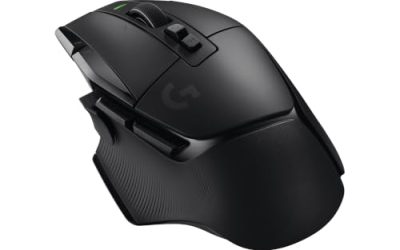
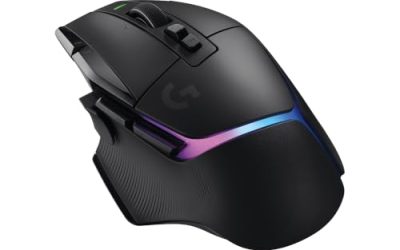
Choose the Logitech G502 X Lightspeed for its HERO 25K sensor and LIGHTSPEED wireless link, which keeps the desk free of a cable while still feeling direct. Its DPI-shift button helps players who change sensitivity mid-game, and the familiar G502 layout suits those who want more controls than a five-button shell provides.
A first wireless mouse on a tighter budget
Choose the Logitech G305 Lightspeed, because its HERO sensor covers 200 to 12,000 DPI with zero acceleration or smoothing, which is enough for most games. Six programmable buttons and on-board memory keep the setup simple, while a single AA battery lasts up to 250 hours. Its compact shape also suits smaller hands and travel bags.
Common Mistakes
- Chasing the highest DPI number instead of checking tracking stability at the DPI you actually use.
- Setting polling to the maximum without checking whether your computer and game stay smooth at that rate.
- Ignoring lift-off distance, then wondering why the cursor drifts every time you reposition the mouse.
- Choosing a shape for its sensor alone, when grip, size, and weight decide comfort over a long session.
- Skipping surface calibration or software setup, which can leave a capable sensor performing below its best.
Frequently Asked Questions
What DPI should I use for FPS games?
Most FPS players use 400 to 1,600 DPI, then set in-game sensitivity to reach a comfortable turning speed. Lower values give finer control for long-range aiming, while higher values suit players with limited desk space. Try 800 DPI first, adjust sensitivity in small steps, and keep the setting that lets you turn 180 degrees with one comfortable arm movement.
Does a higher polling rate always help?
A higher polling rate sends fresher position data, so 8,000 Hz can feel slightly more responsive than 1,000 Hz in fast shooters. The gain is small for many players, and higher polling can use more battery and processor time. If your system stutters at the top setting, drop back to 1,000 Hz, where tracking remains smooth and consistent for most games.
Is an optical sensor better than a laser sensor?
Modern optical sensors suit gaming better than older laser sensors, because they track more predictably on cloth pads and avoid unwanted acceleration. Laser sensors once promised higher DPI figures, yet that advantage rarely helped real aiming. Every mouse in this guide uses a named optical sensor, so choose by DPI range, polling, and shape rather than by sensor type alone.
How do I set lift-off distance?
Open the mouse software, find the lift-off or surface calibration setting, and choose the lowest distance that still tracks reliably on your pad. Test the setting by lifting the mouse during normal play and watching whether the cursor stays put. If tracking stops too early, raise the distance one step and test again until movement feels stable.