🛒 Best Price Today on Amazon
Prime members get fast, free shipping on everything above, plus member-only deals. New members get a 30-day free trial — cancel anytime.
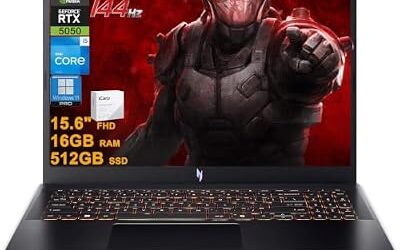
The Acer Nitro V 15 is the best RTX 3050 laptop for most buyers: its Amazon listing pairs the 6GB version of the RTX 3050 Laptop GPU with a 13th Gen Intel Core i5-13420H, a 144Hz Full HD IPS display and Thunderbolt 4. If raw GPU power matters more, the ASUS TUF Gaming F15 runs its RTX 3050 at a 95W Max TGP, the highest wattage here. Every model below is a genuine RTX 3050 laptop listed on Amazon US.

This roundup is for first-time gaming laptop buyers, students and esports players who want smooth 1080p gaming without paying for a newer RTX 40-series machine. Each pick was chosen from Amazon US listings that state the RTX 3050 in the title or specification table, then compared on CPU generation, memory, storage, display and ports. Where a listing is a seller-upgraded configuration rather than a factory build, that is flagged in its section.
Quick Picks
As an Amazon Associate we earn from qualifying purchases.
| Product | Best for | Key spec from title |
|---|---|---|
| Acer Nitro V 15 (ANV15-51-532J) | Most buyers who want the newest platform | RTX 3050 Laptop GPU, 15.6-inch FHD IPS 144Hz display |
| ASUS TUF Gaming F15 (FX507ZC-ES53) | Players who want the full-power 3050 variant | RTX 3050 Laptop GPU at 95W Max TGP |
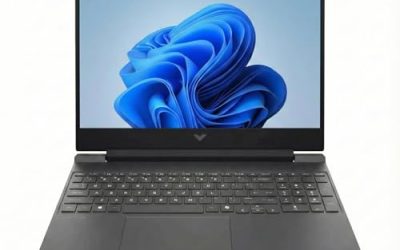
| HP Victus 15 | Buyers who want 16GB RAM and Windows 11 Pro | RTX 3050 with 16GB RAM and a 512GB SSD |
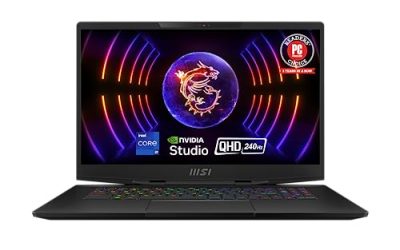
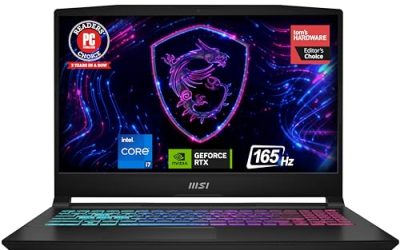
| MSI GF63 Thin | Shoppers comparing a long-running budget design | RTX 3050 with 16GB RAM and a 512GB NVMe SSD |
How to Choose
Check Which RTX 3050 Variant and Wattage You Are Getting
RTX 3050 is a family name, not a single fixed specification. Laptop versions ship with either 4GB or 6GB of GDDR6 memory, and manufacturers set the power limit anywhere from low-wattage efficiency tunes to a 95W Max TGP. A 6GB card holds larger textures and ages better in newer games, while a higher wattage lets the same chip sustain faster clock speeds under load. Before ordering, read the listing’s graphics line and technical details table carefully: the Acer below states 6GB of graphics memory, the ASUS states its 95W ceiling, and some listings state neither, which is itself useful information.
Match the CPU Generation to the GPU
The processor decides how consistently the RTX 3050 is fed, especially in esports titles and simulation games where frame rates run high. The laptops here span three Intel generations: the Core i5-13420H in the Acer, the Core i5-12500H in the ASUS, the Core i5-12450H in the HP and the older Core i5-11400H in the MSI. Newer chips bring more efficiency cores, faster memory support and better single-core speed, which shows up as smoother minimum frame rates. If two listings look identical on GPU, RAM and storage, the newer CPU is usually the smarter long-term buy.
Treat 16GB of RAM and a 512GB SSD as the Baseline
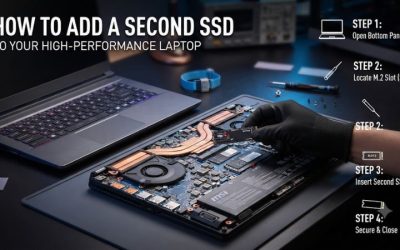
Modern games, launchers, voice chat and a browser open together will push past 8GB of system memory quickly, and dual-channel memory also lifts integrated performance when the dedicated GPU is idle. Three of the four laptops here ship with 16GB installed. The Acer ships with 8GB of DDR5, but its listing confirms two memory slots supporting up to 32GB, so a second stick is a simple planned upgrade. Storage fills just as fast: 512GB is the workable minimum for a games library, and a spare M.2 slot, which the Acer lists, makes adding a second drive painless later.
Compare the 144Hz Panels, Cooling and Ports
Every laptop in this roundup uses a 15.6-inch Full HD panel with a 144Hz refresh rate, which suits the RTX 3050’s 1080p target well. Panels still differ in brightness and colour coverage, and not every listing states those figures, so check the specification table if you plan to edit photos or video. Cooling design matters just as much: dual-fan layouts and rear exhausts help the GPU hold its boost clocks during long sessions. Finally, compare ports against your desk setup. Thunderbolt 4, HDMI 2.1 and wired Ethernet, all listed on the Acer, simplify docks, fast storage and stable online play.
The 4 Best Options
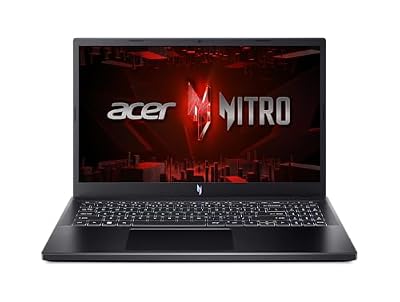
Acer Nitro V 15 (ANV15-51-532J)
The Nitro V 15 is the most current machine in this group and the easiest to recommend first. Its listing combines the RTX 3050 Laptop GPU with 6GB of graphics memory, a 13th Gen Core i5-13420H and DDR5 memory, a pairing none of the older designs here match. The 144Hz IPS panel, Thunderbolt 4 port and second M.2 slot give it room to grow, and at 4.66 pounds it is the lightest laptop in the roundup. The trade-off sits in the memory column: it ships with 8GB of RAM, so budget for a second DDR5 stick to reach 16GB.
Specs
- GPU: NVIDIA GeForce RTX 3050 Laptop GPU, 6GB graphics memory
- CPU: Intel Core i5-13420H (13th Gen)
- Display: 15.6-inch Full HD (1920 x 1080) IPS, 144Hz
- Memory: 8GB DDR5, two slots, up to 32GB
- Storage: 512GB PCIe Gen 4 SSD, two M.2 slots
- Connectivity: Wi-Fi 6, Thunderbolt 4, HDMI 2.1, Gigabit Ethernet
- Operating system: Windows 11 Home
- Weight: 4.66 lbs
Best for: Buyers who want the newest CPU platform and the 6GB RTX 3050 variant in one machine.
Watch out for: It ships with 8GB of RAM, and this listing is sold by a third-party seller, so confirm the exact configuration at checkout.
ASIN: B0CMRQXWK8
ASUS TUF Gaming F15 (FX507ZC-ES53)
The TUF Gaming F15 is the pick for players who read spec sheets closely. Its listing states that the RTX 3050 Laptop GPU runs at a 95W Max TGP, the full-power tune for this chip, which helps it hold higher clock speeds in demanding scenes than low-wattage 3050 designs. The Core i5-12500H, 16GB of DDR4 memory and a 512GB PCIe SSD round out a balanced specification with no obvious weak point, and the TUF chassis is built around durability and cooling. It is an older platform than the Acer, so it gives up DDR5 and Thunderbolt, but for pure gaming throughput per listing spec, it argues strongly.
Specs
- GPU: NVIDIA GeForce RTX 3050 Laptop GPU, 95W Max TGP
- CPU: Intel Core i5-12500H
- Display: 15.6-inch Full HD, 144Hz
- Memory: 16GB DDR4
- Storage: 512GB PCIe SSD
- Connectivity: Wi-Fi 6
- Operating system: Windows 11
- Model: FX507ZC-ES53, Mecha Gray
Best for: Players who want the highest-wattage RTX 3050 tune and 16GB of RAM from the factory.
Watch out for: The listing does not state the GPU memory size in its title, so check the full specification table before ordering.
ASIN: B0BTZWF5G2
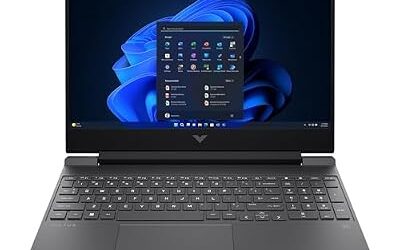
HP Victus 15
The Victus 15 takes a different route to value: a Core i5-12450H, the RTX 3050 and a generous 16GB of memory with a 512GB SSD, plus Windows 11 Pro instead of the Home edition the others ship with. The 15.6-inch Full HD 144Hz display and backlit keyboard cover the gaming basics, and the Victus design is more understated than most gaming laptops, which suits shared workspaces. This particular listing is a seller-upgraded configuration, meaning the box was opened to fit the advertised memory and storage, so the seller’s own warranty and returns terms deserve a careful read before you commit.
Specs
- GPU: NVIDIA GeForce RTX 3050
- CPU: Intel Core i5-12450H, 8 cores, up to 4.4 GHz
- Display: 15.6-inch Full HD (1920 x 1080), 144Hz
- Memory: 16GB DDR4
- Storage: 512GB PCIe SSD
- Connectivity: Wi-Fi 6, Bluetooth
- Operating system: Windows 11 Pro
- Weight: 5.06 lbs
- Colour: Performance Blue
Best for: Buyers who want 16GB of RAM, a 512GB SSD and Windows 11 Pro without upgrading anything themselves.
Watch out for: This is a seller-upgraded listing and it does not state the GPU memory size, so verify the exact configuration and seller terms.
ASIN: B0DFK1JFBG
MSI GF63 Thin
The GF63 Thin is the veteran of this group, a design that has carried the RTX 3050 through several model years. Its listing pairs the GPU with a Core i5-11400H, 16GB of DDR4 memory and a 512GB NVMe SSD behind a 15.6-inch Full HD 144Hz screen, which still covers the essentials for 1080p gaming in older and lighter titles. The aluminium lid keeps it looking tidy for class or office use. The compromises are age-related: the 11th Gen processor is the oldest here, and the listing leaves the GPU memory size unstated, so temper expectations for the newest releases and check the details table.
Specs
- GPU: NVIDIA GeForce RTX 3050
- CPU: Intel Core i5-11400H
- Display: 15.6-inch Full HD, 144Hz
- Memory: 16GB DDR4
- Storage: 512GB NVMe SSD
- Operating system: Windows 11
- Colour: Aluminum Black
Best for: Shoppers who want a proven, simple RTX 3050 configuration with 16GB of RAM already fitted.
Watch out for: The Core i5-11400H is the oldest CPU in this roundup, and the listing does not state the GPU memory size.
ASIN: B0B7D19CDC
Which One Fits Your Situation
Buying Your First Gaming Laptop
Start with the Acer Nitro V 15. It has the newest processor, the 6GB version of the RTX 3050 and the most modern port selection, so it stays useful the longest. Plan one upgrade from day one: a second 8GB DDR5 stick to bring memory to 16GB. Its two memory slots and spare M.2 bay make that a five-minute job rather than a replacement decision two years from now.
Chasing High Refresh Rates in Esports Games
Pick the ASUS TUF Gaming F15. Competitive titles reward sustained clock speeds, and its listing states a 95W Max TGP for the RTX 3050, the strongest tune here. The Core i5-12500H keeps frame rates fed in fast-paced shooters and MOBAs, and the 144Hz panel can actually display the frames this pairing produces at 1080p with sensible settings.
A Laptop for School or Work That Also Games
The HP Victus 15 fits shared duty best. Its styling is restrained, Windows 11 Pro adds workplace-friendly features, and 16GB of memory with a 512GB SSD handles coursework, office apps and a games library without immediate upgrades. Just buy it knowing the configuration is fitted by the seller rather than HP’s factory, and keep the seller’s paperwork.
Replacing an Older GTX-Era Laptop
The MSI GF63 Thin is a straightforward step up if your current machine runs a GTX 1650 or similar. You gain ray tracing support, DLSS upscaling and a 144Hz screen while keeping 16GB of memory and a half-terabyte SSD. If your budget stretches, though, the Acer’s newer platform and 6GB GPU variant will feel current for longer.
Common Mistakes
- Assuming every RTX 3050 laptop performs the same, when GPU wattage and the 4GB versus 6GB memory split change results noticeably between models.
- Buying an 8GB RAM configuration and never upgrading it, even when the listing confirms a free memory slot.
- Confusing RTX 3050 Ti listings with the plain RTX 3050, or missing that a title hides the GPU memory size entirely.
- Ignoring display brightness and colour coverage because two panels share the same 144Hz headline.
- Expecting high settings in the newest AAA releases instead of planning around medium settings and DLSS upscaling at 1080p.
Frequently Asked Questions
Is an RTX 3050 laptop still worth buying in 2026?
For 1080p gaming, yes, within limits. The RTX 3050 handles esports titles and older AAA games well and supports DLSS, which extends its life in newer releases. It is an entry-level GPU, so demanding 2025 and 2026 games will need medium settings. Buy it for what it does today rather than as future-proofing.
What is the difference between the 4GB and 6GB RTX 3050 laptop GPUs?
Both use the same RTX 3050 Laptop GPU name, but the 6GB version carries more GDDR6 memory, which helps with higher texture settings and reduces stutter in memory-hungry games. Wattage matters too: a high-TGP 4GB card can outrun a low-TGP 6GB card in some titles. Check both figures in the listing before deciding.
Can an RTX 3050 laptop actually use a 144Hz display?
In esports and lighter games, yes. Titles such as competitive shooters and MOBAs can exceed 100 frames per second at 1080p on an RTX 3050, so a 144Hz panel is not wasted. In heavy AAA games you will sit closer to 60 frames per second, where the panel’s smoothness still helps but high refresh goes unused.
How much RAM does an RTX 3050 laptop need?
Sixteen gigabytes is the practical target for gaming in 2026. Eight gigabytes still runs games, but background apps compete for memory and cause stutter. If a listing ships with 8GB, confirm it has a second slot, as the Acer Nitro V 15 does, and treat the extra stick as part of the real purchase.