🛒 Best Price Today on Amazon
Prime members get fast, free shipping on everything above, plus member-only deals. New members get a 30-day free trial — cancel anytime.
A loud click sounds harmless at noon and selfish at midnight. When someone sleeps in the next room, studies at the same desk or listens to your stream while a microphone sits close to your hand, every attack, menu confirm and inventory swap becomes part of the room’s noise. The real decision is not silence at any cost, because switches built to hush a click usually feel softer than the crisp switches sold for competitive play. You are choosing where your own balance sits between a quiet room and a click you can still trust during a late session.


The readers this shortlist serves are night players, shared-flat gamers and streamers whose microphones pick up desk noise. Admission here was strict: a mouse only qualified when its own Amazon listing states silent or quiet clicking in its own words, and every model below is wireless. Models with strong gaming credentials but no silent wording on their own listing were left out on purpose, however good they may be, because a quiet guide has to start from what each listing actually promises.
Quick Picks
As an Amazon Associate we earn from qualifying purchases.
| Product | Best for | Key spec from title |
|---|---|---|
| Keychron M6 | Gaming first, with silent wording on its listing | Keychron M6 Silent Wireless Optical Gaming Mouse |
| Logitech MX Master 3S | Quiet clicks plus a full control layout | Quiet Clicks, 8K DPI, Track on Glass |
| Logitech Signature M650 L | Large hands and long battery stretches | Silent Clicks, Customizable Side Buttons, 2-Year Battery |
| Logitech M330 Silent | A simple, compact quiet mouse for laptop play | Silent Wireless Mouse, Quiet & Lightweight |
How to Choose
Read the listing wording, not the category label
Plenty of mice get called quiet in roundups while their own product pages never say so. Start with the title and the manufacturer’s own description on the listing: phrases such as Silent Clicks, Quiet Clicks or a named technology like SilentTouch are the evidence that the switch was designed for low noise. In this guide the Keychron listing carries the word Silent in the product name itself, while each Logitech listing states its silent or quiet wording in the title. If a listing stays vague, treat the mouse as an ordinary clicker, whatever a comparison chart elsewhere claims.
Accept the feel trade honestly
Dampened switches remove the sharp snap that many players use as confirmation. Logitech’s MX Master 3S listing phrases its approach as delivering the satisfying feel you love with far less click noise, which captures the aim: keep the tactile event, lose the volume. Even so, a muted switch can feel less distinct during frantic clicking, and players who rely on an audible rhythm in fighting games or rhythm-heavy titles may dislike it. Decide by your games: slower strategy, RPG and casual competitive sessions forgive a soft click easily, while peak-intensity play is where the compromise shows.
Match the connection to your setup
Wireless here splits into two habits. Bluetooth pairs directly with laptops and tablets and suits a tidy desk, and the Signature M650 L and MX Master 3S listings both lead with Bluetooth. A 2.4 GHz receiver connection, used by the M330 with its USB receiver and offered by the Keychron alongside Bluetooth, tends to be the simpler route for a gaming desktop that stays in one place. The Keychron listing also describes wired use, which helps when a battery runs low mid week. Think about which machines the mouse must serve before choosing which radio matters most.
Battery style shapes your routine
Two charging philosophies appear in this list. The MX Master 3S listing states a full charge lasting up to 70 days and quick charging over USB-C, which suits players who already charge other gear at the desk. The M650 L instead runs on a single AA battery with a stated average life of 24 months, and the M330 claims up to 18 months, so both ask almost nothing of you until a battery swap far in the future. Neither approach is better in the abstract; pick the one matching how your desk already handles power.
The 4 Best Options
Keychron M6
Among these four, this is the mouse that starts from gaming and arrives at quiet, rather than the other way round. Its listing names it the Keychron M6 Silent Wireless Optical Gaming Mouse, then backs the gaming side with an 8,000 Hz polling rate over its 2.4 GHz connection, a PixArt 3950 sensor and more than ten customizable buttons. The same listing describes an infinite scroll wheel that feels quiet, smooth and fast. For a player whose night sessions are still real sessions, with shooters and action games in the rotation, this is the natural first look.
Specs
- Name on listing: Keychron M6 Silent Wireless Optical Gaming Mouse
- Sensor from listing: PixArt 3950 Sensor
- Tracking from listing: up to 30,000 DPI, 750 IPS tracking speed
- Polling from listing: 8,000 Hz polling rate over 2.4 GHz wireless
- Connectivity from listing: Bluetooth 5.3, 2.4 GHz, wired
- Buttons from listing: over ten customizable buttons
- Scroll wheel from listing: infinite scroll wheel
- Model number from listing: M6S-A23
Best for: Night gamers who still want high polling and a gaming sensor.
Watch out for: The listing gives an item weight of 11.7 ounces in its product information, which reads as a packaged figure rather than a featherweight shell, so do not expect an ultralight mouse.
ASIN: B0FP2F8843
Logitech MX Master 3S
Choose this one when your mouse has to run a whole desk quietly, games included. Quiet Clicks sit in the title itself, and the manufacturer text repeats that the clicks deliver their familiar feel with far less noise. Around that quiet core sits a large control set: seven buttons according to the listing, a MagSpeed scroll wheel, a thumb wheel and tracking the listing says works on glass. It pairs with up to three devices, so the same silent mouse can move from a gaming PC to a work laptop without a second mouse joining the desk.
Specs
- Click wording from title: Quiet Clicks
- Sensor from title: 8K DPI, Track on Glass
- Scrolling from listing: MagSpeed Scrolling
- Buttons from listing: 7 buttons
- Battery from listing: full charge lasts up to 70 days
- Charging from title: USB-C
- Connectivity from title: Bluetooth, Logi Bolt USB Receiver
- Weight from listing description: 141 g
- Model number from listing: 910-006557
Best for: Players who mix gaming with work on several devices and need clicks a microphone will mostly ignore.
Watch out for: At 141 grams by the listing description it is a heavy, full-size shape, so fingertip players chasing fast flicks should look at the Keychron instead.
ASIN: B09HM94VDS
Logitech Signature M650 L
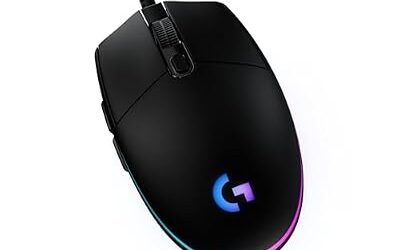
Large hands often get forgotten by quiet mice, which tend to shrink. This listing answers with a full-size shell, stating Silent Clicks in its title and explaining in the description that SilentTouch technology delivers silent clicks while you stay focused. Customizable side buttons give you a couple of game binds, the SmartWheel shifts between line-by-line precision and free spinning, and the stated 24 month battery average life means the AA inside is a problem for another year. It is the calm, roomy option for slower paced games played late in a shared home.
Specs
- Click wording from title: Silent Clicks
- Technology from listing description: SilentTouch technology delivers silent clicks
- Battery from title: 2-Year Battery
- Buttons from title: Customizable Side Buttons
- Scrolling from listing: SmartWheel
- Connectivity from title: Bluetooth
- Weight from listing: 111.2 Grams
- Dimensions from listing: 4.65 x 2.58 inches
- Model number from listing: 910-006232
Best for: Large hands playing strategy, RPG and casual titles late at night.
Watch out for: This Classic Blue listing is right-hand oriented, and the shape is a comfort shell rather than a fast, low gaming shape.
ASIN: B09KX3JT7F
Logitech M330 Silent

Sometimes the requirement is simply a mouse that clicks quietly, travels in a laptop bag and asks for nothing. The M330 title says Silent and describes the mouse as quiet and lightweight, while the manufacturer text promises you can feel every single click but hear virtually nothing. It connects through a small USB receiver with a stated 10-meter wireless range, runs up to 18 months on its battery according to the listing, and keeps a compact right-hand shape. For turn-based games, point-and-click adventures and casual play on the sofa, that simplicity is the whole point.
Specs
- Click wording from title: Silent, Quiet & Lightweight
- Technology from listing: SilentTouch Technology
- Connection from title: 2.4GHz with USB Receiver
- Tracking from title: Optical Tracking
- Battery from listing: up to 18 months without changing batteries
- Range from listing description: 10-meter wireless range
- Weight from listing: 3.2 ounces
- Model number from listing: 910-004905
Best for: Laptop and sofa players who want quiet clicks with zero setup fuss.
Watch out for: There are no extra gaming buttons to bind and no Bluetooth, so a desktop build wanting side-button binds should choose another pick here.
ASIN: B01JPOLKDW
Which One Fits Your Situation
You game after midnight in a shared flat
Start with the Keychron M6. Its own listing calls it a Silent wireless gaming mouse while still offering an 8,000 Hz polling rate and a gaming-grade sensor, so your late sessions keep their responsiveness while the clicks stop carrying through a thin wall. Roommates hear the game far less, and you give up the least playing performance to get that quiet.
Your stream microphone hears every click
Take the Logitech MX Master 3S. Quiet Clicks are stated in its title, and the surrounding layout, with seven buttons and two wheels, lets you bind stream-friendly controls without reaching for the keyboard on camera. The heavier ergonomic body also encourages the slower, deliberate hand movements that tend to keep a desk quieter overall during long broadcasts.
Your hands are large and your games are slow paced
The Signature M650 L fits this brief directly. The listing sizes it for large hands, states Silent Clicks in the title and backs them with SilentTouch wording in the description, and its 24 month battery life suits a mouse that lives on a living room desk. Strategy and RPG sessions reward comfort over snap, which is exactly the exchange this shell makes.
You play on a laptop wherever you land
Pick the M330 Silent. A compact body, a plug-in USB receiver and a battery the listing rates for up to 18 months make it the set-and-forget traveller of this group, and its title promises quiet operation for libraries, trains and late hotel rooms. It will not serve a bind-heavy game, but for portable, considerate play it is the easiest mouse here to own.
Common Mistakes
- Assuming any wireless mouse with soft-feeling clicks is a silent model, when only listings that state silent or quiet wording were admitted to this guide.
- Buying a quiet mouse for a microphone problem, then placing the microphone closer to the mouse than before and blaming the switches.
- Forgetting the scroll wheel and keyboard, which still make noise at night even when the main clicks are hushed.
- Expecting a dampened switch to feel identical to a crisp gaming switch, then returning a mouse that was honestly described as quieter and softer.
- Choosing Bluetooth for a desktop that sleeps and wakes often, without checking whether a receiver model would reconnect more simply.
Frequently Asked Questions
Can a quiet mouse still work for gaming?
Yes, within limits the listings make clear. The Keychron M6 pairs its Silent product name with an 8,000 Hz polling rate and a PixArt 3950 sensor, so responsiveness does not have to be sacrificed for quieter clicking. The Logitech models trade toward comfort and battery life instead. Match the mouse to your genres: quiet hardware handles most gaming well, and only the fastest competitive play exposes the softer switch feel.
What wording should I look for on a listing?
Look for the manufacturer stating the noise design directly: Silent Clicks, Quiet Clicks, a Silent product name or a named system such as SilentTouch. Every mouse in this guide carries that kind of wording on its own Amazon listing. If the page never says it, the mouse may still be pleasant, but you have no listing-level promise that its clicks were built to be quiet.
Are silent clicks completely silent?
No, and the listings do not claim total silence. Logitech’s M330 text puts it well, saying you can feel every single click but hear virtually nothing, which describes a large reduction rather than an absence of sound. Your desk surface, the room and how hard you press still shape what a person nearby hears, so treat quiet as dramatically softer, not invisible.
Which connection is better for a quiet gaming setup?
A receiver connection, such as the M330’s 2.4 GHz USB receiver or the Keychron’s 2.4 GHz mode, is the straightforward choice for a fixed gaming desk. Bluetooth, offered by both larger Logitech models, suits laptops and multi-device desks where a free port matters. Noise does not differ between them; the choice is about pairing habits, ports and how many machines share the mouse.