🛒 Best Price Today on Amazon
Prime members get fast, free shipping on everything above, plus member-only deals. New members get a 30-day free trial — cancel anytime.
The MSI Katana 15 is the strongest overall pick among 15-inch gaming laptops, pairing an RTX 4070 laptop GPU with a QHD 165Hz display that stays sharp in fast shooters and detailed open-world games alike. If that stretches past what you planned to spend, the HP Victus 15 covers the same screen size with an RTX 4050 and a 144Hz panel for everyday play. Every laptop below uses a 15.6-inch display, so the real choice comes down to graphics power, memory, and storage.
A 15.6-inch screen sits at the point where a gaming laptop is still easy to carry but large enough to play on without an external monitor, and that balance is exactly why the size dominates the market. The decision that matters is not the diagonal itself, since every model here shares it, but what sits behind the panel: the graphics card that sets which games run smoothly, the refresh rate that sets how motion feels, and the memory and storage that decide how long the machine stays useful.
This guide is written for students carrying a laptop between classes, players who game at a desk and on the couch, and anyone replacing a desktop with one machine that also handles work or study. All five picks were chosen from names and specifications stated on Amazon product pages, spanning RTX 4050, RTX 5050, and RTX 4070 graphics, 144Hz and 165Hz screens, and 512GB and 1TB storage options.
Quick Picks
As an Amazon Associate we earn from qualifying purchases.
| Product | Best for | Key spec from title |
|---|---|---|
| MSI Katana 15 | Demanding games on a sharper screen | 15.6″ 165Hz QHD, RTX 4070 |
| HP Victus 15 | Balanced everyday gaming and study | 15.6″ FHD IPS 144Hz, RTX 4050 |
| Acer Nitro V | The newest GPU generation | 15.6″ FHD IPS 165Hz, RTX 5050 |
| Lenovo LOQ | Light carry with room to upgrade | 15.6″ FHD 144Hz IPS, RTX 4050 |
| ASUS TUF Gaming A15 | A large game library on one drive | 15.6″ FHD 144Hz, RTX 4050, 1TB SSD |
How to Choose
Match the graphics card to the games you actually play
The GPU decides more than any other part does, so start with the games on your list rather than the badge on the lid. An RTX 4050 handles 1080p play across most current titles, which is why three of the laptops below use it, while the RTX 5050 in the Acer Nitro V brings the newer generation to the same resolution. The RTX 4070 in the MSI Katana 15 is the step up for higher settings and for the QHD panel it drives, since more pixels demand more graphics power. If your library is mostly competitive shooters and older games, the mid-tier cards are enough; if you play recent open-world releases at high settings, the stronger GPU earns its place.
Read the screen beyond the diagonal
Every laptop here measures 15.6 inches, so the differences live in resolution, refresh rate, and panel type. A 144Hz panel already feels far smoother than a standard 60Hz display in fast games, and the 165Hz screens on the Katana 15 and Nitro V add a little more headroom for competitive play. Resolution matters too: the Katana 15 is the only pick with a QHD panel, which renders more detail at the cost of asking more from its GPU, while the other four use Full HD panels that are easier to drive. Look for IPS in the listing as well, since it generally holds colour and contrast better when you view the screen from an angle.
Leave room in memory and storage
Sixteen gigabytes of RAM is the sensible floor for a gaming laptop in 2026, and every pick here ships with it, so treat any listing for the same model with less memory as a different machine. Storage splits the field more clearly: the Victus 15, Nitro V, and LOQ start at 512GB, which fills quickly once a few large games are installed, while the Katana 15 and TUF A15 give you 1TB from the start. The Lenovo LOQ stands out for upgrades, with its listing describing dual memory slots supporting up to 64GB and dual M.2 slots supporting up to 2TB, so a buyer who plans to expand later should weigh that flexibility against buying the larger drive now.
Weigh portability, cooling, and ports together
A 15-inch laptop is portable only in comparison with larger machines, and the spread here is real: the LOQ lists a weight of about 3.97 pounds, while the Victus 15 lists 5.06 pounds, a difference you notice in a backpack after a full day. Cooling design matters just as much, because a thin chassis with a strong GPU needs somewhere for the heat to go, and the Katana 15 listing names its Cooler Boost 5 system explicitly. Check the ports against your setup before buying: all five offer HDMI for an external display, USB-C, and wired Ethernet on most models, which covers a monitor, a headset, and a stable connection for online play.
The 5 Best Options
MSI Katana 15

The Katana 15 leads this list because it is the only pick that pairs a QHD display with an RTX 4070, a combination that suits players who want sharper visuals without moving to a larger chassis. Its 165Hz panel keeps fast motion clear, the 1TB NVMe drive leaves room for a serious library, and the Cooler Boost 5 cooling system is named in the listing for sustained sessions. The Core i7 processor and 16GB of DDR5 memory round out a machine that also handles editing and multitasking between matches.
Specs
- 15.6-inch 165Hz QHD display
- NVIDIA GeForce RTX 4070 laptop GPU
- Intel Core i7-13620H processor
- 16GB DDR5 memory
- 1TB NVMe SSD
- Cooler Boost 5 cooling
- Windows 11
Best for: Players who want the sharpest screen and the strongest graphics in a 15-inch chassis.
Watch out for: This is a 2024 model, so confirm it is still sold before buying, and check that the QHD panel matches the resolution you want.
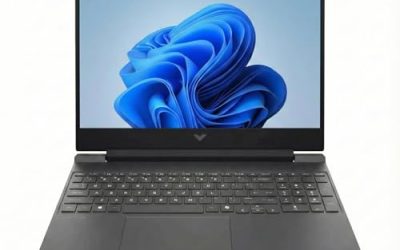
HP Victus 15

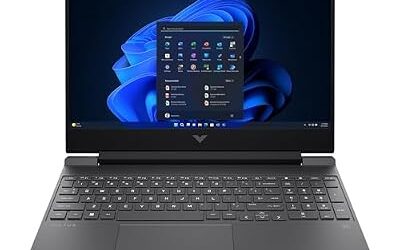
The Victus 15 is the balanced pick for buyers who want solid 1080p gaming without chasing the top graphics tier. Its Ryzen 7 7445HS processor and RTX 4050 with 6GB of dedicated memory cover most current games at Full HD, and the 144Hz IPS panel keeps motion smooth in shooters and racing games. A backlit keyboard, Wi-Fi 6, USB-C, and HDMI 2.1 cover everyday needs, and the 70Wh battery suits sessions away from a desk. At 5.06 pounds it is heavier than the lightest pick here, so it fits a mostly desk-bound routine better than daily travel.
Specs
- 15.6-inch FHD IPS 144Hz display
- AMD Ryzen 7 7445HS 6-core processor, up to 4.7GHz
- NVIDIA GeForce RTX 4050, 6GB
- 16GB DDR5 RAM
- 512GB SSD
- Backlit keyboard
- Wi-Fi 6, USB-C, HDMI 2.1
- 70Wh battery
- Windows 11 Home
Best for: Everyday gaming, study, and work on one dependable machine.
Watch out for: The 512GB drive fills quickly with large games, so confirm it is still sold before buying and plan storage around your library.
Acer Nitro V

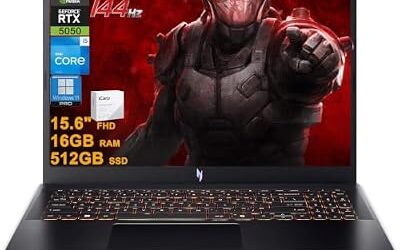
The Nitro V is the pick for buyers who want the newest graphics generation in this size, with an RTX 5050 carrying 8GB of GDDR7 memory behind a 165Hz IPS display. That pairing suits 1080p play with headroom for newer releases, and the Core i5-13420H processor keeps general use responsive. The 512GB PCIe SSD matches the other mid-tier picks, and the listing includes a mouse pad, a small but practical extra for anyone setting up from scratch. Its faster panel is the clearest edge over the 144Hz models here for competitive games.
Specs
- 15.6-inch FHD IPS 165Hz display
- Intel Core i5-13420H processor
- NVIDIA GeForce RTX 5050, 8GB GDDR7
- 16GB RAM
- 512GB PCIe SSD
- Mouse pad included
- Windows 11 Home
Best for: Players who want the latest GPU generation and a fast screen for competitive games.
Watch out for: Listings for this model vary by configuration, so check the RAM and storage on the exact listing and confirm it is still sold before buying.
Lenovo LOQ

The LOQ is the lightest laptop in this guide at about 3.97 pounds, and it is also the most flexible, with its listing describing dual memory slots and dual M.2 storage slots for later upgrades. The Ryzen 7 170 processor with eight cores and the RTX 4050 with 6GB of GDDR6 memory handle 1080p gaming and content creation alike, while the 144Hz IPS panel lists 300 nits of brightness and full sRGB colour coverage. A full-size backlit keyboard with a numeric keypad, USB-C with Power Delivery, and HDMI 2.1 make it easy to dock at a desk.
Specs
- 15.6-inch FHD IPS 144Hz display, 300 nits
- AMD Ryzen 7 170 8-core processor, up to 4.75GHz
- NVIDIA GeForce RTX 4050, 6GB GDDR6
- 16GB DDR5 RAM, upgradeable to 64GB
- 512GB PCIe SSD, upgradeable to 2TB
- Full-size backlit keyboard with numeric keypad
- Wi-Fi 6, Bluetooth 5.2, USB-C, HDMI 2.1
- 80Wh battery
- Windows 11 Home
Best for: Buyers who carry their laptop daily and want to upgrade memory and storage later.
Watch out for: The listing title states a 15.6-inch display while one spec field lists a different size, so confirm the display size and confirm it is still sold before buying.
ASUS TUF Gaming A15

The TUF Gaming A15 suits buyers who want a full terabyte of storage without paying for the top graphics tier. Its RTX 4050 runs at up to 140W Max TGP according to the listing, the Ryzen 7 7735HS processor covers gaming and everyday work, and the 16GB of DDR5-4800MHz memory keeps multitasking smooth. The 144Hz Full HD panel lists full sRGB colour coverage, Wi-Fi 6E covers fast wireless, and the Mecha Gray chassis carries the TUF line’s durable styling. It is the straightforward choice for a large installed library.
Specs
- 15.6-inch FHD 144Hz display
- AMD Ryzen 7 7735HS processor
- NVIDIA GeForce RTX 4050, 140W Max TGP
- 16GB DDR5-4800MHz memory
- 1TB PCIe 4×4 SSD
- Wi-Fi 6E
- Windows 11
Best for: Players with a large game library who want 1TB of storage from the start.
Watch out for: This is a 2023 model, so confirm it is still sold before buying, and check the exact configuration against the listing.
Which One Fits Your Situation
You play demanding games and want the sharpest picture
Choose the MSI Katana 15. Its RTX 4070 and QHD 165Hz display are the strongest combination in this guide, and the 1TB drive means the games that benefit most from that hardware can all stay installed. The trade-off is that it is a 2024 model, so verify availability on the listing before committing.
You want one laptop for gaming, study, and work
Choose the HP Victus 15. The Ryzen 7 processor, RTX 4050, and 144Hz IPS panel cover games, coursework, and video calls without fuss, and the backlit keyboard and 70Wh battery suit long days. Its USB-C and HDMI ports also make it easy to dock to a monitor at home. Keep an eye on the 512GB drive if your library grows.
You want the newest graphics generation
Choose the Acer Nitro V. Its RTX 5050 with 8GB of GDDR7 memory and 165Hz IPS display give the most modern hardware in this guide at this screen size, and the included mouse pad is a handy extra. It suits players who keep up with new releases and want hardware that stays current longer. Double-check the configuration on the exact listing you open.
You want room to grow, or storage from day one
Choose the Lenovo LOQ if you plan to add memory or a second drive later, since its listing describes dual slots for both, and it is the lightest pick here for daily carrying. Choose the ASUS TUF Gaming A15 instead if you would rather start with 1TB already installed and skip upgrades entirely.
Common Mistakes
- Assuming every laptop labelled 15-inch has a 15.6-inch panel: check the exact screen size in the listing, since spec fields and titles can disagree.
- Buying a cheaper configuration of the same model with less RAM: 16GB is the floor for comfortable gaming, and some listings for these models ship with less.
- Ignoring the refresh rate: a 144Hz or 165Hz panel changes how games feel far more than the diagonal alone suggests.
- Underestimating storage: a 512GB drive holds only a handful of large modern games, so check whether the laptop has a second drive slot before you buy.
- Mixing up model variants: the same model name can hide different GPUs and processors, so match the processor, GPU, RAM, and storage on the listing to the ones in this guide.
Frequently Asked Questions
Is a 15.6-inch screen big enough for gaming?
Yes, for most players. A 15.6-inch Full HD or QHD panel shows enough detail for shooters, strategy games, and open-world titles, and every laptop here adds a high refresh rate that matters more than extra inches. Players who want a bigger view can connect an external monitor through HDMI, which all five models support.
Is an RTX 4050 enough for a 15-inch gaming laptop?
For 1080p gaming it is, and three of the five laptops here use it for that reason. It handles most current titles at Full HD with smooth frame rates, especially on the 144Hz panels in this guide. Buyers chasing higher settings or QHD resolution should step up to the RTX 4070 in the Katana 15 instead.
How much RAM and storage should a 15-inch gaming laptop have?
Start with 16GB of RAM, which all five picks include, since less memory causes stuttering in modern games and multitasking. For storage, 512GB works if you rotate a small library, while 1TB suits players who keep many games installed. The LOQ adds upgrade slots if you want to expand later.
Can a 15-inch gaming laptop replace a desktop?
For many buyers it can, provided the ports and cooling match the workload. All five laptops here connect to an external monitor, keyboard, and mouse, and their processors handle work and study alongside games. A desktop still wins for the largest screens and the heaviest sustained loads, but a 15-inch laptop covers the middle ground well.