🛒 Best Price Today on Amazon
Prime members get fast, free shipping on everything above, plus member-only deals. New members get a 30-day free trial — cancel anytime.
- Is the BlackShark V3 Pro worth buying?
- How do game audio and noise cancellation perform?
- Does the microphone justify the upgrade?
- How practical are the wireless, wired, and battery options?
- How do the controls and software work in a regular session?
- What should you check during your first session?
- Conclusion
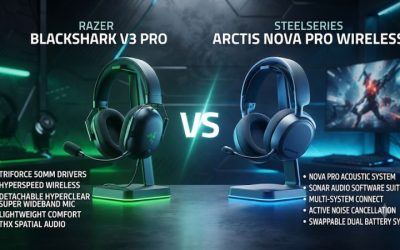
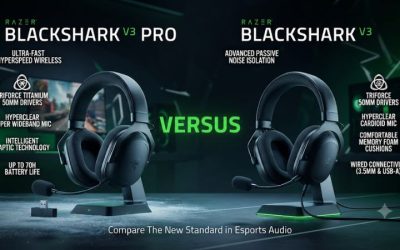
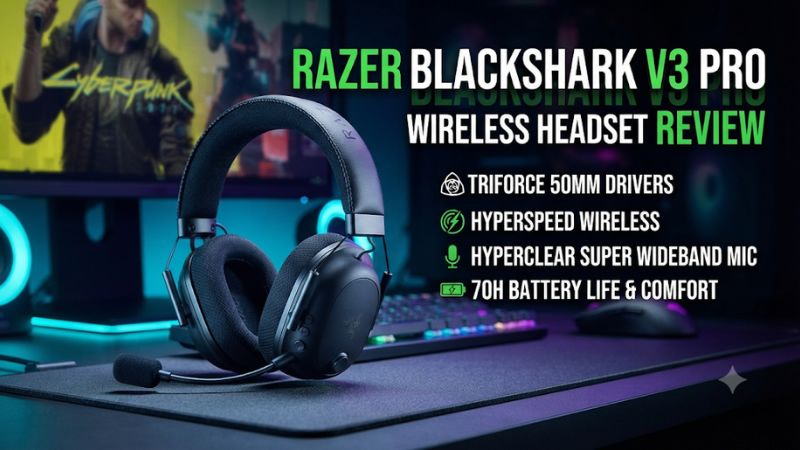
Buy the V3 Pro if you want active noise cancellation, simultaneous phone audio, and USB or 3.5 mm playback in one gaming headset. This Razer BlackShark V3 Pro wireless headset review explains who benefits from that combination. The lighter BlackShark V3 is a better value if you play in a quiet room and only need the receiver or USB.
Is the BlackShark V3 Pro worth buying?
Buy it when ANC and connection flexibility solve actual problems
The V3 Pro makes the strongest case for a player with several reasons to use it. If a fan distracts you, you want to hear a phone alongside a PC, and you occasionally plug into a different source, one product handles all three tasks. That combination is what makes the premium defensible.
The 2.4 GHz receiver gives the headset a straightforward main route. Bluetooth can add a phone as a second playback source.
The supported USB and 3.5 mm options cover situations where you cannot use the receiver or want a wired fallback. Verify the connection you plan to use on each device, since compatibility and feature availability vary.
The V3 Pro also gives you a detachable boom and enough controls to manage a normal match without reaching for software every time. Those details add convenience. They are easier to value after you have picked the primary device and identified which extra features will stay enabled.
Skip the premium if you mainly want a light headset
At about 367 grams, the V3 Pro is noticeably heavier on paper than the standard BlackShark V3 at around 270 grams. How you feel about the difference depends on your head, glasses, and how you sit. If headset weight regularly causes discomfort, compare the two over a session instead of relying on the more advanced one to fit better.
The standard V3 also offers simultaneous receiver and Bluetooth audio and USB audio. In a quiet room with a comfortable headset fit, its passive isolation can be enough. The two products’ shared features make the standard one a strong starting point if the Pro’s ANC and analog fallback would rarely be used.
If the biggest need is a microphone for regular recording, compare a separate mic as well. The Pro has a more ambitious boom design, but independent assessments do not agree that its voice output sounds excellent in every situation. A desktop setup lets you evaluate the headphones and microphone independently.
| Feature | BlackShark V3 Pro |
|---|---|
| Main wireless route | HyperSpeed Wireless Gen-2 2.4 GHz USB receiver |
| Secondary wireless | Bluetooth, including simultaneous playback with 2.4 GHz |
| Other audio routes | USB audio and 3.5 mm, subject to source and edition |
| Drivers | 50 mm Gen-2 TriForce Bio-Cellulose |
| Noise control | Hybrid ANC, ambient mode, and off |
| Boom | Detachable 12 mm Full Band microphone |
| Approximate weight | 367 g |
| Rated battery | Up to 70 hours on the PC-oriented product listing |
| Spatial audio | Integrated THX, with full 7.1.4 on supported Windows 11 setups |
How do game audio and noise cancellation perform?
Use stereo first to understand the default sound
RTINGS describes the default sound as V-shaped, which can give weight to effects and brightness to some details. SoundGuys found the headset’s positional presentation competent but reported that fit could affect the result and that bass-heavy peaks could sound rough in its use. These findings provide a starting point for checks with your ears and game mix.
Listen to a familiar scene in stereo with the same output level you normally use. Check whether dialogue stays clear when effects are active and whether a sound you know can be located before you see it.
A vivid low end can be enjoyable in a campaign. In a busy competitive scene, judge whether it obscures softer details you need to act on.
Use the built-in EQ or software tuning only after you learn the default. If footsteps seem harsh, try a smaller change first and keep a standard preset available to restore. A boosted cue can become more noticeable without improving the distance or direction information it carries.
Set up THX or game spatial audio as one renderer
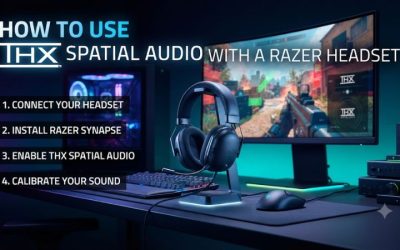
Razer includes THX Spatial Audio within the supported PC software path. For full 7.1.4 support on the V3 Pro, the manufacturer specifies Windows 11 version 23H2 or newer with Synapse.
Set the headset as the Windows output and enable the intended mode in its software. Confirm the game is sending to the same device.
If your game has its own headphone HRTF option, compare that and THX separately. A good comparison uses the same scene and similar volume.
Try a known rear cue, a nearby sound to the side, and a height cue in a game that supplies the necessary information. If the sound seems hollow or exaggerated, check that you have not enabled multiple spatial layers.
The number of virtual channels does not create a competitive advantage on its own. Keep the preset when it makes your calls easier and more repeatable. If plain stereo works better for a particular title, save its profile and use THX elsewhere.
Expect useful ANC with sensitivity to fit
SoundGuys measured average total attenuation of 77 percent in its own test, which includes how the headset isolates as a whole. Its review found the extra benefit from ANC concentrated in lower frequencies and reported that a reliable seal was sometimes difficult. This is a useful sign for fan and motor noise and a reason to test the actual fit before buying for a loud room.
Put the headset on with your normal glasses and listen at a comfortable level while the usual source is on. Switch between ANC off and on and notice whether you can follow quiet speech or effects without increasing volume. Then turn your head and see whether the benefit changes when the seal shifts.
The dedicated ANC control can also select ambient mode. Try it with someone nearby to see whether it helps you hear the room without removing the headset.
If you expect noise reduction for your listeners, use the mic processing and a separate recording test. Ear-cup ANC and outgoing microphone noise handling have different jobs.
Does the microphone justify the upgrade?
Expect the mic result to depend on setup
The detachable 12 mm boom is one of the Pro’s hardware changes. A larger capsule does not tell you how voice will sound with its settings and a particular app.
RTINGS liked its reproduction and handling of background noise, while Tom’s Hardware and SoundGuys noted reservations about aspects of voice quality. This is a case where listening to your own sample adds more than another number in the table.
Razer recommends placing the mic symbol toward the mouth, about one inch away. Start there and keep it slightly to the side so breath does not hit it directly.
Record a sentence in a quiet room at a normal speaking level. If it is hard to hear, check the input and its gain before adding extra processing.
Then type or speak with a fan running. Compare the result with and without the available suppression or EQ, keeping the microphone position the same.
Too much processing can remove parts of quiet speech. Keep the combination that preserves words in your usual call.
Check mic monitoring, call priority, and everyday control
Sidetone, also called mic monitoring, plays some of your microphone back through the headset so you can hear yourself. Set it at a modest level if closed ear cups make it hard to judge how loudly you talk. Use a separate recording to decide whether other people hear the quality you expect.
If you connect a phone and play through the receiver, test an incoming call before using it during game chat. Razer says the mic can prioritize a Bluetooth call in simultaneous mode. A working phone mix does not automatically mean your team hears you throughout the call.
The boom detaches when you use a desktop mic. When reinstalling it, check the physical connection, mute, and selected input.
A local test is quick enough to make after switching devices. That is especially useful if you often use a different recording microphone on the PC.
How practical are the wireless, wired, and battery options?
Choose the receiver for ordinary competitive play
Use the 2.4 GHz receiver for your baseline and confirm stable performance from your usual chair. Razer advertises audio latency as low as 10 ms in its relevant low-latency mode.
Treat that as a manufacturer audio-path claim under stated conditions. The total response also depends on the game, operating system, and the setting you use.
The Synapse guide says Ultra Low Latency mode can reduce wireless range and battery life. After enabling it, run an ordinary session at the distance you normally play.
If it drops out from the couch or during head movement, return to the standard gaming mode and test again. Reliable reception is the more important practical difference if the faster mode is unstable.
Connect the receiver directly for a first test and verify input and output separately. If both cut out at once and a different port fixes it, check the desk layout before thinking about a headset replacement. A headset near a computer can still struggle if the receiver is obstructed or routed through an unreliable port.
Test the wired fallback on the exact device you intend to use
The V3 Pro can accept USB audio from a supported device and a compatible 3.5 mm signal. USB can help when you want the computer to treat the headset as a wired audio device. The analog cable is useful when a standard jack is already present and software tuning is less important.
The route you use changes what you can expect from microphone and software features. If you connect to a headphone-only socket, verify a separate mic path. If you depend on PC profiles, compare wired and receiver behavior before assuming that everything carries across.
The family is sold in PC, PlayStation, and Xbox versions. Buy an officially compatible edition, especially for Xbox.
Check the package and receiver rather than relying on Bluetooth or a USB connector to imply console support. Test voice independently after the game audio is established.
Compare published battery figures with everyday use
Razer advertises up to 70 hours on the PC-oriented listing. WIRED reported about 50 hours with ANC enabled and about 60 with it off in its own evaluation.
RTINGS reported a result closer to the manufacturer headline. These results indicate good potential for long sessions and also show that feature choices and conditions matter.
If you spend most time using both radios or leave ANC active, check the runtime in that specific setup. Write down the first full charge and when you need to recharge under your usual routine. A single week of realistic use tells you more than trying to optimize every setting to match the published upper limit.
Razer also advertises about six hours of play from 15 minutes of charging under its conditions. This is useful when a cable is nearby and you need a short top-up. If multiple players share the headset or you rarely have a charger available, decide whether you would rather manage a removable spare on a different model.
How do the controls and software work in a regular session?
Learn the controls before changing their assignments
Start by finding volume, mute, the connection switch, and ANC while wearing the headset. Check the mic mute with a local input meter so you know whether the control behaves as expected. Once you can find the buttons by touch, run a session and notice which settings you actually reach for.
The configurable roller can serve different functions depending on platform and settings. If you prefer mic monitoring or a game and chat adjustment, confirm the function currently assigned and try it with both a game and a call active. A control that feels intuitive in a quiet menu can still be easy to confuse with the ordinary level control during a match.
Use the physical controls to confirm the effect before leaving software open in the background. If a press changes a preset when you meant to change connectivity, return to the default profile and try again. Identify the gestures you are likely to need so an accidental switch is easier to undo mid-session.
Keep Synapse and mobile settings tied to a clear purpose
Use Synapse where supported to set up the game mix and microphone. Start with a known EQ and turn on one optional feature at a time.
If you create an esports profile, compare it with a basic preset using the same game. A profile you can switch on for one title and switch off elsewhere is more useful than leaving an aggressive curve active for every use.
Razer also documents adjustments through its mobile Audio app. Check what the phone app exposes for your edition, including available ANC and tuning controls. If a change appears to follow the headset to another source, verify it directly rather than assuming all PC processing will travel with the headset.
For a setup that moves between PC and console, keep a simple profile for each. Verify the usable controls after starting the system normally. If you cannot hear chat or the mic sounds different after switching, check the selected device and the active profile before trying to restore several settings together.
Decide whether the accessories and form factor suit how you play
A detachable boom makes the V3 Pro easier to use as a listening headset away from a microphone session. Its size and battery still make it primarily a gaming headset. If you intend to wear it away from the PC regularly, try the Bluetooth controls with the boom removed and decide whether the cups and headband remain comfortable on the move.
On a fixed desk, check which included cable you expect to use. A data-capable USB cable can serve a different role from a charging-only lead, and analog needs a compatible device with the correct jack. If you plan to store the receiver or microphone separately, keep them with the headset so the alternate route remains usable.
A player who rarely switches equipment may get little from the extra cables and configuration options. Someone who moves between a desk and console several times per week can benefit from a planned wireless path and an analog fallback. Include the simplicity of those transitions when deciding how much the headset is worth.
Give ANC and the microphone different buying weights
If noise bothers you while listening, test ANC with your own recurring sound. If noise bothers your teammates, record a mic sample with the room running normally.
Changing one path can leave the other almost unchanged. These two short tests identify whether the Pro solves one problem or both.
Use the same idea for a purchase comparison. A quieter room for you can justify ANC even when a standard headset already produces a voice note your teammates understand. If playback is fine and only outgoing chat needs improvement, a different microphone setup may be the more direct purchase.
What should you check during your first session?
Confirm the hardware and platform edition
- Check the model and box contents. Verify the V3 Pro and the intended platform edition, then confirm the compatible receiver, boom, and cables are included.
- Test the main audio route. Play a familiar game on the receiver with stereo first. If sound cuts out, try a direct USB port before changing software.
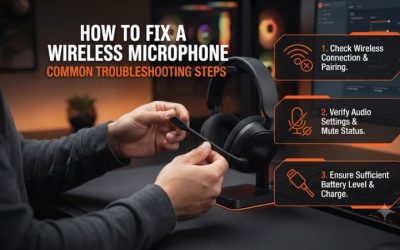
- Verify the microphone. Choose the headset input, unmute it, and record an ordinary sentence. If the input stays flat, reseat the boom and check the selected device.
- Try noise cancellation. Toggle ANC around a real fan or other recurring sound. Keep the cup position and sound level steady to understand its effect.
- Test combined phone audio. Play media through Bluetooth while the receiver is active, then test how a call changes the microphone if that matters to you.
Do these checks at the normal seat and with the glasses or other equipment you use. If you own more than one console or PC, test the second device before relying on the advertised platform list. A working connection on one device does not establish capture support or profile behavior on another.
Decide which features to keep enabled
Choose a stable receiver profile and write down which output Windows is using. Then add EQ or THX when it improves a particular game. Restore the stereo reference if you hear two spatial effects, a strange center image, or details that change in a way you cannot explain.
Make a short comparison with your current headset if possible. The Pro should solve a noticeable problem in the room or improve the way you switch sources, rather than only sounding different. If you bought it for ANC, check the noise at the place and time you normally play.
Wear it long enough for fit issues to show. The relatively high weight can be fine for someone whose headband and cup shape align well. If the weight or clamp gets distracting after an hour, compare the standard V3 or a lighter headset during the purchase window.
Conclusion
The BlackShark V3 Pro is worth buying if you will regularly use hybrid ANC, simultaneous Bluetooth, or its wired fallback alongside the receiver. The boom and app give you useful control, but microphone quality and noise isolation depend on setup and fit. Choose the lighter standard V3 if you play in a quiet room and already have the connection features you need.