🛒 Best Price Today on Amazon
Prime members get fast, free shipping on everything above, plus member-only deals. New members get a 30-day free trial — cancel anytime.
The best open-back headphones for hearing footsteps in FPS games help you place quiet sounds in a quiet room. Start with the Sennheiser HD 560S, choose the PC38X for a built-in mic, or price the Philips SHP9500 for a lower-cost setup. Compare direction, distance, and comfort in your own game’s audio mix.
Choose headphones for the cues and room you actually have
Start with the HD 560S for a quiet PC desk, the PC38X when you want an integrated microphone, or the SHP9500 if keeping the price low matters most. Choose a different model when you can identify a practical reason, such as a source that works better with the DT 900 PRO X or a fit that suits the ATH-R70xa.
| Model | Best fit | Main trade-off |
|---|---|---|
| Sennheiser HD 560S | All-round FPS headphones for a quiet desk | No integrated microphone, and source volume should be checked |
| beyerdynamic DT 900 PRO X | A wired studio-style option with an easy-to-match 48-ohm load | Fit and tonal balance deserve an audition |
| Drop PC38X | Team play with a built-in boom microphone | Open design lets room noise in and game sound out |
| Philips SHP9500 | Low-cost wired gaming in a quiet room | Check pad fit, seal consistency, and current pricing |
| AKG K702 | Players who like a spacious presentation | Confirm distance judgment and enough clean output before buying |
| Audio-Technica ATH-R70xa | A lightweight option for long desk sessions | High impedance makes source capability important |
An open-back earcup allows sound to pass through the outside of the cup. It can suit a quiet room and a listener who likes a less enclosed presentation. It also lets nearby conversation, fans, and other noise compete with game audio. In a noisy room, that can make a quiet footstep harder to hear even when the headphones reproduce it accurately.
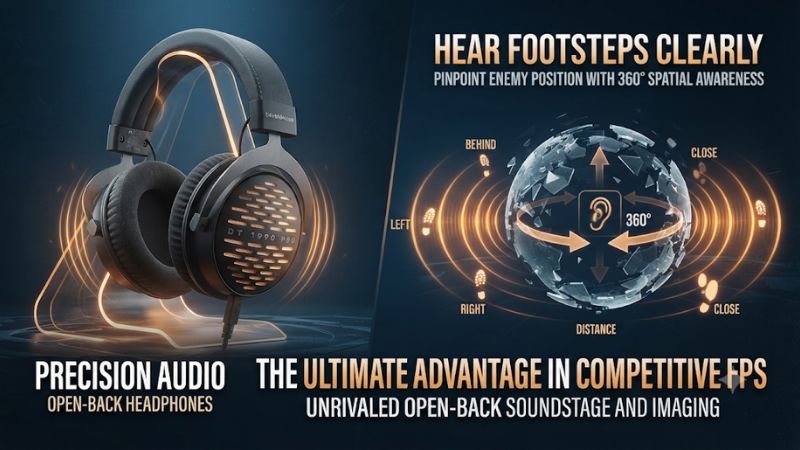
Sennheiser HD 560S for a balanced starting point
The HD 560S is the first model to consider if you want an open wired headphone for FPS and general listening. It has no integrated mic, which works well for someone already using a USB microphone or an interface. Independent measurements and reviews give you useful information about its tuning and channel behavior. Apply that information to your game rather than reading a laboratory category as a footstep score.
Its 120-ohm impedance is worth noting when you connect it to a controller, motherboard, or small USB audio adapter. Test whether the source reaches a comfortable volume with clean peaks and room to adjust. If it works well, that setup can be enough. A quiet-but-clean output at maximum volume may need more voltage from a suitable source.
Check fit during a long match. The headband and pads affect where the drivers sit relative to each ear. Glasses or uneven placement can change how an angle feels. Take the headphones off and put them back on before a second comparison. If the result changes materially, consider fit before attributing the difference to the game.
The HD 560S is a good reference when you also listen to music. In a tactical FPS, judge whether a cue clearly moves from left to right and whether the same footstep remains recognizable behind voice chat or effects. These tasks are more concrete than deciding whether the overall sound feels large.
beyerdynamic DT 900 PRO X for a flexible wired source
The DT 900 PRO X is an open studio headphone with a 48-ohm impedance and a detachable cable. It fits buyers who want a wired model for a PC, interface, or other compatible source without making an amplifier part of the plan by default. Test source output when you can. Impedance is one input to the calculation, alongside sensitivity and the output device.
Consider it if you want a headphone that stays on the desk for games, production, and listening. Check the weight, clamp, and pad feel on your head. A model that seems secure in a short demo can feel different after a long session. Local volume and source EQ can also alter whether you find its presentation easy to follow.
Do a controlled check against the HD 560S if both are available. Match the volume, keep the same game mode, and test several directions, including cues behind you. Then listen with chat active. An extra-clear cue in a silent training room can become less useful if the headset or mix makes speech and effects dominate during a match.
The DT 900 PRO X has no built-in mic. If you need team communication, count the cost and practical placement of another mic. A desk mic is convenient if the room is quiet. Check where you can put it relative to the keyboard and headphones to avoid moving the audio problem from listening to communication.
Drop PC38X for open-back headphones with a boom mic
The PC38X is an open-back wired gaming headset with an integrated microphone. It is the easiest fit in this group if you want a single device for game audio and ordinary team communication without setting up a separate desktop mic. Check the current package and cable options. A controller’s combined jack and a PC with separate audio and mic jacks need different connections.
A flip-to-mute boom is practical during team play. Test that the app actually uses the headset mic and that the boom sits consistently near your mouth. A distant desk mic might pick up more room noise on the same setup, but the actual result depends on placement, input levels, and nearby noise sources.
Open-back leakage is worth testing when the microphone is close. Play a typical game at a comfortable level while you record your voice or ask for chat feedback. Adjust mic gain and placement if other players hear your game. Also check whether someone nearby can hear your audio during normal use.
The PC38X suits buyers who value the complete gaming workflow more than a separate headphone and microphone chain. It should still be evaluated through the same directional tests as any other pick. Team chat convenience does not guarantee that its pad fit or presentation will suit every listener.
Philips SHP9500 for a lower-cost quiet-room setup
The SHP9500 is a wired open-back option with a 32-ohm specification and a detachable cable. Its value is that it can get you into an open design at a lower price when there is a good offer. Read the exact model number. The SHP9600 is a separate model with a different fit and sound, so apply reviews and accessories to the correct one.
The large cups can be comfortable for some players. Check how securely they fit and whether they shift when you turn your head. A light or loose fit may feel pleasant at first while making positioning less repeatable. Test the bass and low-mid balance as well, especially if you play games with frequent explosions or low background effects.
If you use a compatible inline or boom microphone, verify the connector, cable routing, and source. Do not assume that a detachable headphone cable automatically carries a microphone signal. A separate USB microphone is another straightforward option on a supported PC.
Choose the SHP9500 when the price savings are real and you can confirm the fit. It is a reasonable place to begin if you play in a quiet room and want to learn what an open headphone changes. If you hear the room more clearly than the game, improve the listening conditions first.
AKG K702 for players who prefer a spacious presentation
The K702 is an open over-ear studio design with a detachable mini-XLR cable. AKG specifies 62 ohms. It is worth considering if you prefer a broad presentation and can test it with your own game. The perception of width and your ability to identify a particular place are related but separate listening judgments.
Test near and far footsteps in addition to left and right. A presentation that feels expansive can be enjoyable during a large map. You also need to distinguish whether the opponent is just beyond the next doorway or across the room. Use fixed distances in a practice server, then move back to a match with typical effects and chat.
Check source headroom and comfort before assuming the model suits a controller or laptop. If a source runs out of clean volume, audition another suitable output without changing EQ or in-game settings. Also price replacement cables and pads for the actual model if you expect to keep it for several years.
The K702 makes more sense for a player who knows they like its fit and spatial presentation. If the purchase is mainly for extracting one faint footstep from loud action, compare that exact situation. The model with the larger apparent stage can still be less useful if distance or certain angles become ambiguous for you.
Audio-Technica ATH-R70xa for long sessions with a capable source
The ATH-R70xa is an open-back reference headphone with a manufacturer’s listed weight of about 199 g without the cable and a 470-ohm impedance. It is a sensible audition when you value low weight over long desktop sessions and already use a capable headphone output. Confirm the suffix, because the original ATH-R70x is a different listing.
Start by testing the source. High impedance often calls for attention to available voltage, and sensitivity also affects the volume a headphone reaches. Use an output that can deliver clean game peaks at the level you enjoy without sitting at its limit. A published output specification into a lower impedance does not fully describe performance with this pair.
Audition the headband and pad placement. Low weight can make a difference when you wear headphones for hours, but the way the weight sits on your head also matters. Try them with glasses or the other equipment you wear while playing.
Price the complete setup. If you also need a stronger source and a microphone, compare that purchase with less expensive models that already work well on your desk. The ATH-R70xa is a more compelling option when your existing equipment supports it and the fit and cue placement are good for you.
Evaluate footsteps without confusing width, direction, and loudness
Separate detection from localization
Detection means hearing that a footstep happened. Localization means estimating where it happened. Separation means picking out that cue when gunfire, effects, or chat overlap it. A headphone can do one well for you and still leave room for improvement in another.
Stereo matching can affect whether a centered signal stays centered and whether a small directional difference is easy to hear. Head-related transfer functions, including the effect of your outer ears, shape how you interpret angle. Differences in pad placement and the game’s audio rendering also matter. This is why your report can differ from another player’s even if both headphones work properly.
Read independent measurements with those limits in mind. Tests of channel mismatch can reveal issues in a sample. A headphone soundstage or PRTF measurement describes certain aspects of presentation. It cannot identify your own hit rate in a particular map and audio mode. Use it to shortlist a product and test in the game you play.
Check what your game actually sends to the headphones
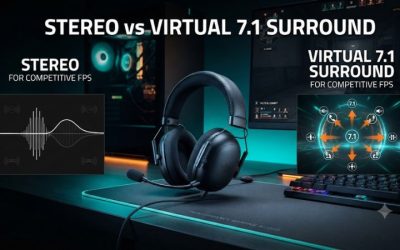
Begin with the game’s intended headphone or stereo option. Note whether the game has native binaural or HRTF processing. If you try that setting, compare it with the same scene in the ordinary mode. Add a system-level surround or spatial processor only as a separate comparison so you can judge one change at a time.
A position can become harder to read if several layers alter the cues simultaneously. If front and rear sound reversed or floors become confusing, return to a simple baseline, verify left and right channels, and compare the native game options. Use a controlled situation where the source can be placed at known angles.
Some games render cues differently across floors or behind walls. A stairwell and a flat training room can lead to different results. Use a few positions and surfaces. Learn which sound represents a nearby opponent, which represents a reflection or environmental event, and what the game intentionally obscures.
Avoid trying to solve masking by turning everything up
Louder playback can make a quiet sound easier to hear, but it can also make gunfire and effects more dominant. Compare headphones at a similar comfortable listening level to reduce the tendency to prefer whichever sounds louder.
Adjust the in-game mix if it provides independent controls. Lower music or other nonessential sounds that compete with cues and check that voice chat stays intelligible. If your game offers a dynamic-range mode, compare it under the same conditions. A mode that makes quiet sounds easier to hear can be useful if it preserves enough information to judge distance.
If you use EQ, start with a small cut in the range that seems to dominate your mix. Recheck footstep direction and distance afterward. An aggressive treble boost can make a cue sound sharper while also making effects tiring. A balanced configuration should let you play at a comfortable level without losing the signs you actually use.
Test the setup in a repeatable FPS exercise
Use known locations, surfaces, and distances
Have a teammate walk or run through predetermined positions in a private match or practice area where that is available. Include front, rear, left, right, one upper floor, and one lower floor. Turn the character consistently or choose a fixed viewing direction. Write down your guess before looking at the source.
Then repeat the same route at several distances and on two surfaces. Record the guesses you missed. If you easily identify left and right but repeatedly swap front and rear, look for changes in game processing or fit that address that specific issue. A wider overall presentation may have little to do with the mistake.
Add normal game effects and voice chat for a second pass. A headphone that works only in a quiet training room may be less helpful in your matches. Settle on an option that remains easy to use when you are also tracking teammates, effects, and the game’s visual cues.
Check room leakage, microphone routing, and source output
Try your setup at the time and place you normally play. Find out how much nearby conversation or fan noise reaches you. Ask a nearby person to listen for leakage at a normal volume if privacy matters. A quiet store demo will not reproduce a shared room.
If you use a controller or USB adapter, verify both audio and mic compatibility. A headphone output may handle playback but use a separate jack or connection for the microphone. The PC38X can simplify this when its included cable matches the system. The headphone-only models need a separate plan for team chat.
Test left-right balance and the same pad position on every comparison. A loose plug, worn pads, or a one-sided source can make the system feel imprecise. If you buy used, inspect the pads and cable and ask about replacements. Include their cost when deciding whether a used open-back pair is actually the better deal.
Pick the model you can use comfortably for a full match
Choose the HD 560S when you want a strong all-round headphone and already have a voice setup. Choose the PC38X if straightforward communication will otherwise be a hassle. The SHP9500 can satisfy a tighter budget if it fits well. The DT 900 PRO X, K702, and ATH-R70xa are worth auditioning when their source requirements, fit, or presentation suit your desk.
Repeat your best comparison after an hour of wear. The comfortable choice can be easier to position consistently. If you routinely push the cups away to relieve pressure or need high volume to overcome room noise, that undermines the feature that made the model look attractive in a spec sheet.
Keep your final HRTF and sound settings documented so you can compare after a game patch or hardware change. A known baseline helps you tell whether a surprising cue came from the headphone, the game’s new mix, or a setting that changed.
Conclusion
Start with the Sennheiser HD 560S for a quiet FPS desk, pick the PC38X for a built-in boom mic, or consider the Philips SHP9500 when budget is the priority. Audition the DT 900 PRO X, K702, or ATH-R70xa if their fit, source requirements, or presentation match your setup. Use matched volume and repeatable cues in your own game to compare detection, direction, and distance before buying.