🛒 Best Price Today on Amazon
Prime members get fast, free shipping on everything above, plus member-only deals. New members get a 30-day free trial — cancel anytime.
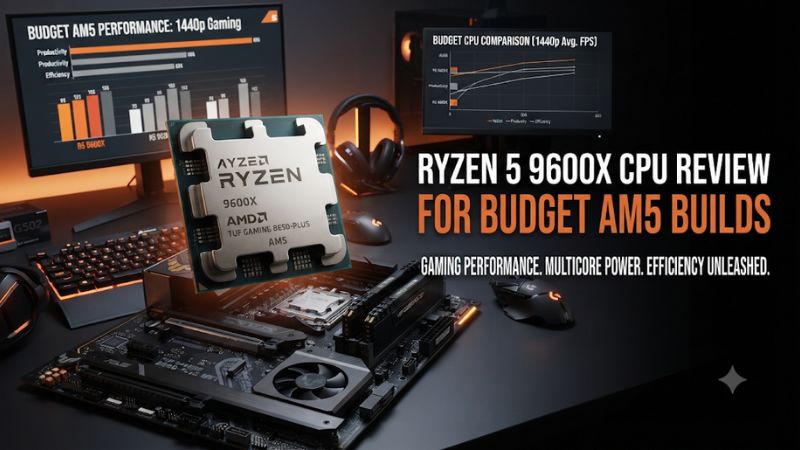
Buy the Ryzen 5 9600X if its price with a cooler is close to a Ryzen 5 7600 and your games benefit from faster CPU performance. This Ryzen 5 9600X CPU review for budget AM5 builds explains where Zen 5 helps, which costs matter before checkout, and when a cheaper processor leaves more room for a better graphics card.
Is the Ryzen 5 9600X worth buying for budget AM5?
The Ryzen 5 9600X suits a new AM5 gaming build with a discrete graphics card, a modest CPU cooler, and games that can use its stronger CPU-side performance. Buy it when the full price is close to a cheaper Zen 4 alternative. Keep more money for the GPU when the 9600X forces you to accept a slower card at your normal settings.
| Specification | Ryzen 5 9600X |
|---|---|
| Architecture | Zen 5 |
| Cores and threads | 6 cores and 12 threads |
| Base and maximum boost | 3.9 GHz and up to 5.4 GHz |
| L3 cache | 32 MB |
| Default TDP | 65 W |
| Socket and memory | AM5 and DDR5 |
| Reference memory rate | Up to DDR5-5600 in the two-module configurations listed by AMD |
| Integrated graphics | Basic two-core AMD Radeon graphics |
| Boxed CPU cooler | Sold separately |
Who gets the best value from it?
The strongest fit is a new build that combines a sensible graphics card with a fast monitor or CPU-sensitive games. A discounted 9600X can be an easy choice when the alternative also needs a cooler and the total cost differs little. Its stock power profile also makes sense in a conventional tower designed to be quiet.
The value improves if you already own a compatible AM5 cooler or a suitable mount for it. Then the processor’s lack of a bundled thermal solution barely changes the shopping list.
Verify clearance and mounting hardware before assuming an old cooler fits. Some cooler designs need a compatible bracket, and a case can be the limiting factor even if the socket is supported.
If you are moving from an older platform, compare the entire system rather than the processor alone. An AM5 board and DDR5 can change the total cost.
A new buyer who already needs those components can compare the 9600X and the 7600 within the same platform. An existing AM4 owner has a different starting budget.
Who should spend less or choose more cores?
A buyer playing graphics-heavy games with a modest card and a practical frame cap may see little difference between the 9600X and a cheaper Ryzen 5. If a boxed 7600 and its cooler free up enough money for a useful GPU upgrade, take the time to compare both builds at the settings you intend to run.
Someone who already owns a Ryzen 5 7600 or 7600X should verify an actual CPU limit before replacing it with the 9600X. The net cost includes the price of the new chip, possible resale proceeds, and time spent reinstalling and testing. A generational upgrade between two functioning six-core processors requires a clearer reason than choosing between them during a new build.
If daily work regularly saturates all cores, compare an eight-core processor using a relevant render, build, or export. Zen 5 improves per-core behavior in some tasks, but the 9600X still has six cores. For a workstation with occasional gaming, application throughput can matter more than a small gain in an esports benchmark.
What do published gaming benchmarks show?
The 9600X can outperform comparable Zen 4 processors by a useful margin in some CPU-sensitive titles. Other games show small gains or none. This review uses published benchmarks and AMD specifications to judge its place in a budget build.
Expect the strongest gains where the game depends on CPU work
In TechSpot’s later six-processor budget Ryzen comparison, the 9600X was up to about 6% ahead of the 7600X in the 12-game average at the tested medium settings and about 3% ahead at higher settings. Those numbers describe that suite and setup. Individual titles, such as its Counter-Strike 2 capture, showed a larger advantage at lighter settings.
That distinction matters because a game average mixes different bottlenecks. If your main title resembles a CPU-sensitive esports test, the extra throughput can matter.
If your main title is already limited by the graphics card, the processor difference can shrink substantially. Read both the title result and the preset before putting a value on it.
TechSpot’s earlier launch review produced a narrower average difference on its own test set. The two measurements answer different questions using different software, game lists, and test states. They are better read side by side as evidence of variability than averaged into a single forecast for every budget PC.
Match the game tests to the graphics card you can afford
Some CPU reviews use a high-end GPU to expose performance differences in the processor. That is useful for understanding headroom. In a budget build, a less powerful GPU can be the component doing the most work at higher render resolution or higher image quality.
A player who runs competitive settings may expose more of the CPU difference even with a modest card. A player who prefers a detailed single-player preset may see a smaller effect. The same 1440p display can report both outcomes depending on the engine and settings.
Start with the gaming experience you want. Choose a GPU capable of the desired quality level and compare the CPU’s role in reaching the frame rate. Reserve money for the graphics card first when spending more on the 9600X would otherwise force you to accept lower image quality or reduced graphics headroom.
Judge smoothness with slow frames and the test scene
Average FPS is useful for comparing throughput. Look at the slow end of the frame-time capture too, especially if the game feels inconsistent in busy scenes. A close average does not tell you whether both systems handle the most demanding part equally well.
Check that the same method, scene, GPU, and graphics settings are used. Shader compilation, background tasks, a game update, or a different capture route can move the slow numbers. A published percentage for one game should be kept with the version, settings, and benchmark context that produced it.
A frame cap also changes how you perceive the benefit. If your current system holds its desired frame rate in demanding moments, higher uncapped performance can be extra headroom. If the cap is missed repeatedly in a CPU-sensitive scene, focus on whether a processor change improves those misses.
What are the strengths and limits of the 9600X hardware?
The 9600X combines an updated core architecture with a familiar six-core layout. Its lower default TDP relative to the 7600X and basic integrated display graphics are useful for ordinary AM5 builds. It still needs a separate cooler and a discrete graphics card for the gaming assessment here.
The default power profile is a practical starting point
AMD rates the processor at 65 W default TDP. The actual load on the cooler depends on the application, boost behavior, ambient temperature, and motherboard settings. Use the default profile first when evaluating a budget cooler and case.
A modest compatible tower cooler can be a sensible place to start in a ventilated case. Check the case’s height limit, the mount, and RAM clearance before ordering.
For a small case, use a cooler and airflow layout that can handle the workload you plan to run. Noise expectations can be as important as peak temperature.
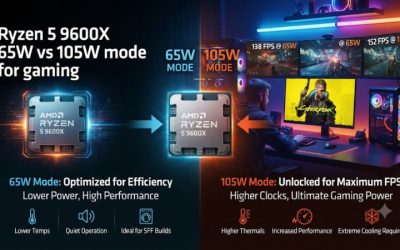
A supported higher power profile is available on appropriate firmware, but the chip does not need it to make sense in this build. Spending extra on cooling and power simply to enable that option should have a workload-based reason. The default operating mode is the relevant starting point for rating the processor as a value gaming part.
The integrated graphics are useful for setup and diagnosis
The processor has a small two-core Radeon graphics implementation. It can provide a display from a compatible AM5 motherboard’s output when configured appropriately. That is useful for setting up the PC, identifying a faulty discrete card, and keeping the system available for basic work.
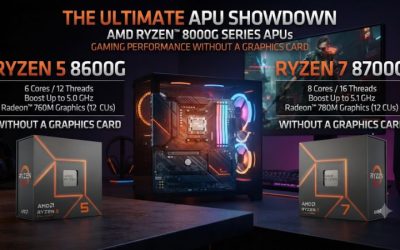
The display graphics are distinct from the Radeon 760M or 780M on Ryzen 8000G APUs. If you want a system that relies on integrated graphics for gameplay, evaluate a processor designed around that use. A build using the 9600X for gaming should price the actual discrete GPU into its budget.
Check the motherboard’s output before relying on fallback graphics. An HDMI or DisplayPort connector and compatible settings are needed to use it.
Mainstream boards vary in their available ports. If your display uses a particular input, verify the output and cable combination for the exact board.
Six cores are the main workload trade-off
Six cores and twelve threads serve typical gaming and everyday multitasking well when the rest of the system is balanced. Work that relies on many active threads can be a better fit for a processor with more cores. Benchmark the application you intend to use instead of estimating render performance from game results.
For streaming, the balance depends on your encoder and tools. If the graphics card handles most encoding, the CPU may have enough room for the game and normal supporting applications. If you deliberately encode using the CPU, the simultaneous workload can make an eight-core choice more attractive.
The same reasoning applies to compilation, batch processing, and long renders. If your work pays for itself through shorter completion times, measure that outcome directly. If your heaviest sustained workload is gaming, choose the CPU based on the titles and settings you actually use.
How do you put together a sensible budget AM5 system?
Price the CPU, board, memory, cooler, and graphics card as one purchase. A small discount on the 9600X can make it an easy buy. A cheap listing with the wrong board firmware or no cooler in the budget can make setup more expensive.
Verify motherboard support before ordering
Check the CPU support list for the exact motherboard and revision. Older AM5 boards can support Ryzen 9000 processors after the appropriate firmware update. A board can use the right socket and still need a newer BIOS before it will boot this particular processor.
If the seller cannot confirm which firmware is installed, look for a documented update feature that fits what you have available. Some boards support updates without a working CPU.
Others may require a supported processor or help from the retailer. Choose the board based on both the features you want and the support path you can actually use.
Once the system starts, confirm it recognizes the 9600X, the correct RAM capacity, and your drives. Let a new board complete the documented memory training process. Establish a working baseline at supported settings before changing memory profiles or processor power options.
Use the memory and board money where it matters
Choose a matched DDR5 kit with enough capacity for your games and background applications. Install it in the motherboard’s recommended slots. AMD’s DDR5 support ratings depend on DIMM layout, so check the official configuration and the motherboard’s compatibility guidance.
Faster memory profiles can help parts of a CPU-limited workload, but any such profile should be stable. A well-balanced build with appropriate capacity and two modules may matter more than paying heavily for the highest speed on a label. If you are chasing a specific game result, compare memory tests under a configuration you can reproduce.
Motherboard features should serve the build. Decide how much storage, wireless connectivity, display output, and USB access you actually need.
A premium board rarely makes budget sense if choosing it forces you to reduce the graphics budget. A board with the necessary support, decent expansion, and clear firmware tools may be enough.
Compare prices using processor and cooler together
The Ryzen 5 7600’s standard boxed package adds a stock cooler. The 9600X requires its own cooling unless a retailer bundle specifically supplies it.
Compare what each listing needs to complete the build. If you intend to use an aftermarket cooler on both, add the same cooler to both totals.
- Buy the 9600X if the CPU and cooler cost close to your alternative and your target games benefit from the stronger processor.
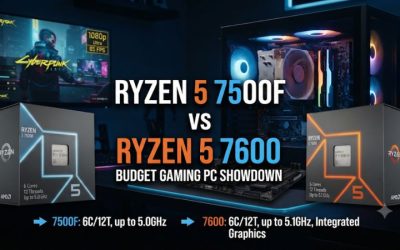
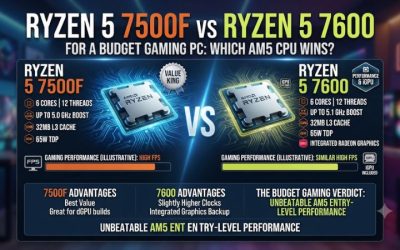
- Buy the 7600 or 7500F if the complete package is meaningfully cheaper and it lets you keep a better graphics card or another important part.
- Compare an eight-core option if regular work can justify the price through measured completion time.
- Check the seller’s exact package when tray, used, or bundled listings appear cheaper than a standard boxed CPU.
A good budget purchase is one you can still defend after accounting for the complete system. Check shipping, returns, and any BIOS or cooling costs.
Then ask what the processor does better at the games and settings you plan to use. That is a stronger benchmark for value than a CPU list sorted by a single headline result.
Which common buying situations favor or weaken the 9600X?
The 9600X makes the most sense when you price its strengths and costs together. Looking at three different starting points can help you decide whether its faster CPU performance is worth paying for.
Building from scratch with a new GPU
Estimate the cost of two complete systems using the same board, memory, case, and power supply. One uses a boxed Ryzen 5 7600, and the other uses the 9600X with the cooler you actually intend to install. Check the final totals before comparing headline benchmarks.
If the price difference is small and the graphics card stays the same, the 9600X can be the straightforward choice. If the other option saves enough to afford a better GPU, compare real game results for those two combinations. CPU-only tests with a flagship card do not establish which complete budget build will be faster.
Think about your target before reallocating the money. A competitive preset and a high-refresh display can make CPU-side headroom valuable.
A visually demanding game at high settings can direct more of the budget toward the graphics card. If you split your time between both, look for a combination that can handle each without a lopsided compromise.
Reusing a cooler or buying a complete bundle
A compatible cooler you already own can reduce the 9600X’s effective premium. Before counting the saving, check the exact mounting hardware, condition, and system clearance. If you have to buy a bracket or replace a worn fan, include that cost with the processor.
A boxed CPU bundle can also include a board or memory you would already buy. Compare the actual components rather than the bundle percentage.
An attractive total can hide a motherboard with too few useful slots or a RAM configuration you intend to replace. The value improves when every part fits the goal.
A hypothetical example can make the cooler effect clear. Suppose a boxed 7600 costs $155, a 9600X costs $165, and the latter requires a $25 cooler.
The true processor-and-cooler comparison is $155 versus $190 if you plan to use the stock cooler with the 7600. If you already own a suitable cooler, the same listings produce a $10 gap. Those are illustrative prices, and checking your own cart is more useful than copying a threshold from a review.
Upgrading a Ryzen 7000 system you already own
Start from evidence that the processor limits an important part of your experience. If you currently own a 7600, a lower render-scale test can help show whether reducing GPU work improves the frames you care about. A clear improvement suggests the graphics side still matters to that scene.
If frame times barely improve while GPU work falls, look for a platform or game constraint, including a frame cap or background load. Then compare the 9600X with results for your current CPU in the same game and preset. A small improvement across an unrelated review suite offers little evidence for an expensive swap.
Account for possible resale, shipping, cooling, and the time to validate the upgraded machine. An upgrade to another six-core model can be entirely reasonable when the net cost is low and a target title shows meaningful CPU-side gains. If the goal is faster sustained production work, compare what a suitable eight-core part provides before committing.
Identify the value that remains after setup
Check whether the system meets its intended frame rate and produces acceptable noise at normal settings. Verify the cooler and memory configuration before interpreting the result. If the system misses the target, diagnose the limiting scene before blaming the processor.
What makes the 9600X attractive is the combination of its CPU-side performance, reusable AM5 platform, and manageable default operating profile in a balanced gaming machine. Its six-core limit and separately purchased cooler still count. A sensible purchase preserves enough budget for the components that affect your intended workload most.
Conclusion
The Ryzen 5 9600X is a good budget AM5 choice when it is priced close to Zen 4 alternatives after cooling and your games benefit from faster CPU performance. Choose a cheaper Ryzen 5 if it preserves a better GPU or lowers the total cost without changing the experience you want. Buyers with sustained multithreaded work should compare a suitable eight-core option before ordering.