🛒 Best Price Today on Amazon
Prime members get fast, free shipping on everything above, plus member-only deals. New members get a 30-day free trial — cancel anytime.
- Best Laptops for Coding and Gaming at a Glance
- What a Developer Needs From a Gaming Laptop
- Windows, WSL and Linux Support
- Premium Picks
- Mid-Range Picks
- Professional and Non-Gaming Options
- RAM, Storage and Ports for Developers
- Display Quality for Reading Code and Playing Games
- Desk Setup and Cooling for Dual Use
- Security and Maintenance Basics
- Pick X If… Decision Table
- Alternatives to Consider
- Frequently Asked Questions
Updated November 2026 – The best laptops for coding and gaming are the ASUS ROG Zephyrus G14 (most portable dual-use pick), the Lenovo Legion Pro 7i (sustained power for heavy builds and games), the Framework Laptop 16 (upgradeable and Linux-friendly) and the Razer Blade 14 (premium compact build).
The best laptops for coding and gaming are not exotic: they are gaming laptops with a good keyboard, enough memory for a modern toolchain and a screen that is comfortable to read for hours. A developer who also plays needs more than a fast GPU. You need 32 GB of RAM or an easy path to it, fast storage, sensible ports, a display that makes text sharp, and an operating system story that fits your stack, whether that is Windows with WSL, native Linux, or a Mac for the work half of the day. This guide sorts the leading options by how they handle both jobs and is clear about where each one compromises.
Sources named here include GamesRadar, Forbes, Tom’s Guide, The Gentleman’s Journal and several developer-focused buying guides. Configurations vary; check the exact GPU, RAM and display before buying.
Best Laptops for Coding and Gaming at a Glance
| Laptop | Best for | Key stated specs | Limits |
|---|---|---|---|
| ASUS ROG Zephyrus G14 | Portable all-rounder | 14-inch display, RTX 50-series laptop GPU options up to RTX 5080 per GamesRadar, OLED options | Fans loud under load per TechRadar |
| Lenovo Legion Pro 7i | Heavy builds, CUDA and local AI work plus games | 16-inch display, high-power RTX laptop GPU options, Intel Core Ultra HX-class processors | Large and heavy |
| Framework Laptop 16 | Upgradeable, repairable, Linux-minded developers | Optional RTX 5070 module, up to 96 GB DDR5 across two slots per one guide | Larger than an ultraportable; GPU choice limited |
| Razer Blade 14 | Premium compact build | 14-inch display, RTX 50-series laptop GPU options | Narrower spec ceiling than the G14 |
| MSI Stealth series | Creator-leaning dual use | 14 and 16-inch options, laptop RTX GPUs | Fewer configurations in some regions |
| ASUS TUF Gaming A16 | Value-focused RTX laptop | 16-inch display, RTX laptop GPU options | Heavier, plainer screen options |
| Lenovo ThinkPad P series | Professional coding with workstation graphics | Workstation-class design with discrete GPU options on some models | Not built as gaming machines; exact models vary |
| Apple MacBook Pro | Non-gaming alternative for coding | Apple silicon, long battery life as the maker lists | Far fewer PC games; no Nvidia CUDA |
What a Developer Needs From a Gaming Laptop
Coding is usually lighter on the GPU than gaming but heavier on memory, storage and the screen. Compiling large projects, running containers, virtual machines and an IDE with language servers can fill 16 GB of RAM fast. A sensible target is 32 GB, and the ability to add more later is valuable. A fast NVMe SSD speeds up builds and dependency installs. A keyboard with good travel and a layout you like matters more for a developer than a gamer, because you type for hours.
The display decides how pleasant long sessions are. A 16-inch laptop gives more room for code and terminals side by side. Many developers prefer a 16:10 aspect ratio for the extra vertical lines. High-resolution panels make text sharper, while high-refresh panels make games smoother. Not every laptop offers both, so decide which matters more.
Windows, WSL and Linux Support
Most gaming laptops ship with Windows, and Windows Subsystem for Linux covers many developer workflows. If you need native Linux, support varies by model. Nvidia’s laptop GPUs work on Linux with the maker’s proprietary driver, but hybrid graphics switching, fan control and some function keys can need extra setup. Developer-focused guides tend to point to the Framework Laptop 16 for Linux-minded buyers because of its open, modular approach. Check community compatibility lists for the exact model before installing a distribution, and keep a recovery plan if you wipe the factory image.
Premium Picks
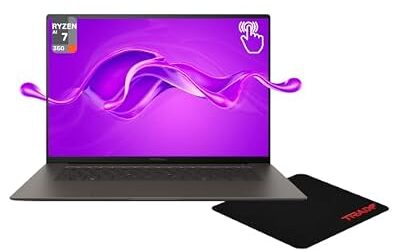
ASUS ROG Zephyrus G14 – Best for Portable Dual Use
14-inch display · OLED options · RTX 50-series laptop GPU options · Ryzen AI-series processor options · roughly 1.5 to 1.6 kg per reviewers
The G14 is the most common recommendation for a single laptop that must game and work. GamesRadar says it keeps its crown in the ultra-compact category, Forbes’ testers named it their favourite gaming laptop, and Tom’s Guide describes it as a favourite because it does not forget about the laptop part. It is light enough to carry daily. The trade-offs reported are fan noise under load and a 14-inch screen that is smaller than most developers prefer for long sessions. Plug in an external monitor and keyboard at a desk and it becomes a comfortable workstation.

ASUS ROG Zephyrus G14 5060 Gaming Laptop 14.0" OLED 2.8K, Ryzen 9, 16GB/1TB | AMD 8-Core Ryzen 9 270 4.0GHz, GeForce RTX 5060 8GB, 39 TOPS, Copilot, 120Hz, RGB KYB, WiFi 7, W11P, Platinum White w/USB Hub
Included for 'Best Laptops for Gaming and Coding in 2026 (Programming, Dev and Play)' as a representative home product in this roundup; selection reflects the product set returned for this topic.
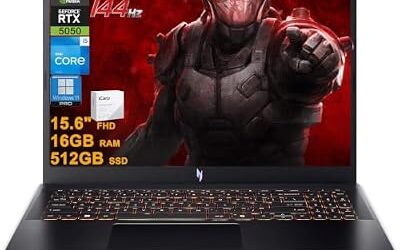
View on AmazonLenovo Legion Pro 7i – Best for Heavy Workloads and Games
16-inch display · Intel Core Ultra HX-class processor options · high-power RTX laptop GPU options · large cooling system
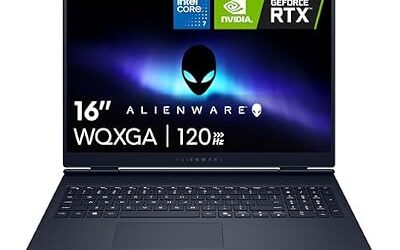
One roundup calls the Legion Pro 7i Gen 10 a strong balanced high-power option when discounted, and a programming-focused guide picks it as best for CUDA and local AI work when maximum GPU capacity matters. Forbes describes the Legion Pro 9i Gen 10 as the fastest system its team tested. Lenovo’s larger cooling system keeps performance steady during long compile or training runs and long gaming sessions. The price of that is size and weight, so it is a desk machine that travels occasionally rather than a laptop for daily commuting.
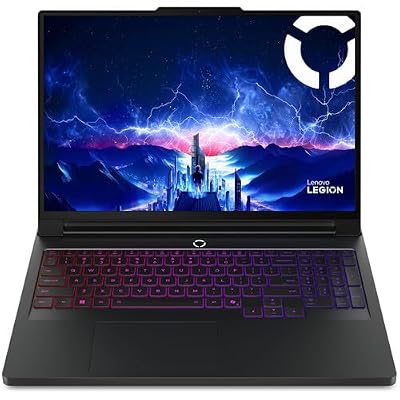
Lenovo Legion Pro 7i Gen 10 w/ Ultra 9, NVIDIA GeForce RTX 5080, 16” OLED | Gaming Laptop with Intel Core Ultra 9 275HX 24C, 16GB, 32GB RAM, 1TB Gen 5 NVMe SSD, WQXGA 500 nits 240Hz, Windows 11 Pro
Included for 'Best Laptops for Gaming and Coding in 2026 (Programming, Dev and Play)' as a representative home product in this roundup; selection reflects the product set returned for this topic.
View on AmazonRazer Blade 14 – Best for Compact Premium Build
14-inch display · CNC aluminium chassis per the maker · RTX 50-series laptop GPU options · about 1.6 kg per reviewers
The Blade 14 offers a refined chassis, a trackpad reviewers praise, and a quiet, minimal look that fits an office. GamesRadar notes the spec sheet is more constrained than the G14, so choose it for build and design rather than for the highest GPU ceiling.

Razer Blade 14 (2025) Gaming Laptop, RTX 5060, 16GB DDR5 RAM, 1TB, Black | AMD Ryzen AI 9 365, 3K 120Hz OLED Display, Thin & Lightweight, Chroma RGB, Windows
Included for 'Best Laptops for Gaming and Coding in 2026 (Programming, Dev and Play)' as a representative home product in this roundup; selection reflects the product set returned for this topic.
View on AmazonFramework Laptop 16 – Best for Upgradeable and Linux-Friendly Setups
16-inch display · optional RTX 5070 graphics module per one guide · up to 96 GB DDR5 across two slots per the same guide · modular ports
The Framework 16 is not a traditional gaming laptop, but it is a serious option for developers who want to repair, upgrade and customise. One guide notes its two memory slots and modular graphics give it more upgrade flexibility than most thin performance laptops. The caution is size and weight, and that its graphics options are narrower than those of dedicated gaming brands. If you value open hardware and a long service life more than the highest frame rates, it deserves a close look.
Mid-Range Picks
MSI Stealth 16 – Best for Creators Who Code and Game
16-inch display · laptop RTX GPU options · slim body · creator-focused panel options on some configurations
The Stealth line targets people who need a colour-accurate display and strong graphics in a clean, slim body. It fits developers who also do design, video or 3D work. A 14-inch Stealth also exists for those who want a smaller laptop. Read the maker listing for the exact processor, GPU and port set.
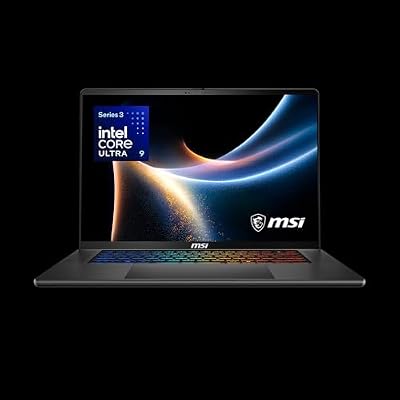
msi Stealth 16 AI+ 16” 240Hz QHD+ OLED Gaming Laptop: Intel Core Ultra 9 386H, NVIDIA Geforce RTX 5070Ti, 32GB DDR5, 1TB NVMe SSD, Wi-Fi 7, Win 11 Home: Charcoal Black B3WH-036US
Included for 'Best Laptops for Gaming and Coding in 2026 (Programming, Dev and Play)' as a representative home product in this roundup; selection reflects the product set returned for this topic.
View on AmazonASUS TUF Gaming A16 – Best for Value With an RTX GPU
16-inch display · AMD Ryzen processor options · RTX laptop GPU options · durability-focused design
The Gentleman’s Journal lists the TUF A16 as the value-focused RTX choice among gaming laptops. For a developer on a budget, it provides a capable GPU, a decent keyboard and room for memory upgrades on many configurations. It is plainer and heavier than the premium picks.
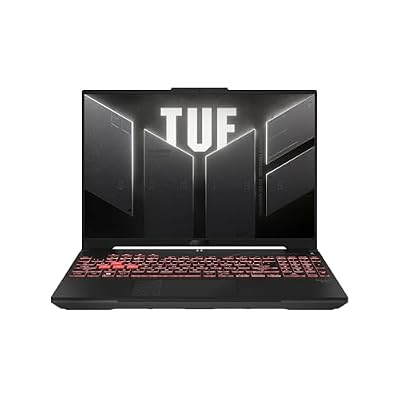
ASUS TUF Gaming A16 Laptop: AMD Ryzen 7 7445HS, 16" Full HD+ 145Hz Display, NVIDIA GeForce RTX 4050, 16GB DDR5 RAM, 512GB SSD, Backlit Keyboard, Windows 11
Included for 'Best Laptops for Gaming and Coding in 2026 (Programming, Dev and Play)' as a representative home product in this roundup; selection reflects the product set returned for this topic.
View on AmazonLenovo Legion 5 – Best for Overall Value
16-inch display · OLED option on some configurations · RTX laptop GPU options · familiar Lenovo keyboard
The same roundup says the Legion 5 offers the best overall value among gaming laptops, with an excellently priced OLED display on some models. Lenovo’s keyboards are generally well regarded by typists, which helps developers.

Lenovo Legion 5 Gen 10 Gaming Laptop: Ryzen 7 260, NVidia RTX 5060, 16GB DDR5 RAM, 512GB SSD, 15.3" WUXGA (1920x1200) 165Hz Display
Included for 'Best Laptops for Gaming and Coding in 2026 (Programming, Dev and Play)' as a representative home product in this roundup; selection reflects the product set returned for this topic.
View on AmazonProfessional and Non-Gaming Options
Lenovo ThinkPad P Series – Best for Professional Coding With Workstation Graphics
Workstation-class design · discrete workstation or RTX GPU options on some models · ThinkPad keyboard · Linux certification on many models per the maker
ThinkPad P laptops are aimed at engineers and creators rather than gamers. They can play games when fitted with a capable GPU, but they are not tuned for it. Choose one if your priority is a superb keyboard, certified Linux support and long-term business support. A lighter alternative in the same family, the ThinkPad X1 Carbon, is named by Forbes as its best business laptop and has no discrete GPU, so it is a coding machine rather than a gaming one.

Lenovo ThinkPad P1 Gen 7, w/ Ultra 7, NVIDIA RTX 3000, 16" 2.8K, 32GB RAM | Mobile Workstation with Intel Ultra 7 165H Processor, 16” (2560 x 1600) IPS Non-Touch, 1TB SSD, 5MP RGB+IR Camera, Win 11 Pro
Included for 'Best Laptops for Gaming and Coding in 2026 (Programming, Dev and Play)' as a representative home product in this roundup; selection reflects the product set returned for this topic.
View on AmazonApple MacBook Pro – Best Non-Gaming Alternative for Coding
Apple silicon · Liquid Retina XDR display options per the maker · long battery life as the maker lists · macOS with a Unix base
A MacBook Pro is a strong developer machine, with a Unix-based system, an excellent display and long battery life as the maker lists. It is not a PC gaming laptop: many Windows titles are unavailable, and Nvidia’s CUDA toolkit does not run on it. If you mostly code and play only occasionally, or you use cloud gaming, it can be a fine choice. If you want a large PC game library, choose one of the Windows laptops above.

Apple 2026 MacBook Pro Laptop with Apple M5 Pro chip with 15-core CPU and 16-core GPU: Built for AI, 14.2-inch Liquid Retina XDR Display, 24GB Unified Memory, 1TB SSD, Wi-Fi 7; Silver
Included for 'Best Laptops for Gaming and Coding in 2026 (Programming, Dev and Play)' as a representative home product in this roundup; selection reflects the product set returned for this topic.
View on AmazonRAM, Storage and Ports for Developers
- RAM: 32 GB is a comfortable target. Check whether the memory is soldered; if it is, buy the capacity you need at purchase. Models with two SODIMM slots, such as the Framework Laptop 16 and many 16-inch gaming laptops, are easier to expand.
- Storage: 1 TB NVMe is a sensible starting point because games and development tools both take space. A second M.2 slot helps.
- Ports: look for Thunderbolt or USB4 for docks and external drives, HDMI for monitors and a wired Ethernet port or adapter for stable connections. A 3.5 mm headset jack is useful.
- Webcam and microphone: developers spend time on video calls. Premium models usually offer better cameras.
- Battery: gaming laptops give much shorter battery life under load than ultraportables. Use the maker’s stated battery capacity as a guide, and carry the charger.
Display Quality for Reading Code and Playing Games
Developers look at text all day, so panel sharpness and size matter. A 16-inch 16:10 screen shows more lines of code than a 14-inch panel, and a higher pixel density makes small fonts easier on the eyes. OLED panels, offered on several Zephyrus, Legion and Stealth configurations, give deep contrast for games and film, but some people prefer IPS for static text because of how each panel type renders fine detail and brightness. Look at the specification for resolution, refresh rate, brightness and colour coverage, and read reviewer notes on glare. A matte finish helps in bright rooms.
Desk Setup and Cooling for Dual Use
Most developers use a laptop at a desk, so a small setup improves comfort and cooling at the same time. A stand raises the screen and lets air reach the intake vents; an external keyboard and mouse remove the compromises of a compact keyboard; a dock over Thunderbolt or USB4 connects a monitor, Ethernet and storage with one cable. Laptops under sustained load run warm, and reviewers report that thin models throttle sooner than thick ones, so a larger chassis such as the Legion Pro 7i suits long builds or training runs better than a 14-inch laptop. If you leave the laptop plugged in for months, check whether the maker offers a battery care or charge-limit setting in its software, which can reduce wear. Avoid overclocking tools unless you accept the warranty and stability risks.
Security and Maintenance Basics
Dual-use laptops hold source code, credentials and games on one disk. Use full-disk encryption, a password manager and separate user accounts or virtual machines for risky downloads. Keep graphics drivers and the maker’s firmware updated from the official support page. If a laptop overheats, shuts down or shows swelling around the battery, stop using it and contact the maker or a service technician instead of opening it yourself.
Pick X If… Decision Table
| Pick this | If you… |
|---|---|
| ASUS ROG Zephyrus G14 | want one portable laptop for a commute, classes and games |
| Lenovo Legion Pro 7i | run heavy builds, CUDA or local AI work and want strong sustained power |
| Framework Laptop 16 | want repairability, upgrades and a Linux-friendly approach |
| Razer Blade 14 | want a premium compact chassis and quiet design |
| MSI Stealth 16 | do creative work and coding on the same machine |
| ASUS TUF Gaming A16 | want an RTX laptop at a more modest tier |
| Lenovo ThinkPad P series | value keyboard, support and Linux certification over gaming |
| Apple MacBook Pro | code mostly and do not need a large PC game library |
Alternatives to Consider
- A desktop with a laptop for travel: a desktop gives more performance for the same tier, and a light laptop handles remote work.
- A thin ultraportable with cloud gaming: for mostly coding, a light laptop plus a streaming service for games can cover both needs.
- An older workstation or business laptop: reconditioned ThinkPads give excellent keyboards, but check that the GPU suits the games you play.
Frequently Asked Questions
What is the best laptop for programming and gaming?
The ASUS ROG Zephyrus G14 is the most common single recommendation because it combines portability with strong graphics. If you need maximum sustained power, the Lenovo Legion Pro 7i is the stronger choice. Configurations vary, so compare the exact RAM, GPU and display.
How much RAM do I need for coding and gaming?
32 GB is a comfortable target for developers who run containers, virtual machines and an IDE alongside a game. 16 GB works for lighter workloads. Choose a laptop with expandable memory if you can.
Is a gaming laptop good for programming?
Yes, as long as you pick one with a comfortable keyboard, enough memory and a sharp display. The main drawbacks are weight, fan noise and short battery life compared with an ultrabook.
Can I use Linux on a gaming laptop?
Often yes, but support varies by model. Nvidia GPUs work with the proprietary driver, while hybrid graphics switching and some hardware controls can need extra setup. Check compatibility reports for your exact model, and keep a recovery plan before changing the operating system.
Is a MacBook Pro better than a gaming laptop for coding?
For coding alone, many developers prefer a MacBook Pro for its display, battery life and Unix base. For gaming it is limited, because many PC games and Nvidia CUDA are not available. Choose it only if games are a minor part of your use.
Do I need an Nvidia GPU for coding?
Not for most coding. You need one for CUDA, some machine-learning libraries and certain game development tools. If you work with local AI models, an RTX laptop GPU is the practical choice.