🛒 Best Price Today on Amazon
Prime members get fast, free shipping on everything above, plus member-only deals. New members get a 30-day free trial — cancel anytime.
- Best Graphics Cards for Ryzen: At a Glance
- Do You Need an AMD Graphics Card With a Ryzen CPU?
- Best Ryzen Graphics Cards by Tier
- Best Graphics Cards for Ryzen 7
- Best Graphics Cards for Ryzen 5
- Best Graphics Cards for Older Ryzen: 1700, 1600, 2600 and 3600
- Pick X If… Decision Table
- Smart Access Memory and Resizable BAR on Ryzen
- Resolution Targets: Matching Cards to Monitors
- Alternatives Worth Considering
- Common Ryzen and GPU Pairing Mistakes
- Power Supply and Platform Notes
- Frequently Asked Questions
Updated November 2026 – The best graphics cards for Ryzen depend on the CPU tier: the AMD Radeon RX 9060 XT or Nvidia GeForce RTX 5060 Ti pair well with a Ryzen 5 7600, the Radeon RX 9070 XT or GeForce RTX 5070 Ti suit a Ryzen 7 7800X3D or 9800X3D, and the GeForce RTX 5080 is the step up for 4K with a Ryzen 9.
Choosing the best graphics cards for Ryzen is a matter of matching GPU power to your CPU tier and screen resolution, not of finding a card that only works with AMD. Any modern Nvidia, AMD or Intel Arc card works on a Ryzen platform. This guide covers Ryzen 5, Ryzen 7 and Ryzen 9 pairings, older chips such as the Ryzen 7 1700, Ryzen 5 1600 and 2600, and 3600, and what AMD says about Smart Access Memory.
Best Graphics Cards for Ryzen: At a Glance
| Ryzen tier | Example CPUs | Graphics card pairing | Target |
|---|---|---|---|
| Older Ryzen 1000 and 2000 | Ryzen 7 1700, Ryzen 5 1600, Ryzen 5 2600 | Radeon RX 9060 XT or GeForce RTX 5060 at most, or a previous-generation card | 1080p |
| Ryzen 3000 and 5000 (AM4) | Ryzen 5 3600, Ryzen 5 5600, Ryzen 7 5800X3D | RTX 5060 Ti, RX 9060 XT, up to RX 9070 | 1080p to 1440p |
| Ryzen 5 7000 and 9000 | Ryzen 5 7600, Ryzen 5 9600X | RX 9060 XT 16GB, RTX 5060 Ti 16GB | 1440p |
| Ryzen 7 X3D | Ryzen 7 7800X3D, Ryzen 7 9800X3D | RX 9070 XT, RTX 5070 Ti, RTX 5080 | 1440p to 4K |
| Ryzen 9 | Ryzen 9 7900X, 9950X, 9950X3D | RTX 5080, RTX 5090, RX 9070 XT | 4K and creator work |
These pairings are starting points based on tiers. Reviewers publish resolution-specific results for each combination, and the right card also depends on the game, settings and monitor.
Do You Need an AMD Graphics Card With a Ryzen CPU?
No. A Ryzen CPU works with any modern graphics card, and Nvidia GeForce RTX cards are widely paired with Ryzen systems. AMD does promote Smart Access Memory (SAM), a feature that lets a Ryzen processor access the full graphics memory of a supported Radeon card, but the maker states it relies on the Resizable BAR feature that is also available on Nvidia and Intel Arc cards.
Smart Access Memory and Resizable BAR usually need a supported motherboard, a BIOS update and the option enabled in the BIOS. The menu name varies by motherboard maker, so check the motherboard manual. BIOS changes can void warranties and cause instability if you change unrelated settings, so keep settings conservative.
Best Ryzen Graphics Cards by Tier
AMD Radeon RX 9060 XT – Best for Ryzen 5 builds at 1440p
8GB or 16GB versions · AMD RDNA 4 · DisplayPort 2.1 and HDMI 2.1 · Smart Access Memory support as AMD states
The RX 9060 XT is the natural budget-to-mid-range partner for a Ryzen 5 7600 or Ryzen 5 9600X. Choose the 16GB version if you play newer games at 1440p. AMD lists Smart Access Memory support on Ryzen systems with a compatible motherboard.

ASUS Dual Radeon RX 9060 XT 16GB GDDR6 Gaming Graphics Card | PCIe 5.0, HDMI 2.1b, DisplayPort 2.1a, 2.5-slot design, Axial-tech Fans, 0dB Technology
Included for 'Best Graphics Cards to Pair With AMD Ryzen CPUs (Ryzen 5, 7 and 9)' as a representative home product in this roundup; selection reflects the product set returned for this topic.
View on AmazonNvidia GeForce RTX 5060 Ti – Best for Ryzen 5 and Ryzen 7 mid-range builds
8GB or 16GB versions · Nvidia Blackwell · DLSS and frame generation as Nvidia lists
The RTX 5060 Ti is a flexible mid-range card for a Ryzen 5 7600, a Ryzen 5 5600 or a Ryzen 7 7700. Reviewers generally favor the 16GB version for 1440p. It suits people who want Nvidia features and good performance per watt.

ASUS Dual GeForce RTX 5060 Ti 16GB GDDR7 OC Edition Gaming Graphics Card | PCIe 5.0, HDMI 2.1b, DisplayPort 2.1b, 2.5-slot, Axial-tech Fans, 0dB Technology, Dual BIOS
Included for 'Best Graphics Cards to Pair With AMD Ryzen CPUs (Ryzen 5, 7 and 9)' as a representative home product in this roundup; selection reflects the product set returned for this topic.
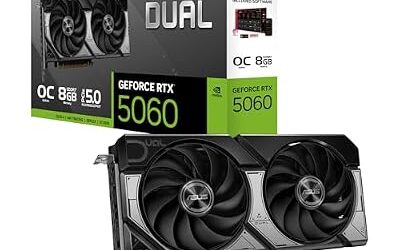
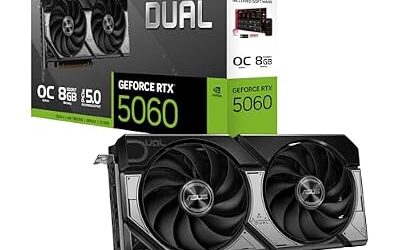
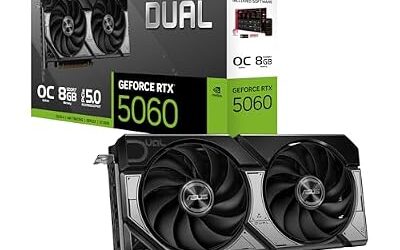
View on AmazonNvidia GeForce RTX 5060 – Best for 1080p on a Ryzen 5 budget build
8GB · Nvidia Blackwell · DLSS as Nvidia lists
The RTX 5060 pairs with entry Ryzen 5 chips for 1080p high refresh gaming. It is a sensible choice when the monitor is 1080p and the budget is tight. The 8GB of VRAM is the limit for newer games at higher settings.

ASUS Dual NVIDIA GeForce RTX 5060 8GB GDDR7 OC Edition (PCIe 5.0, 8GB GDDR7, DLSS 4, HDMI 2.1b, DisplayPort 2.1b, 2.5-Slot Design, Axial-tech Fan Design, 0dB Technology), 3 Year Warranty
Included for 'Best Graphics Cards to Pair With AMD Ryzen CPUs (Ryzen 5, 7 and 9)' as a representative home product in this roundup; selection reflects the product set returned for this topic.
View on AmazonAMD Radeon RX 9070 XT – Best for Ryzen 7 7800X3D and 9800X3D at 1440p and 4K
16GB · AMD RDNA 4 · 3 x DisplayPort 2.1 and 1 x HDMI 2.1 as listed by retail spec sources
The RX 9070 XT is the AMD value pick for X3D chips. Reviewers describe it as close to the RTX 5070 Ti in rasterized gaming, with the Nvidia card ahead in ray tracing. Both are comfortable at 1440p and entry 4K.

ASUS Prime Radeon RX 9070 XT 16GB GDDR6 OC Edition Gaming Graphics Card | PCIe 5.0, HDMI/DP 2.1, 2.5-Slot, Axial-tech Fans, Dual-Ball Fan Bearings, Dual BIOS, GPU Guard
Included for 'Best Graphics Cards to Pair With AMD Ryzen CPUs (Ryzen 5, 7 and 9)' as a representative home product in this roundup; selection reflects the product set returned for this topic.
View on AmazonNvidia GeForce RTX 5070 Ti – Best for Ryzen 7 X3D with ray tracing and creator apps
16GB · Nvidia Blackwell · DLSS 4 and multi frame generation as Nvidia lists
Several guides name the RTX 5070 Ti as the best-value partner for the Ryzen 7 9800X3D. It suits players who want ray tracing, DLSS and NVENC for streaming or editing, and it matches the memory of the RX 9070 XT.

MSI GeForce RTX 5070 Ti 16G Shadow 3X OC Gaming Graphics Card | 16GB GDDR7 (28Gbps/256-bit), PCIe 5, Boost: 2482 MHz, HDMI 2.1b, DisplayPort 2.1b DLSS 4.5
Included for 'Best Graphics Cards to Pair With AMD Ryzen CPUs (Ryzen 5, 7 and 9)' as a representative home product in this roundup; selection reflects the product set returned for this topic.
View on AmazonNvidia GeForce RTX 5080 – Best for Ryzen 7 9800X3D and Ryzen 9 at 4K
16GB · Nvidia Blackwell
The RTX 5080 is the step up when 4K at high settings is the target. Sources covering the 9800X3D frequently name it as the best overall pairing for 4K. It needs a case with space and a power supply that meets the card maker’s requirement.

ASUS Prime GeForce RTX 5080 16GB GDDR7 Gaming Graphics Card | SFF-Ready, PCIe 5.0, HDMI/DP 2.1, 2.5-slot, Axial-tech Fans, Vapor Chamber, Dual BIOS
Included for 'Best Graphics Cards to Pair With AMD Ryzen CPUs (Ryzen 5, 7 and 9)' as a representative home product in this roundup; selection reflects the product set returned for this topic.
View on AmazonNvidia GeForce RTX 5090 – Best for Ryzen 9 workstation and 4K enthusiast builds
32GB · Nvidia Blackwell
The RTX 5090 is the top of the consumer range and suits Ryzen 9 builds that mix 4K gaming with rendering or AI work. It is large and power-hungry, so follow Nvidia’s guidance for the 12V-2×6 power connector, seat it fully, and stop using it if there is heat damage at the connector.

ASUS TUF Gaming GeForce RTX 5090 32GB GDDR7 OC Edition Gaming Graphics Card | PCIe 5.0, HDMI/DP 2.1, 3.6-slot, Military-grade Components, Protective PCB Coating, Axial-tech Fans
Included for 'Best Graphics Cards to Pair With AMD Ryzen CPUs (Ryzen 5, 7 and 9)' as a representative home product in this roundup; selection reflects the product set returned for this topic.
View on AmazonBest Graphics Cards for Ryzen 7
The best graphics cards for Ryzen 7 are the Radeon RX 9070 XT and GeForce RTX 5070 Ti for 1440p, with the GeForce RTX 5080 for 4K. Ryzen 7 covers a wide range, from the older Ryzen 7 1700 and 5700X to the gaming-focused 7800X3D and 9800X3D, so the right card depends on which chip you own.
For X3D chips, reviewers report that the CPU is strong enough that the graphics card does most of the limiting at 1440p and 4K. That is why guides tend to recommend spending more on the GPU than on the CPU for these processors.
Best Graphics Cards for Ryzen 5
The best graphics cards for Ryzen 5 are the Radeon RX 9060 XT and GeForce RTX 5060 Ti, with the RTX 5060 for tight budgets. A Ryzen 5 7600 or 9600X is a good match for these mid-range cards at 1080p and 1440p. Moving to a card at the Radeon RX 9070 XT level can work, but some games at lower resolutions may become limited by the CPU.
A common mistake is to treat bottleneck calculators as precise. Bottlenecks depend on the game, resolution, settings and frame rate target, so use them only as a rough guide, and prefer reviewer results for the specific pairing you are considering.
Best Graphics Cards for Older Ryzen: 1700, 1600, 2600 and 3600
For older Ryzen chips such as the Ryzen 7 1700, Ryzen 5 1600, Ryzen 5 2600 and Ryzen 5 3600, a mid-range card at the Radeon RX 9060 XT or GeForce RTX 5060 level is usually the ceiling, and a previous-generation card may be a better fit. These are previous-generation AM4 processors that are still capable for 1080p and some 1440p gaming, but they can hold back faster modern cards, especially at lower resolutions.
- Ryzen 7 1700 and Ryzen 5 1600: First-generation Ryzen. Older boards may have PCIe 3.0 only, and some need BIOS updates for newer CPUs and features such as Resizable BAR. Check the board maker’s support list.
- Ryzen 5 2600: A step up, still suited to 1080p gaming with a mid-range card.
- Ryzen 5 3600: The most capable of the group, with PCIe 4.0 on supported boards. Pairs well with mid-range cards, and a drop-in upgrade to a Ryzen 5 5600 or 5700X3D can help if the platform allows, as the board maker lists.
Availability varies and new stock of AM4 hardware is limited. If you are upgrading an AM4 system, consider whether the graphics card or the CPU is the limit in the games you play before spending on either.
Pick X If… Decision Table
| If you have… | Pick | Why |
|---|---|---|
| Ryzen 5 7600 or 9600X, 1080p | GeForce RTX 5060 or RX 9060 XT | Balanced pairing at modest cost |
| Ryzen 5 7600 or 9600X, 1440p | RX 9060 XT 16GB or RTX 5060 Ti 16GB | 16GB of memory for newer games |
| Ryzen 7 7800X3D or 9800X3D, 1440p | RX 9070 XT or RTX 5070 Ti | Strong GPU for a strong gaming CPU |
| Ryzen 7 X3D, 4K | RTX 5080 | More headroom at 4K |
| Ryzen 9, creator and 4K | RTX 5080 or RTX 5090 | Power and memory for mixed work |
| Ryzen 5 3600 or 2600 | RTX 5060 or RX 9060 XT | Avoids pairing a very large GPU with an older CPU |
| Want AMD software features | Radeon RX 9000 series | Smart Access Memory support as AMD states |
Smart Access Memory and Resizable BAR on Ryzen
Smart Access Memory is AMD’s name for letting the CPU address the full graphics memory, and it relies on Resizable BAR. AMD lists support for Ryzen 3000 and newer processors with compatible 500 series and newer motherboards and Radeon cards. Nvidia and Intel Arc cards also support Resizable BAR on compatible platforms.
- Update the motherboard BIOS from the board maker’s support page.
- Enable Above 4G Decoding and Resizable BAR, or the equivalent options, in the BIOS. The menu names differ by maker, so refer to the manual.
- Install the latest graphics driver.
- Confirm the setting in the driver software or GPU utility.
Intel Arc cards in particular list Resizable BAR as strongly recommended, so the BIOS step matters if you choose one. Keep other BIOS settings at defaults, since changes can affect stability and warranty.
Resolution Targets: Matching Cards to Monitors
- 1080p high refresh: RTX 5060 or RX 9060 XT.
- 1440p: RTX 5060 Ti 16GB, RX 9060 XT 16GB, up to RX 9070 XT or RTX 5070 Ti for high refresh.
- 4K: RX 9070 XT, RTX 5070 Ti or RTX 5080 with upscaling, and RTX 5090 for the highest settings.
Upscalers such as AMD FSR, Nvidia DLSS and Intel XeSS can lift performance at 4K on all of these cards, and the choice partly depends on which games support which technology.
Alternatives Worth Considering
- Nvidia GeForce RTX 5070: A step between the RTX 5060 Ti and RTX 5070 Ti, suited to a Ryzen 5 7600 or Ryzen 7 7700 at 1440p when the larger cards feel excessive.
- AMD Radeon RX 9070: The non-XT sibling of the RX 9070 XT, with the same RDNA 4 feature set at a lower performance tier, as AMD lists.
- Intel Arc B580: A budget card with 12GB of memory that Intel lists as supporting Resizable BAR, which Ryzen boards generally offer. Reviewers note driver maturity is the thing to watch, and CPU overhead can matter more on older Ryzen chips.
- Previous-generation Radeon RX 7000 and GeForce RTX 40 cards: Still capable partners for Ryzen 5000 and 7000 systems. Availability varies and new stock is limited, so compare them against current mid-range cards before choosing.
Common Ryzen and GPU Pairing Mistakes
- Pairing a very large GPU with an old CPU for 1080p. Faster cards show less benefit when the processor sets the limit, which is more likely with first and second generation Ryzen.
- Ignoring VRAM. An 8GB card may be fine at 1080p but is a weaker choice for newer games at 1440p, so the 16GB versions of the RX 9060 XT and RTX 5060 Ti are the safer buy for that resolution.
- Skipping the BIOS update. Older AM4 boards may need a BIOS update before Resizable BAR or newer CPUs work, and the board maker’s support page lists what is needed.
- Underestimating the power supply. Check the card maker’s requirement for wattage and connectors, especially for the RTX 5080 and RTX 5090.
- Relying on a single bottleneck calculator. Treat any tool as a rough guide and look at reviewer results for the exact pair of parts.
Power Supply and Platform Notes
Check each card maker’s listed power supply requirement and connector type before buying, since the RTX 5080 and RTX 5090 in particular need strong supplies. Switch off and unplug before changing hardware, and do not open a power supply. If you have an older AM4 board with PCIe 3.0, current cards still work, though some reviewers note small performance differences on cards with narrower PCIe links, so check the card’s specified interface.
Frequently Asked Questions
What is the best graphics card for Ryzen 7?
The best graphics card for a Ryzen 7 depends on the chip and screen, but the Radeon RX 9070 XT and GeForce RTX 5070 Ti suit a Ryzen 7 7800X3D or 9800X3D at 1440p. The GeForce RTX 5080 is the step up for 4K. Older Ryzen 7 chips such as the 1700 are better matched with mid-range cards.
Is an AMD graphics card better with Ryzen?
Not necessarily. AMD promotes Smart Access Memory for Ryzen with Radeon cards, but Nvidia and Intel Arc cards also use Resizable BAR on compatible systems. Choose by performance, features and price tier rather than brand pairing alone.
What graphics card is best for a Ryzen 5 3600?
A mid-range card such as the Radeon RX 9060 XT or GeForce RTX 5060 is a sensible match for a Ryzen 5 3600 at 1080p and 1440p. Larger cards may be held back in some games, especially at 1080p. A CPU upgrade within the board’s support list can also help.
Is a Ryzen 5 1600 or 2600 still good for gaming?
They still run many games at 1080p, but they are previous-generation chips and can hold back modern graphics cards. A budget or mid-range card is the best fit. Consider a CPU upgrade if the board maker’s support list allows it.
Do I need to enable Smart Access Memory?
It is optional but worth enabling on supported systems, since AMD lists it as a performance feature for compatible Ryzen and Radeon combinations. It requires a BIOS setting that is named differently on each board. Check your motherboard manual and keep other BIOS settings at defaults.
Which graphics card pairs best with a Ryzen 7 9800X3D?
Reviewers commonly name the GeForce RTX 5070 Ti and Radeon RX 9070 XT for 1440p and the GeForce RTX 5080 for 4K. The 9800X3D is strong enough that the graphics card sets the performance limit in most games at those resolutions. The Radeon RX 9060 XT 16GB is a lower-cost 1440p option.