🛒 Best Price Today on Amazon
Prime members get fast, free shipping on everything above, plus member-only deals. New members get a 30-day free trial — cancel anytime.
- Best Motherboards for Ryzen 7 at a Glance
- Which Chipset Suits a Ryzen 7 on AM5?
- Best Motherboards for Ryzen 7 9800X3D, 7800X3D, 9700X and 7700
- Best Motherboards for Ryzen 7 on AM4 (5700X3D, 5800X3D, 5800X)
- What to Look For: VRM, BIOS Flashback, DDR5 and M.2
- Ryzen 7 Model Guide: Which Chip Needs Which Board Features
- Looking for 9700K, 7700K or i7 Motherboards?
- Pick Which Ryzen 7 Board If…
- Compatibility Notes Before You Buy
- Alternatives
- Frequently Asked Questions
Updated November 2026 – The best motherboards for Ryzen 7 CPUs are the MSI MAG B850 Tomahawk MAX WiFi and Gigabyte B850 Aorus Elite WiFi7 for most AM5 builds with a 7700, 7800X3D, 9700X or 9800X3D, the MSI MAG X870 Tomahawk WiFi when USB4 matters, and a B550 or X570 board for an AM4 Ryzen 7 5700X3D or 5800X3D.
Ryzen 7 spans two sockets. On AM5 it covers the Ryzen 7 7700, 7800X3D, 9700X and 9800X3D, which pair with B650, B850, X670 and X870 boards and DDR5 memory. On AM4 it covers the Ryzen 7 5700X, 5700X3D, 5800X and 5800X3D, which pair with B550 and X570 boards and DDR4. This guide picks the best motherboards for Ryzen 7 on each socket, explains which VRM, BIOS Flashback and M.2 features matter, and covers small-form-factor options and the older Intel i7 board questions that often get mixed into this search.
Best Motherboards for Ryzen 7 at a Glance
| Board | Socket / chipset | Tier | Best for | Stated features (as reported) |
|---|---|---|---|---|
| MSI MAG B850 Tomahawk MAX WiFi | AM5 / B850 | Mid-range | Best value for 9800X3D and 9700X | Four M.2, 5GbE, Wi-Fi 7, BIOS Flash Button |
| Gigabyte B850 Aorus Elite WiFi7 | AM5 / B850 | Mid-range | Strong power delivery, long warranty | 14+2+2 design, three M.2, Wi-Fi 7, five-year warranty |
| Asus TUF Gaming B850-Plus WiFi | AM5 / B850 | Budget / mid-range | Value Ryzen 7 build | Three M.2, 2.5GbE, Wi-Fi 7, BIOS FlashBack |
| MSI MAG X870 Tomahawk WiFi | AM5 / X870 | Mid-range | Builders who need USB4 | USB4, Wi-Fi 7 |
| MSI PRO X870-P WiFi | AM5 / X870 | Mid-range | Plain full-size X870 build | Named a top full-size pick in one guide |
| Asus ROG Strix X870-A Gaming WiFi | AM5 / X870 | Premium | Feature-rich gaming build | Premium Asus design |
| Asus ROG Crosshair X870E Hero | AM5 / X870E | Premium | Enthusiast Ryzen 7 with Ryzen 9 upgrade room | Flagship-class feature set |
| Gigabyte B850I Aorus Pro | AM5 / B850, Mini-ITX | Mid-range | Best ryzen ITX motherboard pick | Mini-ITX, compact build |
| MSI MAG B550 Tomahawk | AM4 / B550 | Budget / mid-range | Ryzen 7 5700X3D or 5800X3D upgrade | Previous-generation platform |
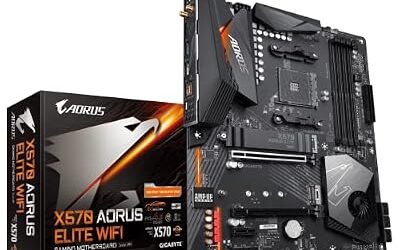
| Gigabyte X570 Aorus Elite | AM4 / X570 | Mid-range | AM4 with more PCIe 4.0 expansion | 12+2 digital VRM as reported |
Feature lists are drawn from independent roundups; always confirm the final spec on the board maker’s page, since regional variants differ.
Which Chipset Suits a Ryzen 7 on AM5?
Most 2026 guides agree that B850 is the best balance for a Ryzen 7 gaming build. A quality B850 board runs the 9800X3D at stock gaming performance, and a properly updated B650 board can too. X870 and X870E suit buyers who need USB4, more high-speed expansion, more M.2 slots or premium connectivity. For a gaming-focused Ryzen 7 there is no need to pay for X870E unless those extras will be used.
- B650: still capable, often cheaper, and usually fine after a BIOS update for newer chips.
- B850: the usual recommendation, with PCIe 5.0 graphics support and modern connectivity.
- X870 / X870E: USB4, extra lanes and richer layouts for creators and enthusiasts.
- X670: the earlier high-end tier, still compatible with Ryzen 9000 on a current BIOS.
Best Motherboards for Ryzen 7 9800X3D, 7800X3D, 9700X and 7700
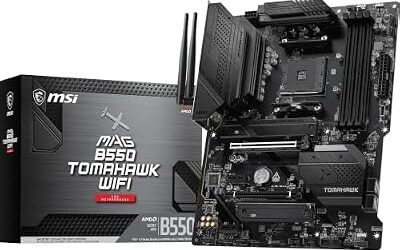
MSI MAG B850 Tomahawk MAX WiFi – Best value for a Ryzen 7 9800X3D
AM5 · B850 · DDR5 · four M.2 · Wi-Fi 7 · 5Gb Ethernet · BIOS Flash Button
Several guides call this the best value or best overall ATX board for the 9800X3D. The four M.2 sockets give room to grow, and the BIOS Flash Button lets a board be updated without an older CPU installed. It is the default pick for a 9700X or a 7800X3D as well.

MSI MAG B850 Tomahawk MAX WiFi Motherboard, ATX - Supports AMD Ryzen 9000/8000 / 7000 Processors, AM5-80A SPS VRM, DDR5 Memory Boost 8400+ MT/s (OC), PCIe 5.0 x16, M.2 Gen5, Wi-Fi 7, 5G LAN
Included for 'Best Motherboards for Ryzen 7 CPUs in 2026 (AM5 and AM4)' as a representative home product in this roundup; selection reflects the product set returned for this topic.
View on AmazonGigabyte B850 Aorus Elite WiFi7 – Best for power delivery and warranty
AM5 · B850 · DDR5 · 14+2+2 power design · three M.2 · Wi-Fi 7 · five-year warranty
Named best overall in two guides, this board reports a 14+2+2 power design and a five-year warranty. A strong VRM leaves headroom if a future upgrade is a Ryzen 9, and the warranty length counts for buyers who plan to keep the platform for years.

GIGABYTE B850 AORUS Elite WIFI7 AMD AM5 ATX Motherboard, Support AMD Ryzen 9000/8000/7000 Series, DDR5, 14+2+2 Power Phase, 3X M.2, PCIe 5.0, USB-C, WIFI7, 2.5GbE LAN, EZ-Latch, 5-Year Warranty
Included for 'Best Motherboards for Ryzen 7 CPUs in 2026 (AM5 and AM4)' as a representative home product in this roundup; selection reflects the product set returned for this topic.
View on AmazonAsus TUF Gaming B850-Plus WiFi – Best budget-friendly B850 board
AM5 · B850 · DDR5 · three M.2 · 2.5GbE · Wi-Fi 7 · BIOS FlashBack
A value choice that still includes BIOS FlashBack and modern wireless. It pairs well with a Ryzen 7 7700 or 9700X where savings go toward the graphics card.

ASUS TUF Gaming B850-PLUS WiFi AMD AM5 B850 ATX Motherboard, 14+2+1 80A Stages, AI Ready, DDR5, PCIe 5.0, 3X M.2, Wi-Fi 7, 2.5Gb LAN, DisplayPort, HDMI™, USB 10Gbps & 20Gbps Type-C®, BIOS Flashback™
Included for 'Best Motherboards for Ryzen 7 CPUs in 2026 (AM5 and AM4)' as a representative home product in this roundup; selection reflects the product set returned for this topic.
View on AmazonMSI MAG X870 Tomahawk WiFi – Best for USB4
AM5 · X870 · DDR5 · USB4 · Wi-Fi 7
One guide calls this the best board for most people when USB4 is needed, with the B850 Tomahawk MAX as the value alternative if it can be skipped. It suits a Ryzen 7 build that doubles as a creator machine with fast external storage.
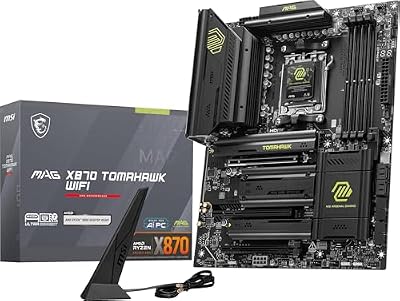
MSI MAG X870 Tomahawk WiFi Gaming Motherboard (AMD Ryzen 9000/8000/7000 Series Processors, AM5, DDR5, PCIe 5.0, M.2 Gen5, SATA 6Gb/s, USB 40Gbps, HDMI/DP, Wi-Fi 7, Bluetooth 5.4, 5Gbps LAN, ATX)
Included for 'Best Motherboards for Ryzen 7 CPUs in 2026 (AM5 and AM4)' as a representative home product in this roundup; selection reflects the product set returned for this topic.
View on AmazonMSI PRO X870-P WiFi – Best plain full-size X870 build
AM5 · X870 · DDR5 · WiFi
One roundup names this its top pick for a normal full-size build. It does not chase flashy extras, which makes it a reasonable base for a quiet, no-nonsense Ryzen 7 system.

MSI PRO X870-P WiFi ProSeries Motherboard (AMD Ryzen 9000/8000/7000 Series Processors, AM5, DDR5, PCIe 5.0, M.2 Gen5, SATA 6Gb/s, USB 40Gbps, HDMI/DP, Wi-Fi 7, Bluetooth 5.4, 5Gbps LAN, ATX)
Included for 'Best Motherboards for Ryzen 7 CPUs in 2026 (AM5 and AM4)' as a representative home product in this roundup; selection reflects the product set returned for this topic.
View on AmazonAsus ROG Strix X870-A Gaming WiFi – Best premium mid-tier Asus board
AM5 · X870 · DDR5 · WiFi · premium styling
Guides list this among the premium choices. It is a fit for a high-end Ryzen 7 gaming build with a high-end graphics card.

ASUS ROG Strix X870-A Gaming WiFi AMD AM5 X870 ATX Motherboard 16+2+2 Power Stages, Dynamic OC Switcher, Core Flex, DDR5 AEMP, WiFi 7, 4X M.2, PCIe® 5.0, Q-Release Slim, USB4®, AI OCing & Networking
Included for 'Best Motherboards for Ryzen 7 CPUs in 2026 (AM5 and AM4)' as a representative home product in this roundup; selection reflects the product set returned for this topic.
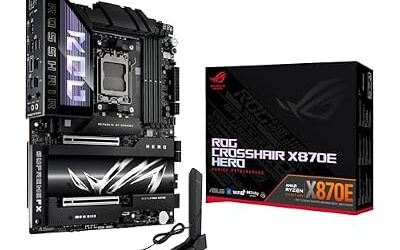
View on AmazonAsus ROG Crosshair X870E Hero – Best for enthusiast Ryzen 7 builds with upgrade room
AM5 · X870E · DDR5 · flagship-class features
The other premium name that comes up often. It suits a Ryzen 7 buyer who may later move to a Ryzen 9 and wants a board that will not limit that step.

ASUS ROG Crosshair X870E Hero AMD X870E AM5 ATX Motherboard, Advanced AI PC Ready, 18+2+2 Power Stages, DDR5, PCIe® 5.0, 5X M.2, Wi-Fi 7, USB4®, Overclocking, Core Flex, Slot Q-Release Slim
Included for 'Best Motherboards for Ryzen 7 CPUs in 2026 (AM5 and AM4)' as a representative home product in this roundup; selection reflects the product set returned for this topic.
View on AmazonGigabyte B850I Aorus Pro – Best Mini-ITX board for Ryzen 7
AM5 · B850 · Mini-ITX · DDR5
Guides name this the Mini-ITX pick, and the Gigabyte B850M Gaming X WiFi6E is listed as the micro-ATX pick. For the best Ryzen ITX motherboard setup, keep the CPU cooler modest and plan the case airflow, since compact boards have tighter VRM and M.2 cooling. The ROG Strix B850-G is a white micro-ATX option for light-themed builds.

GIGABYTE B850I AORUS PRO Motherboard - AMD Ryzen 9000 Series CPUs, 8+2+1 Phases Digital VRM, up to 8400MHz DDR5 (OC), 1xPCIe 5.0 + 1xPCIe 4.0 M.2, 2.5LAN, WiFi 7, USB 3.2 Gen 2
Included for 'Best Motherboards for Ryzen 7 CPUs in 2026 (AM5 and AM4)' as a representative home product in this roundup; selection reflects the product set returned for this topic.
View on AmazonBest Motherboards for Ryzen 7 on AM4 (5700X3D, 5800X3D, 5800X)
AM4 is a previous-generation platform with DDR4 and PCIe 4.0. It still suits upgrades: a Ryzen 7 5800X3D or 5700X3D in an existing B550 or X570 system is a low-cost way to refresh a PC. Availability varies and new stock is limited, so many boards are second-hand.
MSI MAG B550 Tomahawk – Best for a Ryzen 7 5800X3D upgrade on a budget
AM4 · B550 · DDR4 · PCIe 4.0
A common choice for best motherboards for 5800X searches. Check the board maker’s CPU support list, since an older unit may need a BIOS update before a 5800X3D boots.
Gigabyte X570 Aorus Elite – Best AM4 board for expansion and cooling
AM4 · X570 · DDR4 · PCIe 4.0 · 12+2 digital VRM (as reported)
One roundup reports the Elite’s VRM stays well below 70 degrees Celsius during sustained renders. X570 adds more PCIe 4.0 lanes than B550 and usually a chipset fan, so check clearance beneath a long graphics card.
What to Look For: VRM, BIOS Flashback, DDR5 and M.2
VRM and cooling
A Ryzen 7 draws moderate power compared with a Ryzen 9, so a mid-range VRM with a real heatsink is enough. A board in the 12+2 class or higher leaves room for upgrades. Airflow across the VRM matters as much as phase count.
BIOS Flashback
A Flash Button or FlashBack feature lets a board update its BIOS from a USB drive without a working CPU. It is valuable when a board may have shipped before the processor it will host. Look for it on the MSI MAG B850 Tomahawk MAX and the Asus TUF B850-Plus.
DDR5 memory
AM5 uses DDR5 only. One 2026 guide suggests DDR5-6000 with CL30 timings as the sweet spot for Ryzen. XMP or EXPO profiles are overclocks in warranty terms, so update the BIOS first and keep settings conservative.
M.2 slots and PCIe
Most gaming builds need two or three M.2 slots. Boards with four, like the MAG B850 Tomahawk MAX, suit bigger libraries. A PCIe 5.0 graphics slot and a PCIe 5.0 M.2 slot are present on current AM5 tiers; read the manual for lane-sharing between M.2 sockets and other ports.
Ryzen 7 Model Guide: Which Chip Needs Which Board Features
The four AM5 Ryzen 7 chips do not stress a motherboard equally. The Ryzen 7 7700 and 9700X are efficient eight-core parts, and they are generally described as undemanding on power delivery, so even a budget-tier B850 or B650 board with a basic heatsink handles them comfortably. The Ryzen 7 7800X3D and 9800X3D add stacked cache for gaming; they are also eight-core parts, and the board matters mostly for firmware quality and memory compatibility rather than raw power delivery. For all four, a mid-range board is an appropriate ceiling unless a Ryzen 9 upgrade is on the cards.
On AM4, the Ryzen 7 5700X and 5800X are conventional eight-core parts, while the 5700X3D and 5800X3D are the cache-stacked gaming chips. For the AM4 X3D parts, extra VRM headroom buys little because they are used mainly for gaming at stock settings. What matters is a BIOS recent enough to support the processor and a board in good condition.
When two boards look similar, use these tie-breakers in order: the BIOS update method (a Flash Button or FlashBack feature is the safest), the number and generation of M.2 slots, the quality of the VRM heatsink, rear I/O such as USB ports and wired networking, and the warranty period the maker lists. Wireless standard is a lesser concern, since Wi-Fi 6E and Wi-Fi 7 are both fine for gaming and a wired connection is the better choice for latency-sensitive play.
Finally, consider where the system is going. A builder who wants a quiet, small, low-power Ryzen 7 machine should prioritize a Mini-ITX or micro-ATX board and a restrained CPU cooler. A builder planning a capture card, several NVMe drives and a large graphics card should prioritize slot spacing and lane layout, and read the manual’s sharing table to see which sockets switch off when others are populated. Reviewers often note that a board with fewer headline features but cleaner firmware is the better daily driver, so recent BIOS release notes on the maker’s support page are worth reading before purchase.
Looking for 9700K, 7700K or i7 Motherboards?
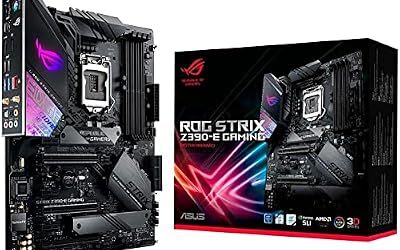
Some of the searches behind this topic are about Intel Core i7 chips, not Ryzen 7. The Core i7-7700K uses the LGA1151 socket with Z270 or Z170 boards, and the Core i7-9700K uses LGA1151 with Z370 or Z390 boards. These are previous-generation platforms with DDR4 and are relevant only for upgrades and used builds. A 9700K on a Z370 board may need a BIOS update, so check the board maker’s CPU support list. For a new build, choose a Ryzen 7 on AM5 or a current Intel platform instead.
Pick Which Ryzen 7 Board If…
| Pick this if you… | Choose | Why |
|---|---|---|
| Want the best value for a 9800X3D or 9700X | MSI MAG B850 Tomahawk MAX WiFi | Four M.2, Wi-Fi 7, Flash Button |
| Want power-delivery headroom and a long warranty | Gigabyte B850 Aorus Elite WiFi7 | Reported 14+2+2 design, five-year warranty |
| Need USB4 | MSI MAG X870 Tomahawk WiFi | USB4 at mid-range tier |
| Have a tight budget | Asus TUF Gaming B850-Plus WiFi | Wi-Fi 7 and FlashBack at lower tier |
| Build a small case | Gigabyte B850I Aorus Pro or B850M Gaming X WiFi6E | Mini-ITX and micro-ATX options |
| Upgrade an AM4 PC to 5800X3D | MSI MAG B550 Tomahawk or Gigabyte X570 Aorus Elite | Previous-generation, upgrade-friendly |
| Want a premium flagship feel | ROG Crosshair X870E Hero | Top-end features |
Compatibility Notes Before You Buy
- Socket: AM5 and AM4 are not interchangeable. AM5 needs DDR5; AM4 needs DDR4.
- BIOS: current B850, X870 and X870E stock should generally recognize a 9800X3D, but flashing the newest stable BIOS is still advised for memory compatibility and fixes.
- Brand caution: one guide discusses 9800X3D failure reports on ASRock boards and a BIOS developed with AMD to address them. Read the maker’s latest BIOS notes before buying any board for an X3D chip.
- Cooler fit: AM5 coolers use the same mounting holes as AM4 in many cases, but confirm with the cooler maker.
- Case size: confirm ATX, micro-ATX or Mini-ITX support.
Alternatives
If the main picks are unavailable, consider the ASUS TUF Gaming B850-Plus WiFi for value, a PRO or Gaming Plus tier B850 from MSI for tighter budgets, or a well-reviewed B650 board with a current BIOS for a Ryzen 7 7700 or 7800X3D. Previous-generation AM4 boards remain an upgrade path for existing owners.
Frequently Asked Questions
What is the best motherboard for a Ryzen 7 9800X3D?
The MSI MAG B850 Tomahawk MAX WiFi and Gigabyte B850 Aorus Elite WiFi7 are the most recommended value picks. The MAG X870 Tomahawk WiFi is preferred when USB4 is needed. Flash the latest BIOS before use.
Do I need X870E for a Ryzen 7?
No. Guides generally say X870E is unnecessary for gaming and a quality B850 board is enough. X870 and X870E matter for USB4, extra M.2 slots and premium connectivity.
What are the best motherboards for a Ryzen 7 5800X?
On AM4, a MAG B550 Tomahawk suits most builds, and a Gigabyte X570 Aorus Elite adds more PCIe 4.0 expansion. Check the board maker’s CPU support list, since older boards may need a BIOS update.
What is the best Ryzen ITX motherboard?
The Gigabyte B850I Aorus Pro is the Mini-ITX pick named in recent guides. Compact boards run tighter on VRM and M.2 cooling, so pair them with a modest cooler and good case airflow.
Do Ryzen 7 boards need a BIOS update?
Current B850, X870 and X870E stock should generally recognize a 9800X3D, but older B650 and X670 boards or used AM4 boards may need one. A BIOS Flash Button or FlashBack feature allows updating without a CPU installed.
Which motherboards fit a Core i7-9700K or i7-7700K?
Those are Intel chips using the LGA1151 socket, with Z270 or Z170 boards for the 7700K and Z370 or Z390 boards for the 9700K. They are previous-generation platforms, so check the maker’s CPU support list and BIOS version for any used board.