🛒 Best Price Today on Amazon
Prime members get fast, free shipping on everything above, plus member-only deals. New members get a 30-day free trial — cancel anytime.
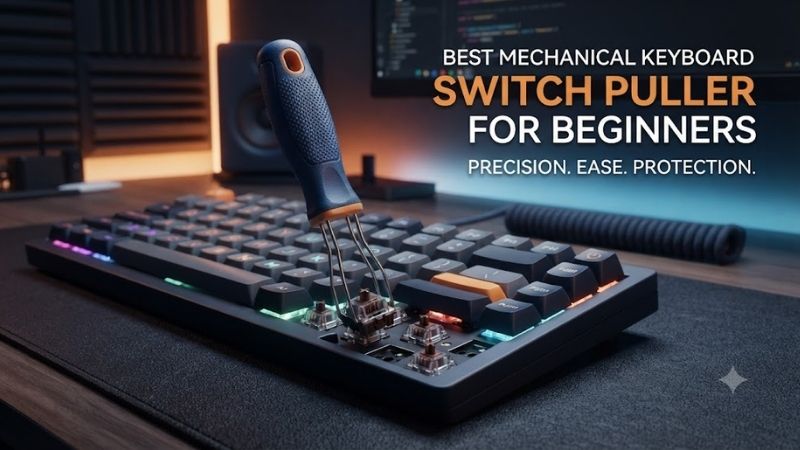
Replacing mechanical keyboard switches can be a straightforward upgrade, but using the wrong removal tool can damage switch clips, bend metal pins, or stress hot-swap sockets. The best mechanical keyboard switch puller for beginners should provide secure grip, predictable pressure, and enough control to remove switches without forcing them.
Quick Verdict: Which Switch Puller Should Beginners Choose?
Beginners should prioritize a puller that grips both switch retention clips evenly and keeps the extraction force aligned with the switch body. Dedicated switch pullers are useful for frequent modifications, while combination tools offer additional convenience by incorporating a separate keycap-removal function.
Best overall: Keychron 2-in-1 Switch and Keycap Puller
Best alternative: Gateron Switch and Keycap Puller
Best traditional design: Stainless Steel IC-Style Switch Puller
Best compact option: KBDfans Switch and Keycaps Puller
Best affordable tool: Generic Metal MX Switch Puller
Best for a starter toolkit: Precision Keyboard Maintenance Kit with Switch Puller
Quick Comparison Table
| Product | Tool design | Best for | Main limitation |
|---|---|---|---|
| Keychron 2-in-1 | Dual-function clamp | First-time customization | Not for low-profile switches |
| Gateron Switch and Keycap Puller | Dual-function tool | Routine switch swaps | Requires correct alignment |
| Stainless Steel IC-Style | Spring-metal extractor | Large switch batches | Hand fatigue |
| KBDfans Combination Puller | Compact multifunction | Small maintenance kits | Grip varies by version |
| Generic Metal MX Puller | Simple metal prongs | Occasional replacements | Quality varies |
| Precision Maintenance Kit | Multiple tools | Complete beginner setup | Component quality varies |
How We Selected These Switch Pullers
We focused on tools intended to extract complete mechanical switches rather than open their internal housings. The distinction matters because a switch puller releases the switch from the keyboard plate, while a switch opener separates the upper and lower housings for lubrication, spring replacement, or other internal modifications.
Selection also considered grip geometry, ease of alignment, beginner usability, portability, and compatibility with ordinary MX-style mechanical switches. Products designed for low-profile or proprietary switch systems require separate verification because the latch positions can differ substantially.
The 6 Best Mechanical Keyboard Switch Pullers for Beginners
Switch removal should be controlled rather than forceful. A properly fitted puller engages the retention clips at opposite ends of the switch, releases them from the plate, and allows the switch to move upward along its installation axis. Each product below offers a different balance of convenience, simplicity, and handling comfort.
Keychron 2-in-1 Switch and Keycap Puller – Best Overall
The Keychron 2-in-1 Switch and Keycap Puller is an appealing starting point for beginners because it combines two commonly required keyboard-maintenance functions. Its specialized switch clamp is designed to engage the switch’s upper and lower retention clips, while the opposite end provides a wire-based keycap puller.
Best for: Beginners who own compatible hot-swappable mechanical keyboards.
Key features
-
Combined switch and keycap removal
-
Specialized switch-gripping mechanism
-
Engineering-plastic construction
-
Compact tool design
-
Release-button mechanism
-
Designed for ordinary compatible mechanical switches
Design and operation
The tool’s central advantage is convenience. A beginner replacing switches normally needs to remove the keycaps first and then extract the switches underneath.
A combined design provides both functions without requiring two unrelated accessories.
The wire-loop end can remove keycaps while limiting contact with their visible sidewalls. The switch-gripping mechanism then engages the retention clips on the switch housing.
This sequence is especially useful when replacing an entire keyboard’s switches because it reduces tool changes during the process.
Practical performance
For correct extraction, both switch clips must be disengaged from the keyboard plate before upward force is applied.
The Keychron design aims to make this operation easier to control than improvised removal with tweezers.
However, users should not assume the clamp can extract every switch type. Keychron explicitly warns that its switch puller is not intended for low-profile switches.
Advantages
-
Two useful functions
-
Compact design
-
Beginner-friendly concept
-
Reduces the need for separate accessories
-
Suitable for regular switch customization
Limitations
-
Not intended for low-profile switch removal
-
Requires correct alignment with the switch clips
-
Does not make a soldered keyboard hot-swappable
Buy If: You are starting mechanical keyboard customization and want one tool for compatible keycaps and switches.
Skip If: Your keyboard uses low-profile switches or a nonstandard retention mechanism.
Gateron Switch and Keycap Puller – Best Alternative for MX Switches
The Gateron Switch and Keycap Puller provides another convenient combination of switch extraction and keycap removal. It is particularly relevant to keyboard owners who already use conventional Gateron or other compatible MX-style mechanical switches and want a compact maintenance accessory.
Best for: Owners of standard-height MX hot-swappable keyboards.
Construction and usability
The Gateron tool is designed to support two separate operations without requiring a large toolkit.
One function removes the keycap, exposing the switch housing. The other grips the appropriate retention points and assists with extraction from the plate.
This design can be convenient for beginners because it keeps the essential maintenance process organized.
However, a combined tool does not automatically offer better extraction force than a traditional metal switch puller.
The quality of the grip and the user’s ability to align the tool remain decisive.
Switch compatibility
Gateron manufactures several different switch families, including conventional mechanical switches and designs with different physical structures.
The presence of the Gateron brand does not establish compatibility with every Gateron product.
Before removing a switch, identify its housing clips and determine whether the keyboard supports hot swapping.
What makes it different
The Gateron tool is intended as a general keyboard customization accessory rather than an improvised electronic-component extractor.
It is useful when users frequently switch between keycap and switch replacement.
Advantages
-
Dual-purpose construction
-
Compact design
-
Suitable for compatible MX-style switches
-
Convenient for keyboard maintenance
Limitations
-
Not a universal switch extractor
-
Correct positioning is essential
-
More complex than a simple metal puller
Buy If: You want a compact combination tool for standard mechanical keyboard maintenance.
Skip If: You already own a satisfactory keycap puller and only need a dedicated switch extractor.
Stainless Steel IC-Style Switch Puller – Best Traditional Design
A stainless steel IC-style switch puller is one of the simplest tools for removing compatible mechanical switches. Its spring-metal construction uses two opposing gripping ends, allowing the user to squeeze the switch’s retention clips and lift the housing from the keyboard plate.
Best for: Beginners who prefer straightforward tools with minimal moving parts.
Design and functionality
Traditional switch pullers are essentially specialized spring clips.
Their geometry is intended to reach the switch housing’s retention points while leaving enough room for the user to grip and extract the switch.
The tool must have the appropriate tip shape. Not every integrated-circuit extractor sold for electronic components is suitable for keyboard switches.
A poorly matched extractor may slip off the switch housing or apply force to an unsupported area.
Real-world usage
Once the keycap has been removed, place the two ends of the puller against the switch’s retention clips.
Apply pressure until both clips disengage from the plate.
Then lift the switch vertically.
If the switch remains firmly attached, do not increase force immediately. Confirm that the clips have released and inspect whether the switch is soldered.
Why beginners may appreciate it
The simple construction makes the operation easy to understand.
There are no additional adjustment mechanisms, and the tool can be stored in a small maintenance kit.
The trade-off is comfort. Repeated squeezing can become tiring when replacing large numbers of switches.
Advantages
-
Simple operation
-
Compact storage
-
Minimal mechanical complexity
-
Useful for occasional switch replacement
Limitations
-
Grip comfort depends on the specific design
-
Sharp or poorly finished tips can damage plastic
-
Repeated use may cause finger fatigue
Buy If: You want a straightforward tool for occasional compatible switch removal.
Skip If: You plan to replace large switch batches regularly and prioritize ergonomic handling.
KBDfans Switch and Keycaps Puller – Best Compact Tool
The KBDfans Switch and Keycaps Puller is a practical option for enthusiasts who want a compact accessory for keyboard modifications. Its combined functionality makes it relevant to users with limited workspace or those who prefer carrying a small maintenance kit.
Best for: Compact setups and occasional hot-swap keyboard modifications.
Design considerations
A compact combination tool reduces the number of accessories required for basic keyboard maintenance.
This is useful when the keyboard is being modified away from a dedicated workstation.
However, the smaller handling area may provide less leverage than a larger ergonomic puller.
When removing stubborn switches, the operator should avoid compensating for limited grip by pulling at an angle.
Compatibility and extraction
The correct use depends on aligning the switch-removal end with the two housing clips.
A switch may resist extraction if its clips remain locked into the plate.
The tool should release the clips before significant upward pressure is applied.
If extraction requires unusual force, inspect the switch rather than repeatedly pulling harder.
Advantages
-
Compact construction
-
Combines essential maintenance functions
-
Convenient for small toolkits
-
Suitable for occasional modifications
Limitations
-
Limited grip comfort during long sessions
-
Exact construction varies by version
-
Not suitable for every switch family
Buy If: You want a portable maintenance tool for a compatible MX-style keyboard.
Skip If: You need a larger handle for frequent full-board switch replacement.
Generic Metal MX Switch Puller – Best Budget Option
A generic metal MX switch puller can be a reasonable choice for beginners who only intend to replace a few switches. The most important characteristics are correctly shaped gripping ends, smooth edges, and enough spring tension to release the housing clips without slipping.
Best for: Budget-conscious users performing occasional switch replacement.
Performance considerations
A low-cost metal puller can perform the same basic function as a more expensive accessory when its geometry is correct.
However, generic tools can differ substantially in manufacturing quality.
Some may have rough edges or poorly aligned tips that make extraction difficult.
Others may be too flexible to maintain a secure grip on a stubborn switch.
How to evaluate quality
Inspect the tips carefully.
They should contact the switch housing clips without scraping the surrounding keyboard plate.
The spring tension should be sufficient to hold the tool against the housing but not so stiff that it requires excessive hand pressure.
For expensive keyboards, a questionable tool is not worth the risk of damaging the plate or switch housing.
Advantages
-
Simple and inexpensive
-
Compact design
-
Suitable for basic MX switch extraction
-
Easy to replace
Limitations
-
Manufacturing tolerances vary
-
Poorly finished edges may cause damage
-
Less predictable quality than documented branded options
Buy If: You only need to replace a few conventional switches and can inspect the tool’s quality.
Skip If: You regularly work on expensive custom keyboards.
Precision Keyboard Maintenance Kit – Best Complete Beginner Setup
A precision mechanical keyboard maintenance kit containing a dedicated switch puller, wire keycap puller, cleaning brush, and small storage accessories can simplify the first customization project. The advantage is having the necessary tools available before removing the keyboard’s components.
Best for: First-time enthusiasts planning several modifications.
Why a toolkit can be useful
Switch removal is rarely the only task involved in keyboard customization.
Most projects also require removing keycaps, organizing replacement switches, checking metal pins, and cleaning the plate.
A complete kit can reduce interruptions and help prevent improvised work with unsuitable tools.
However, not every included accessory will be equally useful.
The switch puller itself should still be evaluated for proper clip engagement and comfortable handling.
Practical limitations
A large accessory bundle does not necessarily provide better value than two high-quality dedicated tools.
Some kits emphasize quantity over durability.
Beginners should prioritize a reliable switch puller and keycap puller before purchasing extra accessories intended for advanced lubrication or modification.
Advantages
-
Multiple useful maintenance tools
-
Convenient for beginners
-
Supports broader keyboard customization
-
Helps organize a first project
Limitations
-
Component quality varies
-
Some included tools may be unnecessary
-
Exact kit contents require verification
Buy If: You plan to clean, modify, and replace switches on a compatible hot-swap keyboard.
Skip If: You already have the essential maintenance tools.
Buying Guide: How to Choose a Mechanical Keyboard Switch Puller
Choosing a switch puller requires understanding the extraction process and the physical structure of the keyboard. The most important question is not whether the tool looks comfortable, but whether it engages the correct retention clips and supports safe extraction from the specific keyboard plate.
Check Whether Your Keyboard Is Hot-Swappable
A hot-swappable keyboard uses sockets that allow compatible switches to be removed and replaced without desoldering.
A soldered keyboard permanently connects its switches to the circuit board until the solder joints are properly removed.
A switch puller cannot safely extract a soldered switch simply by applying additional force.
Attempting this can damage the switch, PCB, or solder joints.
Before purchasing a puller, check the keyboard manufacturer’s specifications.
If the keyboard is not hot-swappable, switch replacement requires a different repair process.
Understand Switch Clip Placement
Conventional MX-style switches normally have retention clips that secure the switch housing to the keyboard plate.
A suitable switch puller presses those clips inward so the housing can move upward.
Incorrect positioning can cause the puller to scrape the plate or squeeze the wrong part of the housing.
This is particularly important when the keyboard has a tight plate opening.
Beginners should examine a replacement switch outside the keyboard to understand where the retention clips are located.
Avoid Bent Switch Pins
Mechanical switch pins are relatively delicate.
During extraction, pulling at an angle can cause the switch to tilt while its pins remain engaged in the socket.
The result may be bent pins or unnecessary stress on the hot-swap connector.
Keep the switch aligned with its original installation axis.
After removal, inspect the pins before storing or reinstalling the switch.
Bent pins should not be forced into a socket.
Choose Between Dedicated and Combination Pullers
A dedicated switch puller performs one task and may provide a comfortable grip for repeated extraction.
A combination tool includes both switch and keycap removal functions.
For beginners who own neither tool, a combination design can be convenient.
For enthusiasts replacing hundreds of switches, a larger dedicated extractor may be more comfortable.
The best choice depends on how often the tool will be used.
How to Remove Mechanical Keyboard Switches Safely
A controlled removal procedure reduces the chance of damaging the keyboard.
-
Disconnect the keyboard from power.
-
Remove the keycap with a suitable keycap puller.
-
Identify the switch retention clips.
-
Position the switch puller against both clips.
-
Apply enough pressure to release the clips.
-
Pull the switch vertically without twisting.
-
Inspect the switch pins and socket.
If the switch remains stuck, stop and examine the installation.
Do not use a screwdriver to pry against the PCB or keyboard plate.
Frequently Asked Questions
Can I remove mechanical keyboard switches without a puller?
Improvised removal is possible in some circumstances, but a suitable puller is safer and more predictable.
Can a switch puller damage hot-swap sockets?
Yes. Excessive force, incorrect alignment, or angled extraction can damage switches or sockets.
Is a switch opener the same as a switch puller?
No. A switch puller extracts the switch from the keyboard. A switch opener separates its housing components.
Can I remove low-profile switches with a standard MX puller?
Not always. Low-profile designs can use different clips and dimensions.
Do I need to remove keycaps first?
Usually, yes. Removing the keycap exposes the housing and provides access to the retention clips.
How often can I replace hot-swappable switches?
The limit depends on the socket’s design and condition. Repeated replacement creates mechanical wear, so avoid unnecessary removal.
Final Verdict
The Keychron 2-in-1 Switch and Keycap Puller is a strong beginner option because it combines essential maintenance functions in a compact design. Gateron’s alternative is similarly practical, while traditional metal pullers suit occasional work. Always verify hot-swap support and release both retention clips before extracting a switch.