🛒 Best Price Today on Amazon
Prime members get fast, free shipping on everything above, plus member-only deals. New members get a 30-day free trial — cancel anytime.
Tight PBT keycaps can be difficult to remove without placing unnecessary stress on the switch stem or keycap walls. Choosing the best keycap puller for tight PBT keycaps makes keyboard cleaning and customization safer. This guide compares six tools that offer different advantages for careful, controlled removal.
Quick Verdict: Best Pullers for Stubborn PBT Keycaps
Wire-style keycap pullers are generally the most practical starting point for tight-fitting PBT caps because their flexible loops can reach beneath opposite sides of a keycap. Proper lifting technique matters just as much as the tool: pulling at an angle can stress the switch stem or the keycap’s internal socket.
Best overall: Glorious Keycap Puller
Best budget option: KBDfans Switch and Keycaps Puller
Best for repeated removal: MK Wire Keycap Puller
Best for hot-swap keyboard owners: Keychron 2-in-1 Switch and Keycap Puller
Best premium handle: KBDfans Woody Keycap Puller
Best maintenance kit: SourceTon Keycap Puller and O-Ring Kit
Quick Comparison Table
| Product | Tool type | Best application |
|---|---|---|
| Glorious Keycap Puller | Wire | Tight PBT caps |
| KBDfans Switch and Keycaps Puller | Combination | Budget maintenance |
| MK Wire Keycap Puller | Wire | Full keycap removal |
| Keychron 2-in-1 | Combination | Keyboard customization |
| KBDfans Woody | Wire | Comfortable manual handling |
| SourceTon Maintenance Kit | Wire and accessories | Cleaning and dampening |
How We Selected the Best Keycap Pullers
Our selection prioritizes safe contact surfaces, balanced lifting pressure, practical handle design, and usefulness during keyboard maintenance. A premium handle is not necessarily safer than a basic wire puller, so the most important consideration is how well the tool grips beneath the cap without damaging its visible surfaces.
The 6 Best Keycap Pullers for Tight PBT Keycaps
Thick PBT keycaps can grip MX-style stems tightly, particularly when manufacturing tolerances produce a snug internal socket. The safest approach is to apply steady vertical force while supporting the keyboard, rather than twisting the cap or using metal tools to pry against neighboring keys.
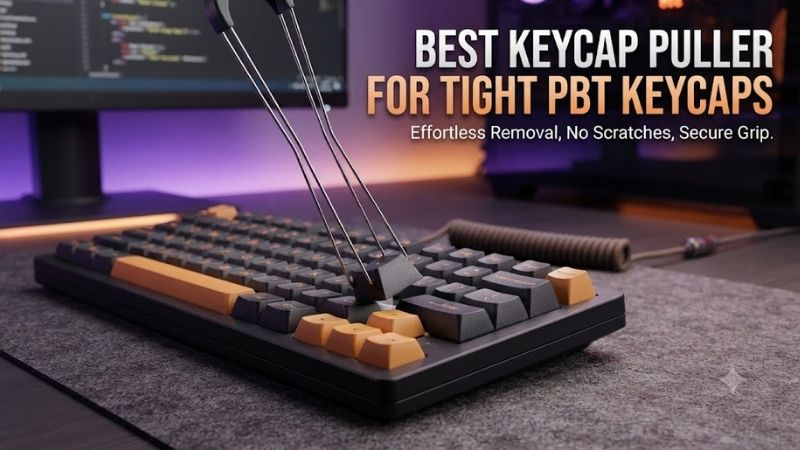
Glorious Keycap Puller – Best Overall
The Glorious Keycap Puller is an excellent general-purpose choice for people who regularly replace or clean tight-fitting PBT keycaps. Its wire-based design allows the removal loops to slip around a cap’s edges, while the extended handle makes controlled vertical lifting relatively comfortable.
Best for: Thick PBT keycaps on standard mechanical keyboards.
Key specifications
-
Gold-plated wire.
-
Textured ergonomic handle.
-
Approximately 7.3 inches in total length.
-
Lightweight construction.
Performance and handling
The key advantage is the way wire loops engage beneath the cap instead of squeezing its decorative surfaces. This is useful for dye-sublimated, double-shot, and side-printed PBT sets where protecting the exterior finish matters.
For exceptionally tight keycaps, position both wire loops evenly and lift slowly along the switch axis. If the cap resists movement, release the pressure, check both contact points, and try again. Avoid rocking aggressively because the force may transfer to the switch stem.
Pros: Comfortable handle, flexible wire, straightforward operation.
Cons: A dedicated tool with no switch-extraction function.
Buy if: You want a dependable puller specifically for keycap replacement.
Skip if: You need a combination tool for both switches and keycaps.
KBDfans Switch and Keycaps Puller – Best Budget Combination Tool
The KBDfans combination puller is particularly attractive for enthusiasts who want an inexpensive maintenance accessory that can handle keycap removal and compatible switch extraction. Its simple construction reduces unnecessary complexity while remaining useful for routine keyboard upgrades.
Best for: Beginners maintaining hot-swappable mechanical keyboards.
Practical features
The product uses metal and plastic components, with different working ends intended for different maintenance tasks. Its compact construction is convenient for a desk drawer or portable keyboard toolkit.
The keycap removal function is the relevant feature for tight PBT caps. The switch-removal end should only be used on suitable switches installed in hot-swappable boards.
Pros: Two functions, compact form, accessible option.
Cons: Smaller handling surfaces may be less comfortable for extended removal sessions.
Buy if: You frequently alternate between keycap swaps and switch replacement.
Skip if: You prefer a larger ergonomic handle.
MK Wire Keycap Puller – Best for Removing Entire Keycap Sets
The MK Wire Keycap Puller is designed for repeated removal across a complete keyboard rather than occasional single-key adjustments. Its flexible wire loops and compact handle make it a useful choice when cleaning a keyboard, changing its visual theme, or accessing the plate beneath the keycaps.
Best for: Removing large numbers of mechanical keyboard keycaps.
Design and operation
The adjustable wire spread can accommodate different keycap widths, while the tool’s construction allows multiple removed caps to remain on the wire in some situations.
This does not mean multiple tight caps should be pulled simultaneously. Each stubborn cap should receive an independent, balanced lift to reduce mechanical stress.
Pros: Flexible wire, compact form, suited to repeated work.
Cons: Less substantial handle than some ergonomic alternatives.
Buy if: You periodically remove an entire keyboard’s keycap set.
Skip if: You prioritize a large, contoured grip.
Keychron 2-in-1 Switch and Keycap Puller – Best for Hot-Swap Owners
The Keychron 2-in-1 Switch and Keycap Puller provides a combined maintenance approach for users who replace switches as well as keycaps. Its compact engineering-plastic construction makes it particularly convenient for owners of compatible hot-swappable mechanical keyboards.
Best for: Users who frequently customize both switches and keycaps.
Usability and compatibility
The combination design reduces the number of separate accessories required. However, a tool’s ability to remove switches does not mean it works with every low-profile, optical, or proprietary keyboard design.
For stubborn PBT caps, the relevant question is whether the keycap-gripping mechanism can engage the underside securely without squeezing or scratching the walls.
Pros: Convenient dual-purpose design, compact storage.
Cons: Not universally compatible with low-profile switch extraction; grip style may not suit every cap.
Buy if: You maintain a compatible Keychron or similar mechanical keyboard.
Skip if: Your priority is a traditional flexible-wire tool for exceptionally tight caps.
KBDfans Woody Keycap Puller – Best Premium Handling Option
The KBDfans Woody Keycap Puller appeals to enthusiasts who want a dedicated keycap-removal accessory with a more substantial decorative handle. Its value is primarily in handling preference and build presentation rather than an inherently superior ability to release tight keycaps.
Best for: Enthusiasts who appreciate durable desktop accessories.
Handling experience
A larger handle can provide a more comfortable hold during longer cleaning sessions. However, actual keycap safety depends on the wire interface and the direction of the applied force, not the handle material.
If you are replacing high-quality PBT sets, prioritize balanced contact beneath the keycap. The attractive handle should be considered a secondary benefit.
Pros: Distinctive construction, dedicated removal function.
Cons: Added cost may provide little practical improvement over basic wire pullers.
Buy if: You want a premium-feeling accessory for frequent keyboard maintenance.
Skip if: You need the most economical functional option.
SourceTon Keycap Puller and O-Ring Kit – Best Maintenance Bundle
A SourceTon-style keyboard maintenance kit combines keycap-removal accessories with cleaning or dampening supplies, making it useful for a first keyboard customization project. Bundled accessories can reduce the need for separate purchases when several maintenance tasks are planned.
Best for: First-time keyboard cleaning and noise-reduction projects.
Why a kit may be useful
Removing caps creates an opportunity to clean accumulated debris, inspect stabilizers, and install compatible O-rings if reducing bottom-out noise is desired.
The trade-off is tool quality consistency. A bundle may include a functional wire puller, but individual components may not offer the handling comfort of a dedicated premium accessory. Contents should be verified for the specific kit.
Pros: Multiple maintenance accessories, practical entry point.
Cons: Package contents and individual tool quality can vary.
Buy if: You want to perform several keyboard-maintenance tasks together.
Skip if: You already own cleaning and dampening accessories.
Buying Guide: Choosing a Puller for Tight PBT Keycaps
Tightness is usually a consequence of how the keycap’s internal stem socket fits the switch stem, rather than PBT material alone. Manufacturing tolerances, repeated installation, and the particular switch design all affect removal force, so choosing a suitable puller is only part of the solution.
Wire Pullers Versus Plastic Ring Pullers
Wire pullers generally offer a safer contact arrangement because they can hook beneath the cap’s lower edges. Plastic ring pullers may press against visible sidewalls, creating a greater risk of cosmetic damage when used carelessly.
Neither type eliminates the need for controlled movement. A wire tool can still damage a cap if it is twisted or pulled unevenly.
How to Remove a Stubborn Keycap Without Breaking the Stem
Disconnect the keyboard before working, particularly if removing multiple caps. Place the wire loops under opposite sides of the keycap and center the tool over the switch.
Apply gradual upward pressure while holding the keyboard steady. Keep the movement as vertical as possible. For stabilized keys such as Space, Enter, and Shift, inspect the stabilizer arrangement before attempting full removal.
Important Considerations for Large and Stabilized Keycaps
Large keycaps can have multiple attachment points. Pulling upward from only one end may stress stabilizer components or tilt the cap excessively.
Support both sides and follow the keyboard manufacturer’s removal instructions when the stabilizer configuration is unfamiliar. Never assume a spacebar can be removed in exactly the same way as a single-letter key.
Frequently Asked Questions
Are PBT keycaps harder to remove than ABS keycaps?
Not necessarily. Fit tolerance and stem geometry generally matter more than material alone.
Can a keycap puller damage switches?
Yes, if excessive sideways force is applied or the tool is used incorrectly.
Should I heat tight PBT keycaps before removal?
Heating is not recommended as a routine solution. Use an appropriate puller and controlled force instead.
Can I remove keycaps while my keyboard is connected?
Disconnecting the keyboard is the safer approach for cleaning and modification.
Final Verdict
The Glorious Keycap Puller is the strongest all-around choice for removing stubborn PBT keycaps because its flexible wire and comfortable handle support balanced lifting. KBDfans offers a useful budget alternative, while the MK Wire Keycap Puller suits complete keycap changes. Whatever you choose, careful vertical removal matters most.