🛒 Best Price Today on Amazon
Prime members get fast, free shipping on everything above, plus member-only deals. New members get a 30-day free trial — cancel anytime.
The best monitor riser for corner gaming desks should raise your display to a comfortable viewing height without wasting valuable desktop space. Corner workstations have unusual depth, angled edges, and limited mounting areas, making riser shape, stability, weight capacity, and cable clearance essential buying considerations.
Quick Verdict: Which Corner Monitor Riser Should You Buy?
For a single display positioned directly in a desk corner, the Fellowes Smart Suites Corner Monitor Riser is our leading recommendation. Its corner-oriented shape and adjustable height allow it to use space that an ordinary rectangular monitor shelf may leave unused.
The FITUEYES three-section adjustable monitor stand is more appropriate for gamers who need to angle multiple displays around an L-shaped workstation.
For heavier dual-monitor setups, the Fenge 42.5-inch models provide broad support surfaces, although their straight geometry may be less efficient in tight corners.
A dedicated triangular riser can be particularly useful on compact corner desks, but buyers must verify the monitor’s base dimensions and total supported weight before purchasing.
Quick Comparison Table
Corner monitor risers solve different layout problems. Some fit directly into a triangular desktop area, while others use hinged sections to follow an L-shaped desk. Conventional wide monitor shelves may also work, but only when the desk provides enough uninterrupted straight-edge space.
| Product | Best For | Design | Main Advantage |
|---|---|---|---|
| Fellowes Smart Suites Corner Riser | Best single monitor | Corner-shaped | Three height settings |
| FITUEYES DT108001WB | Flexible corner layouts | Hinged three-section stand | Adjustable angles |
| Defianz DSTB-102 | Compact corners | Triangular glass platform | Height adjustment |
| Fenge 42.5-inch Dual Monitor Riser | Wide corner desks | Straight dual shelf | Large support area |
| Fenge 35-inch Monitor Riser | Storage-focused setups | Two-tier shelf | Fabric drawers |
| Fenge 42.5-inch LED Monitor Stand | Gaming aesthetics | Wide illuminated shelf | Integrated lighting |
| Fellowes Standard Monitor Riser | Small secondary display | Compact square stand | Simple adjustable height |
How We Selected Corner Gaming Desk Monitor Risers
Corner desks require more careful geometric planning than ordinary rectangular workstations. We considered the monitor base footprint, viewing distance, support capacity, height adjustment, and whether a riser actually improves space utilization rather than simply adding another object to the desk.
Corner Geometry and Monitor Placement
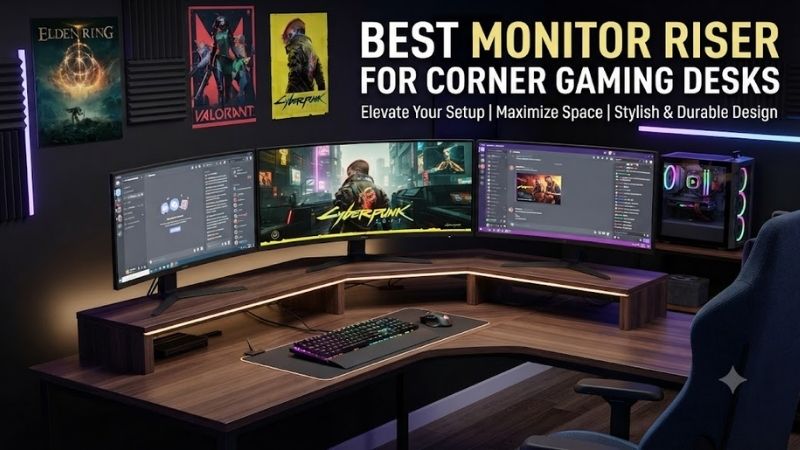
A conventional rectangular monitor riser may fit poorly against the angled edges of a corner workstation. Its rear corners can collide with walls or leave inaccessible gaps, especially when the desk has a narrow triangular section behind the keyboard.
A corner-shaped riser can use that space more efficiently.
However, its geometry must still accommodate the monitor’s stand.
A triangular platform may be wide at the front and narrow toward the rear.
The monitor base must fit completely on the supported surface rather than extending beyond its edges.
Height, Viewing Distance, and Ergonomics
Raising a monitor can improve viewing position when the original display sits too low, but additional height is not automatically beneficial. A screen that is already near eye level may become uncomfortable when placed on a tall riser.
The appropriate height depends on the user’s eye position, monitor size, viewing distance, and screen tilt.
For most desktop arrangements, the screen should be positioned so the user can view it comfortably without repeatedly tilting the head upward.
Corner desks introduce another issue: the screen may sit farther back than on an ordinary desk.
A riser should not force the monitor into an excessively distant or awkward location.
Weight Capacity and Stability
A monitor riser supports concentrated loads through the display’s original stand. This differs from a monitor arm, which transfers weight through a mounting bracket. Buyers must check the complete monitor weight and the dimensions of the original base.
Large gaming monitors may have broad or unusually shaped stands.
An ultrawide monitor can also extend well beyond the physical shelf.
Even when the published weight capacity is sufficient, the platform must support the monitor base securely.
For dual-monitor risers, the total supported load and distribution between sections are important.
Best Monitor Risers for Corner Gaming Desks Reviewed
The seven options below include true corner-oriented designs, flexible angled shelves, and conventional risers suitable for larger L-shaped workstations. Their reviews explain the actual layout each product supports rather than assuming that every monitor stand advertised for gaming will work in a corner.
Fellowes Smart Suites Corner Monitor Riser — Best Overall
The Fellowes Smart Suites Corner Monitor Riser is purpose-built for the unusual geometry of a desk corner. Its shaped platform and adjustable height make it more appropriate for a single monitor placed near the intersection of two desk sections than a conventional rectangular stand.
Best For: Single-monitor gaming setups positioned directly in a desk corner.
Design and Dimensions
Fellowes identifies the Smart Suites Corner Monitor Riser as model 8020101.
Its approximate footprint is 19.75 inches wide and 12 inches deep.
The manufacturer describes a shape intended to fit into desk corners.
This allows the platform to occupy an area that may otherwise be difficult to use.
For compact gaming desks, that geometry can preserve more space in front of the screen for a keyboard, mousepad, and controller accessories.
Height Adjustment
The riser provides three height settings.
Fellowes documentation lists an adjustment range of approximately 3⅛ to 5⅛ inches.
This is useful because a fixed-height platform may not match every monitor or chair arrangement.
However, users should measure their current screen height before selecting a setting.
If the display already sits comfortably, even the lowest position may raise it unnecessarily.
Gaming Setup Applications
The riser is especially relevant when the monitor’s original stand occupies too much of the corner area.
Raising the display can create additional space beneath the platform for small accessories.
However, the monitor base must remain fully supported.
A wide V-shaped gaming monitor stand may not fit the corner platform as efficiently as a compact rectangular base.
Pros
-
Dedicated corner-oriented shape
-
Three height settings
-
Documented dimensions
-
Space-saving footprint
-
Suitable for compact single-monitor setups
Cons
-
Not intended for large dual-monitor arrangements
-
Monitor base fit must be checked
-
Height may be excessive for some users
-
Limited flexibility compared with monitor arms
Buy If: You want a conventional monitor positioned neatly in a desk corner.
Skip If: You need a flexible two-monitor arrangement around an L-shaped desk.
FITUEYES DT108001WB Three-Section Monitor Stand — Best Flexible Corner Configuration
The FITUEYES DT108001WB uses hinged sections that can be arranged to accommodate straight, angled, or L-shaped desktop layouts. Its flexible geometry is particularly useful when two gaming monitors need to follow the corner rather than remain on one straight shelf.
Best For: L-shaped gaming desks with angled monitor placement.
Adjustable Construction
The stand uses three connected shelf sections.
The hinges permit changes in the relative angles between the sections.
This is the principal advantage over conventional fixed-width dual monitor risers.
The user can position the center portion near the desk corner and angle the outer sections along the adjacent desk surfaces.
The manufacturer and retail documentation identify an overall adjustable length of approximately 36.4–42.7 inches, depending on the configuration.
Monitor Support and Weight
The shelf construction uses engineered wood panels.
Some retail documentation lists a 33-pound load capacity, while other listings provide different figures.
Where published limits conflict, the lower supported rating is the safer planning assumption until the manufacturer confirms the current version.
Users should also account for load distribution.
Two monitors placed at the far ends of the stand may create different stresses than one monitor centered on the platform.
Corner Gaming Applications
This is a strong layout option when the primary display faces the user and a secondary display sits at an angle.
The second screen might show Discord, streaming controls, system monitoring, or a browser.
However, the hinges do not provide independent monitor tilt or swivel.
The display stands still determine their final viewing angles.
Pros
-
Three adjustable sections
-
Suitable for L-shaped desks
-
Supports angled monitor layouts
-
Creates storage beneath screens
-
More flexible than straight shelves
Cons
-
Published load capacities vary
-
Requires careful assembly
-
Hinged geometry does not replace monitor-arm adjustments
-
Larger footprint than single risers
Buy If: You want to place two monitors along an angled corner workstation.
Skip If: You need independent vertical and rotational screen adjustment.
Defianz DSTB-102 — Best Triangular Glass Corner Riser
The Defianz DSTB-102 uses a triangular glass platform intended for corners and compact workstations. Its adjustable height and transparent construction make it attractive when a conventional rectangular riser would occupy too much space or visually dominate a small gaming setup.
Best For: Compact corner desks with one monitor.
Construction and Dimensions
The DSTB-102 combines tempered glass, aluminum, and plastic components.
Its published dimensions are approximately 500 × 280 × 130 millimeters.
Defianz specifies two height settings of 80 and 130 millimeters.
The triangular platform is intended to fit corner-oriented workspaces.
Its clear surface can also make a compact desk feel less visually crowded than a large opaque shelf.
Supported Equipment
The manufacturer lists a maximum supported load of 20 kilograms.
It also identifies compatibility with selected displays in the 13–32-inch range.
However, screen size alone is not sufficient to establish compatibility.
A 32-inch monitor with a very wide stand may fit less securely than a heavier-looking display with a compact base.
The actual contact area should be checked.
Practical Limitations
Tempered glass can provide a clean appearance, but users should handle it according to the manufacturer’s instructions.
Avoid impacts against the edges.
The platform should also remain on a stable, level surface.
Do not assume that transparent construction makes the riser less substantial or more suitable for every desk material.
Pros
-
Triangular corner-oriented platform
-
Two height settings
-
Published 20kg capacity
-
Transparent design
-
Compact footprint
-
Suitable for selected single monitors
Cons
-
Glass requires careful handling
-
Limited adjustment options
-
Not a dual-monitor platform
-
Wide monitor bases may not fit
Buy If: You want a compact riser that fits a corner-oriented desktop.
Skip If: You need a broad shelf for two large displays.
Fenge 42.5-Inch Dual Monitor Riser — Best for Wide L-Shaped Desks
The Fenge 42.5-inch Dual Monitor Riser is a broad, straight platform intended for dual-display setups. Although it is not a true triangular corner riser, it can be suitable for L-shaped gaming desks with enough uninterrupted space along one side.
Best For: Wide gaming desks supporting two monitors on one section.
Construction and Size
Fenge specifies a maximum width of approximately 42.5 inches.
The product uses thick MDF panels with aluminum support components.
The manufacturer publishes an 88-pound support capacity for the documented configuration.
This is substantially more than many lightweight single-monitor risers.
However, buyers should verify that both monitors’ stands fit within the shelf depth.
A long platform does not guarantee sufficient front-to-back space for every gaming monitor base.
Additional Storage Features
The riser includes an adjustable laptop or tablet support section, along with accessory-storage features.
This may be useful for gamers who stream or use a laptop as a secondary device.
The elevated platform also creates space beneath the monitors for controllers, keyboards, or other desk accessories.
However, storing too many items beneath the stand can obstruct cable access.
Corner Compatibility
The riser works best along a straight section of an L-shaped desk.
It is less suitable for a narrow triangular corner where the shelf would extend beyond the available surface.
Users should measure the supporting desktop rather than assuming that a large stand is automatically compatible with a large corner workstation.
Pros
-
Wide dual-monitor platform
-
Published 88-pound capacity
-
MDF and aluminum construction
-
Additional device support
-
Storage beneath the shelf
-
Suitable for large gaming setups
Cons
-
Straight rather than corner-shaped
-
Requires substantial desk width
-
Depth may limit certain monitor bases
-
Can create excessive monitor height
Buy If: Your L-shaped desk has a long straight section for two displays.
Skip If: Both monitors must sit directly around a tight corner.
Fenge 35-Inch Monitor Riser With Drawers — Best for Storage
The Fenge 35-inch Monitor Riser combines a wide elevated monitor platform with integrated storage drawers. Its main advantage is organizing smaller accessories while raising the displays, making it suitable for gaming desks where desktop clutter is a persistent problem.
Best For: Gaming setups needing display elevation and accessory storage.
Dimensions and Construction
Fenge lists a platform measuring approximately 35 × 9.3 inches.
Its height is approximately 5.6 inches.
The stand uses MDF panels with reinforced support components.
The manufacturer publishes a 55-pound capacity for the documented version.
This makes it suitable for selected dual-monitor arrangements, provided the combined load and stand footprints fit correctly.
Drawer Functionality
The two fabric drawers can hold small accessories such as charging cables, adapters, pens, and other lightweight items.
This reduces clutter around the keyboard and mouse.
However, the drawers occupy part of the space beneath the shelf.
Users who want to store a keyboard directly under the riser should confirm the remaining clearance before ordering.
Gaming Layout Considerations
The stand is most appropriate for a straight section of a corner desk.
Its five-inch-plus height may be excessive if the monitor stands are already tall.
Buyers should determine the final screen position rather than choosing the riser primarily for its storage features.
Pros
-
Dual-monitor-oriented width
-
Integrated drawers
-
Published 55-pound capacity
-
Elevated storage space
-
Suitable for mixed-use gaming desks
Cons
-
Relatively tall
-
Drawers occupy underside space
-
Not a true triangular corner stand
-
Requires sufficient desk depth
Buy If: You need a broad monitor riser with accessory storage.
Skip If: You want the most compact possible corner solution.
Fenge 42.5-Inch LED Monitor Stand — Best Gaming Aesthetics
The Fenge 42.5-inch LED Monitor Stand combines a broad elevated display shelf with integrated lighting. Its main appeal is a coordinated gaming appearance, although structural capacity, monitor placement, and cable management remain more important than lighting effects.
Best For: Wide L-shaped gaming desks emphasizing visual design.
Construction
The documented model uses MDF panels and aluminum feet.
Fenge publishes a 99-pound load capacity for the specified configuration.
The shelf provides a broad support area suitable for selected dual-monitor arrangements.
However, users should still check the dimensions of both monitor bases.
Weight capacity alone does not establish stability.
Integrated Lighting
The product includes an LED lighting strip with multiple colors and lighting modes.
This can provide ambient illumination behind or beneath the monitors.
For gamers who prefer coordinated desktop lighting, the built-in system may reduce the need for a separate LED strip.
However, lighting does not improve display ergonomics or monitor performance.
It should be considered a secondary feature.
Practical Trade-Offs
The stand’s width requires a large desk section.
It also introduces another cable that must be routed toward power.
The additional illumination may be attractive, but users who prefer a minimal workstation may find it unnecessary.
Pros
-
Wide monitor shelf
-
Integrated LED lighting
-
Published high load capacity
-
MDF and aluminum construction
-
Suitable for dual-display aesthetics
Cons
-
Requires significant desk space
-
Additional lighting cable
-
Not corner-shaped
-
Lighting adds no mechanical functionality
Buy If: You want a wide illuminated monitor shelf.
Skip If: You need a compact corner-specific riser.
Fellowes Standard Monitor Riser — Best Compact Secondary Display Stand
The Fellowes Standard Monitor Riser is a compact alternative for gamers who only need to elevate a secondary display. It does not have a specialized corner shape, but its small footprint can make it suitable for positioning on one side of an L-shaped workstation.
Best For: Small monitors or secondary displays on corner desks.
Dimensions and Adjustment
Fellowes documents a platform approximately 13 × 13 inches.
It provides three height settings within an approximate two-to-four-inch range.
This offers useful flexibility for a secondary monitor.
However, the platform must accommodate the display’s original stand.
A broad V-shaped monitor base may extend beyond the supported surface.
Gaming Applications
The riser is especially practical for secondary displays showing chats, system information, or reference material.
Its compact size makes it easier to position beside a primary gaming monitor.
However, users should avoid placing a heavy display on the riser without confirming the applicable load rating for the exact product revision.
Pros
-
Compact footprint
-
Three height settings
-
Simple design
-
Suitable for secondary screens
-
Useful on an L-shaped desk section
Cons
-
Not designed specifically for corners
-
Limited surface area
-
No integrated storage drawers
-
Heavy monitor compatibility requires verification
Buy If: You need a simple riser for a small secondary display.
Skip If: You want a dedicated dual-monitor corner platform.
Buying Guide: Choosing a Monitor Riser for a Corner Gaming Desk
A monitor riser should improve the final position of the display rather than simply raise it. Corner desks require special attention to platform geometry, viewing distance, stand dimensions, and cable access. A properly chosen riser can preserve valuable desk space without forcing the screen into an uncomfortable location.
Measure the Available Corner Space
Start by measuring the desk depth at the corner and the usable width along both adjacent sections.
A triangular riser may fit where a rectangular shelf cannot.
A hinged stand may work better when multiple displays need to follow the shape of an L-shaped desk.
Avoid ordering based only on overall shelf width.
The geometry of the supporting desktop is equally important.
Check the Monitor Base Footprint
Measure the original monitor stand, including feet that extend forward or diagonally.
The base must remain fully supported by the riser.
Do not rely only on the display’s screen size.
Two monitors with identical diagonal screen measurements may use very different stands.
For large gaming monitors, a suitable monitor arm may provide greater placement flexibility.
Calculate Final Screen Height
Measure the current monitor height relative to your seated eye position.
Add the riser’s published height.
Then consider whether the monitor can still tilt or adjust vertically.
A riser that raises the display too high may be worse than leaving it directly on the desk.
Compare Risers With Monitor Arms
A riser is simple and does not require VESA mounting compatibility.
A monitor arm can provide more precise height, depth, tilt, and rotation adjustment.
However, arms require a suitable mounting point and compatible monitor.
For compact corner desks, an arm may free more desktop space than a large riser.
Choose based on the actual layout rather than assuming one method is universally superior.
Consider Cable Routing and Storage
Elevating a monitor creates space underneath the screen.
That space can be used for accessories, but it should not obstruct ventilation or cable access.
Ensure that monitor power and display cables have sufficient slack.
For adjustable monitor stands, cables must also accommodate screen movement.
Frequently Asked Questions
Corner gaming desks create unusual placement challenges, especially when using large or multiple monitors. These questions address compatibility, viewing height, stability, and the practical differences between corner-shaped risers, adjustable shelves, and monitor arms.
What monitor riser is best for an L-shaped desk?
A hinged adjustable design such as the FITUEYES DT108001WB is useful when displays need to follow an angled layout.
Are triangular monitor risers better for corners?
They can use triangular desk space efficiently, but the monitor base must fit securely.
Can a monitor riser support an ultrawide monitor?
Only if its published load capacity and platform dimensions accommodate the complete monitor and stand.
How high should a gaming monitor be?
The display should allow comfortable viewing without forcing repeated upward or downward head movement.
Is a dual monitor riser better than two separate stands?
A dual shelf creates a coordinated platform, while separate risers allow more independent placement.
Can monitor risers damage desks?
They can if the load is excessive or concentrated on a fragile surface. Use suitable protective feet and follow the manufacturer’s capacity limits.
Should I use a monitor arm instead?
A monitor arm may be preferable when independent screen positioning and maximum desktop clearance matter.
Final Verdict
The best monitor riser for corner gaming desks depends on display count and desk geometry. Fellowes Smart Suites is a practical single-monitor corner option, FITUEYES suits angled dual-display layouts, and Fenge offers wider shelf solutions. Measure the monitor base, desk corner, and final screen height before purchasing.