🛒 Best Price Today on Amazon
Prime members get fast, free shipping on everything above, plus member-only deals. New members get a 30-day free trial — cancel anytime.
- Quick Verdict: Which Cable Tray Is Best for Standing Gaming Desks?
- Quick Comparison Table
- How We Selected the Best Standing Desk Cable Trays
- Best Under Desk Cable Trays for Standing Gaming Desks Reviewed
- Buying Guide: Choosing a Cable Tray for a Standing Gaming Desk
- Frequently Asked Questions
- Final Verdict
The best under desk cable tray for standing gaming desk setups keeps power strips, adapters, and excess wiring organized while the desktop moves between sitting and standing positions. A reliable tray must support the equipment securely, accommodate cable movement, and avoid interference with desk motors, frames, and accessories.
Quick Verdict: Which Cable Tray Is Best for Standing Gaming Desks?
The VIVO DESK-CM6L-B is our leading recommendation for users who want a rigid clamp-on tray that moves with the desktop. Its steel structure, published capacity, and removable installation method make it practical for many compatible standing gaming desks.
For large cable collections, the VIVO DESK-AC36MH mesh organizer provides substantial width.
The Mount-It! MI-7286BLK is a good alternative when a longer steel tray is needed.
Gamers who prefer a more enclosed appearance should consider VIVO’s flip-open cable-management box, while users with especially compact desks may benefit from two shorter trays positioned around the frame.
No tray eliminates the need to manage the cable path between the moving desk and the wall outlet.
Quick Comparison Table
The products below differ in length, mounting method, construction, and access. For standing desks, an organizer should be mounted where it moves appropriately with the desktop while leaving sufficient clearance around motorized components and cable paths.
| Product | Design | Mounting | Best For |
|---|---|---|---|
| VIVO DESK-CM6L-B | Steel tray | Clamp | Best overall |
| Mount-It! MI-7286BLK | Long steel tray | Clamp | Long power strips |
| VIVO DESK-AC36MH | Wide mesh basket | Clamp | Large cable collections |
| VIVO DESK-AC24MH | Compact mesh basket | Clamp | Medium desks |
| VIVO DESK-AC16F-C | Fabric tray | Clamp | Concealed wiring |
| VIVO Two-Pack Steel Cable Trays | Separate short baskets | Under-desk mounting | Modular cable routing |
| VIVO Flip-Open Cable Management Box | Enclosed metal box | Under-desk mounting | Hidden power strips |
How We Selected the Best Standing Desk Cable Trays
Standing desks create a moving cable-management problem that fixed desks do not. Every connected monitor, computer, charger, and peripheral must remain electrically connected without stretching or snagging as the desk rises and lowers. We therefore prioritized mounting stability, accessibility, frame clearance, and support for safe cable routing.
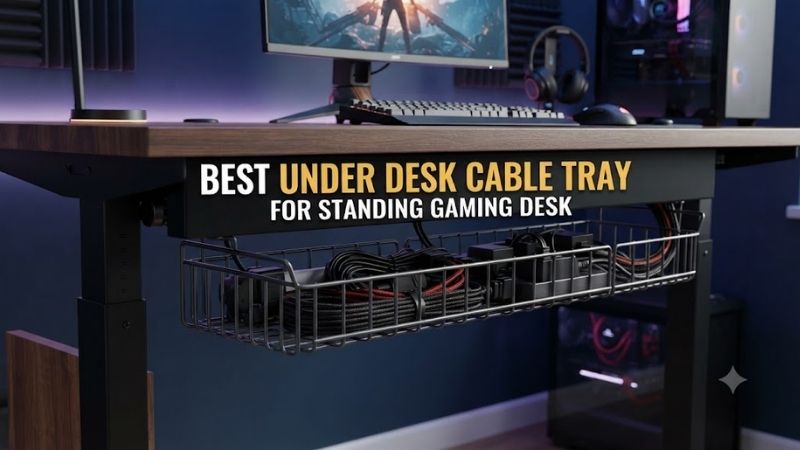
Movement Range and Cable Slack
A standing desk’s vertical movement changes the distance between the desktop and floor-level connections. If cables are routed too tightly, raising the desk can pull against plugs, monitor connectors, or power adapters, potentially damaging equipment.
A properly mounted under-desk tray helps keep the power strip and nearby cable bundles moving together with the desktop.
However, the cable connecting that strip to the wall still needs sufficient slack.
Users should test the full height range before securing the final cable route.
A cable that appears comfortably loose at sitting height may become dangerously taut at maximum standing height.
Structural Compatibility
Cable trays can attach through clamps, screws, or other approved mounting methods. A clamp-on tray is attractive because it avoids drilling into the desktop, but it still requires a suitable mounting area free from steel support rails and motorized components.
Screw-mounted trays may provide more placement flexibility on suitable solid or engineered-wood desktops.
However, drilling into the wrong area can damage the desk or interfere with internal components.
For manufacturer-specific standing desks, users should consult the desk’s installation instructions before modifying the underside.
Weight, Ventilation, and Maintenance
A cable tray must support its contents without sagging or shifting. Power strips, large charging adapters, excess cables, and USB hubs can create a surprisingly substantial load when grouped together.
Rigid steel trays are often suitable for heavier equipment.
Mesh organizers can accommodate irregular cable bundles.
Fabric organizers may conceal wiring more effectively but require careful attention to the ventilation needs of connected adapters.
A good setup should also permit maintenance.
Users should be able to inspect outlets, disconnect accessories, and replace cables without dismantling the entire workstation.
Best Under Desk Cable Trays for Standing Gaming Desks Reviewed
These seven organizers address different priorities, from rigid support to concealed storage. Each review considers how the product fits beneath a moving gaming desk, what types of equipment it can reasonably accommodate, and which installation limitations buyers should resolve before ordering.
VIVO DESK-CM6L-B — Best Overall
The VIVO DESK-CM6L-B provides a rigid steel platform for supporting an existing power strip beneath a gaming desk. Its clamp-based mounting is particularly useful when users want the electrical accessories to move with the desktop without drilling permanent holes.
Best For: Standing desks requiring secure power strip storage.
Construction and Capacity
The DESK-CM6L-B uses a steel tray with a raised retaining lip.
VIVO lists an 11-pound load capacity.
The tray measures approximately 17 inches in length and six inches in depth.
This is suitable for many ordinary power strips, although users should measure the complete strip with connected adapters.
Oversized power bricks may need more depth than the bare strip.
Standing Desk Compatibility
The clamp supports compatible desktops from approximately 0.2 to two inches thick.
The main benefit is that the tray can attach directly to the moving desktop.
However, it must be positioned clear of the standing desk’s lifting columns and frame.
The user should raise and lower the desk through its entire movement range after installation.
The power cable must not become trapped or stretched.
Access and Ventilation
The open steel tray allows relatively straightforward access to plugs.
It also avoids completely enclosing electrical accessories.
However, open construction does not guarantee that every adapter receives sufficient cooling.
Users must follow the ventilation requirements of their equipment.
Pros
-
Rigid steel construction
-
Published 11-pound capacity
-
No-drill mounting
-
Raised retaining lip
-
Suitable for many power strips
-
Can move with the desktop
Cons
-
Requires suitable clamp clearance
-
Long strips may not fit
-
Open design leaves some cables visible
-
Electrical cord slack remains necessary
Buy If: You want a rigid, removable cable tray for a compatible standing desk.
Skip If: You need completely concealed cable storage.
Mount-It! MI-7286BLK — Best for Long Power Strips
The Mount-It! MI-7286BLK provides a longer steel cable-management tray for users whose power strips and adapters require more horizontal space. Its clamp-on construction is useful for standing desks where permanent tabletop modification is undesirable.
Best For: Standing gaming desks with long power strips and multiple adapters.
Design and Dimensions
Mount-It! specifies an approximately 23.6-inch overall length.
The organizer uses steel and ABS components.
Its published load capacity is 11 pounds.
The longer format is attractive when multiple monitor and peripheral adapters need to be arranged along the same tray.
However, the relatively narrow depth may limit accommodation of oversized plugs.
Mounting Compatibility
The product supports compatible desktop thicknesses between approximately 0.2 and 1.97 inches.
It mounts without drilling.
Before installation, inspect the desk’s rear support structure.
A wide steel frame can obstruct the mounting brackets even when the tabletop thickness is suitable.
Standing Desk Use
The tray can help consolidate electrical connections into one moving location.
However, a long tray may interfere with other accessories such as monitor-arm hardware or under-desk drawers.
Users should select the installation position only after checking the complete desk frame.
Pros
-
Long steel tray
-
No-drill clamp installation
-
Published load capacity
-
Suitable for multiple power adapters
-
Removable mounting approach
Cons
-
Narrow depth
-
Requires sufficient underside width
-
May interfere with desk frames
-
Does not manage vertical cable slack by itself
Buy If: You need more length than a compact power strip tray provides.
Skip If: You have several large adapters requiring a deeper organizer.
VIVO DESK-AC36MH — Best for Large Cable Collections
The VIVO DESK-AC36MH uses a wide suspended mesh design to hold cables and adapters across a substantial section of the desktop. This makes it particularly relevant to gamers using several monitors, speakers, USB hubs, and other accessories.
Best For: Wide standing gaming desks with distributed wiring.
Dimensions and Materials
The mesh organizer measures approximately 36.4 × 14.5 inches.
It uses a flexible fabric-mesh arrangement supported by desk clamps.
The manufacturer specifies an 11-pound capacity.
Its wide footprint can accommodate cables approaching from several areas of the desk.
However, flexibility is not the same as rigid structural support.
Heavy adapters should be placed carefully within the basket.
Mounting Requirements
The product supports desktop thicknesses from approximately 0.6 to 2.8 inches.
It requires substantial underside clearance for the clamp assembly.
This can be a problem on some electric standing desks with wide support frames.
Users should measure the available space rather than assuming that a large desk provides adequate mounting clearance.
Gaming Applications
A broad mesh organizer is useful when cables from multiple monitors and peripheral devices need to converge beneath the desk.
Its adjustable hanging depth can help accommodate different cable bundles.
However, it may be less convenient than an open metal tray when plugs are frequently changed.
Pros
-
Wide storage area
-
Flexible cable organization
-
Adjustable hanging depth
-
Published weight capacity
-
No-drill installation
-
Suitable for multi-monitor setups
Cons
-
Requires extensive clearance
-
Less rigid than steel trays
-
Individual plugs may be harder to reach
-
Can occupy much of the desk underside
Buy If: You have a large standing desk with many cables.
Skip If: You only need a compact tray for one power strip.
VIVO DESK-AC24MH — Best Compact Mesh Organizer
The VIVO DESK-AC24MH provides a shorter suspended mesh organizer for users who want flexible storage without covering most of the desk underside. Its footprint is better suited to small or medium gaming desks with moderate cable collections.
Best For: Compact standing desks with several connected accessories.
Construction and Size
The 24-inch version measures approximately 23.5 × 14.5 inches.
It shares the product family’s flexible mesh approach.
The manufacturer specifies an 11-pound weight capacity.
This provides space for ordinary cables and selected adapters while preserving more underside width than the larger version.
Compatibility
The product uses desk clamps and requires suitable clearance beneath the tabletop.
Users should check the desk frame and lifting components.
A shorter basket is not automatically compatible with a smaller desk.
Its mounting hardware still requires unobstructed contact surfaces.
Practical Benefits
The organizer can reduce loose wiring near chair wheels and the floor.
It also allows accessories to move with the standing desk when correctly mounted.
However, the wall power connection still needs a safe vertical cable route.
Pros
-
Shorter mesh format
-
Flexible cable storage
-
No-drill clamps
-
Published 11-pound capacity
-
Suitable for moderate wiring needs
Cons
-
Less capacity than larger baskets
-
Requires proper clearance
-
Flexible support
-
No built-in desk-to-floor cable guide
Buy If: You want a mesh organizer that occupies less horizontal space.
Skip If: Your desk has a large collection of bulky power adapters.
VIVO DESK-AC16F-C — Best for Concealed Cable Storage
The VIVO DESK-AC16F-C combines a compact fabric tray with a clamp-supported structure. Its design is attractive for gamers who want to hide cables rather than leave them visible in an open metal basket, provided connected equipment can be stored safely.
Best For: Compact standing desks prioritizing a tidy appearance.
Construction
The organizer measures approximately 15.7 × 5.5 × 5 inches.
It uses Oxford fabric with supporting steel and plastic components.
VIVO specifies an 11-pound load capacity.
The fabric construction helps conceal cable bundles.
However, it may be less convenient for large adapters that need substantial ventilation clearance.
Adjustability
The tray can hang at different positions beneath the desk.
Its fabric sections can be accessed for cable changes.
This is practical when the wiring configuration remains relatively consistent.
However, users who frequently change power connections may prefer an open tray.
Standing Desk Suitability
The holder can move with the desktop when installed correctly.
Its compact dimensions may be attractive for desks with limited underside room.
However, users should verify that the tray cannot collide with the lifting frame or other attachments.
Pros
-
Compact construction
-
Fabric cable concealment
-
Adjustable hanging position
-
No-drill installation
-
Published weight limit
Cons
-
Limited space
-
Fabric requires ventilation awareness
-
Less convenient frequent access
-
Not suitable for every large power strip
Buy If: You want a discreet holder for a small cable collection.
Skip If: You need extensive open storage for large adapters.
VIVO Two-Pack Steel Cable Management Trays — Best Modular Routing
VIVO’s two-pack steel cable tray configurations provide separate organizers that can be positioned in different locations beneath the desk. This is useful when gaming equipment occupies several distinct areas and one long tray would interfere with support frames.
Best For: Standing desks requiring separate cable-management zones.
Modular Design
The documented two-pack includes shorter steel trays that can be mounted independently.
This allows power cables and peripheral wiring to be grouped near their respective devices.
For example, monitor-related wiring can occupy one tray while USB and peripheral cables use the other.
However, the exact mounting method depends on the selected kit.
Buyers should verify whether the version uses screws, clamps, or other hardware.
Why Separate Trays Can Help
A standing desk may have a large central frame that prevents installation of one long organizer.
Two shorter trays can sometimes be positioned around the obstruction.
This also makes future upgrades easier because one tray can be relocated without reorganizing the entire cable collection.
Limitations
Multiple trays require more installation planning.
Their combined capacity should not be treated as one unrestricted load rating.
Each tray must remain within its own published limit.
Pros
-
Modular placement
-
Useful around desk-frame obstructions
-
Separate cable zones
-
Steel support construction
-
Flexible workstation layout
Cons
-
More installation points
-
Exact mounting method varies
-
May require drilling
-
Multiple trays increase planning complexity
Buy If: You need separate storage areas around a standing desk frame.
Skip If: One straightforward clamp-on tray will fit.
VIVO Flip-Open Cable Management Box — Best Enclosed Design
The VIVO Flip-Open Cable Management Box provides a more enclosed approach to under-desk storage. Its metal structure and hinged access are attractive for users who want to conceal a power strip while retaining the ability to open the organizer when connections change.
Best For: Gamers prioritizing a concealed power strip installation.
Enclosed Construction
The documented configuration uses a steel enclosure with a flip-open access panel.
The internal storage area measures approximately 15.6 × 6.5 × 3.9 inches.
The enclosed appearance can reduce visible cable clutter.
However, the internal dimensions must accommodate the actual power strip and connected adapters.
A large charging brick may be too tall or wide.
Access and Maintenance
The hinged cover allows users to reach stored equipment.
This is more convenient than an enclosure that must be removed entirely.
However, electrical accessories should not be packed tightly simply to achieve a cleaner appearance.
The power strip and adapters must have appropriate clearance.
Standing Desk Considerations
The box must be mounted in a position that moves safely with the desktop.
Users should check whether the installation requires screws and whether the desktop permits the mounting method.
Do not drill into motor housings, wiring channels, or structural parts of a standing desk.
Pros
-
Concealed cable storage
-
Steel enclosure
-
Flip-open access
-
Defined internal dimensions
-
Tidy appearance
Cons
-
Less ventilation than open baskets
-
Restricted internal space
-
Installation compatibility matters
-
Oversized adapters may not fit
Buy If: You want a tidy enclosed power strip holder with accessible storage.
Skip If: Your electrical equipment requires substantial open ventilation.
Buying Guide: Choosing a Cable Tray for a Standing Gaming Desk
A standing desk cable tray should be selected as part of a complete cable-management system. The tray supports equipment beneath the moving desktop, but the desk-to-floor cable route, motorized frame, and connected accessories all require separate planning to prevent tension and interference.
Calculate Cable Slack Through the Full Height Range
Move the desk to its lowest position and identify every cable connecting the desktop to stationary equipment.
Then raise it gradually.
Observe whether any connection becomes tight.
The power cord, Ethernet cable, monitor cables, and peripheral connections should remain free from excessive tension.
Do not secure cable lengths permanently until the full movement range has been checked.
Mount the Tray to the Correct Structure
A tray intended to move with the desktop should be installed according to the desk and accessory manufacturers’ instructions.
Avoid attaching hardware where it could interfere with lifting columns, motors, or control wiring.
Clamp-on organizers can be convenient, but they require compatible desk edges.
Screw-mounted products may offer additional placement options on suitable desktops.
Separate Cable Storage From Cable Routing
The tray stores cables and accessories beneath the desk.
A cable sleeve, spine, or suitable vertical management system may still be needed to organize the connection toward the floor.
These functions are complementary.
A tray alone does not prevent a hanging power cord from becoming tangled in chair wheels.
Keep Power Equipment Accessible
Power strips should remain accessible for inspection and disconnection.
Avoid burying electrical devices in tightly packed fabric or enclosed containers contrary to their manufacturer’s requirements.
Do not exceed outlet ratings or daisy-chain power strips.
The goal is organized and maintainable wiring, not simply making every connection invisible.
Plan for PC and Monitor Upgrades
A gaming desk may eventually support additional monitors, charging equipment, speakers, and USB accessories.
Choose a tray with enough space for foreseeable changes.
However, excessively large organizers can conflict with standing-desk frames.
A modular arrangement may be more flexible than one oversized tray.
Frequently Asked Questions
Standing gaming desks require cable management that accommodates movement. These questions clarify the role of under-desk trays, the importance of cable slack, and the differences between clamp-on, screw-mounted, mesh, and enclosed organizers.
What is the best under desk cable tray for a standing gaming desk?
The VIVO DESK-CM6L-B is a practical rigid choice when its clamps fit the desktop.
Can a cable tray move with a standing desk?
Yes, when correctly mounted to the moving desktop and clear of mechanical components.
Is a mesh basket better than a steel tray?
Mesh offers flexible storage, while rigid steel trays provide more defined support and often easier access.
How much slack should standing desk cables have?
Enough to accommodate the full desk movement range without tension, pinching, or dragging.
Can I drill into my electric standing desk?
Only where the desk manufacturer permits it and where the drilling will not affect structural or electrical components.
Do enclosed trays cause overheating?
They can restrict ventilation if equipment is packed too tightly or its cooling requirements are ignored.
Should my power strip stay on the floor?
Mounting a suitable strip beneath the moving desktop can simplify cable management, but the installation must follow electrical and manufacturer requirements.
Are clamp-on trays safe for expensive desks?
They can be suitable when the desk edge is compatible and clamps are installed correctly.
Final Verdict
The best under desk cable tray for standing gaming desk setups should secure accessories while preserving safe cable movement. VIVO DESK-CM6L-B provides rigid support, Mount-It! suits longer strips, and mesh organizers accommodate distributed wiring. Always test the desk’s full height range before finalizing cable routing.