🛒 Best Price Today on Amazon
Prime members get fast, free shipping on everything above, plus member-only deals. New members get a 30-day free trial — cancel anytime.
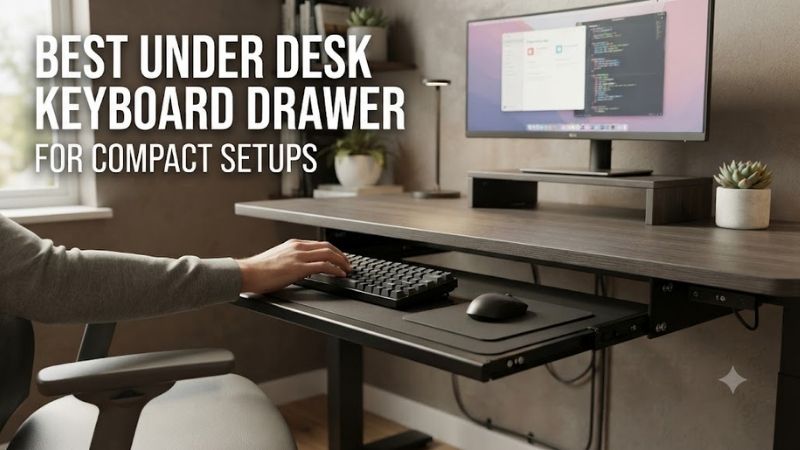
The best under desk keyboard drawer for compact setups creates additional workspace by moving the keyboard beneath the desktop when it is not needed. Choosing a practical tray requires checking platform dimensions, desk thickness, sliding clearance, installation hardware, and whether the keyboard and mouse can be used comfortably.
Quick Verdict: Which Under-Desk Keyboard Drawer Is Best?
The VIVO MOUNT-KB05E is our leading recommendation for users who want a straightforward clamp-on keyboard-and-mouse tray without drilling. Its broad sliding platform works well for many standard keyboards, although the complete clamp width may be too large for genuinely narrow desks.
For compact workstations, the smaller VIVO keyboard tray is a more appropriate option.
Users with unusually thick desktops should consider the height-adjustable VIVO MOUNT-KB05HB family.
The VIVO MOUNT-KB05HB-DR adds a separate storage drawer beneath the keyboard platform, making it useful for users who want to organize small accessories as well as clear desktop space.
For advanced ergonomic adjustment, the 3M AKT90LE provides a different approach with adjustable height, tilt, and swivel.
Quick Comparison Table
A keyboard drawer must fit both the keyboard and the desk. The visible platform width is not always the total mounting width, and a product advertised as compact may still require substantial clearance for clamps, sliding tracks, or under-desk support brackets.
| Product | Best For | Mounting | Main Advantage |
|---|---|---|---|
| VIVO MOUNT-KB05E | Best overall | Clamp-on | Broad sliding tray |
| VIVO Compact 20-Inch Tray | Small keyboards | Clamp-on | Narrower platform |
| VIVO MOUNT-KB05HB | Thick desktops | Adjustable clamp | Height customization |
| VIVO MOUNT-KB05HB-DR | Storage and keyboard | Clamp-on | Separate accessory drawer |
| BONTEC Clamp-On Keyboard Tray | Budget setups | Clamp-on | Large usable surface |
| Fellowes Office Suites Keyboard Drawer | Compact workstations | Under-desk mounting | Retractable mouse tray |
| 3M AKT90LE Keyboard Tray | Advanced ergonomics | Under-desk arm | Height, tilt, and swivel |
How We Selected the Best Under-Desk Keyboard Drawers
A useful keyboard tray should reclaim desktop space without introducing a less comfortable typing or gaming position. We considered usable platform dimensions, mounting clearance, height adjustment, mechanical stability, and whether the sliding arrangement can accommodate common gaming keyboards and mouse movement.
Platform Width Versus Total Mounting Width
A tray may advertise a 27-inch keyboard surface while requiring a desk more than 32 inches wide once the mounting clamps are included. This distinction is particularly important for narrow gaming desks where the tray appears suitable but the brackets extend beyond the desktop.
Buyers should measure the available width along the desk’s front edge.
Then compare it with the product’s total installed width.
The usable keyboard surface and total mounting dimensions are separate specifications.
A compact keyboard may fit a narrow platform, but the chosen mouse position also matters.
Under-Desk Clearance and Sliding Mechanisms
A sliding keyboard drawer requires enough unobstructed depth beneath the tabletop for its tracks and retraction mechanism. Steel support frames, drawers, cable trays, and monitor-arm hardware can interfere with installation or prevent full movement.
The tray’s height below the desktop also affects leg clearance.
A thick keyboard and a low-mounted drawer can reduce the available space above the knees.
Users should measure their normal seated posture rather than evaluating the tray only when the chair is empty.
Stability and Gaming Performance
A keyboard tray should remain stable during normal typing and gaming inputs. Sliding tracks, mounting brackets, and platform materials influence how much movement occurs when keys are pressed or the mouse is moved rapidly.
A low-profile office keyboard may place relatively little demand on the platform.
A heavy mechanical keyboard can create more concentrated loads.
For gaming, the mouse area is particularly important.
A narrow sliding tray may not provide enough room for low-sensitivity FPS movement, even when the keyboard fits comfortably.
Best Under Desk Keyboard Drawers Reviewed
The seven products below serve different desk sizes and ergonomic requirements. Some are simple clamp-on sliding trays, while others provide adjustable height or separate storage. Their reviews focus on actual compatibility and practical limitations rather than assuming every retractable platform suits competitive gaming.
VIVO MOUNT-KB05E — Best Overall
The VIVO MOUNT-KB05E offers a straightforward sliding keyboard-and-mouse platform that attaches without drilling. Its broad surface and documented load capacity make it useful for ordinary gaming and productivity setups, provided the desk has enough width and underside clearance.
Best For: Standard-width desks requiring a no-drill sliding keyboard tray.
Platform Dimensions
VIVO specifies a tray measuring approximately 26.8 × 11 inches.
The total installed width, including clamps, is approximately 32.5 inches.
This distinction matters for compact setups.
A 30-inch desk may accommodate the tray surface in theory but remain too narrow for the mounting hardware.
The platform provides room for many standard keyboards and a mouse, although actual mouse travel depends on the keyboard’s width.
Sliding Mechanism
The tray uses a sliding track that allows the platform to extend from beneath the desk.
VIVO documents approximately 8.5 inches of extension.
This permits the keyboard to be pulled forward for use and returned beneath the tabletop afterward.
However, the mechanism requires adequate track clearance.
A desk support beam located immediately behind the front edge may prevent installation.
Desk Compatibility and Capacity
The MOUNT-KB05E supports compatible desktops approximately 0.5–1.25 inches thick.
The published weight capacity is 11 pounds.
This is sufficient for many ordinary keyboards and mice, but users should check unusually heavy custom keyboards or additional accessories.
The tray does not offer advanced tilt or swivel adjustment.
Gaming Applications
The MOUNT-KB05E works particularly well when the keyboard is used for typing, strategy games, or ordinary desktop activities.
For competitive FPS gaming, users should measure whether the remaining mouse area is sufficient.
A large full-size keyboard may leave limited horizontal movement space.
Pros
-
No-drill installation
-
Broad keyboard-and-mouse surface
-
Published 11-pound capacity
-
Sliding storage mechanism
-
Documented dimensions
-
Suitable for ordinary compact workstations
Cons
-
Total clamp width exceeds 32 inches
-
Limited desk-thickness range
-
No advanced tilt adjustment
-
Mouse space may be insufficient for low-sensitivity gaming
Buy If: You have a suitable desk and want a straightforward retractable keyboard platform.
Skip If: Your desk is narrower than the installed clamp width.
VIVO Compact 20-Inch Clamp-On Keyboard Tray — Best for Small Desks
The VIVO Compact 20-Inch Keyboard Tray is designed for users who need a narrower under-desk platform than conventional full-size keyboard trays provide. It is particularly relevant to gamers using compact mechanical keyboards and limited desk space.
Best For: Narrow desks with 60%, 65%, or selected tenkeyless keyboards.
Compact Dimensions
The compact model provides an approximately 20-inch-wide platform.
The overall mounting width is greater because the clamps extend beyond the tray.
Published comparisons identify an installed width of approximately 26 inches for the applicable model.
This can make it suitable for desks that cannot accommodate the larger MOUNT-KB05E.
However, the actual keyboard must fit within the usable platform dimensions.
Keyboard Compatibility
Compact keyboards are particularly well suited to shorter trays.
A 60% keyboard can leave additional room for small accessories or limited mouse movement.
However, a full-size keyboard may occupy nearly the entire surface or fail to fit.
Buyers should measure the keyboard’s complete housing rather than relying only on its advertised layout percentage.
Gaming Limitations
The main limitation is mouse space.
A small tray may fit a keyboard comfortably while leaving insufficient room for a mouse.
For competitive gaming, placing the mouse on the main desktop may be preferable.
However, this creates different working heights between the keyboard and mouse.
Users should evaluate whether that arrangement feels comfortable.
Pros
-
Narrower than standard trays
-
Suitable for compact keyboards
-
No-drill mounting
-
Retractable design
-
Useful for limited desk width
Cons
-
Limited mouse area
-
Not suitable for many full-size keyboards
-
Total clamp width exceeds platform width
-
Height difference may affect ergonomics
Buy If: You use a compact keyboard and need a narrow retractable tray.
Skip If: You want a full-size keyboard and mouse on the same platform.
VIVO MOUNT-KB05HB — Best for Thick Desktops
The VIVO MOUNT-KB05HB provides a height-adjustable clamp-on keyboard tray for users whose desks are too thick for many basic sliding platforms. Its broader compatibility range and adjustable mounting positions make it especially useful for substantial wooden desktops.
Best For: Thick desktops requiring no-drill keyboard storage.
Height Adjustment
The product family offers approximately 2.4 inches of bracket-height adjustment.
This allows the tray to be positioned at different distances beneath the desktop.
The adjustment can help users find a more comfortable keyboard height.
However, the correct setting depends on chair position and under-desk clearance.
A lower tray may improve arm alignment while reducing knee space.
Desk Thickness Compatibility
VIVO documents compatibility with desktops approximately 0.5–3.4 inches thick for the height-adjustable family.
This is a substantial improvement over basic models with narrower clamp ranges.
However, desk thickness alone is not sufficient.
The mounting brackets still require a suitable flat contact area.
Gaming Performance
The wider platform accommodates many conventional keyboards and mice.
Its adjustable positioning may be useful for users who find ordinary desk height uncomfortable.
However, the sliding mechanism still introduces some movement compared with a rigid desktop.
Users should avoid treating the tray as a structural support for leaning or pushing.
Pros
-
Broad desk-thickness compatibility
-
Adjustable tray height
-
No-drill installation
-
Suitable for substantial desktops
-
Sliding keyboard storage
Cons
-
Larger bracket structure
-
Requires underside clearance
-
No automatic guarantee of improved ergonomics
-
Mouse area depends on keyboard width
Buy If: Your desktop is too thick for ordinary keyboard clamps.
Skip If: You need a permanently fixed, exceptionally rigid gaming surface.
VIVO MOUNT-KB05HB-DR — Best Keyboard Drawer With Accessory Storage
The VIVO MOUNT-KB05HB-DR combines a sliding keyboard platform with an additional storage drawer. This arrangement can be particularly useful on compact desks where small accessories otherwise occupy the mousepad and keyboard area.
Best For: Users needing both retractable keyboard storage and a separate drawer.
Platform and Drawer Dimensions
The keyboard tray measures approximately 26.8 × 11 inches.
The total width including clamps is approximately 33 inches.
The storage drawer provides an internal area of approximately 22 × 8.8 × 1.9 inches.
This can accommodate smaller accessories such as cables, adapters, pens, and other lightweight items.
However, the shallow drawer is not intended for bulky equipment.
Height and Sliding Adjustment
The product provides five bracket-height positions across approximately 2.4 inches of adjustment.
Its sliding mechanism separates the keyboard platform from the accessory drawer.
VIVO lists an 11-pound overall weight capacity for the documented model.
Users should respect the published limit and avoid overloading the storage compartment.
Compact Desk Benefits
The combination can help reclaim desktop space.
A keyboard can be stored beneath the tabletop, while smaller accessories occupy the separate drawer.
However, the additional storage layer increases the overall thickness of the under-desk assembly.
This may reduce knee clearance.
Pros
-
Keyboard tray and separate drawer
-
Height-adjustable clamps
-
No-drill installation
-
Broad desk-thickness range
-
Published internal drawer dimensions
-
Useful accessory organization
Cons
-
Large total width
-
Increased under-desk thickness
-
11-pound capacity
-
More complex than a basic tray
Buy If: You want an integrated sliding keyboard platform and accessory drawer.
Skip If: Your desk has limited knee clearance.
BONTEC Clamp-On Keyboard Tray — Best Budget Alternative
The BONTEC Clamp-On Keyboard Tray provides a broad sliding platform for users seeking a lower-cost alternative to premium under-desk keyboard systems. Its simple clamp-based design makes it relevant to ordinary home gaming and productivity desks.
Best For: Budget-conscious users with compatible desktops.
Platform Dimensions
Published product comparisons identify a platform measuring approximately 25.6 × 11.8 inches.
This provides adequate area for many conventional keyboards.
The extra depth can be useful for positioning the mouse or allowing space near the keyboard’s front edge.
However, the available horizontal mouse area depends on the keyboard’s width.
Clamp Compatibility
The BONTEC supports compatible desktops up to approximately 1.97 inches thick.
Its clamp-based mounting avoids drilling.
However, desk frames and decorative edge shapes can still interfere with installation.
Users should measure the total installed width and bracket clearance before purchasing.
Gaming Applications
The BONTEC is suitable for ordinary keyboard-and-mouse activity.
It may also work for casual gaming.
However, competitive players should verify that the tray remains sufficiently stable during repeated rapid inputs.
A low-cost sliding platform should not automatically be treated as equivalent to a rigid gaming desktop.
Pros
-
Broad surface area
-
No-drill installation
-
Suitable for many conventional keyboards
-
Budget-oriented category
-
Retractable design
Cons
-
Compatibility depends on desk geometry
-
Limited advanced adjustment
-
Sliding platform may introduce movement
-
Mouse area may be restricted
Buy If: You want an economical retractable keyboard platform.
Skip If: You need advanced height, tilt, and swivel adjustment.
Fellowes Office Suites Keyboard Drawer — Best Traditional Compact Drawer
The Fellowes Office Suites Keyboard Drawer provides a conventional under-desk storage arrangement with a separate mouse platform. Its design is useful for users who prefer a compact keyboard drawer rather than one broad tray occupying the full width of the workstation.
Best For: Compact desktops with ordinary keyboards and limited mouse space.
Keyboard and Mouse Arrangement
The product uses a retractable keyboard platform with an additional mouse tray.
The mouse section can be positioned according to the supported configuration.
This arrangement can help users keep the keyboard platform narrower than a combined full-width keyboard-and-mouse tray.
However, the separate mouse surface introduces a transition between the two working areas.
Some players may find this less comfortable than one continuous surface.
Mounting and Storage
The Office Suites drawer is intended for under-desk installation.
Buyers should verify the mounting method, required hardware, and underside clearance for the exact version.
A screw-mounted system may be unsuitable for thin or fragile desktops.
The keyboard platform should retract without interfering with desk frames or stored equipment.
Gaming Suitability
The design is useful for ordinary desktop activity and games with limited mouse movement.
However, low-sensitivity FPS players may find the separate mouse tray too small.
The configuration is better suited to compact productivity setups and casual gaming.
Pros
-
Separate mouse platform
-
Retractable keyboard storage
-
Compact working arrangement
-
Conventional drawer design
-
Useful for small workstations
Cons
-
May require drilling
-
Limited mouse movement area
-
Less suitable for low-sensitivity FPS use
-
Exact dimensions depend on model
Buy If: You need a conventional keyboard drawer with a separate mouse platform.
Skip If: You require large, uninterrupted mouse movement space.
3M AKT90LE Adjustable Keyboard Tray — Best Advanced Ergonomic System
The 3M AKT90LE is an adjustable keyboard tray system intended for users who want greater control over keyboard position than a conventional sliding drawer provides. Its height, tilt, and swivel functionality make it relevant to more demanding workstation configurations.
Best For: Users prioritizing adjustable keyboard ergonomics.
Adjustment Features
The AKT90LE provides lift-to-adjust height positioning.
Published specifications identify tilt adjustment and a 360-degree swivel range.
This allows users to position the keyboard relative to the chair and desk.
For example, a user may lower the keyboard beneath a fixed-height desktop while adjusting its angle for comfortable access.
However, extensive adjustment also requires careful setup.
Under-Desk Installation
The system uses an under-desk support arm and track.
This provides greater positioning flexibility than basic clamp-on trays.
However, installation requires suitable desktop construction and clear space beneath the surface.
Buyers should verify the exact mounting requirements before purchasing.
Gaming Considerations
The adjustable system can work well for typing and productivity.
However, competitive gaming places additional demands on platform stability and mouse movement area.
A highly adjustable tray should not automatically be assumed superior for every gaming style.
Users who need a very rigid keyboard-and-mouse platform may still prefer a conventional desktop.
Pros
-
Adjustable height
-
Tilt control
-
Swivel functionality
-
Ergonomic-oriented design
-
Suitable for complex workstations
Cons
-
More involved installation
-
Higher cost category
-
Requires under-desk clearance
-
Not automatically ideal for competitive gaming
Buy If: You want extensive keyboard-position adjustment.
Skip If: You only need inexpensive retractable storage.
Buying Guide: Choosing an Under-Desk Keyboard Drawer
An under-desk keyboard drawer should reclaim space without compromising comfort or stability. Buyers must examine the usable platform, total mounting width, desk thickness, sliding mechanism, and under-desk clearance. For gaming, the relationship between keyboard size and available mouse movement is especially important.
Measure the Keyboard and Desk Separately
Measure the complete keyboard housing, including any wrist rest.
Then measure the available desk width.
Do not confuse the tray’s platform width with its installed width.
Clamps may extend several inches beyond the tray.
For narrow desks, this difference can determine whether installation is possible.
Consider Keyboard Layout
Full-size keyboards require more horizontal space than TKL, 75%, or 60% layouts.
A compact keyboard can leave additional room for mouse movement.
However, the tray’s depth also matters.
A keyboard with a thick wrist rest may require more front-to-back space than the product specification initially suggests.
Check Mouse Movement Requirements
A narrow keyboard tray may be adequate for typing but unsuitable for competitive FPS gaming.
Low-sensitivity players frequently need broad horizontal mouse travel.
A separate mouse tray may not provide sufficient space.
If gaming performance is the priority, keeping the mouse on a large desktop pad may be preferable.
Verify Desk Thickness and Support Frames
Clamp-on trays require compatible tabletop thickness and suitable edge geometry.
Screw-mounted systems require appropriate desktop materials and safe drilling locations.
Steel desk frames may prevent either type from fitting.
Check the underside before purchasing.
Evaluate Tray Height and Knee Clearance
Lowering a keyboard can improve the relationship between the hands and desk.
However, the tray also occupies space above the knees.
A drawer with an additional storage compartment may reduce clearance further.
Measure the seated position before installation.
Understand Sliding Stability
Retractable mechanisms contain moving parts.
Some movement may be present compared with a fixed desktop.
Users should not lean heavily on the extended tray or exceed its weight capacity.
A tray must remain stable enough for the intended keyboard and mouse activity.
Plan Cable Routing
Wired keyboards and mice require sufficient cable slack for the tray to slide.
Cables should not become trapped in the tracks.
Wireless peripherals reduce cable clutter but still require charging access.
Organize connections so that retracting the tray does not pull against USB ports.
Frequently Asked Questions
Keyboard drawers can save space, but their usefulness depends on desk dimensions and gaming style. These questions explain which designs suit compact desks, how to evaluate mounting compatibility, and why a sliding tray may not be ideal for every mouse-and-keyboard setup.
What is the best under desk keyboard drawer for compact setups?
The VIVO MOUNT-KB05E is a strong general choice when the desk is wide enough for its clamps.
What keyboard tray works best on a very narrow desk?
A compact 20-inch tray may be appropriate for smaller keyboards, provided the total mounting width fits.
Can a keyboard drawer hold a mechanical gaming keyboard?
Many can, but the combined weight and dimensions must remain within the tray’s specifications.
Are clamp-on keyboard trays stable?
They can be suitable when properly installed, although sliding mechanisms may introduce some movement.
Do keyboard trays improve ergonomics?
They can help adjust keyboard position, but the correct result depends on desk, chair, and hand alignment.
Can I put my gaming mouse on the same tray?
Yes, when there is sufficient usable surface area for the intended movement style.
Do under-desk keyboard trays damage desks?
Improper clamps or unsuitable drilling can damage desktops. Follow the product’s installation requirements.
Are sliding keyboard drawers suitable for FPS gaming?
They may be, but low-sensitivity players often need more mouse movement area than compact trays provide.
Should I choose a tray with a storage drawer?
Choose one when the extra storage is useful and enough knee clearance remains.
Final Verdict
The best under desk keyboard drawer for compact setups should fit the desktop, support the keyboard securely, and preserve comfortable hand positioning. VIVO MOUNT-KB05E is a strong all-around option, its compact variant suits smaller desks, and the height-adjustable models offer flexibility. Always measure total clamp width and mouse space.