🛒 Best Price Today on Amazon
Prime members get fast, free shipping on everything above, plus member-only deals. New members get a 30-day free trial — cancel anytime.
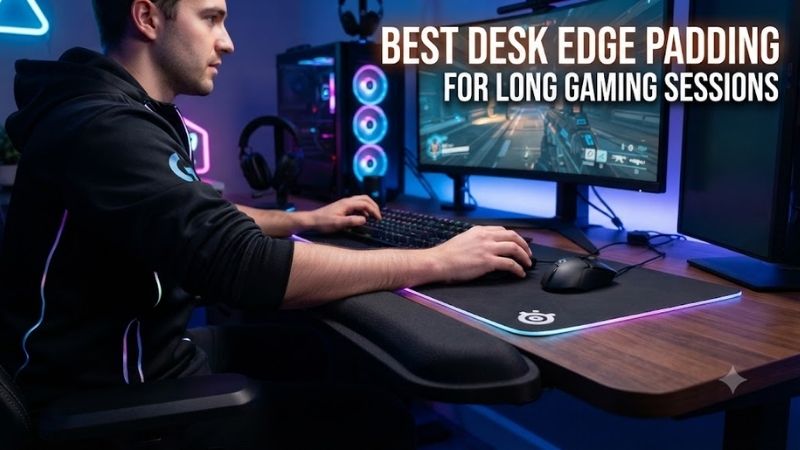
The best desk edge padding for long gaming sessions reduces uncomfortable contact with hard desktop edges while preserving natural arm and mouse movement. Choosing effective padding requires attention to cushion height, firmness, surface friction, mounting compatibility, and the type of games you play.
Quick Verdict: Which Desk Edge Padding Is Best?
The Allsop ErgoEdge Deskpad is our preferred all-around choice for users who want a cushioned desk edge and an integrated keyboard-and-mouse surface. Dedicated forearm pads are more suitable when substantial cushioning is needed without replacing the existing mousepad.
For deeper cushioning, the Ergomart EDGEPROTECT series offers 24-inch and 36-inch options. These products provide a broad contact surface rather than merely covering the sharp corner of a desk.
For gamers who rely on large mouse movements, however, thick static padding is not necessarily ideal.
A bulky cushion may reduce pressure against the desk while increasing friction during arm movement. In that situation, a lower-profile edge guard or mobile forearm support may be more appropriate.
Quick Comparison Table
The products below fall into three groups: integrated padded desk mats, dedicated stationary forearm supports, and general edge-protection accessories. Their differences matter because protecting a sharp corner is not the same as supporting an arm comfortably during extended keyboard-and-mouse activity.
| Product | Best For | Design | Key Difference |
|---|---|---|---|
| Allsop ErgoEdge Deskpad | Best overall | Desk mat with edge padding | Integrated work surface |
| Ergomart EDGEPROTECT AS-24 | Focused forearm support | 24-inch cushion | Substantial edge support |
| Ergomart EDGEPROTECT AS-36 | Wide desk coverage | 36-inch cushion | Longer support area |
| Ergo Edge XL | Continuous edge protection | Foam edge pad | Broad cushioning |
| M2cbridge L-Shaped Foam Guard | Budget protection | Adhesive foam | Covers sharp corners |
| Dreambaby Foam Edge Bumper | Custom-length installation | Flexible foam roll | Cut-to-fit coverage |
| CHERRY SLIDEPAD ERGO | Moving arm support | Gliding forearm cushion | Moves with the arm |
How We Selected the Best Desk Edge Padding
Desk-edge comfort depends on the interaction between the desktop, chair, keyboard, mouse, and user’s arm movements. A product that feels comfortable while typing may become inconvenient during competitive FPS gaming, particularly when rapid forearm movement crosses the padded edge.
Cushion Geometry and Contact Pressure
The main purpose of desk-edge padding is to reduce concentrated contact between the forearm and a hard surface. A narrow, sharp desk edge concentrates force over a smaller region, while a broader cushioned surface can distribute contact across a larger area.
However, foam thickness alone does not determine whether a product will feel comfortable.
A very soft cushion may compress until the original hard edge becomes noticeable.
A very firm cushion may retain its shape while providing limited pressure relief.
The best support provides enough cushioning without creating an excessive step between the desk and the user’s arm.
Its shape should also suit the desktop edge. A rounded wooden desk may need relatively little additional material, while a sharply squared laminate edge may benefit from broader coverage.
Mouse Movement and Friction
Different gaming styles place different demands on the forearm. Players using low mouse sensitivity frequently move their entire arm across the desk, while high-sensitivity players may rely on smaller movements controlled primarily through the fingers and wrist.
A static cushion can be useful when the forearm remains in a relatively consistent position.
However, a thick foam edge may create resistance when the arm slides during rapid mouse movements.
Surface material also matters.
Vinyl, cloth, and exposed foam can produce different sensations against bare skin or clothing.
Users should therefore consider movement freedom as seriously as cushioning softness.
Keyboard Height and Ergonomic Positioning
Padding changes the height and shape of the surface supporting the forearm. If the cushion sits much higher than the keyboard’s front edge, it can encourage uncomfortable wrist angles or cause the player to compensate by raising the shoulders.
This becomes particularly important with low-profile keyboards.
A thick pad that works with a tall mechanical keyboard may feel awkward beside a thin keyboard.
Desk height and chair position should be evaluated before adding padding.
The goal is to maintain comfortable arm positioning and avoid concentrated pressure, not to keep the wrists permanently anchored to the desk.
Best Desk Edge Padding for Gaming Reviewed
The following products differ in cushion construction, mounting method, coverage, and intended use. Rather than treating every foam accessory as an ergonomic solution, each review explains the problem the product can reasonably address and where its design may create additional limitations.
Allsop ErgoEdge Deskpad — Best Overall
The Allsop ErgoEdge Deskpad combines a broad desk mat with a cushioned front edge, making it suitable for users who want to improve the contact surface without installing separate adhesive foam. Its integrated approach is particularly useful when the existing desk surface also needs covering.
Best For: Gaming desks requiring a unified keyboard, mouse, and front-edge surface.
Design and Construction
The ErgoEdge Deskpad combines a fabric-covered working surface with foam cushioning along the front edge.
The overall design is intended to cover a substantial section of the desktop while extending cushioning over the edge closest to the user.
This differs from narrow foam guards that only cover a corner.
The wider padded area can provide more contact surface for the forearms.
The integrated construction also avoids an exposed seam between a separate mat and an independent edge cushion.
Practical Gaming Performance
A single desk mat can create a consistent area beneath the keyboard and mouse.
However, the available mouse space depends on where the keyboard is positioned.
Players using low sensitivity should measure their required horizontal movement before assuming the integrated surface provides enough room.
A separate oversized gaming mousepad may still be preferable for competitive shooters.
The ErgoEdge is particularly attractive for mixed gaming and productivity setups where typing, browsing, and ordinary mouse use occupy substantial portions of the day.
Ergonomic Benefits and Limitations
The cushioned edge may reduce uncomfortable contact against a hard desktop.
It cannot guarantee prevention of wrist or forearm discomfort.
A user who sits too low relative to the keyboard may continue to experience awkward positioning even with cushioning.
The pad should complement appropriate chair and desk adjustment rather than replace it.
Pros
-
Integrated desk mat and edge cushioning
-
Broad contact area
-
No permanent desk modification
-
Suitable for mixed work and gaming
-
Avoids separate adhesive guards
Cons
-
Mouse area may be insufficient for some FPS players
-
Occupies a substantial desktop region
-
Less flexible than independent edge pads
-
Not a substitute for workstation adjustments
Buy If: You want one product to cover the desktop and soften its front edge.
Skip If: You already own a large premium gaming mousepad and only need edge protection.
Ergomart EDGEPROTECT AS-24 — Best Dedicated Forearm Cushion
The Ergomart EDGEPROTECT AS-24 is a purpose-built forearm-support cushion for desk and workstation edges. Unlike generic furniture bumpers, it provides a broad padded surface intended to distribute contact across the forearm rather than merely conceal a sharp corner.
Best For: Users who need substantial support across a defined 24-inch section.
Cushion Construction
Ergomart specifies thick foam padding covered in durable vinyl.
The AS-24 is 24 inches wide.
Its design provides approximately 1.25 inches of cushioning above the desk surface and extends approximately 1.5 inches beyond the front desk edge.
These measurements are particularly important because they establish how the pad changes the original surface geometry.
The upper cushioning may be comfortable for users whose forearms otherwise contact a hard edge.
However, its height can also influence the wrist’s relationship to the keyboard.
Mounting Method
The product attaches through hook-and-loop strips rather than a conventional screw clamp.
This allows the pad to be mounted without drilling into the desktop.
Users should clean and prepare the attachment surface according to the manufacturer’s directions.
A secure fit is important because a moving cushion could become inconvenient during active gaming.
The attachment method also means that desk finishes and surface materials require consideration.
Gaming Applications
The AS-24 is most suitable when forearm contact occurs across a relatively consistent region.
Strategy games, simulation games, and mixed keyboard work can involve prolonged arm contact without extensive lateral movement.
For fast competitive shooters, the thick pad may interfere with broad mouse sweeps.
The user should compare the cushioning benefit against any increase in movement friction.
Pros
-
Dedicated forearm-support construction
-
24-inch coverage
-
Thick foam padding
-
Durable vinyl exterior
-
Published cushion geometry
-
Hook-and-loop attachment
Cons
-
Relatively high profile
-
May affect keyboard alignment
-
Not ideal for every FPS aiming style
-
Attachment surface must be suitable
Buy If: You want substantial forearm cushioning along a desk edge.
Skip If: You need nearly unrestricted arm sliding across the desk.
Ergomart EDGEPROTECT AS-36 — Best for Wide Desk Coverage
The Ergomart EDGEPROTECT AS-36 provides the same general forearm-support concept as the shorter version but extends the coverage to 36 inches. This makes it more appropriate for wider desks where the keyboard and mouse occupy distinct positions along the front edge.
Best For: Wide gaming and streaming desks requiring continuous padded coverage.
Coverage and Materials
The AS-36 uses vinyl-covered foam cushioning.
Its 36-inch width provides substantially more contact area than a short localized pad.
This can be beneficial when the user shifts between a keyboard positioned toward the center of the desk and a mouse placed farther to one side.
Without sufficient coverage, the forearm may repeatedly move between padded and unpadded sections.
The longer pad creates a more continuous resting surface.
Mounting and Layout Considerations
The AS-36 uses the same general hook-and-loop attachment approach as the AS-24.
However, the larger size requires a longer unobstructed desk edge.
Front-mounted accessories, desk curves, and other attachments may interfere with installation.
Gamers should also check whether the pad extends into areas where the mouse cable or other peripherals require access.
Choosing Between the Two Versions
The wider model is not automatically better.
A compact desk or narrow keyboard configuration may only need 24 inches of padding.
The 36-inch version is more appropriate when both arms frequently contact a broad section of the desk.
As with the shorter model, users must evaluate whether the cushion’s height and surface friction suit their gaming style.
Pros
-
36-inch continuous coverage
-
Substantial foam cushioning
-
Durable vinyl covering
-
Suitable for wider workstations
-
Avoids separate small cushions
Cons
-
Requires longer clear mounting area
-
More noticeable on the desktop
-
May interfere with broad mouse movement
-
Excess coverage may be unnecessary
Buy If: You need forearm cushioning across much of a wide desk.
Skip If: Only one small section of your desktop causes discomfort.
Ergo Edge XL — Best Long Foam Edge Cushion
The Ergo Edge XL is intended to soften long sections of desktop edge without requiring a complete desk mat. Its appeal lies in providing dedicated cushioning while allowing users to retain their existing mousepads, keyboard mats, and other gaming accessories.
Best For: Long desk edges requiring continuous foam protection.
Physical Design
The product is available in an extended foam-pad format intended for long desk-edge contact areas.
Its cushioning approach differs from integrated mats because it focuses primarily on the front edge.
That can be practical when a gaming setup already includes a preferred extended mousepad.
The user can retain the existing tracking surface while adding protection where the forearm contacts the desk.
Material and Comfort Considerations
High-density foam can offer a supportive contact surface, but comfort also depends on the pad’s height, firmness, and cross-sectional shape.
A cushion that projects significantly above the desktop may interfere with low-profile keyboards.
Conversely, a very narrow pad may provide little benefit when substantial forearm pressure is present.
Buyers should verify the exact variant’s dimensions and attachment requirements.
Gaming Suitability
A long foam protector can be practical for players who move their arms across several sections of the desk.
However, exposed foam or textured coverings may increase movement friction.
For low-sensitivity FPS gaming, preserving smooth arm movement may be more important than maximizing cushion thickness.
Pros
-
Continuous long-edge cushioning
-
Can work with an existing mousepad
-
Focused desk-edge protection
-
Suitable for wide workstations
Cons
-
Exact specifications depend on version
-
Material friction may affect arm movement
-
Cushion height requires compatibility checks
-
Not suitable for every desk edge
Buy If: You want dedicated protection without replacing your gaming mousepad.
Skip If: You need a very thin, low-friction edge treatment.
M2cbridge L-Shaped Foam Edge Guard — Best Budget Protection
The M2cbridge L-Shaped Foam Edge Guard is a general furniture-protection accessory that can also soften sharp gaming desk corners. It offers an inexpensive alternative to specialized ergonomic cushions, but its narrow protective geometry serves a different purpose.
Best For: Basic protection against hard desktop corners.
Protective Design
The L-shaped profile covers portions of both the top and vertical faces of the desk edge.
This is useful when the underlying desk has a relatively sharp corner.
The foam provides a softer contact surface than exposed wood, metal, or laminate.
However, the narrow shape may not distribute pressure across the forearm as effectively as a dedicated support pad.
Its main function is edge protection rather than complete ergonomic support.
Installation and Surface Compatibility
Many versions use adhesive strips.
This simplifies installation but creates potential issues when the accessory is removed.
Certain painted, laminated, or veneered surfaces may be sensitive to adhesive residue or removal force.
Users should verify compatibility before applying the guard to an expensive desktop.
Gaming Applications
The product makes sense when occasional contact with a sharp edge is the main problem.
It may be adequate for casual gaming or a secondary workstation.
For users experiencing discomfort from prolonged forearm pressure, a broader support cushion is likely more appropriate.
Pros
-
Budget-oriented accessory
-
Flexible L-shaped foam
-
Covers sharp desk edges
-
Cut-to-fit installation possibilities
-
Simple protective function
Cons
-
Not designed specifically for gaming ergonomics
-
Narrow support surface
-
Adhesive concerns
-
Limited adjustment
Buy If: You need inexpensive protection from a hard corner.
Skip If: You want broad, dedicated forearm support.
Dreambaby Foam Edge Bumper Roll — Best Custom-Length Guard
The Dreambaby Foam Edge Bumper Roll offers flexible, cut-to-fit furniture protection. Although primarily designed for general household safety, it can be used to soften irregular desk edges when a fixed-length ergonomic pad is impractical.
Best For: Irregular or unusually long desk edges.
Flexible Construction
A roll-style bumper allows the user to choose the protected length.
This can be particularly useful for L-shaped desks, curved workstations, or desktops with several exposed contact points.
Rather than purchasing multiple rigid cushions, the user can cut the foam to suit the required sections.
However, cut-to-fit flexibility does not mean the product provides substantial forearm support.
Installation and Maintenance
The bumper uses an adhesive-oriented attachment approach.
Correct surface preparation is important for secure installation.
Users should also consider how the foam will be cleaned.
Repeated skin contact, dust, and moisture can affect its condition over time.
The product should be replaced if it begins separating, deforming, or exposing damaged material.
Limitations for Gaming
A narrow foam guard may reduce discomfort from a sharp corner while leaving the main forearm-support problem unresolved.
It may also create a raised border beside the mousepad.
Competitive gamers should verify that the bumper does not interfere with rapid arm movement.
Pros
-
Cut-to-fit coverage
-
Suitable for unusual desk shapes
-
Flexible foam construction
-
Can protect multiple sections
-
Simple installation concept
Cons
-
Not a purpose-built ergonomic support
-
Adhesive removal considerations
-
Limited pressure distribution
-
May interfere with mousepad positioning
Buy If: Your desk has irregular edges requiring customized protection.
Skip If: You need sustained ergonomic forearm support.
CHERRY SLIDEPAD ERGO — Best Moving Forearm Support Alternative
The CHERRY SLIDEPAD ERGO addresses arm comfort by providing a mobile support surface that moves with the forearm. Although it is not a conventional desk-edge guard, it is a useful alternative when fixed padding creates friction during mouse movement.
Best For: Users who want arm support without keeping the forearm stationary.
Design and Operating Principle
The SLIDEPAD ERGO provides a curved padded contact surface designed to support the forearm.
Its distinguishing characteristic is the ability to move across the working surface.
This differs from an edge cushion permanently attached to the desk.
The mobile arrangement may be attractive to users who frequently move between keyboard and mouse positions.
Gaming Applications
A mobile support can help users who dislike dragging their forearms across a static cushion.
However, it also introduces another moving object into the gaming area.
During fast mouse movements, the accessory may change how the arm interacts with the desk.
Players should evaluate whether the additional movement feels natural.
Limitations
The SLIDEPAD ERGO does not cover the entire desk edge.
If the user’s main problem is an exposed sharp corner, a conventional protector may still be required.
The product is best understood as an alternative forearm-support strategy.
Pros
-
Mobile forearm support
-
Curved padded surface
-
Allows positional changes
-
Different approach to reducing static contact
Cons
-
Does not protect the full desk edge
-
Requires desktop space
-
May change mouse movement feel
-
Less useful for simple corner protection
Buy If: You want support that can move with your arm.
Skip If: You only need to cover a sharp desk edge.
Buying Guide: Choosing Desk Edge Padding for Long Sessions
Selecting the correct padding requires understanding where discomfort originates. If a sharp desktop edge causes occasional contact, a simple guard may be enough. If the forearm remains under pressure for long periods, a broader support may be more appropriate, provided it does not create awkward wrist positioning.
Match Cushion Height to Keyboard Position
The height of the keyboard and the cushion should be considered together.
A thick pad positioned above the front edge of a low-profile keyboard can encourage uncomfortable wrist angles.
A tall mechanical keyboard may work with a different support height.
The ideal arrangement allows the hands to approach the keys naturally.
Do not select the thickest pad simply because it appears more comfortable.
Consider Your Mouse Sensitivity and Aiming Style
Low-sensitivity players frequently move the entire arm across the desk.
For these users, surface friction and unrestricted movement can be especially important.
A bulky static cushion may interfere with aiming.
High-sensitivity users who make smaller movements may tolerate more localized padding.
Observe your normal forearm movement before choosing a product.
Avoid Constant Pressure Against the Wrist
Padding should not encourage sustained pressure directly against the underside of the wrist.
For keyboard activity, the hands should remain free to move.
During pauses, a comfortable support may be useful.
If the player experiences persistent numbness, pain, or tingling, adding more padding is not necessarily the appropriate response.
A broader ergonomic assessment may be needed.
Choose the Right Mounting Method
Adhesive guards are easy to install but may leave residue.
Hook-and-loop supports can be repositioned, although their attachment material must still be compatible with the desktop.
Integrated mats require no permanent attachment but occupy substantial surface area.
Choose the mounting method according to the desk finish, expected usage, and likelihood of future rearrangement.
Maintain the Cushion Properly
Fabric and foam can accumulate dust and skin oils.
Vinyl surfaces may be easier to wipe clean, while exposed foam can require more careful handling.
Follow the product’s cleaning instructions.
Inspect adhesive, seams, and cushion shape periodically.
A damaged or significantly compressed cushion may no longer provide its original support.
Frequently Asked Questions
Desk-edge padding can reduce uncomfortable contact, but it cannot guarantee prevention of repetitive strain or compensate for unsuitable workstation dimensions. The following answers focus on practical differences between protective foam, dedicated forearm cushions, and integrated desk mats.
Does desk edge padding help during long gaming sessions?
It can reduce direct pressure against a hard edge when properly positioned, although comfort depends on the entire workstation.
Is thicker padding always better?
No. Excessive thickness can interfere with keyboard height and forearm movement.
Can padding affect FPS aiming?
Yes. High-friction or bulky padding may interfere with broad arm movements.
Should padding cover the entire front edge?
Only when the user needs continuous coverage. Localized protection may be sufficient.
Is adhesive foam safe for every desk?
No. Some finishes can be damaged or discolored by adhesives and removal procedures.
Is a desk mat better than a separate edge cushion?
An integrated mat is convenient when surface coverage is also needed. A separate cushion is better when the user wants to retain an existing mousepad.
Can padding prevent wrist injuries?
No product can guarantee injury prevention. Proper workstation setup and movement habits remain important.
Final Verdict
The best desk edge padding for long gaming sessions should reduce uncomfortable contact without restricting natural arm movement. Allsop ErgoEdge is a practical integrated option, while Ergomart EDGEPROTECT provides more substantial cushioning. Choose the correct height and coverage rather than relying on foam thickness alone.