🛒 Best Price Today on Amazon
Prime members get fast, free shipping on everything above, plus member-only deals. New members get a 30-day free trial — cancel anytime.
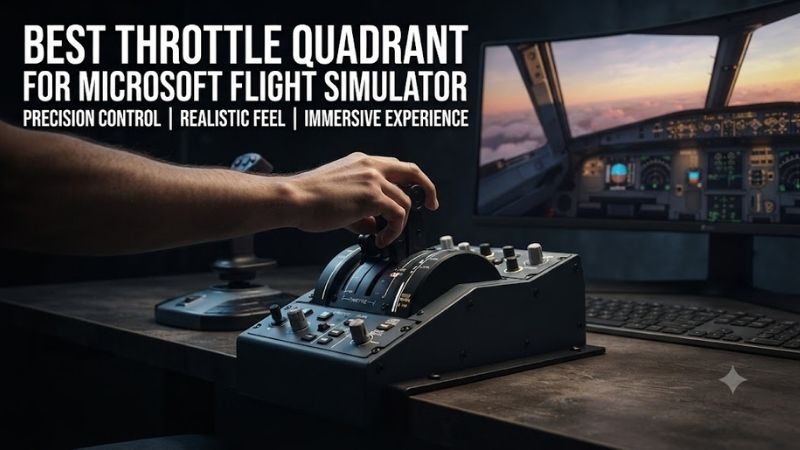
The best throttle quadrant for Microsoft Flight Simulator gives pilots reliable engine control, comfortable lever movement, and a layout appropriate for their favorite aircraft. Whether you prefer flying a Cessna 172, operating an Airbus A320, or managing a Boeing airliner, a suitable throttle quadrant can make flight simulation more precise and engaging.
Quick Verdict
The Honeycomb Bravo Throttle Quadrant is our best overall recommendation for Windows PC pilots who frequently switch between general-aviation aircraft and airliners.
Its configurable lever arrangement, integrated trim wheel, autopilot controls, and additional cockpit functions make it a versatile addition to a home simulator.
For Airbus enthusiasts, the Thrustmaster TCA Quadrant Airbus Edition is a more specialized choice.
Boeing pilots should consider the Thrustmaster TCA Quadrant Boeing Edition, while beginners can start with the Logitech G Flight Throttle Quadrant.
Quick Comparison Table
| Throttle Quadrant | Best For | Primary Control Layout | Key Advantage |
|---|---|---|---|
| Honeycomb Bravo | Best overall | Six configurable levers | Multiple aircraft types |
| Thrustmaster TCA Airbus | Airbus simulation | Twin throttle levers | Airbus-style detents |
| Thrustmaster TCA Boeing | Boeing airliners | Twin throttle levers | Boeing-inspired operation |
| Logitech G Flight Throttle Quadrant | Budget PC setups | Three levers | Affordable engine control |
| Honeycomb Sierra TPM | Single-engine aircraft | Vernier-style controls | General-aviation layout |
| CH Products Throttle Quadrant | Multi-engine simulation | Six levers | Independent engine controls |
| Turtle Beach VelocityOne Flight | Integrated cockpit | Built-in throttle module | Complete control system |
How We Selected These Throttle Quadrants
Aircraft Compatibility
A general-aviation aircraft and a modern airliner can require very different physical controls.
A piston aircraft may use throttle, propeller, and mixture inputs, while a jet airliner typically uses thrust levers with aircraft-specific detents and additional engine-management functions.
We selected controllers that serve different aircraft categories rather than treating every throttle layout as interchangeable.
Number of Independent Axes
Throttle quadrants vary in the number of analog lever axes they provide.
Three levers can be sufficient for many single-engine aircraft.
Twin-engine airliners can benefit from independent left and right thrust levers.
A six-lever controller offers greater flexibility when configuring multiple engines or separating throttle, propeller, and mixture inputs.
Control Resolution and Lever Movement
Reliable analog inputs are essential for maintaining consistent engine settings.
However, overall control quality is not determined by sensor technology alone.
Lever travel, friction, physical detents, calibration, and software mapping all affect how naturally a throttle quadrant operates.
Additional Cockpit Features
Some quadrants provide only engine-control axes, while others incorporate trim wheels, autopilot controls, gear switches, and flap levers.
These features can reduce keyboard dependence, but they also increase cost and physical size.
Our recommendations account for both functionality and the practical needs of different flight simulator users.
Best Throttle Quadrants for Microsoft Flight Simulator Reviewed
Honeycomb Bravo Throttle Quadrant — Best Overall
Best For: Windows PC pilots who fly different aircraft categories.
Why It Stands Out
The Honeycomb Bravo offers one of the most versatile control arrangements for general-purpose Microsoft Flight Simulator use.
Its six configurable levers allow users to create layouts appropriate for piston aircraft, turboprops, and airliners.
Rather than focusing on one aircraft manufacturer, the Bravo emphasizes adaptability.
Key Features and Performance
The Bravo includes six lever axes and interchangeable handle configurations.
Its additional cockpit functions include an integrated trim wheel, autopilot-related controls, landing gear operation, and flap management.
For general aviation, the available levers can be arranged to manage throttle, propeller, and mixture.
For airliners, users can configure thrust levers and other appropriate functions.
The trim wheel and autopilot interface also help reduce the number of frequently used keyboard commands.
The main compromise is that a universal throttle quadrant cannot perfectly reproduce every aircraft’s physical control layout.
Pros
-
Six configurable lever axes
-
Suitable for multiple aircraft categories
-
Integrated trim wheel
-
Additional autopilot controls
-
Useful long-term cockpit platform
Cons
-
Requires significant desk space
-
More expensive than basic quadrants
-
Aircraft-specific configurations take time
-
Xbox use requires supported additional hardware
Buy If: You frequently switch between general aviation and commercial aircraft.
Skip If: You only fly one aircraft family and want a more specialized throttle layout.
Thrustmaster TCA Quadrant Airbus Edition — Best for Airbus Simulation
Best For: Airbus A320-family enthusiasts.
Why It Stands Out
The Thrustmaster TCA Quadrant Airbus Edition focuses on reproducing the operating principles of an Airbus-style twin-engine throttle arrangement.
Its physical detents make it especially attractive for pilots who want recognizable thrust-lever positions.
Key Features and Performance
The quadrant provides two throttle axes with configurable detent functionality.
The layout is intended to support commonly used Airbus thrust settings, including recognizable operating positions when configured with compatible simulator aircraft.
Engine-related switches add to the dedicated airliner experience.
The system also supports compatible add-on hardware for additional Airbus-style controls.
Because different aircraft implementations handle throttle calibration differently, users should configure the hardware through the relevant simulator and aircraft settings.
Correct detent alignment is more important than simply assuming the default configuration will suit every Airbus add-on.
Pros
-
Airbus-inspired throttle layout
-
Twin throttle axes
-
Physical detent functionality
-
Compatible expansion options
-
Suitable for dedicated A320 setups
Cons
-
Less versatile for general aviation
-
Detent calibration may be required
-
Expansion hardware adds cost
Buy If: You primarily fly Airbus aircraft and want dedicated thrust-lever controls.
Skip If: You frequently alternate between piston aircraft and other aircraft types.
Thrustmaster TCA Quadrant Boeing Edition — Best for Boeing Airliners
Best For: Pilots flying Boeing-style commercial aircraft.
Why It Stands Out
The Thrustmaster TCA Quadrant Boeing Edition provides an aircraft-inspired alternative to universal throttle quadrants.
Its control arrangement is intended to make Boeing airliner operations more intuitive than relying on generic engine-control levers.
Key Features and Performance
The quadrant provides two throttle axes and additional controls suited to commercial aviation.
It is designed for use with compatible simulator software and can form part of a broader Boeing-oriented control setup.
Its physical configuration can help pilots create more consistent habits when managing thrust and aircraft systems.
However, users should distinguish between an aircraft-inspired consumer controller and a full-scale cockpit replica.
The exact lever behavior, detent setup, and mappings depend on the simulated aircraft.
Pros
-
Boeing-inspired control arrangement
-
Independent throttle axes
-
Additional cockpit functions
-
Suitable for airliner-focused setups
-
Integrates with compatible Thrustmaster hardware
Cons
-
Less flexible than six-lever quadrants
-
Not ideal for piston-aircraft engine management
-
Requires aircraft-specific configuration
Buy If: Boeing airliners dominate your Microsoft Flight Simulator sessions.
Skip If: You need one universal control system for many different aircraft.
Logitech G Flight Throttle Quadrant — Best Budget Choice
Best For: Beginners and pilots building an affordable Windows PC cockpit.
Why It Stands Out
The Logitech G Flight Throttle Quadrant provides a straightforward way to add physical engine controls without purchasing an elaborate multi-function device.
Its three-lever arrangement covers several common general-aviation requirements.
Key Features and Performance
The quadrant offers three separate lever axes that can be mapped to throttle, propeller pitch, mixture, or other compatible functions.
This makes it useful for learning the relationship between engine power and aircraft performance.
For a single-engine piston aircraft, the three controls can closely match the commonly used throttle-propeller-mixture arrangement.
The device is compact compared with large premium throttle quadrants.
Its limitations become more apparent when users need additional lever axes or advanced cockpit functions.
Pros
-
Three independent lever axes
-
Compact construction
-
Accessible entry-level option
-
Useful for general aviation
-
Straightforward control concept
Cons
-
Limited number of levers
-
No integrated trim wheel
-
Fewer advanced cockpit functions
-
Windows PC-focused hardware
Buy If: You want an affordable physical throttle controller.
Skip If: You require multiple engine axes and extensive aircraft controls.
Honeycomb Sierra TPM — Best for Single-Engine General Aviation
Best For: Pilots who primarily fly piston-powered general-aviation aircraft.
Why It Stands Out
The Honeycomb Sierra TPM emphasizes the push-pull control arrangement associated with many conventional general-aviation aircraft.
For Cessna-style flying, this can provide a more representative control experience than a generic multi-lever quadrant.
Key Features and Performance
The Sierra TPM offers dedicated throttle, propeller, and mixture controls.
Its design is intended to support the fine adjustments commonly needed during piston-engine operations.
Additional cockpit inputs expand its usefulness beyond basic engine control.
The layout is particularly appropriate for users practicing engine management, cruise settings, and general-aviation procedures.
However, it is not the most versatile option for users who regularly fly large multi-engine jet aircraft.
A dedicated TPM arrangement is a specialized purchase, even when it includes several useful additional functions.
Pros
-
General-aviation-oriented control layout
-
Separate throttle, propeller, and mixture inputs
-
Appropriate for piston-aircraft operation
-
Additional cockpit controls
-
Useful for dedicated GA setups
Cons
-
Less suitable for airliners
-
Specialized configuration
-
Limited flexibility compared with universal quadrants
Buy If: You primarily fly Cessnas and other piston aircraft.
Skip If: You want one controller for airliners, turboprops, and complex multi-engine aircraft.
CH Products Throttle Quadrant — Best for Multi-Engine Control
Best For: PC pilots who need multiple independent engine-related axes.
Why It Stands Out
The CH Products Throttle Quadrant provides six lever axes, making it attractive for pilots who want control over several engine functions.
Its straightforward configuration can be useful when software flexibility matters more than detailed aircraft-specific styling.
Key Features and Performance
The six-lever arrangement allows pilots to assign multiple throttles, propeller controls, mixture controls, or other analog functions.
For example, a twin-engine piston aircraft can use separate throttle, propeller, and mixture assignments for each engine.
This is one of the clearest reasons to choose six levers over a basic three-axis device.
The quadrant is a conventional PC peripheral rather than a highly integrated modern cockpit panel.
Buyers should also confirm the condition and availability of current inventory, since this product family has a long history.
Pros
-
Six independent lever axes
-
Useful for multi-engine configurations
-
Flexible simulator assignments
-
Straightforward control layout
-
Suitable for dedicated PC setups
Cons
-
Limited modern cockpit integration
-
Less specialized physical styling
-
Availability and product revision should be checked
Buy If: You need multiple independent engine-control axes.
Skip If: You prioritize modern airliner-specific controls and integrated panels.
Turtle Beach VelocityOne Flight — Best Complete Integrated Setup
Best For: Pilots who need a yoke and throttle controls together.
Why It Stands Out
The Turtle Beach VelocityOne Flight is a complete flight-control system rather than a standalone throttle quadrant.
Its inclusion in this comparison is relevant to buyers starting from scratch who want an integrated control arrangement.
Key Features and Performance
The system combines a yoke, throttle controls, trim functionality, and additional assignable inputs.
The built-in throttle module provides physical engine control without requiring a separate desk-mounted quadrant.
This arrangement can reduce the number of individual accessories needed to begin flying.
For general-aviation enthusiasts, the combination of yoke and engine controls is particularly convenient.
However, users who already own a premium yoke may find that purchasing an entire integrated system creates unnecessary overlap.
Pros
-
Integrated yoke and throttle system
-
Additional cockpit functions
-
Built-in trim control
-
Suitable for complete cockpit beginners
-
Supported PC and Xbox arrangements
Cons
-
Not a standalone throttle quadrant
-
Less modular than separate hardware
-
Replaces more equipment than some buyers need
Buy If: You are building your first integrated flight simulation setup.
Skip If: You only need a throttle quadrant for an existing cockpit.
Buying Guide: How to Choose a Throttle Quadrant for Microsoft Flight Simulator
Choose Your Primary Aircraft Category
The most important purchasing decision is identifying which aircraft you fly most frequently.
For general aviation, three dedicated engine controls may be sufficient.
For twin-engine piston aircraft, additional axes allow separate engine management.
For Airbus airliners, a dedicated throttle with recognizable detents can make normal procedures more intuitive.
For Boeing aircraft, a Boeing-inspired layout may offer more convenient control access.
A universal quadrant is often the better choice for users who regularly switch between these categories.
Understand the Difference Between Lever Count and Functionality
More levers do not always mean a better controller.
A six-lever device provides flexibility but may include controls that remain unused when flying a single-engine aircraft.
Conversely, a two-lever Airbus quadrant can be highly effective for its intended aircraft despite having fewer axes.
The correct number of levers depends on the engine configuration and functions you want to manage physically.
Check Physical Detents and Reverse Thrust
Airliner throttle quadrants often include physical detents representing aircraft-specific operating positions.
These can support more consistent thrust management, but only when properly mapped to the simulated aircraft.
Some throttle systems use physical lever movement, separate buttons, or specific detent arrangements to activate reverse thrust.
Do not assume every quadrant uses the same method.
Review the aircraft’s calibration options before creating a permanent control profile.
Consider Additional Cockpit Controls
A quadrant with built-in trim, autopilot, landing gear, or flap functions can reduce keyboard interaction.
However, additional features should match your actual workflow.
If you already own a dedicated autopilot panel or trim controller, some integrated functions may be redundant.
The most useful throttle quadrant is the one that complements your existing equipment.
Verify PC and Console Compatibility
Many flight simulation throttle quadrants are designed primarily for Windows PC.
Xbox compatibility is more restrictive and may require approved hardware or a compatible connection through another flight control device.
A generic USB throttle quadrant should not be assumed compatible with Xbox simply because it works in Microsoft Flight Simulator on Windows.
Always verify the exact platform, product revision, and accessory requirements before purchasing.
Frequently Asked Questions
What is the best throttle quadrant for Microsoft Flight Simulator 2024?
The Honeycomb Bravo is a strong overall choice for Windows PC users who fly multiple aircraft types. Pilots focused on Airbus or Boeing aircraft may prefer a dedicated Thrustmaster TCA quadrant.
Do I need a separate throttle quadrant if my joystick already has a throttle?
No. A joystick throttle slider can operate the aircraft’s engine controls. A separate quadrant primarily improves ergonomics, control access, and the number of available axes.
Is Honeycomb Bravo suitable for beginners?
Yes, although its many controls and configuration options may require more setup than a basic three-lever quadrant.
Can I use an Airbus throttle quadrant for general aviation?
Yes, compatible throttle axes can be reassigned, but the physical layout may be less natural for aircraft requiring separate throttle, propeller, and mixture controls.
How many levers do I need for twin-engine aircraft?
The answer depends on the aircraft. A twin-engine piston airplane may benefit from six levers for independent throttle, propeller, and mixture control, while a twin-engine jet often requires fewer primary engine-control axes.
Can I combine throttle quadrants from different manufacturers?
On Windows PC, many compatible USB controllers can operate together as separate devices. Each axis must be assigned carefully to prevent conflicting inputs.
Final Verdict
The best throttle quadrant for Microsoft Flight Simulator depends on your preferred aircraft and existing controls. Honeycomb Bravo is our top versatile PC choice, while Thrustmaster’s TCA quadrants suit Airbus and Boeing enthusiasts. Logitech offers an affordable starting point, and Honeycomb Sierra TPM is particularly appealing for general-aviation pilots.