🛒 Best Price Today on Amazon
Prime members get fast, free shipping on everything above, plus member-only deals. New members get a 30-day free trial — cancel anytime.
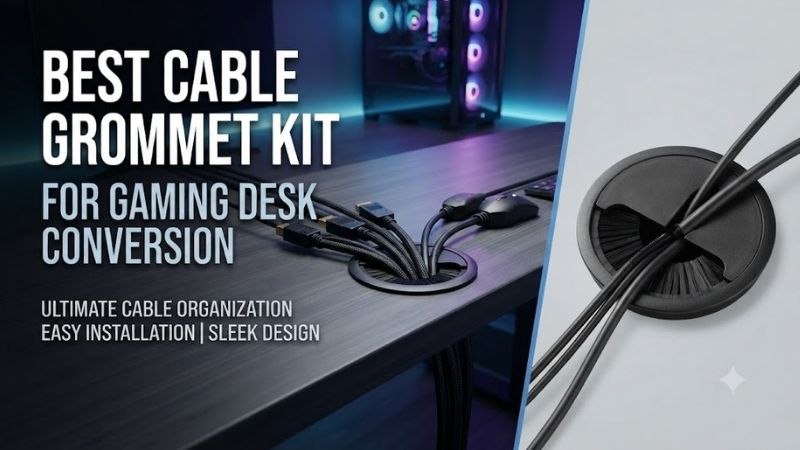
The best cable grommet kit for gaming desk conversion creates a cleaner route for monitor, keyboard, mouse, and power cables while protecting the edges of drilled openings. Choosing the correct hole diameter, insert material, and cable-access design is essential when transforming an ordinary desk into an organized gaming workstation.
Quick Verdict
For a straightforward gaming desk conversion, a two-inch Mockett Flip-Top grommet set is a practical choice because it provides a finished cable opening with a removable or adjustable access cover.
A two-inch brush-style grommet is often more convenient when several cables need to pass through the desk while remaining partially concealed.
For multi-monitor setups with bulky video connectors or multiple power leads, a larger opening may be more appropriate than a conventional two-inch grommet.
If the desktop itself must provide power access, a dedicated power grommet can be useful, but it introduces electrical and installation considerations that do not apply to passive plastic cable covers.
Quick Comparison Table
| Grommet or Kit | Best For | Opening Style | Main Consideration |
|---|---|---|---|
| Mockett TG3 Flip-Top Grommet Set | Best overall | 2-inch round | Simple finished opening |
| Mockett TG5 Plated Grommet Set | Premium finishes | 2-inch round | Decorative finish |
| Shepherd 3620 Desk Grommet | Basic desk conversions | 2-inch round | Budget installation |
| Cord Away Adjustable Grommet | Simple cable routing | 2-inch round | Adjustable cord access |
| Jetland Brushed-Silver Grommet | Metal-look desktops | Round insert | Verify exact hole size |
| Two-Inch Brush Grommet Set | Multiple visible cables | Brush opening | Cable concealment |
| Two-Inch ABS Grommet Multi-Pack | Multi-hole installation | Removable plastic covers | Quantity and fit |
| Desktop Power Grommet with USB-C | Powered gaming desks | Electrical outlet module | Electrical certification |
Some entries represent product families or standardized kit formats because cable grommet listings vary in pack quantity, finish, and mounting diameter. Confirm the precise product variant before purchase.
How We Selected the Best Gaming Desk Cable Grommet Kits
Hole Diameter and Connector Clearance
A cable grommet should be selected based on the size of the opening required, not simply the number of cables.
This distinction becomes important when installing monitors.
A cable may be narrow enough to fit through a small opening, while the HDMI, DisplayPort, or power connector at its end is substantially wider.
For an installation where connectors must pass through an already drilled hole, the opening must accommodate the largest connector that cannot be disconnected.
A two-inch nominal hole is a common desktop size, but it is not universal.
The actual usable opening can be smaller after the grommet insert is installed.
Protection Against Desk-Edge Damage
Drilled holes often have sharp or unfinished edges, particularly in particleboard, MDF, laminate, or metal surfaces.
A cable grommet provides a finished boundary between those edges and the cables passing through.
This can reduce abrasion caused by repeated cable movement.
However, the grommet does not automatically make an improperly drilled hole safe.
Rough edges should be smoothed, and exposed composite materials should be protected from moisture when necessary.
Cable Visibility and Access
Some desk conversions prioritize a clean appearance with minimal visible cable openings.
Others require easy access because peripherals are changed frequently.
A brush-style opening can conceal cable bundles while allowing movement.
A flip-top design can provide a more finished appearance when only a few cables pass through.
A simple split plastic insert may be preferable when users want inexpensive, removable cable routing.
The best design depends on how often the desk configuration changes.
Best Cable Grommet Kits for Gaming Desks Reviewed
Mockett TG3 Two-Inch Flip-Top Grommet Set — Best Overall
Best For: Converting a wooden or composite desk into a tidy gaming workstation.
Design and Dimensions
The Mockett TG3 is a two-inch-hole grommet set consisting of a cap and liner.
Its published dimensions include a 2⅜-inch overall diameter and a 1⅞-inch inside diameter.
The cap includes a flip-top section that can cover the cord slot when the opening is not being used.
This arrangement is particularly useful on a gaming desk where only a few cables need to pass through the surface.
The outer edge creates a finished appearance, while the inner liner separates cables from the raw desk opening.
Installation Considerations
Before installation, confirm that the desk material can safely support a drilled opening.
For MDF or particleboard, a correctly sized hole saw can produce the main opening, but rough or damaged edges may require finishing.
The insert should fit securely without excessive force.
If the opening is too large, the grommet may move when cables are adjusted.
If it is too small, forcing the insert into place may damage the desk surface.
The TG3 is attractive because its dimensions are explicitly documented rather than relying on a generic claim of universal fit.
Best Gaming Setup Applications
A single TG3 near the rear of a desk can provide an organized route for monitor cables, keyboard wiring, or USB accessories.
It is also appropriate for desks using monitor arms, where cables may need to pass through a specific location.
However, users with large cable bundles should check the available cord-slot dimensions before purchasing.
A nominal two-inch hole does not mean every connector can pass through the finished opening.
Pros
-
Defined two-inch installation size
-
Includes cap and liner
-
Flip-top cable access
-
Multiple finish options
-
Finished appearance for drilled desks
Cons
-
Requires accurate hole preparation
-
Limited capacity for large connectors
-
May not suit frequently changing thick cable bundles
-
Cannot conceal all visible cable sections
Buy If: You want a clean, professionally finished cable opening in a conventional desk.
Skip If: You need to route many thick cables through one opening.
Mockett TG5 Plated Flip-Top Grommet Set — Best Premium Finish
Best For: Gaming desks with metal accents or premium decorative finishes.
Why Appearance Matters
Gaming setups often include coordinated monitor arms, desk frames, speaker stands, and accessories.
A basic black plastic grommet may look out of place on a desk built around metallic hardware.
The Mockett TG5 offers plated finish options while retaining the underlying two-inch flip-top grommet concept.
This makes it relevant for users who want cable management hardware to contribute to the desk’s appearance rather than merely hide wiring.
Functional Performance
The plated version performs the same basic cable-entry function as the conventional flip-top model.
It provides a finished desk opening and a cover that can close over the cord-access area.
The plated finish does not inherently increase cable capacity or improve electrical performance.
Its primary benefit is visual integration.
Users should therefore avoid paying extra for a plated finish if the grommet will be completely hidden behind a monitor or desk accessory.
Maintenance and Durability
Decorative finishes can show fingerprints, scratches, or cleaning marks depending on their composition.
Avoid abrasive cleaners unless approved by the manufacturer.
When removing cables, lift or adjust the cover as intended rather than forcing large connectors against the finished edges.
Pros
-
Premium decorative appearance
-
Two-inch hole format
-
Cap-and-liner construction
-
Flip-top design
-
Suitable for coordinated desk aesthetics
Cons
-
Finish may increase cost
-
No additional cable capacity over equivalent geometry
-
Visible finishes may require careful cleaning
Buy If: You want cable management components that match a premium gaming desk.
Skip If: Function and low cost matter more than appearance.
Shepherd 3620 Two-Inch Desk Grommet — Best Simple Budget Insert
Best For: Basic gaming desk conversions with modest cable-routing needs.
Straightforward Construction
The Shepherd 3620 is a simple two-inch desk grommet option.
This type of insert is attractive because it solves the central problem without adding complicated mechanisms.
A properly fitted grommet covers the raw opening and provides a more finished cable route.
For a desk with only one monitor, keyboard, and mouse, that may be all the cable management hardware required.
Why a Basic Insert Can Be Enough
Not every gaming desk needs an elaborate cable-routing system.
If cables rarely move and the hole is hidden behind a monitor, adjustable covers or decorative finishes may add little practical value.
A basic plastic insert can provide an inexpensive and replaceable finish.
The quality of the overall installation depends heavily on the drilled hole and cable path beneath the desk.
A premium grommet cannot compensate for cables hanging loosely across the floor.
Limitations
A simple insert generally offers fewer concealment options than a brush or flip-top design.
Users should confirm whether the selected package contains a complete insert and cover or only one component.
Exact dimensions and included pieces should be checked against the current listing.
Pros
-
Simple construction
-
Standardized desktop application
-
Suitable for basic cable routing
-
Potentially economical
-
Minimal decorative complexity
Cons
-
Limited cable concealment
-
Exact package configuration requires verification
-
Less visually refined than premium alternatives
Buy If: You want a straightforward cable opening for a basic gaming desk.
Skip If: You need to hide a dense collection of visible cables.
Cord Away Adjustable Organizer Grommet — Best for Simple Cable Access
Best For: Desks requiring accessible cable routing without a large opening.
Adjustable Cable Entry
Cord Away offers desk grommet products intended to organize cables passing through a workstation.
An adjustable entry design can be useful when cable quantity changes occasionally.
For example, a gaming desk may initially have only monitor and keyboard cables, then gain an additional USB hub or charging cable.
A cover that accommodates different cord arrangements can reduce the need to modify the desk repeatedly.
Installation and Practical Use
The key consideration is how the selected grommet fits the actual opening.
Two products advertised as two-inch grommets may differ in their outside flange diameter, insert depth, or internal cord slot.
Those differences can determine whether the accessory sits securely in the desk.
Buyers should also check that the selected design permits necessary connector removal.
A narrow slit may be acceptable for cables that remain installed permanently but inconvenient for peripherals that are frequently unplugged.
Where It Falls Short
An adjustable grommet does not replace comprehensive cable management.
Cables still need suitable routing beneath the desktop, including strain relief and adequate slack.
Without that supporting organization, the visible surface may look cleaner while the underside remains tangled.
Pros
-
Practical cable-entry format
-
Suitable for modest cable bundles
-
Useful for basic desk conversions
-
Can complement under-desk cable management
Cons
-
Actual usable opening must be checked
-
May not accommodate bulky connectors
-
Limited benefit without underside cable organization
Buy If: You need an uncomplicated opening that accommodates ordinary desk wiring.
Skip If: You need high-capacity cable routing through one hole.
Jetland Brushed-Silver Desk Grommet — Best for Metallic Desk Accessories
Best For: Gaming desks using silver monitor arms, aluminum accessories, or metallic finishes.
Visual Integration
A brushed-silver grommet can provide a more coordinated appearance than basic black plastic.
This matters most when the cable opening is visible on the desktop rather than hidden behind a monitor.
A metallic-looking finish may complement aluminum monitor arms, laptop stands, or silver desk hardware.
However, appearance should remain secondary to correct installation dimensions.
Installation and Fit
The exact Jetland variant must be selected carefully because similar decorative grommets may have different nominal opening sizes.
Buyers should distinguish between the desk cutout diameter and the outside diameter of the visible flange.
These measurements are not interchangeable.
For an existing desk opening, measure the cutout before ordering.
For a new desk conversion, purchase the grommet first and use its actual installation requirements to choose the cutting tool.
Practical Limitations
Decorative grommets generally do not provide additional cable-management functionality simply because they have a metallic finish.
If the desk opening will be hidden, a less expensive plastic insert may offer equivalent practical utility.
Pros
-
Brushed-metal appearance
-
Suitable for coordinated desk designs
-
Conventional cable-entry functionality
-
Can improve the finish of a visible opening
Cons
-
Exact dimensions vary by version
-
Decorative finish may add cost
-
Does not replace cable trays or ties
-
Potentially unnecessary for concealed openings
Buy If: You want a visible cable opening to match a metallic desk theme.
Skip If: You prioritize maximum cable capacity or minimal cost.
Two-Inch Brush Grommet Set — Best for Multiple Visible Cables
Best For: Gaming desks with several cables passing through one opening.
Why Brush Inserts Work Well
A brush grommet uses flexible bristles or fibers around the cable passage.
As cables pass through, the brush material moves around them and helps conceal the empty portion of the opening.
This can provide a cleaner appearance than a large uncovered hole.
Brush-style entries are common in cable-management applications where several cables need to pass through a surface.
They are particularly useful when cable positions change occasionally.
Performance With Gaming Peripherals
A brush opening may accommodate a monitor cable, USB hub cable, keyboard cable, and other wiring through one location.
The main advantage is visual concealment rather than electrical protection.
The brush does not automatically provide strain relief, and cables should not be pulled tightly against the insert.
For gaming desks that use multiple displays and frequent peripheral changes, a brush design can reduce the visual impact of an otherwise large cable opening.
Choosing the Correct Kit
Because brush grommets are sold by multiple manufacturers, verify the installation diameter, frame material, brush density, and included hardware.
Some kits are intended for round holes, while others use rectangular cutouts.
Do not assume a rectangular brush plate can replace an existing two-inch round grommet.
Pros
-
Helps conceal cable openings
-
Useful for multiple cables
-
Flexible access arrangement
-
Suitable for frequently modified setups
-
Cleaner appearance than an uncovered hole
Cons
-
Brush materials can collect dust
-
Does not provide strong cable strain relief
-
Connector clearance still matters
-
Round and rectangular versions are not interchangeable
Buy If: You need to conceal several cables passing through the same desk opening.
Skip If: You want a completely closable cover for only one or two cables.
Two-Inch ABS Grommet Multi-Pack — Best for Multi-Monitor Desk Conversions
Best For: Desks requiring several separate cable openings.
Why Multiple Grommets May Be Better
A gaming desk with two or three monitors can benefit from multiple cable-entry positions.
Routing every cable through one rear-center opening may create unnecessary cable crossings.
Separate grommets can allow each monitor and peripheral group to follow a shorter path.
This becomes especially useful when monitor arms are placed at different positions across a wide desk.
Evaluating Multi-Pack Value
Generic ABS grommet kits are frequently sold in packages containing several inserts.
The important specifications are the hole diameter, insert depth, flange dimensions, and package contents.
Buyers should verify that every grommet in the package uses the required installation size.
A low-cost multi-pack is not good value if the inserts fit loosely or require a different cutting tool.
Installation Planning
Before drilling several holes, arrange the monitors, keyboard, mouse, and power accessories in their intended positions.
Mark the planned cable routes.
Check the underside for desk framing, drawers, support brackets, and existing cable trays.
Multiple small openings can produce a cleaner setup, but poorly positioned holes are difficult to reverse.
Pros
-
Useful for multiple cable-entry points
-
Potentially economical per opening
-
Suitable for wide gaming desks
-
Flexible placement
-
Common two-inch format
Cons
-
Generic quality varies
-
Multiple holes require careful planning
-
May create unnecessary desk modification
-
Package details are seller-dependent
Buy If: You are converting a wide desk with several cable-routing zones.
Skip If: One well-positioned opening will meet your needs.
Desktop Power Grommet with USB-C — Best for Integrated Desk Charging
Best For: Users who want convenient power access at the desk surface.
How Power Grommets Differ
A power grommet incorporates electrical outlets, USB charging ports, or both into a desktop opening.
This can be useful when charging a controller, phone, headset, or other low-power accessory.
However, a power grommet is not the same as an ordinary cable-pass-through insert.
It requires electrical power and must meet applicable safety requirements.
Some units connect to an existing wall outlet through a factory-installed cable, while others are designed for different installation methods.
Choosing Electrical Features
Buyers should examine the number and type of outlets, available USB charging power, cable length, and installation requirements.
A USB-C port does not necessarily provide high-wattage USB Power Delivery.
Likewise, multiple charging ports do not guarantee that every port can provide its maximum advertised power simultaneously.
Use manufacturer documentation to verify supported output modes.
Safety and Desk Compatibility
Only purchase power modules with appropriate electrical certification for the intended market.
Do not modify the internal wiring of a factory-assembled power module.
Ensure that the device fits the desk cutout, has sufficient clearance beneath the surface, and does not interfere with structural supports.
Power modules should also be protected from spilled drinks and unnecessary cable strain.
Pros
-
Convenient surface-level charging
-
Can reduce loose charging cables
-
Useful for controller and phone accessories
-
Integrates with desk organization
Cons
-
Requires electrical safety verification
-
USB output differs by model
-
More expensive than passive grommets
-
Does not necessarily provide a separate cable-routing opening
-
Installation constraints are greater
Buy If: You want a gaming desk with accessible built-in power connections.
Skip If: You only need to route existing cables through the desktop.
Buying Guide: How to Choose a Cable Grommet Kit
Measure Before Drilling
A common mistake is assuming that all two-inch grommets fit every opening described as two inches.
The nominal cutout dimension, inside opening, and outside flange diameter can differ.
For an existing hole, measure its actual diameter.
For a new installation, obtain the grommet specifications before selecting the hole saw.
This prevents unnecessary enlargement, loose fitting, and visible gaps.
Understand Cable Connector Clearance
Cable diameter is not the same as connector diameter.
A DisplayPort cable may have a narrow flexible section but a comparatively bulky connector.
The connector must pass through the opening unless the installation allows the cable to be disconnected or routed before fitting the insert.
For setups using several monitors, connector clearance may determine the required grommet size more than the number of cables.
Choose the Right Material
Plastic grommets are practical for most gaming desks because they are lightweight, inexpensive, and available in many finishes.
Metal or plated grommets may be attractive for premium desk aesthetics.
Brush-style inserts help hide cable openings.
The best choice depends on the desktop material, cable movement, visibility, and budget.
Material quality also matters because brittle inserts may crack when repeatedly removed or adjusted.
Plan Cable Management Beneath the Desk
A grommet only manages the point where cables enter the desktop.
It does not organize the entire cable path.
A complete gaming desk conversion may also require an under-desk cable tray, reusable cable ties, adhesive cable clips, or a cable sleeve.
Keep power cables and signal cables organized without creating excessive tension.
Leave enough slack for monitor movement and height-adjustable desks.
Avoid Damaging the Desktop
Drilling an opening permanently changes the desk.
Solid wood, MDF, particleboard, laminate, tempered glass, and metal require different tools and precautions.
Do not attempt to drill tempered glass.
Before modifying a desk, check whether the manufacturer permits the installation and whether the cutout could compromise structural stability.
For uncertain materials or expensive furniture, professional installation may be safer.
Consider Future Equipment Changes
A desk that currently uses one monitor may eventually support two monitors, speakers, a microphone arm, and several USB devices.
Cable-entry placement should accommodate reasonable future changes.
However, creating oversized openings solely for hypothetical upgrades can make the desk unnecessarily difficult to finish cleanly.
A removable insert or brush-style opening often provides sufficient flexibility.
Frequently Asked Questions
What size cable grommet is best for a gaming desk?
Two-inch round grommets are common for ordinary cable routing, but the correct size depends on cable connectors and the manufacturer’s required cutout.
Do cable grommets improve airflow?
They primarily provide cable access and edge protection. They are not a substitute for proper PC ventilation.
Can I install a grommet in an MDF desk?
Yes, when the desk construction permits modification. The hole should be cut carefully, and exposed material should be protected appropriately.
Are brush grommets better than plastic covers?
Brush grommets are useful for concealing multiple cables. Solid or flip-top covers may provide a tidier appearance when fewer cables are involved.
Can a grommet fit an HDMI or DisplayPort connector?
Only when the usable opening is large enough for the connector body, not merely the cable.
Should I install one large grommet or several small ones?
One opening may be sufficient for compact desks. Multiple openings can help wide multi-monitor setups maintain shorter, more organized cable paths.
Can I install a power outlet inside a normal cable grommet?
Only use a power module specifically designed and certified for the intended installation. Do not improvise electrical outlet mounting.
What is the best location for a gaming desk cable grommet?
Usually near the rear portion of the desk, positioned according to monitor arms, desk framing, and the intended underside cable route.
Final Verdict
The best cable grommet kit for gaming desk conversion should fit the desktop precisely and accommodate the required connectors. Mockett TG3 is a strong all-around option, brush grommets are useful for larger cable groups, and multi-packs suit wide desks. Plan cable routes before drilling to avoid permanent installation mistakes.