🛒 Best Price Today on Amazon
Prime members get fast, free shipping on everything above, plus member-only deals. New members get a 30-day free trial — cancel anytime.
The best flight simulator trim wheel controller makes elevator trim adjustments more intuitive, helping pilots maintain the desired aircraft attitude without constantly relying on keyboard shortcuts. From dedicated analog wheels to integrated throttle quadrants, the right hardware can improve cockpit ergonomics and control precision.
Quick Verdict
For pilots who specifically want a standalone, Cessna-style trim wheel, the Flight Sim Stuff Full Size Elevator Trim Wheel is our top recommendation. It provides a large physical wheel, analog control, and a separate mounting arrangement.
The Honeycomb Bravo Throttle Quadrant is the more versatile choice for pilots who also need throttle levers, autopilot controls, and other cockpit functions.
For a complete yoke-and-throttle arrangement, the Turtle Beach VelocityOne Flight offers an integrated trim solution. Buyers who want more specialized or custom hardware should also examine Flight Sim Stuff’s combination panels and BFF Simulation’s motorized trim project.
Quick Comparison Table
| Trim Wheel Controller | Best For | Trim Input Type | Product Format |
|---|---|---|---|
| Flight Sim Stuff Full Size Trim Wheel | Best standalone | Analog axis | Dedicated wheel |
| Honeycomb Bravo Throttle Quadrant | Best overall versatility | Incremental encoder | Throttle quadrant |
| Turtle Beach VelocityOne Flight | Integrated cockpit | Digital trim control | Yoke system |
| Flight Sim Stuff Vernier TPM + Trim | Cessna-style controls | Analog trim | Combination panel |
| Flight Sim Stuff Full Size TPM Combo | GA cockpit expansion | Analog trim | Modular combination |
| BFF Motorised Trim Wheel | Advanced cockpit builders | Motorized position tracking | DIY system |
| Saitek Pro Flight Cessna Trim Wheel | Legacy setups | Analog wheel | Discontinued standalone unit |
How We Selected These Trim Wheel Controllers
Physical Trim Control Versus Keyboard Commands
The primary benefit of a physical trim wheel is direct access to aircraft trim without looking away from the flight instruments.
A useful controller should provide predictable movement, adequate adjustment resolution, and a comfortable operating position.
For general-aviation pilots, wheel size and mounting location can be particularly important because trim changes are often made repeatedly during climb, cruise, and approach.
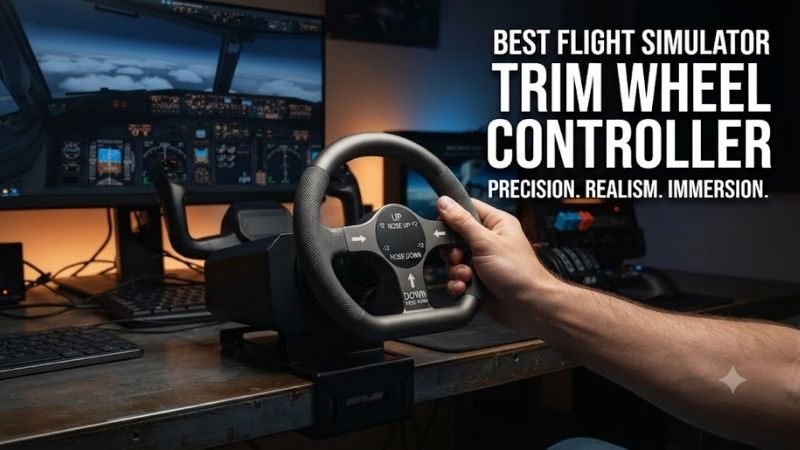
Analog Versus Incremental Input
Not all trim wheels communicate with simulators in the same way.
An analog wheel reports a physical position along an axis, whereas an incremental encoder sends commands to increase or decrease trim.
Analog wheels can offer realistic position-based operation, but their physical setting may become inconsistent with simulator trim after autopilot or electric trim activity.
Incremental encoders avoid a fixed absolute position, although the simulator may require sensitivity adjustments to prevent overly rapid changes.
Compatibility and Practical Value
Our selections include dedicated trim wheels, integrated flight-control systems, and specialized cockpit-building options.
These are different types of products, not seven interchangeable standalone wheels. That distinction is essential because the dedicated trim-wheel market is considerably smaller than the general throttle quadrant market.
Best Flight Simulator Trim Wheel Controllers Reviewed
Flight Sim Stuff Full Size Elevator Trim Wheel — Best Standalone Controller
Best For: General-aviation pilots seeking a realistic physical trim wheel.
Why It Stands Out
The Flight Sim Stuff Full Size Elevator Trim Wheel is a purpose-built solution for users who want to add trim control without replacing their existing yoke or throttle.
Its large wheel and physical trim indicator are particularly appealing for Cessna-style cockpit arrangements.
Key Features and Performance
The manufacturer specifies a 6.9-inch wheel with approximately 7.5 complete rotations. The controller uses an analog axis, allowing the wheel position to represent trim input rather than merely generating repeated button presses.
It includes mounting hardware intended for desk or under-desk installation.
The lengthy rotation range can make small trim changes more manageable, particularly during stabilized approaches and altitude adjustments.
However, users must understand how their simulator handles analog trim, especially when autopilot or electric trim systems change the aircraft’s trim position independently.
Pros
-
Dedicated full-size trim wheel
-
Analog control axis
-
Physical trim position indicator
-
Multiple mounting options
-
Useful for general-aviation cockpit building
Cons
-
Limited applicability outside trim-focused flying
-
Physical and simulated trim can become misaligned
-
Not intended for direct console use
Buy If: You already own primary flight controls and want a dedicated trim wheel.
Skip If: You need throttle, propeller, and mixture controls as well.
Honeycomb Bravo Throttle Quadrant — Best Multipurpose Choice
Best For: Pilots flying general aviation and commercial aircraft.
Why It Stands Out
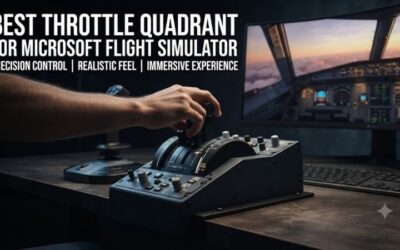
The Honeycomb Bravo is more than a trim wheel. It combines multiple throttle axes with cockpit functions, including a large trim control, autopilot interface, and landing gear operation.
For users who need several controls at once, this broader functionality can make it more useful than purchasing a standalone trim wheel.
Key Features and Performance
The Bravo provides six lever axes and interchangeable lever arrangements for different aircraft categories.
Its trim wheel uses incremental input rather than representing a fixed absolute trim position.
That design is practical for aircraft where trim can change through multiple control sources. It also avoids some of the synchronization problems associated with positional analog hardware.
The main limitation is sensitivity. Depending on the aircraft and simulator configuration, excessive trim movement per wheel increment can make fine adjustment difficult.
Correct input bindings and appropriate sensitivity settings are important.
Pros
-
Integrated trim wheel
-
Six configurable lever axes
-
Additional autopilot and cockpit controls
-
Useful for multiple aircraft categories
-
Strong value when a throttle quadrant is also needed
Cons
-
More expensive than simple trim-only options
-
Requires desk space
-
Incremental trim behavior may need tuning
Buy If: You want a versatile cockpit upgrade rather than one dedicated control.
Skip If: You already have a complete throttle quadrant and only need elevator trim.
Turtle Beach VelocityOne Flight — Best Integrated Flight Control System
Best For: Pilots building a compact cockpit around one primary control system.
Why It Stands Out
The Turtle Beach VelocityOne Flight combines a yoke, throttle controls, trim wheel, and additional cockpit inputs.
Its main advantage is integration. Instead of purchasing and mounting several individual devices, users get a coordinated system intended for civilian flight simulation.
Key Features and Performance
The built-in trim control provides convenient access during hand-flown aircraft operations.
Users can adjust trim without moving their hands to the keyboard, making it easier to maintain attention on airspeed, altitude, and aircraft attitude.
The trim wheel operates as part of the larger control system rather than as an independent USB accessory.
For buyers who already own a preferred yoke, purchasing an entire system solely for trim would usually be inefficient.
Pros
-
Integrated yoke and throttle arrangement
-
Convenient physical trim control
-
Reduced need for separate accessories
-
Supported Windows PC and Xbox configurations
-
Suitable for general-aviation flying
Cons
-
Trim wheel is not a separate product
-
Less modular than individual controllers
-
Entire system occupies desk space
Buy If: You need a complete flight-control system with built-in trim.
Skip If: You only want to add one small accessory to an existing cockpit.
Flight Sim Stuff Vernier TPM and Trim Wheel — Best for Cessna Training
Best For: General-aviation enthusiasts who prefer push-pull engine controls.
Why It Stands Out
This Flight Sim Stuff combination adds traditional throttle, propeller, and mixture controls alongside a separate full-size trim wheel.
For pilots simulating piston-powered aircraft, this arrangement better reflects the control layout of many real general-aviation cockpits than a conventional multi-lever throttle quadrant.
Key Features and Performance
The combination includes push-pull engine controls, vernier adjustment functionality on appropriate knobs, and the manufacturer’s standalone analog trim wheel.
Vernier-style controls allow fine adjustments through rotation, which is useful for tasks such as carefully setting propeller speed or mixture.
The trim wheel provides a separate, easily accessible input for elevator trim.
Because multiple functions are supplied through separate physical components, users should plan the mounting arrangement before ordering.
Pros
-
Cessna-style engine controls
-
Separate full-size trim wheel
-
Fine vernier adjustments
-
Useful for piston aircraft
-
Modular placement options
Cons
-
Less suitable for airliner-focused setups
-
Requires multiple mounting positions
-
More specialized than a universal quadrant
Buy If: You primarily fly single-engine or twin-engine piston aircraft.
Skip If: Your flight simulator sessions focus on jet airliners.
Flight Sim Stuff Full Size TPM and Trim Combo — Best Modular GA Setup
Best For: Home cockpit builders seeking several physical aircraft controls.
Why It Stands Out
The Flight Sim Stuff Full Size TPM and Trim combination is an alternative for pilots who want a larger set of dedicated controls.
It incorporates a full-size trim wheel alongside engine and flap controls, making it suitable for users upgrading from keyboard-driven cockpit management.
Key Features and Performance
The combination uses physical push-pull controls for engine management and a separate analog trim wheel.
Its design helps separate trim operation from throttle changes, which can make the cockpit layout more natural.
The ability to position the trim component independently is useful when reproducing an aircraft’s approximate seating ergonomics.
The main consideration is redundancy. If users already own a compatible throttle and mixture controller, purchasing another control assembly may add unnecessary cost.
Pros
-
Multiple dedicated aviation functions
-
Full-size analog trim control
-
Flexible cockpit arrangement
-
Suitable for flight training practice
-
Less dependence on keyboard shortcuts
Cons
-
Additional desk space required
-
Overlaps with existing throttle hardware
-
Not universally useful across aircraft types
Buy If: You are expanding a general-aviation-focused simulator.
Skip If: You want only a standalone wheel with no additional controls.
BFF Motorised Trim Wheel — Best Advanced DIY Project
Best For: Experienced builders creating an elaborate cockpit.
Why It Stands Out
The BFF Motorised Trim Wheel is substantially different from conventional consumer controllers.
Its defining feature is the ability to physically move the trim wheel in response to supported simulator or autopilot activity.
This capability addresses an important limitation of ordinary analog trim wheels: the possibility that physical wheel position and simulated aircraft trim position become inconsistent.
Key Features and Performance
The project uses a motorized mechanism, position sensing, and supporting control electronics.
In supported configurations, autopilot-driven trim changes can cause the physical wheel to rotate, creating a more realistic interaction between manual and automated aircraft controls.
However, the system is a DIY project rather than a simple ready-to-use consumer peripheral.
Builders must source and assemble additional components, configure supporting software, and verify compatibility with their intended simulator.
Pros
-
Motorized trim movement
-
Can follow supported autopilot trim changes
-
Suitable for advanced cockpit simulation
-
Customizable physical installation
-
Addresses analog trim synchronization challenges
Cons
-
Requires mechanical and electronics work
-
More complicated software integration
-
Not appropriate for most beginners
Buy If: You want a motorized trim mechanism and enjoy advanced simulator construction.
Skip If: You expect a simple USB controller that works immediately.
Saitek Pro Flight Cessna Trim Wheel — Best Legacy Option
Best For: Owners maintaining older flight simulation hardware.
Why It Stands Out
The Saitek Pro Flight Cessna Trim Wheel remains relevant because some enthusiasts already own one or encounter it on the secondhand market.
Its dedicated wheel arrangement can be useful for older FSX and Prepar3D installations.
Key Features and Performance
The unit provides a physical analog trim control intended to simulate elevator trim movement.
As a discontinued product, however, compatibility and long-term condition matter more than its original marketing specifications.
Buyers should examine its potentiometer behavior, USB recognition, mounting hardware, and driver requirements.
An aging controller that produces unstable axis values can create unwanted trim movement and make aircraft handling difficult.
Pros
-
Dedicated physical trim wheel
-
Familiar legacy cockpit design
-
Potential secondhand availability
-
Useful for maintaining older setups
Cons
-
Discontinued
-
Driver compatibility may be difficult
-
Used hardware condition varies
-
No predictable manufacturer stock
Buy If: You are maintaining an established legacy simulator setup.
Skip If: You want a modern device with straightforward ongoing support.
Buying Guide: Choosing the Right Trim Wheel
Decide Whether You Need Analog or Digital Trim
Analog trim wheels are especially attractive for users trying to reproduce a particular general-aviation cockpit.
However, they require careful handling when aircraft trim can change independently through autopilot or electric trim systems.
Incremental encoder wheels are often more convenient for general-purpose flying because they send relative adjustment commands.
Neither approach is universally superior.
Consider Wheel Size and Rotation Range
A small wheel can be sufficient for occasional trim adjustments, but larger wheels may offer a more natural operating motion.
The number of rotations also affects the relationship between physical input and trim movement.
A controller with multiple rotations can make fine adjustments easier when appropriately calibrated.
Choose the Right Mounting Position
Trim wheels should remain accessible without interfering with the yoke, throttle, or other cockpit accessories.
For a Cessna-style layout, a side-mounted or lower-mounted trim wheel may feel more natural than one positioned directly beside the computer monitor.
Secure mounting also prevents unnecessary movement when making repeated adjustments.
Understand Simulator Binding Differences
Microsoft Flight Simulator and X-Plane do not always expose trim functions in the same way.
A physical axis should be mapped to an appropriate analog function, while an encoder normally requires increase-and-decrease commands.
Avoid binding both approaches simultaneously unless the configuration specifically requires it.
Frequently Asked Questions
Is a trim wheel necessary for Microsoft Flight Simulator?
No. Aircraft trim can be operated through keyboard commands, joystick buttons, or yoke switches. A physical wheel primarily improves ergonomics and immersion.
Is an analog trim wheel better than an encoder?
Analog wheels provide position-based control, while encoders send relative adjustments. Encoders can be simpler when using autopilot or electric trim.
Can I use a trim wheel with X-Plane 12?
Many USB trim controllers can be configured in X-Plane, although the correct mapping depends on whether the hardware outputs an axis or button commands.
Why does my trim wheel move the aircraft too aggressively?
The problem may involve control sensitivity, repeated digital commands, duplicate bindings, or an inappropriate input assignment.
Should I buy a standalone wheel or Honeycomb Bravo?
Choose a standalone wheel when you already have satisfactory primary controls. Choose the Bravo if you also need a throttle quadrant and additional cockpit functions.
Final Verdict
The best flight simulator trim wheel controller should match your aircraft and cockpit layout. Flight Sim Stuff offers a compelling dedicated analog option, while Honeycomb Bravo provides greater versatility. Turtle Beach VelocityOne Flight suits integrated setups. Choose analog hardware for positional control or an incremental wheel for flexible digital trim adjustments.