🛒 Best Price Today on Amazon
Prime members get fast, free shipping on everything above, plus member-only deals. New members get a 30-day free trial — cancel anytime.
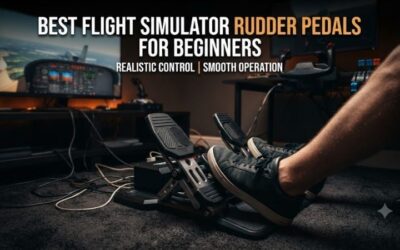
The best flight simulator toe brake pedals offer independent left and right braking, predictable rudder movement, and enough stability for precise taxiing and landings. Whether you fly Cessnas, commercial airliners, or warbirds, choosing the right pedal system can make ground handling more natural and controllable.
Quick Verdict: Which Toe Brake Pedals Should You Buy?
The MFG Crosswind V3 is our best overall recommendation for serious PC flight simulation enthusiasts. Its adjustable mechanical design, contactless sensing, and independent toe brakes provide a flexible foundation for different aircraft types.
The Thrustmaster TFRP makes more sense for beginners who want dedicated pedals without committing to a premium cockpit setup. Meanwhile, the Thrustmaster TPR stands out for pilots who specifically prefer a suspended, pendular-style rudder mechanism.
For a flexible mainstream setup, the Turtle Beach VelocityOne Rudder and Honeycomb Charlie are both worth considering.
Quick Comparison Table
| Flight Simulator Pedals | Best For | Independent Toe Brakes | Key Advantage |
|---|---|---|---|
| MFG Crosswind V3 | Best overall | Yes | Extensive adjustment |
| Thrustmaster TPR | Premium realism | Yes | Pendular mechanism |
| Turtle Beach VelocityOne Rudder | PC and Xbox setups | Yes | Adjustable footplates |
| Honeycomb Charlie | Civil aviation | Yes | Wide, adjustable pedal design |
| Logitech G Flight Rudder Pedals | Beginners | Yes | Adjustable resistance |
| Thrustmaster TFRP | Budget setups | Yes | Compact sliding-rail system |
| MOZA MRP Rudder Pedals | Metal cockpit rigs | Yes | Sturdy modular construction |
How We Selected the Best Flight Simulator Toe Brake Pedals
Our selection focuses on controls that genuinely provide differential braking rather than simply using the word “rudder” in their product descriptions.
Independent Braking Axes
True toe brake pedals should allow the pilot to apply different braking force to the left and right wheels. This is particularly useful while taxiing, making tight turns, and managing aircraft alignment at low speeds.
A pedal set without independent toe brakes can still work for helicopter yaw control, but it is not an equivalent replacement for fixed-wing aircraft that support differential braking.
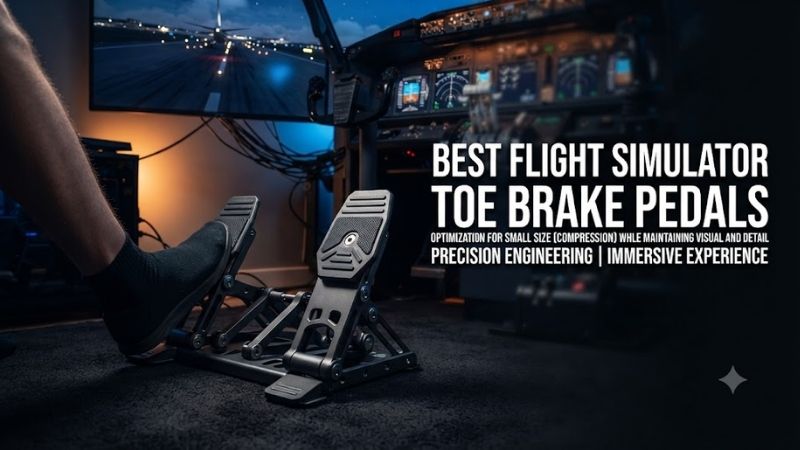
Rudder Precision and Resistance
The rudder axis needs smooth movement and a predictable return toward its neutral position. Contactless sensors can help reduce wear associated with traditional potentiometer contacts, although sensor type alone does not guarantee excellent control.
Mechanical friction, centering force, and mounting stability have a substantial influence on how precise a pedal set feels in everyday use.
Adjustability, Mounting, and Compatibility
The best pedals should accommodate different foot positions and cockpit layouts. We also considered resistance adjustment, replaceable components, USB connectivity, and whether a product supports Windows PC or requires additional equipment for console use.
These recommendations are based on documented hardware characteristics and intended use cases, not independent detailed research.
Best Flight Simulator Toe Brake Pedals Reviewed
MFG Crosswind V3 — Best Overall
Best For: Experienced PC pilots who fly multiple aircraft types.
Why It Stands Out
The MFG Crosswind V3 provides one of the most adaptable mechanical platforms in this category. Its adjustable geometry and cam-based resistance system let owners tailor rudder movement to their preferred aircraft and flying style.
That flexibility matters because the ideal rudder response for a light general-aviation airplane is not necessarily the same as the response preferred for a helicopter or a large airliner.
Key Features and Performance
The Crosswind V3 uses contactless sensing for its control axes and provides independent left and right braking. Users can adjust several mechanical characteristics rather than relying exclusively on software sensitivity settings.
Optional accessories, including damping components, can further change the resistance and movement characteristics.
This design is especially attractive for pilots who frequently alternate between Microsoft Flight Simulator, X-Plane, and DCS World. Once calibrated correctly, the same physical hardware can support different simulator control profiles.
Pros
-
Independent analog toe brakes
-
Adjustable resistance and pedal geometry
-
Contactless sensing
-
Optional mechanical upgrades
-
Well suited to dedicated PC flight simulation
Cons
-
More expensive than entry-level pedals
-
Mechanical adjustment takes time
-
Requires a stable mounting surface
Buy If: You want a long-term pedal system that can evolve with your cockpit.
Skip If: You need a compact, inexpensive controller for occasional flying.
Thrustmaster TPR — Best Premium Pendular Pedals
Best For: Enthusiasts seeking a suspended rudder mechanism.
Why It Stands Out
The Thrustmaster TPR differs from common sliding-rail pedals by using a pendular mechanical arrangement. This gives it a distinct motion path and makes it especially appealing to buyers building substantial fixed-wing simulator stations.
Its construction is designed around a more elaborate physical mechanism than that found in basic plastic pedals.
Key Features and Performance
The TPR incorporates Thrustmaster’s contactless magnetic sensing technology and supports independent toe-brake inputs.
Its large structure provides a stable foundation, while spring and resistance adjustments give users some control over the pedal feel.
The suspended mechanism can be appealing during repeated coordinated turns and crosswind approaches, but it requires more space than a compact budget pedal set.
A large physical mechanism is not automatically better for every user. Desk height, seat position, leg length, and pedal placement all influence whether the TPR feels comfortable.
Pros
-
Distinct pendular rudder movement
-
Metal construction
-
Contactless magnetic sensing
-
Independent differential braking
-
Suitable for dedicated cockpits
Cons
-
High purchase cost
-
Large physical footprint
-
Less practical for portable setups
Buy If: You prioritize a premium mechanical experience over compactness.
Skip If: Your pedals must fit beneath a small multipurpose desk.
Turtle Beach VelocityOne Rudder — Best for Flexible PC and Xbox Setups
Best For: Pilots wanting adjustable pedals with supported console integration.
Why It Stands Out
The Turtle Beach VelocityOne Rudder combines independent braking with adjustable ergonomic features that accommodate different aircraft styles.
Its interchangeable pedal arrangements make it attractive to users who fly both civilian aircraft and other simulator categories.
Key Features and Performance
The VelocityOne Rudder uses contactless sensors and offers adjustment options for pedal placement and resistance.
The combination of a rudder axis and separate toe-brake axes makes it suitable for common general-aviation and airliner configurations.
For Windows PC users, the system can be incorporated into a conventional USB control setup. Xbox compatibility depends on the supported Turtle Beach control ecosystem and connection arrangement.
Buyers should verify the exact hardware chain before assuming the pedals can plug directly into any console.
Pros
-
Independent toe brakes
-
Adjustable foot position
-
Contactless sensor technology
-
Multiple pedal configurations
-
Supported PC and Xbox integration
Cons
-
Console integration has specific requirements
-
Larger than basic entry-level pedals
-
Costs more than budget alternatives
Buy If: You want one adjustable pedal system for a flexible flight simulation setup.
Skip If: You only need the cheapest possible Windows PC rudder controller.
Honeycomb Charlie Rudder Pedals — Best for Civil Aviation
Best For: General-aviation and airliner simulator enthusiasts.
Why It Stands Out
The Honeycomb Charlie is designed for pilots who prefer conventional fixed-wing rudder and braking controls.
Its broad pedal arrangement and adjustability make it a natural candidate for users building a cockpit around a yoke and throttle quadrant.
Key Features and Performance
The Charlie uses contactless sensor technology and provides independent differential braking.
Mechanical adjustments allow the user to tune resistance and aspects of pedal positioning. Those characteristics are particularly relevant when flying from a fixed seat, where comfortable leg alignment matters during long sessions.
The pedals are well suited to an integrated civil aviation simulator, but users should not assume that every Honeycomb accessory has identical console compatibility.
The exact model and any required connection hardware should be confirmed before purchase.
Pros
-
Separate left and right toe brakes
-
Contactless sensing
-
Adjustable pedal characteristics
-
Suitable for civilian cockpit layouts
-
Substantial physical construction
Cons
-
Requires more floor space
-
Higher cost than entry-level models
-
Console support requires compatibility checks
Buy If: You are building a dedicated general-aviation or airliner cockpit.
Skip If: You want lightweight, easily stored pedals.
Logitech G Flight Rudder Pedals — Best for Beginners
Best For: First-time Windows PC flight simulation buyers.
Why It Stands Out
The Logitech G Flight Rudder Pedals offer a practical introduction to three-axis foot control without requiring the investment associated with premium pedals.
They cover the main functions that new pilots need: rudder movement and independent wheel braking.
Key Features and Performance
An adjustable tension control allows users to modify rudder resistance according to personal preference.
The toe-brake mechanism provides separate braking commands, making it useful for practicing taxi operations and directional control.
The pedals are suitable for beginners learning coordinated turns, crosswind corrections, and ground maneuvering.
Compared with more expensive adjustable systems, their principal limitations concern mechanical customization and overall construction rather than the absence of essential braking functions.
Pros
-
Independent toe brakes
-
Adjustable rudder tension
-
Familiar PC flight simulation hardware
-
Straightforward control layout
-
Accessible compared with premium models
Cons
-
Limited advanced adjustment
-
Requires secure floor placement
-
Less substantial than premium metal systems
Buy If: You want conventional rudder pedals with toe brakes for a first PC cockpit.
Skip If: You already own premium hardware and want extensive mechanical tuning.
Thrustmaster TFRP — Best Budget Choice
Best For: Casual pilots and compact flight simulator setups.
Why It Stands Out
The Thrustmaster TFRP offers independent braking in a relatively compact pedal assembly.
It is particularly appealing to users entering flight simulation who do not yet know whether dedicated rudder hardware will become an important part of their hobby.
Key Features and Performance
The TFRP uses a sliding-rail movement system and incorporates differential toe brakes.
Its compact construction is easier to accommodate beneath many desks than a large pendular system.
The primary trade-off is its lighter construction and more limited mechanical adjustment. Depending on the flooring and how aggressively the pedals are used, additional stabilization may be beneficial.
PC connectivity and console integration depend on the version, cables, and compatible Thrustmaster hardware in use.
Pros
-
Budget-friendly category
-
Independent braking controls
-
Compact footprint
-
Suitable for beginner configurations
-
Supported within selected Thrustmaster ecosystems
Cons
-
Limited mechanical customization
-
Lightweight construction
-
May shift on some floors
Buy If: You want real toe-brake functionality without a major investment.
Skip If: You need a heavy, extensively adjustable cockpit pedal system.
MOZA MRP Rudder Pedals — Best for Metal Flight Simulator Rigs
Best For: Users building a substantial, fixed PC simulator station.
Why It Stands Out
The MOZA MRP is an alternative for buyers who prioritize robust construction and integration with a dedicated simulator platform.
Rather than focusing on compact storage, it is intended for users who can accommodate a more substantial pedal assembly.
Key Features and Performance
The MRP provides independent toe-brake functions and contactless sensing. Its mechanically adjustable design gives users options for configuring the pedal response.
These features are particularly relevant for pilots who prefer firm, repeatable inputs rather than a lightweight desktop arrangement.
Before purchasing, buyers should compare its mounting requirements and adjustment capabilities against established alternatives such as the Crosswind V3.
Pros
-
Sturdy construction
-
Independent braking axes
-
Contactless sensing
-
Adjustable mechanical characteristics
-
Suitable for dedicated simulator rigs
Cons
-
Less attractive for portable setups
-
Requires adequate floor space
-
Additional mounting considerations
Buy If: You want substantial pedals for a permanent PC cockpit.
Skip If: You regularly dismantle and store your simulator equipment.
Buying Guide: How to Choose Flight Simulator Toe Brake Pedals
Understand the Difference Between Rudder and Toe Brakes
Rudder pedals control yaw in flight, while toe brakes typically control wheel braking on the ground.
With separate left and right brake axes, a pilot can apply more braking to one wheel than the other. This is useful when maneuvering an aircraft at low speed, especially when aerodynamic rudder authority is limited.
Not every aircraft uses differential braking in the same way. Some military aircraft and helicopters employ different braking systems, so simulator-specific mappings remain important.
Consider Your Aircraft Collection
For light piston aircraft, independent toe brakes are particularly valuable during taxiing and parking.
Airliner enthusiasts benefit from comfortable pedal spacing and predictable braking during runway operations.
Helicopter pilots may place greater importance on smooth anti-torque input, although toe brakes can still be useful if the simulated aircraft supports them.
Prioritize Mechanical Stability
A pedal set that slides forward whenever the pilot presses the brakes makes accurate control difficult.
Rubber feet may be sufficient on some floors, but heavy pedal systems or aggressive braking can require a mounting plate, wheel stand, or cockpit frame.
Stable placement should be considered part of the controller system rather than an optional finishing touch.
Verify Simulator and Platform Support
For Windows PC, many dedicated rudder devices connect through USB and can be assigned through simulator settings.
Console compatibility is more restrictive. Xbox and PlayStation generally require approved devices and, in some cases, connections through a compatible flight control system.
Do not assume that USB connectivity alone guarantees console support.
Frequently Asked Questions
Are toe brakes necessary for Microsoft Flight Simulator?
They are not mandatory, but they provide better control during taxiing and ground maneuvering. Independent braking becomes especially useful when flying aircraft that support differential wheel braking.
Can I use flight simulator toe brake pedals with X-Plane?
Many PC-compatible rudder systems can be configured in X-Plane. Users should assign the rudder axis and each brake axis separately, then verify movement and direction in the simulator settings.
Are expensive pedals more accurate?
Premium pedals often provide greater mechanical adjustment, sturdier construction, and sophisticated sensing. However, a stable, well-calibrated budget pedal set can still deliver useful control.
Should beginners choose Logitech or Thrustmaster TFRP?
Both are reasonable entry-level options. Logitech is attractive for its adjustable rudder tension, while the TFRP is particularly suitable for compact setups and compatible Thrustmaster configurations.
Can helicopter pilots use toe brake pedals?
Yes. Pedals with independent brakes can still provide a primary yaw axis for helicopter simulations. The additional braking axes may be unused or reassigned depending on the aircraft.
Final Verdict
The best flight simulator toe brake pedals depend on your aircraft, platform, available space, and budget. MFG Crosswind V3 offers outstanding flexibility for PC enthusiasts, Thrustmaster TPR suits premium cockpit builders, and Thrustmaster TFRP provides an accessible starting point. Prioritize stable mounting and independent brake axes.