🛒 Best Price Today on Amazon
Prime members get fast, free shipping on everything above, plus member-only deals. New members get a 30-day free trial — cancel anytime.
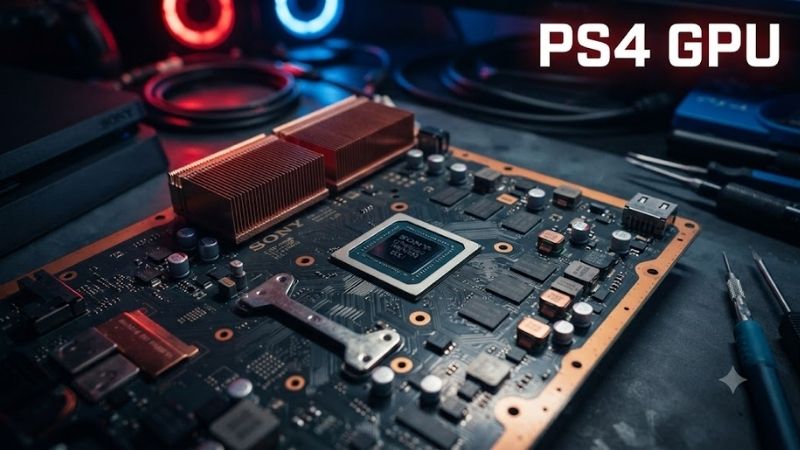
The PS 4 GPU is a custom AMD Radeon graphics processor designed specifically for Sony’s PlayStation 4 console. Although it cannot be replaced with a desktop graphics card, PC gamers can choose GPUs offering similar or greater capabilities. This guide compares six graphics cards for console-inspired gaming, older titles, and modern 1080p workloads.
Quick Comparison: Best PS4 GPU Alternatives for PC
| Product | Best For | Key Advantage | Limitation |
|---|---|---|---|
| AMD Radeon RX 6400 | Compact gaming PCs | Low power consumption | Limited 4GB VRAM |
| NVIDIA GeForce GTX 1650 | Basic 1080p gaming | Broad compatibility with older PCs | Aging graphics architecture |
| Intel Arc A380 | Budget gaming and media | 6GB VRAM and AV1 encoding | ReBAR strongly recommended |
| NVIDIA GeForce RTX 3050 6GB | Entry-level RTX gaming | Ray tracing and DLSS support | Modest memory bandwidth |
| AMD Radeon RX 6600 | Stronger 1080p gaming | 8GB GDDR6 and capable rasterization | Requires auxiliary power |
| NVIDIA GeForce GTX 1060 6GB | Older PC game libraries | Established 1080p performance | Legacy architecture and aging inventory |
Best PS 4 GPU Alternatives for Desktop Gaming
1. AMD Radeon RX 6400 — Best for Compact Gaming PCs
Best For: Small-form-factor desktop owners seeking a low-power graphics upgrade for older and lightweight PC games.
The AMD Radeon RX 6400 uses RDNA 2 architecture and includes 768 stream processors across 12 compute units. Its compact design makes it relevant for upgrading small desktop computers that lack room for large graphics cards. Many versions are particularly suitable for systems with limited internal space.
Its 4GB of GDDR6 memory operates across a 64-bit memory interface, with 16MB of Infinity Cache helping reduce certain memory-access demands. AMD specifies 53W typical board power, and the reference design requires no auxiliary PCIe power connector. Actual card dimensions depend on the manufacturer.
Compared with the original PS4’s custom GCN-based GPU, the RX 6400 offers a newer graphics architecture and modern DirectX capabilities. However, the two systems cannot be compared directly using theoretical compute figures alone. PC gaming performance also depends on CPU capability, memory, and graphics settings.
The RX 6400 uses a PCIe 4.0 x4 connection, which can become restrictive on older PCIe 3.0 systems. Its 4GB VRAM capacity also limits demanding modern games. It is best suited to affordable compact desktop upgrades, especially when low power requirements outweigh maximum performance.
Key Features:
-
AMD RDNA 2 architecture
-
768 stream processors
-
4GB GDDR6 memory
-
64-bit memory interface
-
16MB Infinity Cache
-
53W typical board power
-
PCIe 4.0 x4 interface
Pros:
-
Low power consumption
-
Available in compact board designs
-
Supports modern graphics features
Cons:
-
Limited 4GB graphics memory
-
PCIe x4 connection can restrict performance
Who Should Buy It: Owners of compact desktops who need basic dedicated graphics without a demanding power supply upgrade.
2. NVIDIA GeForce GTX 1650 — Best for Basic 1080p Gaming
Best For: Casual gamers upgrading older desktops to play established PC titles at 1080p.
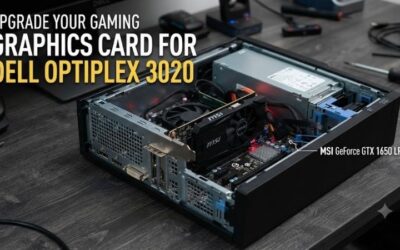
The NVIDIA GeForce GTX 1650 is based on the Turing graphics architecture and remains relevant to buyers considering older entry-level graphics hardware. Its relatively modest power requirements make certain models appropriate for basic desktop upgrades, although card variants differ considerably.
The original GTX 1650 configuration includes 4GB of GDDR5 memory on a 128-bit interface, while later variants use GDDR6. Manufacturers also offer different cooler designs and power connectors. Buyers should verify the exact card rather than assuming every GTX 1650 shares identical specifications.
For games from the PS4 generation, the GTX 1650 can provide a useful PC gaming experience when paired with suitable hardware. Performance varies considerably with software optimization and settings. Console versions often use specifically optimized graphical configurations that do not correspond directly to PC presets.
Its limitations become more noticeable in newer graphically demanding titles. The 4GB memory allocation can restrict texture settings, and the GTX 1650 lacks dedicated RTX ray-tracing hardware. The card makes the most sense for established game libraries rather than demanding current releases.
Key Features:
-
NVIDIA Turing architecture
-
4GB graphics memory
-
GDDR5 and GDDR6 variants
-
128-bit memory interface
-
PCIe desktop graphics interface
-
Multiple board and cooling configurations
-
DirectX 12 support
Pros:
-
Suitable for many older 1080p games
-
Compatible with a broad range of desktops
-
Available in relatively compact designs
Cons:
-
Limited graphics memory
-
Lacks dedicated RTX hardware
Who Should Buy It: Gamers maintaining older computers who primarily play established titles and want a straightforward graphics upgrade.
3. Intel Arc A380 — Best for Gaming and Media Creation
Best For: Budget PC builders who combine casual gaming with video playback, recording, or content encoding.
The Intel Arc A380 uses Intel’s Alchemist architecture and contains eight Xe-cores. Unlike the original PS4’s integrated graphics design, it is a dedicated desktop graphics card with its own memory. Its feature set includes hardware ray tracing and modern media capabilities.
The GPU includes 6GB of GDDR6 memory on a 96-bit interface and offers 186GB/s memory bandwidth. Intel specifies 75W total board power for its reference configuration. Actual manufacturer cards may require additional power connections or use different clock settings and cooling systems.
One distinguishing advantage is hardware AV1 encoding and decoding. This is useful for creators working with compatible video software and modern media formats. The original PS4 GPU was not designed around this contemporary media workflow, although video support alone does not determine gaming performance.
Intel strongly recommends Resizable BAR support for optimal Arc gaming performance. Older motherboards without suitable BIOS functionality may deliver a less consistent experience. Buyers should also verify current driver support for their preferred games, especially older titles relying on legacy graphics APIs.
Key Features:
-
Intel Arc Alchemist architecture
-
Eight Xe-cores
-
6GB GDDR6 memory
-
96-bit memory interface
-
186GB/s memory bandwidth
-
Hardware AV1 encoding and decoding
-
DirectX 12 Ultimate support
Pros:
-
More VRAM than several basic alternatives
-
Modern hardware video encoding
-
Hardware ray-tracing capabilities
Cons:
-
Resizable BAR strongly recommended
-
Older game compatibility requires attention
Who Should Buy It: Budget gamers and beginner content creators using a modern motherboard with suitable Arc support.
4. NVIDIA GeForce RTX 3050 6GB — Best Entry-Level RTX Option
Best For: Gamers wanting modern NVIDIA software features without choosing a high-power graphics card.
The GeForce RTX 3050 6GB provides an entry point into NVIDIA’s RTX feature ecosystem. Its Ampere architecture includes dedicated hardware for ray tracing and AI-based graphics operations. However, it is important to distinguish the 6GB version from the more powerful original 8GB model.
The RTX 3050 6GB includes 2,304 CUDA cores, a 96-bit memory interface, and 6GB of GDDR6 VRAM. NVIDIA specifies 70W graphics power for the reference specifications. This comparatively low power requirement allows manufacturers to produce cards without auxiliary power connectors.
DLSS support can improve performance in compatible games by rendering internally at lower resolutions and reconstructing the output image. However, the RTX 3050 does not support every feature available on newer RTX generations. Ray tracing can also impose considerable performance demands on entry-level hardware.
For PS4-era PC games, the RTX 3050 6GB provides a modern graphics platform with updated capabilities. Nevertheless, its limited memory bandwidth restricts more demanding workloads. Buyers should prioritize actual game requirements rather than choosing the card simply because it carries RTX branding.
Key Features:
-
NVIDIA Ampere architecture
-
2,304 CUDA cores
-
6GB GDDR6 memory
-
96-bit memory interface
-
70W reference graphics power
-
Dedicated ray-tracing hardware
-
DLSS support in compatible games
Pros:
-
Relatively low power requirements
-
NVIDIA RTX and DLSS features
-
Suitable for selected compact upgrades
Cons:
-
Limited memory bandwidth
-
Modest ray-tracing performance
Who Should Buy It: Gamers who prioritize NVIDIA features and lower power consumption over maximum gaming performance.
5. AMD Radeon RX 6600 — Best for Stronger 1080p Gaming
Best For: Players seeking a substantial PC gaming upgrade beyond original PS4-class graphics capability.
The AMD Radeon RX 6600 uses RDNA 2 architecture with 28 compute units and 1,792 stream processors. Its design targets 1080p gaming, providing more graphics resources than the RX 6400. It is particularly suitable for desktop systems with sufficient cooling and power capacity.
The card includes 8GB of GDDR6 memory, a 128-bit memory interface, and 32MB of Infinity Cache. AMD specifies 132W typical board power and recommends a 450W minimum power supply. The standard configuration requires one eight-pin PCIe power connection.
Compared with the original PS4 GPU, the RX 6600 represents a considerably more capable modern graphics platform. Its additional memory capacity can support more demanding PC textures and rendering workloads. Nevertheless, theoretical performance differences do not translate directly into identical improvements across every game.
The RX 6600 supports hardware ray tracing, but its primary strength is conventional rasterized gaming. Its PCIe 4.0 x8 interface also deserves consideration on older platforms. Buyers should verify graphics card dimensions and power supply connections before installing it.
Key Features:
-
AMD RDNA 2 architecture
-
28 compute units
-
1,792 stream processors
-
8GB GDDR6 memory
-
128-bit memory interface
-
32MB Infinity Cache
-
132W typical board power
Pros:
-
Strong 1080p rasterization capability
-
Practical 8GB graphics memory capacity
-
Suitable for a broad range of PC games
Cons:
-
Requires auxiliary power
-
Ray tracing remains relatively demanding
Who Should Buy It: Gamers seeking a meaningful upgrade for 1080p gaming with sufficient graphics memory for many modern titles.
6. NVIDIA GeForce GTX 1060 6GB — Best Legacy Gaming Alternative
Best For: Owners of older gaming desktops interested in established PC game libraries and inexpensive legacy hardware.
The NVIDIA GeForce GTX 1060 6GB uses Pascal architecture and was a popular midrange graphics card during the PS4 generation. Its historical relevance makes it useful when comparing console-era gaming hardware with desktop alternatives. However, it is no longer a modern first-choice graphics platform.
The standard GTX 1060 6GB features 1,280 CUDA cores and a 192-bit GDDR5 memory interface. Its 6GB memory configuration provides more capacity than entry-level 4GB cards, although its older architecture lacks contemporary acceleration capabilities found in modern graphics hardware.
In many games from the PS4 era, the GTX 1060 6GB can provide practical 1080p performance with suitable settings. However, results vary depending on the computer’s processor and the game’s graphics API. Console and PC versions may use different rendering features and performance targets.
Its principal limitations are age, software support, and hardware condition. NVIDIA ended Game Ready driver support for Pascal GPUs in October 2025, with security updates continuing for a limited period. Buyers should consider newer alternatives unless an older card offers compelling value.
Key Features:
-
NVIDIA Pascal architecture
-
1,280 CUDA cores
-
6GB GDDR5 memory
-
192-bit memory interface
-
PCIe 3.0 x16 connectivity
-
Legacy DirectX gaming support
-
Multiple manufacturer configurations
Pros:
-
Established performance in older PC games
-
6GB graphics memory
-
Compatible with many legacy desktops
Cons:
-
End of Game Ready driver support
-
Aging hardware and limited modern features
Who Should Buy It: Owners of older gaming systems who primarily play established PC titles and understand the limitations of legacy GPUs.
PS 4 GPU Buying Guide: Console Graphics vs. PC Hardware
Understanding the Original PS4 GPU
The original PlayStation 4 contains a custom AMD graphics processor integrated into its main system chip. Sony specifies 18 compute units and 1.84 TFLOPS of theoretical single-precision processing capability. Its architecture was developed around the console’s hardware and software requirements.
The PS4 also includes 8GB of unified GDDR5 system memory shared between CPU and GPU operations. This differs from desktop graphics cards that use dedicated VRAM alongside separate system RAM. Consequently, the memory specifications should not be compared as though the systems were identical.
PS4 GPU vs. PS4 Pro GPU
The PlayStation 4 Pro features an upgraded AMD graphics configuration rated at 4.20 TFLOPS, compared with 1.84 TFLOPS on the original PS4. This additional theoretical capacity supports higher-resolution rendering techniques and graphical enhancements in games designed to benefit from PS4 Pro hardware.
However, the PS4 Pro does not automatically run every game at native 4K resolution or higher frame rates. Developers choose different rendering techniques and performance targets. Both consoles also rely on fixed hardware designs, unlike PCs where graphics cards can be replaced independently.
Can You Upgrade a PS4 Graphics Card?
The PS4 GPU is integrated into the console’s custom AMD processor rather than installed as a removable PCIe graphics card. As a result, users cannot replace it with an RTX, Radeon, or Intel Arc desktop GPU. This limitation applies to original PS4, PS4 Slim, and PS4 Pro hardware.
For improved PlayStation performance, users generally need a more capable console rather than a GPU replacement. Replacing thermal paste, cleaning cooling components, or installing an SSD may help with maintenance or storage responsiveness, but these changes do not upgrade the console’s graphics processing capability.
Comparing TFLOPS Across GPU Architectures
TFLOPS measure theoretical floating-point processing throughput under specific conditions. Although useful within appropriate technical comparisons, they do not directly predict gaming frame rates across different GPU generations. Architectural efficiency, memory bandwidth, software optimization, and graphics features also matter.
A newer PC GPU with a higher theoretical compute figure does not guarantee proportionally higher performance than a console. Games may use different resolutions, visual presets, and optimization strategies. Compare independent gaming results under consistent conditions rather than relying entirely on TFLOPS.
Choosing Enough Graphics Memory
VRAM stores textures, rendering resources, frame buffers, and other graphics data. Cards with 4GB can still handle many older games, but demanding modern PC titles may require reduced texture settings. Graphics cards offering 6GB or 8GB provide additional capacity for selected workloads.
However, more VRAM does not automatically mean higher frame rates. GPU processing power, memory bandwidth, and software design remain important. Consider the specific games and resolutions you intend to use instead of selecting a graphics card exclusively by memory capacity.
Power Supply and Desktop Compatibility
Desktop graphics upgrades require a compatible PCIe motherboard slot, sufficient chassis clearance, and appropriate power delivery. Low-power graphics cards can be useful in office PCs with limited power supplies. Larger gaming cards may require auxiliary power connectors and additional cooling capacity.
Check the manufacturer’s recommended power supply, but also consider the complete system configuration. CPU power consumption, connected drives, and PSU quality influence available headroom. Never use unsuitable power adapters as a substitute for the connections specified by the graphics card manufacturer.
Buying Used Graphics Cards in 2026
Older GPUs may appear attractive when offered at low prices, but condition and support are important considerations. Used cards can have worn fans, damaged connectors, or unknown operating histories. Driver support also differs substantially between older NVIDIA, AMD, and Intel graphics generations.
Before purchasing, verify the exact model, memory configuration, video outputs, and seller return policy. Request evidence that the card operates correctly under a suitable graphics workload. Newer entry-level GPUs may offer better ongoing software support even when an older card remains functional.
PC Gaming vs. PS4 Game Compatibility
A PC graphics card cannot run native PS4 game discs or PlayStation software simply because it uses comparable graphics technology. Console applications depend on their operating system, graphics interfaces, and platform-specific software environment. GPU performance and software compatibility are separate considerations.
Some games originally released on PS4 also have native Windows versions, making them playable with suitable PC hardware. However, the exact requirements vary by title. Check the Windows game’s published system requirements before selecting a graphics card based on its relationship to PS4 hardware.
Frequently Asked Questions
1. What GPU Does the Original PS4 Use?
The original PS4 uses a custom AMD Radeon-based GPU integrated into its main processor. It contains 18 compute units and delivers approximately 1.84 TFLOPS of theoretical graphics processing capability. The console also uses 8GB of unified GDDR5 memory shared between system and graphics operations.
2. What PC Graphics Card Is Equivalent to the PS4 GPU?
There is no exact desktop equivalent because the PS4 uses custom graphics hardware and console-specific optimization. Older PC GPUs such as the GTX 1060 provide a useful historical comparison, while modern entry-level cards offer different capabilities. Gaming performance should be evaluated by individual titles.
3. Can I Install an RTX 3050 in a PS4?
No. The PS4 does not contain a replaceable desktop graphics card slot. Its GPU is integrated into the custom AMD system processor. An RTX 3050 requires a compatible PC motherboard, power supply, and operating environment, so it cannot function as a direct console graphics upgrade.
4. Is the PS4 Pro GPU More Powerful Than the Original PS4?
Yes. Sony rates the original PS4 GPU at 1.84 TFLOPS and the PS4 Pro GPU at 4.20 TFLOPS. This provides additional theoretical graphics processing capacity. However, improvements in individual games depend on developer optimization, rendering resolution, visual settings, and frame-rate targets.
5. Is 4GB VRAM Enough for PS4-Era PC Games?
A 4GB graphics card can handle many games released during the PS4 generation, provided the rest of the PC meets their requirements. However, demanding textures and higher resolutions may exceed available memory. Performance varies by title, so adjust graphics settings according to actual hardware limitations.
6. Should I Buy an RX 6600 or GTX 1650 for Gaming?
The RX 6600 is generally a more capable choice for demanding 1080p gaming, with 8GB of VRAM and greater graphics processing resources. The GTX 1650 may suit older desktops with limited budgets or power capacity. Compare card dimensions, PSU requirements, and available system connections before buying.
Conclusion
Understanding the PS 4 GPU helps separate console graphics capabilities from upgradeable PC hardware. The RX 6400 suits compact desktops, the Arc A380 adds modern media features, and the RX 6600 provides stronger 1080p gaming performance. Choose according to software requirements, power capacity, and compatibility rather than theoretical compute figures alone.