🛒 Best Price Today on Amazon
Prime members get fast, free shipping on everything above, plus member-only deals. New members get a 30-day free trial — cancel anytime.
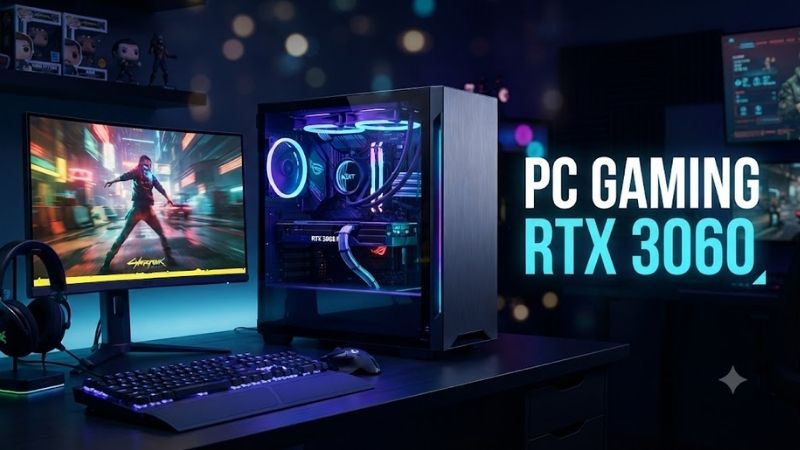
A PC Gaming RTX 3060 system remains useful for 1080p gaming, esports, streaming, and moderate 1440p play when priced correctly. The RTX 3060’s 12GB VRAM, DLSS support, ray tracing, and NVENC encoder still make it practical, but buyers should compare CPU quality, cooling, memory, storage, and upgradeability before choosing a complete desktop.
Quick Comparison Table
| Product | Best For | Key Advantage | Limitation |
|---|---|---|---|
| Skytech Archangel RTX 3060 | Best overall | Balanced airflow and standard components | Exact CPU varies by configuration |
| CyberPowerPC Gamer Xtreme RTX 3060 | Easy upgrading | Standard desktop layout | Build parts differ between listings |
| iBUYPOWER SlateMR RTX 3060 | RGB gaming | Strong visual design and upgrade path | Front-panel airflow varies by version |
| HP OMEN 25L RTX 3060 | Mainstream buyers | Refined software and compact chassis | More proprietary than DIY-style PCs |
| Lenovo Legion Tower 5 RTX 3060 | Quiet home gaming | Clean design and solid cooling | Configuration availability varies |
| Acer Nitro 50 RTX 3060 | Small gaming setup | Compact footprint | Tighter internal space |
| ASUS ROG Strix G10 RTX 3060 | Brand-focused gaming | Gaming-oriented platform | Less flexible than enthusiast towers |
Best PC Gaming RTX 3060 Picks
Skytech Archangel RTX 3060
Best For: Buyers who want a straightforward prebuilt gaming PC with conventional desktop components.
Skytech Archangel configurations with the GeForce RTX 3060 are designed around mainstream gaming rather than compact office-style hardware. Depending on the generation, systems have appeared with modern Ryzen or Intel processors, 16GB-class memory configurations, NVMe storage, and standard gaming cases with visible cooling fans.
Key Features:
- GeForce RTX 3060 graphics
- 12GB GDDR6 VRAM on standard RTX 3060 cards
- 16GB-class system memory common
- NVMe SSD configurations
- Standard gaming case
- Multiple case fans
- Upgrade-friendly desktop layout
The RTX 3060 is the main attraction because its 12GB VRAM remains generous compared with many lower-tier graphics cards. That capacity helps with high-resolution textures and some creator applications, although raw GPU performance remains closer to mainstream 1080p gaming than modern high-end hardware.
What Makes It Different: Archangel systems generally emphasize standard desktop parts rather than an ultra-compact proprietary layout. That can make future storage, memory, cooler, or graphics upgrades easier.
Performance & Use Case: It is well suited to esports at high frame rates, modern games at 1080p, streaming through NVIDIA NVENC, and lighter 1440p gaming when settings are adjusted.
Pros:
- Standard gaming-tower design
- RTX 3060 12GB is still practical
- Good upgrade potential
Cons:
- Exact motherboard and PSU can vary
- Older RTX generation
Who Should Buy It: Choose an Archangel RTX 3060 build if pricing is attractive and you want a conventional tower that can be upgraded later.
CyberPowerPC Gamer Xtreme RTX 3060
Best For: Buyers who want a prebuilt that remains easy to modify.
CyberPowerPC Gamer Xtreme systems have been sold in many RTX 3060 configurations using Intel and AMD processors across different generations. Their biggest advantage is the traditional desktop architecture, which generally makes memory, SSD, cooling, and GPU upgrades easier than in compact OEM systems.
Key Features:
- GeForce RTX 3060
- 12GB VRAM on standard models
- Intel or AMD CPU configurations
- DDR4 or DDR5 depending on generation
- NVMe SSD storage
- Tempered-glass gaming cases
- RGB lighting on many versions
Because Gamer Xtreme is a broad product family, buyers need to evaluate the exact listing rather than relying only on the name. CPU generation, motherboard chipset, power supply, memory speed, and storage capacity can differ substantially even when two systems use the same RTX 3060 GPU.
What Makes It Different: CyberPowerPC usually relies on familiar desktop form factors, which makes the system easier to service with off-the-shelf parts.
Performance & Use Case: A well-balanced version with a six-core or stronger modern CPU and 16GB of memory can handle mainstream 1080p gaming comfortably and provide enough overhead for Discord, browsers, recording, and streaming.
Pros:
- Good component upgrade path
- Wide range of configurations
- Standard gaming-PC layout
Cons:
- Component brands vary by system
- Buyers must check the exact specification carefully
Who Should Buy It: Choose Gamer Xtreme if you want a ready-made PC but still expect to replace or add components over time.
iBUYPOWER SlateMR RTX 3060
Best For: RGB-focused gaming desks and buyers who care about appearance.
iBUYPOWER SlateMR RTX 3060 desktops combine mainstream NVIDIA graphics with tempered-glass styling and RGB lighting. Many configurations have paired the GPU with midrange Intel or AMD processors and 16GB of memory, making the family suitable for users who want a complete gaming setup without assembling parts themselves.
Key Features:
- GeForce RTX 3060
- 12GB GDDR6
- Midrange Intel or AMD processors
- 16GB memory common
- NVMe SSD configurations
- Tempered-glass side panel
- RGB case fans
The SlateMR chassis is designed to look like a gaming PC rather than a conventional office tower. That visual focus appeals to buyers building a themed setup with RGB peripherals, but cooling should still be evaluated from the front-panel ventilation and fan arrangement.
What Makes It Different: iBUYPOWER emphasizes presentation and customization more heavily than many large OEM brands. Standard desktop hardware also makes component replacement relatively straightforward.
Performance & Use Case: RTX 3060 performance is best suited to 1080p high settings and esports workloads. DLSS can help in supported games when native rendering becomes demanding, while the 12GB VRAM provides useful headroom for texture-heavy titles.
Pros:
- Strong gaming aesthetic
- Upgrade-friendly hardware layout
- Good 1080p gaming capability
Cons:
- Airflow varies between case revisions
- Exact internal components differ by configuration
Who Should Buy It: Choose SlateMR if RGB appearance matters and you still want a standard tower that can accept future upgrades.
HP OMEN 25L RTX 3060
Best For: Users who prefer a mainstream brand with polished software and support.
HP OMEN 25L systems have been offered with GeForce RTX 3060 graphics across several processor generations. The 25-liter chassis is smaller than many enthusiast towers while still providing dedicated graphics, desktop-class processors, SSD storage, and a familiar gaming-focused design.
Key Features:
- GeForce RTX 3060 configurations
- Intel or AMD processor options
- DDR4 memory on many RTX 3060-era models
- NVMe SSD storage
- OMEN Gaming Hub software
- Compact 25-liter chassis
- Tool-accessible internal design on many versions
HP’s software layer can be useful for monitoring system information, fan behavior, lighting, and performance modes. This creates a more integrated experience than many generic prebuilts, particularly for users who do not want to manage several motherboard and RGB utilities.
What Makes It Different: OMEN offers a more polished OEM experience, combining mainstream support with gaming hardware in a relatively compact chassis.
Performance & Use Case: RTX 3060 versions remain capable for 1080p gaming, school, work, and streaming. Cooling and PSU flexibility are more limited than in large DIY-style cases, so major future upgrades deserve more planning.
Pros:
- Clean, compact design
- Integrated management software
- Mainstream manufacturer support
Cons:
- Less flexible than fully standard DIY towers
- Cooling headroom depends on configuration
Who Should Buy It: Choose OMEN 25L if you value a recognizable brand, cleaner software integration, and a smaller footprint more than maximum upgrade freedom.
Lenovo Legion Tower 5 RTX 3060
Best For: Buyers who want a relatively understated gaming tower.
Lenovo Legion Tower 5 RTX 3060 configurations combine gaming hardware with a design that is less aggressive than many RGB-heavy desktops. Models have been offered with Ryzen and Intel processors, making the family suitable for buyers who want gaming performance without turning the entire desk into a bright showcase.
Key Features:
- GeForce RTX 3060
- 12GB VRAM
- Ryzen or Intel CPU options
- Dual-channel memory configurations
- NVMe SSD storage
- Multiple cooling fans
- Legion software utilities
The chassis provides more airflow potential than many compact OEM desktops, and the larger internal area can make storage or memory upgrades easier. Users should still verify the motherboard and power-supply configuration because OEM revisions can differ.
What Makes It Different: Legion Tower 5 balances gaming identity with restrained styling. It can fit into a bedroom, office, or living space without looking as visually aggressive as some enthusiast cases.
Performance & Use Case: It works well for 1080p high-refresh gaming, mainstream AAA titles, and mixed school or work tasks. The RTX 3060 also provides CUDA and NVENC acceleration for supported creative and streaming software.
Pros:
- Clean gaming aesthetic
- Good everyday cooling potential
- Useful for gaming and productivity
Cons:
- OEM configurations can vary
- Not as standardized as boutique prebuilts
Who Should Buy It: Choose Legion Tower 5 if you want RTX 3060 performance in a cleaner, less flashy desktop design.
Acer Nitro 50 RTX 3060
Best For: Small desks and buyers who want a compact gaming tower.
Acer Nitro 50 has been offered with RTX 3060 graphics in several processor configurations. Its chassis is smaller than many mid-tower gaming cases, making it attractive for users who need a desktop PC but do not have room for a large glass-sided enclosure.
Key Features:
- GeForce RTX 3060 configurations
- Intel or AMD processor options
- DDR4 memory on many versions
- NVMe SSD support
- Compact tower design
- Wired and wireless networking
- Acer gaming software
The compact layout is convenient, but it creates trade-offs. Internal space around the GPU, power supply, cooling system, and expansion slots is tighter than in full-size towers, which can complicate major upgrades later.
What Makes It Different: Nitro 50 prioritizes a smaller footprint while retaining desktop gaming hardware. That makes it more practical for dorm rooms, shared desks, and bedrooms where a large tower would dominate the available space.
Performance & Use Case: RTX 3060 versions handle mainstream 1080p gaming well, especially when paired with a modern six-core or stronger processor. Thermal behavior depends on the exact case revision and internal fan configuration.
Pros:
- Compact footprint
- Dedicated RTX graphics
- Practical for small rooms
Cons:
- Limited internal expansion
- Less airflow than larger cases
Who Should Buy It: Choose Nitro 50 if desk space matters more than maximum upgradeability and you want a compact prebuilt with capable 1080p graphics.
ASUS ROG Strix G10 RTX 3060
Best For: Buyers who prefer the ASUS ROG gaming ecosystem.
ASUS ROG Strix G10 desktops have appeared with RTX 3060 graphics and both Intel and AMD processors depending on generation. The line combines dedicated gaming hardware with ROG software, lighting, and styling for users who want a coordinated ASUS gaming setup.
Key Features:
- GeForce RTX 3060
- Intel or AMD CPU configurations
- DDR4 memory on many models
- SSD storage
- ROG software controls
- RGB lighting
- Gaming-oriented chassis
ASUS integrates hardware monitoring and system controls through its gaming software ecosystem, which can be convenient when the rest of the desk already uses ROG peripherals. However, these systems are less open-ended than enthusiast towers built entirely from retail components.
What Makes It Different: ROG branding and software integration are the main attractions. Buyers receive a cohesive gaming-focused system rather than a generic prebuilt case assembled from unrelated components.
Performance & Use Case: An RTX 3060 Strix G10 is suitable for competitive gaming, 1080p AAA titles, streaming, and general productivity. Future GPU upgrades should be checked against the case dimensions, PSU capacity, and available power connectors.
Pros:
- ROG gaming ecosystem
- Good mainstream gaming performance
- Coordinated styling
Cons:
- Upgrade flexibility is more limited
- Older RTX 3060 configurations may be priced poorly
Who Should Buy It: Choose ROG Strix G10 if you already use ASUS gaming hardware and find an RTX 3060 configuration at a strong discount.
PC Gaming RTX 3060 Buying Guide
Make Sure the Price Reflects Its Age
RTX 3060 launched several GPU generations ago, so a complete desktop only makes sense when the price reflects that age. Do not pay near-current midrange gaming-PC prices simply because the system advertises 12GB VRAM. Compare the entire PC against newer GPU configurations before deciding that an older RTX 3060 build is good value.
Check the Exact RTX 3060 Version
The standard desktop RTX 3060 is known for 12GB of GDDR6 memory, but different board revisions and OEM implementations have existed. Verify the exact graphics specification in the listing rather than assuming every system carrying an RTX 3060 name has identical memory configuration, cooler quality, power limits, or display outputs.
Pair It With a Balanced CPU
For 1080p gaming, the processor can matter significantly because higher frame rates increase CPU demand. A modern six-core or better CPU is a sensible target. Spending heavily on a flagship processor while keeping an RTX 3060 usually produces poor value unless the machine also handles CPU-intensive professional workloads.
Choose at Least 16GB of RAM
Sixteen gigabytes remains a practical minimum for an RTX 3060 gaming PC, but 32GB provides better headroom for modern games, browsers, launchers, Discord, streaming software, and productivity. Dual-channel memory is preferable because running one module can reduce bandwidth and hurt performance in CPU-sensitive workloads.
Look for a 1TB SSD
Large game installations make a 512GB drive restrictive. A 1TB NVMe SSD provides a better starting point, while additional M.2 slots make future expansion easier. Storage speed matters less for FPS than GPU performance, but an SSD dramatically improves general responsiveness and game-loading behavior compared with a hard drive.
Check the Power Supply
A gaming PC should have a properly sized, quality power supply with enough PCIe connectors and future upgrade headroom. Boutique and OEM prebuilts vary considerably here. A weak or proprietary PSU can make a future graphics-card upgrade harder even if the case has enough physical room.
RTX 3060 Gaming Performance and Value
Best Resolution for RTX 3060
The RTX 3060 is most comfortable at 1080p, where it can handle many modern games at medium-to-high settings depending on the title. It can also run 1440p games, especially with optimized settings or DLSS, but buyers should not expect the same high-refresh experience available from newer upper-midrange GPUs.
Is 12GB VRAM Still Useful?
Yes. Twelve gigabytes remains a useful capacity for texture-heavy games and certain creative workloads. However, VRAM capacity does not define overall graphics performance. A newer GPU with less memory can still be faster if it has significantly stronger processing resources and newer architectural improvements.
RTX 3060 vs Newer GPUs
A newer graphics card may offer better ray tracing, frame generation, power efficiency, and overall FPS. The RTX 3060’s main strength in 2026 is value on discounted or refurbished systems. It should be purchased because the entire PC is inexpensive, not because the GPU name alone still sounds premium.
FAQ
Is RTX 3060 Still Good for Gaming?
Yes. RTX 3060 remains capable for 1080p gaming and can run many titles at medium or high settings. Its 12GB VRAM is useful for modern textures, while DLSS helps in supported games. The main concern is price because newer GPUs may offer significantly better performance and features for a similar total system cost.
Is RTX 3060 Good for 1440p Gaming?
It can handle 1440p, especially in esports titles, older games, and modern titles using optimized settings or DLSS. Demanding AAA games may require lower graphics presets to maintain smooth frame rates. Buyers primarily targeting high-refresh 1440p should consider a newer and more powerful graphics card.
Is 12GB VRAM Enough for Gaming?
Yes, 12GB is a comfortable capacity for many current gaming workloads. It provides useful room for higher-resolution textures and some creator applications. However, sufficient VRAM does not guarantee high performance because GPU architecture, core resources, memory bandwidth, and game optimization remain equally important.
How Much RAM Should an RTX 3060 PC Have?
Sixteen gigabytes is the minimum sensible target for a current gaming system, while 32GB provides more comfortable multitasking and longer-term headroom. If possible, use two matched memory modules to enable dual-channel operation rather than relying on a single DIMM with the same total capacity.
Should I Buy a Used RTX 3060 Gaming PC?
A used system can be excellent value if the price is low and the hardware is healthy. Check GPU temperatures, fan noise, storage condition, memory capacity, power-supply quality, and system stability. Also compare the used price with newer prebuilts because older hardware should offer a meaningful discount.
Can RTX 3060 Handle Streaming?
Yes. NVIDIA’s NVENC encoder allows the GPU to handle video encoding efficiently in supported streaming software. This makes RTX 3060 systems suitable for gaming and streaming from one PC, although overall performance still depends on the game, CPU, memory, stream settings, and available internet upload bandwidth.
Conclusion
A PC Gaming RTX 3060 system remains worthwhile when its price is clearly below newer midrange gaming desktops. Skytech, CyberPowerPC, and iBUYPOWER offer strong upgrade paths, while HP, Lenovo, Acer, and ASUS provide more integrated OEM options. Focus on the complete configuration, because CPU balance, cooling, memory, storage, and PSU quality matter as much as the RTX 3060 itself.