🛒 Best Price Today on Amazon
Prime members get fast, free shipping on everything above, plus member-only deals. New members get a 30-day free trial — cancel anytime.
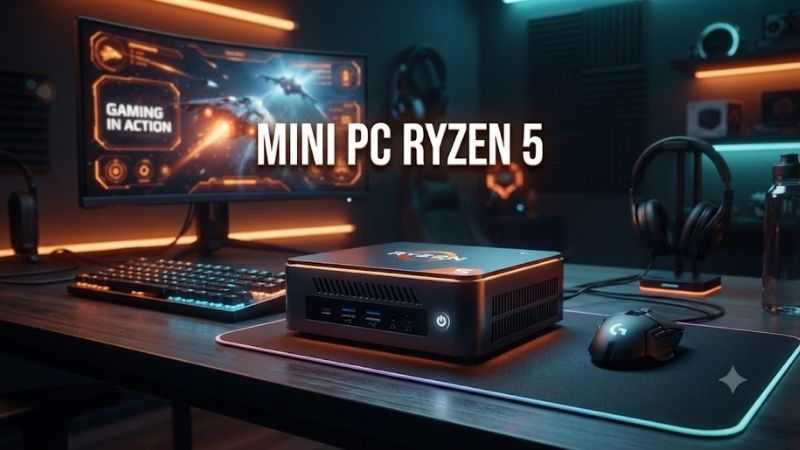
A Mini PC Ryzen 5 can deliver strong everyday performance in a system small enough to mount behind a monitor or place beside a router. The best models combine six-core Ryzen processors, fast DDR4 or DDR5 memory, NVMe storage, modern networking, and multiple display outputs for work, media, light gaming, and compact home-lab use.
Best Mini PC Ryzen 5 Models Compared
| Product | Best For | Key Advantage | Limitation |
|---|---|---|---|
| GMKtec M6 Ultra Ryzen 5 7640HS | Best Overall | Radeon 760M and USB4 | One-year warranty |
| GEEKOM A7 2026 Ryzen 5 7535HS | Premium Productivity | USB4 and quad-display support | Higher price |
| GEEKOM A5 Pro Ryzen 5 7530U | Office and Business | Compact metal chassis and four displays | Older Vega graphics |
| GMKtec NucBox M6 Ryzen 5 6600H | Best Value | Dual 2.5GbE and USB4 | Older Zen 3+ CPU |
| MINISFORUM UM560 XT Ryzen 5 5600H | Expandable Storage | Extra 2.5-inch SATA bay | Older platform |
| BOSGAME P3 Mix Ryzen 5 7640HS | Light Gaming | Radeon 760M and DDR5 | Availability varies |
Best Mini PC Ryzen 5 Picks
GMKtec M6 Ultra Ryzen 5 7640HS
Best For: Users who want the strongest overall mix of CPU performance, graphics, networking, and expandability.
The GMKtec M6 Ultra uses the Ryzen 5 7640HS, a six-core, 12-thread Zen 4 processor that can boost up to 5.0GHz. Its Radeon 760M integrated graphics use the newer RDNA 3 architecture, giving this compact system a much stronger graphics foundation than older Vega-based Ryzen 5 mini PCs.
Key Features
- Ryzen 5 7640HS
- 6 cores and 12 threads
- Up to 5.0GHz boost
- Radeon 760M graphics
- Dual DDR5 SO-DIMM slots
- Up to 128GB memory support
- Two M.2 NVMe slots
- USB4
- Dual 2.5GbE LAN
- Wi-Fi 6E
- Triple-display output
What makes the M6 Ultra different is the combination of modern graphics and unusually strong connectivity. USB4 supports fast external storage and display output, while dual 2.5GbE makes the system useful for homelabs, network appliances, NAS-related workloads, and users who transfer large files over wired networks.
Its main compromise is support rather than hardware. GMKtec provides a one-year limited warranty, which is shorter than some premium mini-PC brands. Buyers should also remember that integrated Radeon 760M graphics are suitable for esports and lighter games, not a replacement for a powerful discrete gaming GPU.
Pros
- Modern Zen 4 processor
- Strong Radeon 760M graphics
- Excellent networking and USB4
Cons
- One-year warranty
- No dedicated graphics card
Who Should Buy It: Choose the M6 Ultra if you need one compact computer for work, media, development, light gaming, and networking. It is particularly attractive for advanced users who can benefit from dual Ethernet, large RAM capacity, and dual SSD slots rather than paying mainly for a premium enclosure.
GEEKOM A7 2026 Ryzen 5 7535HS
Best For: Professionals who want a polished compact workstation with strong connectivity.
The Ryzen 5 7535HS version of the GEEKOM A7 2026 uses six cores and 12 threads with boost speeds up to 4.6GHz. It pairs the processor with Radeon 660M graphics, DDR5 memory, PCIe 4.0 NVMe storage, USB4, dual HDMI outputs, 2.5GbE networking, Wi-Fi 6E, and Bluetooth in a compact aluminum chassis.
Key Features
- Ryzen 5 7535HS
- 6 cores and 12 threads
- Radeon 660M graphics
- DDR5 memory
- Up to 64GB RAM
- PCIe 4.0 NVMe storage
- USB4
- Dual HDMI 2.0
- 2.5GbE
- Wi-Fi 6E
- Four-display support
Its biggest advantage is the surrounding platform. Quad-display capability is useful for analysts, traders, developers, and productivity users who want several monitors without a full-size desktop. USB4 adds high-speed expansion, while the aluminum chassis and VESA mounting help the system fit cleanly into professional workspaces.
The Radeon 660M is less capable than the newer Radeon 760M in Ryzen 5 7640HS systems, so buyers focused on integrated gaming should prioritize the GMKtec M6 Ultra or BOSGAME P3 Mix. The A7 makes more sense when build quality, display connectivity, and long-term office use matter more than graphics performance.
Pros
- Strong professional connectivity
- USB4 and four-display support
- Compact aluminum design
Cons
- More expensive than value models
- Radeon 660M trails newer 760M graphics
Who Should Buy It: The A7 is ideal for business users, developers, remote workers, and multi-monitor setups where a compact but polished system matters. It is also a good alternative to a traditional office tower when desk space is limited and gaming remains secondary to productivity and reliability.
GEEKOM A5 Pro Ryzen 5 7530U
Best For: Office, education, and general home productivity.
The GEEKOM A5 Pro 2026 uses a Ryzen 5 7530U processor with six cores and 12 threads, paired with Radeon Vega graphics. It supports up to 64GB of DDR4 memory and multiple SSD options, while dual HDMI and USB-C display outputs allow the small system to drive several monitors for productivity work.
Key Features
- Ryzen 5 7530U
- 6 cores and 12 threads
- Radeon Vega graphics
- Up to 64GB DDR4 memory
- M.2 NVMe storage
- Multiple storage expansion options
- Dual HDMI
- Dual USB-C
- 2.5GbE networking
- Wi-Fi 6
- Four-display capability
What makes the A5 Pro useful is efficiency rather than raw graphics speed. The Ryzen 5 7530U is designed for moderate power use, making it suitable for office applications, browsers, accounting software, video meetings, development tools, media playback, and multitasking without requiring the cooling system of a higher-power HS processor.
The limitation is graphics architecture. Vega remains usable for display output, older games, and light acceleration, but it falls behind Radeon 660M and 760M options in modern 3D workloads. Buyers planning to game regularly should spend more on a newer RDNA-based mini PC instead of choosing the A5 Pro for its CPU alone.
Pros
- Efficient six-core processor
- Strong multi-monitor support
- Good office-focused feature set
Cons
- Older Vega integrated graphics
- DDR4 rather than DDR5
Who Should Buy It: Choose the A5 Pro for office desks, schools, reception areas, home productivity, and remote work where CPU responsiveness matters more than gaming. It is especially appealing when you need a compact system capable of driving several screens without buying a large desktop tower.
GMKtec NucBox M6 Ryzen 5 6600H
Best For: Value-focused users who want modern networking and DDR5.
The GMKtec NucBox M6 uses the Ryzen 5 6600H, a six-core, 12-thread Zen 3+ processor with boost speeds up to 4.5GHz. Radeon 660M graphics provide RDNA 2 acceleration, while two DDR5 SO-DIMM slots, dual M.2 storage, USB4, Wi-Fi 6, and dual 2.5GbE ports give the system unusually broad expansion.
Key Features
- Ryzen 5 6600H
- 6 cores and 12 threads
- Up to 4.5GHz boost
- Radeon 660M graphics
- DDR5-4800 memory
- Up to 64GB RAM
- Dual M.2 SSD support
- USB4
- Dual 2.5GbE LAN
- Wi-Fi 6
- Triple-display support
The M6 stands out because it offers much of the connectivity associated with newer mini PCs while using an older processor that can reduce purchase cost. Dual Ethernet makes it useful for networking projects, virtualized services, or router-style applications, while USB4 improves external storage and display flexibility.
Its CPU and graphics are one generation behind Ryzen 5 7640HS systems, so buyers should compare the final configured price carefully. If the M6 Ultra costs only slightly more, the newer Zen 4 processor and Radeon 760M graphics are worth the upgrade. The standard M6 is most attractive when discounted.
Pros
- Good value when discounted
- Dual 2.5GbE and USB4
- DDR5 memory support
Cons
- Older than Ryzen 7040HS designs
- Radeon 660M is weaker than 760M
Who Should Buy It: The NucBox M6 is a strong choice for budget home labs, development machines, office systems, and compact media PCs. It is particularly good for users who value networking and expansion more than maximum graphics performance and can buy it significantly below newer Ryzen 5 models.
MINISFORUM UM560 XT Ryzen 5 5600H
Best For: Buyers who want flexible storage expansion at a low entry cost.
The MINISFORUM UM560 XT uses the Ryzen 5 5600H with six cores and 12 threads, paired with integrated Radeon graphics. It supports dual-channel DDR4 SO-DIMM memory, an M.2 2280 PCIe SSD, and an additional 2.5-inch SATA drive bay, allowing users to combine fast system storage with inexpensive higher-capacity secondary storage.
Key Features
- Ryzen 5 5600H
- 6 cores and 12 threads
- Radeon integrated graphics
- Dual DDR4 SO-DIMM slots
- M.2 2280 PCIe SSD
- 2.5-inch SATA storage bay
- 2.5GbE Ethernet
- Dual HDMI
- USB-C display support
- Windows and Linux support
The extra 2.5-inch bay is the main reason to consider the UM560 XT. Many newer mini PCs rely entirely on M.2 storage, while this model can accept a SATA SSD or compatible 2.5-inch drive for bulk files, media libraries, backups, or projects without consuming the primary NVMe slot.
Its age is the trade-off. The Ryzen 5 5600H and DDR4 platform remain perfectly capable for office work, development, servers, and general computing, but newer Zen 4 systems offer better efficiency and integrated graphics. The UM560 XT is therefore most attractive as a discounted or refurbished option.
Pros
- Extra 2.5-inch storage bay
- Six-core CPU remains useful
- Good display and network connectivity
Cons
- Older Ryzen generation
- DDR4 platform
Who Should Buy It: Choose the UM560 XT if storage flexibility matters more than having the newest processor. It suits home servers, media libraries, office systems, and budget workstations where an extra SATA drive can reduce total storage cost and integrated gaming performance is not a priority.
BOSGAME P3 Mix Ryzen 5 7640HS
Best For: Light gaming and creative workloads in a compact form factor.
The BOSGAME P3 Mix pairs the Ryzen 5 7640HS with Radeon 760M graphics, giving it the same modern Zen 4 CPU and RDNA 3 graphics foundation found in stronger current-generation compact systems. Configurations include DDR5 memory and M.2 PCIe storage, with support for additional memory and SSD expansion.
Key Features
- Ryzen 5 7640HS
- 6 cores and 12 threads
- Up to 5.0GHz boost
- Radeon 760M graphics
- DDR5 memory
- Dual-channel RAM
- M.2 PCIe storage
- Expandable SSD capacity
- Compact desktop chassis
The Radeon 760M is the major advantage. It makes the P3 Mix better suited to esports titles, older AAA games, emulation, media acceleration, and light creative applications than Vega-based Ryzen 5 models. Performance still depends heavily on dual-channel memory configuration because integrated graphics share system RAM.
Availability is the main drawback. BOSGAME configurations can move in and out of stock, and warranty coverage is shorter than some premium competitors. Buyers should verify the exact RAM and SSD configuration because performance and value can differ significantly between 16GB/512GB and larger versions.
Pros
- Modern Zen 4 processor
- Radeon 760M integrated graphics
- DDR5 memory
Cons
- Availability can vary
- Shorter warranty than premium brands
Who Should Buy It: The P3 Mix is a good fit for users who want a compact Ryzen 5 computer capable of both productivity and modest gaming. It is especially attractive when priced below premium GEEKOM systems, provided the included memory is dual-channel and the storage configuration matches your workload.
Mini PC Ryzen 5 Buying Guide
Ryzen 5 7640HS vs 7535HS vs 5600H
Ryzen 5 model numbers can look similar while using very different architectures. The 7640HS combines Zen 4 CPU cores with Radeon 760M RDNA 3 graphics, while the 7535HS and 6600H use Zen 3+ with Radeon 660M. Older 5600H models rely on Vega graphics, making the GPU difference more important than core count for gaming.
All of these processors offer six cores and 12 threads, which is enough for everyday productivity, development, browsing, media work, and general multitasking. Choose the 7640HS when graphics and newer architecture matter, while older processors remain attractive when their complete mini-PC price is substantially lower.
DDR4 vs DDR5 Memory
DDR5 provides greater memory bandwidth than DDR4, which is particularly useful in mini PCs because integrated Radeon graphics share system memory instead of having dedicated VRAM. A dual-channel DDR5 configuration can therefore improve both CPU bandwidth and graphics performance compared with slower single-channel configurations.
DDR4 remains adequate for office workloads and can make older mini PCs cheaper. Always prioritize two matched memory modules when integrated graphics performance matters. A system with 16GB configured as two 8GB sticks can be more balanced for graphics than a single 16GB module running in single-channel mode.
Storage Expansion
Most modern mini PCs use M.2 NVMe SSDs because they provide high speed without requiring a drive cage. Systems such as the GMKtec M6 Ultra include two M.2 slots, allowing a second SSD to be added later instead of replacing the original drive when more capacity is needed.
Older systems such as the MINISFORUM UM560 XT offer a 2.5-inch SATA bay in addition to M.2 storage. That can be useful for inexpensive bulk capacity. Consider not only the SSD included at purchase but also how easily the system can reach 2TB, 4TB, or more as your files and applications grow.
USB4 and Networking
USB4 is valuable when you use fast external SSDs, docking stations, high-resolution displays, or advanced expansion devices. It is not necessary for a basic office PC, but it can extend the useful life of a mini computer by providing a high-bandwidth connection that ordinary USB 3.x ports cannot match.
Networking also differs widely. Dual 2.5GbE ports on GMKtec systems are particularly useful for servers and home labs, while one 2.5GbE port is sufficient for most users. Wi-Fi 6 or 6E is preferable for modern wireless networks, although wired Ethernet remains more predictable for large file transfers.
Integrated Graphics and Gaming
A Mini PC Ryzen 5 can handle light gaming, but graphics capability depends heavily on the APU generation. Radeon 760M is the strongest option in this roundup, followed by Radeon 660M. Older Vega graphics are better suited to esports at conservative settings, older titles, emulation, and general multimedia use.
Do not expect a mini PC without a discrete GPU to match a gaming desktop with a modern graphics card. Compact systems are best for players who value size, efficiency, and versatility over maximum frame rates. Lower resolutions, reduced graphics settings, and upscaling can improve results in more demanding games.
Frequently Asked Questions
Is a Mini PC Ryzen 5 Good for Everyday Work?
Yes. Modern Ryzen 5 mini PCs typically provide six cores and 12 threads, which is enough for web browsing, Office applications, video meetings, coding, accounting, media playback, and substantial multitasking. The more important purchasing differences are RAM capacity, SSD speed, display outputs, cooling, and network connectivity.
Can a Ryzen 5 Mini PC Handle Gaming?
Yes, but integrated graphics determine what games are practical. Ryzen 5 7640HS systems with Radeon 760M are considerably better for gaming than older Vega-based models. Esports and lighter games are the best fit, while demanding AAA titles may require lower settings, reduced resolution, or a desktop with a dedicated GPU.
Is 16GB RAM Enough for a Mini PC?
Sixteen gigabytes is enough for mainstream office work, browsing, media use, and light gaming. Users running virtual machines, development environments, large creative applications, or many browser tabs may prefer 32GB. Check whether memory is socketed because upgradeable SO-DIMM slots make future expansion much easier.
Which Ryzen 5 Mini PC Is Best for Gaming?
The GMKtec M6 Ultra and BOSGAME P3 Mix are the strongest gaming-focused choices here because both use Ryzen 5 7640HS processors with Radeon 760M graphics. Their newer RDNA 3 integrated GPU architecture provides a more capable foundation than Radeon 660M or Vega-based Ryzen 5 systems.
Can I Upgrade Storage in a Mini PC?
Most Ryzen 5 mini PCs allow at least the M.2 SSD to be replaced, while some provide two M.2 slots or an additional 2.5-inch SATA bay. GMKtec M6 Ultra offers dual M.2 storage, while MINISFORUM UM560 XT adds a 2.5-inch bay. Always confirm supported drive dimensions and interfaces before buying upgrades.
Is a Mini PC Better Than a Desktop Tower?
A mini PC is better when desk space, low power use, portability, and simple installation matter most. A tower is better for dedicated graphics cards, large coolers, multiple PCIe cards, and extensive storage expansion. Ryzen 5 mini PCs work best for users who want compact computing without demanding traditional desktop upgrade flexibility.
Conclusion
The best Mini PC Ryzen 5 depends on whether you prioritize gaming, office work, networking, or storage flexibility. GMKtec M6 Ultra offers the strongest overall mix, GEEKOM A7 and A5 Pro favor polished productivity, NucBox M6 delivers value, UM560 XT adds SATA expansion, and BOSGAME P3 Mix provides strong Radeon 760M graphics.