🛒 Best Price Today on Amazon
Prime members get fast, free shipping on everything above, plus member-only deals. New members get a 30-day free trial — cancel anytime.
- Quick Verdict: Which 16GB RAM Mini PC Is Best?
- Quick Comparison Table: Best Mini PCs With 16GB RAM
- How We Selected These 16GB Mini PCs
- The 6 Best Mini PCs With 16GB RAM Reviewed
- Mini PC 16GB RAM Buying Guide: What You Need to Know
- Mini PC 16GB RAM: Which Model Should You Choose?
- Frequently Asked Questions
- Conclusion
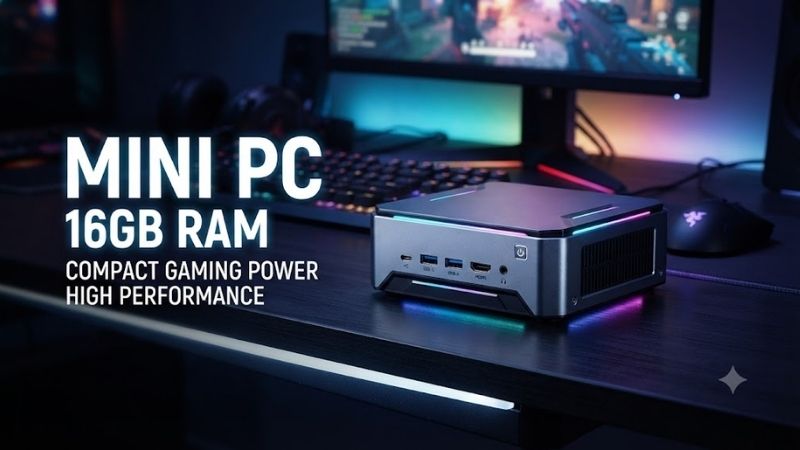
A mini PC 16GB RAM configuration provides a practical balance of multitasking performance, compact design, and everyday productivity. Whether you need a desktop for home office work, entertainment, light gaming, or development, the right mini PC can replace a bulky tower without taking over your desk. This guide compares six models with different processors, graphics capabilities, and upgrade options.
Quick answer: For most people in 2026, the best mini pc 16gb ram is the Mini PC — our #1 rated choice. See the full ranked comparison, alternatives and buying advice below.
Quick Verdict: Which 16GB RAM Mini PC Is Best?
The best mini PC depends on what you actually do with your computer. A low-power Intel model may be sufficient for browsing, email, and video streaming, while a Ryzen-based system with stronger integrated graphics is a better fit for demanding multitasking and light gaming.
Our top recommendations:
-
Best Overall: MINISFORUM UM760 Slim — Ryzen 5 7640HS performance, Radeon 760M graphics, and expandable DDR5 memory.
-
Best for Multitasking: GMKtec NucBox M7 — Eight-core Ryzen 7 PRO processing, Radeon 680M graphics, and flexible storage expansion.
-
Best for Office Productivity: GEEKOM A5 — Ryzen 7 5825U processing with 16GB RAM for everyday business and home office applications.
-
Best Budget-Oriented Option: GMKtec NucBox G3 Plus — Intel N150 efficiency with 16GB memory for basic computing.
-
Best for CPU-Intensive Work: MINISFORUM UM690L Slim — Ryzen 9 6900HX performance and fast LPDDR5 memory.
-
Best Alternative for Light Gaming: MINISFORUM UM680 Slim — Ryzen 7 6800H processing and Radeon 680M graphics.
These recommendations represent different usage priorities rather than a ranking based solely on processor speed. Availability, configuration, and pricing can vary, so buyers should compare the exact 16GB models rather than assuming every version includes the same hardware.
Quick Comparison Table: Best Mini PCs With 16GB RAM
| Mini PC | Processor | Graphics | 16GB Memory Type | Best For |
|---|---|---|---|---|
| MINISFORUM UM760 Slim | Ryzen 5 7640HS | Radeon 760M | DDR5 | Overall performance |
| GMKtec NucBox M7 | Ryzen 7 PRO 6850H | Radeon 680M | DDR5 | Multitasking |
| GEEKOM A5 | Ryzen 7 5825U | Radeon Vega 8 | DDR4 | Office work |
| GMKtec NucBox G3 Plus | Intel N150 | Intel integrated graphics | DDR4 | Basic computing |
| MINISFORUM UM690L Slim | Ryzen 9 6900HX | Radeon 680M | LPDDR5 | CPU-heavy workloads |
| MINISFORUM UM680 Slim | Ryzen 7 6800H | Radeon 680M | DDR5 | Light gaming |
Each model has a documented 16GB configuration or a manufacturer-specified 16GB option. Processor choice, graphics architecture, memory upgradeability, and connectivity are the primary differentiators.
A mini PC with 16GB RAM is not automatically faster than another with the same memory capacity. CPU generation, graphics architecture, cooling, and memory configuration have substantial effects on practical performance.
How We Selected These 16GB Mini PCs
These recommendations are based on manufacturer-published specifications and documented configurations rather than original detailed research.
Selection emphasized processor capability, integrated graphics, memory architecture, storage expansion, connectivity, and suitability for different user needs.
We also considered important limitations, such as whether memory is soldered, whether the device offers multiple display outputs, and whether a particular configuration includes storage and an operating system.
A key distinction is that a 16GB preconfigured system is not the same as a barebones unit that supports 16GB after a separate RAM purchase.
For shoppers wanting an immediately usable desktop, confirming the installed memory, storage drive, and operating system is essential.
The 6 Best Mini PCs With 16GB RAM Reviewed
1. MINISFORUM UM760 Slim — Best Overall 16GB Mini PC
Best For: Home office users, programmers, multitaskers, and buyers wanting a compact desktop with modern integrated graphics.
Why We Picked It: The MINISFORUM UM760 Slim combines AMD Ryzen 5 7640HS processing, Radeon 760M graphics, and DDR5 memory. It balances CPU performance, connectivity, and upgrade flexibility without requiring a large desktop chassis.
Key Specifications
| Specification | MINISFORUM UM760 Slim |
|---|---|
| Processor | AMD Ryzen 5 7640HS |
| CPU Cores / Threads | 6 / 12 |
| Maximum Boost Clock | 5.0 GHz |
| Integrated Graphics | AMD Radeon 760M |
| RAM Configuration | 16GB DDR5 |
| Memory Slots | 2 SO-DIMM |
| Memory Support | Up to 96GB |
| Storage | Dual M.2 2280 PCIe 4.0 slots |
| Networking | 2.5Gb Ethernet, Wi-Fi 6E |
| Display Outputs | HDMI, DisplayPort, USB4 |
Features and Benefits
The UM760 Slim uses AMD’s Zen 4 processor architecture, providing a capable foundation for productivity, programming, and everyday computing.
Its six-core, twelve-thread processor can handle multiple applications simultaneously without requiring desktop-class hardware or a separate graphics card.
The integrated Radeon 760M is based on RDNA 3 graphics technology. It is substantially more gaming-oriented than the integrated graphics found in many entry-level Intel N-series systems.
Another advantage is memory expandability. The system offers two SO-DIMM slots and supports configurations beyond the standard 16GB option.
Its two M.2 storage slots also allow buyers to add storage without necessarily replacing the original SSD.
Performance and Practical Use
For common business workloads, the UM760 Slim is a strong choice. It can handle office applications, spreadsheets, video conferencing, browser tabs, and general desktop tasks.
Programmers can use the system for code editing, local development servers, and moderate compilation workloads.
The Radeon 760M supports lightweight gaming, particularly esports titles and older games at appropriate graphics settings.
However, the integrated GPU shares system memory and is not intended to replace a dedicated gaming graphics card.
A single 16GB memory module may also provide lower memory bandwidth than an equivalent dual-channel configuration, potentially affecting graphics-intensive workloads.
What Makes It Different
The UM760 Slim combines a relatively modern AMD processor with DDR5 expansion, USB4 connectivity, and multiple SSD slots.
Its combination of processor responsiveness and integrated graphics makes it one of the most versatile configurations in this roundup.
Pros:
-
Ryzen 5 7640HS with modern Zen 4 architecture.
-
Radeon 760M integrated graphics.
-
Two SO-DIMM slots for RAM upgrades.
-
USB4 and 2.5Gb Ethernet connectivity.
-
Two M.2 SSD slots.
Cons:
-
Integrated graphics remain limited for demanding modern games.
-
Performance can depend on memory channel configuration and thermal settings.
Buy If: You want a versatile mini PC for work, coding, entertainment, and occasional gaming.
Skip If: You only need basic web browsing and could save money with a lower-power system.
2. GMKtec NucBox M7 — Best for Multitasking and Expansion
Best For: Advanced home users, office multitaskers, developers, and buyers who need multiple connectivity options.
Why We Picked It: The GMKtec NucBox M7 uses an AMD Ryzen 7 PRO 6850H processor with eight cores and sixteen threads. It offers strong multitasking capabilities, Radeon 680M integrated graphics, and extensive expansion options in a compact chassis.
Key Specifications
| Specification | GMKtec NucBox M7 |
|---|---|
| Processor | AMD Ryzen 7 PRO 6850H |
| CPU Cores / Threads | 8 / 16 |
| Maximum Boost Clock | 4.7 GHz |
| Graphics | AMD Radeon 680M |
| RAM Configuration | 16GB DDR5 option |
| Memory Slots | 2 SO-DIMM |
| Maximum RAM | 64GB |
| Storage | Dual M.2 2280 slots |
| Display Support | Up to four displays |
| USB4 | Two ports |
Features and Benefits
The Ryzen 7 PRO 6850H provides eight CPU cores, making the NucBox M7 suitable for applications that can take advantage of multiple processing threads.
This is relevant for workloads such as software compilation, running development tools, multitasking across several demanding applications, and lightweight virtualization.
The Radeon 680M integrated graphics provide a capable foundation for basic graphics workloads, video playback, and selected games.
The system’s dual USB4 connections are particularly useful for users who need high-speed peripherals and multiple display options.
It also supports internal memory and storage upgrades, offering flexibility as computing requirements grow.
Performance and Practical Use
For productivity users running browsers, office suites, communication applications, and programming tools simultaneously, the NucBox M7 provides substantial CPU resources.
It can also serve as a compact development workstation or lightweight home-lab machine.
The processor’s eight cores are useful for workloads with multiple active processes, although performance depends on cooling, power limits, and application behavior.
Its Radeon 680M graphics are suitable for light gaming and accelerated multimedia applications, but demanding gaming workloads still benefit from a discrete GPU.
What Makes It Different
The NucBox M7 stands out through its combination of eight CPU cores, expandable DDR5 memory, two USB4 ports, and multiple display connectivity.
This makes it particularly appealing to users building multi-monitor workstations.
Pros:
-
Eight-core, sixteen-thread Ryzen 7 PRO processor.
-
Radeon 680M graphics.
-
Expandable DDR5 RAM.
-
Dual USB4 connectivity.
-
Flexible internal storage expansion.
Cons:
-
Higher processor power requirements than entry-level mini PCs.
-
The 16GB configuration may be insufficient for heavier virtual-machine workloads.
-
Buyers must distinguish preconfigured versions from barebones listings.
Buy If: You want strong multitasking performance and expansion potential in a small desktop.
Skip If: Your workload consists mainly of email, documents, and occasional streaming.
3. GEEKOM A5 — Best 16GB Mini PC for Office Productivity
Best For: Professionals, students, home office users, and businesses requiring a compact desktop for everyday work.
Why We Picked It: The GEEKOM A5 combines an AMD Ryzen 7 5825U processor with 16GB RAM and SSD storage. It is particularly suitable for productivity tasks where CPU responsiveness and compact design matter more than high-end gaming performance.
Key Specifications
| Specification | GEEKOM A5 |
|---|---|
| Processor | AMD Ryzen 7 5825U |
| CPU Cores / Threads | 8 / 16 |
| Maximum Boost Clock | 4.5 GHz |
| Graphics | AMD Radeon Vega 8 |
| RAM Configuration | 16GB DDR4 |
| Common Storage Configuration | 512GB SSD |
| Wireless Connectivity | Wi-Fi 6 |
| Display Connections | HDMI and USB-C options |
| Operating System | Windows 11 Pro configurations |
Features and Benefits
The GEEKOM A5 uses an eight-core Ryzen processor designed for efficient everyday computing.
While its Zen 3 architecture is older than that of the UM760 Slim, it still provides sufficient processing power for a wide range of professional and personal workloads.
The 16GB RAM configuration supports everyday multitasking, including multiple browser tabs, spreadsheets, presentations, email, and online meetings.
Its compact form factor is particularly useful in small offices, reception areas, study spaces, and home workstations.
The availability of multiple USB connections and display outputs makes it practical for external monitors and common office peripherals.
Performance and Practical Use
The A5 is well suited to Microsoft Office, Google Workspace, video conferencing, document management, and browser-based applications.
Its eight CPU cores can also support light photo editing and programming workloads.
The Radeon Vega 8 graphics handle desktop rendering, media playback, and older or less demanding games.
However, the graphics architecture is less capable than the newer Radeon 680M and Radeon 760M solutions found in some competing AMD mini PCs.
This makes the A5 more attractive as a productivity machine than as a gaming-focused system.
What Makes It Different
The GEEKOM A5 offers a straightforward configuration built around a capable Ryzen 7 processor and practical business features.
Its appeal lies in delivering useful everyday performance without requiring enthusiast-class hardware.
Pros:
-
Eight-core Ryzen 7 processor.
-
Practical 16GB memory configuration.
-
Compact design suitable for office environments.
-
Useful peripheral connectivity.
-
Appropriate for business and home productivity.
Cons:
-
Radeon Vega graphics are relatively dated for gaming.
-
DDR4 memory provides less bandwidth than comparable modern DDR5 systems.
Buy If: You want a dependable productivity-oriented mini PC for regular office work.
Skip If: Integrated graphics performance or newer processor architecture is a major priority.
4. GMKtec NucBox G3 Plus — Best Budget-Oriented 16GB Mini PC
Best For: Buyers needing an efficient mini PC for browsing, streaming, office documents, education, and simple business applications.
Why We Picked It: The GMKtec NucBox G3 Plus uses Intel’s N150 processor and supports a 16GB DDR4 configuration. It targets lighter computing tasks while maintaining a compact physical footprint and practical connectivity.
Key Specifications
| Specification | GMKtec NucBox G3 Plus |
|---|---|
| Processor | Intel Processor N150 |
| CPU Cores / Threads | 4 / 4 |
| Maximum Turbo Frequency | 3.6 GHz |
| Graphics | Intel integrated graphics |
| RAM Configuration | 16GB DDR4-3200 |
| Memory Slots | 1 SO-DIMM |
| Maximum RAM | 32GB |
| Storage | M.2 NVMe SSD |
| Display Outputs | Dual HDMI |
| Ethernet | 2.5Gb |
| Wireless | Wi-Fi 6 |
| Operating System | Windows 11 Pro configuration |
Features and Benefits
The Intel N150 is a low-power processor designed for efficient everyday computing.
Its four-core architecture is sufficient for basic applications, web browsing, media playback, and light office workflows.
The inclusion of 16GB memory is beneficial because entry-level mini PCs are often constrained more by memory capacity than users expect.
For example, 16GB provides additional headroom for browser tabs, office applications, and background services compared with otherwise similar systems equipped with only 8GB.
The NucBox G3 Plus also supports dual HDMI output, making it suitable for basic two-monitor workstations.
Its compact chassis and relatively low CPU power requirements are attractive for space-constrained environments.
Performance and Practical Use
The N150 is appropriate for daily tasks such as email, online education, spreadsheets, web applications, and media streaming.
It can also function as a compact computer for digital signage, basic automation, or lightweight network services.
However, the processor has only four cores and four threads, making it substantially less suitable for demanding multitasking than higher-end Ryzen alternatives.
Users working with complex software builds, large creative projects, or several virtual machines should consider a more powerful CPU.
Its integrated graphics are also intended primarily for display output, media acceleration, and lightweight visual workloads.
What Makes It Different
The NucBox G3 Plus focuses on efficiency and practical desktop functionality rather than processing power.
It is a sensible budget-oriented candidate when priced substantially below more capable AMD systems.
Pros:
-
Low-power Intel N150 processor.
-
16GB DDR4 configuration.
-
Dual HDMI output.
-
2.5Gb Ethernet and Wi-Fi 6.
-
Compact design.
Cons:
-
Limited CPU performance for demanding applications.
-
Integrated graphics are unsuitable for modern AAA gaming.
-
Single memory slot limits dual-channel flexibility.
Buy If: Your priorities are low cost, compact size, and basic productivity.
Skip If: You regularly perform intensive multitasking, gaming, or content creation.
5. MINISFORUM UM690L Slim — Best for CPU-Intensive Work
Best For: Developers, demanding multitaskers, and users who want a compact system with an eight-core Ryzen 9 processor.
Why We Picked It: The MINISFORUM UM690L Slim pairs an AMD Ryzen 9 6900HX with fast LPDDR5 memory and Radeon 680M graphics. Its eight-core, sixteen-thread architecture provides a capable platform for workloads that benefit from parallel processing.
Key Specifications
| Specification | MINISFORUM UM690L Slim |
|---|---|
| Processor | AMD Ryzen 9 6900HX |
| CPU Cores / Threads | 8 / 16 |
| Maximum Boost Clock | 4.9 GHz |
| Graphics | AMD Radeon 680M |
| RAM Configuration | 16GB LPDDR5 |
| Memory Speed | LPDDR5-6400 |
| Storage | Dual M.2 2280 NVMe slots |
| Networking | 2.5Gb Ethernet |
| Wireless | Wi-Fi 6E, Bluetooth 5.3 |
| High-Speed Connectivity | USB4 |
Features and Benefits
The UM690L Slim uses AMD’s Ryzen 9 6900HX processor, which provides eight Zen 3+ CPU cores and sixteen threads.
This makes the system suitable for parallel workloads such as software development, multitasking, and processing multiple background applications.
The Radeon 680M integrated graphics are also capable of handling light gaming and multimedia tasks.
One notable characteristic is its LPDDR5-6400 memory, which provides substantial theoretical memory bandwidth for a compact system.
This can be useful for integrated graphics workloads, where the GPU shares system memory instead of using dedicated video memory.
However, the LPDDR5 memory is not a conventional user-upgradeable SO-DIMM configuration, making the original capacity choice important.
Performance and Practical Use
The Ryzen 9 processor provides strong multi-core capability for a mini PC.
It can support demanding office workloads, development environments, image editing, and other tasks that benefit from additional CPU threads.
Users running multiple containers or development services may also benefit from its processing capability.
However, 16GB RAM can become a limitation before the processor reaches its full potential in memory-heavy workflows.
For local virtualization, large datasets, or demanding creative projects, a system with upgradeable memory may offer a more practical long-term solution.
What Makes It Different
The UM690L Slim combines a Ryzen 9 processor, fast LPDDR5 memory, and Radeon 680M graphics.
Its design prioritizes compact performance, but the fixed-memory architecture reduces future flexibility.
Pros:
-
Eight-core Ryzen 9 processor.
-
Fast LPDDR5-6400 memory.
-
Radeon 680M integrated graphics.
-
Dual NVMe storage slots.
-
USB4 and 2.5Gb Ethernet.
Cons:
-
Soldered memory limits future RAM upgrades.
-
High-performance workloads can be constrained by 16GB capacity.
-
Regional and model-specific availability can vary.
Buy If: You want strong CPU performance and are comfortable keeping the original 16GB memory capacity.
Skip If: You anticipate needing 32GB or 64GB RAM later.
6. MINISFORUM UM680 Slim — Best Alternative for Light Gaming
Best For: Users wanting a compact AMD gaming-capable PC with 16GB DDR5 memory and Radeon 680M graphics.
Why We Picked It: The MINISFORUM UM680 Slim offers an AMD Ryzen 7 6800H processor and Radeon 680M integrated graphics. Its DDR5 memory configuration and storage expansion make it suitable for light gaming, media, and general desktop computing.
Key Specifications
| Specification | MINISFORUM UM680 Slim |
|---|---|
| Processor | AMD Ryzen 7 6800H |
| CPU Cores / Threads | 8 / 16 |
| Maximum Boost Clock | 4.7 GHz |
| Graphics | AMD Radeon 680M |
| RAM Configuration | 16GB DDR5 option |
| Memory Slots | 2 SO-DIMM |
| Memory Speed | DDR5-4800 |
| Storage | Dual M.2 2280 PCIe 4.0 |
| Networking | 2.5Gb Ethernet |
| Wireless | Wi-Fi 6E |
| Display Outputs | HDMI, DisplayPort, USB4 |
Features and Benefits
The Ryzen 7 6800H offers eight Zen 3+ CPU cores and Radeon 680M integrated graphics based on AMD’s RDNA 2 architecture.
This graphics solution provides a useful balance for users who want more visual performance than entry-level office mini PCs can deliver.
The UM680 Slim also includes two SO-DIMM slots, allowing memory upgrades when required.
Its dual M.2 SSD slots are useful for expanding a game library or separating operating system storage from larger files.
Modern display outputs and USB4 connectivity further improve its usefulness as a compact workstation.
Performance and Practical Use
The Radeon 680M is capable of running many older games and lightweight esports titles at carefully chosen settings.
Games such as Valorant and League of Legends are generally more appropriate targets than demanding modern AAA releases.
Performance will vary with resolution, graphics settings, game version, driver behavior, thermal conditions, and RAM configuration.
For integrated graphics systems, dual-channel memory can be especially important because the GPU depends on shared system memory bandwidth.
Users considering a 16GB model should therefore check whether it contains one 16GB module or two 8GB modules.
What Makes It Different
The UM680 Slim offers a combination of Radeon 680M graphics, eight-core CPU performance, and replaceable memory.
Compared with the UM690L Slim, it provides greater RAM upgrade flexibility, although its Ryzen 7 processor has a lower maximum boost specification.
Pros:
-
Radeon 680M graphics suitable for lightweight gaming.
-
Eight-core Ryzen 7 processor.
-
Two DDR5 SO-DIMM slots.
-
Dual PCIe 4.0 storage slots.
-
USB4 connectivity.
Cons:
-
Not a replacement for a desktop gaming PC with a dedicated GPU.
-
Gaming performance is sensitive to RAM channel configuration.
-
Model availability may be limited.
Buy If: You want an affordable gaming-capable mini PC with the option to upgrade RAM later.
Skip If: You mainly play demanding AAA games at high settings.
Mini PC 16GB RAM Buying Guide: What You Need to Know
1. Is 16GB RAM Enough for a Mini PC?
For most everyday users, 16GB RAM is a sensible starting point. It provides enough memory for common applications such as web browsers, office software, media playback, video meetings, and basic programming.
However, the appropriate amount depends on the workload.
| Usage | Is 16GB Enough? | Recommendation |
|---|---|---|
| Web browsing and email | Yes | 16GB is more than adequate for most users |
| Microsoft Office and productivity | Yes | Good everyday configuration |
| Online learning | Yes | Suitable for multitasking |
| Light gaming | Usually | Prefer dual-channel RAM and strong integrated graphics |
| Programming | Usually | Depends on development tools |
| Photoshop and light editing | Usually | Large projects may benefit from 32GB |
| Video editing | Sometimes | 32GB or more can be preferable |
| Multiple virtual machines | Often limited | Consider 32GB or 64GB |
| Heavy local AI workloads | Often insufficient | More RAM and suitable GPU resources may be needed |
A well-configured 16GB mini PC can remain useful for years, but memory capacity should be selected based on anticipated workloads rather than basic system requirements alone.
2. Intel vs AMD: Which Processor Should You Choose?
Processor selection is one of the most important decisions when buying a compact desktop.
Intel N-series processors, such as the N150, target efficient, affordable computing. These processors are suitable for office documents, streaming, email, and basic applications, but have limited multi-core and graphics capabilities compared with higher-performance alternatives.
AMD Ryzen processors, such as the 7640HS, 6850H, and 6800H, offer more processing resources and generally stronger integrated graphics in the configurations covered here.
For users focused on office productivity and light workloads, Intel N-series systems can provide sufficient performance at an attractive price.
For gaming, multitasking, programming, and creative applications, a Ryzen-based mini PC is usually the better fit among these six models.
Processor names alone do not determine actual performance, however. Cooling capacity, power limits, and memory configuration influence sustained operation.
3. DDR4 vs DDR5: Does Memory Speed Matter?
DDR4 and DDR5 are different generations of system memory.
DDR5 supports higher data transfer rates and offers improvements in memory architecture, although real-world performance gains depend on the application.
For general office tasks, a system with DDR4 and a capable processor may still feel responsive.
For integrated graphics workloads, however, memory bandwidth can become particularly important because the GPU shares system memory.
This makes DDR5-based mini PCs attractive for lightweight gaming and graphics-intensive applications.
Buyers should also understand that DDR4 and DDR5 modules are not interchangeable. A computer designed for one memory standard cannot simply be upgraded using modules of the other type.
4. Single-Channel vs Dual-Channel RAM
A 16GB mini PC may contain one 16GB module or two 8GB modules.
The capacity is identical, but the memory configuration can affect performance.
Dual-channel memory generally provides additional bandwidth compared with single-channel operation.
This is particularly relevant for integrated graphics, which rely on system memory rather than dedicated video memory.
For example, a mini PC equipped with Radeon 680M or Radeon 760M graphics may benefit from dual-channel RAM during gaming.
However, a single 16GB module may leave a free memory slot for future upgrades.
The best choice depends on whether you prioritize immediate performance or easier expansion.
5. How Much SSD Storage Do You Need?
Most mini PCs use solid-state storage, commonly through an M.2 NVMe interface.
SSD capacity affects how many applications, games, documents, and media files you can store locally.
| SSD Capacity | Best For |
|---|---|
| 256GB | Basic productivity and cloud-based work |
| 512GB | General home and office use |
| 1TB | Gaming, software development, and larger application libraries |
| 2TB | Extensive local files, media projects, and game libraries |
For most 16GB RAM mini PC buyers, a 512GB SSD is a practical minimum for a primary computer.
A 1TB drive provides more flexibility for applications, games, and personal files.
Buyers should also check whether the mini PC includes a second storage slot or requires replacing the existing SSD when upgrading.
6. Integrated Graphics vs Dedicated Graphics
Most compact mini PCs rely on graphics integrated into their processors.
Integrated GPUs are well suited to:
-
Desktop applications and everyday computing.
-
Video playback and streaming.
-
Multiple-monitor productivity.
-
Older or less demanding games.
-
Light photo and multimedia workloads.
However, integrated graphics share system memory and operate within the mini PC’s power and thermal limits.
A dedicated GPU typically offers significantly greater graphics processing capability and its own video memory.
If your primary goal is demanding modern gaming, professional 3D rendering, or GPU-intensive AI workloads, a system with dedicated graphics may be more appropriate.
7. Connectivity and Monitor Support
A mini PC should have enough connections for your actual workspace.
Important connectivity features include USB-A for common peripherals, USB-C for modern accessories, HDMI or DisplayPort for monitors, and Ethernet for stable wired networking.
Wi-Fi 6 or Wi-Fi 6E is useful for wireless connectivity when paired with compatible networking equipment.
Some higher-end mini PCs also feature USB4, which can support high-speed storage devices, displays, and other peripherals.
However, USB-C does not automatically mean USB4, and not every USB-C port supports video output or external GPU functionality.
Always confirm the exact port capabilities before purchasing.
8. Cooling, Noise, and Power Consumption
Mini PCs operate within compact enclosures, making cooling design important.
A processor with high performance potential may reduce its clock speeds during sustained workloads if power or thermal limits are reached.
This means published maximum boost frequencies are not guaranteed continuously during demanding tasks.
Low-power processors, such as Intel’s N150, generally require less cooling capacity than higher-performance Ryzen H-series chips.
However, actual fan noise depends on chassis design, firmware, room temperature, and workload.
Buyers intending to run a mini PC continuously should pay particular attention to cooling, ventilation, and the manufacturer’s operating recommendations.
9. Windows, Linux, and Barebones Configurations
Not every mini PC ships in a ready-to-use configuration.
Some models include RAM, an SSD, and a preinstalled operating system, while barebones versions may exclude all three.
A barebones model can be attractive to experienced users who want to choose their own memory and storage.
However, the cost of additional components and an operating-system license can reduce the apparent savings.
Linux users should also verify driver compatibility for wireless adapters, Bluetooth, audio, and other peripherals.
Before purchasing, confirm exactly what the seller includes in the selected configuration.
Mini PC 16GB RAM: Which Model Should You Choose?
The best choice depends on what you want the system to accomplish.
| Your Main Priority | Recommended Mini PC | Main Reason |
|---|---|---|
| General all-around use | MINISFORUM UM760 Slim | Modern Ryzen CPU and Radeon 760M graphics |
| Heavy multitasking | GMKtec NucBox M7 | Eight cores and expandable DDR5 |
| Office productivity | GEEKOM A5 | Capable Ryzen 7 processing |
| Basic computing | GMKtec NucBox G3 Plus | Efficient Intel N150 processor |
| CPU-heavy workloads | MINISFORUM UM690L Slim | Ryzen 9 and fast LPDDR5 |
| Light gaming with upgrades | MINISFORUM UM680 Slim | Radeon 680M and SO-DIMM expansion |
The performance-focused systems can be worthwhile for demanding users, but an inexpensive mini PC may deliver a similar everyday experience for basic web browsing and documents.
Choose according to workload, memory upgradeability, connectivity, and the total cost of the exact configuration.
Frequently Asked Questions
Is a Mini PC With 16GB RAM Good for Gaming?
Yes, provided it has a capable processor and integrated GPU. Models with Radeon 680M or Radeon 760M graphics can handle many lightweight games and older titles at appropriate settings. However, demanding AAA games may require reduced resolutions and graphics settings, and some will remain unsuitable for enjoyable performance without a dedicated GPU.
Can I Upgrade a 16GB Mini PC to 32GB?
Many mini PCs allow memory upgrades using replaceable SO-DIMM modules. For example, the MINISFORUM UM760 Slim and GMKtec NucBox M7 support expandable DDR5 memory. However, some systems use soldered LPDDR5 memory that cannot be upgraded. Always verify the specific model before purchasing.
Is 16GB RAM Better Than 8GB for a Mini PC?
For modern Windows computing, 16GB provides more comfortable multitasking headroom than 8GB. It helps when using multiple browser tabs, office applications, communication software, and background services simultaneously. However, adding RAM does not compensate for a significantly underpowered CPU when processing performance is the main limitation.
Can a 16GB Mini PC Run Windows 11?
Yes. A compatible mini PC with 16GB RAM has more than enough memory for Windows 11. However, operating-system compatibility also depends on the processor, firmware, TPM, Secure Boot support, and other hardware requirements. Check the exact model’s Windows support rather than relying on RAM capacity alone.
Can I Use a 16GB Mini PC for Programming?
Yes. Many mini PCs with 16GB RAM are suitable for web development, Python programming, code editing, lightweight local servers, and general software development. Larger projects, multiple virtual machines, Android emulators, and container-heavy workflows may benefit from 32GB or more memory.
Is a Mini PC With 16GB RAM Better Than a Laptop?
Neither is universally better. A mini PC can provide a compact desktop setup with flexible external monitors and peripherals, often without the cost of an integrated display and battery. A laptop offers portability and built-in input devices. A mini PC is especially appealing for a fixed workstation, while a laptop is more practical for users who frequently work away from their desks.
Conclusion
The MINISFORUM UM760 Slim is our best overall mini PC 16GB RAM recommendation for users who want a balanced combination of productivity, modern integrated graphics, and future upgrade options. The GMKtec NucBox M7 is especially attractive for intensive multitasking, while the GEEKOM A5 and GMKtec NucBox G3 Plus provide practical alternatives for office and everyday computing. Buyers prioritizing multi-core performance or light gaming should also consider the UM690L Slim and UM680 Slim. Before making a purchase, compare the exact processor, RAM configuration, SSD capacity, cooling design, and upgrade capabilities to find a compact desktop that meets your needs without paying for unnecessary performance.
Ready to decide? Our #1 pick for 2026 is the Mini PC.
Live price & availability on Amazon.