🛒 Best Price Today on Amazon
Prime members get fast, free shipping on everything above, plus member-only deals. New members get a 30-day free trial — cancel anytime.
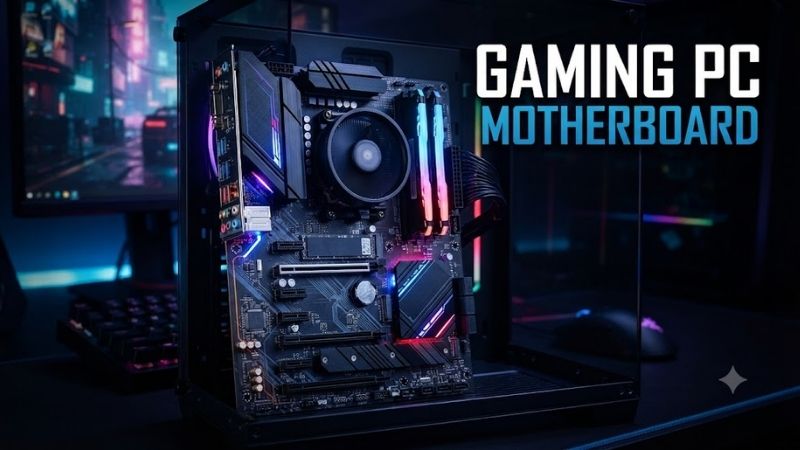
A gaming PC motherboard determines CPU compatibility, memory support, storage expansion, networking, and upgrade options. The best choice should match your processor platform while offering reliable power delivery, enough M.2 slots, modern PCIe support, fast connectivity, and the features your gaming build will actually use.
Quick Comparison Table
| Product | Best For | Key Advantage | Limitation |
|---|---|---|---|
| ASUS ROG Strix X870E-E Gaming WiFi | Best overall AMD | Five M.2 slots and 5Gb Ethernet | PCIe lane sharing requires planning |
| MSI MPG X870E Carbon WiFi | Premium AMD gaming | Dual LAN and extensive USB | Expensive for simple gaming builds |
| Gigabyte X870E AORUS Elite WiFi7 | AMD value-performance | PCIe 5.0 and broad AM5 support | Fewer premium extras than flagship boards |
| ASRock X870 Steel Legend WiFi | White gaming builds | USB4, Wi-Fi 7, and Gen5 M.2 | Secondary slot sharing affects expansion |
| ASUS ROG Maximus Z890 Hero | Premium Intel | Six M.2 slots and high-end connectivity | Overkill for mainstream CPUs |
| MSI MAG Z890 Tomahawk WiFi | Best Intel value | 5Gb LAN, Thunderbolt 4, four M.2 slots | Less luxury hardware than flagship boards |
| ASRock Z890 Steel Legend WiFi | Intel white builds | Strong DDR5 support and Thunderbolt 4 | 2.5Gb LAN instead of 5Gb |
Best Gaming PC Motherboard Picks
ASUS ROG Strix X870E-E Gaming WiFi
Best For: High-end AMD Ryzen gaming builds with multiple SSDs and fast networking.
The ROG Strix X870E-E Gaming WiFi supports AM5 Ryzen 7000, 8000, and 9000 Series processors, giving builders a broad CPU range on one modern AMD platform. It combines PCIe 5.0 graphics support with DDR5, Wi-Fi 7, 5Gb Ethernet, USB4, and five M.2 slots for storage-heavy gaming PCs.
Key Features:
- AMD X870E chipset
- AM5 socket
- Four DDR5 DIMM slots
- Up to 256GB memory
- PCIe 5.0 x16 graphics slot
- Five M.2 slots
- Two USB4 ports
- 5Gb Ethernet
- Wi-Fi 7
What Makes It Different: Storage expansion is a major strength. Five M.2 positions let a gaming PC hold separate drives for Windows, games, projects, and media without immediately relying on SATA devices or external storage.
Performance & Use Case: It suits Ryzen 7 and Ryzen 9 gaming systems, especially builds using powerful GPUs and several NVMe SSDs. Some M.2 configurations share CPU PCIe bandwidth with the primary graphics slot, so builders should review lane allocation before filling every connector.
Pros:
- Excellent storage expansion
- 5Gb networking and Wi-Fi 7
- Strong premium AM5 feature set
Cons:
- Expensive for basic gaming PCs
- Certain M.2 configurations affect GPU lanes
Who Should Buy It: Choose this board for a premium Ryzen system where storage, networking, USB connectivity, and future expansion matter nearly as much as gaming performance.
MSI MPG X870E Carbon WiFi
Best For: Enthusiasts who want extensive networking and rear I/O.
MSI MPG X870E Carbon WiFi supports Ryzen 7000, 8000, and 9000 Series CPUs on AM5 while providing four DDR5 slots with up to 256GB capacity. The board includes PCIe 5.0 graphics support, high-speed M.2 connectivity, Wi-Fi 7, 5Gb Ethernet, and an additional 2.5Gb Ethernet connection.
Key Features:
- AMD X870E chipset
- AM5 processor socket
- Four DDR5 DIMM slots
- PCIe 5.0 graphics support
- USB4 Type-C
- 5Gb plus 2.5Gb Ethernet
- Wi-Fi 7
- BIOS troubleshooting features
What Makes It Different: Dual wired networking is unusual on mainstream gaming boards. The combination of 5Gb and 2.5Gb ports benefits users with fast local storage, multiple networks, home labs, or streaming and workstation duties beyond gaming.
Performance & Use Case: It is a strong partner for Ryzen 9 processors, high-end GPUs, custom cooling, and storage-heavy systems. PCIe resources are shared across some slots, so installing every expansion device can change available bandwidth and should be planned before the final build.
Pros:
- Dual Ethernet connections
- Excellent USB connectivity
- Strong high-end AM5 expansion
Cons:
- Premium price
- More features than many gamers need
Who Should Buy It: Choose the X870E Carbon when your gaming PC also serves as a creator workstation, streaming machine, or fast-networked desktop.
Gigabyte X870E AORUS Elite WiFi7
Best For: High-performance AM5 gaming without flagship pricing.
Gigabyte X870E AORUS Elite WiFi7 supports Ryzen 7000, 8000, and 9000 Series processors and four DDR5 DIMM slots with up to 256GB capacity. It combines PCIe 5.0 support, AMD EXPO compatibility, Wi-Fi 7, 2.5Gb Ethernet, modern USB connectivity, and high-speed M.2 storage.
Key Features:
- AMD X870E chipset
- AM5 socket
- Four DDR5 DIMM slots
- Up to 256GB memory
- PCIe 5.0 support
- Wi-Fi 7
- 2.5Gb Ethernet
- USB4 connectivity
- AMD EXPO support
What Makes It Different: The AORUS Elite series typically focuses on delivering the features gamers actually use rather than maximizing every premium controller. That makes this model attractive for builders who want X870E functionality but do not need dual LAN or an extreme number of storage slots.
Performance & Use Case: It fits Ryzen 7 gaming systems particularly well, while still providing enough platform capability for Ryzen 9 upgrades. PCIe 5.0 support gives builders room for current GPUs and high-speed SSDs without forcing them into a flagship motherboard tier.
Pros:
- Balanced X870E feature set
- Wi-Fi 7 and 2.5Gb Ethernet
- Broad Ryzen support
Cons:
- Fewer luxury extras than premium models
- Networking is slower than 5Gb-equipped rivals
Who Should Buy It: Choose the AORUS Elite if you want a modern AMD gaming platform with strong expansion but prefer to spend more of the budget on the GPU or CPU.
ASRock X870 Steel Legend WiFi
Best For: White gaming PCs and value-focused AM5 enthusiasts.
ASRock X870 Steel Legend WiFi combines a distinctive light-colored design with practical enthusiast features. It supports Ryzen 7000, 8000, and 9000 Series processors, four DDR5 slots, PCIe 5.0 graphics, one PCIe Gen5 x4 M.2 slot, Wi-Fi 7, 2.5Gb Ethernet, and dual USB4 Type-C ports.
Key Features:
- AMD X870 chipset
- AM5 socket
- 14+2+1 power design
- Four DDR5 DIMM slots
- PCIe 5.0 x16
- Gen5 M.2 storage
- Two USB4 ports
- Wi-Fi 7
- 2.5Gb Ethernet
What Makes It Different: The Steel Legend combines modern connectivity with a white and silver aesthetic that suits matching cases, graphics cards, and cooling hardware. Many similarly styled boards sacrifice features for appearance, but this model retains USB4 and Gen5 expansion.
Performance & Use Case: It works well with Ryzen 5, Ryzen 7, and Ryzen 9 gaming builds. One secondary M.2 configuration can disable a secondary PCIe slot, so builders using capture cards, network adapters, or other add-in hardware should check the expansion map first.
Pros:
- Strong white-build aesthetics
- USB4 and Wi-Fi 7
- PCIe 5.0 graphics and storage
Cons:
- 2.5Gb rather than 5Gb Ethernet
- Expansion resources require planning
Who Should Buy It: Choose the X870 Steel Legend when appearance matters but you still want a fully modern AM5 gaming platform with strong connectivity.
ASUS ROG Maximus Z890 Hero
Best For: Premium Intel Core Ultra gaming and enthusiast systems.
ROG Maximus Z890 Hero is built for Intel Core Ultra Series 2 processors using the LGA1851 socket. It supports DDR5, PCIe 5.0 graphics, and as many as six M.2 storage devices, making it one of the most expandable Intel gaming motherboards in this group.
Key Features:
- Intel Z890 chipset
- LGA1851 socket
- Four DDR5 DIMM slots
- Up to 256GB memory
- PCIe 5.0 x16
- Up to six M.2 slots
- 5Gb and 2.5Gb Ethernet
- High-speed USB connectivity
- Enthusiast BIOS controls
What Makes It Different: Six M.2 slots give storage-heavy gaming and creator systems exceptional internal capacity. Builders can separate operating system, game libraries, project files, scratch storage, and backups without filling the case with SATA drives.
Performance & Use Case: The board is aimed at premium Core Ultra builds using powerful GPUs, large DDR5 kits, custom cooling, and several SSDs. Some Gen5 M.2 configurations share bandwidth with the primary graphics slot, so maximum expansion requires understanding the lane layout.
Pros:
- Exceptional M.2 capacity
- Premium networking
- Extensive enthusiast features
Cons:
- Expensive
- Unnecessary for mainstream gaming CPUs
Who Should Buy It: Choose the Z890 Hero when building a premium Intel gaming workstation where storage expansion, tuning controls, and connectivity justify paying beyond mainstream motherboard pricing.
MSI MAG Z890 Tomahawk WiFi
Best For: Balanced Intel Core Ultra gaming builds.
MSI MAG Z890 Tomahawk WiFi supports Intel Core Ultra Series 2 processors on LGA1851 and provides four DDR5 slots with up to 256GB capacity. It also includes PCIe 5.0 graphics, one Gen5 M.2 position, three additional M.2 slots, 5Gb Ethernet, Wi-Fi 7, and rear Thunderbolt 4 connectivity.
Key Features:
- Intel Z890 chipset
- LGA1851 socket
- Four DDR5 slots
- Four M.2 positions
- PCIe 5.0 x16
- Thunderbolt 4
- 5Gb Ethernet
- Wi-Fi 7
- BIOS Flash and diagnostic features
What Makes It Different: Tomahawk boards focus on practical high-end features without moving fully into luxury pricing. Here, 5Gb LAN, Thunderbolt 4, Wi-Fi 7, and four M.2 positions cover most enthusiast needs without requiring an extreme motherboard.
Performance & Use Case: It is a sensible base for Core Ultra gaming systems using one powerful GPU and several NVMe drives. The 16+1+1+1 power design and large heatsinks are built for sustained high-performance operation rather than decorative complexity.
Pros:
- Excellent connectivity
- Four M.2 slots
- Strong value within Z890
Cons:
- Less premium audio and styling than flagship boards
- LGA1851 limits CPU choice to compatible Intel processors
Who Should Buy It: Choose the Z890 Tomahawk if you want a feature-rich Intel gaming motherboard while keeping more of the system budget available for graphics and storage.
ASRock Z890 Steel Legend WiFi
Best For: White Intel gaming PCs and fast DDR5 configurations.
ASRock Z890 Steel Legend WiFi supports Intel Core Ultra Series 2 processors on LGA1851. It combines a substantial 18+1+1+1+1 power design with four DDR5 slots, PCIe 5.0 graphics, Gen5 M.2 storage, Wi-Fi 7, 2.5Gb Ethernet, and two Thunderbolt 4 Type-C ports.
Key Features:
- Intel Z890 chipset
- LGA1851 socket
- Four DDR5 DIMM slots
- Up to 256GB memory
- PCIe 5.0 x16 slot
- Four M.2 storage positions
- Dual Thunderbolt 4
- Wi-Fi 7
- 2.5Gb Ethernet
What Makes It Different: Memory support is a notable strength. ASRock lists very high DDR5 overclocking capability under suitable one-DIMM-per-channel configurations, while also supporting CUDIMM and XMP 3.0 for builders interested in memory tuning.
Performance & Use Case: It suits high-end Intel gaming builds that need strong connectivity and a white aesthetic without paying for a flagship ROG-class motherboard. Real achievable memory speed still depends on the processor, DIMM configuration, memory kit, and BIOS compatibility.
Pros:
- Strong DDR5 support
- Thunderbolt 4 and Wi-Fi 7
- Attractive white design
Cons:
- 2.5Gb Ethernet is slower than some competitors
- Maximum memory speeds depend heavily on configuration
Who Should Buy It: Choose this board for a white Intel build where fast DDR5, modern I/O, and strong expansion matter more than premium branding.
Gaming PC Motherboard Buying Guide
Choose the CPU Platform First
AMD AM5 and Intel LGA1851 are different sockets and cannot use the same processors. Decide which CPU you want before choosing the motherboard. Ryzen 7000, 8000, and 9000 Series desktop CPUs use AM5, while Intel Core Ultra Series 2 desktop processors use LGA1851 on boards such as Z890.
Match the Chipset to Your Needs
X870E and Z890 target feature-rich systems with extensive expansion and connectivity. X870 can provide many of the same practical gaming features at a lower level of complexity. Buying the most expensive chipset rarely increases frame rate directly, so choose based on ports, storage, networking, and expansion.
Check PCIe Lane Sharing
Modern motherboards may advertise several Gen5 M.2 slots and a Gen5 graphics slot, but some connectors share CPU lanes. Installing an SSD in a particular socket can reduce the GPU slot from x16 to x8 or disable another expansion slot. Read the lane table before buying several SSDs or add-in cards.
Prioritize M.2 Storage Expansion
Modern game libraries consume significant storage, making two or more M.2 slots highly useful. Three or four slots give a gaming PC room to expand without replacing existing drives. Gen5 SSD support is valuable for high-end storage, but gaming load-time differences do not always justify paying extra solely for Gen5 capability.
Consider Networking and USB
2.5Gb Ethernet is already faster than standard Gigabit networking, while 5Gb Ethernet benefits users with fast NAS devices or local networks. Wi-Fi 7 is useful when paired with compatible networking equipment. USB4 and Thunderbolt 4 matter more for fast external SSDs, docks, capture devices, and creator workflows.
Do Not Overpay for VRM Marketing
A strong voltage-regulation design matters with high-power processors, but most quality gaming motherboards can handle compatible mainstream CPUs without difficulty. Large phase counts do not automatically improve gaming FPS. Buy enough power delivery for the planned processor and cooling rather than chasing the largest number.
Gaming Motherboard Platform Differences
AMD AM5 vs Intel LGA1851
AM5 provides compatibility across several Ryzen generations, including Ryzen 7000, 8000, and 9000 Series on supported boards. LGA1851 currently supports Intel Core Ultra Series 2 desktop CPUs. The better gaming platform depends more on the processor you select than on motherboard branding alone.
X870E vs X870
X870E generally provides more chipset expansion flexibility for enthusiast systems, while X870 can still include PCIe 5.0 graphics, Gen5 storage, USB4, and Wi-Fi 7. Gamers using one graphics card and a few SSDs may gain little from paying substantially more for X870E.
Z890 for Intel Gaming
Z890 is Intel’s enthusiast desktop chipset for compatible Core Ultra Series 2 processors. Boards range from practical models such as MAG Z890 Tomahawk WiFi to premium products such as ROG Maximus Z890 Hero, so buyers can choose based on expansion rather than assuming every Z890 board serves the same user.
FAQ
Does a Better Gaming Motherboard Increase FPS?
A more expensive motherboard usually does not increase frame rate by itself when CPU, GPU, and memory settings are identical. Its value comes from power delivery, expansion, networking, BIOS options, storage, and connectivity. Gaming performance changes mainly when a board limits the CPU, memory configuration, or another component.
Is X870E Better Than X870 for Gaming?
X870E generally offers more expansion flexibility, but that does not make games automatically run faster. X870 boards can still provide PCIe 5.0 graphics, Gen5 M.2 storage, USB4, DDR5, and Wi-Fi 7. Choose X870E when you need additional high-speed devices or lanes rather than for frame rate alone.
How Many M.2 Slots Should a Gaming PC Have?
Two M.2 slots are enough for many gaming systems, but three or four provide more comfortable long-term expansion. A large modern game library can fill a 1TB drive quickly, so extra M.2 positions let you add storage later without removing the original SSD or filling the case with additional SATA cabling.
Is Wi-Fi 7 Necessary on a Gaming Motherboard?
Wi-Fi 7 is not required for gaming, especially when Ethernet is available. It becomes useful when you own compatible networking equipment, need wireless connectivity, or expect to keep the motherboard for several years. A stable wired 2.5Gb or 5Gb connection remains an excellent choice for a fixed gaming desktop.
Should I Buy a Motherboard With PCIe 5.0?
PCIe 5.0 is useful for new high-speed storage and provides additional platform headroom, but it should not be the only reason to buy a motherboard. Modern graphics cards can perform very well on older PCIe interfaces, while gaming load times often depend on more than peak SSD bandwidth alone.
How Much RAM Should a Gaming Motherboard Support?
Most modern enthusiast boards support far more memory than gaming requires. For current gaming, 32GB is a strong target, while 64GB suits heavy multitasking, streaming, editing, and creation. Support for 256GB is useful for specialized workloads but does not mean a gaming system needs anywhere near that capacity.
Conclusion
The best gaming PC motherboard depends first on your CPU platform and then on expansion needs. ROG Strix X870E-E leads premium AMD builds, AORUS Elite and Steel Legend offer balanced AM5 choices, while Z890 Tomahawk provides strong Intel value. Maximus Z890 Hero is best reserved for buyers who will actually use its extensive storage and connectivity.