🛒 Best Price Today on Amazon
Prime members get fast, free shipping on everything above, plus member-only deals. New members get a 30-day free trial — cancel anytime.
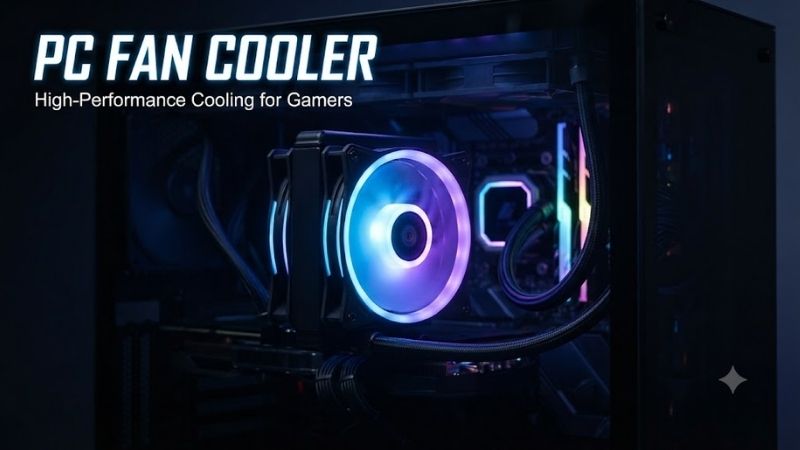
A good PC fan cooler keeps fresh air moving through your case so the CPU, GPU, motherboard, and SSDs can shed heat more effectively. The best models balance airflow, static pressure, noise, PWM control, and long-term reliability instead of chasing maximum RPM alone, making them useful for gaming rigs and workstations.
Best PC Fan Cooler Picks Compared
| Product | Best For | Key Advantage | Limitation |
|---|---|---|---|
| Noctua NF-A12x25 PWM | Best Overall | Excellent airflow-to-noise balance | Premium price |
| ARCTIC P12 Max | Best Value Performance | Very high pressure and RPM range | Loud near maximum speed |
| be quiet! Silent Wings 4 120mm PWM High-Speed | Quiet Performance | Smooth acoustics and strong pressure | Costs more than budget fans |
| Corsair RS120 ARGB | Best RGB | Strong pressure with standard ARGB | RGB adds cost and cabling |
| Phanteks T30-120 | Maximum Cooling | Extremely high airflow and pressure | 30mm thickness limits fit |
| Lian Li UNI FAN P28 | Multi-Fan Builds | Interlocking design and strong performance | 28mm thickness needs clearance |
Best PC Fan Cooler Picks
Noctua NF-A12x25 PWM
Best For: Builders who want premium all-around cooling with low noise.
The Noctua NF-A12x25 PWM is a 120mm fan rated for up to 2,000 RPM, about 60 CFM of airflow, and 2.34 mm H2O of static pressure. Its 25mm-thick frame fits standard 120mm mounts, while four-pin PWM control lets a motherboard reduce speed during idle and raise it only when higher cooling demand appears.
Key Features
- 120 x 120 x 25mm size
- Up to 2,000 RPM
- About 60 CFM maximum airflow
- 2.34 mm H2O static pressure
- Four-pin PWM control
- Sterrox LCP impeller
- Six-year warranty
What makes the NF-A12x25 different is how evenly it performs across case intake, exhaust, heatsink, and radiator duties. The close blade-to-frame clearance helps it maintain useful pressure through restrictive surfaces, yet it does not depend on extreme RPM to do the job, making it easier to build a quiet fan curve.
Pros
- Strong noise-to-performance balance
- Suitable for cases, radiators, and heatsinks
- Wide PWM control range
Cons
- Expensive per fan
- Traditional color scheme is not for every build
Who Should Buy It: Choose the NF-A12x25 if you want a premium fan that can move between different cooling roles as your system changes. It is especially useful in quiet gaming PCs, compact cases, and workstations where fan tone matters as much as temperature, but it is difficult to justify for low-power office systems.
ARCTIC P12 Max
Best For: Buyers who want aggressive cooling performance without premium pricing.
The ARCTIC P12 Max is built for high airflow resistance, with a 400 to 3,300 RPM PWM range, roughly 81 CFM maximum airflow, and 4.35 mm H2O of static pressure. It can also stop below a very low PWM threshold, helping a properly configured system remain quiet at idle while retaining substantial cooling headroom under load.
Key Features
- 120 x 120 x 25mm size
- 400–3,300 RPM PWM range
- About 81 CFM maximum airflow
- 4.35 mm H2O static pressure
- Fluid dynamic bearing
- Zero-RPM capability
- Six-year warranty
The P12 Max stands out because it offers far more pressure than most ordinary 120mm case fans. That matters behind dense front filters, on liquid-cooling radiators, and against restrictive mesh panels where a high-airflow fan can lose effectiveness. The trade-off is obvious: its upper speed range becomes much louder than a typical quiet fan.
Pros
- Excellent static pressure
- Broad speed range
- Strong value for multi-fan builds
Cons
- Loud near maximum RPM
- Overkill for lightly cooled systems
Who Should Buy It: The P12 Max is a smart choice for hot gaming PCs, radiator installations, filtered intakes, and users who prefer performance headroom. Set a sensible PWM curve rather than locking it at full speed, and it can behave quietly during normal work while still ramping hard when the CPU or GPU heats the case.
be quiet! Silent Wings 4 120mm PWM High-Speed
Best For: Noise-sensitive gaming and workstation builds.
The be quiet! Silent Wings 4 120mm PWM High-Speed runs up to 2,500 RPM and is rated for about 76.7 CFM of airflow with 3.96 mm H2O of static pressure. It combines a six-pole motor, fluid dynamic bearing, optimized blade geometry, and a funnel-shaped frame intended to maintain pressure while reducing unwanted vibration and motor noise.
Key Features
- 120mm format
- Up to 2,500 RPM
- About 76.7 CFM airflow
- 3.96 mm H2O static pressure
- Fluid dynamic bearing
- Six-pole motor
- Zero-RPM support
- Five-year warranty
Its advantage is not simply a low noise number, but the effort placed into reducing vibration and rough mechanical tone. The package includes different mounting approaches for case or radiator use, letting users isolate vibration in a chassis or create a firmer seal when pushing air through a restrictive cooling surface.
Pros
- Smooth acoustic character
- Strong radiator and heatsink pressure
- Flexible mounting hardware
Cons
- Premium price
- No integrated RGB lighting
Who Should Buy It: Silent Wings 4 is best for users who run powerful hardware for long periods and dislike constant fan noise. It fits editing workstations, recording rooms, premium gaming systems, and quiet home offices where temperatures still matter, but it is less compelling when budget matters more than acoustic refinement.
Corsair RS120 ARGB
Best For: RGB-focused builds that still need serious cooling.
The Corsair RS120 ARGB uses a 120 x 25mm frame and operates from roughly 420 to 2,100 RPM. Corsair rates it for up to 72.8 CFM of airflow and 4.15 mm H2O of static pressure, giving it enough pressure for radiators and filtered intakes instead of limiting it to decorative exhaust duty in a gaming case.
Key Features
- 120 x 25mm size
- 420–2,100 RPM
- Up to 72.8 CFM airflow
- Up to 4.15 mm H2O static pressure
- Four-pin PWM
- Zero-RPM support
- Eight addressable RGB LEDs
- Standard 5V ARGB connection
- Five-year warranty
The RS120 ARGB is useful because it does not require a proprietary ecosystem for basic control. Standard PWM and 5V ARGB connections make it easier to integrate with many modern motherboards, while daisy-chain support can reduce the amount of cable routing needed when several fans are installed together in the same case.
Pros
- Strong pressure for an RGB fan
- Standard PWM and ARGB control
- Useful daisy-chain design
Cons
- RGB increases cost
- Can become clearly audible at high speed
Who Should Buy It: Choose the RS120 ARGB when you want visible lighting without sacrificing radiator or intake performance. It is a good match for tempered-glass gaming cases and synchronized motherboard lighting, but users building a hidden or non-RGB workstation can often save money with a simpler performance fan.
Phanteks T30-120
Best For: Maximum 120mm-class cooling where extra thickness fits.
The Phanteks T30-120 uses a 120 x 120mm footprint but increases thickness to 30mm, giving its blade and motor design more room than a standard 25mm fan. In its highest mode it can reach 3,000 RPM, about 100.9 CFM, and 7.37 mm H2O of static pressure, placing it among the most aggressive enthusiast fans.
Key Features
- 120 x 120 x 30mm frame
- Up to 3,000 RPM
- Up to 100.9 CFM airflow
- Up to 7.37 mm H2O static pressure
- Three selectable speed profiles
- Four-pin PWM
- Daisy-chain support
- Six-year warranty
The 30mm frame is both its advantage and its limitation. Extra depth helps the T30 generate impressive pressure through thick radiators and restrictive surfaces, but it can interfere with RAM, motherboard heatsinks, tubing, or side panels in tight builds. Compatibility should be checked before ordering several fans.
Pros
- Exceptional airflow and pressure
- Strong radiator performance
- Useful selectable speed modes
Cons
- 30mm thickness may not fit every case
- Loud at maximum 3,000 RPM mode
Who Should Buy It: The T30-120 is for enthusiasts who want maximum cooling from a 120mm mounting position and have enough clearance for its thicker frame. It is especially useful on dense radiators, high-power systems, and compact builds where each fan position must deliver as much cooling as possible.
Lian Li UNI FAN P28
Best For: Clean multi-fan installations with high static pressure.
The Lian Li UNI FAN P28 measures 120 x 120 x 28mm and reaches up to 2,600 RPM. Lian Li rates it for up to 92 CFM of airflow and 4.79 mm H2O of static pressure, while its fluid dynamic bearing and rubber pads help control vibration. Triple packs also include a controller with selectable speed modes for easier tuning.
Key Features
- 120 x 120 x 28mm size
- 300–2,600 RPM range
- Up to 92 CFM airflow
- Up to 4.79 mm H2O static pressure
- Fluid dynamic bearing
- Interlocking fan design
- Three selectable speed modes
- Six-year warranty
Its biggest advantage is installation. UNI FAN models are designed to connect together physically, reducing the number of individual cables that need to cross the case. The P28 also focuses strongly on performance, so the cleaner appearance does not come at the expense of airflow through radiators or restrictive intake panels.
Pros
- Strong airflow and pressure
- Cleaner multi-fan cable management
- Useful three-mode controller in triple packs
Cons
- 28mm thickness needs extra clearance
- More expensive than basic case fans
Who Should Buy It: The P28 is a strong choice for builders using three or more fans in visible locations and who want less cable clutter. It fits showcase gaming PCs, radiators, and high-airflow front intakes well, provided the case has enough clearance for the slightly thicker 28mm frame around nearby components.
PC Fan Cooler Buying Guide
Airflow vs Static Pressure
Airflow, usually listed in CFM, describes how much air a fan can move under relatively open conditions. Static pressure shows how well that fan can keep moving air when resistance appears. Front filters, dense mesh, tower heatsinks, and radiators benefit more from pressure than an unrestricted rear exhaust position does.
For a modern gaming PC, a balanced fan is usually safer than a pure airflow design. Noctua NF-A12x25 works across many roles, while P12 Max, T30-120, P28, and Silent Wings 4 High-Speed offer higher pressure for restrictive cooling hardware. Maximum specifications are useful comparisons, but fan curves decide daily behavior.
120mm vs 140mm Fans
A 120mm PC fan cooler offers the widest compatibility because cases, tower coolers, and radiators commonly support that size. A 140mm fan has more blade area and can often move similar air at a lower RPM, which can reduce noise, but only when the chassis or radiator includes the correct mounting points.
Do not assume a 140mm model is automatically better. A well-designed 120mm pressure fan can outperform a basic 140mm unit on a radiator or dense filter. Measure mounting spacing, radiator support, and clearance before ordering, especially when replacing stock fans in a compact or prebuilt gaming PC.
PWM Control and Fan Curves
Four-pin PWM control lets the motherboard adjust fan speed according to temperature instead of forcing one fixed RPM. This matters because a gaming PC rarely needs maximum case airflow while browsing, typing, or streaming video, yet it may need significantly more cooling after the CPU and GPU have been loaded for several minutes.
A good fan curve starts quietly at low temperature and rises gradually rather than jumping between extremes. High-speed models such as P12 Max and T30-120 benefit most from careful tuning because their top-end cooling is useful during stress tests, but their maximum RPM is unnecessary for ordinary desktop work.
Intake and Exhaust Placement
A simple gaming setup usually works well with two or three front intakes and one rear exhaust. Front fans feed cooler room air toward the graphics card and CPU cooler, while the rear fan removes warm air. Top exhaust fans can help higher-power systems, particularly when a large graphics card dumps heat into the case.
More fans do not guarantee lower temperatures. Poorly positioned fans can fight each other, create turbulence, or recycle hot exhaust. Build a clear front-to-back or bottom-to-top airflow path, keep cables away from fan blades, and use temperature monitoring to confirm whether another fan actually improves CPU or GPU thermals.
FAQ
How many PC fans does a gaming computer need?
Three fans are a practical starting point for many gaming PCs: two front intakes and one rear exhaust. More powerful systems can benefit from additional top exhaust or front intake fans, but case design and component heat matter. Test CPU and GPU temperatures under gaming load before filling every available mount.
Is a high-RPM PC fan cooler better?
Not automatically. High RPM increases potential airflow and pressure, but it also raises noise and power use. A high-speed fan is valuable when a radiator, filter, or hot component needs extra cooling headroom. For normal use, PWM control should reduce fan speed until temperatures justify running faster.
Are static-pressure fans good for case airflow?
Yes. Modern static-pressure fans can work very well as case intakes, especially behind dust filters or restrictive front panels. They are also versatile because the same fan can later be moved to a radiator or tower heatsink. Pure airflow fans make more sense mainly in open, low-resistance positions.
Do RGB case fans cool as well as non-RGB fans?
They can. Lighting alone does not determine cooling quality. Blade design, pressure, airflow, motor, bearing, and RPM range matter more. Corsair RS120 ARGB is an example of a lighting-focused