🛒 Best Price Today on Amazon
Prime members get fast, free shipping on everything above, plus member-only deals. New members get a 30-day free trial — cancel anytime.
- Best Laptop Standing Options Compared
- 1. Roost V3 Plus Laptop Stand – Best Overall
- 2. Nexstand K2 Laptop Stand – Best for Portable Workstations
- 3. MOFT Z Sit-Stand Laptop Desk – Best Compact Standing Solution
- 4. Roost V3 Laptop Stand – Best Lightweight Alternative
- Laptop Standing Buying Guide
- How to Set Up a Laptop Standing Workstation
- FAQ
- Conclusion
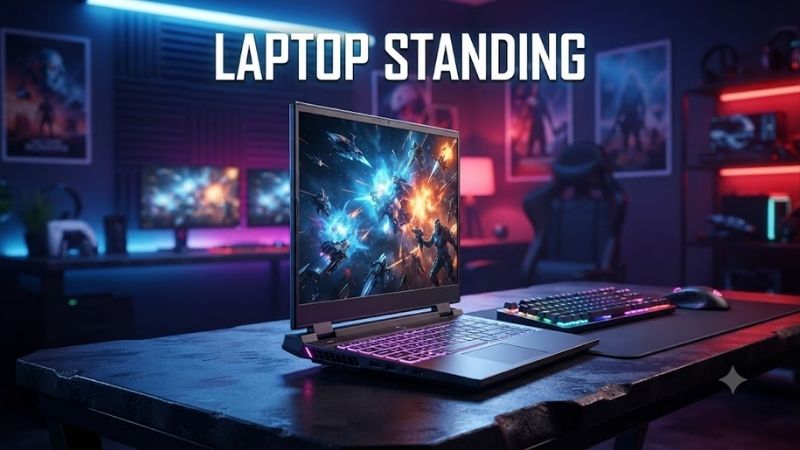
A laptop standing setup can make working, studying, and gaming more flexible by raising your screen above a conventional desk surface. Whether you need a portable laptop riser, a compact sit-stand solution, or an adjustable ergonomic stand, this guide compares practical products and explains which designs suit different workspaces.
Best Laptop Standing Options Compared
A laptop standing accessory raises a notebook above its normal resting position, helping users adjust screen height and working posture. Some models create a raised viewing position while seated, whereas others support temporary standing work. Understanding that distinction is essential before choosing a product.
An elevated laptop screen can reduce the need to look downward, but the best position depends on desk height, user height, and keyboard placement. Most elevated stands work better with an external keyboard and mouse, especially during longer sessions involving typing, spreadsheets, programming, or gaming.
| Product | Best For | Main Feature | Primary Limitation |
|---|---|---|---|
| Roost V3 Plus | Overall adjustable laptop setup | 11 height settings | Requires separate keyboard |
| Nexstand K2 | Portable laptop elevation | Eight height positions | Not a complete standing desk |
| MOFT Z Sit-Stand Desk | Compact standing transitions | 10-inch standing elevation | Limited height range |
| Roost V3 | Lightweight everyday use | Seven height settings | Fewer adjustments than Plus |
1. Roost V3 Plus Laptop Stand – Best Overall
Best For
The Roost V3 Plus is designed for remote workers, programmers, students, and frequent travelers who need a highly portable adjustable laptop stand. Its lightweight construction and multiple height settings make it useful for creating a raised-screen workstation at home, in shared offices, or while traveling.
Key Features
-
Eleven selectable height settings
-
Screen elevation range of 5–14 inches
-
Quick-release height adjustment
-
Collapsible construction
-
Weight of approximately 6 ounces
-
Pivoting laptop grips
-
Designed for 12–18-inch laptops
-
Compact folded dimensions
The Roost V3 Plus raises a laptop screen without requiring a bulky desktop platform. Its adjustable frame allows users to position their display at different heights, while the pivoting grips secure the laptop. This design is especially practical when switching between workstations with different desk heights.
What Makes It Different
The V3 Plus provides eleven adjustment settings and a quick-release mechanism that distinguishes it from the standard Roost V3. Users can change the height without first removing their laptop, according to the manufacturer’s instructions. This simplifies frequent adjustments during work sessions.
Its collapsible frame also makes the stand particularly attractive for travel. Instead of carrying a heavy desktop riser, users can transport a narrow folded accessory alongside their laptop. However, its elevated design is intended primarily for screen positioning, not direct keyboard use.
The 14-inch maximum screen lift offers substantial flexibility for elevated workstations. Nevertheless, whether it supports comfortable standing work depends on the underlying desk height. Users with low desks may still need a full sit-stand converter or height-adjustable workstation.
Pros and Cons
Pros
-
Eleven adjustable height settings
-
Lightweight folding construction
-
Secure pivoting laptop grips
-
Quick-release adjustment
-
Suitable for travel and remote work
-
Wide laptop-size compatibility
Cons
-
Requires an external keyboard for comfortable extended typing
-
Does not raise the mouse or keyboard
-
Standing suitability depends on desk height
-
More adjustment complexity than fixed stands
Use Case and Who It’s For
The Roost V3 Plus suits professionals who frequently change working locations. A programmer using a shared office can adjust screen height according to the available desk, while a remote employee can maintain a similar display arrangement across different rooms or temporary workspaces.
It also works for gamers using an external mechanical keyboard and mouse. Raising the laptop creates additional room underneath the device and changes the display position. However, competitive players should ensure that the stand remains stable and that laptop ventilation openings are unobstructed.
2. Nexstand K2 Laptop Stand – Best for Portable Workstations
Best For
The Nexstand K2 is appropriate for students, digital nomads, office employees, and laptop owners who need adjustable screen elevation without substantial desk equipment. Its folding frame emphasizes transportation and straightforward height selection, making it practical for temporary workstations.
Key Features
-
Eight adjustable height positions
-
Height range of approximately 5.5–11.8 inches
-
Fiberglass-reinforced nylon construction
-
Weight of approximately 234 grams
-
Folding design
-
Anti-slip rubber feet
-
Open ventilation structure
-
Designed for laptops between 10 and 17 inches
-
Manufacturer-rated capacity of 20 pounds
The Nexstand K2 raises the laptop through an adjustable support frame rather than a solid platform. Its open structure leaves much of the computer’s underside exposed, which can help maintain airflow around ventilation openings. Actual cooling performance still depends on the laptop’s design.
What Makes It Different
The K2’s eight height settings provide several positioning choices without requiring a complex adjustment system. Users can select an elevated screen position for reading or working with an external keyboard. Its compact folded form also makes it convenient to pack alongside other laptop accessories.
Fiberglass-reinforced nylon helps keep the structure lightweight while providing a practical support frame. The rubber contact points are intended to improve grip on suitable surfaces. Nevertheless, stability depends on correct installation, laptop dimensions, and the firmness of the underlying desk.
The Nexstand K2 also differs from larger desktop converters because it supports only the laptop. External keyboards, mice, and notebooks remain on the original desk surface. This arrangement works well for raised-screen productivity but cannot independently create a complete standing workstation.
Pros and Cons
Pros
-
Eight adjustable height positions
-
Lightweight portable construction
-
Open ventilation design
-
Anti-slip contact points
-
Compact folding mechanism
-
Broad laptop compatibility
Cons
-
Requires a suitable external keyboard setup
-
Does not provide a raised mouse surface
-
Limited usefulness for standing at very low desks
-
Laptop front-edge dimensions require attention
Use Case and Who It’s For
The Nexstand K2 works well for users who carry a laptop between home, coworking spaces, classrooms, and offices. Its compact design simplifies transportation, while the adjustable support structure helps maintain a raised screen position without requiring a permanent desk accessory.
Programmers and content creators can also benefit from the additional room beneath their laptop. An external keyboard can remain at desk level while the screen is elevated. However, users should measure the available workspace because larger gaming laptops may occupy significant desk depth.
Gaming Considerations
The K2 can support a gaming laptop within its stated size and weight limits, but its height adjustments primarily benefit display positioning. Players using the built-in keyboard may find an elevated laptop uncomfortable. An external keyboard and mouse are usually more appropriate for competitive gaming.
Users should also check whether the laptop’s front edge fits securely within the support grips. A heavy gaming notebook with an unusual chassis shape may require additional compatibility verification. Stable placement matters more than maximum height when rapid input or vibration is involved.
3. MOFT Z Sit-Stand Laptop Desk – Best Compact Standing Solution
Best For
The MOFT Z Sit-Stand Laptop Desk is designed for people who want to alternate between sitting and standing without installing a full desk converter. Its folding structure provides several seated working angles and an elevated standing configuration, making it suitable for compact home offices.
Key Features
-
Five-in-one folding design
-
Standing elevation of approximately 10 inches
-
Multiple seated angle configurations
-
Folded thickness of approximately 0.5 inches
-
Compact rectangular construction
-
Fiberglass and vegan leather materials
-
Magnetic folding structure
-
Compatible with a wide range of laptops
The MOFT Z differs from conventional laptop risers because its folding design supports several working configurations. Users can change the structure to elevate their laptop or create an angled surface. This makes it appealing for people who want multiple positions without carrying several separate accessories.
What Makes It Different
Its defining feature is the ability to transform into a 10-inch-high platform for temporary standing work. Unlike a simple angled laptop stand, the MOFT Z raises the entire device above the desk. However, whether that height is sufficient depends on the user’s stature and desk dimensions.
The folded design is another important advantage. When not needed, the stand becomes a relatively thin accessory that can be stored with other laptop equipment. Its flat shape may be easier to pack than a conventional metal desk riser, although it still occupies a noticeable surface area.
The MOFT Z also provides different seated configurations for reading and light computer use. These positions may improve screen viewing compared with placing the laptop flat on a table. However, steep angles can make extended typing awkward, so users should consider an external keyboard.
Pros and Cons
Pros
-
Dedicated standing configuration
-
Multiple seated angles
-
Thin folded design
-
No permanent installation required
-
Useful for temporary workstations
-
Compact storage footprint
Cons
-
Fixed standing elevation
-
Does not adjust through a broad standing-height range
-
Laptop keyboard rises with the screen
-
Limited support for external accessories
Use Case and Who It’s For
The MOFT Z is particularly useful for professionals who want occasional standing sessions while working from a conventional desk. Users can unfold the stand for a short period of reading, reviewing documents, or attending a video meeting, then return to a seated configuration.
Students living in dormitories may also appreciate its compact construction. The stand can be stored after classwork instead of occupying permanent desk space. However, anyone planning several hours of standing work should consider a height-adjustable desk that accommodates both keyboard and display.
Gaming Considerations
The MOFT Z can provide an elevated screen position for controller-based gaming or watching gameplay content. Its folding structure allows users to change the laptop angle without a conventional monitor stand. However, the raised keyboard may be uncomfortable for games requiring constant typing.
For competitive mouse-and-keyboard gaming, a fixed desktop arrangement generally offers better control. Players benefit from keeping their keyboard and mouse at a consistent height while adjusting only the display. The MOFT Z is therefore more useful for temporary or casual setups.
4. Roost V3 Laptop Stand – Best Lightweight Alternative
Best For
The Roost V3 suits laptop owners who want an adjustable, portable screen stand without the extended height range of the V3 Plus. Its lightweight folding structure supports everyday office work, remote learning, and travel, particularly when users already rely on an external keyboard and mouse.
Key Features
-
Seven selectable height settings
-
Screen lift range of approximately 6.5–12.5 inches
-
Folding support structure
-
Weight of approximately 6 ounces
-
Pivoting laptop grips
-
Compact travel-friendly construction
-
Supports a wide range of laptop designs
The Roost V3 provides adjustable laptop elevation through a narrow folding frame. Its seven height options allow users to change the display position according to their workstation. This is particularly helpful when working at temporary desks that lack monitor arms or other positioning accessories.
What Makes It Different
Compared with the V3 Plus, the standard Roost V3 offers fewer height settings and does not include the same quick-release adjustment system. These differences matter most to users who frequently modify display height. People who establish one comfortable position may not require additional adjustments.
Its compact construction remains an important advantage for travelers. The stand folds into a narrow shape that can fit within an appropriately sized laptop bag. This makes it easier to maintain a raised-screen workspace across different locations without carrying a heavy desk accessory.
The V3 also uses pivoting grips to support compatible laptops. Proper placement helps keep the device securely positioned when elevated. Users should follow the manufacturer’s setup instructions and verify the laptop’s edge dimensions before relying on the stand for daily work.
Pros and Cons
Pros
-
Lightweight folding design
-
Seven adjustable height settings
-
Compact travel dimensions
-
Secure laptop grip system
-
Suitable for repeated workstation setup
Cons
-
Fewer adjustments than the V3 Plus
-
No quick-release height adjustment
-
Requires separate input devices for extended work
-
Not a complete standing desk converter
Use Case and Who It’s For
The standard Roost V3 is practical for office workers who want consistent laptop screen elevation without purchasing larger furniture. It can support video calls, document editing, and everyday productivity when paired with a suitable keyboard and mouse arrangement.
Frequent travelers can also benefit from its lightweight form. The stand is compact enough to become part of a regular mobile workstation. However, users who need to alternate between standing and sitting should consider whether its adjustment range works with their existing desk height.
Laptop Standing Buying Guide
Understand the Difference Between Laptop Stands and Standing Desks
A laptop stand raises the computer above its supporting surface, while a standing desk or converter raises the overall working area. This distinction matters because comfortable standing work requires appropriate positions for both the screen and the user’s hands.
Compact laptop risers are useful when the primary goal is improving display height. However, raising only the computer may leave the keyboard too high for typing. People planning prolonged standing sessions should prioritize equipment that supports comfortable keyboard and mouse positioning.
Choose an Appropriate Height Range
Height adjustment determines whether a laptop standing accessory can position the display comfortably for different users. Taller people may require additional elevation, while shorter users could prefer a lower setting. Desk height also influences the amount of adjustment needed.
Buyers should measure their current workstation before choosing a stand. Consider the distance between the desk surface and your preferred screen position. A product offering numerous adjustments may be more flexible, but only if its minimum and maximum heights suit your setup.
Prioritize Stability
Stability becomes increasingly important as the laptop rises above the desktop. A secure stand should support the computer without excessive movement during normal use. Grip mechanisms, frame rigidity, and surface contact points all influence the user experience.
A stand that works well for reading may feel less stable during vigorous keyboard use. Users should avoid typing directly on highly elevated laptops when the support structure is not designed for that purpose. An external keyboard can provide a more predictable and comfortable input surface.
Check Laptop Size and Weight Compatibility
Not every laptop stand supports every notebook design. Chassis dimensions, front-edge thickness, weight, and ventilation placement affect compatibility. Gaming laptops can be especially demanding because they may have larger cooling systems and heavier constructions.
Manufacturer weight limits provide a starting point, but buyers should also inspect how the device contacts the support frame. A compatible laptop should rest securely without blocking important ports or vents. Unusual chassis shapes may require additional verification before purchase.
Consider Cooling and Ventilation
Elevating a laptop can create additional clearance beneath its chassis, potentially helping airflow when compared with placing the computer directly on a soft surface. Open-frame stands are particularly useful for leaving underside ventilation areas exposed.
However, an elevated laptop is not guaranteed to run cooler. Actual temperatures depend on the cooling system, workload, fan behavior, and environmental conditions. Gamers should monitor component temperatures and avoid assuming that increased clearance automatically improves performance.
Evaluate Portability
Portable laptop stands are useful for students, remote professionals, and travelers who change working locations frequently. Folded size and weight matter because the stand must fit alongside a laptop, charger, keyboard, and other accessories.
Some folding stands collapse into narrow shapes, while flat folding designs resemble thin laptop accessories. Neither arrangement is universally better. Buyers should consider bag dimensions, setup frequency, and how often the equipment must be carried between workspaces.
Plan for External Keyboard and Mouse Use
An external keyboard and mouse are often essential when a laptop is raised substantially above desk level. Separating input devices from the display allows users to position their hands more comfortably while keeping the screen at a practical viewing height.
For gaming, this separation also creates greater freedom when arranging peripherals. A mechanical keyboard can remain stable while the laptop screen sits higher. However, the complete setup still needs sufficient desk space for comfortable mouse movement and cable management.
How to Set Up a Laptop Standing Workstation
Position the Screen Correctly
Begin by placing the laptop stand on a firm, level desktop. Adjust the screen until its position allows comfortable viewing without repeatedly bending your neck. The ideal arrangement depends on your posture, display size, and normal viewing distance.
Avoid assuming that the highest setting is automatically the best. Excessive elevation can force users to look upward, while insufficient height may encourage downward head movement. Small adjustments usually provide a more practical approach than choosing extreme positions.
Arrange Keyboard and Mouse Placement
Position the keyboard where your shoulders can remain relaxed and your elbows stay near your sides. The mouse should sit close enough to avoid repeated reaching. These considerations are particularly important when working for extended periods or playing games requiring precise control.
If the laptop stand raises only the screen, keep the keyboard and mouse on an appropriate work surface. Users transitioning between sitting and standing may need a separate desk converter. Consistent input placement helps reduce unnecessary movement during repeated tasks.
Alternate Between Sitting and Standing
Standing work can introduce variety into the day, but remaining upright continuously may also become uncomfortable. Alternating positions allows users to respond to fatigue and changing task requirements. The goal is movement flexibility rather than standing for the longest possible period.
Begin with manageable standing sessions and adjust according to comfort. Tasks such as reading, reviewing documents, or attending meetings may be easier while standing than intensive typing. A suitable workstation should support both positions without requiring awkward body alignment.
Optimize the Setup for Gaming
A laptop standing setup can be useful for gaming when the display is elevated independently of the keyboard and mouse. This arrangement creates a more monitor-like experience, especially when the laptop is positioned near the user’s normal viewing height.
However, stability matters during competitive gaming. Rapid mouse movements and keyboard inputs should not cause the display to shake excessively. Players should prioritize a firm desk, secure laptop support, sufficient peripheral space, and unobstructed ventilation.
FAQ
What Is the Best Laptop Standing Stand?
The Roost V3 Plus offers extensive height adjustment and lightweight construction, making it versatile for raised-screen workstations. The MOFT Z is more appropriate for users seeking a compact standing configuration. The better choice depends on desk height and keyboard requirements.
Can I Use a Laptop Stand While Standing?
Yes, but a laptop stand must raise the computer sufficiently for your height and existing desk. Some compact stands provide only modest elevation. For extended standing work, a height-adjustable desk or converter may offer a more complete ergonomic arrangement.
Is a Laptop Standing Desk Good for Gaming?
A standing laptop workstation can support gaming when the display, keyboard, and mouse are positioned comfortably. Controller-based games require less desktop input space, while competitive shooters demand a stable keyboard and mouse surface. Appropriate height and ventilation remain important.
Do Laptop Stands Improve Cooling?
Laptop stands may improve airflow clearance by keeping ventilation openings away from soft bedding or obstructed surfaces. However, temperature improvements vary between devices. Internal cooling design, workload, and ambient conditions remain major factors affecting laptop temperatures.
Do I Need an External Keyboard?
An external keyboard is strongly recommended when the laptop is raised high enough that its built-in keyboard becomes uncomfortable. Separating the screen from the typing surface allows more flexible positioning. This is particularly useful during extended office work or gaming sessions.
Are Portable Laptop Stands Stable?
Well-designed portable stands can provide stable support when used according to manufacturer instructions. Stability depends on the frame, contact points, laptop weight, and underlying surface. Users should verify compatibility and avoid exceeding the recommended load capacity.
Conclusion
Choosing the right laptop standing accessory depends on your desk height, portability needs, and preferred working position. The Roost V3 Plus offers flexible elevation, Nexstand K2 supports mobile productivity, and MOFT Z enables compact standing transitions. Prioritize stability, screen placement, and comfortable keyboard positioning.