🛒 Best Price Today on Amazon
Prime members get fast, free shipping on everything above, plus member-only deals. New members get a 30-day free trial — cancel anytime.
- Best Asus Republic of Gamers Laptops: Quick Comparison
- 1. ASUS ROG Zephyrus G16 (2026) – Best Overall Gaming Laptop
- 2. ASUS ROG Zephyrus G14 (2026) – Best Portable Gaming Laptop
- 3. ASUS ROG Strix G16 (2026) – Best Competitive Gaming Laptop
- 4. ASUS ROG Strix SCAR 18 (2026) – Best High-End Gaming Laptop
- 5. ASUS ROG Zephyrus Duo (2026) – Best for Gaming and Content Creation
- How to Choose an ASUS Republic of Gamers Laptop
- FAQ
- Conclusion
Choosing an Asus Republic of Gamers laptop means balancing graphics performance, display quality, portability, and cooling. The 2026 ROG lineup includes lightweight Zephyrus models, performance-focused Strix systems, and premium SCAR machines. This roundup compares five options to help gamers find the right configuration.
Quick answer: For most people in 2026, the best asus republic of gamers laptop models for gaming 2026 is the ROG Laptop — our #1 rated choice. See the full ranked comparison, alternatives and buying advice below.
Best Asus Republic of Gamers Laptops: Quick Comparison
ASUS Republic of Gamers offers several gaming laptop families with different priorities. Zephyrus focuses on portability and premium displays, Strix emphasizes sustained gaming performance, and SCAR targets demanding enthusiasts. Choosing between them requires comparing specific configurations rather than relying on product names alone.
| ROG Laptop | Display | Graphics Options | Best For |
|---|---|---|---|
| ROG Zephyrus G14 GA403 (2026) | 14-inch 3K OLED, 120Hz | RTX 5060 | Portable gaming |
| ROG Zephyrus G16 GU606 (2026) | 16-inch 2.5K OLED, 240Hz | Up to RTX 5090 | Best overall balance |
| ROG Strix G16 G615 (2026) | 16-inch 2.5K IPS-level, 300Hz | RTX 5070 or RTX 5080 | Competitive gaming |
| ROG Strix SCAR 18 G835 (2026) | 18-inch 4K Mini LED, 240Hz | RTX 5080 or RTX 5090 | High-end gaming |
| ROG Zephyrus Duo GX651 (2026) | Dual 16-inch 3K OLED, 120Hz | RTX 5090 | Gaming and creation |
Specifications represent documented 2026 configurations. GPU availability, memory, storage, and display options can differ between regions and individual model numbers.
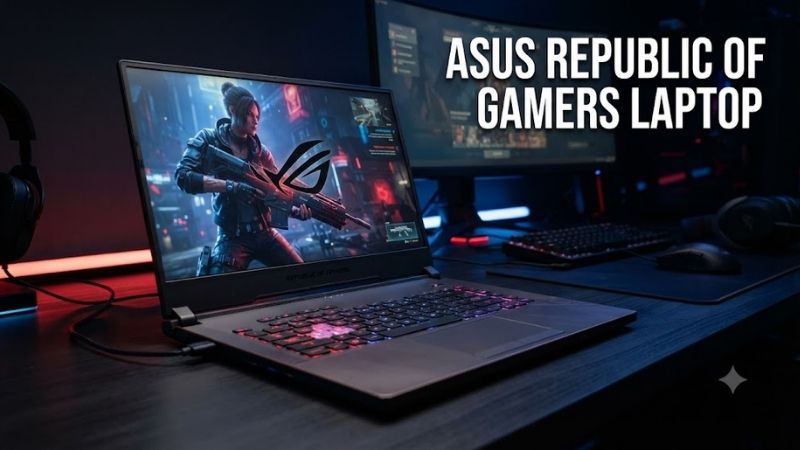
1. ASUS ROG Zephyrus G16 (2026) – Best Overall Gaming Laptop
Best For
The ASUS ROG Zephyrus G16 GU606 is designed for gamers who want powerful hardware without carrying a traditional bulky gaming laptop. Its 16-inch OLED display and relatively slim construction support both gaming and productive work. The combination makes it particularly useful for students, professionals, and content creators.
Key Features
-
Model: ROG Zephyrus G16 GU606 (2026)
-
Processor: Intel Core Ultra 9 386H
-
GPU options: NVIDIA GeForce RTX 5060 through RTX 5090 Laptop GPU
-
Display: 16-inch OLED, 2560 × 1600
-
Refresh rate: 240Hz
-
Aspect ratio: 16:10
-
RAM: Up to 64GB LPDDR5X
-
Storage: Up to 2TB PCIe 4.0 SSD
-
Graphics switching: MUX Switch and Advanced Optimus
-
Operating system: Windows 11
The Zephyrus G16 combines a high-resolution OLED panel with refresh rates appropriate for responsive gaming. Its 240Hz display can show more frequent updates than conventional 60Hz panels when games produce sufficient frames. OLED technology also provides deep blacks, making dark game environments and cinematic scenes more visually distinct.
What Makes It Different?
The defining characteristic of the G16 is its balance between performance and portability. ASUS offers powerful RTX laptop graphics within a chassis intended for frequent movement. However, cooling capacity and GPU power limits still matter, so similarly named graphics cards may perform differently in larger gaming laptops.
Its 16:10 display also provides additional vertical workspace compared with a traditional 16:9 screen of similar width. This helps when editing videos, browsing documents, or multitasking between applications. The trade-off is that OLED displays require sensible brightness and screen-care habits to minimize long-term image retention.
Pros
-
High-resolution 240Hz OLED display
-
Wide range of RTX graphics configurations
-
Premium chassis construction
-
Strong gaming and productivity flexibility
-
Advanced Optimus support
-
Multiple SSD configuration options
Cons
-
Premium positioning
-
Memory is soldered
-
Slim construction limits thermal flexibility
-
High-end GPU models increase cost
-
OLED requires appropriate long-term care
Use Case
The Zephyrus G16 works well for gaming sessions involving visually demanding titles such as Cyberpunk 2077 alongside productivity tasks like editing videos or working in Adobe applications. Its larger display provides comfortable workspace without requiring an external monitor, although demanding gaming benefits from connected power.
Who It’s For
Choose the Zephyrus G16 if you need one laptop for gaming, creative software, and everyday mobility. It offers a useful middle ground between compact 14-inch systems and heavier desktop-replacement machines. Buyers who prioritize maximum sustained performance over portability should also examine the ROG Strix series.
2. ASUS ROG Zephyrus G14 (2026) – Best Portable Gaming Laptop
Best For
The ROG Zephyrus G14 GA403 is designed for gamers who travel frequently or work away from a fixed desk. Its compact 14-inch chassis makes it easier to carry than larger gaming systems. The AMD Ryzen AI processor and dedicated NVIDIA graphics provide substantial capability within a portable form factor.
Key Features
-
Model: ROG Zephyrus G14 GA403 (2026)
-
Processor: AMD Ryzen AI 9 465
-
GPU: NVIDIA GeForce RTX 5060 Laptop GPU
-
Graphics memory: 8GB GDDR7
-
Display: 14-inch 3K OLED
-
Resolution: 2880 × 1800
-
Refresh rate: 120Hz
-
RAM: 32GB LPDDR5X
-
Storage: 1TB PCIe 4.0 NVMe SSD
-
Weight: Approximately 1.5kg
-
Wireless: Wi-Fi connectivity
-
Operating system: Windows 11
The G14 uses a 3K OLED screen that provides fine detail across its relatively small display area. Its 120Hz refresh rate supports smoother motion than conventional 60Hz screens while avoiding the emphasis on extremely high refresh rates found in competitive gaming machines. This suits gaming, creative work, and everyday use.
What Makes It Different?
Portability is the strongest reason to choose the G14. At approximately 1.5kg, the documented GA403 configuration is substantially easier to transport than large Strix or SCAR models. However, its compact cooling system and lower GPU power envelope mean buyers should not expect identical performance to larger laptops using similarly named graphics chips.
The Ryzen AI processor also includes dedicated neural processing capabilities for compatible software features. Such hardware may accelerate selected AI tasks, but it does not automatically improve gaming frame rates. Buyers should judge performance primarily through the CPU, GPU, memory, cooling design, and the applications they actually use.
Pros
-
Compact and lightweight chassis
-
Sharp 3K OLED display
-
120Hz refresh rate
-
Dedicated RTX 5060 graphics
-
Suitable for travel and work
-
Useful connectivity for peripherals
Cons
-
Smaller screen than 16-inch alternatives
-
Soldered memory
-
Limited internal storage expansion flexibility
-
Less cooling headroom than large laptops
-
Smaller display for competitive gaming
Use Case
The G14 is appropriate for university students, travelers, and remote workers who want to play games after completing daily tasks. Its compact footprint fits smaller desks and limited workspaces. Users can connect an external display when they need a larger gaming surface while retaining a portable machine for travel.
Who It’s For
The Zephyrus G14 is most attractive when weight and size influence daily usability. Gamers who regularly move between home, office, and school will benefit from its compact construction. Those who primarily play at a permanent desk may receive better sustained graphics performance from a larger Strix configuration.
3. ASUS ROG Strix G16 (2026) – Best Competitive Gaming Laptop
Best For
The ROG Strix G16 G615 focuses on gamers who prioritize performance, cooling capacity, and high-refresh-rate displays over maximum portability. Its 16-inch screen provides a comfortable gaming area, while available high-power graphics configurations support demanding workloads. It is particularly relevant for competitive and enthusiast gaming setups.
Key Features
-
Model: ROG Strix G16 G615 (2026)
-
Processor: Intel Core Ultra 9 290HX Plus
-
GPU options: RTX 5070 or RTX 5080 Laptop GPU
-
Display: 16-inch IPS-level panel
-
Resolution: 2560 × 1600
-
Refresh rate: Up to 300Hz
-
Aspect ratio: 16:10
-
RAM: 32GB DDR5 in documented configurations
-
Maximum supported RAM: 64GB
-
Storage: 1TB PCIe 4.0 SSD in documented configurations
-
Color coverage: 100% DCI-P3
The Strix G16 emphasizes high-refresh-rate gaming with its 300Hz display capability. Such a panel can benefit competitive players when games deliver correspondingly high frame rates. However, refresh rate alone does not determine responsiveness, since input latency, pixel response, network conditions, and CPU performance also matter.
What Makes It Different?
Unlike the portability-focused Zephyrus models, the Strix G16 prioritizes a larger performance-oriented design. Documented RTX 5080 configurations allow a higher graphics power budget than equivalent thin-laptop designs. This can benefit sustained rendering workloads, though actual performance should be assessed through configuration-specific testing.
Another advantage is its replaceable DDR5 memory architecture. The documented system supports higher memory capacity through SO-DIMM modules, making future upgrades more practical than with soldered-memory laptops. Buyers should still verify supported modules, service requirements, and warranty conditions before opening the chassis.
Pros
-
High-refresh 300Hz display
-
Powerful RTX GPU configurations
-
Performance-focused cooling design
-
Upgradeable SO-DIMM memory
-
Suitable for competitive gaming
-
High-resolution 16:10 display
Cons
-
Bulkier than Zephyrus models
-
High performance increases power demands
-
IPS-level panel lacks OLED’s pixel-level blacks
-
Premium configurations can be expensive
-
Maximum refresh rate requires appropriate settings
Use Case
The Strix G16 makes sense for players spending long sessions in Counter-Strike 2, Valorant, Apex Legends, and other fast-paced games. Its high-refresh display can improve motion presentation when system performance allows. Connecting a gaming mouse, headset, and Ethernet cable creates a practical stationary setup.
Who It’s For
Choose the Strix G16 if gaming performance and upgrade flexibility are more important than carrying the laptop throughout the day. Its chassis and display priorities suit players who want a machine for intensive gaming sessions. For frequent commuting and mixed creative workloads, the Zephyrus G16 is worth comparing.
4. ASUS ROG Strix SCAR 18 (2026) – Best High-End Gaming Laptop
Best For
The ROG Strix SCAR 18 G835 targets enthusiasts seeking desktop-class gaming ambitions in a transportable system. Its expansive display, high-end GPU choices, and substantial cooling requirements position it above mainstream laptops. It is particularly appealing to players who want a large integrated screen for demanding games.
Key Features
-
Model: ROG Strix SCAR 18 G835 (2026)
-
Processor: Intel Core Ultra 9 290HX Plus
-
GPU options: RTX 5080 or RTX 5090 Laptop GPU
-
Display: 18-inch Mini LED
-
Resolution: 3840 × 2400
-
Refresh rate: Up to 240Hz
-
Aspect ratio: 16:10
-
GPU memory: Up to 24GB GDDR7
-
RAM: Up to 128GB supported
-
Storage: PCIe NVMe SSD
-
Networking: Wi-Fi and Ethernet
-
Graphics switching: MUX Switch and Advanced Optimus
The 18-inch 4K Mini LED display is a major attraction. Its high resolution supports detailed visuals, while local dimming can improve contrast compared with conventional backlit LCD panels. However, rendering at 3840 × 2400 places significant demands on graphics hardware, especially when advanced lighting effects are enabled.
What Makes It Different?
The SCAR 18 provides high graphics power budgets and a chassis designed for sustained demanding workloads. Its available RTX 5090 Laptop GPU includes substantial dedicated graphics memory. This benefits selected creative workloads and demanding textures, although total performance still depends on game engines and system cooling.
Its larger form factor also supports a more expansive keyboard and display arrangement. This can be comfortable for desktop-style gaming, but transportation is less convenient than with smaller ROG systems. Users should consider desk depth, power adapter size, and ventilation clearance before selecting an 18-inch machine.
Pros
-
Large 18-inch Mini LED display
-
High-end RTX graphics options
-
4K-class resolution
-
High-refresh-rate capability
-
Significant memory expansion potential
-
Suitable for demanding creative workloads
Cons
-
Heavy and difficult to carry daily
-
Expensive premium hardware
-
High power requirements
-
Demanding native display resolution
-
Limited practicality for small desks
Use Case
The SCAR 18 works particularly well for immersive single-player games, advanced graphics settings, and professional rendering workflows. Its large screen makes detailed interfaces easier to view without external equipment. Nevertheless, sustained gaming should normally occur while connected to the appropriate power adapter.
Who It’s For
Consider the SCAR 18 if you want an enthusiast-level gaming laptop and rarely need to carry it. Its high-end hardware is more appropriate for demanding games and production workloads than basic esports alone. Buyers focused on everyday gaming should compare the additional cost against realistically achievable benefits.
5. ASUS ROG Zephyrus Duo (2026) – Best for Gaming and Content Creation
Best For
The ROG Zephyrus Duo GX651 is designed for creators, streamers, and enthusiasts who need additional screen space without carrying an external monitor. Its dual-screen design supports gaming alongside production tools, communication windows, and editing timelines. The concept prioritizes workflow flexibility rather than conventional laptop simplicity.
Key Features
-
Model: ROG Zephyrus Duo GX651 (2026)
-
Processor: Intel Core Ultra 9 386H
-
GPU: NVIDIA GeForce RTX 5090 Laptop GPU
-
Displays: Two 16-inch OLED touchscreens
-
Resolution: 3K per display
-
Refresh rate: 120Hz
-
Aspect ratio: 16:10
-
RAM: 64GB LPDDR5X
-
Storage: 2TB PCIe 5.0 SSD
-
Battery: 90Wh
-
Keyboard: Detachable Bluetooth keyboard
-
Connectivity: Thunderbolt 4 and HDMI 2.1
The Zephyrus Duo’s two OLED panels allow separate applications to remain visible simultaneously. A streamer could place gameplay on one display and monitoring software on the other. Although this arrangement improves workspace flexibility, not every game or application automatically benefits from a second integrated screen.
What Makes It Different?
Unlike conventional ROG laptops, the Duo fundamentally changes the workstation layout. Its detachable keyboard allows different arrangements for gaming and creative tasks. However, additional setup considerations, desk-space requirements, and application window management make it more specialized than the Zephyrus G14 or G16.
The RTX 5090 Laptop GPU and 64GB memory configuration provide substantial hardware resources for complex creative projects. Video editing, multitasking, and GPU-accelerated applications can benefit from these resources. Nevertheless, buyers should evaluate whether their software genuinely needs this hardware rather than paying for unused capability.
Pros
-
Dual OLED touchscreen design
-
RTX 5090 Laptop GPU
-
64GB memory configuration
-
High-capacity SSD
-
Useful for streaming and editing
-
Flexible workstation layout
Cons
-
More complex than conventional laptops
-
Premium pricing
-
Increased desk-space requirements
-
Heavier than compact Zephyrus models
-
Dual displays can increase power consumption
Use Case
The Zephyrus Duo is suitable for streamers running OBS Studio while monitoring chat, audio controls, and recording status. Creators can also separate editing previews from timeline controls. Its second display reduces reliance on external monitors, although a dedicated desktop arrangement may remain more comfortable for prolonged sessions.
Who It’s For
Choose the Duo if your workflow genuinely benefits from simultaneous full-size displays and you value an integrated portable solution. It is less compelling for gamers who only run one full-screen title at a time. In that situation, a conventional Zephyrus or Strix laptop generally offers a simpler ownership experience.
How to Choose an ASUS Republic of Gamers Laptop
Graphics Card and Power Limits
The GPU is central to gaming performance, but model names do not tell the entire story. Laptop graphics chips operate at different power limits depending on cooling and chassis design. An RTX GPU inside a thin notebook may behave differently from the same GPU family in a larger Strix system under sustained load.
Processor Performance
Modern ROG laptops use different Intel Core Ultra and AMD Ryzen AI processors. Gaming performance depends on CPU architecture, cooling, power settings, and whether a title is processor-limited. Competitive games can benefit from strong CPU performance, while demanding high-resolution games may depend more heavily on the graphics processor.
Display Quality and Refresh Rate
OLED displays provide individually controlled pixels and strong contrast, making them attractive for cinematic gaming. Mini LED panels offer high brightness and sophisticated local dimming, while IPS-level displays can provide fast refresh rates. Choose based on the types of games played rather than resolution or refresh rate alone.
Memory and Upgradeability
RAM capacity matters for gaming, multitasking, and creative applications. ROG Zephyrus configurations frequently use soldered memory, making the original purchase decision important. Some Strix models support replaceable SO-DIMM modules, offering more flexibility for future upgrades. Always verify the exact laptop model before purchasing.
Storage Capacity
Large modern games can consume considerable SSD space, especially when updates and additional content are installed. A 1TB drive may be sufficient for a focused game library, while creators and enthusiasts may benefit from 2TB or expansion options. Confirm the number of available M.2 slots before planning future upgrades.
Cooling and Noise
Powerful gaming laptops generate substantial heat during demanding workloads. Larger systems have more room for cooling hardware, but acoustics depend on fan profiles, room temperature, and operating conditions. Review performance under sustained gaming loads rather than relying only on short synthetic benchmark results.
Portability and Battery Life
The Zephyrus G14 is easier to carry than an 18-inch SCAR system, but compact construction involves compromises. Battery life also changes significantly with GPU activity, display brightness, and software settings. Players should expect demanding games to consume power rapidly and use the supplied charger for maximum performance.
Connectivity and External Displays
USB connectivity, HDMI capabilities, Ethernet, and display outputs determine how easily a laptop integrates into an existing setup. Competitive players may prioritize wired networking and external monitor support. Creators may need fast external storage connections, card readers, and multiple displays for editing workflows.
FAQ
Are ASUS Republic of Gamers laptops good for gaming?
Yes. ASUS ROG laptops are specifically designed for gaming and include dedicated graphics hardware, high-refresh displays, and specialized cooling features. However, performance varies substantially between models. Buyers should compare exact CPU, GPU, memory, display, and cooling configurations rather than assuming every ROG laptop performs equally.
Which ASUS ROG laptop is best for gaming in 2026?
The Zephyrus G16 provides a balanced combination of gaming performance, OLED display quality, and portability. The Strix G16 is more appealing for competitive players prioritizing sustained performance. Enthusiasts seeking premium graphics hardware and a larger display should examine the Strix SCAR 18 instead.
Is ROG Strix better than ROG Zephyrus?
ROG Strix generally emphasizes gaming-focused performance and cooling, while Zephyrus prioritizes portability and premium design. Neither is universally superior. A Strix machine may be preferable for prolonged demanding gaming, whereas a Zephyrus can be more convenient for work, travel, and mixed everyday activities.
Can ASUS ROG laptops be upgraded?
Upgradeability depends on the specific model. Some Strix laptops feature replaceable RAM modules and accessible M.2 SSD storage, while Zephyrus models commonly use soldered memory. Storage expansion also varies between chassis designs. Always consult the correct service documentation before purchasing replacement components.
Do ASUS ROG laptops support external gaming monitors?
Yes. Compatible ROG laptops provide display connections such as HDMI, USB-C DisplayPort, or Thunderbolt, depending on the model. Supported resolution and refresh rate depend on the port, graphics hardware, cable, and monitor. Buyers should confirm the exact output specifications before selecting a high-refresh external display.
Are ASUS ROG laptops suitable for video editing?
Many ROG laptops combine powerful processors, NVIDIA graphics, and high-resolution displays that support demanding editing workflows. OLED and Mini LED options can be useful for visual work, although color management remains important. Memory capacity, storage performance, and application requirements should guide the final configuration.
Conclusion
The best Asus Republic of Gamers laptop depends on how and where you play. Zephyrus G16 balances performance and portability, G14 suits travel, Strix G16 targets competitive gaming, SCAR 18 delivers premium hardware, and Zephyrus Duo supports multitasking. Compare GPU power, display quality, memory, cooling, and upgrade options before buying.
Ready to decide? Our #1 pick for 2026 is the ROG Laptop.
Live price & availability on Amazon.