🛒 Best Price Today on Amazon
Prime members get fast, free shipping on everything above, plus member-only deals. New members get a 30-day free trial — cancel anytime.
- Best Memory RAM for PC Compared
- Corsair Vengeance DDR5-6000 CL30
- G.Skill Trident Z5 Neo RGB DDR5-6000 CL30
- Kingston Fury Beast DDR5
- Crucial Pro DDR5
- Corsair Vengeance LPX DDR4-3200 CL16
- Which Memory RAM Fits Different PC Users?
- How Much RAM Does a PC Need?
- How to Choose Memory RAM for PC
- DDR5 vs DDR4
- FAQ
- Conclusion
Choosing the best memory RAM for PC use depends on your motherboard, processor, workload, required capacity, and whether the system supports DDR4 or DDR5. For most modern gaming computers, 32GB is the practical target, while demanding content creation, virtual machines, and professional workloads may benefit from 64GB or more. Speed and latency also matter, but compatibility comes first.
Quick answer: For most people in 2026, the best memory ram for pc is the Memory Kit — our #1 rated choice. See the full ranked comparison, alternatives and buying advice below.
Best Memory RAM for PC Compared
RAM specifications can look confusing because capacity, data rate, latency, voltage, and memory profiles all affect the final configuration. A fast kit cannot operate at its advertised settings if the motherboard or CPU memory controller does not support them. DDR4 and DDR5 are also physically incompatible, so they cannot be mixed or installed in the wrong motherboard generation.
| Memory Kit | Best For | Type | Capacity | Speed | Latency |
|---|---|---|---|---|---|
| Corsair Vengeance DDR5-6000 CL30 | Best overall | DDR5 | 32GB | 6000 MT/s | CL30 |
| G.Skill Trident Z5 Neo RGB DDR5-6000 CL30 | AMD gaming | DDR5 | 32GB | 6000 MT/s | CL30 |
| Kingston Fury Beast DDR5 | Easy mainstream upgrade | DDR5 | 32GB | Up to 6000 MT/s class | Configuration dependent |
| Crucial Pro DDR5 | Productivity and value | DDR5 | 32GB or higher | Up to 6000 MT/s class | Configuration dependent |
| Corsair Vengeance LPX DDR4-3200 CL16 | Older DDR4 PCs | DDR4 | 32GB | 3200 MT/s | CL16 |
Corsair Vengeance DDR5-6000 CL30
Best For: Overall modern PC builds
Corsair Vengeance DDR5-6000 CL30 is one of the easiest memory configurations to recommend for a modern gaming or productivity desktop. A 32GB kit using two 16GB modules provides enough capacity for contemporary games, heavy browser use, streaming, Discord, background applications, and normal content creation without moving into unnecessarily expensive capacities.
The 6000 MT/s data rate provides a good performance level for current DDR5 systems. Memory speed does not affect every application equally, but a properly configured 6000 MT/s kit can improve CPU-limited gaming and memory-sensitive workloads compared with slower default DDR5 settings.
CL30 latency is another important part of the specification. Two memory kits can both run at 6000 MT/s while using different timing values. Lower latency can reduce the amount of time required for certain memory operations, although real-world performance depends on the full timing set rather than CAS latency alone.
Corsair offers Vengeance modules in relatively clean, low-profile heat spreaders compared with taller RGB memory. That makes the kit easier to pair with large tower CPU coolers where excessive RAM height can create physical clearance problems.
The 32GB dual-module format also leaves the motherboard’s remaining DIMM slots available on four-slot boards. This can be useful for future expansion, although adding a second kit later may not always operate at the same overclocked speed as the original pair.
Memory profiles simplify setup. Compatible systems can load preconfigured settings through the motherboard BIOS instead of requiring the user to enter frequency, timings, and voltage manually. You should still check the motherboard’s memory support list before purchasing.
For gaming, 32GB is a sensible balance. Moving from 16GB to 32GB can improve multitasking and reduce memory pressure in modern games, while moving from 32GB to 64GB generally produces little benefit unless other applications genuinely use the additional capacity.
What makes Corsair Vengeance DDR5-6000 CL30 appealing is balance. It combines capacity, frequency, latency, reasonable physical dimensions, and broad enthusiast-platform support without forcing buyers to pay for elaborate lighting.
Key Features:
- DDR5 memory
- 32GB dual-channel kit
- Two 16GB modules
- 6000 MT/s class
- CL30 configuration
- Aluminum heat spreaders
- Memory profile support
- Low-profile design
Pros:
- Excellent gaming capacity
- Strong speed and latency balance
- Good cooler clearance
- Suitable for AMD and Intel configurations depending on kit
- No unnecessary RGB premium
Cons:
- Requires DDR5 motherboard
- Rated speeds may require BIOS profile activation
- Mixing kits later can reduce stability
Use Case: Gaming, streaming, home offices, content creation, productivity, and high-performance general-purpose PCs.
Who It’s For: Most builders assembling a modern DDR5 desktop and looking for a balanced 32GB memory kit.
G.Skill Trident Z5 Neo RGB DDR5-6000 CL30
Best For: AMD Ryzen gaming systems
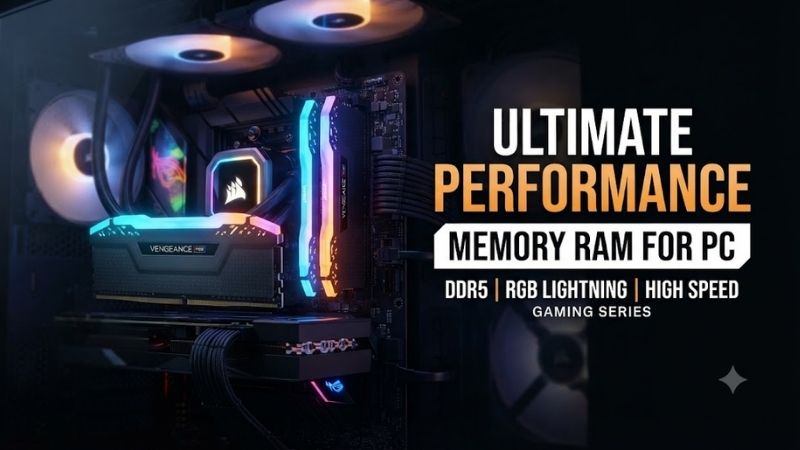
G.Skill Trident Z5 Neo RGB is designed primarily around high-performance DDR5 platforms, with specific Neo variants optimized for AMD EXPO. A popular 32GB configuration combines two 16GB modules at DDR5-6000 with CL30 timings, making it particularly attractive for modern Ryzen gaming builds.
AMD EXPO stores tested overclocking parameters that supported motherboards can load through BIOS. This makes it much easier to run memory at its intended settings without manually configuring every timing value.
For gaming-oriented Ryzen systems, DDR5-6000 has become a popular performance target because it provides strong bandwidth without automatically pushing the memory controller into unnecessarily difficult operating conditions. Actual stability still depends on the processor, motherboard, BIOS version, and exact memory kit.
G.Skill’s Trident heat spreaders are more visually aggressive than Corsair Vengeance. The integrated RGB lighting can synchronize with supported motherboard software, making the kit a natural choice for tempered-glass gaming builds where the internal components are intended to be visible.
The main disadvantage is module height. Large dual-tower air coolers can overlap the DIMM area, and tall RGB memory may interfere with the front cooling fan. Builders using very large CPU coolers should check height clearance before buying.
A 32GB kit remains appropriate for the majority of gaming systems, but Trident Z5 Neo is also available in higher-capacity configurations. Users doing heavy video editing, virtual machines, large creative projects, or local development can choose 64GB or even higher capacities if the motherboard and BIOS support them.
Do not mix separate memory kits simply because they share the same product family and speed. Matched kits are validated as one set, while independently purchased modules may use different memory ICs or require different operating margins.
What makes Trident Z5 Neo RGB different is its emphasis on AMD enthusiast builds. It combines fast DDR5, low latency, EXPO support, and premium appearance rather than focusing only on minimum price.
Key Features:
- DDR5 memory
- 32GB dual-channel kit
- 6000 MT/s class
- CL30 timing
- AMD EXPO support
- RGB lighting
- Aluminum heat spreaders
- Higher-capacity versions available
Pros:
- Excellent fit for Ryzen gaming
- Strong latency
- Premium appearance
- Simple EXPO setup
- Multiple capacities available
Cons:
- Taller than low-profile RAM
- RGB adds cost
- Overclocked speed still depends on system compatibility
Use Case: Ryzen gaming PCs, enthusiast builds, streaming, RGB showcase systems, and performance-focused desktops.
Who It’s For: AMD users who want fast DDR5 memory with attractive lighting and straightforward EXPO configuration.
Kingston Fury Beast DDR5
Best For: Straightforward mainstream upgrades
Kingston Fury Beast DDR5 is a broad memory family available in multiple capacities, frequencies, colors, and profile configurations. That makes it particularly useful for builders who want recognizable enthusiast memory without committing to extremely tall heat spreaders or elaborate RGB hardware.
A 32GB kit remains the most useful choice for gaming and everyday high-performance desktops. Two 16GB modules provide dual-channel operation while delivering enough total capacity for modern games, Windows, browsers, voice chat, and background utilities.
Kingston offers Fury Beast DDR5 in several speed classes, including configurations around the 6000 MT/s level that fit naturally into mainstream modern builds. Buyers should select the specific kit according to the platform instead of assuming every Fury Beast module has the same timing or profile support.
Some variants support Intel XMP, while selected versions are also designed around AMD EXPO. This distinction matters because using the profile designed for the intended platform generally provides a simpler path to reaching the advertised speed.
The heat spreader design is relatively compact compared with large RGB modules. This improves compatibility with air coolers and smaller cases while still giving the memory a more finished appearance than bare green PCB modules.
Kingston also sells Fury Beast RGB versions for builders who want lighting. Performance should be compared using the actual capacity, speed, latency, and voltage rather than assuming the RGB version is faster.
Another advantage of the Fury family is the range of capacities available. A user building a simple gaming PC may choose 32GB, while a workstation requiring multiple virtual machines can move to substantially higher total memory.
As with any high-speed DDR5 kit, reaching the rated specification may require enabling an overclocking profile in BIOS. Installing the memory and leaving everything at default settings can result in a lower JEDEC data rate.
What makes Fury Beast appealing is flexibility. It provides many configurations without requiring buyers to move into an extreme overclocking product family.
Key Features:
- DDR5 platform
- Multiple speed choices
- Multiple capacity options
- XMP and EXPO variants
- Low-profile heat spreader
- RGB versions available
- Dual-module kits available
Pros:
- Easy to find in multiple configurations
- Good physical compatibility
- Suitable for gaming and work
- Optional RGB
- Broad capacity range
Cons:
- Specifications vary greatly between SKUs
- Buyers must check profile compatibility
- Faster kits may cost noticeably more
Use Case: Gaming desktops, general PC upgrades, home workstations, productivity, and users who want flexible capacity choices.
Who It’s For: Builders looking for reliable mainstream DDR5 without specializing the entire system around memory overclocking.
Crucial Pro DDR5
Best For: Productivity and clean value builds
Crucial Pro DDR5 is well suited to users who care more about memory capacity, compatibility, and clean design than aggressive RGB styling. Crucial is closely associated with Micron memory technology, and the Pro line targets practical desktop upgrades rather than flashy gaming aesthetics.
A 32GB kit is ideal for normal high-performance use, while 64GB becomes more useful for professional applications. Adobe workloads, development environments, virtual machines, large datasets, and heavy multitasking can consume substantially more memory than a conventional gaming PC.
Recent Crucial Pro performance kits reach speed classes around DDR5-6000, allowing users to combine the clean appearance of the Pro line with competitive DDR5 bandwidth. Exact timings and supported profiles depend on the specific model, so the product code should always be checked before buying.
The modules use heat spreaders without oversized decorative structures. This helps with CPU cooler clearance and suits understated builds where the motherboard, case, or cooling hardware should remain the visual focus.
For productivity, total capacity usually matters more than chasing a small increase in memory frequency. A video editor who genuinely needs 64GB will generally benefit more from adequate capacity than from buying 32GB of extremely fast enthusiast RAM.
The same applies to virtual machines. If several operating systems are active at the same time, memory can become the limiting resource long before the CPU reaches full utilization. A higher-capacity kit can therefore improve actual workflow efficiency even when benchmark differences between memory speeds appear modest.
Before buying high-capacity DDR5, check motherboard support. Very large DIMMs may require a recent BIOS, and higher memory speeds can become harder to maintain as capacity and module count increase.
What makes Crucial Pro different is its practical focus. It is particularly attractive when the PC is a workstation first and a visual showcase second.
Key Features:
- DDR5 memory
- 32GB and higher-capacity options
- Performance variants around DDR5-6000
- Low-profile heat spreaders
- Minimalist styling
- Desktop UDIMM format
- Suitable for high-capacity builds
Pros:
- Excellent for clean builds
- Good capacity options
- Strong productivity focus
- Easy cooler compatibility
- No unnecessary lighting
Cons:
- Less visually distinctive
- Exact timings vary by model
- High-capacity speed depends on motherboard and CPU
Use Case: Video editing, development, virtual machines, productivity, office workstations, and understated gaming PCs.
Who It’s For: Users who want practical DDR5 capacity and performance without paying for RGB styling.
Corsair Vengeance LPX DDR4-3200 CL16
Best For: Upgrading older DDR4 computers
Not every PC needs DDR5. Millions of capable Ryzen AM4 and older Intel systems still use DDR4, and Corsair Vengeance LPX DDR4-3200 CL16 remains a sensible upgrade for these machines when the motherboard does not support DDR5.
A 32GB kit consisting of two 16GB modules is one of the best upgrades for a DDR4 gaming system still running only 8GB or 16GB. Additional memory can reduce swapping to storage and make it easier to keep games, browsers, launchers, Discord, streaming software, and background applications open together.
DDR4-3200 CL16 is a mature configuration that offers a good combination of bandwidth, latency, compatibility, and price. Faster DDR4 kits exist, but the real performance difference often becomes much smaller than the upgrade from insufficient capacity to adequate capacity.
The Vengeance LPX heat spreader is particularly low profile. This makes the modules easy to fit underneath large tower air coolers, where tall RGB RAM can create installation problems.
Users with AMD AM4 platforms should verify supported memory speeds for their specific processor and motherboard. Many Ryzen systems work very well around DDR4-3200 to DDR4-3600, but stability still depends on the entire memory subsystem.
Older Intel DDR4 boards also vary considerably. Some chipsets permit memory overclocking, while others may limit the maximum frequency regardless of what the RAM kit is rated to achieve.
DDR4 and DDR5 are not interchangeable. A user cannot buy DDR5 memory for a DDR4 motherboard, and no BIOS update can change the physical memory technology supported by the board.
The strongest reason to choose Vengeance LPX today is extending the useful life of an existing computer. If the CPU and graphics card still provide enough performance, moving to 32GB can be much cheaper than replacing the motherboard, processor, and memory together.
Key Features:
- DDR4 memory
- 32GB dual-channel kits available
- DDR4-3200 class
- CL16 configuration
- Low-profile aluminum heat spreader
- XMP support
- Mature platform compatibility
Pros:
- Excellent upgrade for older PCs
- Affordable compared with full platform replacement
- Low-profile design
- Good gaming capacity
- Proven DDR4 speed class
Cons:
- Not compatible with DDR5 motherboards
- Lower bandwidth than modern DDR5
- Limited long-term platform upgrade path
Use Case: AM4 Ryzen systems, older Intel desktops, budget gaming upgrades, productivity, and extending the life of existing PCs.
Who It’s For: Anyone with a DDR4 motherboard who needs more memory but does not want to rebuild the entire computer.
Which Memory RAM Fits Different PC Users?
For most new DDR5 gaming systems, Corsair Vengeance DDR5-6000 CL30 provides the strongest overall balance. It is fast, relatively low profile, and available in practical 32GB configurations.
AMD gaming enthusiasts should consider G.Skill Trident Z5 Neo RGB when EXPO support and RGB aesthetics matter. Kingston Fury Beast is a strong flexible alternative because the family offers many capacities and speed combinations.
Crucial Pro is better suited to productivity-focused users who want higher capacities and a clean appearance. Owners of existing DDR4 computers should avoid replacing the entire platform unnecessarily if Corsair Vengeance LPX can provide the additional capacity they actually need.
How Much RAM Does a PC Need?
16GB
Sixteen gigabytes remains usable for basic gaming, school, office work, web browsing, and normal daily applications. It is no longer the ideal target for a higher-end new gaming build because modern software can consume memory quickly.
32GB
Thirty-two gigabytes is the strongest general recommendation for modern gaming computers. It provides comfortable headroom for games and background applications while remaining affordable.
64GB
Sixty-four gigabytes is useful for video editing, professional creative applications, virtual machines, software development, large Photoshop projects, and other memory-heavy workflows.
96GB or 128GB
Very high capacities are primarily for professional workloads. Large AI projects, extensive virtual machines, scientific applications, and advanced media production may justify them, but most gamers will see little benefit.
How to Choose Memory RAM for PC
Check DDR4 or DDR5 First
Your motherboard determines the memory generation. DDR4 and DDR5 use different electrical and physical interfaces and cannot be mixed.
Use Matched Kits
Buy one matched kit containing the capacity you need. Two modules sold together are validated as a pair. Combining different kits may cause instability or require lower speeds.
Check Motherboard Compatibility
Review the motherboard’s memory support and qualified vendor information. High-speed RAM may require specific BIOS versions or CPU memory controllers.
Compare Speed and Latency
Higher MT/s provides more bandwidth, while lower latency can improve response time. Neither specification should be considered alone.
Enable XMP or EXPO
Performance kits may initially run at slower default settings. Enable the correct memory profile in BIOS if the motherboard and processor support it.
Use Two Modules When Practical
Two-module kits generally provide the best balance of dual-channel performance, stability, and future expansion. Filling all four DIMM slots can make high DDR5 speeds harder to achieve.
Check RAM Height
Large CPU coolers may overlap memory slots. Low-profile modules such as Corsair Vengeance and Vengeance LPX reduce clearance problems.
DDR5 vs DDR4
DDR5 provides greater bandwidth, higher available capacities, and a more modern platform path. New AMD AM5 and many newer Intel builds use DDR5, making it the obvious choice when assembling a system around those platforms.
DDR4 remains completely capable for existing systems. Replacing a functioning DDR4 platform solely to obtain DDR5 is rarely worthwhile unless the CPU and motherboard are also due for an upgrade.
The most important rule is compatibility. Buy the technology your motherboard supports rather than assuming newer memory can be installed into any computer.
FAQ
Is 32GB RAM Good for Gaming?
Yes. 32GB is an excellent target for modern gaming PCs because it provides enough capacity for games, Windows, browsers, launchers, streaming software, and background applications.
Is DDR5 Better Than DDR4?
DDR5 offers higher bandwidth and greater future scaling, but DDR4 remains effective in compatible older systems. The better choice is determined primarily by the motherboard and processor platform.
Is 6000 MT/s RAM Good?
Yes. DDR5-6000 is a strong performance class for many modern gaming systems. Actual supported speeds depend on the processor, motherboard, BIOS, memory kit, and configuration.
Do I Need 64GB RAM?
Most gamers do not. 64GB becomes useful for professional editing, virtual machines, software development, large creative projects, and other memory-intensive workloads.
Can I Mix Different RAM Kits?
It may work, but it is not recommended when stability and rated performance matter. Even kits with identical advertised specifications may contain different memory components.
Does Faster RAM Increase FPS?
It can improve performance in CPU-limited games, but the effect varies significantly. GPU-limited gaming often sees a much smaller difference than workloads limited by CPU and memory performance.
Conclusion
The best memory RAM for PC use depends on platform and workload. Corsair Vengeance DDR5-6000 CL30 offers an excellent modern balance, G.Skill Trident Z5 Neo suits AMD gaming builds, Kingston Fury Beast provides flexible choices, Crucial Pro works well for productivity, and Corsair Vengeance LPX remains a smart DDR4 upgrade for older computers.
Ready to decide? Our #1 pick for 2026 is the Memory Kit.
Live price & availability on Amazon.