🛒 Best Price Today on Amazon
Prime members get fast, free shipping on everything above, plus member-only deals. New members get a 30-day free trial — cancel anytime.
A mini PC with Nvidia GPU hardware can deliver gaming, rendering, CUDA acceleration, video editing, and local AI performance without requiring a full-size tower. The best models combine a genuinely discrete GeForce or professional RTX GPU with effective cooling, sufficient VRAM, upgradeable memory, fast SSD storage, and enough connectivity for high-resolution monitors and demanding peripherals.
Quick answer: For most people in 2026, the best mini pc with nvidia gpu is the Mini PC — our #1 rated choice. See the full ranked comparison, alternatives and buying advice below.
Best Mini PCs With Nvidia GPUs Compared
Not every small computer marketed for gaming includes dedicated graphics. Many mini PCs rely entirely on AMD Radeon or Intel integrated graphics. The systems below use genuine discrete Nvidia GPUs, making them substantially more suitable for CUDA applications, Blender rendering, Adobe workflows, AI tools, ray-traced gaming, and GPU-accelerated professional software.
| Mini PC | Best For | Nvidia GPU | Processor | Memory Support | Standout Feature |
|---|---|---|---|---|---|
| MINISFORUM AtomMan G1 Pro | Best overall gaming | GeForce RTX 5060 | Ryzen 9 8945HX | Up to 96GB DDR5 | Newer desktop-class gaming focus |
| ASUS ROG NUC | Premium gaming | GeForce RTX 4070 Laptop | Core Ultra 9 185H | Up to 64GB DDR5 | 2.5-liter gaming chassis |
| ASUS NUC 14 Performance | Creators and business | GeForce RTX 4070 Laptop | Core Ultra 9/7 | Up to 64GB DDR5 | Three M.2 slots |
| ZOTAC ZBOX MAGNUS EN474070C | Creator workstation | GeForce RTX 4070 Laptop | Core i7-14700HX | Up to 64GB DDR5 | Dual 2.5GbE and Thunderbolt 4 |
| HP Z2 Mini G9 Workstation | Professional CAD | RTX A2000 12GB | Up to Core i9 | Up to 64GB DDR5 | Professional workstation platform |
MINISFORUM AtomMan G1 Pro
Best For: Overall compact gaming performance
The MINISFORUM AtomMan G1 Pro is one of the most compelling current choices for buyers specifically searching for a mini PC with Nvidia GPU performance. It pairs an AMD Ryzen 9 8945HX processor with a GeForce RTX 5060, giving the system considerably more graphics capability than the integrated Radeon graphics normally found in small mini PCs.
The Ryzen 9 8945HX provides 16 cores and 32 threads with boost speeds up to 5.4 GHz. That makes the G1 Pro suitable not only for games but also for CPU-heavy work such as code compilation, video encoding, multitasking, simulation, and content-production applications that can use many cores.
Its RTX 5060 configuration uses 8GB of VRAM and is specified at up to 145 watts GPU power. That relatively high power allowance is important because mobile or compact Nvidia GPUs with the same family name can perform very differently depending on their configured wattage and cooling system.
For gaming, the combination is aimed at strong 1080p and 1440p performance rather than simply providing basic discrete graphics. RTX features also give access to Nvidia technologies such as hardware ray tracing, DLSS, NVENC video encoding, CUDA, and Tensor acceleration for applications that support them.
Memory is upgradeable through DDR5 SO-DIMM slots, with MINISFORUM listing support for up to 96GB. Storage is similarly flexible, with two M.2 NVMe slots supporting PCIe 4.0 drives and up to 4TB per slot according to the current specification.
Connectivity is unusually strong for a compact gaming system. The G1 Pro includes 5Gb Ethernet, Wi-Fi 7, Bluetooth 5.4, HDMI 2.1, multiple DisplayPort outputs, USB-A, and USB-C connections. This makes it possible to build a serious multi-monitor desk around the machine without immediately adding docks or external adapters.
The biggest disadvantage is physical size relative to ultra-small mini PCs. At roughly 215 x 57 x 315 mm, the G1 Pro is more accurately described as a compact gaming desktop than a palm-sized NUC. That extra volume is necessary to cool the high-power CPU and RTX GPU effectively.
What makes the G1 Pro different is its emphasis on performance rather than extreme miniaturization. Buyers who want an Nvidia-powered compact machine for gaming, editing, streaming, and AI workloads gain substantially more GPU performance than typical integrated-graphics mini PCs.
Key Features:
- AMD Ryzen 9 8945HX
- Nvidia GeForce RTX 5060
- 8GB GPU memory
- Up to 96GB DDR5
- Two M.2 PCIe 4.0 slots
- 5Gb Ethernet
- Wi-Fi 7
- Bluetooth 5.4
- Multiple HDMI and DisplayPort outputs
Pros:
- Strong gaming performance
- Powerful 16-core processor
- Upgradeable memory
- Excellent storage capacity
- Fast 5Gb networking
- Useful for CUDA and AI workloads
Cons:
- Larger than tiny office mini PCs
- External 350W power adapter
- 8GB VRAM can limit some large AI workloads
Use Case: Gaming, streaming, Blender, video editing, local AI, CUDA applications, and high-performance home offices.
Who It’s For: Users who want maximum gaming and creator performance while still avoiding a traditional desktop tower.
ASUS ROG NUC
Best For: Premium compact gaming
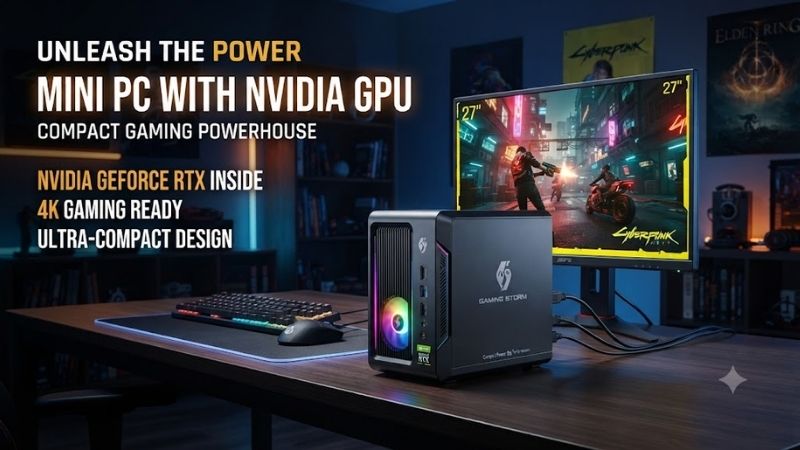
The ASUS ROG NUC is a gaming-focused mini PC built around Intel Core Ultra processors and Nvidia GeForce RTX 4060 or RTX 4070 Laptop GPUs. Higher configurations pair a Core Ultra 9 185H with an RTX 4070 Laptop GPU carrying 8GB GDDR6 memory.
ASUS lists the RTX 4070 configuration at up to 115 watts plus Dynamic Boost headroom, while RTX 4060 versions use a slightly lower GPU power configuration. This is worth checking because the ROG NUC uses laptop-class Nvidia graphics rather than the much larger desktop RTX 4070 card.
Despite that limitation, the GPU remains highly capable for a 2.5-liter system. It supports modern RTX technologies, including ray tracing and DLSS, while providing enough performance for high-refresh 1080p gaming and many 1440p workloads depending on graphics settings and game requirements.
The Core Ultra 9 185H provides 16 cores and 22 threads, while the lower Core Ultra 7 155H option offers another strong balance of efficiency and performance. Both include an integrated NPU for supported AI tasks, although Nvidia’s RTX GPU remains far more important for CUDA and GPU-heavy AI software.
Memory uses two DDR5-5600 SO-DIMM slots, with ASUS validating the system for up to 64GB total. Storage expansion is excellent for the chassis size, with support for multiple M.2 NVMe drives.
Connectivity includes Thunderbolt 4, HDMI 2.1, dual DisplayPort outputs, 2.5Gb Ethernet, Wi-Fi 6E, Bluetooth 5.3, and several USB ports. ASUS also includes a vertical stand, allowing the unit to occupy little desk surface despite its powerful hardware.
The main downside is value. Gaming-branded compact systems cost more than building a conventional desktop with similar overall graphics performance. They are also less upgradeable because the GPU is not a normal desktop card that can simply be replaced several years later.
What makes the ROG NUC special is how much gaming capability fits inside a chassis smaller than many external GPU enclosures. It is particularly attractive for living rooms, dorms, minimalist gaming desks, and users who move their computer occasionally.
Key Features:
- Up to Core Ultra 9 185H
- RTX 4060 or RTX 4070 Laptop GPU
- 8GB GDDR6 on RTX 4070
- Up to 64GB DDR5
- Multiple M.2 storage slots
- Thunderbolt 4
- 2.5Gb Ethernet
- Wi-Fi 6E
- 2.5-liter chassis
Pros:
- Excellent performance per liter
- Strong 1440p gaming potential
- Compact premium design
- Extensive display connectivity
- Upgradeable RAM and storage
Cons:
- Uses laptop-class GPU
- Premium pricing
- GPU cannot be conventionally upgraded
Use Case: Premium gaming, streaming, LAN setups, living-room PCs, editing, and space-constrained gaming desks.
Who It’s For: Gamers who care more about compact size and polished design than maximum performance per dollar.
ASUS NUC 14 Performance
Best For: Creators and professional desks
ASUS NUC 14 Performance shares much of its hardware foundation with the ROG NUC but presents it in a more neutral professional format. Nvidia graphics options include GeForce RTX 4060 and RTX 4070 Laptop GPUs, paired with Intel Core Ultra 7 or Core Ultra 9 processors depending on configuration.
This makes it especially interesting for video editors, designers, developers, and creators who want CUDA and RTX acceleration but do not want gaming-oriented RGB aesthetics. It can accelerate supported applications for rendering, encoding, effects, and AI-assisted creative workflows.
Memory uses two DDR5-5600 SO-DIMM slots and is validated for up to 64GB. ASUS also supports three M.2 PCIe 4.0 SSD positions, each accommodating high-capacity NVMe drives depending on the selected configuration.
Storage expandability is one of the NUC 14 Performance’s biggest advantages. A creator could use one SSD for Windows and applications, another as active project storage, and a third for cache or local media without attaching several external drives.
The port selection is similarly creator-friendly. Thunderbolt 4 supports fast external storage and displays, while HDMI 2.1 and two DisplayPort outputs give the Nvidia GPU several direct display options. An SD card reader is particularly useful for photographers and video creators moving footage from cameras.
Networking consists of 2.5Gb Ethernet alongside Wi-Fi 6E and Bluetooth 5.3. That wired connection is fast enough for high-performance NAS access and other local network workflows where standard Gigabit Ethernet could become a bottleneck.
At approximately 27 x 18 x 6 cm and 2.6 kg, the NUC 14 Performance is compact but not microscopic. Its 330W external adapter also needs space, something buyers should remember when planning a minimalist workstation.
What makes this model different from the ROG version is positioning. The hardware can still game very well, but the neutral chassis, SD reader, multiple storage slots, and workstation-friendly design make it easier to recommend for professional desks.
Key Features:
- Core Ultra 7 or Ultra 9
- RTX 4060 or RTX 4070 Laptop GPU
- Up to 64GB DDR5
- Three M.2 PCIe 4.0 storage positions
- Thunderbolt 4
- HDMI 2.1
- Dual DisplayPort
- 2.5Gb Ethernet
- SD card reader
Pros:
- Excellent creator connectivity
- Strong Nvidia acceleration
- Three SSD slots
- Neutral professional design
- Fast wired networking
Cons:
- External 330W adapter
- Laptop-class graphics
- Higher cost than integrated-GPU NUCs
Use Case: Adobe applications, Blender, CAD, photography, software development, multi-monitor offices, and professional content production.
Who It’s For: Creators and professionals who want RTX acceleration without a gaming-focused chassis.
ZOTAC ZBOX MAGNUS EN474070C
Best For: Compact creator workstation
The ZOTAC ZBOX MAGNUS EN474070C pairs a 14th-generation Intel Core i7-14700HX with an Nvidia GeForce RTX 4070 Laptop GPU. The CPU supplies 20 cores and 28 threads, while the graphics processor includes 8GB GDDR6 and operates at up to 115 watts.
This combination makes the MAGNUS especially well suited to content creators who need both strong CPU multicore performance and Nvidia GPU acceleration. Blender, GPU-assisted video editing, 3D applications, streaming software, and many AI tools can all benefit from the RTX hardware.
The system supports up to 64GB DDR5 through two SO-DIMM slots. Storage includes two M.2 positions, allowing buyers to install separate system and project SSDs or expand capacity later.
Display connectivity is strong, with HDMI 2.1 and two DisplayPort 1.4a outputs. ZOTAC specifies support for three displays, including high-resolution output suitable for creator workstations.
Networking is another standout feature. The machine includes dual 2.5Gb Ethernet rather than just one wired connection. That makes it useful for advanced networks, routing experiments, high-speed NAS access, or environments where one Ethernet connection serves the main LAN and the second serves another isolated network.
Thunderbolt 4 and an UHS-II SD card reader further strengthen its creator credentials. Photographers can move data from faster memory cards, while Thunderbolt provides connectivity for external storage, docks, and specialized professional equipment.
At only about 2.65 liters, the MAGNUS is impressively compact considering its 20-core CPU and RTX 4070 Laptop GPU. Cooling remains one of the unavoidable challenges of this category, and fans will naturally become more noticeable during long rendering or gaming workloads.
What makes the MAGNUS different is connectivity. Dual 2.5GbE, Thunderbolt 4, UHS-II, multiple display outputs, and upgradeable memory and storage make it particularly versatile for creators.
Key Features:
- Intel Core i7-14700HX
- RTX 4070 Laptop GPU
- 8GB GDDR6
- Up to 64GB DDR5
- Two M.2 storage slots
- Dual 2.5Gb Ethernet
- Thunderbolt 4
- UHS-II card reader
- 2.65-liter chassis
Pros:
- Powerful multicore processor
- Strong creator connectivity
- Dual 2.5Gb networking
- Compact chassis
- Good memory and SSD expandability
Cons:
- RTX 4070 is laptop-class
- Compact cooling can become audible
- GPU is not replaceable like a desktop card
Use Case: 3D work, video production, photography, development, gaming, and high-speed network workflows.
Who It’s For: Creators who need a compact RTX machine with unusually comprehensive connectivity.
HP Z2 Mini G9 Workstation
Best For: CAD, engineering, and professional applications
The HP Z2 Mini G9 differs from gaming-oriented mini PCs because it is built as a professional workstation. HP supports discrete Nvidia options up to the RTX A2000 with 12GB of dedicated graphics memory, alongside lower-power Nvidia T-series professional GPUs.
The RTX A2000 is not intended to compete with a modern GeForce RTX 5060 or RTX 4070 for maximum gaming frame rates. Its value comes from professional workstation positioning, Nvidia professional drivers, relatively low power requirements, and 12GB of VRAM for compatible CAD, visualization, and compute workloads.
HP offers the Z2 Mini platform with high-performance Intel Core processors, including Core i9 options. Memory support reaches 64GB DDR5, with both ECC and non-ECC configurations available depending on processor and system setup.
The workstation design is useful in businesses where stability, serviceability, certifications, and professional software support matter more than RGB lighting or gaming-oriented features. Engineering firms, architecture studios, and corporate IT departments may therefore prefer the Z2 Mini even when a gaming mini PC produces higher raw frame rates.
The RTX A2000 configuration is also interesting for local AI or CUDA workloads requiring more than 8GB VRAM. Twelve gigabytes does not make it a large-model AI workstation, but the additional capacity can help with workloads that simply do not fit comfortably into an 8GB GPU.
Because this is a professional mini workstation, configuration options are extensive and exact hardware varies. Buyers should verify the specific GPU, processor, memory, storage, and power configuration rather than assuming every Z2 Mini includes RTX A2000 graphics.
What makes the HP Z2 Mini G9 different is its workstation focus. It is designed for professional deployments where Nvidia RTX acceleration must coexist with enterprise support, compact mounting, security, and business lifecycle requirements.
Key Features:
- Nvidia RTX A2000 option
- Up to 12GB dedicated GPU memory
- Intel Core i9 options
- Up to 64GB DDR5
- ECC memory support on compatible configurations
- PCIe Gen 4 storage
- Professional workstation platform
- Compact mounting options
Pros:
- 12GB Nvidia VRAM option
- Professional driver ecosystem
- Strong CAD and engineering focus
- Business-friendly design
- Compact workstation footprint
Cons:
- Lower gaming performance than newer GeForce models
- Professional configurations can be expensive
- Specifications vary significantly by configuration
Use Case: CAD, engineering, architecture, professional 3D, corporate development, CUDA workloads, and business workstations.
Who It’s For: Professionals who prioritize workstation reliability and Nvidia professional graphics over gaming performance.
Which Mini PC With Nvidia GPU Should You Buy?
For gaming, the MINISFORUM AtomMan G1 Pro is the most compelling choice because its RTX 5060 operates with a substantial power budget and pairs with a powerful 16-core Ryzen processor. It is also one of the best options for mixed gaming, streaming, and creator workloads.
ROG NUC is better when physical size matters more. It packs RTX 4070-class laptop graphics into a tiny 2.5-liter enclosure and provides the polished design expected from a premium gaming product.
ASUS NUC 14 Performance and ZOTAC MAGNUS are better creator machines. Both provide Nvidia acceleration, strong CPUs, expandable memory, and extensive display connectivity. ZOTAC gains an advantage for networking with dual 2.5GbE.
HP Z2 Mini G9 is the specialist choice. Its RTX A2000 configuration makes more sense for CAD, enterprise applications, and professional workflows than for a buyer primarily interested in gaming.
How to Choose a Mini PC With Nvidia GPU
Verify That the GPU Is Actually Discrete
Many mini PCs use powerful-sounding Radeon or Intel graphics names but still rely on integrated graphics. If CUDA, Nvidia Studio, NVENC, or RTX features are required, confirm the machine includes a discrete Nvidia GPU.
Check GPU Power Limits
Two PCs using an RTX 4070 Laptop GPU can perform differently if one allows the GPU to consume more power. Cooling capacity and configured GPU wattage matter greatly in compact computers.
Consider VRAM
Eight gigabytes is adequate for many games and creator tasks, but large textures, complex 3D scenes, and AI workloads can benefit from more. The HP RTX A2000 option provides 12GB, while the compact GeForce models discussed here generally use 8GB.
Look for Upgradeable RAM
A mini PC with SO-DIMM slots gives users more flexibility than soldered memory. 32GB is a strong target for gaming and editing, while 64GB or more makes sense for large creative projects, virtual machines, and professional workloads.
Check SSD Expansion
Modern games and media projects consume enormous amounts of storage. Two or three M.2 slots are far more useful than a mini PC with only one internal SSD position.
Consider Cooling and Noise
High-performance Nvidia GPUs create significant heat. A slightly larger mini PC can sometimes maintain stronger sustained performance and lower noise than an extremely small chassis using similar components.
Understand Upgrade Limitations
Most Nvidia mini PCs use soldered or proprietary laptop-class GPUs that cannot be replaced later. RAM and SSDs may be upgradeable, but buyers should assume the graphics processor will remain with the computer for its entire useful life.
Mini PC With Nvidia GPU vs Gaming Laptop
Both categories frequently use mobile Nvidia GPUs, but a mini PC does not need to allocate space or cost to a display, battery, keyboard, or trackpad. This can allow stronger cooling, additional ports, and more storage expansion.
A laptop remains better when portability includes working away from a desk. A mini PC is better when the computer moves occasionally but is normally connected to external monitors, a keyboard, and a mouse.
FAQ
Can a Mini PC Have an Nvidia GPU?
Yes. High-performance mini PCs such as the AtomMan G1 Pro, ROG NUC, ASUS NUC 14 Performance, ZOTAC MAGNUS, and HP Z2 Mini use discrete Nvidia GPUs.
Is an Nvidia Mini PC Good for Gaming?
Yes, particularly models with RTX 5060, RTX 4070, or RTX 4060 graphics. Performance still depends on GPU power limits, cooling, resolution, and game settings.
Can You Upgrade the Nvidia GPU?
Usually not. Most mini PCs use mobile or specialized graphics hardware that is not designed for normal end-user GPU replacement. RAM and SSDs are much more commonly upgradeable.
Is a Mini PC Good for AI?
An Nvidia-equipped model can be useful for local AI because CUDA and Tensor cores are supported by many AI frameworks. VRAM capacity is often the main limitation in compact systems.
Is RTX A2000 Better Than GeForce for Gaming?
Not generally. RTX A2000 is designed around professional workstation use. Newer GeForce options offer better gaming performance, while A2000 can be attractive for professional drivers and its 12GB VRAM configuration.
Conclusion
The best mini PC with Nvidia GPU depends on whether gaming or professional work matters most. MINISFORUM AtomMan G1 Pro delivers excellent RTX 5060 gaming performance, ROG NUC offers premium compact power, ASUS NUC 14 Performance and ZOTAC MAGNUS suit creators, while HP Z2 Mini G9 is the stronger workstation choice for CAD and professional Nvidia workflows.
Ready to decide? Our #1 pick for 2026 is the Mini PC.
Live price & availability on Amazon.