🛒 Best Price Today on Amazon
Prime members get fast, free shipping on everything above, plus member-only deals. New members get a 30-day free trial — cancel anytime.
- Best PCs With NVIDIA Graphics Cards at a Glance
- Lenovo Legion Tower 5i
- HP OMEN 35L
- Alienware Aurora
- Acer Predator Orion 5000
- ASUS ROG Gaming Desktop
- Corsair Vengeance Gaming PC
- How to Choose a PC With NVIDIA Graphics Card
- NVIDIA Graphics vs Integrated Graphics
- NVIDIA vs AMD Graphics for a Desktop PC
- Prebuilt PC vs Custom PC
- FAQ
- Conclusion
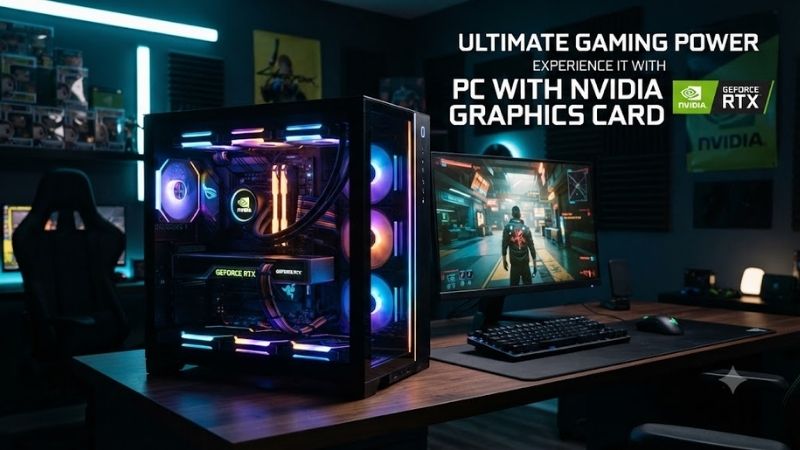
A PC with NVIDIA graphics card is a strong choice for gaming, video editing, streaming, 3D rendering, AI workloads, and GPU-accelerated applications. NVIDIA GeForce RTX desktops provide dedicated graphics memory, ray tracing, DLSS support, hardware encoding, and significantly stronger performance than integrated graphics. The best system depends on your target resolution, workload, upgrade plans, and budget.
Best PCs With NVIDIA Graphics Cards at a Glance
| PC | Best For | NVIDIA GPU Class | Main Strength |
|---|---|---|---|
| Lenovo Legion Tower 5i | Overall gaming | RTX 5060 class | Balanced performance |
| HP OMEN 35L | 1440p gaming | RTX 5060 Ti class | Strong thermals |
| Alienware Aurora | Premium gaming | RTX 5070 class and above | High-end configurations |
| Acer Predator Orion 5000 | Performance gaming | RTX 5070 class | Strong CPU and GPU pairing |
| ASUS ROG Gaming Desktop | 4K and creator use | RTX 5070/5080 class | High-end graphics |
| Corsair Vengeance Gaming PC | Upgrade-focused users | RTX 5070/5080 class | Standard components |
Lenovo Legion Tower 5i
Best For: Overall gaming
The Lenovo Legion Tower 5i is one of the most balanced choices for buyers who want a complete desktop PC with NVIDIA graphics without moving into extremely expensive enthusiast territory. It typically combines modern Intel processors with GeForce RTX graphics in a conventional gaming-tower chassis.
A configuration with an RTX 5060-class GPU is well suited to 1080p gaming and can also handle many titles at 1440p with sensible settings. Competitive games can run at high frame rates, while demanding AAA releases can benefit from DLSS and optimized quality settings.
The tower format also provides more cooling space than compact desktops. Dedicated graphics cards can draw substantial power during gaming, so good airflow around the GPU and processor helps maintain stable clock speeds during long sessions.
Upgradeability is another important advantage. Memory, storage, and graphics hardware are generally easier to access in a tower than in an all-in-one or laptop. This makes the Legion suitable for users who want to start with a midrange configuration and improve individual components later.
Key Features
- NVIDIA GeForce RTX graphics
- Intel Core processor options
- DDR5 memory on newer configurations
- NVMe SSD storage
- Tower-style airflow
- Multiple USB ports
- Ethernet and wireless networking
- Multi-monitor support
- Expandable storage
- Gaming-oriented cooling
What Makes It Different
The Legion Tower 5i focuses on mainstream gaming value rather than extreme hardware. It provides enough GPU performance for most users while keeping future upgrades relatively practical.
Pros
- Strong 1080p performance
- Good 1440p capability
- Balanced CPU and GPU pairing
- Useful upgrade potential
- Effective tower cooling
- Clean design
Cons
- Exact parts vary by configuration
- Power supply capacity differs by model
- High-end GPU options increase cost quickly
Use Case: 1080p gaming, esports, school, streaming, and general productivity.
Who It’s For: Buyers who want a dependable NVIDIA gaming desktop without paying flagship prices.
HP OMEN 35L
Best For: 1440p gaming
The HP OMEN 35L is a strong choice for users who want more graphics headroom than an entry-level gaming tower. Midrange NVIDIA RTX configurations make it particularly suitable for 1440p gaming, where the GPU has a larger influence on frame rates than it does at lower resolutions.
An RTX 5060 Ti-class system can deliver strong results in modern games at 1440p. Esports titles can take advantage of high-refresh monitors, while more demanding single-player games can use high settings with upscaling technologies when needed.
The chassis is also designed around airflow. A larger internal volume gives fans and heatsinks more room to move air, which can help the GPU sustain performance during long gaming or rendering sessions.
The OMEN 35L is useful beyond gaming as well. NVIDIA graphics can accelerate video editing, streaming, image processing, and certain AI applications. Users who handle heavier workloads should consider 32GB of RAM and enough SSD capacity to avoid frequent storage management.
Key Features
- NVIDIA GeForce RTX graphics
- Intel or AMD processor options
- DDR5 memory
- NVMe SSD
- Large gaming chassis
- Multiple cooling fans
- USB-C and USB-A
- Ethernet
- WiFi and Bluetooth
- Expandable storage
What Makes It Different
The OMEN 35L combines strong gaming hardware with a relatively understated design. It works well as both a gaming system and a home-office workstation.
Pros
- Strong 1440p gaming
- Good cooling potential
- Useful for content creation
- Modern internal hardware
- Expandable RAM and storage
- Clean appearance
Cons
- Premium configurations can be expensive
- Included components vary by SKU
- Some lower configurations may need more memory
Use Case: 1440p gaming, streaming, video editing, multitasking, and home entertainment.
Who It’s For: Gamers who want stronger NVIDIA graphics without moving to an extreme enthusiast PC.
Alienware Aurora
Best For: Premium gaming
The Alienware Aurora line targets buyers who want a complete high-performance gaming system with powerful NVIDIA graphics. Depending on the configuration, Aurora desktops can support graphics hardware suited to high-refresh 1440p gaming or demanding 4K workloads.
A higher-tier GeForce RTX GPU becomes useful when games use ray tracing, high-resolution textures, advanced lighting, and maximum-quality settings. At 4K resolution, GPU demand rises sharply, so premium NVIDIA cards provide more useful headroom than entry-level models.
Alienware also appeals to users who prefer buying a fully assembled system from one manufacturer. The chassis, cooling, drivers, and warranty are managed as one product rather than requiring the buyer to select every component individually.
The trade-off is flexibility. Proprietary case designs, power supplies, or motherboard layouts can make upgrades more complicated than on desktops built almost entirely from standard retail parts.
Key Features
- High-end NVIDIA GeForce RTX options
- Intel Core processor configurations
- DDR5 memory
- NVMe SSD storage
- Gaming-focused cooling
- Multi-monitor support
- Wired and wireless networking
- RGB lighting
- Premium chassis design
- Manufacturer system support
What Makes It Different
Alienware focuses on the premium prebuilt experience. It is designed for users who want powerful NVIDIA gaming hardware with minimal setup and integrated manufacturer support.
Pros
- High-end RTX configurations
- Strong 1440p and 4K performance
- Distinctive design
- Ready to use
- Strong CPU and GPU pairings
- Useful warranty support
Cons
- Expensive
- Upgrade flexibility may be limited
- Proprietary parts can complicate repairs
- Premium appearance does not increase FPS
Use Case: 1440p gaming, 4K gaming, ray tracing, VR, streaming, and premium setups.
Who It’s For: Buyers who want a powerful NVIDIA prebuilt and prioritize convenience over maximum customization.
Acer Predator Orion 5000
Best For: Performance-focused gaming
The Acer Predator Orion 5000 sits between mainstream gaming desktops and extreme flagship systems. It is designed for users who want substantial GPU performance, a capable processor, and a gaming-focused cooling system in one prebuilt package.
An RTX 5070-class configuration is especially attractive for high-refresh 1440p gaming. This level of GPU performance provides more headroom than mainstream graphics cards and can also handle some 4K gaming when settings and upscaling are optimized.
The Orion is also useful for CPU-heavy games. Strategy games, simulations, competitive shooters, and high-refresh titles can benefit from a strong processor that keeps frame delivery consistent while the GPU handles rendering.
The chassis offers enough room for substantial airflow, which is important when both the CPU and NVIDIA GPU operate under sustained load. Better cooling can reduce thermal throttling and keep fan noise more controlled than in compact cases.
Key Features
- NVIDIA GeForce RTX graphics
- High-performance Intel CPU options
- DDR5 memory
- NVMe SSD
- Gaming airflow design
- RGB lighting
- Ethernet and WiFi
- Multiple USB ports
- Multi-monitor support
- Expandable storage
What Makes It Different
The Orion 5000 offers more graphics performance than basic gaming towers without becoming as expensive or oversized as extreme flagship systems.
Pros
- Strong 1440p performance
- Suitable for high-refresh gaming
- Good CPU power
- Dedicated cooling design
- Modern hardware platform
- Useful for creative software
Cons
- Larger chassis
- Styling may be too aggressive for offices
- Exact internal components vary
- Premium GPU configurations cost more
Use Case: 1440p gaming, competitive gaming, streaming, editing, and advanced home use.
Who It’s For: Gamers who want a strong NVIDIA graphics card and more headroom than an entry-level system provides.
ASUS ROG Gaming Desktop
Best For: 4K gaming and creator workloads
ASUS ROG gaming desktops are available with powerful NVIDIA GPUs suitable for users who want high frame rates, 4K gaming, streaming, and GPU-accelerated creator applications from one machine.
RTX 5070- and RTX 5080-class configurations provide significant graphics performance. At 1440p, they allow high refresh rates and demanding settings. At 4K, the stronger GPU becomes more important because the system must render substantially more pixels per frame.
NVIDIA hardware is also valuable for creators. Video editors can use GPU acceleration and hardware encoding, while 3D applications, rendering tools, and certain AI workflows can take advantage of CUDA and Tensor-based acceleration.
For high-end configurations, the rest of the system matters just as much as the graphics card. A powerful RTX GPU should be paired with adequate power delivery, sufficient cooling, enough system memory, and fast storage.
Key Features
- High-performance NVIDIA RTX graphics
- Intel or AMD processor options
- DDR5 memory
- NVMe SSD
- Multi-monitor output
- High-speed Ethernet
- WiFi and Bluetooth
- RGB lighting
- Gaming cooling system
- Upgradeable tower design
What Makes It Different
ROG desktops are designed for users who want gaming performance and creator capability in the same PC rather than buying separate systems for entertainment and work.
Pros
- Strong NVIDIA GPU options
- Excellent 1440p performance
- Good 4K potential
- Useful for creator workloads
- Strong multi-monitor support
- Modern platform features
Cons
- High-end models are expensive
- Aggressive styling may not suit everyone
- Component choices vary by configuration
Use Case: 4K gaming, streaming, video editing, 3D work, AI tools, and multi-monitor setups.
Who It’s For: Gamers and creators who want serious NVIDIA graphics performance from one desktop.
Corsair Vengeance Gaming PC
Best For: Upgrade-focused users
Corsair Vengeance gaming desktops are attractive to buyers who want a prebuilt system but still value conventional PC components. Compared with heavily proprietary systems, Vengeance configurations often resemble enthusiast-built desktops using recognizable cases, cooling hardware, memory, storage, and power supplies.
This approach can make future upgrades easier. Users may be able to replace the graphics card, add storage, change cooling, or install more memory without dealing with unusual chassis layouts.
High-end configurations with RTX 5070- or RTX 5080-class graphics are suitable for demanding gaming and creator workloads. They also provide enough GPU capacity for users experimenting with local AI tools or GPU rendering.
The main drawback is price. Systems assembled from premium components often cost more than mass-market prebuilts. However, buyers are paying partly for component quality and a more standard internal architecture.
Key Features
- NVIDIA GeForce RTX graphics
- Standard tower chassis
- High-performance CPU options
- DDR5 memory
- NVMe SSD
- Quality cooling hardware
- Standard power supply format
- Upgrade-friendly layout
- Multi-monitor support
- Modern connectivity
What Makes It Different
The Vengeance line offers the convenience of a prebuilt while retaining more of the component familiarity associated with custom PCs.
Pros
- Strong upgrade potential
- Standard components
- Powerful NVIDIA GPU options
- Good cooling
- Useful for gaming and creation
- Easier future maintenance
Cons
- Higher price
- May cost more than self-building
- Configuration availability varies
Use Case: Gaming, streaming, content creation, AI workloads, and long-term upgrading.
Who It’s For: Buyers who want a ready-to-use NVIDIA desktop but still care about future component replacement.
How to Choose a PC With NVIDIA Graphics Card
Choose the GPU for Your Resolution
The graphics card should match the monitor resolution and desired frame rate.
For 1080p gaming, an RTX 5060-class GPU provides more than enough performance for many players.
For 1440p, moving toward RTX 5060 Ti or RTX 5070 class provides more headroom for high settings and high-refresh displays.
For demanding 4K gaming, stronger GPUs such as RTX 5070 Ti or RTX 5080 class make more sense because rendering load increases substantially.
Do Not Ignore VRAM
Graphics memory affects texture quality, high-resolution rendering, creative applications, and some AI workloads.
Games with high-resolution textures can consume significant VRAM, especially at 1440p or 4K.
Buying only based on GPU name without considering memory capacity can lead to limitations in future games or professional applications.
Consider DLSS
DLSS is one of NVIDIA’s major advantages in modern games.
It can use AI-based reconstruction to improve performance while maintaining good image quality. Newer generations also support additional frame-generation technologies in compatible titles.
DLSS is especially useful at 1440p and 4K, where native rendering places greater demand on the GPU.
Consider Ray Tracing
Ray tracing improves lighting, shadows, and reflections in supported games, but it increases GPU workload.
Higher-tier NVIDIA cards handle ray tracing more comfortably, while midrange GPUs may require DLSS or reduced ray-tracing settings to maintain smooth frame rates.
Users who do not care about ray tracing should prioritize ordinary rasterization performance and price.
Choose Enough RAM
Sixteen gigabytes remains usable for many gaming systems, but 32GB is the stronger target for a new desktop intended to last several years.
Thirty-two gigabytes is also useful for:
- Streaming
- Video editing
- Heavy browser use
- Modded games
- Virtual machines
- AI applications
- Multitasking
Professional workloads may require even more.
Check the Power Supply
A powerful NVIDIA graphics card needs an appropriate power supply.
Check:
- Wattage
- Efficiency rating
- GPU power connectors
- Upgrade headroom
- Manufacturer quality
A system with a barely adequate PSU may limit future graphics upgrades.
Check Cooling
Modern GPUs can generate considerable heat under sustained load.
A good desktop should have clear front intake, rear or top exhaust, and enough space around the graphics card.
Restricted airflow can increase temperatures and fan noise and may reduce sustained performance.
Consider Upgradeability
A desktop becomes much more valuable when individual parts can be replaced.
Check whether the PC uses standard:
- Motherboards
- Graphics-card slots
- Power supplies
- RAM
- SSDs
- Cooling mounts
Proprietary designs may reduce long-term flexibility.
NVIDIA Graphics vs Integrated Graphics
Integrated graphics are suitable for browsing, documents, video playback, and lightweight applications.
A dedicated NVIDIA card becomes more important for:
- Gaming
- 3D rendering
- Video editing
- AI workloads
- Streaming
- GPU acceleration
- Multi-monitor professional use
Users who only perform basic office tasks do not need to pay for a high-end graphics card.
NVIDIA vs AMD Graphics for a Desktop PC
Both NVIDIA and AMD produce capable gaming GPUs.
NVIDIA’s strengths include DLSS, CUDA support, strong creator-software compatibility, hardware encoding, and broad support for AI workloads.
AMD can offer competitive gaming value in some price ranges.
The better choice depends on the applications you use, game performance at your target resolution, and final system price rather than brand loyalty alone.
Prebuilt PC vs Custom PC
A prebuilt PC is easier.
It arrives assembled, tested, and covered by one system warranty.
A custom PC offers more control over the motherboard, power supply, cooling, case, and exact graphics card.
Prebuilt systems suit users who want convenience. Custom systems suit buyers who are comfortable selecting and assembling components.
FAQ
Is an NVIDIA Graphics Card Good for Gaming?
Yes. GeForce RTX cards are widely used for gaming and support features such as ray tracing and DLSS. The correct GPU depends on your resolution, frame-rate target, and game settings.
Which NVIDIA GPU Is Good for 1080p Gaming?
An RTX 5060-class graphics card is a strong starting point for modern 1080p gaming. Competitive titles can run at high frame rates, while AAA games can use high settings with appropriate optimization.
Which NVIDIA GPU Should I Choose for 1440p?
RTX 5060 Ti- and RTX 5070-class GPUs provide stronger headroom for 1440p high settings and high-refresh monitors.
Do I Need 32GB of RAM?
Not for every game, but 32GB is a good target for modern gaming desktops. It provides more flexibility for streaming, content creation, multitasking, and future software.
Can I Upgrade the NVIDIA GPU Later?
Usually yes in a standard tower, but check case clearance, power supply capacity, connectors, and motherboard compatibility before upgrading.
Is an NVIDIA PC Good for Video Editing?
Yes. NVIDIA GPUs are widely supported by editing and rendering applications and can accelerate effects, encoding, playback, and export workloads.
Conclusion
The best PC with NVIDIA graphics card depends on resolution and workload. Lenovo Legion Tower 5i offers strong overall balance, HP OMEN 35L suits 1440p gaming, Alienware Aurora targets premium users, Acer Predator Orion 5000 delivers strong gaming performance, ASUS ROG is ideal for 4K and creator workloads, and Corsair Vengeance stands out for upgradeability.