🛒 Best Price Today on Amazon
Prime members get fast, free shipping on everything above, plus member-only deals. New members get a 30-day free trial — cancel anytime.
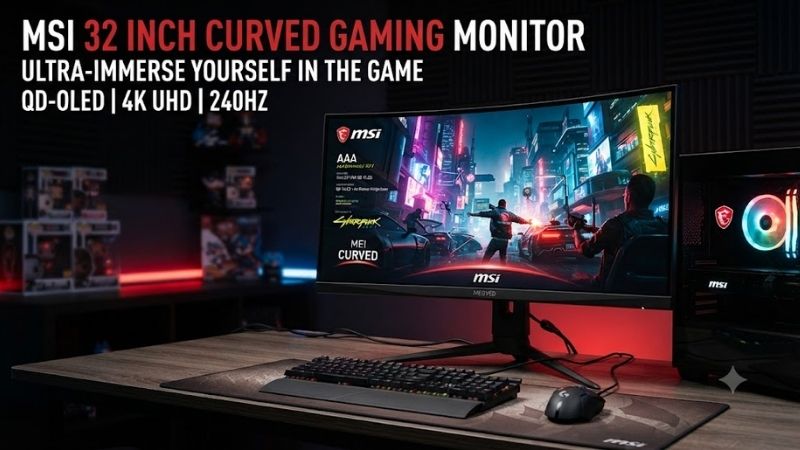
The best MSI 32 inch curved monitor should balance screen size, WQHD resolution, refresh rate, response time, curvature, and connectivity rather than relying on size alone. MSI’s 31.5-inch curved lineup ranges from affordable 170Hz VA models to 240Hz Rapid VA displays with USB-C, HDR, stronger color performance, and more flexible gaming features.
Quick answer: For most people in 2026, the best msi 32 inch curved monitor is the MSI Monitor — our #1 rated choice. See the full ranked comparison, alternatives and buying advice below.
Quick Comparison
| MSI Monitor | Best For | Resolution | Refresh Rate | Curvature | Panel |
|---|---|---|---|---|---|
| MSI MAG 325CQRXF | Best Overall | 2560 x 1440 | 240Hz | 1000R | Rapid VA |
| MSI MAG 325CQRF QD E2 | Best USB-C Pick | 2560 x 1440 | 180Hz | 1000R | Rapid VA |
| MSI MAG 325CQRF-QD | Best Color-Focused Pick | 2560 x 1440 | 170Hz | 1000R | Rapid VA + Quantum Dot |
| MSI G32CQ5P | Best Value | 2560 x 1440 | 170Hz | 1500R | VA |
| MSI MPG 325CQRXF | Best Premium Gaming Setup | 2560 x 1440 | High-refresh | 1000R | Rapid VA |
MSI MAG 325CQRXF
Best For: High-refresh competitive and immersive gaming
Key Features:
- 31.5-inch Rapid VA panel
- 2560 x 1440 WQHD resolution
- 240Hz refresh rate
- 1ms GTG response time
- 1000R curvature
- DisplayHDR 400
- Adaptive-Sync
- DisplayPort 1.4a
- USB-C with DisplayPort Alt Mode
- Height-adjustable stand
The MSI MAG 325CQRXF is the strongest all-around choice for gamers who want a large curved display without giving up high refresh rates. MSI combines a 31.5-inch Rapid VA panel with WQHD resolution and 240Hz operation, creating a better fit for fast shooters than conventional 144Hz or 170Hz curved monitors.
The 2560 x 1440 resolution is particularly important at this screen size. Full HD can look noticeably soft on a 31.5-inch panel when viewed from a normal desktop distance, while WQHD delivers substantially better pixel density without creating the same GPU workload as 4K. That balance makes it practical for modern gaming PCs.
Its 1000R curvature is aggressive enough to create a more wrapped viewing experience than common 1500R designs. On a 32-inch screen, that curve can make the outer edges feel easier to view without turning your head as much. It is especially effective in racing games, simulators, RPGs, and other titles with wide environments.
MSI rates the MAG 325CQRXF at 240Hz through DisplayPort and up to 144Hz over its HDMI 2.0 inputs at WQHD. Users buying specifically for 240Hz should therefore connect a gaming PC through DisplayPort rather than assuming every input delivers the monitor’s maximum refresh rate.
DisplayHDR 400 support is another advantage over MSI models that are merely listed as HDR Ready. MSI specifies typical and peak brightness around 400 nits on this model. It will not deliver OLED-level blacks or high-end mini-LED HDR, but it is a more meaningful HDR implementation than entry-level curved gaming monitors.
What Makes It Different: The MAG 325CQRXF combines 240Hz, WQHD, 1000R curvature, DisplayHDR 400, and Rapid VA in one 31.5-inch package. That makes it the most performance-oriented choice here for users who want both immersive screen size and competitive-grade refresh rates.
Pros:
- 240Hz refresh rate
- WQHD resolution
- 1000R curve
- Rapid VA panel
- DisplayHDR 400
- 1ms GTG
- USB-C video input
- Height-adjustable stand
- Strong contrast for a gaming monitor
Cons:
- HDMI tops out below the full 240Hz capability
- Large 31.5-inch footprint
- VA still has different motion behavior from fast IPS or OLED
- USB-C power delivery is limited compared with productivity-focused models
Use Case: Competitive shooters, racing games, simulators, action games, and high-end PC gaming where a large curved screen and 240Hz refresh rate are both important.
Who It’s For: Gamers with a strong GPU who want a 32-inch-class WQHD curved display that remains fast enough for competitive titles.
MSI MAG 325CQRF QD E2
Best For: Gaming plus USB-C laptop use
Key Features:
- 31.5-inch Rapid VA
- 2560 x 1440 WQHD
- 180Hz refresh rate
- 0.5ms GTG minimum response
- 1000R curvature
- USB-C with 65W Power Delivery
- Adaptive-Sync
- DisplayPort 1.4a
- PIP and PBP
- Height and swivel adjustment
The MSI MAG 325CQRF QD E2 is the most versatile model in this roundup for users who combine desktop gaming with laptop productivity. MSI pairs a 31.5-inch WQHD Rapid VA panel with 180Hz refresh, 1000R curvature, and USB-C that supports DisplayPort Alt Mode plus up to 65W charging.
That USB-C connection can simplify a work-from-home desk dramatically. A compatible laptop can send video to the display while receiving power through the same cable, reducing the number of chargers and adapters on the desk. Sixty-five watts is sufficient for many ultrabooks and mainstream laptops, although powerful gaming notebooks may still require their original charger.
The monitor supports up to 180Hz over DisplayPort and USB-C, while HDMI 2.0 is limited to WQHD at 144Hz. MSI also includes two USB-A ports and one USB-B upstream connection, allowing the monitor to function as a basic peripheral hub for a keyboard, mouse, or other USB accessories.
Color capability is another strength. MSI lists 97% DCI-P3 and 141% sRGB coverage under its stated measurement method, along with 1.07 billion display colors using 8-bit plus FRC. That makes it more colorful than a basic office VA panel, though users performing color-critical work should still calibrate it.
The stand provides height adjustment up to 100 mm, swivel from -30 to 30 degrees, and tilt adjustment. These controls are useful on a large curved monitor because small placement changes can affect viewing comfort more than they would on a compact 24-inch screen.
What Makes It Different: USB-C with 65W Power Delivery is the standout feature. The monitor is fast enough for gaming but flexible enough to function as a one-cable display for many laptops, making it an excellent mixed-use option for people who work and play at the same desk.
Pros:
- 180Hz refresh rate
- WQHD resolution
- 1000R curvature
- USB-C with 65W charging
- Rapid VA
- 0.5ms minimum GTG rating
- Strong published color coverage
- Adjustable stand
- PIP and PBP support
Cons:
- HDR Ready rather than DisplayHDR 400
- HDMI limited to 144Hz at WQHD
- 180Hz is slower than 240Hz models
- 65W may not fully power gaming laptops
Use Case: A hybrid workstation with a gaming desktop and USB-C laptop sharing the same large curved monitor.
Who It’s For: Gamers and remote workers who want a 32-inch curved display that can handle gaming after hours without giving up useful laptop connectivity.
MSI MAG 325CQRF-QD
Best For: Strong color and immersive gaming
Key Features:
- 31.5-inch Rapid VA
- Quantum Dot technology
- 2560 x 1440 WQHD
- 170Hz refresh rate
- 1ms GTG
- 1000R curvature
- FreeSync Premium
- USB-C video input
- Height-adjustable stand
- Wide color coverage
The MAG 325CQRF-QD uses a Quantum Dot layer to emphasize color performance while retaining the contrast advantages of a Rapid VA panel. MSI specifies a 31.5-inch screen, WQHD resolution, 1000R curve, 170Hz refresh rate, and 1ms GTG response time, placing it between mainstream and premium gaming monitors.
MSI publishes color coverage of 96.8% DCI-P3 and 128.5% sRGB under CIE1976 measurements. That makes this version particularly appealing for gamers who want vivid colors in RPGs, open-world games, racing titles, and general media consumption without moving to an IPS or OLED display.
The monitor supports FreeSync Premium and operates between 48Hz and 170Hz within its listed adaptive range. Adaptive synchronization is useful when frame rates fluctuate because it allows the monitor to align refresh timing more closely with GPU output rather than relying on a fixed refresh cycle.
Connectivity includes two HDMI 2.0b ports, DisplayPort, USB-C with DisplayPort Alt Mode and 15W charging, two USB-A ports, USB-B, and headphone output. DisplayPort provides the full 170Hz capability, while HDMI tops out at WQHD 144Hz according to MSI’s specifications.
What Makes It Different: Quantum Dot color is the main reason to choose this model over a simpler VA design. It sacrifices some refresh rate compared with the 240Hz MAG 325CQRXF but offers a more color-focused specification for users who want a visually rich curved gaming experience.
Pros:
- Quantum Dot color
- 170Hz refresh rate
- 1000R curvature
- WQHD resolution
- FreeSync Premium
- 1ms GTG
- USB-C display input
- Strong contrast
- Wide published color gamut
Cons:
- 170Hz is below newer 180Hz and 240Hz options
- USB-C charging is only 15W
- HDR support is limited
- VA motion behavior may not satisfy every esports player
Use Case: Story-driven gaming, racing, RPGs, multimedia, and users who value richer colors and contrast alongside high refresh rates.
Who It’s For: Buyers who want a Quantum Dot curved MSI monitor but do not need the fastest possible refresh rate.
MSI G32CQ5P
Best For: Value-focused 32-inch WQHD gaming
Key Features:
- 31.5-inch VA panel
- 2560 x 1440 WQHD
- 170Hz refresh rate
- 1500R curvature
- Adaptive-Sync
- HDR Ready
- 3000:1 contrast ratio
- 1ms MPRT
- 1.07 billion display colors
The MSI G32CQ5P is a more straightforward option for users who want the core experience of a large curved WQHD gaming monitor without paying for USB-C, Quantum Dot, or 240Hz performance. It uses a 31.5-inch VA panel with 2560 x 1440 resolution, 170Hz refresh rate, and a 1500R curve.
Its 1500R curvature is milder than the 1000R designs used on MSI’s more aggressive MAG models. Some users may actually prefer this because the screen feels less wrapped around the viewer during office work, browsing, or mixed use. It still provides enough curve to make a 31.5-inch display feel more immersive in games.
MSI specifies a 3000:1 contrast ratio and typical brightness around 250 nits. That contrast is one of the inherent attractions of VA technology, especially in darker games where black levels usually look deeper than on conventional IPS panels without local dimming. Brightness, however, is relatively modest for well-lit rooms.
The panel supports Adaptive-Sync across a listed 48Hz to 170Hz range. MSI also rates response at 1ms MPRT and 4ms GTG on the specification sheet, which highlights why response-time claims should always be read carefully. MPRT and GTG describe different behaviors and are not directly interchangeable.
What Makes It Different: The G32CQ5P keeps the features that matter most for mainstream gaming—WQHD, 170Hz, Adaptive-Sync, VA contrast, and a curved 31.5-inch screen—while leaving out premium extras. That makes it a practical option for users who simply want a big, fast curved gaming monitor.
Pros:
- WQHD resolution
- 170Hz refresh rate
- 1500R curve
- Strong VA contrast
- Adaptive-Sync
- Large 31.5-inch screen
- More affordable specification
- Good for immersive gaming
Cons:
- Lower brightness than premium models
- No USB-C
- No Quantum Dot
- Slower GTG specification than Rapid VA models
- HDR capability is basic
Use Case: Mainstream PC gaming, racing, RPGs, simulation games, and users upgrading from a 1080p monitor to a larger WQHD display.
Who It’s For: Value-focused gamers who want size, resolution, and refresh rate without paying extra for advanced connectivity.
MSI MPG 325CQRXF
Best For: Premium curved gaming setups
Key Features:
- 31.5-inch Rapid VA panel
- 2560 x 1440 WQHD resolution
- 1000R curvature
- High-refresh gaming design
- 350-nit SDR brightness
- 400-nit HDR peak
- Premium connectivity
- Adjustable stand
- Gaming-focused software integration
The MPG 325CQRXF sits above MSI’s simpler MAG options in positioning and focuses on a premium gaming experience. MSI specifies a 31.5-inch Rapid VA panel, WQHD resolution, 1000R curvature, 350-nit SDR brightness, and 400-nit HDR peak capability, giving it a stronger display foundation than entry-level curved monitors.
A Rapid VA panel is intended to reduce the slower pixel transitions traditionally associated with conventional VA displays while keeping their strong native contrast. That combination suits games with dark scenes, fast movement, and cinematic visuals where the user wants both deeper blacks and smoother motion.
The 1000R curve is particularly effective at this size because the outer edges of the panel angle toward the viewer. This can make a large 16:9 display feel more enveloping without moving to an ultrawide format. It is also useful for racing and simulation titles where peripheral visual information contributes to immersion.
What Makes It Different: The MPG series is aimed at users who want premium MSI gaming features, stronger brightness, Rapid VA response behavior, and a more complete enthusiast setup rather than simply choosing the cheapest curved WQHD screen.
Pros:
- 31.5-inch WQHD panel
- Rapid VA technology
- 1000R curvature
- Stronger brightness specification
- HDR-focused design
- Adjustable stand
- Premium gaming positioning
Cons:
- More expensive than basic G-series models
- WQHD still demands a capable GPU at high refresh rates
- Large footprint
- Curvature may feel strong for productivity users
Use Case: Premium gaming PCs, racing setups, immersive RPGs, action games, and users who want a high-end 32-inch-class curved monitor.
Who It’s For: Enthusiasts who care about both gaming responsiveness and the visual advantages of a large high-contrast curved panel.
How to Choose an MSI 32 Inch Curved Monitor
Choose WQHD Over Full HD
At roughly 32 inches, 2560 x 1440 is a much better match than 1920 x 1080 for normal desktop distances. Text and game details look sharper while GPU requirements remain significantly lower than 4K. WQHD is therefore the sweet spot for large curved gaming monitors in this size category.
Decide Between 170Hz, 180Hz, and 240Hz
A 170Hz or 180Hz monitor is fast enough for most gamers and provides a major improvement over 60Hz or 75Hz. The jump to 240Hz matters most for competitive players with a GPU capable of producing very high frame rates. Do not pay for 240Hz if your games normally run below 120 fps.
Understand 1000R vs 1500R
A 1000R monitor has a stronger curve than a 1500R display. The more aggressive shape can make gaming feel more immersive and keep the outer edges angled toward your eyes. A 1500R curve feels subtler and may be more comfortable for users who split time between games, spreadsheets, browsing, and office work.
Consider Rapid VA
VA panels generally provide higher native contrast than IPS, which can improve dark scenes and black levels. Rapid VA aims to improve pixel response while retaining those contrast advantages. It is a good fit for gaming, although buyers extremely sensitive to dark-level smearing may still prefer fast IPS or OLED.
Check the Correct Input
Maximum refresh rate often depends on the input. Several MSI curved monitors reach their highest refresh through DisplayPort, while HDMI 2.0 may stop at 144Hz at WQHD. Always check the port specifications before assuming a console, laptop, or desktop can use the full advertised refresh rate.
Look at USB-C Carefully
USB-C varies substantially between monitors. The MAG 325CQRF QD E2 provides up to 65W charging, making it useful for laptops, while other models may offer only 15W. Both can carry video, but only the higher-power implementation can realistically replace the charger for many productivity notebooks.
Consider Desk Depth
A 31.5-inch curved screen is physically large and works best with enough viewing distance. A shallow desk can make the monitor feel overwhelming even with curvature. Measure the desk and consider a VESA arm if the factory stand places the panel too close to your normal seating position.
FAQ
Is an MSI 32 Inch Curved Monitor Good for Gaming?
Yes. MSI’s 31.5-inch curved gaming monitors combine WQHD resolution, VA or Rapid VA panels, high refresh rates, Adaptive-Sync, and 1000R or 1500R curvature. They are especially well suited to racing, RPGs, shooters, and simulation games where immersion and large-screen visibility matter.
Is 1440p Sharp Enough for a 32 Inch Monitor?
Yes for gaming, although pixel density is lower than on a 27-inch 1440p display. A 31.5-inch WQHD monitor still looks substantially sharper than a 32-inch 1080p screen and provides more detail without requiring the GPU performance needed for 4K high-refresh gaming.
Is 1000R Better Than 1500R?
Neither is universally better. A 1000R curve creates a more immersive, wrapped viewing experience, while 1500R is gentler and can feel more natural for mixed productivity. Gamers sitting relatively close to the screen may prefer 1000R, while general-purpose users may prefer the subtler curve.
Which MSI 32 Inch Curved Monitor Is Best for Competitive Gaming?
The MAG 325CQRXF is the strongest option in this roundup because it combines WQHD resolution with a 240Hz refresh rate, Rapid VA panel, 1ms GTG response, and Adaptive-Sync. It is the best fit for users who want a large curved screen without giving up very high refresh performance.
Which MSI 32 Inch Curved Monitor Is Best for USB-C?
The MAG 325CQRF QD E2 is the better choice for USB-C because it supports DisplayPort Alt Mode and up to 65W Power Delivery. That allows many laptops to send video and receive charging through one cable while still using the monitor at up to 180Hz through USB-C.
Conclusion
The best MSI 32 inch curved monitor depends on whether you prioritize refresh rate, color, USB-C, or price. MAG 325CQRXF is the strongest 240Hz gaming pick, MAG 325CQRF QD E2 adds 65W USB-C, MAG 325CQRF-QD emphasizes Quantum Dot color, G32CQ5P delivers strong value, and MPG 325CQRXF targets premium gaming setups.
Ready to decide? Our #1 pick for 2026 is the MSI Monitor.
Live price & availability on Amazon.