🛒 Best Price Today on Amazon
Prime members get fast, free shipping on everything above, plus member-only deals. New members get a 30-day free trial — cancel anytime.
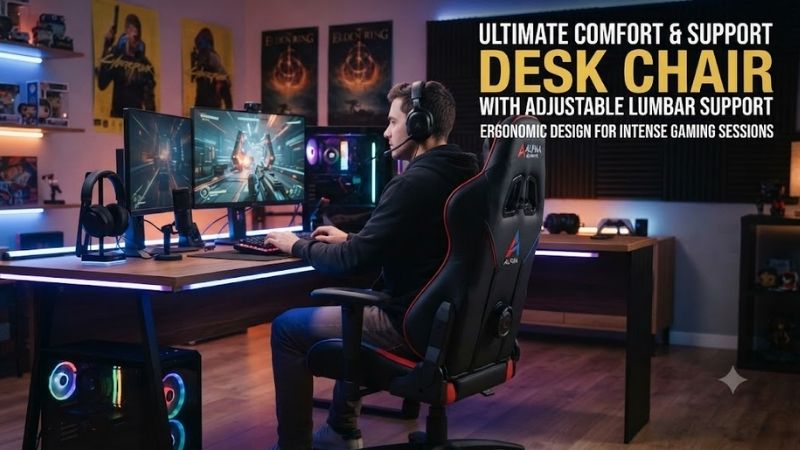
A desk chair with adjustable lumbar support can make long computer sessions more comfortable by letting you change how the backrest supports the natural curve of your lower spine. The best models also combine seat-depth adjustment, responsive recline, supportive armrests, breathable materials, and enough size flexibility to match different body proportions.
Quick answer: For most people in 2026, the best desk chair with adjustable lumbar support picks is the Chair — our #1 rated choice. See the full ranked comparison, alternatives and buying advice below.
Best Desk Chairs With Adjustable Lumbar Support Compared
Lumbar systems vary considerably. Some chairs move the support pad vertically, while others change pressure or depth. Premium ergonomic chairs may combine lumbar adjustment with sacral support or automatically adapt as the user moves. The best option depends on whether you prefer gentle background support or a more noticeable lower-back contact point.
| Chair | Best For | Lumbar System | Seat Depth | Armrests | Recline |
|---|---|---|---|---|---|
| Steelcase Leap | Best overall | Adjustable height and firmness | Adjustable | Highly adjustable | LiveBack recline |
| Herman Miller Aeron | Breathable long sessions | PostureFit SL | Fixed by chair size | Configurable | Harmonic 2 Tilt |
| Haworth Zody | Office ergonomics | Adjustable lumbar and pelvic support | Adjustable | 4D options | Multi-position tilt |
| Branch Ergonomic Chair Pro | Value | Adjustable lumbar support | Adjustable | 5D | Multi-position |
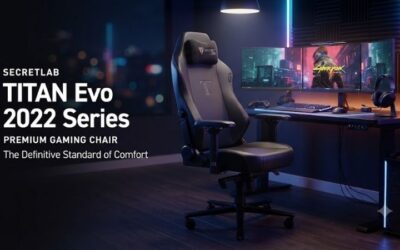
| Secretlab TITAN Evo | Gaming and office mix | Integrated 4-way lumbar | Fixed seat depth | 4D | Reclining backrest |
Steelcase Leap
Best For: Overall ergonomic adjustability
The Steelcase Leap is one of the strongest choices for users who want to fine-tune lower-back support rather than rely on a fixed lumbar curve. Its lumbar system allows the support area to move vertically, while a separate lower-back firmness control changes how strongly the chair pushes back against the lumbar region.
This two-part approach is useful because lumbar height and lumbar pressure are different requirements. A support pad can sit in the correct location but still feel too strong or too weak. Leap lets the user adjust both, making it easier to accommodate different spinal curves, sitting preferences, and desk positions.
Steelcase also uses its LiveBack system, which allows the backrest to flex as the user changes posture. Instead of holding the spine against one rigid surface, the chair is designed to follow movement during upright work and recline. This makes the lumbar adjustment feel integrated with the whole backrest rather than like a separate cushion.
Seat depth can be adjusted by sliding the seat pan forward or backward. This is particularly useful for shorter and taller users because the ideal seat should support most of the thighs without pressing directly behind the knees. Many less expensive chairs offer adjustable lumbar support but neglect this equally important fit variable.
The armrests are another strength. Depending on configuration, they can adjust in height, depth, width, and angle. This makes the Leap practical for both office work and gaming because the arms can be brought inward for typing or moved out of the way for larger mouse movements.
What makes the Leap different is the number of ergonomic variables that can be changed independently. The chair can therefore fit a wide range of users without forcing them into one predefined sitting position. The trade-off is that new owners should spend time learning the controls instead of expecting perfect comfort immediately.
Key Features:
- Adjustable lumbar height
- Adjustable lower-back firmness
- LiveBack backrest movement
- Adjustable seat depth
- Highly adjustable armrests
- Recline tension adjustment
- Multiple upholstery choices
Pros:
- Excellent lumbar customization
- Strong seat-depth adjustment
- Good for varied body sizes
- Supportive dynamic recline
- Highly adjustable armrests
Cons:
- Premium pricing
- Numerous controls require setup time
- Appearance is more functional than decorative
Use Case: Long office days, remote work, programming, content creation, gaming, and multi-hour computer sessions.
Who It’s For: Users who want one of the most adjustable lower-back support systems available in a mainstream ergonomic chair.
Herman Miller Aeron
Best For: Breathable long-duration sitting
The Herman Miller Aeron uses a different approach from chairs with a conventional sliding lumbar pad. Its optional PostureFit SL system supports both the sacral and lumbar regions with two adjustable pads positioned behind the lower back. The user can change the amount of support through a control located behind the chair.
Instead of placing one hard pressure point into the center of the lower back, PostureFit SL aims to support the pelvis and lumbar area together. This can create a more distributed feeling of support, particularly for users who sit fully against the backrest rather than leaning forward over the desk.
Aeron also uses 8Z Pellicle suspension across the seat and back. The material varies tension across different zones and allows significantly more airflow than thick foam. This can be particularly useful in warm rooms or for users who spend many hours seated and dislike heat building around the thighs and back.
One important difference is sizing. Aeron comes in three physical sizes rather than using a sliding seat-depth mechanism. Size A is smaller, Size B is the middle option, and Size C provides larger dimensions. Choosing the correct size is important because seat depth cannot be independently changed later.
The Harmonic 2 Tilt mechanism supports controlled recline and helps the chair move with the user. Selected configurations also add a tilt limiter and forward seat angle. These options allow the chair to transition from focused desk work to a more relaxed position without losing lower-back contact.
What makes Aeron distinctive is the combination of breathable suspension, multi-size fitting, and adjustable sacral-lumbar support. Users who prefer soft foam may not immediately like its firmer suspended feel, but those prioritizing ventilation and long-session support often appreciate the design.
Key Features:
- PostureFit SL support
- Adjustable support intensity
- 8Z Pellicle suspension
- Three chair sizes
- Harmonic 2 Tilt
- Configurable armrests
- Tilt limiter options
Pros:
- Excellent breathability
- Strong pelvic and lumbar support
- Smooth recline
- Three physical sizes
- High-quality construction
Cons:
- Seat depth is not adjustable
- Premium price
- Rigid seat perimeter may not suit cross-legged sitting
Use Case: Long office sessions, warm environments, productivity, programming, design work, and ergonomic gaming setups.
Who It’s For: Users who prefer breathable suspension and structured pelvic-lumbar support rather than a padded backrest.
Haworth Zody
Best For: Balanced office ergonomics
The Haworth Zody is designed around individualized support for the lower back and pelvis. Its lumbar system allows users to adjust support based on body shape and posture, while selected configurations include additional pelvic support intended to stabilize the lower spine during prolonged sitting.
The lumbar adjustment can be positioned vertically to better match the curve of the lower back. This is important because users with longer or shorter torsos often need support at different heights. A fixed lumbar bump may miss the correct area entirely, even when the chair otherwise fits well.
Seat depth adjustment adds another layer of fit. Sliding the seat forward provides more thigh support for taller users, while shortening the seat can reduce pressure behind the knees for shorter users. This feature is especially valuable in shared offices where several people may use the same chair.
Zody also offers multi-directional arm adjustments depending on configuration. These can help position the forearms near keyboard height without lifting the shoulders. For mouse-heavy work, the arms can be moved to allow more freedom rather than locking the user into one narrow position.
The recline system supports movement instead of encouraging static sitting. Users can change between upright work and more relaxed positions while the backrest continues to provide support. This dynamic behavior is important because even a well-adjusted chair becomes uncomfortable when the body stays completely still for several hours.
What makes Zody different is its office-focused balance. It is highly adjustable without feeling as mechanically complex as some premium ergonomic chairs. Users can tune lower-back support, seat position, recline, and armrests while retaining a relatively clean professional appearance suitable for corporate or home offices.
Key Features:
- Adjustable lumbar support
- Optional pelvic support
- Adjustable seat depth
- Configurable armrests
- Recline tension adjustment
- Multiple backrest configurations
- Office-oriented design
Pros:
- Strong lower-back customization
- Good seat-depth range
- Comfortable dynamic recline
- Professional appearance
- Suitable for shared workspaces
Cons:
- Best features depend on configuration
- Less visually distinctive than gaming chairs
- Premium options increase total cost
Use Case: Corporate offices, home workstations, hybrid work, long writing sessions, and general computer use.
Who It’s For: Users who want a refined ergonomic office chair with adjustable lumbar and seat fit without moving into a gaming aesthetic.
Branch Ergonomic Chair Pro
Best For: Value-focused ergonomic adjustment
The Branch Ergonomic Chair Pro provides adjustable lumbar support, seat depth, multiple recline positions, and highly adjustable armrests at a lower price than many premium ergonomic chairs. It is aimed at users who want meaningful workstation adjustment without paying for the most expensive office-chair platforms.
The lumbar support can be repositioned to better match the user’s lower-back curve. This gives the chair a clear advantage over budget models that simply mold a fixed bump into the backrest. Adjustable support is especially useful when several people share one chair or when body proportions fall outside average dimensions.
Seat-depth adjustment helps fit users with different leg lengths. The seat can be moved so that the thighs are supported without pressing into the back of the knees. This is a particularly important feature for long workdays because an incorrectly sized seat can remain uncomfortable regardless of how good the lumbar support feels.
The Pro version also uses multi-directional armrests that offer more adjustment than basic height-only designs. The pads can be repositioned to support office typing, gaming, reading, or relaxed recline. Users can also move them away when they interfere with a desk edge or larger mouse movements.
Its recline system supports several working positions rather than forcing a single upright angle. This allows the user to sit more upright for focused work and recline during calls, reading, or breaks. The ability to change posture is one of the major advantages of an ergonomic chair compared with a basic fixed-back task chair.
What makes the Branch Ergonomic Chair Pro appealing is value. It includes many adjustments normally associated with more expensive office chairs, although its materials and mechanical refinement may not feel as premium as Steelcase, Herman Miller, or Haworth designs.
Key Features:
- Adjustable lumbar support
- Adjustable seat depth
- Multi-directional armrests
- Multiple recline positions
- Adjustable seat height
- Headrest option
- Ergonomic mesh-style back support
Pros:
- Good adjustment for the price
- Useful lumbar positioning
- Adjustable seat depth
- Flexible armrests
- Clean office design
Cons:
- Less premium construction than top-tier chairs
- Fit may not be as individualized as multi-size systems
- Optional accessories can increase price
Use Case: Home offices, remote work, study areas, mixed productivity and gaming, and users upgrading from a basic task chair.
Who It’s For: Buyers who want meaningful lumbar and seat adjustments without paying premium ergonomic-chair pricing.
Secretlab TITAN Evo
Best For: Gaming and office crossover use
The Secretlab TITAN Evo uses an integrated 4-way lumbar support system built directly into the backrest. Rather than relying on a separate pillow, the user can adjust both the position and prominence of the lumbar curve using controls on the sides of the chair.
The system can move the lumbar region vertically and change how far it pushes forward. This provides more flexibility than gaming chairs with fixed cushions because users can position support according to torso length and preferred pressure. It also eliminates the need to reposition a loose lumbar pillow repeatedly.
TITAN Evo is available in multiple sizes, allowing buyers to select a chair based on body dimensions. The seat uses a firm cold-cure foam rather than mesh or suspension, creating a more padded and traditional gaming-chair feel than Aeron or many office-focused models.
Its 4D armrests adjust in several directions and can be positioned for keyboard, mouse, or controller use. The backrest also reclines independently, while the tilt mechanism allows the complete chair to lean backward. This makes it particularly suitable for users who alternate between active desk work and relaxed gaming.
The chair does not offer sliding seat-depth adjustment, so size choice is important. Its pronounced side structure and firmer seat also feel different from open ergonomic office chairs. Users who frequently sit cross-legged should check seat dimensions carefully before choosing a size.
What makes TITAN Evo different is its ability to combine integrated adjustable lumbar support with gaming-oriented styling, recline, and a firm padded seat. It is less focused on pure office ergonomics than Leap or Zody, but more adaptable than many conventional gaming chairs.
Key Features:
- Integrated 4-way lumbar support
- Adjustable lumbar height and depth
- Multiple chair sizes
- 4D armrests
- Reclining backrest
- Tilt mechanism
- Cold-cure foam seat
Pros:
- Strong integrated lumbar adjustment
- No loose lumbar pillow
- Good gaming flexibility
- Multiple size options
- Highly adjustable armrests
Cons:
- Seat depth is fixed by size
- Firmer feel may not suit everyone
- Gaming styling is less office-neutral
Use Case: PC gaming, streaming, home offices, controller gaming, and users who want one chair for both work and entertainment.
Who It’s For: Gamers who want more sophisticated lower-back adjustment than a conventional gaming chair normally provides.
Which Adjustable Lumbar Chair Fits Different Users?
Steelcase Leap is the strongest overall option when maximum adjustability is the priority. Its lumbar-height control, lower-back firmness adjustment, sliding seat, and flexible backrest allow users to tune several ergonomic variables independently, making it particularly suitable for long professional workdays.
Aeron is better for users who prioritize airflow. Its Pellicle suspension remains cool while PostureFit SL supports the lower spine and pelvis. The trade-off is that users must choose the correct physical chair size because the seat does not slide forward or backward.
Zody offers an excellent middle ground for office users. Branch Ergonomic Chair Pro provides more affordable adjustment, while TITAN Evo makes the most sense for gamers who prefer a padded chair and deeper recline but still want proper integrated lumbar controls.
How to Choose a Desk Chair With Adjustable Lumbar Support
Check Lumbar Height Adjustment
Lumbar support should contact the natural inward curve of the lower spine. If it sits too low, it may push against the pelvis; if it sits too high, it can feel unnatural. Height adjustment is especially important for users with shorter or longer torsos.
Consider Lumbar Depth or Firmness
Position alone does not determine comfort. Some people prefer a noticeable push into the lower back, while others want gentle support. A depth or firmness control allows the chair to adapt instead of forcing every user to accept the same lumbar pressure.
Look for Adjustable Seat Depth
Seat depth influences thigh support and knee clearance. A useful starting point leaves a small gap between the front edge of the seat and the back of the knees. Chairs with sliding seat pans make this easier to achieve across different leg lengths.
Evaluate the Recline System
A good ergonomic chair should allow movement rather than locking the torso rigidly upright. Recline tension should match body weight, and the backrest should continue supporting the lower back as the user leans backward. Frequent posture changes are more practical than maintaining one exact position all day.
Check Armrest Adjustment
Armrests should support the forearms without lifting the shoulders. Height adjustment is the minimum useful feature, while depth, width, and pivot controls make the chair easier to position for gaming and computer work.
Choose the Correct Chair Size
Not every chair fits every body. Seat width, seat depth, back height, and arm spacing all matter. Chairs such as Aeron and TITAN Evo use multiple sizes, so follow manufacturer size guidance rather than automatically choosing the most common version.
FAQ
Is Adjustable Lumbar Support Worth It?
Yes, especially for users who spend several hours per day at a desk. Adjustable support can better match individual spinal curves than a fixed backrest, although lumbar adjustment works best when combined with correct chair height and seat depth.
Should Lumbar Support Feel Strong?
Not necessarily. Lumbar support should feel supportive rather than painful or distracting. If you constantly notice pressure against one small area, reduce the depth or firmness until the support feels more natural.
Where Should Lumbar Support Sit?
It should generally contact the inward curve of the lower back above the pelvis. Exact positioning varies by body proportions, which is why vertical adjustment is useful.
Is Mesh or Foam Better?
Neither is universally better. Mesh and suspension designs provide greater airflow, while foam seats often feel softer and more padded. Comfort depends on material quality, body weight, posture, and personal preference.
Is a Gaming Chair Good for Lumbar Support?
Some gaming chairs now include sophisticated integrated lumbar systems, but many still rely on simple removable cushions. Models with adjustable built-in support are generally easier to tune for individual users.
Conclusion
The best desk chair with adjustable lumbar support should match your body rather than force you into one fixed position. Steelcase Leap offers the widest overall adjustment, Aeron emphasizes breathable support, Zody provides refined office ergonomics, Branch delivers strong value, and TITAN Evo combines integrated lumbar control with a gaming-focused design.
Ready to decide? Our #1 pick for 2026 is the Chair.
Live price & availability on Amazon.