🛒 Best Price Today on Amazon
Prime members get fast, free shipping on everything above, plus member-only deals. New members get a 30-day free trial — cancel anytime.
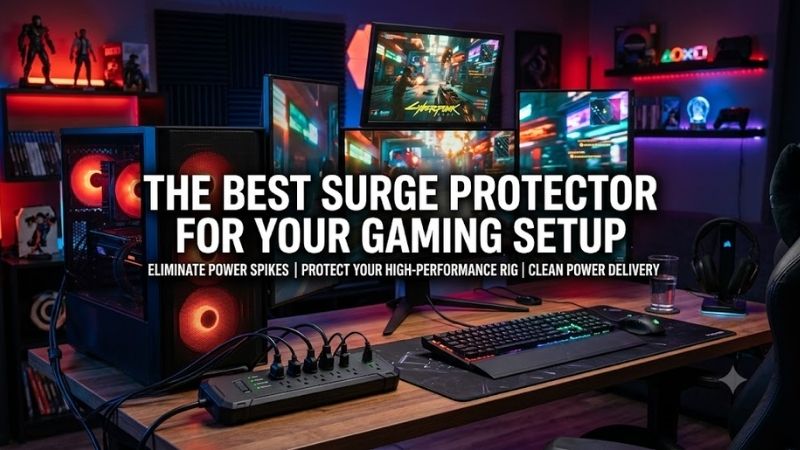
Choosing the best surge protector for gaming setup use means protecting an expensive PC, monitors, speakers, router, chargers, and accessories without creating an overloaded cable mess. Joule rating, clamping voltage, outlet spacing, circuit protection, cord length, status indicators, and total electrical load matter most.
Quick answer: For most people in 2026, the best surge protector for gaming setup is the Surge Protector — our #1 rated choice. See the full ranked comparison, alternatives and buying advice below.
Best Surge Protectors for Gaming Setups Compared
Gaming setups often need more outlets than a basic power strip provides. A desktop PC and two monitors can already occupy three sockets before speakers, networking hardware, lighting, docks, and chargers are added. The best models combine meaningful surge protection with enough spacing for large adapters and straightforward protection indicators.
| Surge Protector | Best For | AC Outlets | Surge Rating | Cord | Standout Feature |
|---|---|---|---|---|---|
| Belkin PivotPlug BP112230-08 | Overall gaming setup | 12 | 4,320 J | 8 ft | Eight pivoting outlets |
| Eaton Tripp Lite ISOBAR6ULTRA | Premium PC protection | 6 | 3,330 J | 6 ft | Isolated filter banks |
| Eaton Tripp Lite TLP1208TELTV | Large gaming stations | 12 | 2,880 J | 8 ft | 12 outlets and filtering |
| Anker 351 Power Strip | Gaming plus device charging | 12 | 2,100 J | 5 ft | USB-C and USB-A charging |
| Belkin BE112230-08 | Value multi-device setups | 12 | High-capacity protection | 8 ft | Six block-space outlets |
Belkin PivotPlug BP112230-08
Best For: Overall gaming setups
The Belkin PivotPlug BP112230-08 combines twelve protected AC outlets with a 4,320-joule surge rating. Eight outlets rotate outward while four remain fixed in the center, allowing oversized power adapters to sit at different angles instead of blocking neighboring sockets. That layout is particularly useful around complex gaming desks.
A gaming setup can easily include a PC power supply, one or two displays, powered speakers, a router, an external drive enclosure, RGB lighting, and multiple chargers. Twelve outlets provide enough capacity for this equipment without immediately requiring another strip, although the connected electrical load must still remain within its rated limit.
The eight-foot heavy-duty cord makes positioning easier when the wall receptacle is not directly behind the desk. A longer cord can also help mount the protector under the desktop while keeping the power connection away from chair wheels. Belkin includes a cord-management clip to organize the group of cables leaving the unit.
Its electrical specification includes a 15A, 125V, 1,875W AC rating and a 400V clamping voltage. Protected and grounded indicators help show whether the strip is operating on an appropriate grounded circuit and whether its surge-protection components remain active. Those indicators should remain visible rather than being hidden permanently behind furniture.
Belkin also specifies overload protection, power safety shutdown functionality, and EMI/RFI filtering. Filtering should not be confused with a battery backup or full power conditioner, but it can help reduce line noise reaching connected electronics. The protector does not keep your PC running when utility power disappears.
What makes the PivotPlug especially practical for gaming is outlet flexibility. Large monitor adapters, speaker power bricks, and charging blocks frequently occupy more physical room than standard plugs. Rotating sockets make it easier to use all twelve positions instead of losing several outlets to oversized adapters.
Key Features:
- 12 surge-protected AC outlets
- 4,320-joule protection rating
- Eight pivoting outlets
- Four fixed center outlets
- 8-foot power cord
- 15A / 125V / 1,875W rating
- 400V clamping voltage
- Protected and grounded indicators
- EMI/RFI filtering
- Cord-management clip
Pros:
- Excellent outlet capacity
- High surge-energy rating
- Pivoting sockets fit large adapters
- Long cord
- Useful status indicators
Cons:
- Large physical footprint
- No built-in USB charging
Use Case: High-end gaming PCs with multiple monitors, powered speakers, networking equipment, RGB lighting, and several peripheral adapters.
Who It’s For: Gamers who need many AC outlets and regularly deal with bulky power bricks around a full desktop setup.
Eaton Tripp Lite ISOBAR6ULTRA
Best For: Premium gaming PC protection
The Eaton Tripp Lite ISOBAR6ULTRA takes a more protection-focused approach than outlet-heavy consumer strips. It offers six NEMA outlets, a 3,330-joule suppression rating, a rugged metal housing, a six-foot 14-gauge cord, and isolated filter banks designed to reduce line-noise interaction between groups of connected equipment.
Six outlets may sound restrictive beside twelve-outlet alternatives, but the sockets are widely spaced to accommodate larger transformers. A focused gaming setup could connect the PC, main monitor, secondary monitor, speakers, networking hardware, and one additional device without sacrificing sockets to oversized adapters.
Isobar divides its outlets into isolated filter banks. Eaton uses filtering components such as toroidal chokes, inductors, capacitors, and MOVs to help suppress EMI and RFI line noise. This design is more elaborate than a basic consumer power strip and may appeal to setups combining PCs with sensitive audio or networking hardware.
The unit includes automatic shutoff intended to disconnect the outlets when the protection circuit can no longer provide proper surge suppression. Diagnostic LEDs report protection, line condition, and power status. A resettable 12A circuit breaker also protects against overloads, providing a clear distinction between surge suppression and excessive current draw.
Its metal enclosure is another distinguishing feature. Plastic housings are normal for consumer surge protectors, but the Isobar chassis is designed for demanding environments. That rugged construction is useful when the protector is mounted under a heavy desk or placed where chair movement and equipment changes may expose it to impacts.
What makes the ISOBAR6ULTRA different is that it concentrates on robust suppression and filtering instead of supplying the maximum number of outlets. The trade-off is capacity. Users with extensive RGB lighting, charging adapters, speakers, several displays, and network hardware may need more than six available sockets.
Key Features:
- Six protected AC outlets
- 3,330-joule surge rating
- 330V UL 1449 let-through rating
- Isolated filter banks
- EMI/RFI filtering
- Metal enclosure
- Six-foot 14-gauge cord
- Right-angle plug
- 12A resettable circuit breaker
- Automatic shutoff
Pros:
- Rugged metal housing
- Strong filtering design
- Automatic protection shutdown
- Widely spaced outlets
Cons:
- Only six outlets
- No built-in USB ports
Use Case: Premium gaming PCs, audio-heavy desktop setups, workstations, and users who prioritize electrical protection over maximum socket count.
Who It’s For: Gamers who want a rugged surge suppressor with isolated filtering and do not require twelve AC connections.
Eaton Tripp Lite TLP1208TELTV
Best For: Large multi-device gaming stations
The Eaton Tripp Lite TLP1208TELTV provides twelve protected outlets, an eight-foot cord, and a 2,880-joule surge rating. It is designed for workstations, computers, telecom hardware, and home electronics, which makes its outlet count well matched to gaming rooms containing a desktop PC and several powered peripherals.
The twelve sockets reduce the need to stack multiple power strips around a gaming desk. A complete station can include the computer, monitors, active speakers, router, modem, lighting, console, charging hardware, and streaming accessories. Fewer separate strips also make it easier to understand which devices share the same electrical circuit.
An eight-foot, 14-gauge cable gives the unit useful reach behind large desks. This becomes important when a gaming PC sits several feet from the wall socket or when the strip is mounted beneath a standing desk. Sufficient cable length helps avoid extension cords, which add another connection point and more floor clutter.
The TLP1208TELTV also provides telephone, modem, and coaxial line protection. Those features are less important in many modern fiber or Ethernet gaming networks, but the core AC surge suppression remains relevant. Buyers should choose the model primarily for its outlet count, cord length, and surge rating rather than legacy telecom connections.
A lifetime limited product warranty is specified by Eaton, together with connected-equipment coverage in applicable regions. Warranty terms should always be read carefully because eligibility depends on installation, grounding, product condition, and other requirements. A protection warranty should not be treated as a substitute for proper electrical wiring.
What makes this model different is capacity without an unusually complicated outlet mechanism. It provides twelve sockets and useful filtering in a traditional strip format. The 2,880-joule rating is lower than Belkin’s PivotPlug, but still substantially higher than small strips designed mainly for phone chargers or basic household electronics.
Key Features:
- 12 AC outlets
- 2,880-joule surge protection
- 8-foot cord
- 14-gauge cable
- EMI/RFI filtering
- Telephone and modem protection
- Coaxial protection
- Diagnostic protection features
- Lifetime limited warranty
Pros:
- Plenty of outlets
- Long power cord
- Good for large setups
- Traditional strip layout
Cons:
- Fewer adapter-spacing tricks than PivotPlug
- Telecom protection is unnecessary for many gamers
Use Case: Large gaming desks with several displays, consoles, network equipment, powered accessories, and streaming hardware.
Who It’s For: Gamers who need twelve outlets but prefer a conventional surge-protector layout.
Anker 351 Power Strip
Best For: Gaming setups with USB charging
The Anker 351 combines twelve AC outlets with two USB-A ports and one USB-C port, reducing the number of separate charger bricks needed around a gaming desk. Anker specifies 2,100 joules of surge protection and a five-foot cable, making this model particularly useful when PC peripherals and mobile devices share one power area.
Its USB-C port can provide up to 20W when used under the supported single-port conditions. The two USB-A connections can charge additional devices, while output changes when the USB ports are used simultaneously. This is appropriate for controllers, phones, smaller accessories, and other devices that do not require high-power laptop charging.
Removing individual USB wall chargers can free AC sockets for equipment that genuinely needs them. A gaming desk might use the integrated ports for a wireless headset, controller, phone, or lighting accessory while reserving AC connections for the PC, monitor, speakers, router, and other higher-powered hardware.
The twelve-outlet design also offers enough positions for a larger PC environment. Its five-foot cord is shorter than the eight-foot cables on the Belkin and TLP1208TELTV models, however. Desk placement should therefore be checked carefully if the wall receptacle sits far from the planned under-desk mounting point.
Anker specifies 100–240V input capability for this model, but plug and regional suitability still matter. Buyers should use equipment designed and certified for their local electrical system rather than relying only on an input-voltage number. The physical plug, outlet standard, grounding, and connected devices all need to match.
What makes the Anker 351 different is integrated charging. The surge-protection rating is lower than the heavy-duty Belkin and Isobar options, but replacing several charger bricks with onboard USB can create a much cleaner gaming desk. That convenience is especially valuable in controller-heavy or mobile-device-heavy setups.
Key Features:
- 12 AC outlets
- 2,100-joule surge protection
- Two USB-A ports
- One USB-C port
- Up to 20W USB-C output
- Five-foot cable
- 100–240V input specification
- Compact multi-device charging design
Pros:
- Twelve AC outlets
- Built-in USB-C charging
- Two additional USB-A ports
- Reduces charger clutter
Cons:
- Lower joule rating than premium models
- Five-foot cord is relatively short
- USB-C is not intended for high-power gaming laptops
Use Case: Gaming desks where controllers, phones, headsets, and other USB devices regularly need charging.
Who It’s For: Gamers who prioritize outlet capacity and integrated USB charging in one compact power center.
Belkin BE112230-08
Best For: Value multi-device gaming setups
The Belkin BE112230-08 is a twelve-outlet home and office surge protector with an eight-foot cord and a layout intended to accommodate larger adapters. Belkin lists a high surge-energy capacity along with UL 1449 certification, overload protection, filtering, and protection-status indicators for connected electronics.
Six block-space outlets provide additional room for larger plugs and transformers. This is useful for gaming equipment because speakers, monitors, networking devices, lighting controllers, and docks often use wide external adapters. Good spacing can be more useful than a higher socket count if half the outlets become physically blocked.
The eight-foot cable uses an angled plug, helping the cord sit closer to the wall behind furniture. Mounting holes allow the strip to be secured under a gaming desk or against another suitable surface. Under-desk installation can reduce visible wiring and keep the protector away from feet, chair wheels, and accidental switch presses.
Protected and grounded indicators make it easier to verify the operating condition of the unit. Belkin also specifies safety shutdown and overload protection. Surge protectors are consumable protective devices because their internal components absorb transient energy, so status indicators should be checked periodically instead of assuming protection lasts forever.
Compared with the PivotPlug, this model uses a more conventional arrangement without eight rotating sockets. That makes it less flexible when many unusually shaped adapters are installed simultaneously, but it can still accommodate several large plugs through its block-space positions while typically keeping the design simpler.
What makes the BE112230-08 appealing is its combination of twelve outlets, a long cord, useful adapter spacing, and straightforward mounting. It suits gamers who need a large power strip but do not necessarily require pivoting sockets, integrated USB charging, or the metal construction and isolated banks of an Isobar.
Key Features:
- 12 AC outlets
- 8-foot cord
- Six block-space outlets
- Angled wall plug
- UL 1449 certification
- Overload protection
- EMI/RFI filtering
- Protected and grounded indicators
- Mounting holes
Pros:
- Large outlet count
- Room for bulky adapters
- Long cord
- Easy under-desk mounting
Cons:
- No USB charging
- Less flexible outlet positioning than PivotPlug
Use Case: Multi-monitor gaming setups requiring many conventional AC sockets at a reasonable level of complexity.
Who It’s For: Gamers who want a straightforward twelve-outlet surge protector without premium filtering or charging extras.
Which Surge Protector Fits Different Gaming Setups?
For a large gaming desk with several power bricks, the Belkin PivotPlug is particularly practical. Eight rotating outlets reduce the chance that a wide monitor adapter or charger blocks its neighbors, while twelve total sockets provide enough connections for a PC, displays, audio, network hardware, lighting, and other accessories.
The ISOBAR6ULTRA makes more sense when six outlets are enough and the focus is on robust construction and filtering. Its metal chassis, automatic shutdown, diagnostic indicators, and isolated filter banks give it a more specialized electrical-protection design than ordinary consumer strips.
Anker 351 is the practical choice for a gaming station filled with rechargeable accessories. Controllers, headsets, and phones can use its USB connections without occupying separate wall adapters. The USB-C output is intended for smaller electronics rather than replacing the high-wattage charger for a gaming laptop or handheld PC.
How to Choose a Surge Protector for Gaming
Check the Joule Rating
The joule rating indicates how much transient surge energy the protection circuitry is designed to absorb over its service life. Higher numbers generally provide more energy-handling capacity, but joules should not be evaluated alone. Clamping behavior, safety certification, shutdown design, grounding, and overall construction also matter.
Look for UL 1449 Certification
For U.S.-style surge protectors, UL 1449 is an important safety and performance standard. Certification provides more meaningful information than vague marketing terms such as heavy duty or gaming grade. Regional buyers should look for appropriate electrical safety certification for the country where the protector will actually be used.
Count Outlets and Power Bricks
Do not count only the devices in your setup. Count how many use oversized adapters and where those adapters will physically sit. Twelve tightly spaced outlets may provide less usable capacity than six widely spaced sockets. Pivoting, block-spaced, or side-facing outlets can prevent power bricks from wasting neighboring connections.
Calculate the Electrical Load
Surge protectors do not increase the capacity of the wall circuit. A powerful PC, monitors, speakers, and accessories all contribute to total load. Avoid high-current appliances such as space heaters on the same strip. Never treat a high joule rating as permission to exceed the strip or household circuit’s electrical rating.
Consider a UPS for Expensive PCs
A surge protector helps address voltage spikes, but it does not provide battery backup during an outage. A UPS can keep a gaming PC running briefly after power loss, allowing an orderly shutdown. Users dealing with frequent blackouts or unstable utility power should consider a properly sized UPS rather than relying only on surge suppression.
Replace Aging Surge Protectors
MOV-based surge protectors wear as they absorb surge events. A unit may continue providing power even when protection has degraded, depending on its design. Check protection-status indicators and follow manufacturer replacement guidance. Replace a protector after severe electrical events if its condition or protection status is uncertain.
FAQ
How Many Joules Should a Gaming PC Surge Protector Have?
There is no single required number, but a high-value gaming setup benefits from a substantial surge-energy rating rather than a minimal power strip intended for small appliances. Models in this roundup range from roughly 2,100 to more than 4,000 joules, combined with additional filtering and safety features.
Is a Surge Protector Enough for a Gaming PC?
A quality surge protector provides useful protection from transient voltage spikes, but it cannot keep the computer operating during a blackout. A UPS adds battery backup and can provide additional power-management functions. Gamers experiencing frequent outages should consider a UPS sized for the actual PC and monitor load.
Can I Plug a Gaming PC and Monitor Into One Surge Protector?
Yes, provided the total connected load remains within the protector and electrical circuit ratings. A desktop gaming PC and monitors normally share a quality surge protector without difficulty. High-current household appliances should remain separate, and users should never daisy-chain power strips to create additional capacity.
Does a Surge Protector Improve Gaming Performance?
No. A surge protector does not increase frame rate, reduce input latency, or make the GPU faster. Its purpose is electrical protection and power distribution. EMI/RFI filtering may reduce certain types of line interference, but buyers should not expect a surge suppressor to improve normal PC gaming benchmark performance.
Should My Router Be Connected to a Surge Protector?
Yes, protecting networking hardware is sensible because a gaming session depends on the modem, ONT, router, or network switch as well as the PC. However, internet lines can introduce separate electrical paths in some systems. Follow the networking equipment provider’s recommendations and use properly grounded electrical connections.
Is a UPS Better Than a Surge Protector?
A UPS and surge protector solve overlapping but different problems. A surge protector focuses on transient spikes, while a UPS adds battery power during outages. For an expensive gaming PC in an area with unreliable electricity, a suitable UPS can provide more comprehensive protection, but correct capacity and topology matter.
Conclusion
The best surge protector for gaming setup use depends on your hardware and outlet needs. Belkin PivotPlug excels with large adapters, ISOBAR6ULTRA emphasizes rugged protection, TLP1208TELTV provides twelve conventional outlets, Anker 351 adds USB charging, and Belkin BE112230-08 offers a practical high-capacity layout.
Ready to decide? Our #1 pick for 2026 is the Surge Protector.
Live price & availability on Amazon.