🛒 Best Price Today on Amazon
Prime members get fast, free shipping on everything above, plus member-only deals. New members get a 30-day free trial — cancel anytime.
- Best Portable Power Stations for Gaming Compared
- EcoFlow DELTA 3 Plus – Best Overall
- Anker SOLIX C1000 Gen 2 – Best Compact Gaming Power Station
- Jackery Explorer 2000 v2 – Best for Longer Gaming Runtime
- BLUETTI Elite 200 V2 – Best for High-Power Gaming Setups
- How to Choose a Portable Power Station for Gaming
- FAQ
- Conclusion
The best portable power station for gaming should handle your PC, monitor, router, and accessories while switching quickly enough to keep equipment running during an outage. Capacity determines runtime, while inverter output, UPS response, battery chemistry, noise, charging speed, and available AC outlets determine how practical it is.
Quick answer: For most people in 2026, the best portable power station for gaming pcs and consoles is the Power Station — our #1 rated choice. See the full ranked comparison, alternatives and buying advice below.
Best Portable Power Stations for Gaming Compared
| Power Station | Best For | Capacity | AC Output | UPS Switching |
|---|---|---|---|---|
| EcoFlow DELTA 3 Plus | Best Overall | 1,024Wh | 1,800W | Under 10ms |
| Anker SOLIX C1000 Gen 2 | Compact Gaming Setup | 1,024Wh | 2,000W | Under 10ms |
| Jackery Explorer 2000 v2 | Longer Gaming Runtime | 2,042Wh | 2,200W | Under 20ms |
| BLUETTI Elite 200 V2 | High-Power Gaming Setup | 2,073.6Wh | 2,600W | 15ms |
A portable power station is different from a small desktop UPS. Large LiFePO4 models combine battery storage, an inverter, AC outlets, USB charging, and often solar input in one enclosure. This makes them useful not only for brief outages but also for longer gaming sessions, LAN events, cabins, camping, or rooms without convenient wall power.
For gaming, UPS behavior deserves special attention. A station may have enough capacity to run a PC for hours yet still be inconvenient if power drops while it changes from grid electricity to its battery. The models below provide manufacturer-specified backup switching designed for computers or other sensitive electronics.
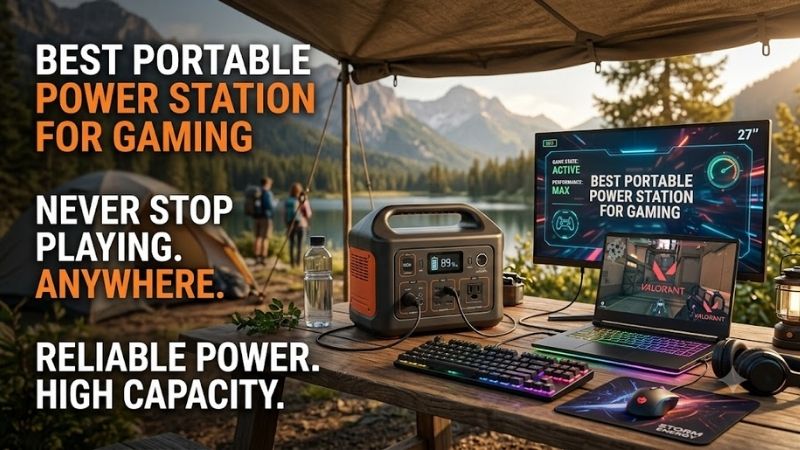
EcoFlow DELTA 3 Plus – Best Overall
Best For: Gaming PCs that need fast backup switching without moving to a heavy 2kWh station
EcoFlow DELTA 3 Plus combines a 1,024Wh battery with 1,800W of continuous AC output. EcoFlow also specifies a built-in UPS response below 10ms, making the unit particularly relevant for PCs, networking equipment, and storage devices that should remain powered when household electricity suddenly disappears.
An 1,800W inverter provides substantial headroom for typical gaming systems. A desktop drawing several hundred watts under load can run alongside one or more monitors and a router without approaching the station’s maximum output. Power-hungry enthusiast PCs should still be measured because transient and total system consumption vary considerably.
Key Features
- 1,024Wh battery capacity
- 1,800W AC output
- Under-10ms UPS switching
- LiFePO4 battery chemistry
- Rated for 4,000 cycles to 80% capacity
- Up to 1,000W solar input
- 0–100% AC charging in as little as 56 minutes
- App-based monitoring
- Expandable capacity
- Multiple AC and DC outputs
What Makes It Different
The DELTA 3 Plus combines gaming-friendly switching speed with relatively compact 1kWh-class capacity. EcoFlow rates its LFP battery for 4,000 cycles before reaching 80% capacity and allows expansion beyond the internal 1,024Wh pack, so owners can start with a manageable unit and add storage if their backup requirements grow.
Fast recharging is another practical advantage. EcoFlow states that the DELTA 3 series can recharge from empty to full in as little as 56 minutes under the specified charging method. A power station used regularly for gaming backup is easier to live with when it can recover quickly after an outage instead of remaining unavailable for much of the day.
Pros
- Fast UPS switchover
- 1,800W output suits powerful PCs
- LiFePO4 battery
- Rapid AC recharging
- Expandable capacity
- Strong solar input
- App monitoring
- Compact compared with 2kWh models
Cons
- 1,024Wh capacity limits long high-load sessions
- Heavy gaming PCs can drain it quickly
- Expansion batteries increase total cost
- AC inverter losses reduce usable runtime
Use Case
DELTA 3 Plus makes sense beneath a gaming desk where it can remain connected between the wall and essential equipment. A gaming tower, primary display, modem, and router can stay powered during short interruptions, giving you time to continue briefly, save progress, finish an online match, or shut the system down normally.
Its 1,024Wh battery also works for portable gaming events where mains electricity is unavailable, although actual runtime should never be calculated from capacity alone. The inverter consumes energy, and a PC’s power draw changes with the game, GPU load, frame-rate limit, monitor brightness, peripherals, and performance settings.
Who It’s For
Choose DELTA 3 Plus if your main goal is protecting a desktop gaming setup while gaining much more runtime than a small traditional UPS normally provides. It strikes a practical balance between capacity and portability, whereas users who want several hours from a very powerful PC should move toward the larger 2kWh options below.
Anker SOLIX C1000 Gen 2 – Best Compact Gaming Power Station
Best For: Gamers who want 2,000W output and fast UPS switching in a 1kWh-class design
Anker SOLIX C1000 Gen 2 provides 1,024Wh of battery capacity and 2,000W continuous AC output, with a rated 3,000W peak. Anker specifies automatic UPS switching below 10ms, allowing the unit to take over quickly when grid power disappears while a computer, monitor, or other connected device is operating.
That 2,000W output gives the C1000 Gen 2 more inverter headroom than its battery capacity might suggest. The distinction matters because watt-hours describe stored energy, while watts describe how much power the station can supply at one time. A high-wattage gaming PC therefore needs adequate output even when only short backup runtime is required.
Key Features
- 1,024Wh capacity
- 2,000W continuous output
- 3,000W peak output
- Under-10ms UPS switching
- LiFePO4 battery
- Nine output ports
- 4,000-cycle rating to at least 80%
- 1,600W HyperFlash charging
- Up to 600W solar charging
- Wi-Fi and Bluetooth app control
What Makes It Different
Anker rates the C1000 Gen 2 for 4,000 battery cycles before capacity falls to 80%, positioning it for repeated use instead of occasional emergency storage alone. Its 1,024Wh pack remains small enough to move more easily than a 2kWh unit, while the 2,000W inverter gives demanding gaming hardware comfortable power headroom.
Charging speed is another highlight. Anker states that HyperFlash mode can recharge the C1000 Gen 2 fully in around 49 minutes using up to 1,600W AC input. That matters after a blackout or off-grid session because the station can return to service quickly when wall electricity becomes available again.
Pros
- 2,000W continuous AC output
- Fast under-10ms UPS mode
- Compact 1,024Wh format
- LiFePO4 battery
- Very fast AC charging
- Nine outputs
- Wi-Fi and Bluetooth monitoring
- Long published cycle life
Cons
- Capacity remains only 1,024Wh
- Solar input is lower than some competitors
- High-performance desktops shorten runtime rapidly
- Fans may become audible while charging or heavily loaded
Use Case
The C1000 Gen 2 fits gamers who need backup for a performance-oriented PC but value portability more than maximum runtime. A 2,000W inverter leaves room for the computer, display, and networking equipment, while the sub-10ms transfer mode is designed to keep compatible electronics running as electricity changes from grid to battery.
It can also serve a console station, gaming laptop setup, or LAN event. Consoles and gaming notebooks normally consume considerably less power than extreme desktop PCs, allowing the same 1,024Wh battery to last longer. USB outputs can charge controllers, phones, handheld PCs, and other accessories without occupying every AC outlet.
Who It’s For
Choose the SOLIX C1000 Gen 2 when you want a relatively compact station that can still supply a demanding desktop. It is especially attractive when outages tend to be short or when the goal is keeping equipment alive until shutdown. For prolonged blackouts, doubling battery capacity will usually matter more than adding extra inverter wattage.
Jackery Explorer 2000 v2 – Best for Longer Gaming Runtime
Best For: Gamers who prioritize a 2kWh battery without moving to an extremely heavy backup system
Jackery Explorer 2000 v2 provides 2,042Wh of LiFePO4 storage with 2,200W continuous AC output and a stated 4,400W surge capability. Jackery specifies UPS switching in under 20ms and directly lists computers, networking equipment, and NAS hardware among the devices its backup function is designed to support.
The major advantage over 1kWh stations is straightforward: approximately twice the battery capacity provides much more potential runtime for the same gaming setup. Real usable AC energy is lower than the battery’s rated watt-hours because of conversion losses and station overhead, so runtime estimates should always include a safety margin.
Key Features
- 2,042Wh LiFePO4 battery
- 2,200W continuous AC output
- 4,400W surge output
- Under-20ms UPS switchover
- Approximately 17.9kg weight
- 0–100% emergency charging in around 1.7 hours
- App control
- Low operating-noise design
- Long-life LFP battery chemistry
- AC and solar charging support
What Makes It Different
Jackery has packed 2,042Wh into a unit it lists at approximately 17.9kg, which is comparatively manageable for this capacity category. A 2kWh station will never feel like a small power bank, but reducing weight matters if you want to move it between a gaming room, vehicle, cabin, or LAN location.
The Explorer 2000 v2 is rated for 2,200W continuous AC output, enough to accommodate most single-PC gaming setups with significant headroom. Jackery also states that its emergency charging mode can refill the unit in about 1.7 hours, allowing a large battery to recover reasonably quickly once mains electricity returns.
Pros
- Large 2,042Wh battery
- 2,200W continuous output
- 4,400W surge capability
- Under-20ms UPS switching
- Relatively manageable weight for 2kWh
- LiFePO4 chemistry
- App monitoring
- Fast emergency charging
Cons
- Larger than 1kWh stations
- Under-20ms switching is slower than 10ms-class models
- Extra capacity increases weight and storage needs
- Premium capacity is unnecessary for brief outages
Use Case
Explorer 2000 v2 is a better fit when gaming must continue beyond the first hour of an outage. A desktop, monitor, and router drawing hundreds of watts can consume a 1kWh battery quickly, while the 2,042Wh pack provides considerably more energy. It can also keep networking and other household electronics alive when the gaming PC is turned off.
For off-grid gaming, the larger battery pairs naturally with efficient hardware. Capping frame rates, reducing GPU power limits, lowering display brightness, or using a gaming laptop can dramatically stretch runtime. The station determines available energy, but the gaming hardware determines how quickly that stored energy disappears.
Who It’s For
Choose Jackery Explorer 2000 v2 if runtime is more valuable than having the fastest possible UPS specification. It suits desktop owners facing longer outages, gamers taking equipment to cabins or remote events, and households that want the station to back up both a gaming setup and selected essential devices.
BLUETTI Elite 200 V2 – Best for High-Power Gaming Setups
Best For: Powerful desktops and users who want more than 2kWh of storage with a high-output inverter
BLUETTI Elite 200 V2 combines 2,073.6Wh of LiFePO4 capacity with 2,600W continuous AC output. Its manual specifies a UPS switchover of 15ms, while BLUETTI rates the battery for more than 6,000 cycles before reaching 80% capacity, making it the most endurance-focused option in this roundup.
The 2,600W inverter provides enough headroom for a very powerful desktop plus displays and networking hardware, provided their combined continuous consumption stays within the station’s limits. The extra output does not make games run faster; it simply reduces the chance that demanding connected equipment exceeds what the inverter can continuously provide.
Key Features
- 2,073.6Wh capacity
- 2,600W continuous AC output
- 15ms UPS switching
- LiFePO4 battery chemistry
- More than 6,000 cycles to 80%
- Up to 1,000W solar input
- Two 100W USB-C ports
- App management
- Up to 2,300W AC input on supported regional model
- Approximately 24.2kg
What Makes It Different
Battery longevity is the headline specification. BLUETTI rates Elite 200 V2 for more than 6,000 cycles to 80% remaining capacity, substantially above many portable stations. That can matter when the unit is used continuously as backup equipment rather than sitting in storage until a rare emergency occurs.
Capacity and output are both high without moving into modular home-battery territory. BLUETTI lists 2,073.6Wh and 2,600W continuous output, along with up to 1,000W solar input. The trade-off is portability: at roughly 24.2kg, it is noticeably harder to move than the smaller 1kWh options or the lighter Jackery 2kWh model.
Pros
- 2,073.6Wh capacity
- High 2,600W AC output
- 15ms UPS response
- 6,000+ cycle rating
- LiFePO4 battery
- 1,000W solar capability
- Dual 100W USB-C outputs
- Strong fit for high-power PCs
Cons
- Approximately 24.2kg
- Large for frequent transportation
- More capacity than many console setups need
- Actual AC runtime is below theoretical watt-hours
Use Case
Elite 200 V2 is particularly useful for a high-end gaming station where the power supply, GPU, multiple displays, networking hardware, and peripherals create a large combined load. Its 2,600W output provides considerable margin, while the 2kWh-class battery gives the system more time than compact backup stations can offer.
It can also serve as broader emergency power after gaming stops. A long blackout may make keeping the router, refrigerator, lighting, or communication devices running more valuable than continuing a game. A larger power station gives users the option to redistribute stored energy instead of dedicating the entire battery permanently to one computer.
Who It’s For
Choose Elite 200 V2 if you want high inverter output, substantial runtime, and unusually long published cycle life in one unit. It suits powerful gaming PCs and frequent backup use, but its weight makes it less appropriate for anyone whose definition of portable means regularly carrying the station between several locations.
How to Choose a Portable Power Station for Gaming
Calculate Your Gaming Load
Start by determining how much power the complete setup actually consumes. The PC is only one part of the load; include monitors, speakers, router, modem, USB hubs, external drives, and any other devices that must remain on. A plug-in watt meter is more useful than estimating consumption from the power supply’s maximum wattage.
A 1,000W PSU does not mean the computer constantly draws 1,000W. Actual consumption changes with CPU and GPU load. Measure the system while playing a demanding game, then add reasonable headroom. This gives you a realistic number for selecting inverter output and estimating approximate battery runtime.
Understand Watts vs. Watt-Hours
Watts describe how much power a station can supply at once, while watt-hours describe stored energy. A 2,000W station with 1,024Wh does not run a 2,000W load for several hours. Running near maximum output would drain the battery rapidly, and conversion losses reduce usable AC energy further.
For gaming, both numbers matter. Your inverter needs enough watts to handle peak system demand, while battery watt-hours determine how long you can continue. A moderate 600W total load benefits more from moving from 1kWh to 2kWh capacity than from increasing inverter output from 2,000W to 2,600W.
Look for Fast UPS Switching
A gaming power station can function as backup only when it transitions quickly enough for the connected hardware to remain operational. EcoFlow DELTA 3 Plus and Anker C1000 Gen 2 advertise sub-10ms switching, BLUETTI Elite 200 V2 specifies 15ms, and Jackery Explorer 2000 v2 specifies less than 20ms.
Individual PC power supplies and devices can react differently to interruptions, so a portable power station should not automatically be treated as identical to every dedicated online UPS architecture. If uninterrupted operation is mission-critical, check both the station’s UPS specification and the requirements of the equipment being protected.
Prefer LiFePO4 Batteries
LiFePO4 chemistry is now common in modern portable power stations because manufacturers can design it for thousands of cycles. This is valuable when the station remains connected to a gaming setup and cycles regularly instead of serving only as occasional emergency equipment stored in a closet for most of the year.
Cycle ratings still need context. A rating to 80% means the battery is expected to retain roughly that percentage of original capacity after the stated test cycles, not that it suddenly stops working. Charging temperature, discharge depth, storage conditions, and long-term heat exposure can also influence real battery aging.
Consider Noise and Placement
Power stations contain inverters, chargers, and cooling fans, so they are not always silent. Fan noise is most noticeable during fast charging or heavy loads. Do not place a station directly beside an open microphone if you stream, record voice chat, or use an XLR mic with enough sensitivity to capture nearby equipment noise.
The station also needs ventilation. Avoid trapping it inside a closed cabinet simply to hide cables or fan sound. Follow the manufacturer’s clearance and operating instructions, keep the vents unobstructed, and position the unit where AC cables can reach the gaming PC without creating a trip hazard around the chair.
FAQ
How Big a Power Station Do I Need for a Gaming PC?
A 1kWh station is a practical starting point for short backup sessions, while a 2kWh model provides significantly more runtime. Inverter output should exceed the measured load of the entire setup with suitable headroom. Measure real power consumption rather than selecting capacity from the PC power supply’s rated wattage.
Can a Portable Power Station Run a Gaming PC?
Yes, provided its continuous AC output can handle the computer and connected devices. Modern 1,800W to 2,600W stations can supply substantial desktop loads. Runtime varies dramatically because a gaming PC may draw far more energy under GPU-intensive gameplay than while browsing, downloading, or sitting at the desktop.
Can I Use a Power Station as a UPS for Gaming?
Some portable stations include UPS or backup modes designed for computers. Transfer times vary by model, with units in this roundup rated from below 10ms to below 20ms. Check the exact operating mode and manufacturer instructions before relying on a station for sensitive hardware or uninterrupted professional workloads.
How Long Will a 1,024Wh Power Station Run a Gaming PC?
Runtime depends on total system consumption and inverter efficiency. A gaming setup drawing several hundred watts will not receive the full theoretical 1,024Wh as usable AC energy. Measure the PC, monitor, and networking equipment together, then use the manufacturer runtime calculator or a conservative efficiency allowance.
Is a 2kWh Power Station Better for Gaming?
It is better when longer runtime is the priority. Moving from roughly 1kWh to 2kWh approximately doubles stored battery energy before efficiency differences are considered. The trade-off is size, weight, and cost, so gamers who mainly need several minutes to save and shut down may be better served by a smaller station.
Can I Power a Gaming Laptop From a Portable Power Station?
Yes. Gaming laptops typically require far less total power than high-end desktop systems and can often run considerably longer from the same battery capacity. A power station can supply the laptop’s normal AC charger, while USB-C Power Delivery may also work with laptops that support suitable charging wattage and profiles.
Conclusion
The best portable power station for gaming depends on load and desired runtime. EcoFlow DELTA 3 Plus balances capacity and fast UPS switching, Anker C1000 Gen 2 offers 2,000W in a compact class, Jackery Explorer 2000 v2 adds longer runtime, and BLUETTI Elite 200 V2 suits high-power systems needing more battery endurance.
Ready to decide? Our #1 pick for 2026 is the Power Station.
Live price & availability on Amazon.