🛒 Best Price Today on Amazon
Prime members get fast, free shipping on everything above, plus member-only deals. New members get a 30-day free trial — cancel anytime.
- Best Low Profile Mechanical Keyboards at a Glance
- Logitech G515 LIGHTSPEED TKL — Best for Gaming and Work
- Keychron K3 Max — Best for Customization
- NuPhy Air75 V2 — Best for Portable Setups
- Lofree Flow84 — Best for Typing Feel
- Corsair K100 AIR — Best Full-Size Low Profile Keyboard
- How to Choose the Best Low Profile Mechanical Keyboard
- FAQ
- Conclusion
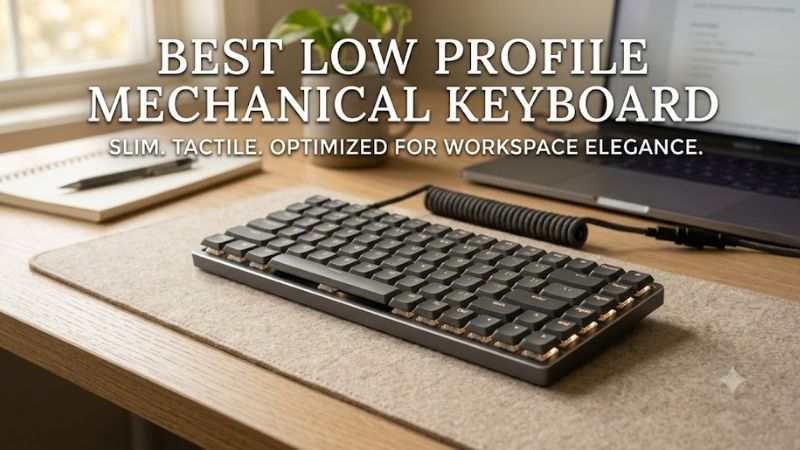
The best low profile mechanical keyboard should deliver the crisp feedback of mechanical switches without the height, wrist angle, or bulk of a traditional board. This roundup compares compact and full-size models for gaming and work, focusing on switch feel, layout, wireless options, build, portability, and long-session comfort.
Quick answer: For most people in 2026, the best low profile mechanical keyboard is the Keyboard — our #1 rated choice. See the full ranked comparison, alternatives and buying advice below.
Best Low Profile Mechanical Keyboards at a Glance
| Keyboard | Best For | Layout | Switch Type | Connectivity |
|---|---|---|---|---|
| Logitech G515 LIGHTSPEED TKL | Gaming and everyday use | TKL | Low-profile mechanical | 2.4 GHz, Bluetooth, wired |
| Keychron K3 Max | Customization | 75% | Low-profile mechanical | 2.4 GHz, Bluetooth, USB-C |
| NuPhy Air75 V2 | Travel and hybrid work | 75% | Low-profile mechanical | 2.4 GHz, Bluetooth, USB-C |
| Lofree Flow84 | Typing feel | 75% | Low-profile mechanical | Bluetooth, USB-C |
| Corsair K100 AIR | Full-size productivity | Full-size | Ultra-low-profile mechanical | 2.4 GHz, Bluetooth, wired |
Logitech G515 LIGHTSPEED TKL — Best for Gaming and Work
Best For: Gamers who want a slim TKL keyboard that works equally well for everyday desktop use.
Key Features
- Tenkeyless layout
- 22 mm chassis height
- Low-profile GL mechanical switches
- Linear or tactile switch options
- LIGHTSPEED wireless
- Bluetooth connectivity
- Wired data mode
- Low-profile double-shot PBT keycaps
Manufacturer specifications confirm the G515 LIGHTSPEED TKL uses low-profile mechanical switches, tri-mode connectivity, a 22 mm chassis, and a tenkeyless format.
What Makes It Different
The Logitech G515 LIGHTSPEED TKL combines a thin 22 mm chassis with low-profile GL mechanical switches, giving gamers a flatter wrist position without abandoning mechanical feedback. Its tenkeyless layout saves mouse space, while LIGHTSPEED, Bluetooth, and wired modes make it flexible across desktop and laptop setups.
Pros
- Slim TKL design
- Mechanical switch feedback
- Fast 2.4 GHz wireless option
- Bluetooth for secondary devices
- Durable PBT keycaps
- More mouse space than full-size boards
Cons
- No dedicated number pad
- Switch selection is narrower than enthusiast boards
- TKL layout still occupies more width than 75% models
Use Case
Use the G515 when you want one keyboard for competitive gaming and everyday productivity. Its low-profile design reduces the reach from desk to keycaps, and the TKL footprint leaves more room for wider mouse movements. The trade-off is simple: you lose the number pad in exchange for a cleaner, more compact desk setup.
Who It’s For
It is best for players who prefer a familiar TKL layout, fast wireless connectivity, and a restrained low-profile design. It also suits users who dislike tall mechanical keyboards but still want tactile or linear switch options. Spreadsheet-heavy users may prefer a full-size model because the dedicated numpad is absent.
Keychron K3 Max — Best for Customization
Best For: Users who want a compact low-profile mechanical keyboard with deeper remapping and switch flexibility.
Key Features
- 75% ANSI layout
- Low-profile Gateron mechanical switches
- Hot-swappable configuration available
- QMK support
- Keychron Launcher customization
- 2.4 GHz wireless
- Bluetooth 5.1
- USB-C wired mode
- Windows, macOS, and Linux support
Keychron lists the K3 Max as a 75% low-profile mechanical keyboard with 2.4 GHz, Bluetooth, USB-C, QMK customization, and hot-swappable configurations.
What Makes It Different
The Keychron K3 Max is built around a 75% layout, so it keeps the function row and arrow keys while using less desk space than a TKL board. It supports 2.4 GHz, Bluetooth, and USB-C, while QMK-based remapping adds deeper control over shortcuts and macros than most mainstream low-profile keyboards provide.
Pros
- Compact 75% layout
- QMK-based customization
- Hot-swappable options
- Three connection modes
- Dedicated function row and arrow keys
- Broad desktop OS support
Cons
- No dedicated number pad
- Dense key spacing may require adjustment
- Low-profile switch compatibility is not universal
Use Case
The K3 Max fits mixed work-and-gaming setups where compact size matters but layered shortcuts are undesirable. Its 75% layout keeps common navigation keys close at hand, and wireless switching works well across a desktop, laptop, and tablet. Hot-swappable variants also let users change compatible low-profile switches later.
Who It’s For
Choose the K3 Max if customization matters as much as slimness. It is especially useful for programmers, editors, and gamers who want to remap keys or create macros without moving to a full-height enthusiast board. The smaller battery and compact frame favor portability, but they are less ideal for users who need a numpad.
NuPhy Air75 V2 — Best for Portable Setups
Best For: Laptop users and gamers who want a travel-friendly 75% mechanical keyboard.
Key Features
- 75% ANSI layout
- 84 keys
- Gateron low-profile mechanical switches
- Hot-swappable support
- Double-shot PBT keycaps
- 2.4 GHz wireless
- Bluetooth 5.1
- USB-C wired mode
- Windows, macOS, Linux, Android, and iOS support
NuPhy specifies an 84-key 75% layout, Gateron low-profile mechanical switches, hot-swap support, tri-mode connectivity, and broad operating-system compatibility for the Air75 V2.
What Makes It Different
The NuPhy Air75 V2 pairs a 75% layout with a very slim body, low-profile Gateron mechanical switches, and hot-swap support. Its biggest distinction is balance: it is compact enough for travel, yet it still keeps dedicated arrows and a function row, making it easier to adapt to than 60% boards with heavier shortcut layering.
Pros
- Compact and lightweight format
- Hot-swappable switches
- Three connection modes
- Dedicated function row
- PBT keycaps
- Wide platform compatibility
Cons
- No number pad
- Compact spacing may feel crowded
- Low-profile replacement switches require compatibility checks
Use Case
Use the Air75 V2 when you move between a laptop and desktop but still want a mechanical typing feel. It supports 2.4 GHz, Bluetooth, and USB-C, so the same board can serve work and gaming roles. Its low weight and shallow body are travel friendly, though the lack of a numpad may limit spreadsheet-focused workflows.
Who It’s For
It is a strong fit for laptop users, hybrid workers, and gamers who want a compact wireless board without giving up dedicated arrows. The hot-swappable design also appeals to users who like experimenting with switch feel. Those who prefer a heavy metal chassis or full-size spacing may find the lighter format less planted.
Lofree Flow84 — Best for Typing Feel
Best For: Writers, programmers, and office users who value a softer custom-style typing experience.
Key Features
- 75% 84-key layout
- Kailh low-profile mechanical switches
- Hot-swappable design
- Gasket-mounted construction
- Aluminum-alloy frame
- PBT keycaps
- Bluetooth 5.0
- USB-C wired mode
- Support for up to three Bluetooth devices
Lofree specifies an 84-key layout, Kailh low-profile switches, hot-swap support, gasket mounting, Bluetooth, USB-C, an aluminum-alloy frame, and PBT keycaps for the Flow84.
What Makes It Different
The Lofree Flow84 takes a different approach by emphasizing typing feel and acoustics over gaming software. Its gasket-mounted structure, PBT keycaps, aluminum-alloy frame, and low-profile Kailh switches create a softer, more cushioned experience than many rigid slim boards, while the 75% layout keeps everyday navigation practical.
Pros
- Gasket-mounted construction
- Hot-swappable switches
- Aluminum-alloy frame
- PBT keycaps
- Compact 75% layout
- Multi-device Bluetooth
Cons
- No dedicated 2.4 GHz wireless
- No full-size number pad
- Less gaming-focused software functionality
- Fixed compact layout may not suit all users
Use Case
The Flow84 is best used for writing, coding, and general productivity where sound and key feel matter more than maximum wireless polling rate. Bluetooth and USB-C cover common work setups, and the compact 84-key layout travels easily. Its lack of 2.4 GHz wireless makes it less compelling for latency-sensitive competitive gaming.
Who It’s For
Choose the Flow84 if you want a low-profile mechanical keyboard that feels closer to a custom board than a typical gaming peripheral. It suits writers and office users who value a refined press and subdued appearance. Gamers who prioritize dedicated 2.4 GHz wireless, deep software control, or esports features should look elsewhere.
Corsair K100 AIR — Best Full-Size Low Profile Keyboard
Best For: Users who need a number pad, media controls, and mechanical switches in a very thin full-size keyboard.
Key Features
- Full-size 108-key layout
- CHERRY MX Ultra Low Profile tactile switches
- 0.8 mm switch actuation
- SLIPSTREAM wireless
- Bluetooth connectivity
- Wired USB mode
- Dedicated media controls
- Four macro keys
- Per-key RGB lighting
Corsair specifies CHERRY MX Ultra Low Profile tactile switches, a full-size 108-key layout, wireless and Bluetooth connectivity, dedicated media controls, macro keys, and wired operation.
What Makes It Different
The Corsair K100 AIR is the full-size option in this roundup, using CHERRY MX Ultra Low Profile tactile switches in an extremely thin chassis. Unlike compact models, it keeps a number pad, dedicated media controls, and extra macro functionality, making it better suited to users who combine gaming with spreadsheets or content work.
Pros
- Full-size layout
- Dedicated number pad
- Ultra-low-profile mechanical switches
- Dedicated media controls
- Macro keys
- Multiple connection options
Cons
- Takes more desk space than compact models
- No switch choice beyond its installed tactile design
- Not suited to users prioritizing portability
- Full-size width leaves less room for mouse movement
Use Case
Use the K100 AIR when you want a low-profile mechanical board without giving up full-size productivity features. Its wireless modes and wired connection support a flexible desk setup, while dedicated media controls reduce shortcut reliance. The trade-off is footprint: it takes considerably more desk width than 75% or TKL alternatives.
Who It’s For
It is best for desktop users who want a premium full-size layout, tactile low-profile switches, and dedicated controls in one board. Creators, streamers, and office users can benefit from the numpad and macro keys. Travelers and small-desk users should choose a compact option because the K100 AIR is designed to stay on a workstation.
How to Choose the Best Low Profile Mechanical Keyboard
Choose the Right Low-Profile Switch
Low-profile mechanical switches shorten the overall switch and keycap stack, which usually reduces total key travel and keyboard height. Linear switches feel smooth, tactile switches add a bump, and clicky designs add audible feedback. Your best choice depends on typing preference, noise tolerance, and how lightly you tend to press keys.
Pick the Right Keyboard Layout
Layout changes how much desk space you gain from going low profile. A 75% board keeps the function row and arrows in a compact body, while TKL removes the numpad but preserves wider spacing. Full-size models keep every major key cluster, which helps with data entry but reduces the mouse space available for low-sensitivity gaming.
Compare Wired, Bluetooth, and 2.4 GHz Wireless
For gaming, 2.4 GHz wireless is generally the most useful cable-free mode because it is designed for lower latency than ordinary Bluetooth. Bluetooth remains valuable for tablets, phones, and multi-device work, while USB-C wired mode removes battery concerns. Choose based on how often you switch devices rather than chasing features.
Consider Height and Wrist Position
A low-profile keyboard can reduce wrist extension because the keycaps sit closer to the desk, but chassis height is only part of ergonomics. Desk height, chair position, typing angle, and wrist posture still matter. Adjustable feet can help some users, yet a flatter setting is often preferable if raising the rear bends the wrists upward.
Check Hot-Swap Compatibility Carefully
Hot-swap support matters if you want to change switch feel without replacing the entire keyboard. Compatibility is not universal, however, because low-profile switch families can use different housings and pin arrangements. Always match the replacement switch to the keyboard’s supported standard instead of assuming any low-profile switch will fit.
FAQ
What Is a Low Profile Mechanical Keyboard?
Low-profile mechanical keyboards use shorter switches and slimmer keycaps than standard mechanical boards, reducing overall height and travel. They still use mechanical switch mechanisms, but the typing feel is usually quicker and shallower. That makes them appealing to users who like laptop ergonomics but want more defined key feedback.
Are Low Profile Mechanical Keyboards Good for Gaming?
Yes, low-profile mechanical keyboards can work very well for gaming because shorter travel can make repeated inputs feel faster and the flatter chassis can improve comfort. Competitive players should also consider wireless latency, rollover, layout, and software. Switch height alone does not determine whether a keyboard performs well in games.
Is 75% or TKL Better for a Low Profile Keyboard?
A 75% layout is usually the most balanced compact option because it keeps arrows and a function row while reducing unused space around the key clusters. TKL gives more breathing room and familiar spacing, while full-size adds a number pad. Choose based on your editing habits, game controls, and how much mouse room your desk requires.
Are Low Profile Mechanical Keyboards Quiet?
Mechanical switch noise depends on switch type, case construction, keycaps, stabilizers, and internal dampening. Linear and tactile low-profile switches can be fairly controlled, while clicky versions are intentionally louder. For shared rooms, prioritize quieter switches and dampened construction over RGB or gaming branding.
Is Hot-Swap Support Important?
Hot-swappable low-profile keyboards are useful if you expect your switch preferences to change, but compatibility must be checked carefully. Many low-profile switches are not interchangeable across brands or families. A fixed-switch board is simpler and can be perfectly suitable if you already know the exact feel you want for long-term use.
Conclusion
The best low profile mechanical keyboard depends on whether you value gaming speed, portability, customization, typing feel, or full-size productivity. Logitech G515 suits TKL gaming, Keychron K3 Max and NuPhy Air75 V2 favor flexible 75% setups, Lofree Flow84 emphasizes typing feel, and Corsair K100 AIR keeps a full-size layout.
Ready to decide? Our #1 pick for 2026 is the Keyboard.
Live price & availability on Amazon.