🛒 Best Price Today on Amazon
Prime members get fast, free shipping on everything above, plus member-only deals. New members get a 30-day free trial — cancel anytime.
- Best Magnetic Switch Keyboards Compared
- Wooting 80HE+ — Best for Competitive Gaming
- Keychron Q1 HE — Best for Gaming and Productivity
- SteelSeries Apex Pro TKL Gen 3 — Best for FPS Players
- Corsair K70 MAX — Best Full-Size Magnetic Keyboard
- How to Choose the Best Magnetic Switch Keyboard
- Which Magnetic Keyboard Fits Your Use Case?
- FAQ
- Conclusion
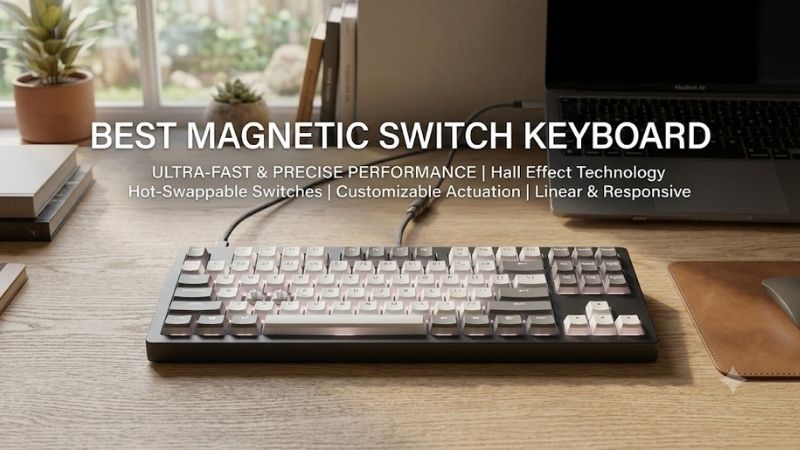
The best magnetic switch keyboard combines adjustable actuation, rapid reset behavior, stable key sensing, and software that makes those features easy to tune. For competitive gaming, Hall Effect boards stand out because each key can react to travel distance rather than relying on one fixed mechanical contact point.
Quick answer: For most people in 2026, the best magnetic switch keyboard is the Keyboard — our #1 rated choice. See the full ranked comparison, alternatives and buying advice below.
Best Magnetic Switch Keyboards Compared
| Keyboard | Best For | Layout | Magnetic Switch System | Connectivity | Key Advantage |
|---|---|---|---|---|---|
| Wooting 80HE+ | Competitive gaming | 80% | Lekker magnetic switches | Wired | Deep per-key tuning |
| Keychron Q1 HE | Gaming and productivity | 75% | Gateron double-rail magnetic | Wired, 2.4 GHz, Bluetooth | Custom-style build |
| SteelSeries Apex Pro TKL Gen 3 | FPS and esports | TKL | OmniPoint 3.0 HyperMagnetic | Wired | Rapid Tap and Rapid Trigger |
| Corsair K70 MAX | Full-size gaming | Full size | Corsair MGX magnetic | Wired | Numpad and dual-point actuation |
Wooting 80HE+ — Best for Competitive Gaming
Wooting 80HE+ is built around per-key control. Its adjustable actuation spans 0.1 to 4.0 mm in 0.1 mm steps, while Rapid Trigger can be tuned separately for press and release behavior. True 8 kHz polling and synchronized scanning target players who care about precise movement, repeated inputs, and low input delay.
Its main advantage is flexibility rather than one aggressive factory setting. Wootility lets you tune individual keys, remap functions, create profiles, and use features such as Dynamic Keystroke. That means WASD can feel extremely sensitive for shooters while typing keys stay deeper and less prone to accidental activation.
Best For: Competitive FPS, rhythm games, and players who want detailed Hall Effect tuning.
Key Features:
- 80% layout
- Adjustable actuation from 0.1 to 4.0 mm
- Per-key actuation adjustment
- Rapid Trigger
- Dynamic Keystroke
- True 8 kHz polling
- Wootility configuration
- Per-key remapping
What Makes It Different: Wooting focuses heavily on granular control, letting users configure actuation and Rapid Trigger behavior on individual keys instead of applying one sensitivity setting across the entire keyboard.
Pros:
- Extremely detailed per-key customization
- Wide adjustable actuation range
- Rapid Trigger with separate press and release tuning
- 8 kHz polling
- Strong software configuration
- Practical 80% layout
Cons:
- Wired only
- Requires tuning to get the most from its features
- Advanced options may be excessive for casual users
Use Case: Set WASD and movement keys to shallow actuation for fast strafing while keeping letters, utility keys, and shortcuts deeper to reduce accidental presses during normal typing.
Who It’s For: Players who regularly switch between competitive shooters, rhythm games, MOBAs, and everyday computer use and want precise control over how individual keys behave.
Keychron Q1 HE — Best for Gaming and Productivity
Keychron Q1 HE suits buyers who want magnetic gaming features inside a heavier custom-style 75% board. It uses Gateron double-rail magnetic switches, supports 0.2 to 3.8 mm actuation adjustment, and includes Dynamic Rapid Trigger. Wired and 2.4 GHz modes support a 1000 Hz polling rate for responsive play.
The Q1 HE is also practical outside gaming because Keychron Launcher and QMK support remapping, macros, shortcuts, and magnetic-switch settings. Bluetooth adds multi-device flexibility, while the aluminum case and compact 75% layout keep arrow keys and a function row without using a full-size footprint.
Best For: Gamers who also type, code, edit, or work for long periods at the same desk.
Key Features:
- 75% layout
- Gateron double-rail magnetic switches
- Adjustable actuation from 0.2 to 3.8 mm
- 0.1 mm sensitivity
- Dynamic Rapid Trigger
- Four actions per key
- 1000 Hz polling over wired and 2.4 GHz
- Bluetooth connectivity
- QMK support
- Keychron Launcher
What Makes It Different: The Q1 HE combines magnetic gaming features with the design priorities of a custom keyboard, including an aluminum chassis, compact 75% layout, extensive remapping, and multi-device connectivity.
Pros:
- Useful 75% layout
- Wired, 2.4 GHz, and Bluetooth
- Adjustable actuation
- Rapid Trigger
- QMK customization
- Strong productivity features
Cons:
- Heavier than portable gaming boards
- Magnetic switch compatibility is limited
- Bluetooth has a lower polling rate than wired or 2.4 GHz
Use Case: Use the 2.4 GHz connection for gaming, then switch to Bluetooth for a laptop while keeping the same shortcuts, arrow keys, and function row available for work.
Who It’s For: Players who want one magnetic keyboard for gaming and daily productivity instead of maintaining separate gaming and work keyboards.
SteelSeries Apex Pro TKL Gen 3 — Best for FPS Players
SteelSeries Apex Pro TKL Gen 3 uses OmniPoint 3.0 adjustable HyperMagnetic switches on its main typing area, with actuation settings from 0.1 to 4.0 mm. Rapid Trigger resets a key as it rises, while Rapid Tap prioritizes the latest opposing input, which is useful for fast strafing in competitive shooters.
Its TKL shape keeps arrows and function keys while leaving more mouse space than a full-size board. SteelSeries GG handles actuation, bindings, RGB, and QuickSet profiles, while the board also includes an OLED display, aluminum top plate, sound dampening, and double-shot PBT keycaps for everyday use.
Best For: Competitive FPS players who want magnetic movement tools in a familiar TKL layout.
Key Features:
- TKL layout
- OmniPoint 3.0 HyperMagnetic switches
- Adjustable actuation from 0.1 to 4.0 mm
- Rapid Trigger
- Rapid Tap
- Protection Mode
- SteelSeries GG
- QuickSet profiles
- OLED display
- Double-shot PBT keycaps
What Makes It Different: Rapid Tap, Protection Mode, and QuickSet combine magnetic sensing with software tools designed around competitive movement and fast profile switching.
Pros:
- Wide adjustable actuation range
- TKL layout saves mouse space
- Rapid Trigger and Rapid Tap
- OLED display
- PBT keycaps
- Sound dampening
Cons:
- Some non-main keys use conventional switches
- Wired model lacks wireless connectivity
- Advanced software features may require setup
Use Case: Configure movement keys for shallow actuation and Rapid Trigger while keeping surrounding keys less sensitive to reduce accidental presses during fast strafing and counter-strafing.
Who It’s For: Valorant, Counter-Strike, Apex Legends, and other competitive players who want a TKL magnetic keyboard without moving to a compact 60% layout.
Corsair K70 MAX — Best Full-Size Magnetic Keyboard
Corsair K70 MAX takes the magnetic-switch concept into a full-size format. Its MGX switches allow per-key actuation from 0.4 to 3.6 mm in 0.1 mm steps, and Rapid Trigger resets inputs during upward travel. AXON processing supports up to 8,000 Hz polling for users who want a traditional full keyboard.
The K70 MAX is especially useful when you need a numpad, dedicated media controls, and magnetic actuation in one board. iCUE manages profiles and customization, while dual-point actuation can assign two actions to one keypress. The trade-off is desk space, because the full-size chassis is much wider.
Best For: Gamers who want magnetic switches without giving up a numpad or dedicated media controls.
Key Features:
- Full-size layout
- Corsair MGX magnetic switches
- Adjustable actuation from 0.4 to 3.6 mm
- 0.1 mm adjustment steps
- Rapid Trigger
- Dual-point actuation
- Up to 8,000 Hz polling
- iCUE software
- Dedicated media keys
- Volume roller
- Onboard profiles
What Makes It Different: Most performance-focused magnetic boards prioritize compact layouts, while the K70 MAX keeps the full numpad, media keys, and volume controls expected from a traditional desktop keyboard.
Pros:
- Full-size layout
- Adjustable MGX switches
- Rapid Trigger
- Dual-point actuation
- 8 kHz polling
- Dedicated media controls
- Onboard profile support
Cons:
- Takes more desk space
- Wired only
- Less portable than TKL or 75% options
Use Case: Assign a shallow actuation point to movement and ability keys while retaining the numpad for productivity, macros, simulations, strategy games, or number-heavy applications.
Who It’s For: Players who prefer a full desktop keyboard and do not want to sacrifice a numpad or dedicated media controls to gain magnetic-switch features.
How to Choose the Best Magnetic Switch Keyboard
Adjustable Actuation Range
Actuation range determines how early a key can register. Very shallow settings can help repeated movement inputs, but they can also make accidental presses easier during typing. A broader adjustable range is useful because you can make movement keys sensitive while keeping letters, modifiers, and utility keys deeper.
Rapid Trigger
Rapid Trigger matters more than a tiny actuation number for many competitive players. Instead of waiting for a key to return past a fixed reset point, the keyboard can deactivate as the key moves upward. This makes repeated strafes, rhythm inputs, and rapid direction changes feel more immediate and controllable.
Polling Rate and Input Processing
Polling rate affects how often the keyboard reports input to the PC, but it should not be viewed in isolation. Switch sensing, firmware, scan behavior, and game engine timing also matter. Higher rates can reduce reporting intervals, yet a well-tuned magnetic keyboard is defined by the whole input pipeline.
Software and Per-Key Configuration
Software quality is critical because magnetic keyboards depend on configuration. Look for per-key actuation, Rapid Trigger tuning, profiles, remapping, and clear calibration tools. If the software is confusing, the hardware may never feel right because magnetic switches gain much of their value from precise, repeatable settings.
Keyboard Layout
Layout should match both the games you play and the work you do. TKL and 75% boards preserve arrows and function keys while creating extra mouse room. Full-size models keep the numpad and dedicated controls. Smaller layouts save space, but layers can slow workflows when you regularly need navigation keys.
Which Magnetic Keyboard Fits Your Use Case?
| Priority | Best Match |
|---|---|
| Deepest per-key tuning | Wooting 80HE+ |
| Gaming plus productivity | Keychron Q1 HE |
| Competitive FPS | SteelSeries Apex Pro TKL Gen 3 |
| Full-size layout | Corsair K70 MAX |
| Wireless connectivity | Keychron Q1 HE |
| 8 kHz polling | Wooting 80HE+ or Corsair K70 MAX |
| Compact desk setup | Keychron Q1 HE |
| Dedicated numpad | Corsair K70 MAX |
FAQ
What Is a Magnetic Switch Keyboard?
A magnetic switch keyboard uses a sensor to detect how far a key travels instead of waiting for two metal contacts to meet. That enables adjustable actuation, analog-style sensing, and features such as Rapid Trigger. The main benefit is configurable input behavior rather than simply a different switch sound or feel.
Are Magnetic Switches Better for Gaming?
Magnetic switches can help in competitive games because actuation and reset behavior can be tuned for faster repeated inputs. The benefit is most noticeable in titles where movement timing matters, such as tactical shooters or rhythm games. They do not automatically improve aim, decision-making, or overall skill.
What Does Rapid Trigger Do?
Rapid Trigger changes reset behavior rather than just lowering the initial actuation point. The key can deactivate as soon as it begins moving upward, depending on the configured sensitivity. This helps repeated presses because the switch does not need to cross one fixed reset position before another input can register.
Are Magnetic Switches Better Than Mechanical Switches?
Mechanical switches still make sense if you prefer a specific tactile, clicky, or linear feel and do not need variable actuation. Magnetic boards focus on adjustability and gaming control. Traditional mechanical keyboards often offer broader switch ecosystems, while Hall Effect models depend more heavily on sensor and firmware design.
What Keyboard Size Is Best for Magnetic Switches?
A 75% or TKL magnetic keyboard is usually the easiest fit for mixed gaming and everyday work. Both keep important navigation keys while freeing more room for mouse movement than a full-size board. Choose full size when a numpad is part of your daily workflow rather than something you use only occasionally.
Conclusion
The best magnetic switch keyboard should match your layout needs, tuning preferences, and game type. Wooting 80HE+ emphasizes deep per-key control, Keychron Q1 HE blends Hall Effect features with a custom-style build, Apex Pro TKL Gen 3 focuses on competitive tools, and Corsair K70 MAX keeps full-size practicality.
Ready to decide? Our #1 pick for 2026 is the Keyboard.
Live price & availability on Amazon.