🛒 Best Price Today on Amazon
Prime members get fast, free shipping on everything above, plus member-only deals. New members get a 30-day free trial — cancel anytime.
- Best Keyboards for Linux Users at a Glance
- System76 Launch — Best Linux-First Keyboard
- Keychron K8 Max — Best Mechanical Keyboard for Linux
- Logitech MX Keys S — Best Quiet Keyboard for Linux
- Logitech MX Mechanical Mini — Best Compact Low-Profile Pick
- How to Choose the Best Keyboard for Linux Users
- Linux Keyboard Features That Matter Most
- Linux-First vs General-Purpose Keyboards
- FAQ
- Conclusion
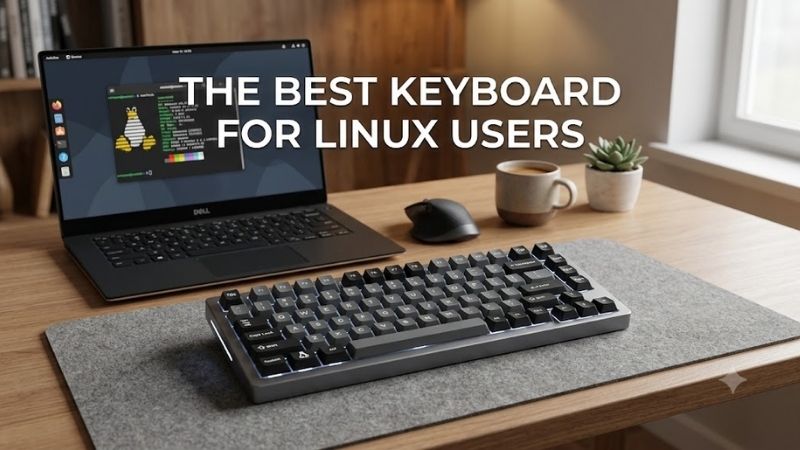
The best keyboard for Linux users should work reliably without depending on Windows-only software, while offering the layout, switches, and connection options your workflow needs. This roundup compares Linux-friendly mechanical and low-profile keyboards for coding, writing, gaming, and multi-device use.
Quick answer: For most people in 2026, the best keyboard for linux users is the Keyboard — our #1 rated choice. See the full ranked comparison, alternatives and buying advice below.
Best Keyboards for Linux Users at a Glance
| Keyboard | Best For | Layout | Connection | Linux Advantage |
|---|---|---|---|---|
| System76 Launch | Linux-first customization | Compact | Wired | Linux configurator and open firmware |
| Keychron K8 Max | Mechanical versatility | 80% TKL | 2.4 GHz, Bluetooth, USB-C | Linux support and QMK |
| Logitech MX Keys S | Quiet productivity | Full-size | Bluetooth, Logi Bolt | Reliable basic Linux functions |
| Logitech MX Mechanical Mini | Compact productivity | Compact | Bluetooth, Logi Bolt | Linux support with mechanical keys |
System76 Launch — Best Linux-First Keyboard
Best For: Linux users who want firmware-level customization and native configuration tools.
Key Features
- Compact 84-key layout
- Split space bar
- Kailh MX hot-swap sockets
- QMK-based open-source firmware
- System76 Keyboard Configurator
- Individually addressable RGB lighting
- Integrated USB-A and USB-C hub
- Wired USB connection
- Linux, Windows, and macOS configurator support
What Makes It Different
System76 Launch is built around Linux rather than merely supporting it as an extra platform. Its open-source QMK-based firmware and System76 Keyboard Configurator let users remap keys and layers from Linux, while the split space bar creates useful options for coding shortcuts, modifiers, or workspace commands.
Pros
- Official Linux configuration application
- Open-source QMK-based firmware
- Hot-swappable switch sockets
- Split space bar supports creative remapping
- Integrated USB hub
- Hardware-stored configuration
Cons
- Wired connection only
- Compact layout requires adjustment
- Heavier than typical portable keyboards
- No dedicated number pad
Use Case
The Launch is wired, so it suits a fixed workstation more than a cable-free desk. Its hot-swap sockets let you change compatible switches, and the integrated USB hub adds practical connectivity. Choose it if native Linux configuration, repairability, and firmware-level customization matter more than portability.
Who It’s For
The Launch is for Linux enthusiasts, developers, and workstation users who want configuration tools that officially support their operating system. It also suits people who value open hardware and repairability. Skip it if wireless connectivity or a lightweight travel keyboard is more important than deep firmware control.
Keychron K8 Max — Best Mechanical Keyboard for Linux
Best For: Linux users who want a traditional TKL layout with wireless connectivity and extensive customization.
Key Features
- 87-key 80% layout
- QMK-based customization
- Keychron Launcher support
- 2.4 GHz wireless
- Bluetooth 5.1
- USB-C wired mode
- Optional hot-swappable configuration
- Double-shot PBT keycaps
- Windows, macOS, and Linux compatibility
What Makes It Different
Keychron K8 Max combines an 80% layout with Linux compatibility, wireless flexibility, and QMK-based customization. It keeps the function row, arrows, and navigation cluster while removing the number pad, giving developers and gamers more mouse space without forcing them into a highly compressed layout.
Pros
- Native Linux compatibility
- Three connection methods
- QMK-based customization
- Familiar tenkeyless layout
- Optional hot-swappable version
- Dedicated function and navigation keys
Cons
- No dedicated number pad
- Taller than low-profile keyboards
- Mechanical switches can be louder
- Heavier than slim productivity boards
Use Case
Bluetooth, 2.4 GHz wireless, and USB-C wired modes make the K8 Max easy to move between a Linux desktop, laptop, and other devices. Optional hot-swappable versions support switch changes without soldering. Its taller mechanical profile may still benefit from a wrist rest during long coding sessions.
Who It’s For
The K8 Max is for Linux users who want a familiar tenkeyless layout without giving up wireless connections or mechanical customization. It works well for mixed coding and gaming desks. Users who need a number pad should consider a larger layout, while frequent travelers may find its mechanical build too substantial.
Logitech MX Keys S — Best Quiet Keyboard for Linux
Best For: Linux users who want quiet typing, a full-size layout, and simple multi-device operation.
Key Features
- Full-size layout
- Scissor-style keys
- Number pad
- Smart backlighting
- Bluetooth connectivity
- Logi Bolt receiver support
- Easy-Switch for up to three devices
- Linux basic-function compatibility
What Makes It Different
Logitech MX Keys S is a strong fit for Linux users who prefer quiet, low-profile typing instead of mechanical switches. It uses a full-size layout with a number pad, supports Bluetooth and the Logi Bolt receiver, and can switch among three devices, which helps when Linux shares a desk with another computer.
Pros
- Quiet low-profile typing
- Full-size number pad
- Multi-device switching
- Bluetooth and receiver connectivity
- Familiar productivity layout
- Minimal setup for basic Linux use
Cons
- Advanced software features are limited on Linux
- No mechanical switch choices
- Full-size footprint uses more desk space
- Not designed for firmware-level customization
Use Case
The main limitation is software depth on Linux. Logitech states that basic keyboard functions are supported, while its advanced Logi Options+ customization is aimed at Windows and macOS. That makes MX Keys S best for users who value comfortable typing and multi-device switching more than software remapping.
Who It’s For
MX Keys S is for programmers, writers, analysts, and office users who want a familiar full-size layout with quiet keys and minimal setup. It is less suitable for anyone who expects vendor software to handle complex Linux macros or remapping, because its strongest Linux experience comes from standard keyboard functions.
Logitech MX Mechanical Mini — Best Compact Low-Profile Pick
Best For: Linux users who want mechanical feedback in a compact productivity-focused keyboard.
Key Features
- Compact layout
- Low-profile mechanical switches
- Tactile Quiet switch option
- Clicky switch option
- Linear switch option
- Smart illumination
- Multi-device switching
- Linux compatibility
- Bluetooth and Logi Bolt connectivity
What Makes It Different
Logitech MX Mechanical Mini offers a compact alternative for Linux users who want low-profile mechanical switches. It supports Linux at the keyboard level, includes multi-device switching, and is available with tactile quiet, clicky, or linear switch options, letting buyers choose a feel that better matches coding or writing.
Pros
- Low-profile mechanical design
- Compact footprint
- Multiple switch types
- Multi-device switching
- Linux basic-function support
- Dedicated arrow keys
Cons
- No number pad
- Limited advanced Linux software support
- Switches are not aimed at enthusiast swapping
- Compact layout may take time to learn
Use Case
Its compact layout saves desk space while retaining a function row and dedicated arrow keys, which is useful for terminals, editors, and IDE navigation. The trade-off is the same software limitation as other Logitech productivity boards: Linux users get core functionality, but not the full Options+ customization experience.
Who It’s For
MX Mechanical Mini is for Linux users who want a compact productivity board with mechanical feedback but do not need enthusiast-level firmware control. It fits multi-device desks and smaller workspaces well. Choose another model if native Linux configuration software or hot-swappable switches are central requirements.
How to Choose the Best Keyboard for Linux Users
Check Linux Configuration Support
Linux compatibility has two layers: basic input support and configuration support. Almost any standard USB keyboard can type on Linux, but remapping, RGB control, macros, and firmware updates may depend on vendor software. Linux-first users should favor onboard memory, QMK, VIA-style tools, or cross-platform configurators.
Choose the Right Layout
Layout affects productivity more than raw keyboard specifications. Full-size boards keep a number pad for spreadsheets and numeric work, TKL or 80% boards retain navigation keys while saving width, and 75% layouts compress the same core functions further. Choose the smallest layout that does not hide keys you use constantly.
Consider Mechanical Switch Type
Mechanical switch choice changes sound, travel, and feedback rather than Linux compatibility. Linear switches move smoothly, tactile switches add a bump, and clicky switches add both tactile and audible feedback. For shared offices, quieter switch options are easier to live with, while home users may prefer stronger feedback.
Decide Between Wired and Wireless
Wireless support is useful if one keyboard serves several systems, but wired USB remains the simplest option for a permanent Linux workstation. Bluetooth reduces cable clutter, while a dedicated 2.4 GHz connection can be convenient for desktops. Check whether switching devices is handled directly by hardware rather than software.
Look for Hardware-Level Remapping
Programmability matters for users who live in terminals, editors, and window managers. Hardware-level remapping can place Escape, Control, Super, media keys, or macros exactly where you want them without relying on a desktop utility. QMK-based keyboards are especially appealing when you want settings stored in the keyboard itself.
Linux Keyboard Features That Matter Most
| Feature | Why It Matters on Linux | Best For |
|---|---|---|
| QMK firmware | Reduces dependence on proprietary desktop software | Developers and power users |
| Onboard profiles | Keeps mappings when changing systems | Multi-device users |
| Linux configurator | Makes remapping easier without Windows | Linux-first workstations |
| Standard Bluetooth | Simplifies wireless pairing | Laptop users |
| USB wired mode | Offers simple, dependable connectivity | Desktop systems |
| Dedicated arrows | Helps terminal and editor navigation | Programmers |
| Hot-swap sockets | Allows switch changes without replacing the board | Mechanical enthusiasts |
Linux-First vs General-Purpose Keyboards
A Linux-first keyboard offers the biggest advantage when configuration matters. System76 provides a Linux-compatible configurator, while QMK-based boards can keep mappings in firmware. General productivity keyboards can still type perfectly well, but advanced controls may depend on software that vendors primarily distribute for other systems.
A general-purpose keyboard may still be the better fit when you only need typing, shortcuts, media controls, and device switching. Logitech models are examples: their core keyboard functions support Linux, while deeper software features are more limited. The distinction matters most to users who rely on macros or extensive remapping.
FAQ
Do All USB Keyboards Work With Linux?
Yes. Standard USB keyboards generally work for basic typing on Linux because common keyboard input is handled through standard HID support. The bigger question is whether special functions such as RGB control, macros, remapping, or firmware updates require proprietary software that is unavailable for your distribution.
Is QMK Useful for Linux Users?
QMK is useful for Linux users because keymaps, layers, macros, and other behaviors can be stored in keyboard firmware instead of depending on a background desktop application. That approach is especially valuable for users who switch distributions, use minimal desktop environments, or want the same layout on several machines.
Is TKL or 75% Better for Linux Programming?
A TKL or 80% layout is often the practical middle ground for Linux development. It keeps arrow keys, function keys, and a navigation cluster for editors and debugging while removing the number pad. A 75% board saves more space, but the tighter arrangement can require more adjustment if you use navigation keys heavily.
Do Wireless Keyboards Work Well on Linux?
Wireless keyboards can work well on Linux, but the experience depends on the connection method and hardware support. Standard Bluetooth keyboards are usually straightforward, while vendor-specific receivers may offer different features. If reliability is more important than a clean desk, USB remains the least complicated choice.
Do I Need a Special Linux Keyboard?
Linux users do not need a dedicated Linux keyboard, but a Linux-friendly model can make customization easier. Boards with QMK, onboard profiles, cross-platform configurators, or standard hardware controls reduce dependence on Windows-only software and make advanced features more practical across different distributions.
Conclusion
The best keyboard for Linux users depends on whether you prioritize native configuration, wireless convenience, compact size, or quiet typing. System76 Launch offers the strongest Linux-first approach, Keychron K8 Max emphasizes flexible customization, while Logitech options suit users who mainly need dependable everyday input.
Ready to decide? Our #1 pick for 2026 is the Keyboard.
Live price & availability on Amazon.