🛒 Best Price Today on Amazon
Prime members get fast, free shipping on everything above, plus member-only deals. New members get a 30-day free trial — cancel anytime.
- Best Keyboards for Gaming and Programming Compared
- Wooting 80HE+ — Best for Competitive Gamers Who Code
- Keychron Q1 HE — Best Balance of Typing and Gaming
- Razer BlackWidow V4 75% — Best Hot-Swap Mechanical Pick
- Logitech G915 X LIGHTSPEED TKL — Best Wireless Option
- How to Choose the Best Keyboard for Gamers and Programmers
- Which Keyboard Should You Choose?
- FAQ
- Conclusion
The best keyboard for gamers and programmers must handle fast movement, long coding sessions, shortcuts, and everyday typing without forcing major compromises. The strongest options combine responsive switches, practical layouts, reliable connectivity, remapping tools, and enough comfort for hours at the desk.
Quick answer: For most people in 2026, the best keyboard for gamers and programmers is the Keyboard — our #1 rated choice. See the full ranked comparison, alternatives and buying advice below.
Best Keyboards for Gaming and Programming Compared
| Keyboard | Best For | Layout | Switch Technology | Connectivity | Main Advantage |
|---|---|---|---|---|---|
| Wooting 80HE+ | Competitive gaming + coding | 80% / TKL | Hall Effect | Wired | Rapid Trigger and deep per-key tuning |
| Keychron Q1 HE | Premium typing + gaming | 75% | Hall Effect | 2.4 GHz, Bluetooth, wired | QMK customization with magnetic switches |
| Razer BlackWidow V4 75% | Mechanical switch enthusiasts | 75% | Mechanical | Wired | Hot-swappable switches and 8 kHz polling |
| Logitech G915 X LIGHTSPEED TKL | Low-profile wireless setups | TKL | Low-profile mechanical | LIGHTSPEED, Bluetooth, wired | Thin chassis and flexible connectivity |
Wooting 80HE+ — Best for Competitive Gamers Who Code
Wooting 80HE+ is built for players who want highly adjustable key behavior but still need the function row and arrow keys that make programming easier. Its Hall Effect design supports adjustable actuation, Rapid Trigger, per-key tuning, and true 8 kHz polling, while the 80% layout stays practical for IDE shortcuts.
For coding, the 80HE+ avoids the biggest drawback of many esports boards: missing navigation keys. You can keep a conservative actuation point for letters and shortcuts, then make movement keys much more sensitive for games. Wootility also supports per-key configuration, so one profile can serve work and play without constant remapping.
Best For: Competitive FPS players, rhythm gamers, and programmers who want extensive input customization.
Key Features:
- 80% layout with F-row and dedicated arrow keys
- Hall Effect Lekker Tikken Medium switches
- Adjustable actuation from 0.1 to 4.0 mm
- Rapid Trigger with per-key configuration
- True 8 kHz polling
- Wootility configuration software
- Programmable LED indicator bar
- Optional split-spacebar support
What Makes It Different: The ability to tune individual keys for different actuation and Rapid Trigger behavior gives gamers much more control without removing the keys programmers regularly use.
Pros:
- Extremely flexible key actuation
- Strong feature set for competitive games
- Dedicated arrows and function row
- Per-key gaming and work configurations
- Extensive switch support through Wootility
Cons:
- Gaming features may be unnecessary for casual players
- No Bluetooth or 2.4 GHz wireless mode
- Requires configuration to get maximum value
Use Case: Keep normal typing keys at comfortable actuation depths while configuring WASD, Shift, Ctrl, and ability keys for faster activation and reset during competitive games.
Who It’s For: Users who spend the day programming but want advanced Hall Effect functionality when switching to Valorant, Counter-Strike, Apex Legends, rhythm games, or other input-sensitive titles.
Keychron Q1 HE — Best Balance of Typing and Gaming
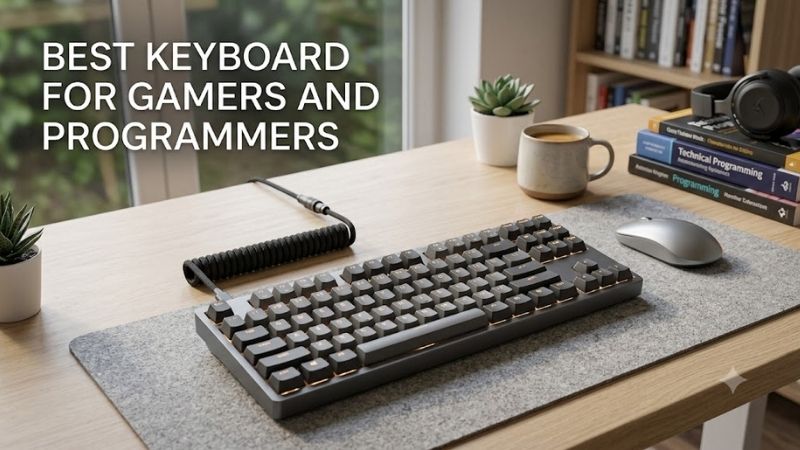
Keychron Q1 HE is the most balanced choice for users who value serious typing feel as much as gaming response. Its 75% layout keeps arrows and a function row, while magnetic Gateron switches support adjustable actuation and Rapid Trigger. The aluminum case, PBT keycaps, and double-gasket design target a more substantial desktop feel.
Programmers also benefit from QMK support and Keychron Launcher, which can remap keys, build macros, and configure magnetic-switch behavior. Wired and 2.4 GHz modes run at 1000 Hz, while Bluetooth offers a convenient option for secondary devices. The main trade-off is weight: this is a desk-first keyboard, not a travel board.
Best For: Developers who want enthusiast-style construction, programmable keys, and Hall Effect gaming functions.
Key Features:
- 75% layout
- Gateron Double-Rail Magnetic switches
- 0.2–3.8 mm adjustable actuation
- 0.1 mm sensitivity
- Dynamic Rapid Trigger
- 1000 Hz wired and 2.4 GHz polling
- Bluetooth connectivity
- QMK and Keychron Launcher support
- Aluminum body
- Double-gasket construction
What Makes It Different: Q1 HE combines gaming-oriented magnetic inputs with the programming flexibility associated with QMK keyboards and a heavier custom-keyboard-style chassis.
Pros:
- Excellent layout for coding and gaming
- Adjustable actuation
- QMK-based customization
- Wired, Bluetooth, and 2.4 GHz modes
- Solid aluminum construction
- Dedicated knob
Cons:
- Heavy compared with portable keyboards
- Magnetic switch compatibility is restricted
- Bluetooth uses a lower polling rate than wired or 2.4 GHz
Use Case: Connect through 2.4 GHz to a gaming PC for responsive inputs, then use Bluetooth with a laptop or another workstation while retaining the same familiar 75% layout.
Who It’s For: Programmers who enjoy custom keyboards but also play competitive games and want adjustable magnetic switches instead of maintaining separate gaming and work keyboards.
Razer BlackWidow V4 75% — Best Hot-Swap Mechanical Pick
Razer BlackWidow V4 75% suits users who want a conventional mechanical switch feel rather than magnetic switches. Its 75% layout preserves arrows and the function row, while the hot-swappable PCB makes switch changes easier. Razer also includes a media roller, dedicated media buttons, a wrist rest, and up to 8 kHz polling.
That combination works well for programmers who want tactile feedback, standard mechanical customization, and gaming software in one board. It is wired only, so it makes the most sense on a fixed desktop. The advantage is simple setup with no battery management, plus broad switch experimentation compared with fixed-switch designs.
Best For: Users who prefer traditional mechanical switches and want to experiment with different typing characteristics.
Key Features:
- 75% layout
- Hot-swappable switch sockets
- Razer Orange Tactile Mechanical Switches Gen-3 on the standard configuration
- Up to 8,000 Hz polling
- N-key rollover and anti-ghosting
- Multi-function media roller
- Two dedicated media buttons
- Magnetic wrist rest
- Razer Synapse support
What Makes It Different: Unlike the Hall Effect options, the BlackWidow V4 75% focuses on conventional mechanical switches, making it more appealing to users who care about changing switch feel and sound.
Pros:
- Hot-swappable mechanical switches
- Practical 75% layout
- High polling-rate support
- Dedicated media controls
- Included wrist rest
- Mechanical switch customization
Cons:
- Wired connectivity only
- No adjustable magnetic actuation
- No Rapid Trigger system comparable to Hall Effect boards
Use Case: Start with tactile switches for programming and replace selected switches later if you decide you want lighter linears for frequently used gaming keys or a different typing feel.
Who It’s For: Gamers and developers who prefer traditional mechanical keyboards, want a compact but functional layout, and care more about switch swapping than variable actuation.
Logitech G915 X LIGHTSPEED TKL — Best Wireless Option
Logitech G915 X LIGHTSPEED TKL is the strongest fit for users who want a low-profile wireless keyboard for both work and gaming. Its tenkeyless layout keeps arrows and the function row, while GL mechanical switches use a short 1.3 mm actuation point. LIGHTSPEED, Bluetooth, and wired modes make device switching more flexible.
For programmers, the slim 22.6 mm chassis can feel less bulky during long sessions, and double-shot PBT keycaps improve durability over basic painted caps. KEYCONTROL supports extensive remapping through Logitech G HUB, while dedicated media controls stay accessible. The trade-off is less switch customization than hot-swap enthusiast boards.
Best For: Gamers and developers who want a clean wireless desk and a low-profile typing position.
Key Features:
- Tenkeyless layout
- Low-profile GL mechanical switches
- 1.3 mm actuation point
- LIGHTSPEED 2.4 GHz wireless
- Bluetooth
- Wired data mode
- Double-shot PBT keycaps
- KEYCONTROL customization
- Dedicated media controls
- LIGHTSYNC RGB
What Makes It Different: Its low-profile construction and three connectivity modes emphasize everyday convenience more than advanced switch experimentation.
Pros:
- Low-profile chassis
- Multiple wireless and wired connection modes
- Dedicated arrows and F-row
- Physical media controls
- PBT keycaps
- Suitable for multi-device desks
Cons:
- No Rapid Trigger
- No adjustable actuation
- Less switch customization than hot-swappable keyboards
Use Case: Keep LIGHTSPEED connected to a gaming desktop while Bluetooth handles a work laptop, giving one keyboard a practical role across development, communication, and gaming.
Who It’s For: Programmers and gamers who value wireless convenience, traditional mechanical operation, and a thin TKL design more than Hall Effect gaming features.
How to Choose the Best Keyboard for Gamers and Programmers
Choose a Layout That Keeps Coding Keys Accessible
Layout is the first decision because it affects code navigation and mouse space. A 75% board keeps arrows and a function row in a compact footprint, while TKL adds separation around navigation keys. Competitive players may prefer smaller boards, but programmers should be cautious about layouts that bury arrows, Home, End, or F-keys behind layers.
Hall Effect vs Mechanical Switches
Switch technology changes how the keyboard behaves. Hall Effect boards can offer adjustable actuation and Rapid Trigger, useful for strafing, rhythm inputs, and personalized sensitivity. Traditional mechanical switches provide tactile, linear, or clicky choices and often allow easier aftermarket swapping, but actuation behavior is normally fixed.
Prioritize Useful Remapping and Macros
For mixed gaming and programming, per-key remapping is more useful than decorative software features. Look for profiles, layers, macros, and onboard storage when available. Developers can assign build commands, terminal shortcuts, or navigation functions, while gamers can create separate movement and ability layouts without changing the board.
Pick Connectivity for Your Workstation
Connectivity should match your desk. Wired boards remove charging concerns and suit a permanent setup. Low-latency 2.4 GHz wireless gives more freedom without relying on Bluetooth, while Bluetooth helps with laptops and secondary devices. If you switch between a work machine and gaming PC, tri-mode connectivity can reduce cable clutter.
Do Not Ignore Typing Comfort
Typing comfort matters because programming often lasts longer than a gaming match. Low-profile boards reduce overall height, while taller mechanical boards may benefit from a wrist rest. Keycap shape, switch weight, case angle, and layout spacing also affect fatigue. Choose the board that keeps wrists neutral and common shortcuts easy to reach.
Which Keyboard Should You Choose?
| Your Priority | Recommended Model |
|---|---|
| Competitive gaming performance | Wooting 80HE+ |
| Coding feel plus Hall Effect features | Keychron Q1 HE |
| Traditional hot-swappable mechanical switches | Razer BlackWidow V4 75% |
| Wireless and low-profile typing | Logitech G915 X LIGHTSPEED TKL |
| Adjustable actuation | Wooting 80HE+ or Keychron Q1 HE |
| Multi-device connectivity | Keychron Q1 HE or Logitech G915 X LIGHTSPEED TKL |
| Standard mechanical switch experimentation | Razer BlackWidow V4 75% |
FAQ
Is a 75% or TKL Keyboard Better for Gaming and Programming?
A 75% or TKL layout is usually the safest choice for someone who codes and games on the same keyboard. Both retain arrow keys and the function row, which are useful in IDEs, terminals, debugging tools, and productivity apps. They also free more mouse space than a full-size board, making them practical for shooters and smaller desks.
Are Hall Effect Switches Better for Programmers?
Hall Effect switches are useful when you want adjustable actuation or Rapid Trigger for competitive games, but they are not automatically better for programming. Coding benefits more from predictable feel, sensible layout, and comfortable key weighting. A well-chosen mechanical switch can be just as effective for long typing sessions and shortcuts.
Is a Wireless Keyboard Good Enough for Gaming and Coding?
Wireless can work well for both gaming and coding when the keyboard has a dedicated low-latency 2.4 GHz mode. Bluetooth is convenient for office devices but is usually better treated as a secondary connection for gaming. Wired mode remains the simplest option if you never move the keyboard and do not want to manage charging.
Is a Hot-Swappable Keyboard Worth Buying?
Hot-swappable switches are valuable if you enjoy changing typing feel or replacing individual switches without soldering. They matter less if you already know the switch type you prefer. Magnetic keyboards may also be hot-swappable, but compatibility can be limited to specific magnetic switch families, so check the manufacturer’s support list.
Do Programmers Need a Full-Size Keyboard?
A numpad is useful if your programming work includes heavy numeric entry, spreadsheets, accounting, or data operations that rely on repeated number input. For most developers and gamers, TKL or 75% layouts save desk space and improve mouse freedom. A separate numpad can be added later if occasional numeric work becomes important.
Conclusion
The best keyboard for gamers and programmers depends on whether you prioritize rapid actuation, premium typing feel, mechanical customization, or wireless convenience. Wooting 80HE+, Keychron Q1 HE, Razer BlackWidow V4 75%, and Logitech G915 X TKL each solve that balance differently without sacrificing essential work keys.
Ready to decide? Our #1 pick for 2026 is the Keyboard.
Live price & availability on Amazon.