🛒 Best Price Today on Amazon
Prime members get fast, free shipping on everything above, plus member-only deals. New members get a 30-day free trial — cancel anytime.
- Best Curved Monitors for Office Work Compared
- Dell UltraSharp U3425WE – Best Overall for Office Work
- Dell UltraSharp U4025QW – Best Premium Curved Office Monitor
- LG 40WP95C-W – Best for 5K2K Thunderbolt Productivity
- Samsung ViewFinity S9 S95UC – Best 49-Inch Office Monitor
- How to Choose the Best Curved Monitor for Office Work
- FAQ
- Conclusion
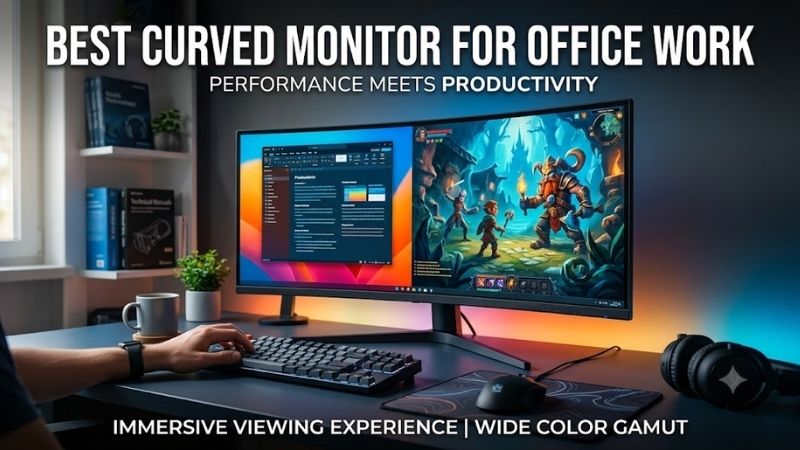
The best curved monitor for office work should make long spreadsheets, documents, browser tabs, and video calls easier to manage without forcing constant window switching. For most professionals, a 34-inch or 40-inch ultrawide with sharp text, USB-C or Thunderbolt, ergonomic adjustment, and a moderate curve offers the best balance.
Quick answer: For most people in 2026, the best curved monitor for office work is the Dell UltraSharp U3425WE — our #1 rated choice. See the full ranked comparison, alternatives and buying advice below.
Best Curved Monitors for Office Work Compared
For office productivity, the strongest options are not identical. Dell’s U3425WE is a compact premium hub monitor, the U4025QW adds far more workspace and higher pixel density, LG’s 40WP95C-W emphasizes 5K2K clarity and Thunderbolt connectivity, while Samsung’s S95UC targets users who want one very wide 49-inch desktop.
| Monitor | Screen | Resolution | Curve | Refresh Rate | Best For |
|---|---|---|---|---|---|
| Dell UltraSharp U3425WE | 34.1-inch | 3440 x 1440 | 1900R | 120Hz | Best overall office balance |
| Dell UltraSharp U4025QW | 39.7-inch | 5120 x 2160 | Curved | 120Hz | Premium productivity |
| LG 40WP95C-W | 39.7-inch | 5120 x 2160 | 2500R | Up to 72Hz | 5K2K Thunderbolt workflows |
| Samsung ViewFinity S9 S95UC | 49-inch | 5120 x 1440 | 1000R | Up to 120Hz | Maximum horizontal workspace |
Dell UltraSharp U3425WE – Best Overall for Office Work
The Dell UltraSharp U3425WE combines a 34.1-inch 3440 x 1440 IPS Black panel with a 1900R curve and 120Hz refresh rate. It also supports Thunderbolt 4 with up to 90W power delivery, integrated USB hub functions, height, tilt, and swivel adjustment, making it practical for a laptop-first office setup.
Best For
Professionals who want a premium curved office monitor that provides useful ultrawide space without requiring the desk footprint of a 40-inch or 49-inch display.
Key Features
- 34.1-inch curved IPS Black panel
- 3440 x 1440 resolution
- 1900R curvature
- 120Hz refresh rate
- Thunderbolt 4 upstream connection
- Up to 90W power delivery
- Height, tilt, and swivel adjustments
- Integrated USB hub
- Picture-by-Picture and Picture-in-Picture support
What Makes It Different
Its biggest advantage is balance. The 34-inch format is wide enough for two large windows side by side, yet it fits desks that may feel cramped with 40-inch or 49-inch models. The 120Hz refresh rate also makes scrolling through long pages, timelines, dashboards, and dense spreadsheets feel smoother than on standard 60Hz office displays.
Pros
- Manageable 34-inch footprint
- Smooth 120Hz desktop motion
- Thunderbolt laptop docking
- Strong ergonomic adjustment
- IPS Black panel
- Useful built-in hub functionality
Cons
- Less vertical workspace than 5K2K monitors
- Not as expansive as 40-inch and 49-inch alternatives
- Premium features may be unnecessary for basic email work
Use Case and Who It’s For
The U3425WE is best for professionals who want a premium single-monitor workstation without dedicating an entire desk to the display. It suits analysts, managers, developers, writers, and hybrid workers who need one-cable laptop docking, strong text clarity, broad color coverage, and more horizontal room than a standard 27-inch monitor.
Dell UltraSharp U4025QW – Best Premium Curved Office Monitor
The Dell UltraSharp U4025QW steps up to a 39.7-inch 5120 x 2160 IPS Black panel with a 21:9 aspect ratio, 120Hz refresh rate, and 140 PPI pixel density. It also includes Thunderbolt connectivity and extensive hub features, so one display can replace a traditional monitor, docking station, and dual-screen arrangement.
Best For
Power users who need a large, high-resolution curved monitor for spreadsheets, coding, research, creative applications, dashboards, and demanding multi-window workflows.
Key Features
- 39.7-inch curved IPS Black display
- 5120 x 2160 resolution
- 140 PPI
- 120Hz refresh rate
- 21:9 aspect ratio
- Height, swivel, and tilt adjustment
- DisplayPort and HDMI connectivity
- Thunderbolt hub functionality
- 99% DCI-P3 listed color coverage
What Makes It Different
The key difference is vertical and horizontal working space at the same time. Compared with 3440 x 1440 ultrawides, 5120 x 2160 gives sharper text and more room for large spreadsheets, editing timelines, browser research, code, or side-by-side documents. The trade-off is desk depth, width, and a substantially higher cost.
Pros
- High-density 5K2K workspace
- Large 39.7-inch panel
- Smooth 120Hz refresh rate
- Extensive office connectivity
- Strong fit for complex multitasking
- Height, tilt, and swivel stand
Cons
- Requires substantial desk space
- More demanding display resolution
- Premium specification set may exceed basic office needs
Use Case and Who It’s For
This model fits users who live in large canvases: financial professionals, developers, content teams, architects, researchers, and executives who keep many windows open at once. It is especially appealing when you want a cleaner one-screen setup but still need the usable space normally associated with two high-resolution monitors.
LG 40WP95C-W – Best for 5K2K Thunderbolt Productivity
The LG 40WP95C-W uses a 39.7-inch 5120 x 2160 Nano IPS panel with a 2500R curve and up to a 72Hz refresh rate. Thunderbolt supports display, data, daisy chaining, and up to 96W power delivery, while the stand provides height, tilt, and swivel adjustment for flexible positioning on a professional desk.
Best For
Thunderbolt laptop users, creative professionals, analysts, and office workers who prioritize high-resolution text and workspace over a 120Hz refresh rate.
Key Features
- 39.7-inch Nano IPS panel
- 5120 x 2160 resolution
- 2500R curvature
- Up to 72Hz refresh rate
- Thunderbolt connectivity
- Up to 96W power delivery
- Thunderbolt daisy chaining
- Height, tilt, and swivel adjustment
- Two built-in 10W speakers
What Makes It Different
Its 5K2K resolution is the main office benefit. Text, UI elements, diagrams, and small spreadsheet cells remain crisp while the 21:9 canvas leaves room for multiple full-size applications. The gentler 2500R curve is less immersive than a tight curve, but it can feel more natural for document-heavy work where straight lines matter.
Pros
- Sharp 5120 x 2160 resolution
- Wide 21:9 workspace
- Thunderbolt laptop connectivity
- 96W power delivery
- Gentler 2500R curvature
- Strong ergonomic adjustment
Cons
- Lower refresh ceiling than 120Hz alternatives
- Large footprint
- Users focused only on basic productivity may not need 5K2K resolution
Use Case and Who It’s For
The LG is best for professionals who prioritize resolution, connectivity, and a broad working canvas over very high refresh rates. It works well with Thunderbolt laptops, creative applications, large Excel models, research workflows, and editing timelines where fine detail and generous room for tool panels matter most.
Samsung ViewFinity S9 S95UC – Best 49-Inch Office Monitor
The Samsung ViewFinity S9 S95UC takes a different approach with a 49-inch 5120 x 1440 VA panel, 32:9 aspect ratio, 1000R curvature, and refresh rates up to 120Hz. Its extremely wide layout is effectively designed around heavy multitasking, large dashboards, timelines, and users who would otherwise run two monitors side by side.
Best For
Users who want maximum horizontal workspace for dashboards, financial applications, project management, operations, timelines, and several applications displayed simultaneously.
Key Features
- 49-inch curved VA panel
- 5120 x 1440 Dual QHD resolution
- 32:9 aspect ratio
- 1000R curvature
- Up to 120Hz refresh rate
- Picture-in-Picture support
- Picture-by-Picture support
- Eye Saver Mode
- Flicker Free support
What Makes It Different
The advantage is uninterrupted horizontal space. You can place several windows across one panel without a center bezel, which is useful for traders, operations teams, editors, project managers, and anyone monitoring multiple live applications. The drawback is that a 49-inch screen demands a deep desk and more deliberate window organization.
Pros
- Huge 32:9 workspace
- No center bezel between work areas
- 120Hz maximum refresh rate
- Strong contrast from the VA panel
- Useful Picture-by-Picture capability
- Well suited to dashboard-heavy work
Cons
- Requires considerable desk width
- 1440-pixel vertical resolution is lower than 5K2K alternatives
- Tight 1000R curve will not suit every office workflow
Use Case and Who It’s For
The S95UC is best for users who value width above vertical resolution. Its 1440-pixel height is familiar to many 27-inch QHD users, while the extra width supports complex multi-app workflows. It is less ideal for small desks or people who mainly work in single documents, because much of the screen could remain unused.
How to Choose the Best Curved Monitor for Office Work
Choose the Right Screen Size
Screen size should match the way you arrange windows. A 34-inch 21:9 monitor is usually enough for two major apps plus smaller side panels. A 40-inch 5K2K model adds noticeably more vertical detail and sharper text, while a 49-inch 32:9 display favors three or more horizontal work areas rather than extra document height.
Prioritize Resolution for Text and Spreadsheets
Resolution matters as much as physical size. A 3440 x 1440 monitor provides solid everyday office space, but 5120 x 2160 is better when you work with small text, detailed tables, design assets, or multiple high-resolution sources. Higher resolution also increases GPU bandwidth needs, so confirm that your laptop or desktop can drive the target mode.
Match the Curve to the Monitor Width
Curvature affects viewing comfort more than productivity software itself. Moderate curves such as 1900R or 2500R gently bring the outer edges toward you, while a 1000R curve feels much more pronounced on a 49-inch screen. Stronger curvature can help very wide displays feel cohesive, but some users prefer gentler curves for document and layout work.
Check USB-C and Thunderbolt Connectivity
Connectivity can determine whether a monitor simplifies or complicates your desk. Thunderbolt or USB-C with power delivery lets a compatible laptop receive video, data, and charging through one cable. Hub models can reduce the need for a separate dock, although power output, port selection, and supported display modes vary by monitor and computer.
Do Not Ignore Ergonomics
Ergonomics should not be treated as an afterthought. Height, tilt, and swivel adjustment help align the screen with your eyes and chair position, especially on wide monitors where poor placement increases head movement. If the included stand takes too much desk space, check VESA support and arm weight limits before choosing a replacement mount.
Decide Whether 120Hz Matters for Work
A higher refresh rate is not essential for email or spreadsheets, but it improves perceived smoothness when scrolling, dragging windows, navigating long pages, or moving through timelines. A 120Hz office monitor can feel more responsive than a 60Hz model, though resolution, text clarity, connectivity, and ergonomics matter more for most workers.
IPS vs VA for Office Use
IPS and IPS Black panels are useful for office work because they maintain stable viewing angles and consistent color across a wide screen. VA panels often emphasize stronger native contrast, which can make dark content look deeper. Neither panel type is automatically better for work; the right choice depends on viewing angle, contrast, and workflow needs.
FAQ
What Size Curved Monitor Is Best for Office Work?
For most users, 34 inches is the easiest size to adopt because it adds width without dominating the desk. A 40-inch 5K2K monitor is better when you need sharper text and more vertical space, while 49-inch super-ultrawide models make sense for intensive multi-window workflows. Desk depth and viewing distance should influence the decision.
Is a Curved Monitor Better Than a Flat Monitor for Office Work?
A curved monitor can be better than a flat monitor for office work when the screen is wide enough that the edges otherwise feel distant. The curve can reduce how much your eyes and head need to shift toward far corners. On smaller displays, however, the productivity benefit is more subtle, so resolution and ergonomics may matter more.
Can a Curved Ultrawide Replace Two Office Monitors?
Yes, one curved ultrawide can replace two monitors for many office setups. A 34-inch 21:9 display works well for two primary windows, while 40-inch 5K2K and 49-inch 32:9 models provide much more room. The main trade-offs are less physical separation between tasks, higher cost, and the need for effective window-management tools.
Is 34, 40, or 49 Inches Better for Productivity?
For office work, 34 inches is often the best starting point, while 40 inches is stronger for advanced multitasking and 49 inches suits highly specialized workflows. The right size depends on desk space, viewing distance, resolution, and how many apps you keep visible. Bigger is useful only when you regularly use the extra canvas.
Is Thunderbolt Worth It on an Office Monitor?
Thunderbolt is worth paying for when you use a compatible laptop and want one cable for display, charging, data, and peripherals. It can replace a separate dock and reduce cable clutter. If you use a desktop PC or rarely disconnect your computer, standard DisplayPort or HDMI plus a USB hub may deliver the same practical result for less.
Conclusion
The best curved monitor for office work depends on how much screen space you actually use. Dell’s U3425WE is the balanced 34-inch choice, the U4025QW favors premium 5K2K multitasking, LG’s 40WP95C-W emphasizes sharp Thunderbolt productivity, and Samsung’s S95UC suits users who want an expansive 49-inch workspace.
Ready to decide? Our #1 pick for 2026 is the Dell UltraSharp U3425WE.
Live price & availability on Amazon.