A wireless gaming keyboard has come a long way from the laggy, battery-hungry peripherals of years past. Today’s options deliver tournament-grade latency, hot-swappable switches, and RGB lighting that rivals wired boards—all without a cable cluttering your desk. Whether you’re building a clean battlestation or simply want freedom from cord chaos, there is a wireless keyboard for every budget and playstyle.
We researched dozens of models across frame rates, battery life, and build quality to bring you this definitive ranking. The eight picks below span from under $30 to just under $130, covering compact 75% layouts, full-size tenkeyless setups, and even combo bundles. Here are the best wireless gaming keyboards you can buy right now.
As an Amazon Associate we earn from qualifying purchases at no extra cost to you. Product prices and availability are accurate as of the date shown and are subject to change.


Quick Picks
| Product | Best for | Price |
|---|---|---|
| AULA F75 Pro | Budget hot-swap enthusiasts | $64.99 |
| Redragon S101M-KS | Keyboard-and-mouse combo value | $54.99 |
| KLIM Chroma Wireless | Ultra-low-cost RGB gaming | $27.97 |
| Redragon K556 PRO | Full-size mechanical on a budget | $56.99 |
| ASUS ROG Strix Scope II 96 | Premium tri-mode performance | $129 |
| Logitech MX Keys S | Productivity-meets-gaming crossover | $119.99 |
| Redragon K673 PRO | Gasket-mount typing feel | $49.99 |
| AULA S99 | Full numpad on a shoestring | $27.99 |
How We Picked
We evaluated every keyboard on switch feel, latency over 2.4GHz and Bluetooth, battery life, build materials, keycap quality, and software usability. Price-to-performance was a major factor because the wireless segment is crowded with cheap membrane boards pretending to be something more. We prioritized mechanical switches, tri-mode connectivity, hot-swappability, and gasket constructions where available, while still giving credit to boards that deliver surprising value at their price point.
The 8 Best Picks
1. AULA F75 Pro Wireless Mechanical Keyboard
For anyone who wants hot-swappable switches and a rotary knob without spending triple digits, the AULA F75 Pro is hard to beat at $64.99. The 75% layout saves desk space while keeping arrow keys and a function row, and the pre-lubed Reaper switches deliver a smooth, factory-tuned typing experience out of the box. Side-printed PBT keycaps add a distinctive aesthetic that stands out from generic sets. Tri-mode connectivity (2.4GHz, USB-C, Bluetooth 5.0) covers every scenario.
- Hot-swappable sockets make switch swaps tool-free
- Rotary knob adds quick volume and media control
- Stock Reaper switches lack the deep thock of premium alternatives
Skip this if you need a full numpad or prefer linear switches specifically tuned for rapid-fire gaming.
2. Redragon S101M-KS Gaming Keyboard and Mouse Combo
This two-piece bundle packs a wireless RGB keyboard and a 4800 DPI gaming mouse into a single package priced under $55. For first-time wireless buyers or anyone building a secondary setup, the combo approach eliminates guesswork. The keyboard supports tri-mode connectivity and includes 10 independent multimedia keys, while the mouse covers PC, laptop, and console gaming with reasonable precision for its class.
- Includes a mouse, doubling your peripheral value per dollar
- Dedicated multimedia keys reduce reliance on function-layer shortcuts
- Membrane-style keyboard lacks the tactile feedback of true mechanical boards
Competitive gamers who demand switch-by-switch consistency should look at mechanical options instead.
3. KLIM Chroma Wireless Keyboard
At $27.97, the KLIM Chroma is one of the cheapest wireless keyboards with RGB backlighting that still feels like a real product. The rechargeable battery means no ongoing AA cost, and water-resistant construction adds durability for spilled drinks and sweaty sessions. Compatibility extends beyond PC to PS4, PS5, and Mac, making it a flexible pick for multi-platform households.
- Under $30 with RGB and a rechargeable battery is remarkable value
- Works across PC, PlayStation, and Mac without extra adapters
- Flat chiclet-style keys won’t satisfy anyone wanting mechanical actuation
Anyone who prioritizes switch feel or programmable macros should budget for a mechanical board instead.
4. Redragon K556 PRO Wireless RGB Mechanical Gaming Keyboard
The K556 PRO brings a full 104-key layout in an aluminum chassis for $56.99, a combination that was nearly unheard of in wireless form a few years ago. The metal frame provides rigidity and weight that keeps the board planted during intense sessions. RGB per-key lighting adds visual punch, and the full-size layout includes a dedicated numpad for gamers who also do spreadsheet work.
- Aluminum top case gives a premium heft well beyond its price
- Full 104 keys with numpad suit mixed work and play setups
- Software is basic and lacks per-key macro editing depth
Minimalists who prefer compact layouts or hot-swap flexibility will find better options elsewhere.
5. ASUS ROG Strix Scope II 96 Wireless Mechanical Gaming Keyboard
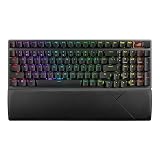
For $129, the ROG Strix Scope II 96 delivers a 96% full-size layout with hot-swappable, pre-lubed ROG NX Snow linear switches—feel that competes with boards twice its price. Tri-mode connectivity keeps latency low over 2.4GHz while Bluetooth handles laptops and tablets. PBT keycaps and full RGB round out a package that feels at home in a high-end setup. PC and Mac support broaden its reach.
- ROG NX Snow switches provide a factory-lubed, smooth linear feel right out of the box
- 96% layout fits a numpad without the bulk of a full 104-key board
- ASUS Armoury Crate software can feel bloated for users wanting a lightweight experience
Desktop purists who refuse to install any companion software might prefer simpler alternatives.
6. Logitech MX Keys S Wireless Keyboard
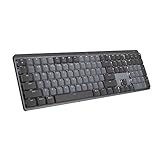
The MX Keys S sits in an unusual niche for this list: it is not a gaming keyboard in the traditional sense, but its low-profile scissor switches, multi-device switching, and intelligent backlighting make it the best wireless board for someone who games casually and works seriously. At $119.99, you get Logitech’s refined typing feel and battery life measured in months rather than hours.
- Low-profile switches feel familiar to laptop typists and reduce fatigue during long sessions
- Multi-device flow lets you switch between PC and laptop with a single keypress
- No mechanical switches and no hot-swap capability limit customization for enthusiasts
Competitive players who need N-key rollover or actuation under 1ms should choose a mechanical gaming board.
7. Redragon K673 PRO Wireless 81-Key RGB Gasket Gaming Keyboard
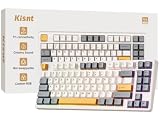
Gasket-mount construction at $49.99 is what makes the K673 PRO stand out. The foam gasket suspension between plate and case absorbs flex, producing a softer, more cushioned typing feel that enthusiasts normally pay triple digits for. The 81-key layout includes a rotary scroll knob for volume or lighting control, and tri-mode wireless keeps it connected to any device you own.
- Gasket mount delivers a premium sound profile rarely seen at this price
- Scroll knob adds tactile control without opening software
- Hot-swap is not confirmed on this model, limiting switch experimentation
Users who insist on swapping switches without soldering should look at the AULA F75 Pro or ROG Strix instead.
8. AULA S99 Wireless Keyboard
At $27.99, the AULA S99 is the cheapest way to get a wireless keyboard with a full number pad. The 99-key layout retains a numpad in a narrower footprint than traditional 104-key boards, saving roughly an inch of horizontal desk space. For office work, financial gaming, or anyone who simply cannot type comfortably without a numpad, this is a pragmatic entry point.
- Full numpad under $30 with wireless connectivity is nearly unmatched
- 99-key layout compresses the board while keeping essential keys
- Build quality and switch feel are basic compared to every other pick on this list
If you care about typing satisfaction or RGB flair, even the KLIM Chroma at a similar price feels more considered.
Buying Guide
Mechanical vs. Membrane
Mechanical switches offer consistent actuation, longer lifespan, and a typing feel that membrane boards cannot replicate. If you game competitively or type for hours, mechanical is worth the small premium. Membrane or scissor-switch boards like the KLIM Chroma and MX Keys S prioritize quiet operation and slim profiles at the expense of tactile depth.
Connection Modes
Tri-mode keyboards (2.4GHz, Bluetooth, USB-C wired) give you the lowest latency for gaming, the most convenience for laptops and tablets, and a fallback when batteries die. Single-mode Bluetooth boards save money but introduce perceptible input lag during fast-paced play. For 2026 and beyond, tri-mode is the standard to target.
Hot-Swap and Gasket Mount
Hot-swap sockets let you change switches without soldering, extending your board’s useful life and letting you fine-tune feel. Gasket mounts add cushioning between the plate and case, producing a deeper, softer sound. Together they define the current enthusiast baseline and are increasingly available under $60.
Our Verdict
The ASUS ROG Strix Scope II 96 is the best overall wireless gaming keyboard on this list, pairing premium switches and build quality with a practical 96% layout. For budget buyers, the AULA F75 Pro delivers hot-swap and a rotary knob at a price that makes competing boards look thin on value. The Redragon K673 PRO rounds out the sweet spot for anyone wanting gasket feel without breaking $50.
FAQ
Are wireless gaming keyboards good enough for competitive play?
Yes. Modern 2.4GHz connections achieve sub-1ms latency, making them indistinguishable from wired boards in blind tests. Bluetooth mode adds latency, so switch to 2.4GHz when precision matters.
Do wireless keyboards have noticeable battery anxiety?
Most tri-mode boards last 40 to 100 hours on a charge depending on RGB intensity. USB-C charging tops them back up quickly, and wired mode eliminates the concern entirely.
What does “hot-swap” actually let me do?
Hot-swap sockets allow you to pull out switches and insert different ones without soldering. You can change the feel from linear to tactile, replace worn-out switches individually, or customize specific keys with heavier springs for faster actuation.
Is a gasket mount worth it over a tray mount?
Gasket mounts produce a deeper, less “pingy” sound and a softer landing feel due to foam suspension. At the enthusiast level the difference is clear, and boards like the K673 PRO prove you can get that experience well under $100.