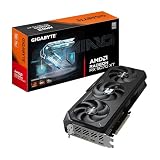
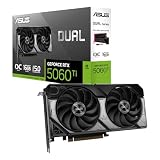
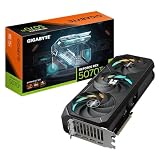
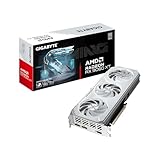
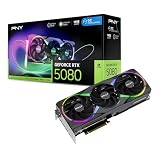
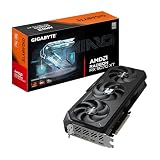
- Top Pick: GIGABYTE Radeon RX 9070 XT Gaming OC 16G Graphics Card, PCIe 5.0, 16GB GDDR6, GV-R9070XTGAMING OC-16GD Video Card
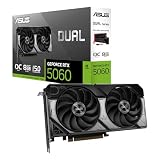
- Best Value: ASUS Prime AMD Radeon RX 9070 XT 16GB GDDR6 OC Edition Graphics Card, AMD (PCIe 5.0, HDMI/DP 2.1, 2.5-Slot Design, Axial-tech Fans, Ball Bearings, Dual BIOS, GPU Guard), 3 Year Warranty
- Premium Choice: ASRock Radeon RX 9070 XT Challenger 16GB OC Graphics Card – AMD RDNA 4 Architecture, 2970 MHz Boost Clock, GDDR6, PCIe 5.0, DisplayPort 2.1a, HDMI 2.1b, Triple Fan Cooling 800W
AMD’s Radeon RX 9070 XT has become one of the most talked-about graphics cards of the generation, delivering strong 1440p and capable 4K performance built on the new RDNA 4 architecture. With 16GB of GDDR6 and PCIe 5.0 support, it targets gamers who want high frame rates without paying flagship prices. The interesting part is the sheer variety of board-partner designs, each with its own cooling and clock strategy.
This review examines the RX 9070 XT across leading models from GIGABYTE, ASUS, ASRock, XFX, and Sapphire, helping you pick the right cooler, size, and factory tune for your build.
As an Amazon Associate we earn from qualifying purchases at no extra cost to you. Product prices and availability are accurate as of the date shown and are subject to change.



🎮 Get More From Your Setup — Free
Prime Gaming gives you free PC games every month, in-game loot, and a free Twitch channel sub — plus fast free shipping on all the gear above. New members get a 30-day free trial.
Watch: Amd Radeon Rx 9070 Xt: Review & Buyer’s Guide — Video Review
Design & Build
Partner designs range from compact to substantial. ASUS’s Prime OC keeps a relatively slim 2.5-slot profile with dual BIOS and axial-tech fans, making it friendly to smaller cases, while GIGABYTE’s Gaming OC and Gaming OC ICE use larger triple-fan coolers with reinforced structures and server-grade thermal gel. The ASRock Challenger and XFX Swift bring solid triple-fan cooling at accessible prices, and Sapphire’s Nitro+ sits at the premium end with a refined build. All share the same 16GB GDDR6 and RDNA 4 core, so the differences are cooling, noise, and clock headroom.
Performance
The RX 9070 XT is a genuine high-refresh 1440p powerhouse and a competent 4K card in most titles, especially with FSR upscaling enabled. RDNA 4 brings meaningful improvements to ray tracing over previous Radeon generations, narrowing the gap with competing cards. The better-cooled models like the Sapphire Nitro+ and GIGABYTE Gaming OC hold higher sustained boost clocks and stay quieter under load, while the ASRock Challenger and XFX Swift deliver nearly the same gaming experience for less. The 16GB frame buffer is generous and helps at higher resolutions and with texture-heavy games.
Pros & Cons
- Pro: Excellent 1440p performance and solid 4K capability.
- Pro: 16GB GDDR6 provides comfortable headroom for modern games.
- Pro: RDNA 4 improves ray tracing over prior Radeon cards.
- Pro: Wide range of designs at competitive prices.
- Con: Ray-tracing performance still trails the very top rivals.
- Con: Larger models need roomy cases and good airflow.
- Con: Premium editions narrow the value advantage.
Alternatives to Consider
If you want the best cooling and quietest operation, the Sapphire Nitro+ or GIGABYTE Gaming OC ICE are worth the premium. Budget-focused builders should look at the ASRock Challenger or XFX Swift, which offer the same core performance at a lower cost. Those with compact builds should favor the shorter ASUS Prime OC. Only step up to a more expensive competing GPU if maximum ray-tracing performance is your top priority.
Frequently Asked Questions
Is the RX 9070 XT good for 4K gaming?
Yes, particularly with FSR upscaling. It handles most modern titles at 4K with high settings, though very demanding games with heavy ray tracing may need some setting adjustments for smooth frame rates.
Which RX 9070 XT model should I buy?
For the best balance, a triple-fan model like the GIGABYTE Gaming OC is ideal. Choose the ASRock Challenger or XFX Swift for value, or the Sapphire Nitro+ if you want premium cooling and low noise.
How much power does it need?
It draws significant power under load, so a good-quality mid-to-high wattage PSU with the correct connectors is recommended. Check each model’s specification, as OC editions may pull a bit more.
Will it fit in my case?
Larger triple-fan models are long and thick, so measure clearance first. The slimmer ASUS Prime OC is the safest bet for compact or mini-tower builds.
Verdict
The Radeon RX 9070 XT is one of the best value-oriented high-performance GPUs of its generation, and RDNA 4 makes it a well-rounded choice for 1440p and 4K alike. The GIGABYTE Gaming OC and Sapphire Nitro+ stand out for cooling and refinement, while the ASRock Challenger and XFX Swift deliver the same core experience for less. Pick based on your case size and budget, and you will get a lot of frames per dollar.